

The best Trello alternatives in 2026 are spreadsheet-based kanban and project templates that you own outright instead of renting per seat. Options like the $4.99 KANBAN Board for Excel or a $6.99 Google Sheets task dashboard give small teams drag-driven boards, timelines and KPIs for a one-time price with no per-user fees.
Last updated: August 2026
Key takeaways
- Trello’s paid tiers run about $5 (Standard), $10 (Premium) and $17.50 (Enterprise) per user per month billed annually, so a 10-person team on Premium pays roughly $1,200 a year, every year.
- A one-time template such as the KANBAN Board with Power Pivot and VBA costs $4.99 once, for the whole team, forever.
- Small teams churn off Trello for three reasons: per-seat cost that scales with headcount, paid Power-Ups and modules they never use, and admin overhead managing boards and permissions.
- Spreadsheet templates cover the same jobs Trello does: kanban boards, task lists, timelines and reporting, in Excel, Google Sheets and Power BI, priced from $4.99 to $14.99.
- Trello still wins for real-time notifications, mobile-first workflows and automations, so this guide includes an honest “when Trello is still the right call” section.
 Launch offer
SUMIFS, XLOOKUP, FILTER, LAMBDA and checking AI-written formulas, with real business projects. 11h 47m of video by PK, with practice files, quizzes and a capstone.
Trello alternatives compared
| Template | Format | Best for | Price |
|---|---|---|---|
| KANBAN Board with Power Pivot & VBA (Best overall) | Excel | A direct drag-and-drop Trello swap | $4.99 |
| Project Task Management Dashboard (Best value) | Google Sheets | Cloud, real-time team collaboration | $6.99 |
| Construction Project Task Performance Dashboard | Google Sheets | Field crews tracking task performance | $6.99 |
| Project Management Office (PMO) KPI Dashboard | Power BI | Portfolio and multi-project reporting | $11.99 |
| Project Management Compliance KPI Dashboard | Excel | Audit, compliance and milestone tracking | $14.99 |
| Finance & Accounting Project Timeline KPI Dashboard | Excel | Finance teams running project timelines | $14.99 |
| Healthcare Project Timeline KPI Dashboard | Excel | Clinical and healthcare project timelines | $14.99 |
| Renewable Infrastructure Projects KPI Dashboard | Power BI | Capital and infrastructure programmes | $11.99 |
Why small teams leave Trello
Trello is a genuinely good kanban tool, and for a solo user the free plan is hard to beat. The friction starts when a team grows. Trello’s published pricing runs roughly $5 per user per month for Standard, $10 for Premium and $17.50 for Enterprise, all billed annually (monthly billing costs more). You can confirm the current numbers on the official Trello pricing page.
Three patterns push small teams to switch:
- Per-seat cost that scales with headcount. A 10-person team on Premium pays about $1,200 a year. Add five more people and the bill climbs, whether or not those people use Trello daily. A one-time template has no seat count at all.
- Paid modules and Power-Ups you never use. Much of what unlocks Premium and Enterprise, such as advanced automations, admin controls and unlimited boards, sits unused by teams that just wanted a board and a list.
- Admin overhead. Someone has to manage members, permissions, board sprawl and billing. For a five-person team that time is expensive, and a self-contained spreadsheet removes most of it.
The templates below are the switcher’s answer: buy once, own the file, and drop the recurring bill. If you are also weighing bigger platforms, our Asana alternatives and Monday.com alternatives guides cover the same trade-off for work-management suites.
Head-to-head: Trello feature vs the NGT template that covers it
| What you use Trello for | NGT template that covers it | One-time price |
|---|---|---|
| Kanban board with drag-and-drop cards | KANBAN Board with Power Pivot & VBA (Excel) | $4.99 |
| Shared task list your team edits live | Project Task Management Dashboard (Google Sheets) | $6.99 |
| Board views for a field or site team | Construction Project Task Performance Dashboard (Google Sheets) | $6.99 |
| Reporting across many boards / projects | PMO KPI Dashboard (Power BI) | $11.99 |
| Milestone and compliance tracking | Project Management Compliance KPI Dashboard (Excel) | $14.99 |
| Project timeline / Gantt-style view | Finance & Accounting Project Timeline KPI Dashboard (Excel) | $14.99 |
The pattern is clear: everything most small teams actually do in Trello maps to a spreadsheet template under $15, paid once rather than monthly per person.
How we picked these
We searched the full NextGenTemplates catalogue of 900-plus paid templates and shortlisted the project, kanban and task tools that replace a specific Trello job for a small team. Every pick is a paid, ready-to-use file with a real board, task list, timeline or KPI view, priced between $4.99 and $14.99. We excluded generic spreadsheets with no task structure, and anything that needed heavy setup before it worked. We ranked by how directly each one swaps in for Trello, starting with a literal drag-and-drop kanban board and widening out to cloud collaboration and portfolio reporting.
The 8 best Trello alternative templates for 2026
1. KANBAN Board with Power Pivot and VBA — best overall
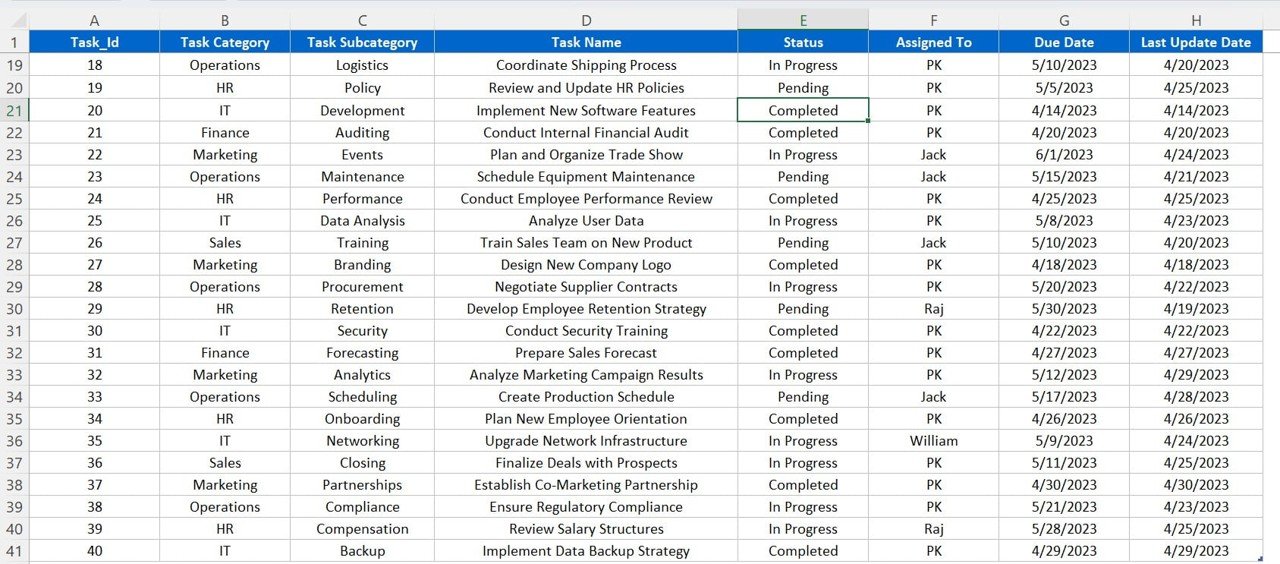
This is the closest thing to a like-for-like Trello swap in the list: a real kanban board in Excel, driven by VBA buttons and Power Pivot behind the scenes. Cards move across columns, and the model rolls task data into summaries automatically.
Who it is for: a small team that wants Trello’s board without Trello’s monthly bill.
What is inside:
- Drag-style kanban columns (backlog, in progress, done and your own stages).
- VBA-powered add, move and update actions so cards behave like Trello cards.
- Power Pivot data model that aggregates tasks by status, owner and priority.
- Summary views for workload and progress with no manual formulas.
Use it to run a 5-person sprint board, track a marketing campaign’s tasks across stages, manage a product backlog, or keep a client’s deliverables moving, all in one file. At $4.99 once for the whole team, it undercuts a single month of one Trello Premium seat.
Best for: teams that want the kanban feel with zero recurring cost. Price: $4.99.
2. Project Task Management Dashboard (Google Sheets) — best value
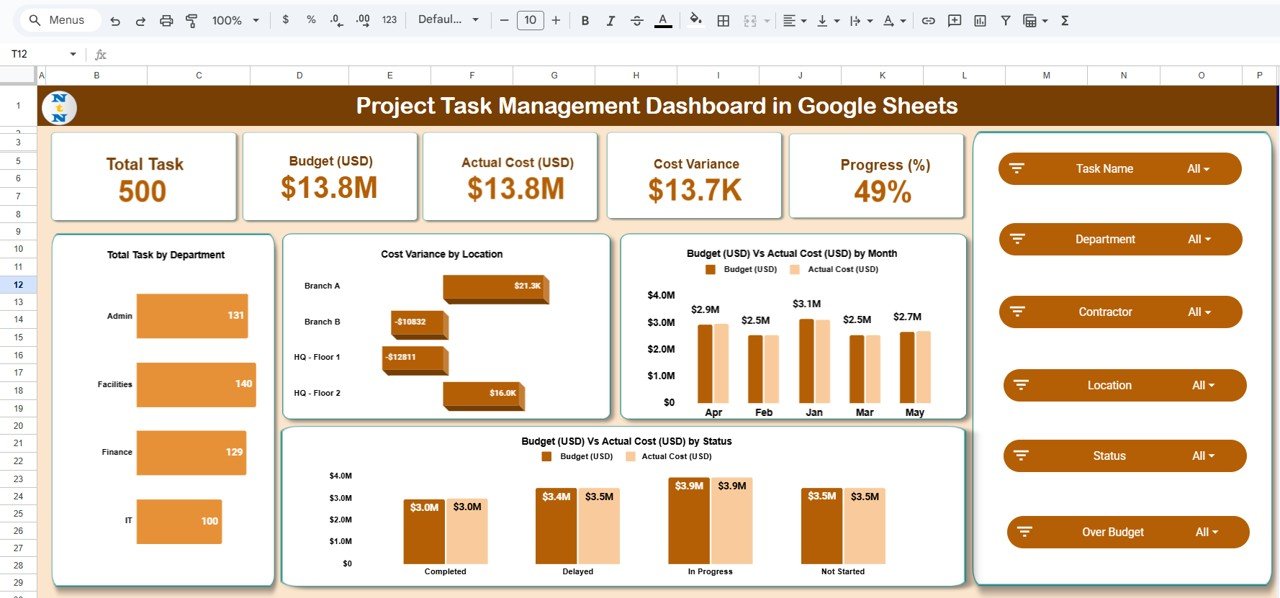
If what you liked about Trello was the shared, always-in-the-cloud board your whole team edits at once, this is the pick. It lives in Google Sheets, so real-time collaboration and mobile access are built in for free, and there is no per-seat fee.
Who it is for: distributed teams who need to update tasks from anywhere.
What is inside:
- A structured task register with owner, status, priority and due date.
- Dashboard charts that summarise progress and workload at a glance.
- Filters and dropdowns so each person sees their own tasks fast.
- Google Sheets sharing, comments and version history at no extra cost.
Run a remote team’s weekly tasks, coordinate a client project across time zones, track content production, or manage an operations checklist. Because Google Sheets is free, the only cost is the $6.99 template, which makes this the best value on the list for team collaboration.
Best for: cloud collaboration without a seat count. Price: $6.99.
3. Construction Project Task Performance Dashboard (Google Sheets)
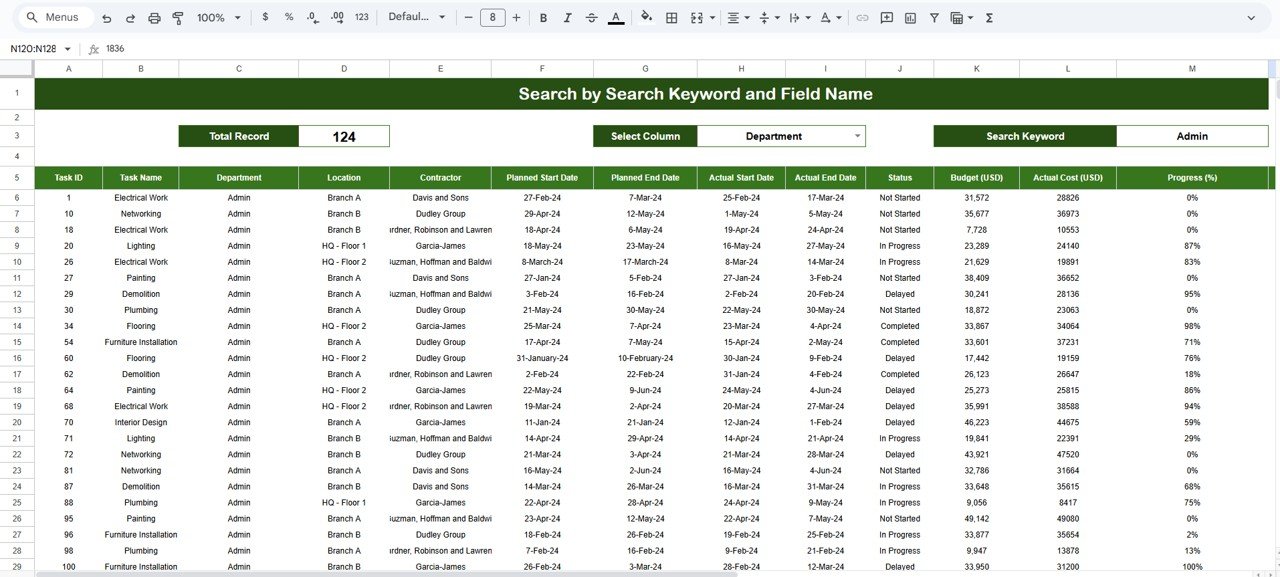
Built for site and field teams, this Google Sheets dashboard tracks task performance across a construction project without the app-store lock-in of a mobile tool. It answers the “are we on schedule and on scope” question a Trello board struggles to summarise.
Who it is for: construction and field crews coordinating many tasks on one project.
What is inside:
- Task performance tracking by phase, trade and status.
- Completion and delay indicators to flag slipping work early.
- Cloud access so foremen and PMs update from the field.
- Charts that turn raw task rows into a progress story.
Use it to run a build’s punch list, track sub-contractor tasks, monitor a renovation schedule, or report weekly progress to a client. The one-time $6.99 price means every crew member can open it without adding to a bill.
Best for: field teams that need performance tracking, not just a board. Price: $6.99.
4. Project Management Office (PMO) KPI Dashboard (Power BI)

Trello is fine for one board but weak at rolling many projects into one view. This Power BI dashboard is the answer for anyone who needs portfolio-level reporting, showing health, budget and delivery KPIs across every project at once.
Who it is for: PMOs and managers overseeing multiple projects or teams.
What is inside:
- Portfolio KPIs: on-time delivery, budget variance and project health.
- Drill-down from portfolio to individual project.
- Interactive slicers by manager, status and time period.
- Executive-ready visuals you can present without cleanup.
Use it to report to leadership, spot at-risk projects early, balance workload across managers, or run a monthly portfolio review. At $11.99 once, it does reporting Trello only reaches at its most expensive tiers.
Best for: multi-project reporting a single Trello board cannot do. Price: $11.99.
5. Project Management Compliance KPI Dashboard (Excel)
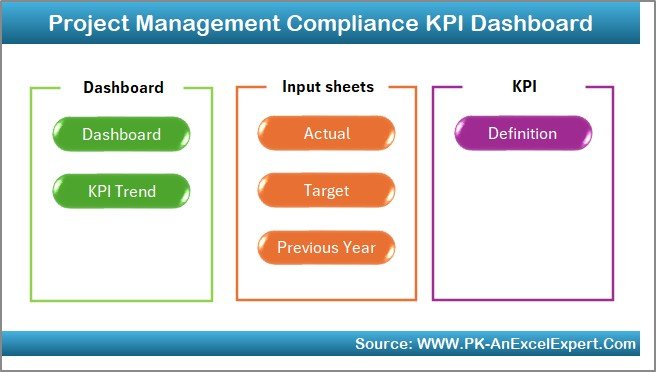
When a project has to prove it followed the rules, a Trello board is not an audit trail. This Excel dashboard tracks compliance and milestone KPIs so you can show, not just tell, that work met its standards.
Who it is for: regulated projects that need documented compliance tracking.
What is inside:
- Compliance and milestone KPI tracking in one workbook.
- Status indicators for pass, at-risk and overdue items.
- Progress rollups by phase and requirement.
- A structured record you can share with auditors.
Use it to track ISO or contractual milestones, evidence a quality process, monitor deliverable sign-offs, or prepare for an audit. The $14.99 one-time price covers the whole team with no per-seat compliance tier to buy.
Best for: compliance and audit-heavy projects. Price: $14.99.
6. Finance & Accounting Project Timeline KPI Dashboard (Excel)
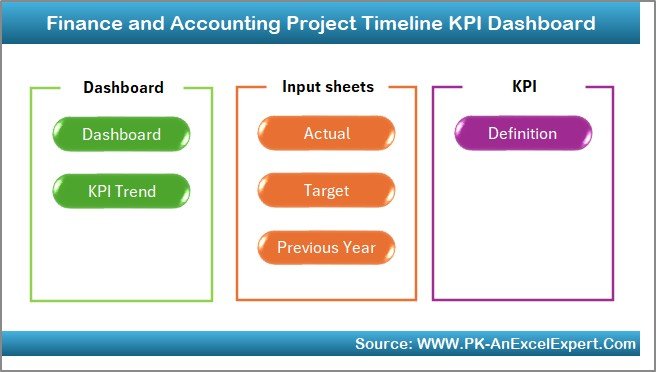
Trello’s timeline view is a Premium feature. This Excel template gives you a project timeline plus finance KPIs out of the box, aimed at teams that manage projects with a budget attached.
Who it is for: finance and accounting teams running projects to a schedule and a budget.
What is inside:
- Timeline view of phases, tasks and milestones.
- Finance KPIs tying progress to cost and budget.
- Variance indicators for schedule and spend.
- Summary dashboard for a quick health read.
Use it to run a month-end close project, track an audit engagement’s timeline, manage a systems migration budget, or report project spend to a controller. At $14.99 once it replaces a Premium seat you would otherwise pay for every month.
Best for: budget-aware project timelines. Price: $14.99.
7. Healthcare Project Timeline KPI Dashboard (Excel)

Healthcare projects carry deadlines and stakes a sticky-note board cannot hold. This Excel dashboard pairs a project timeline with KPIs tuned for clinical and healthcare delivery work.
Who it is for: clinical operations and healthcare project teams.
What is inside:
- Timeline of project phases and clinical milestones.
- KPIs for on-time delivery and completion.
- Status flags for tasks that need attention.
- Reporting summary for stakeholders and committees.
Use it to manage a facility rollout, track a compliance programme, coordinate a service-line launch, or run a clinical improvement project. The $14.99 one-time cost keeps the whole care team on the same file without a subscription.
Best for: clinical and healthcare project timelines. Price: $14.99.
8. Renewable Infrastructure Projects KPI Dashboard (Power BI)
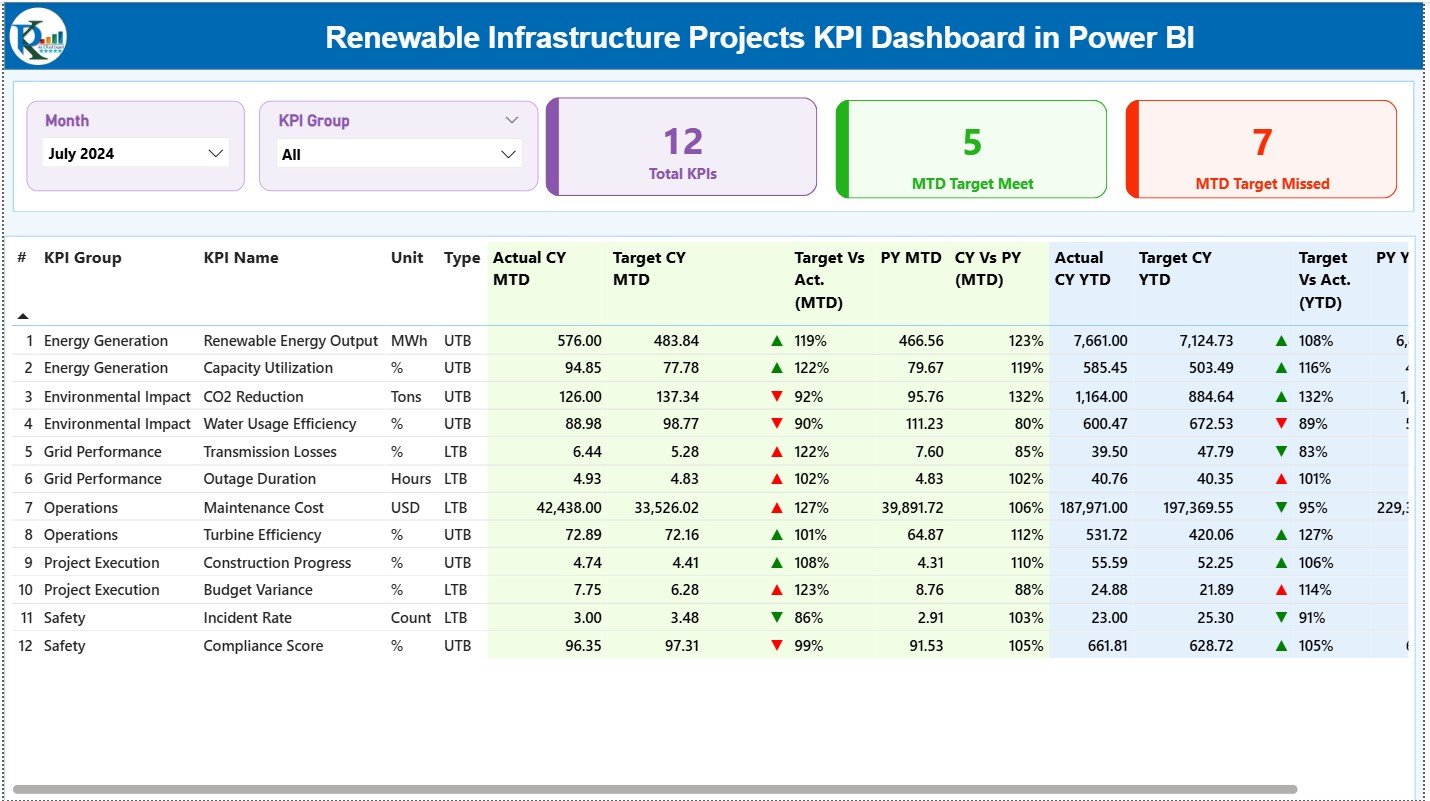
For capital and infrastructure programmes, Trello is far too light. This Power BI dashboard tracks large renewable and infrastructure projects with the KPI depth those programmes demand.
Who it is for: teams running capital-intensive renewable or infrastructure projects.
What is inside:
- KPIs for delivery, budget and milestone progress across projects.
- Interactive filters by site, phase and status.
- Portfolio and single-project views.
- Board-ready visuals for programme reviews.
Use it to monitor a solar or wind build-out, report to investors, track grid-connection milestones, or manage a multi-site rollout. At $11.99 once, it gives programme-grade reporting without a per-seat platform.
Best for: capital and infrastructure programme reporting. Price: $11.99.
How to choose between them
Match the template to the job, not the brand:
- You want Trello’s board feel: start with the KANBAN Board for Excel ($4.99).
- Your team edits together, live: the Google Sheets Task Dashboard ($6.99).
- You manage many projects at once: the PMO KPI Dashboard for Power BI ($11.99).
- You must document compliance: the Compliance KPI Dashboard ($14.99).
- Your projects carry a budget or timeline: a timeline KPI dashboard ($14.99).
For most small teams switching off Trello, the honest answer is to buy the $4.99 kanban board first, and add a reporting dashboard only when you outgrow a single board.
When Trello is still the right call
These templates replace Trello for a lot of teams, but not all. Be honest with yourself before you switch:
- You need push notifications and reminders. Trello nudges people when a card is due. A spreadsheet does not chase anyone; the discipline has to come from the team.
- You live on mobile. Trello’s phone app is genuinely good. Excel and Google Sheets work on mobile, but the experience is not built card-first the way Trello is.
- You rely on automation and integrations. Trello Power-Ups and Butler automations connect to Slack, calendars and dozens of apps. Templates do not integrate out of the box.
- Non-spreadsheet users are on the team. If half your team has never touched a formula, Trello’s zero-learning-curve board may be worth the fee.
- You need real-time card locking at scale. Many people dragging the same cards live is Trello’s home turf; a shared sheet handles it, but with more care.
If two or more of these are dealbreakers, keep Trello and skip the switch. Balanced advice beats a hard sell, and it saves you a refund later.
Frequently asked questions
What is the best free Trello alternative?
The closest to free is a Google Sheets template on a free Google account, such as the $6.99 Project Task Management Dashboard. You pay once for the file, then the platform itself is free with no per-user charge, unlike Trello’s paid tiers that bill every seat monthly.
Can Excel replace Trello?
Yes, for board-style task management. The $4.99 KANBAN Board with Power Pivot and VBA recreates Trello’s columns and cards inside Excel with buttons to add and move tasks. It will not send notifications or sync to mobile the way Trello does, but for a small team’s board it is a direct swap.
How much does Trello cost in 2026?
Trello’s published pricing is roughly $5 per user per month for Standard, $10 for Premium and $17.50 for Enterprise, all billed annually; monthly billing costs more. A one-time template between $4.99 and $14.99 covers your whole team once instead of charging per person every month. Check trello.com/pricing for current figures.
Is a spreadsheet kanban board as good as Trello?
For core kanban, largely yes: columns, cards, statuses and summaries all work in a spreadsheet template. Trello pulls ahead on notifications, mobile, and third-party integrations. If those are not essential to your workflow, a $4.99 spreadsheet board delivers the same day-to-day board with no subscription.
Do these templates work on Mac?
The Google Sheets templates work anywhere with a browser, Mac included. The Excel templates use VBA and Power Pivot, which run best on Excel for Windows; on Mac, Power Pivot and some VBA features are limited, so a Mac-only team should prefer the Google Sheets or Power BI options.
Can my whole team use one template?
Yes. Unlike Trello’s per-seat pricing, a template is a one-time purchase you can share across your team. A Google Sheets file can be edited by everyone at once with sharing turned on, and an Excel or Power BI file can be stored on a shared drive for the team to open.
What replaces Trello Power-Ups?
Nothing fully replaces integrations, and that is the honest trade-off. Templates cover the board, reporting and KPI jobs that Power-Ups add to Trello, but they do not connect to Slack or calendars automatically. If integrations are core to your workflow, weigh that before switching.
Which template is best for a small team leaving Trello?
Start with the $4.99 KANBAN Board for Excel for a direct board swap, or the $6.99 Google Sheets Task Dashboard if your team needs to edit together in the cloud. Both cost less than one month of a single Trello Premium seat and belong to you permanently.
Are there Power BI options for project reporting?
Yes. The $11.99 PMO KPI Dashboard and the $11.99 Renewable Infrastructure Projects Dashboard both run in Power BI and deliver portfolio-level reporting that Trello only approaches at its top tiers. They suit managers who need to report across many projects at once.
Get more project management templates
Ready to drop Trello’s monthly bill? The KANBAN Board with Power Pivot and VBA is the fastest switch at just $4.99, a one-time price for your whole team. Pair it with the Google Sheets Task Dashboard ($6.99) when you need cloud collaboration, or step up to the PMO KPI Dashboard ($11.99) for portfolio reporting.
Browse more switcher guides too: Asana alternatives, Monday.com alternatives, Pipedrive alternatives and Salesforce alternatives. For walkthroughs of these templates in action, subscribe to NextGenTemplates on YouTube.