

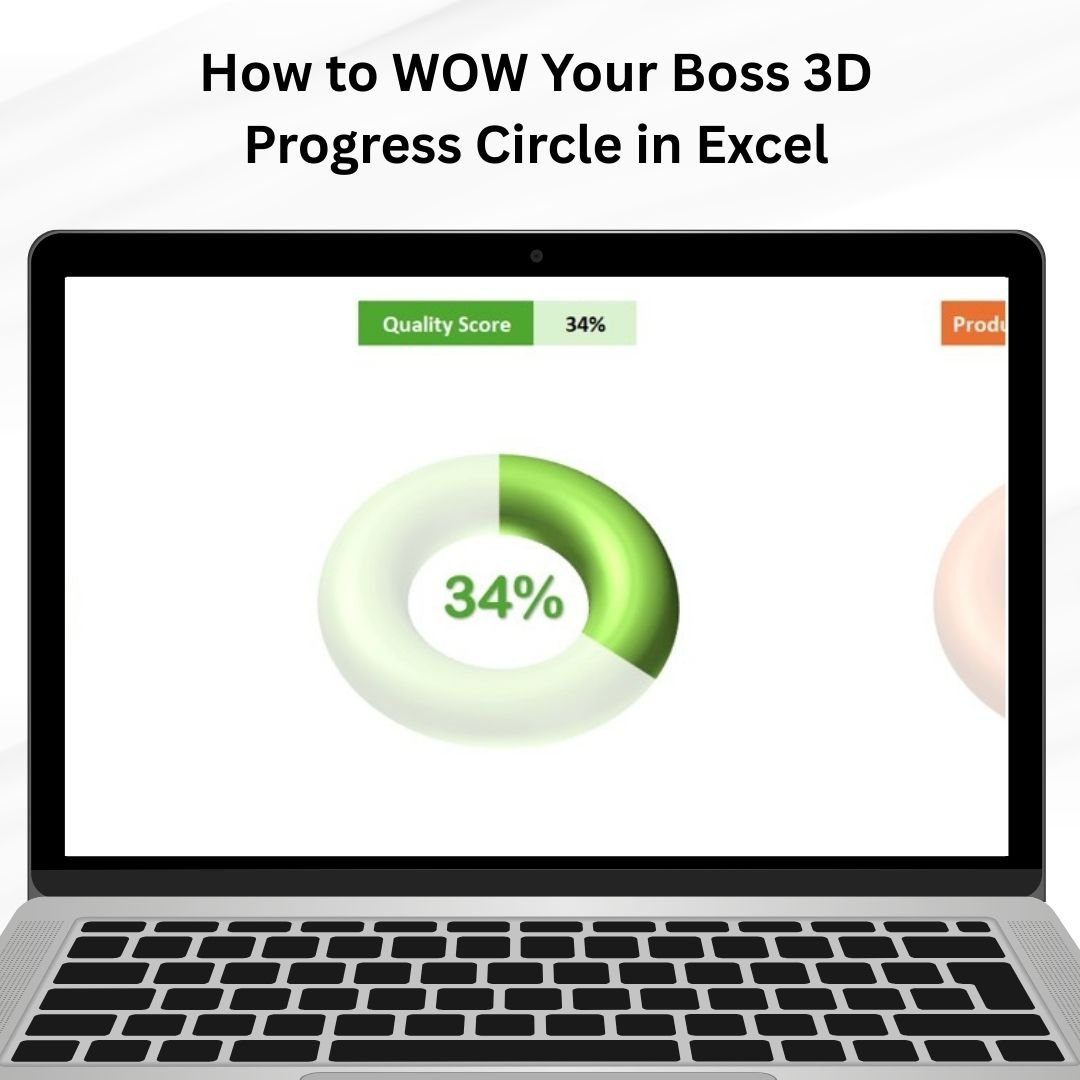

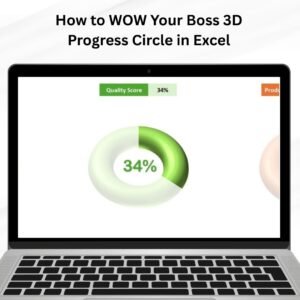
The How to Wow Your Boss: 3D Progress Circle in Excel is an innovative and visually appealing chart designed to help you showcase your progress in a dynamic, attention-grabbing way. Whether you are presenting project updates, tracking performance metrics, or highlighting personal goals, this 3D progress circle chart adds a unique and professional touch to your presentations.
Unlike traditional flat progress bars, this 3D circle chart provides a more visually engaging representation of progress, making it perfect for impressing your boss or clients during meetings and presentations. It’s simple to set up, yet impactful, and it offers customization options to track various metrics, from project completion to KPIs and sales targets.
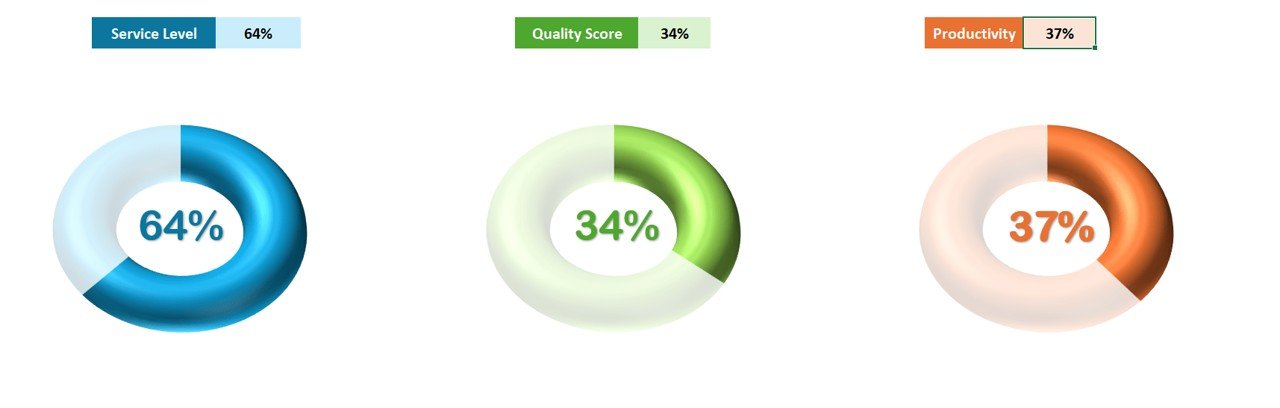
Key Features of the 3D Progress Circle in Excel
📌 Stunning 3D Visual Effect
The 3D design adds depth and visual interest to the progress circle, making it stand out in your presentations. The dynamic effect captures attention and gives your data a more polished and professional look.
🛠 Customizable Data Points
Track any data points such as project progress, task completion, or performance metrics. Customize the color, percentage, and labels to align with your specific goals and objectives.
💡 Real-Time Data Updates
As you enter or update data, the 3D progress circle adjusts in real-time, ensuring that your presentation always reflects the most current information without needing manual updates.
🔢 Multiple Use Cases
This chart works for various applications such as project tracking, performance evaluation, goal setting, and KPI monitoring. It’s flexible and adaptable to fit different types of data and objectives.
🚀 Interactive and Dynamic
Unlike static charts, the 3D progress circle creates an interactive and visually dynamic experience for your audience. It’s a great way to engage stakeholders and communicate progress in a visually impactful way.
📊 Professional and Engaging
Impress your boss, clients, or team with a professional and modern way of tracking progress. The 3D effect makes your data not only informative but also visually engaging, keeping your audience focused and interested.
⚙ Easy to Use
Despite its professional look, the 3D progress circle is simple to set up and modify. Whether you are an Excel beginner or an advanced user, you will find the template easy to use and adapt to your specific needs.
🚀 Why You’ll Love the 3D Progress Circle in Excel
✅ Eye-Catching 3D Effect – Make your progress tracking visually stunning with a 3D circle chart. ✅ Customizable Data – Adjust the chart to track different metrics, from project milestones to sales goals. ✅ Real-Time Updates – The chart automatically updates as you modify your data. ✅ Professional Look – Impress your boss and stakeholders with a polished and dynamic data presentation. ✅ Easy to Implement – Simple setup with no advanced Excel skills needed.
📂 What’s Inside the 3D Progress Circle in Excel?
- 3D Progress Circle: A dynamic, visually engaging chart that represents data progress.
- Customizable Design: Modify colors, labels, and percentages to match your data.
- Real-Time Updates: Automatically adjust the chart as new data is entered.
- Multiple Use Cases: Track project milestones, performance, or any other metric.
- Simple Setup: Clear instructions to get the chart up and running in minutes.
🔍 How to Use the 3D Progress Circle in Excel
1️⃣ Download the Template – Get immediate access to the Excel file upon purchase. 2️⃣ Customize Your Data – Modify the chart to track your specific goals, projects, or KPIs. 3️⃣ Enter Data – Input the relevant data, and watch the 3D circle update in real-time. 4️⃣ Track Progress – Use the 3D circle to monitor goals, track milestones, and visualize progress. 5️⃣ Impress Your Boss – Present your data in a dynamic, professional format that will wow your audience.
🎯 Who Can Benefit from the 3D Progress Circle in Excel? 🔹 Project Managers 🔹 Business Analysts 🔹 Sales Teams 🔹 Marketing Professionals 🔹 HR and Operations Teams 🔹 Anyone who needs to present progress or performance data visually
Make an impact with the 3D Progress Circle in Excel and present your data in a way that’s both informative and engaging. Perfect for anyone looking to track goals, monitor project milestones, or display performance metrics with style.
Click here to read the Detailed blog post
https://www.pk-anexcelexpert.com/how-to-wow-your-boss-3d-progress-circle-in-excel/
Visit our YouTube channel to learn step-by-step video tutorials
Watch the step-by-step video tutorial:
Compatibility and Requirements
- Works in Microsoft Excel desktop (Excel 2016 or later, or Microsoft 365).
- The visuals are standard Excel charts. Microsoft’s guide Create a chart from start to finish covers how to edit chart data, colors and labels.
Frequently Asked Questions
What does the 3D Progress Circle show?
It shows progress toward a goal as a 3D circle, for example project completion, task progress, KPIs or sales targets.
Does it update when I change the value?
Yes. The circle adjusts automatically when you enter or update your data.
Can I change the colors and labels?
Yes. You can customize the color, percentage and labels to match your goal.
Do I need advanced Excel skills?
No. The setup is simple, and the template includes instructions to get the chart running.
Related Progress Chart Templates
- Animated Progress Circle Chart: a progress circle with animation.
- Stunning Animated Progress Circle Charts for Project Tracking: progress circles for several projects.
- RAG Conditional Formatting in Progress Circle Chart: a progress circle that changes color by status.
- 3D Gauge Chart in Excel: another 3D chart for one KPI.
- Data Analyst’s Chart & Visualization Pack: 10 chart templates for Excel and Google Sheets in one bundle.
Browse all Excel chart and visualization templates.





























Reviews
There are no reviews yet.