



Water scarcity is one of the most critical global challenges today. Governments, municipalities, industries, and sustainability organizations are under constant pressure to measure, monitor, and improve water harvesting initiatives. Water Harvesting KPI Dashboard in Power BI However, when data remains scattered across Excel sheets or manual reports, performance tracking becomes slow, inaccurate, and reactive.
Water Harvesting KPI Dashboard in Power BI That is exactly why the Water Harvesting KPI Dashboard in Power BI becomes a mission-critical analytics solution 🌍.
This ready-to-use Power BI dashboard transforms raw water harvesting data into clear KPIs, performance indicators, and trend insights. Instead of manually reviewing reports, stakeholders gain a real-time, interactive view of MTD and YTD performance, targets, and year-over-year progress—all in one centralized dashboard.
Whether you manage rainwater harvesting projects, groundwater recharge initiatives, smart city programs, or sustainability compliance, this dashboard empowers you to make faster, smarter, and data-driven decisions.
🚀 Key Features of Water Harvesting KPI Dashboard in Power BI
📊 Centralized KPI Monitoring
Track all water harvesting KPIs in one interactive dashboard.
📅 MTD & YTD Performance Tracking
Monitor short-term progress and long-term impact together.
🎯 Target vs Actual Comparison
Instantly identify which KPIs meet or miss targets.
📈 Trend Analysis with Visuals
Analyze performance patterns using MTD and YTD trend charts.
🔍 Drill-Through KPI Definitions
Ensure transparency with formula-level KPI explanations.
⚙️ Excel-Based Data Source
Easy data maintenance without technical complexity.
🌱 Sustainability-Focused Insights
Support water conservation and regulatory reporting.
📂 What’s Inside the Water Harvesting KPI Dashboard in Power BI
📊 Summary Page – Complete Performance Snapshot

The Summary Page acts as the main control center of the dashboard.
🎛 Interactive Slicers
Month Slicer – Analyze performance by reporting month
KPI Group Slicer – Focus on specific KPI categories
🔢 KPI Cards
Total KPIs Count
MTD Target Met Count
MTD Target Missed Count
These cards instantly reveal overall performance health.
📋 Detailed KPI Table
The summary table provides deep insight with:
KPI Number & Group
KPI Name, Unit & Type (LTB / UTB)
Actual vs Target (MTD & YTD)
Visual ▲ / ▼ performance indicators
Previous Year comparison (CY vs PY %)
This structure allows quick identification of risks, gaps, and improvements.
📈 KPI Trend Page – Performance Over Time
The KPI Trend Page focuses on time-based analysis.
📊 Combo Charts Included
MTD Trend Chart – Actual CY vs PY vs Target
YTD Trend Chart – Actual CY vs PY vs Target
🎯 KPI Name Slicer
Select any KPI to instantly update trend visuals.
This page helps answer questions like:
Are water harvesting volumes improving year over year?
Are targets realistic or too aggressive?
Which KPIs show seasonal fluctuations?
📘 KPI Definition Page – Transparency & Governance
The KPI Definition Page is a hidden drill-through page.
🔍 What It Shows
KPI Formula
KPI Definition
Unit of Measurement
KPI Type (LTB / UTB)
This page ensures clarity, accountability, and consistent interpretation across teams.
👥 Who Can Benefit from This Dashboard
💧 Municipal corporations
🏛 Government water departments
🏙 Smart city initiatives
🏭 Industrial water management teams
🌍 Sustainability & ESG consultants
🤝 NGOs & water conservation programs
🔎 Click here to read the Detailed blog post
📺 Visit our YouTube channel to learn step-by-step video tutorials
👉 Youtube.com/@PKAnExcelExpert
Watch the step-by-step video tutorial:
Compatibility and Requirements
- Works in Power BI Desktop, which is free to download. Microsoft explains how to get it in Get Power BI Desktop.
- The data source is an Excel file, so you update your figures in Excel and refresh the dashboard.
Frequently Asked Questions
Which pages does the dashboard have?
Three pages: Summary, KPI Trend and KPI Definition. The KPI Definition page is hidden and opens by drill-through.
Can I filter by month or KPI group?
Yes. The Summary page has a Month slicer and a KPI Group slicer. The KPI Trend page has a KPI Name slicer.
Does it compare actuals with targets and the previous year?
Yes. The Summary table shows Actual vs Target for MTD and YTD, with up and down arrows, plus a current year vs previous year percentage. The trend charts plot current year, previous year and target.
Where do I enter my data?
In the Excel file that feeds the dashboard. After you update it, refresh the report in Power BI Desktop.
Is there an Excel version?
Yes. See the Water Harvesting KPI Dashboard in Excel.
Related Water Management Templates
- Water Harvesting KPI Dashboard in Excel: the same topic in Excel
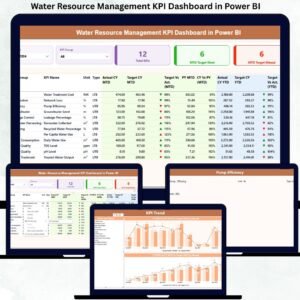
- Water Resource Management KPI Dashboard in Power BI: KPIs for managing water resources
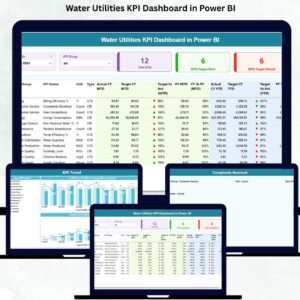
- Water Utilities KPI Dashboard in Power BI: a utility view in Power BI
- Water Supply KPI Dashboard in Power BI: supply KPIs in Power BI
- Power BI Dashboard Mega Collection: 15 Power BI templates in one download
Browse all Power BI KPI dashboards.
































Reviews
There are no reviews yet.