


Loan recovery directly impacts cash flow, profitability, and credit risk for banks, NBFCs, MFIs, and lending institutions. Yet many recovery teams still depend on scattered spreadsheets and manual reports. As a result, recovery actions get delayed, performance gaps remain hidden, and non-performing assets continue to rise.
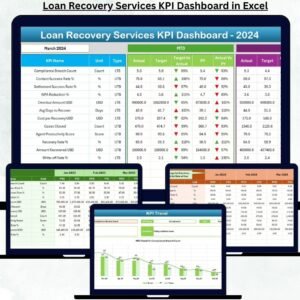
The Loan Recovery Services KPI Dashboard in Excel solves this problem by converting raw recovery data into clear, structured, and action-oriented insights. Loan Recovery Services KPI Dashboard in Excel This ready-to-use Excel dashboard allows recovery teams, managers, and leadership to track targets, actual collections, and trends from a single, interactive file. Because it works entirely in Excel, the dashboard requires no complex tools, BI software, or technical expertise.
With this dashboard, recovery operations become transparent, controlled, and performance-driven—helping organizations strengthen recovery strategies and reduce financial risk.
🚀 Key Features of the Loan Recovery Services KPI Dashboard in Excel
💰 Centralized Recovery KPI Tracking – Monitor all loan recovery KPIs in one dashboard
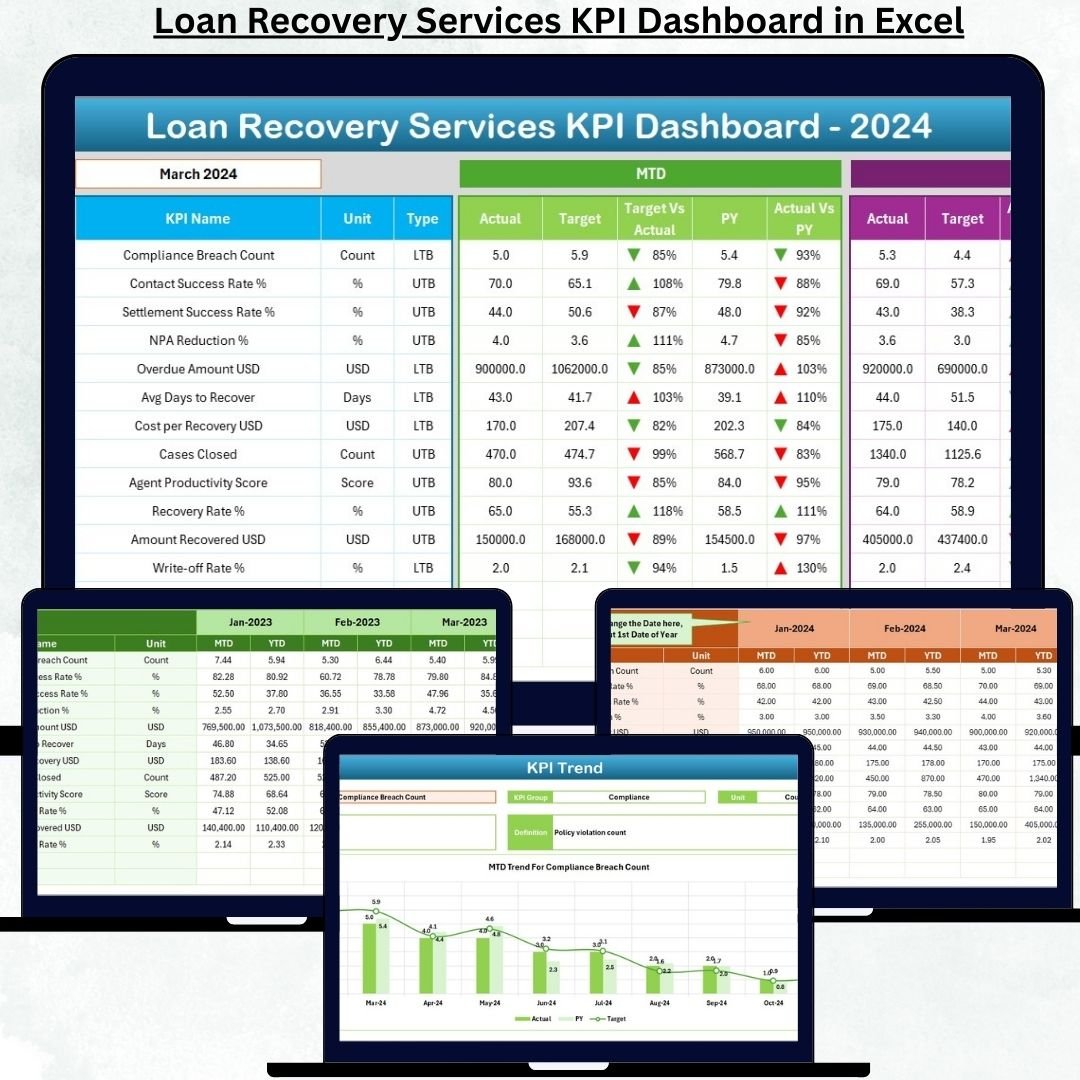
🎯 MTD & YTD Performance Visibility – Track short-term and cumulative recovery progress
✅ Target vs Actual Comparison – Instantly identify recovery gaps
📉 Previous Year Benchmarking – Measure improvement year over year
📊 Conditional Formatting Indicators – Red ▼ and Green ▲ arrows highlight performance
📅 Month-Wise Analysis – Change months with one drop-down
📈 KPI-Level Trend Analysis – Monitor recovery patterns over time
🧭 Easy Navigation Buttons – Jump across sheets without confusion
📦 What’s Inside the Loan Recovery Services KPI Dashboard
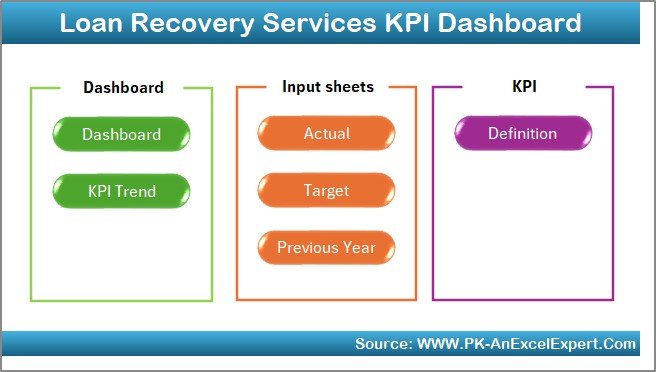
This Excel dashboard contains seven structured worksheets, designed to create a complete recovery performance management system.
🏠 Home Sheet
Acts as an index page with six navigation buttons that take users directly to key sheets, improving usability and speed.
📊 Dashboard Sheet
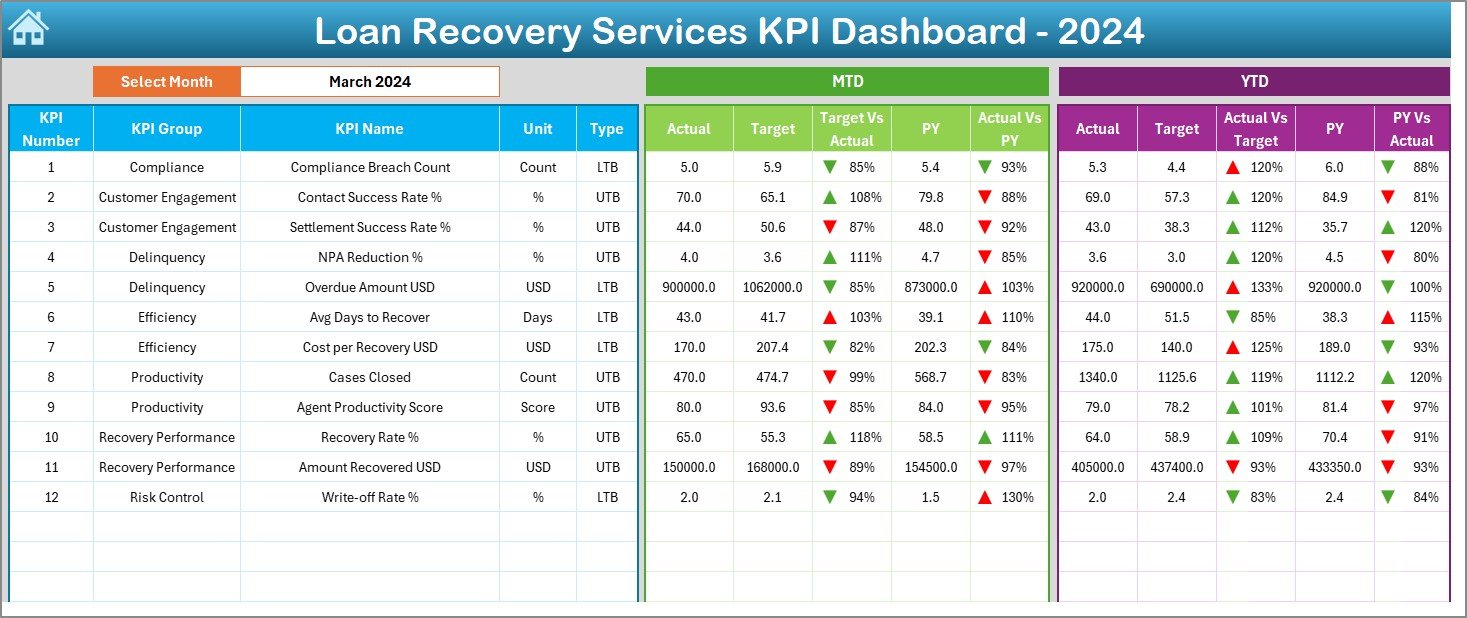
The main performance view. Users select the reporting month, and the dashboard automatically updates to display MTD and YTD recovery Actuals, Targets, Previous Year values, and comparison ratios with visual arrows.
📉 KPI Trend Sheet
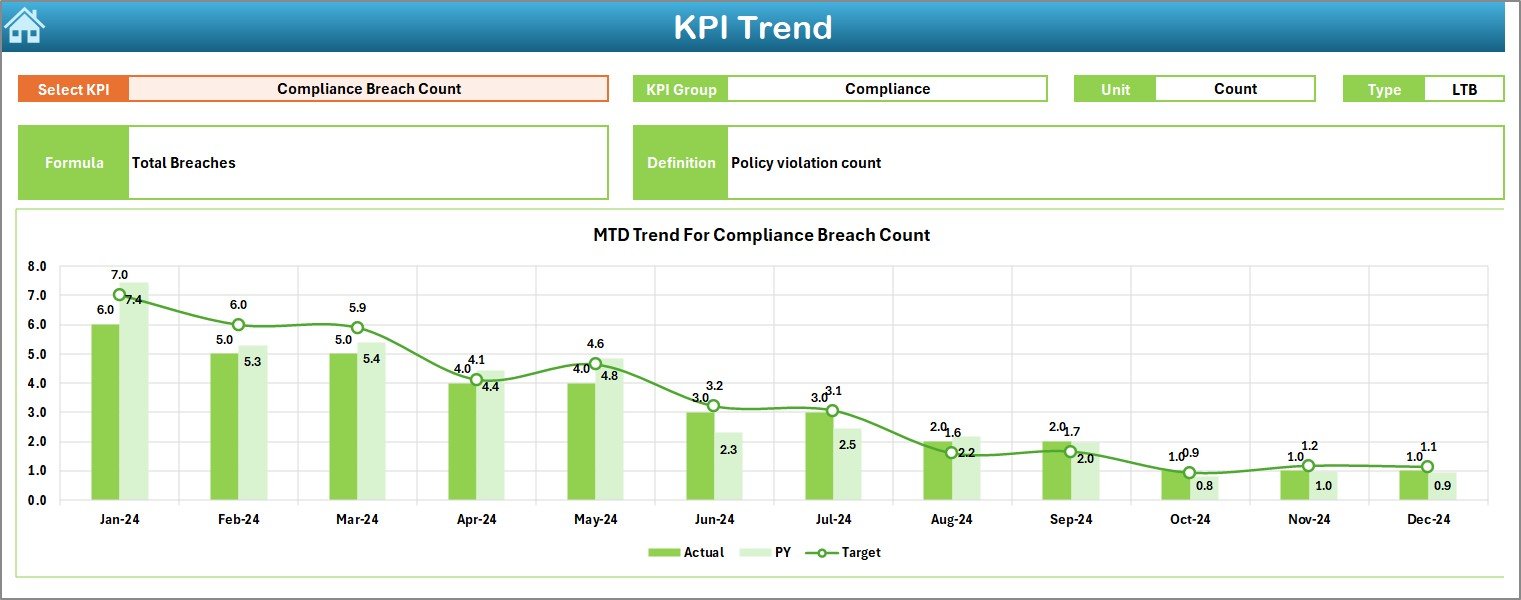
Provides deep KPI-wise analysis. After selecting a KPI, users can view KPI details, definitions, and MTD & YTD trend charts comparing Actual, Target, and Previous Year values.
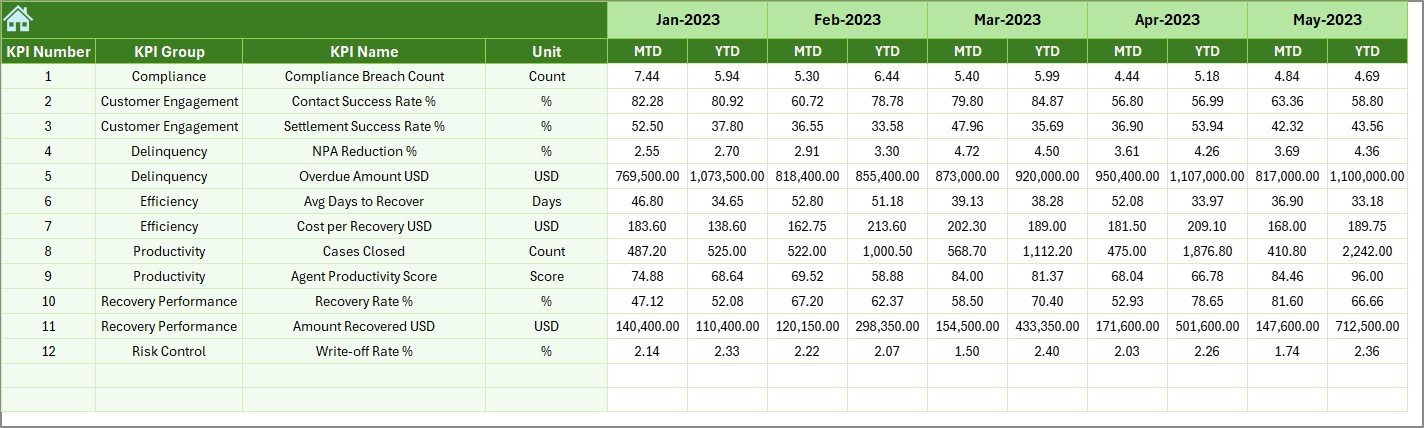
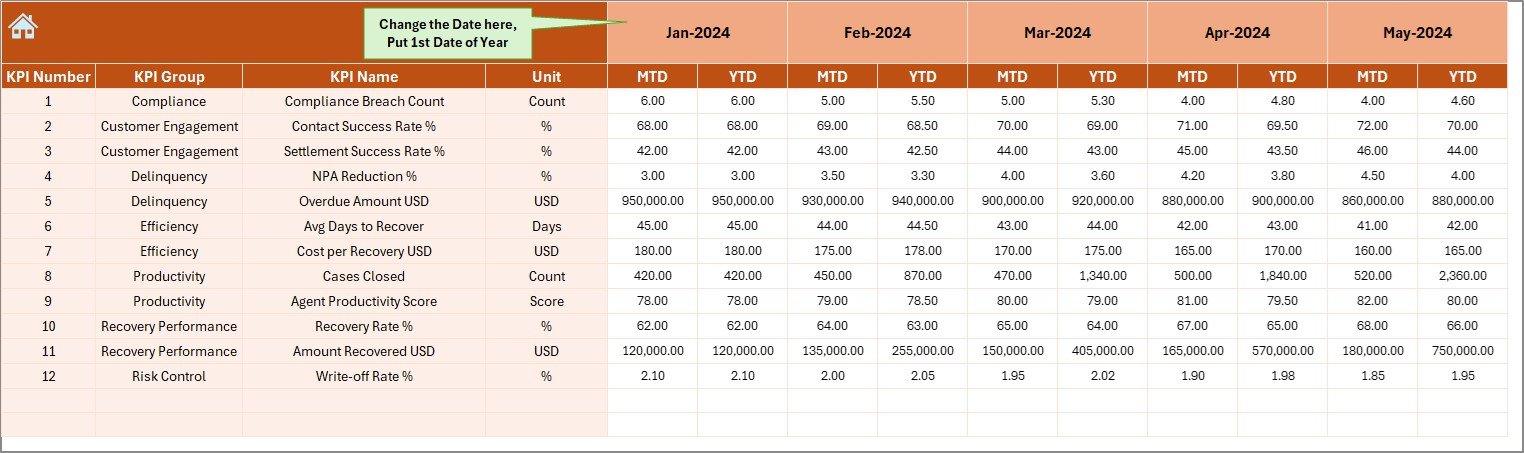
✍ Actual Numbers Input Sheet
Stores real recovery data. Users enter MTD and YTD actual recovery values, which feed all dashboard calculations.
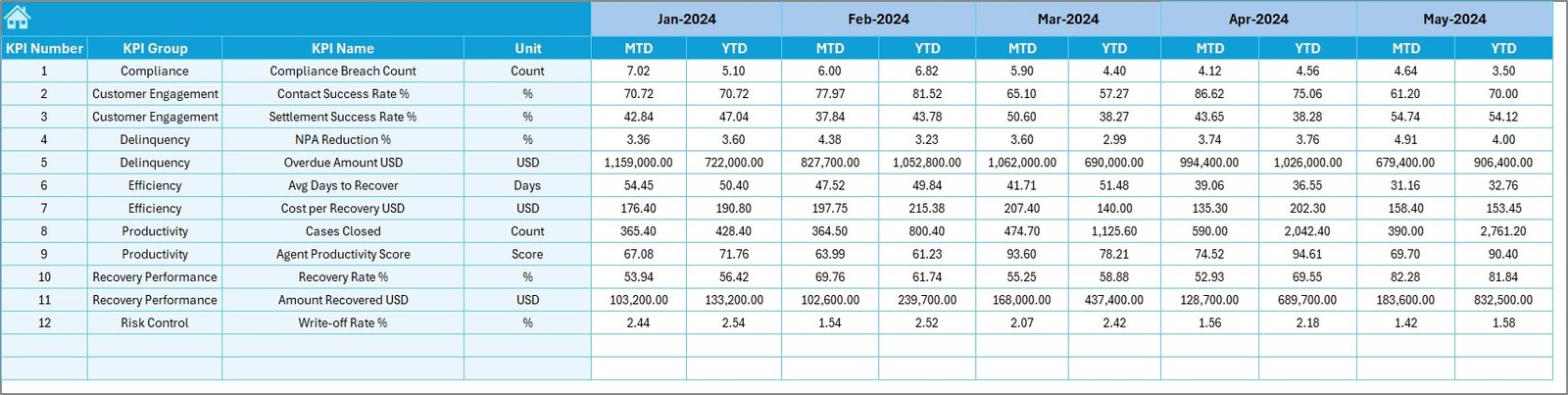
🎯 Target Sheet
Captures KPI-wise MTD and YTD recovery targets, keeping planned goals separate from performance data.
📆 Previous Year Number Sheet
Stores historical recovery data to enable accurate year-over-year comparison and trend analysis.
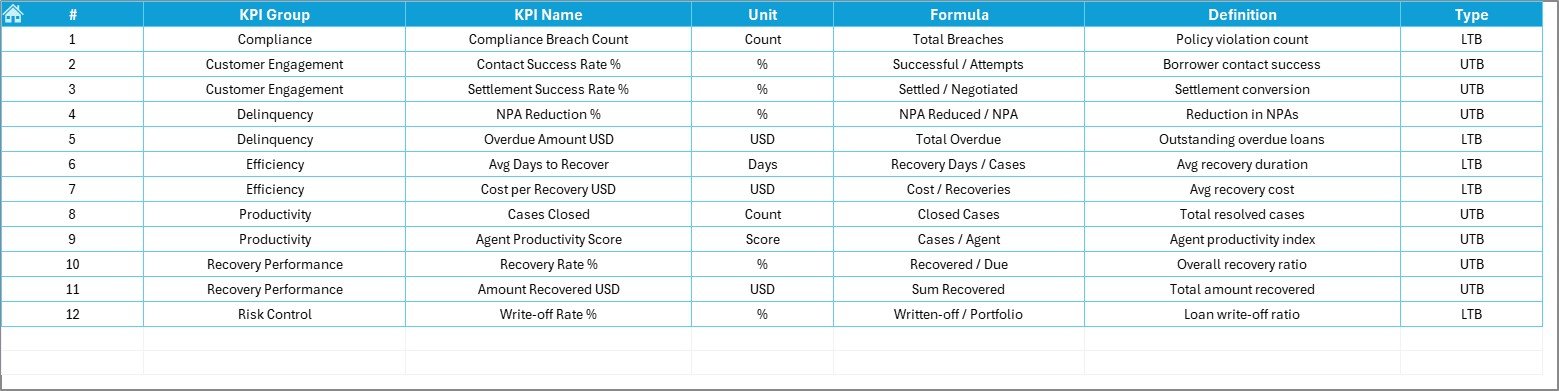
📘 KPI Definition Sheet
Defines KPI Name, Group, Unit, Formula, and Definition—ensuring consistent and standardized KPI tracking.
🛠️ How to Use the Loan Recovery Services KPI Dashboard
✅ Step 1: Enter recovery actuals in the Actual Numbers sheet
✅ Step 2: Maintain targets in the Target Sheet
✅ Step 3: Update previous year data once
✅ Step 4: Select the reporting month from the Dashboard
✅ Step 5: Review KPIs, trends, and performance indicators
No advanced Excel skills are required. The dashboard is plug-and-play and business-friendly.
👥 Who Can Benefit from This Loan Recovery Dashboard?
🏦 Loan Recovery Teams
📉 Credit Risk Managers
💼 Collection Department Heads
📊 Finance & Analytics Teams
👔 Senior Management
Any organization managing loan recovery operations will benefit from better visibility, accountability, and faster decisions.
🔗 Click here to read the Detailed blog post
🎥 Visit our YouTube channel to learn step-by-step video tutorials
Watch the step-by-step video tutorial:
Compatibility and Requirements
- Works in Microsoft Excel desktop (Excel 2016 or later, or Microsoft 365).
- You pick the reporting month from a dropdown on the Dashboard sheet, and the KPI on the KPI Trend sheet. Microsoft explains dropdowns in Create a drop-down list.
Frequently Asked Questions
Which sheets are included?
Seven worksheets: Home, Dashboard, KPI Trend, Actual Numbers, Target, Previous Year Number and KPI Definition.
How do I update the dashboard?
Enter your MTD and YTD recovery figures in the Actual Numbers sheet and your goals in the Target sheet. Then select the reporting month on the Dashboard sheet and it updates.
Can I compare this year with last year?
Yes. Add last year’s figures once in the Previous Year Number sheet. The Dashboard then shows them next to your actuals and targets, with red and green arrows to mark the gap.
How do I see the trend for one KPI?
Open the KPI Trend sheet and select the KPI from the dropdown. It shows the KPI details and definition, plus MTD and YTD trend charts comparing Actual, Target and Previous Year values.
Is there a Power BI version?
Yes. See the Loan Recovery Services KPI Dashboard in Power BI.
Related Loan Recovery Templates
- Loan Recovery Services KPI Dashboard in Power BI: the same KPIs in Power BI
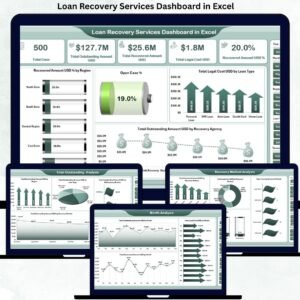
- Loan Recovery Services Dashboard in Excel: another Excel dashboard for recovery teams
- Loan Recovery Services Dashboard in Power BI: the Power BI edition of that dashboard
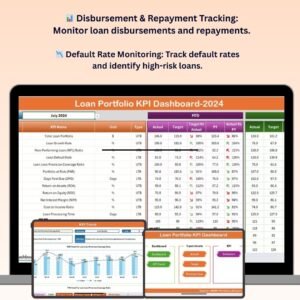
- Loan Portfolio KPI Dashboard in Excel: KPIs for the wider loan portfolio
- KPI Dashboard Library (Excel): 15 KPI dashboards in one download
Browse all Excel KPI dashboards.



























Reviews
There are no reviews yet.