

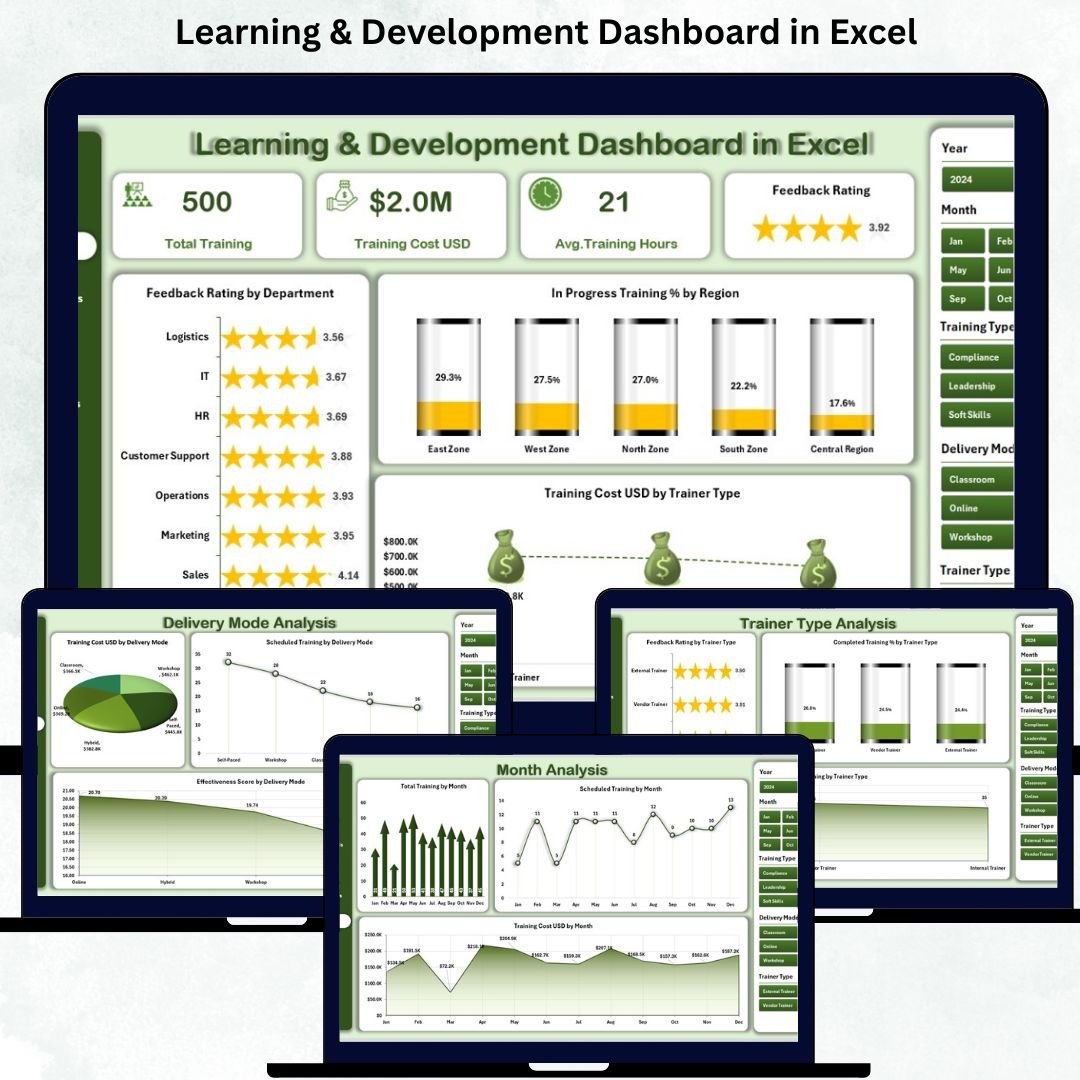

Training plays a crucial role in strengthening any organization. When employees learn new skills, teams work better, productivity increases, and overall performance improves 📈👩🏫. But tracking training sessions, feedback scores, trainer performance, costs, and completion rates becomes difficult when everything is scattered across multiple Excel files. This leads to confusion, errors, delays, and poor training decisions.
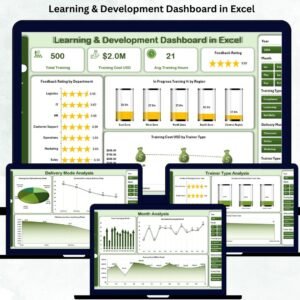
The Learning & Development Dashboard in Excel solves this problem by bringing all training activity into one clean, interactive, and easy-to-understand dashboard. HR teams, L&D managers, trainers, and leadership can instantly monitor training metrics, compare performance, and make better decisions with confidence. With simple navigation, smart visuals, and auto-updating charts, this dashboard helps organizations build a stronger and more capable workforce.
This ready-to-use Excel dashboard requires no coding and no complex formulas. Just update the data sheet, refresh the visuals, and your complete L&D performance is ready for review.
🔥 Key Features of the Learning & Development Dashboard in Excel
📊 Overview Page – Track total trainings, feedback scores, in-progress %, completion %, and total training cost.
🎯 Training Type Analysis – Compare technical, soft skills, leadership, compliance, and business training.
🖥️ Delivery Mode Analysis – Analyze classroom, online, self-paced, and hybrid learning performance.
👩🏫 Trainer Type Analysis – Evaluate internal trainers, external trainers, guest trainers, and training companies.
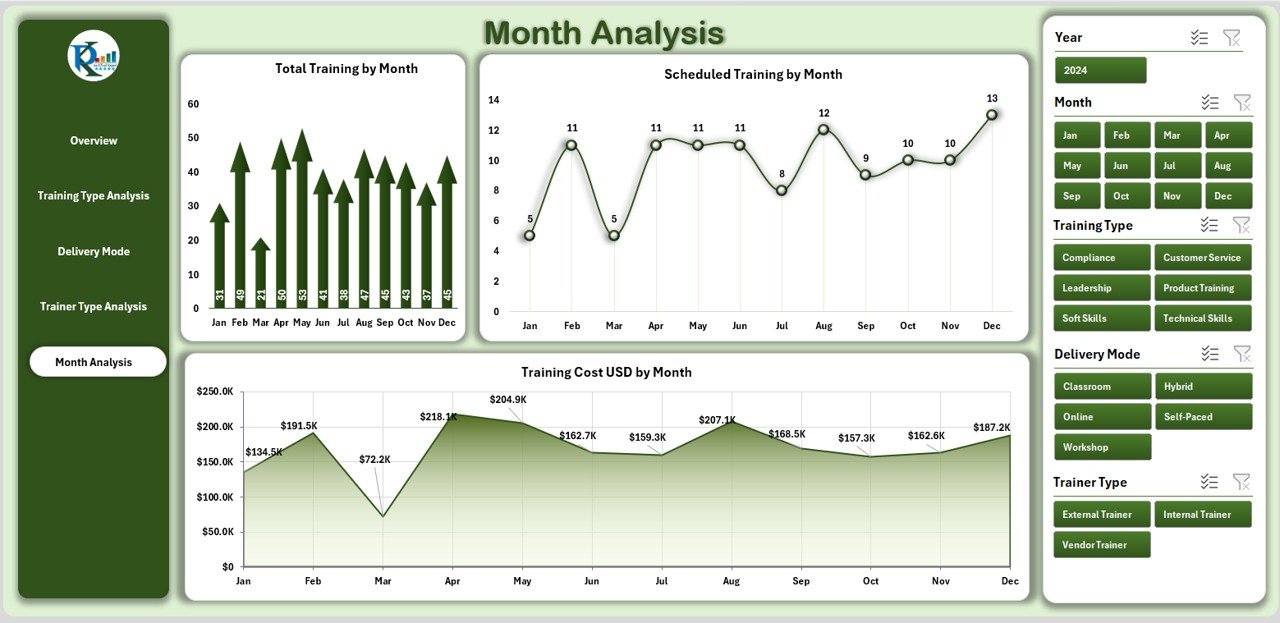
📅 Month-Wise Analysis – Understand seasonal trends in training events, schedules, and training costs.
📥 Data Sheet Included – All training data stays organized in one structured sheet.
⚡ Auto-Refreshing Visuals – Update the data and the dashboard adjusts instantly.
💡 Easy Navigation – Left-side page navigator for smooth page switching.
📂 What’s Inside the Learning & Development Dashboard
1. Overview Page – Complete Training Summary
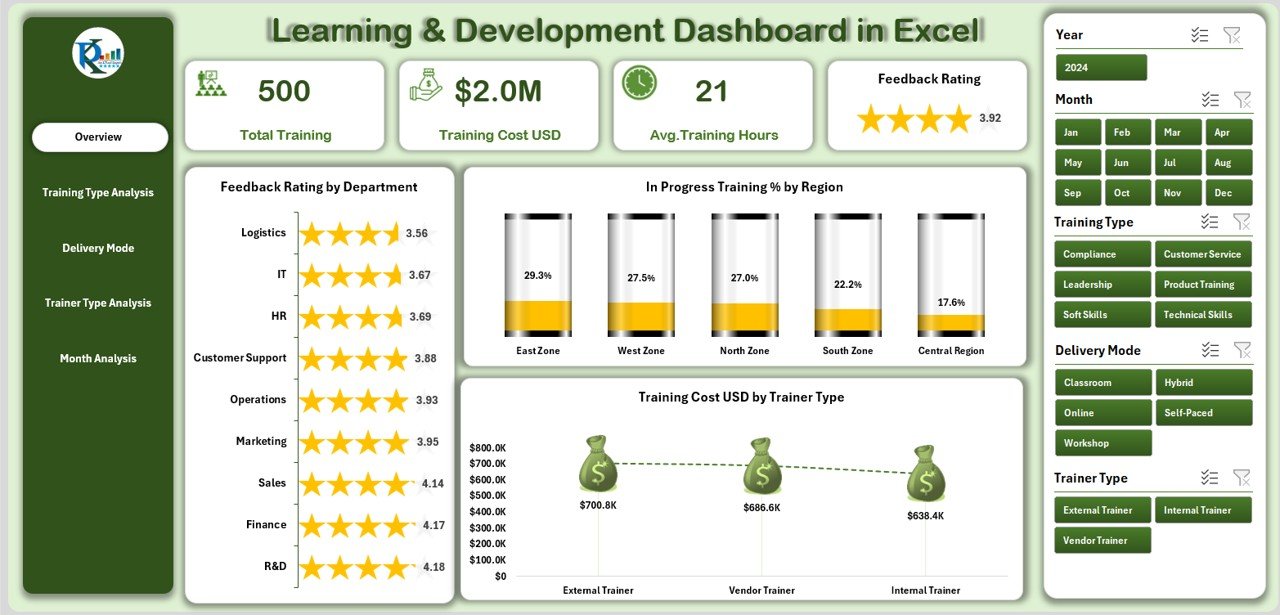
This page shows the overall health of your training activities with:
✔️ 5 KPI cards (Total Trainings, Feedback Score, Training Cost, Completed %, In-Progress %).
✔️ Charts for department-wise ratings, region-wise progress, and trainer-wise cost insights.
This gives an instant view of organizational learning performance.
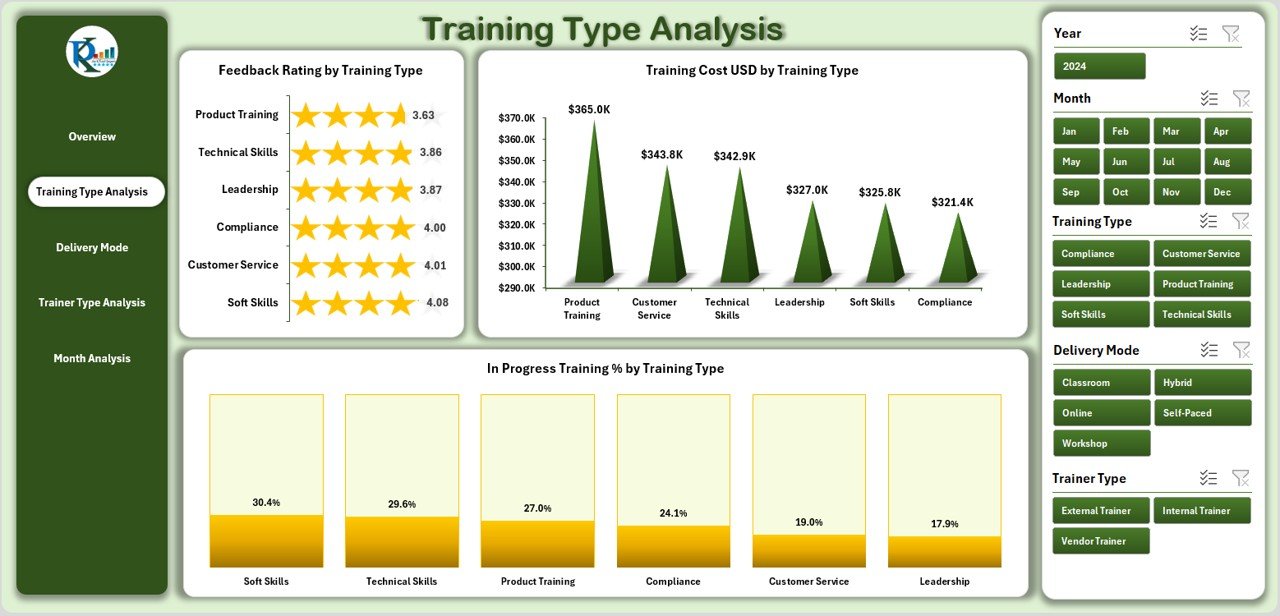
2. Training Type Analysis – Understand Training Effectiveness
This page breaks down performance across different training types such as technical, soft skills, business, compliance, and leadership.
It includes:
Feedback Rating by Training Type
Training Cost by Training Type
In-Progress Training % by Training Type
Perfect for deciding which training formats deliver the best results.
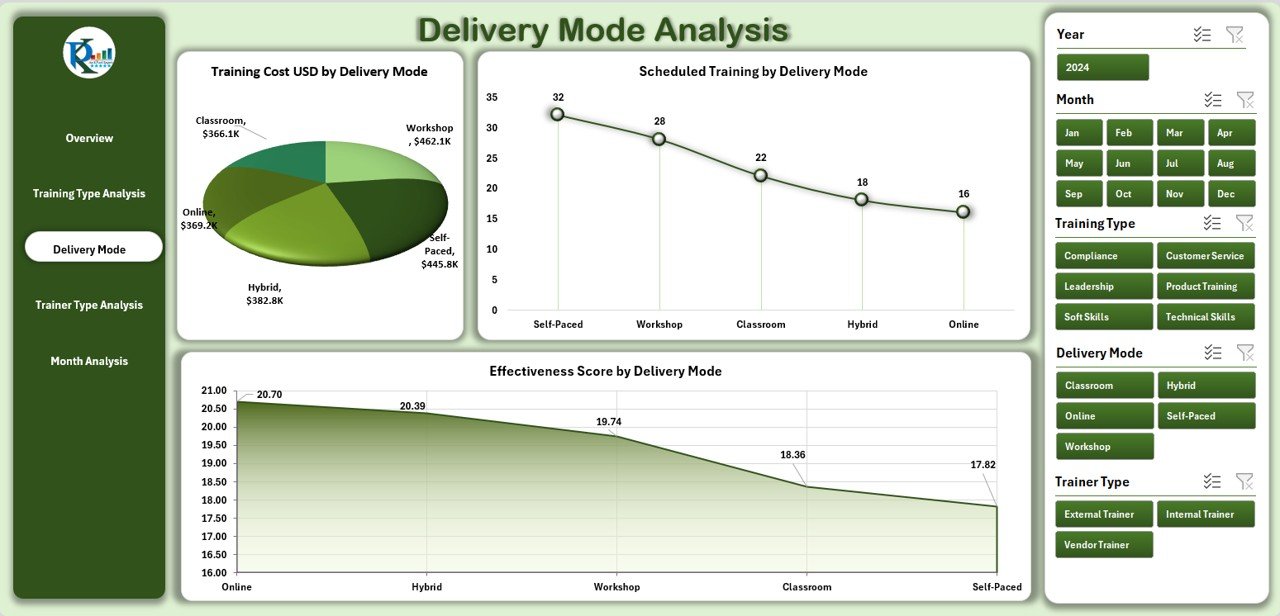
3. Delivery Mode Analysis – Compare Learning Formats
Training formats influence cost, engagement, and effectiveness. This page compares:
Training Hours by Delivery Mode
Feedback Score by Delivery Mode
Cost by Delivery Mode
You can easily spot which delivery mode performs best.
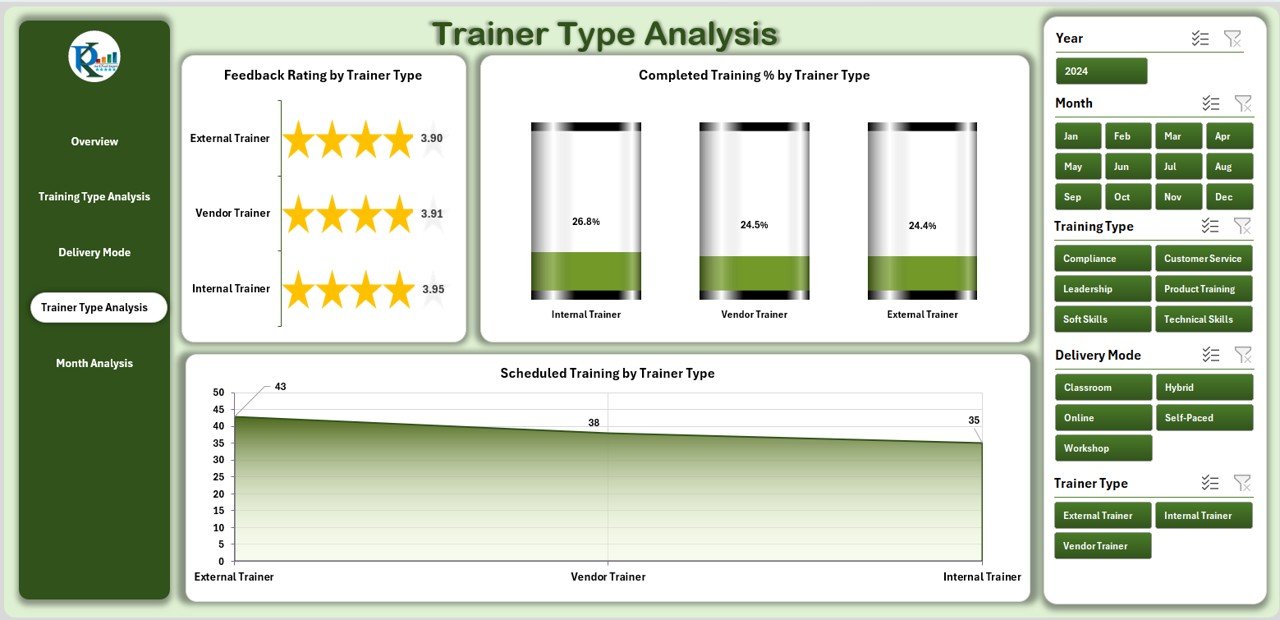
4. Trainer Type Analysis – Evaluate Trainer Performance
Organizations must track trainer quality to deliver effective learning. This page includes:
Feedback Score by Trainer Type
Scheduled Training by Trainer Type
Completed Training % by Trainer Type
You get a clear picture of trainer efficiency and value.
5. Month-Wise Training Analysis – Track Seasonal Trends
Training activities vary every month. This page helps you analyze:
Total Trainings by Month
Scheduled Trainings by Month
Training Cost by Month
Organizations use this to plan yearly training calendars and allocate budgets.
🌟 Why You Should Use the L&D Dashboard
✔️ Clear Visibility – Track all training activities in one place.
✔️ Better Decision-Making – View performance trends & cost insights instantly.
✔️ Improved Learning Quality – Identify weak areas through feedback analysis.
✔️ Saves Time – No need to collect scattered reports manually.
✔️ Cost Optimization – Track spending across trainers, months, and training types.
✔️ Supports Every Learning Format – Works for corporate, IT, retail, education, healthcare & more.
🎯 Who Should Use This Dashboard?
HR teams
L&D managers
Trainers & training companies
Team leaders
Project managers
Organizational leadership
Universities & training institutes
This dashboard is ideal for anyone responsible for learning strategy and employee development.
### Click here to read the Detailed blog post
Visit our YouTube channel to learn step-by-step video tutorials
Watch the step-by-step video tutorial:
Compatibility and Requirements
- Works in Microsoft Excel desktop (Excel 2016 or later, or Microsoft 365).
- No coding is needed. Charts read from the Data Sheet and refresh when you update it.
- New to Excel charts? Microsoft explains the basics in Create a chart from start to finish.
How to Use the Learning & Development Dashboard
- Enter or update your training records in the Data Sheet.
- Refresh the visuals so the charts pick up the new data.
- Use the left-side page navigator to move between the five analysis pages.
- Review the KPI cards and charts to compare training types, delivery modes, trainers and months.
Frequently Asked Questions
Which pages are in the Learning & Development Dashboard?
Overview, Training Type Analysis, Delivery Mode Analysis, Trainer Type Analysis and Month-Wise Analysis, plus the Data Sheet.
What do the KPI cards show?
Total Trainings, Feedback Score, Training Cost, Completed % and In-Progress %.
Can I compare delivery modes?
Yes. The Delivery Mode page compares training hours, feedback score and cost for classroom, online, self-paced and hybrid training.
Does it track trainer performance?
Yes. The Trainer Type page shows feedback score, scheduled trainings and completed % for internal, external and guest trainers and training companies.
Related Training Templates
- Learning & Development KPI Dashboard in Excel: L&D KPIs against targets
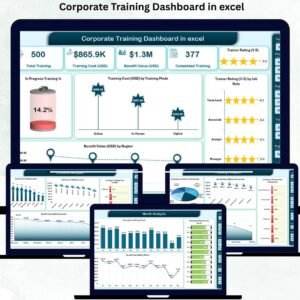
- Corporate Training Dashboard in Excel: corporate training in Excel
- Corporate Training Dashboard in Power BI: for Power BI users
- Employee Training Effectiveness Dashboard in Power BI: measure training results
- HR & Workforce Analytics Bundle: 10 HR templates in one bundle
Browse all Excel dashboards or the Excel HR and payroll templates.































Reviews
There are no reviews yet.