

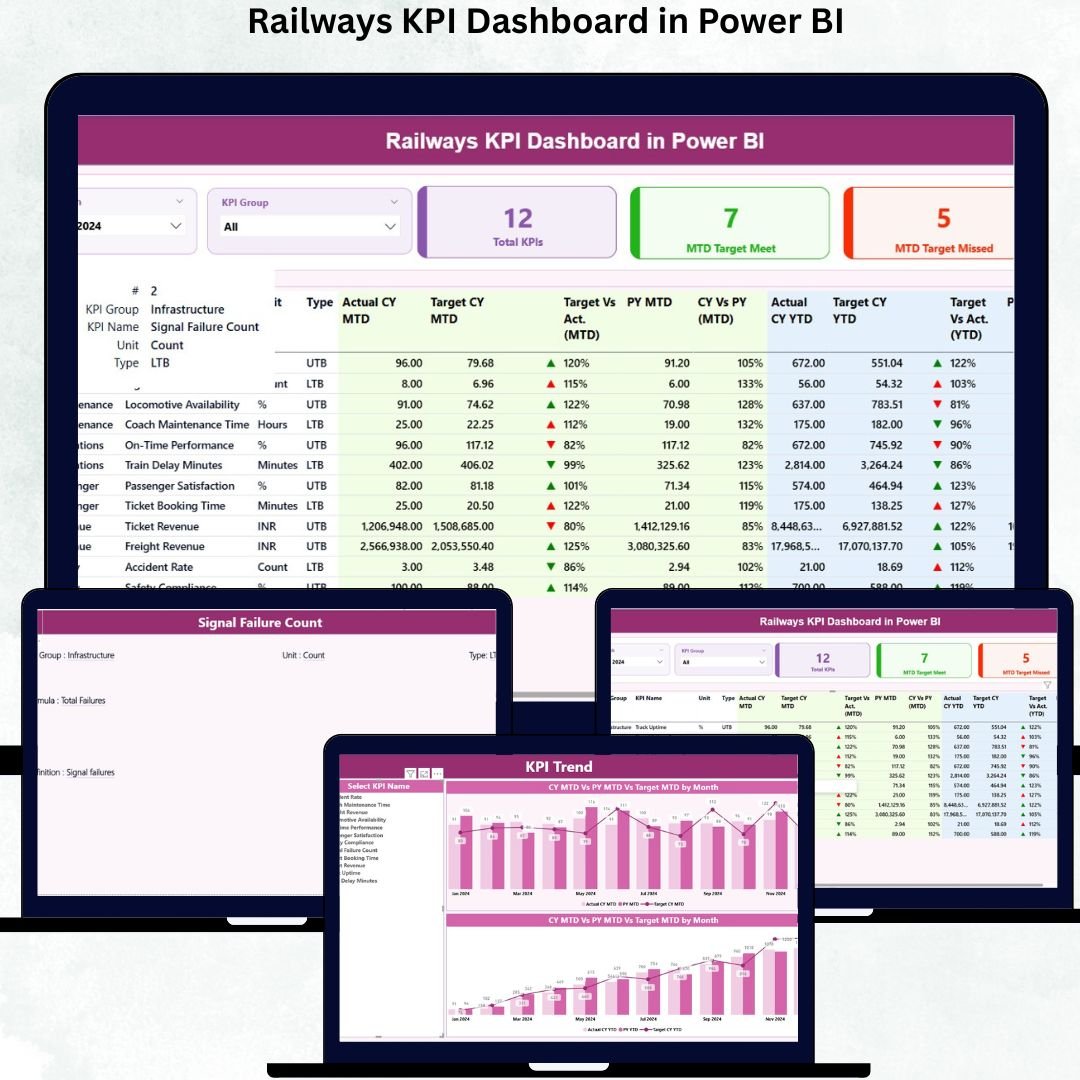

A powerful railway system supports the growth of every nation—but managing such a large network requires real-time visibility, accurate insights, and fast decision-making. The Railways KPI Dashboard in Power BI is designed to help railway teams track performance with clarity, improve operational efficiency, and monitor critical KPIs with ease. Whether you manage routes, safety, punctuality, freight movement, or maintenance, this dashboard helps you stay in control with clean visuals and automated reporting.Railways KPI Dashboard in Power BI
Built using Excel as the data source and Power BI as the analytics platform, this ready-to-use dashboard converts railway data into interactive charts, KPI tables, slicers, and drill-through insights. With just a quick refresh, you can view updated MTD (Month-to-Date), YTD (Year-to-Date), and PY (Previous Year) comparisons. It’s the perfect tool for railway departments that want accuracy, speed, and smarter performance tracking.Railways KPI Dashboard in Power BI
🚆 Key Features of the Railways KPI Dashboard in Power BI
The dashboard comes packed with powerful features that simplify railway reporting and empower teams to take faster decisions:
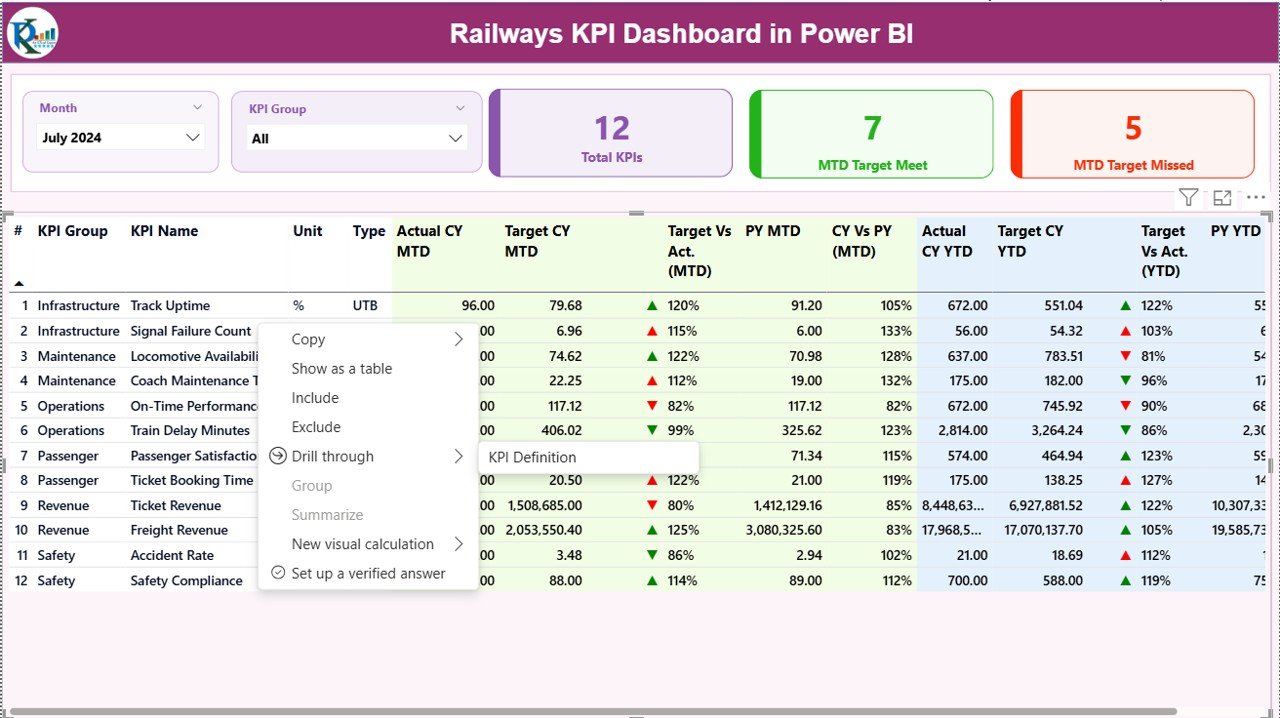
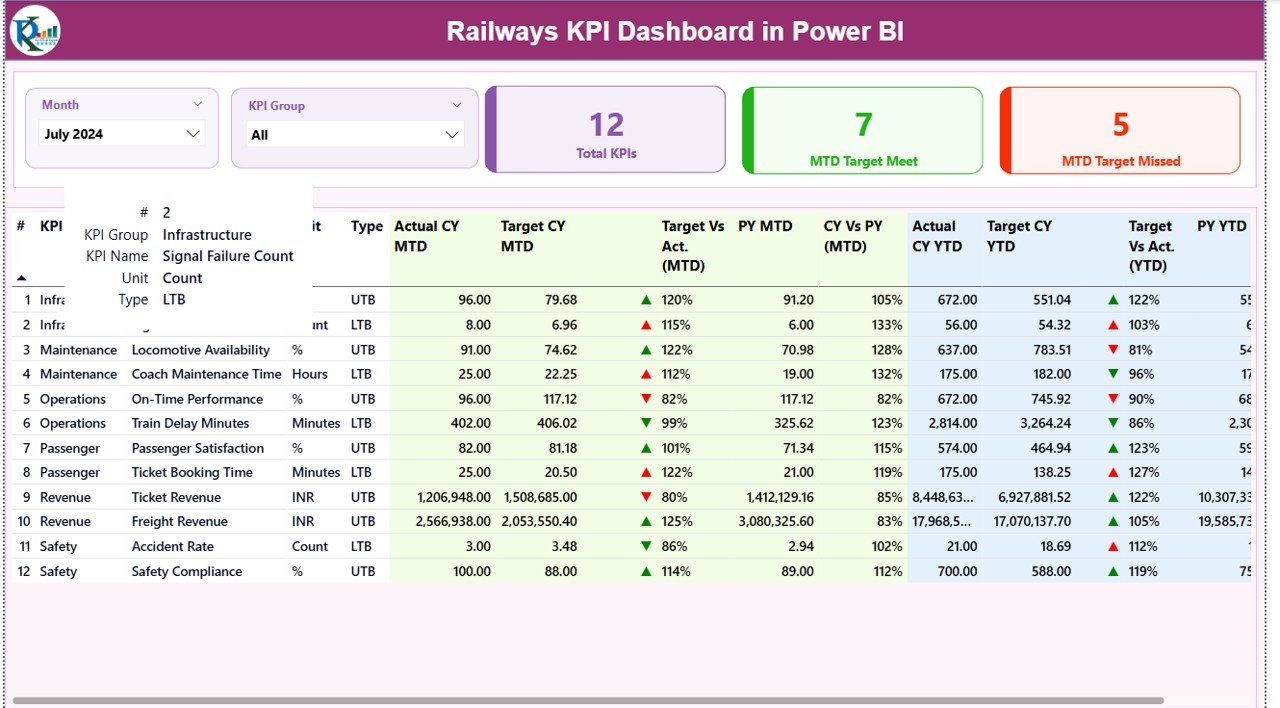
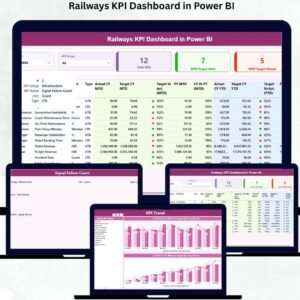
✨ Interactive Summary Page – View complete performance in one place using Month and KPI Group slicers.
📊 MTD & YTD Analysis – Track current performance, identify misses, and compare results with targets and previous year metrics.
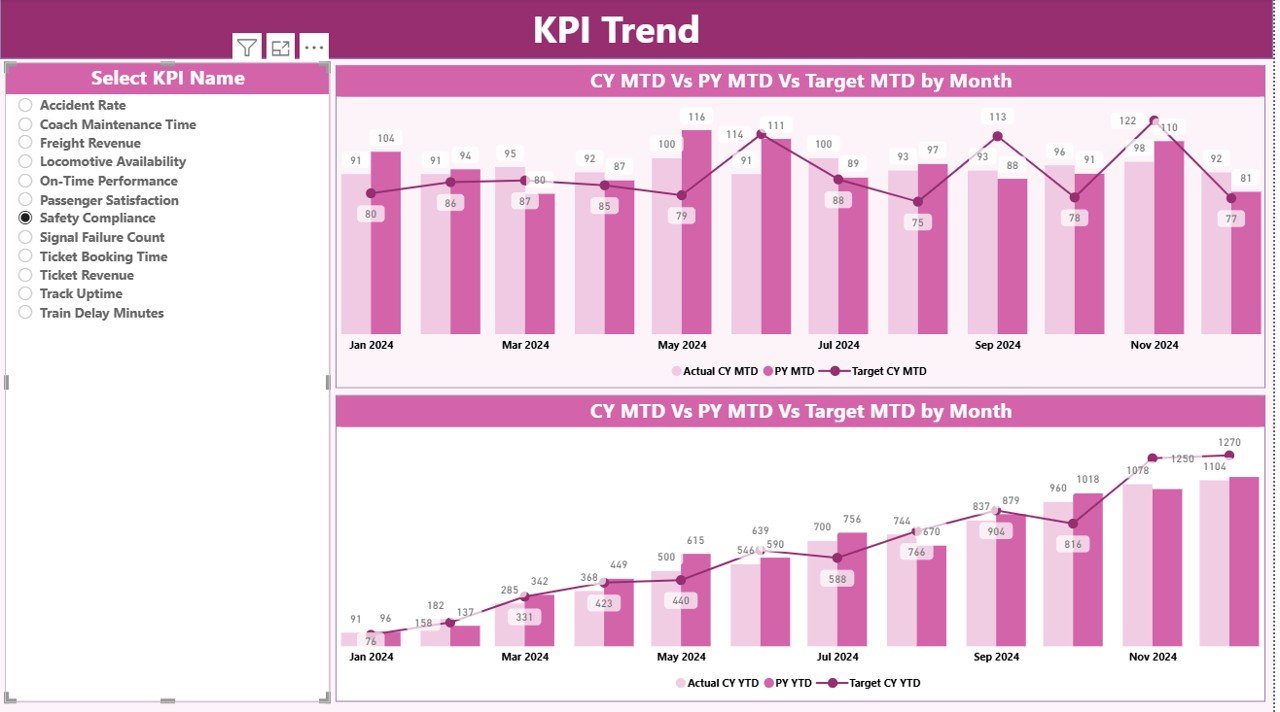
📈 KPI Trend Charts – Analyze month-wise patterns, seasonal changes, and yearly improvements.
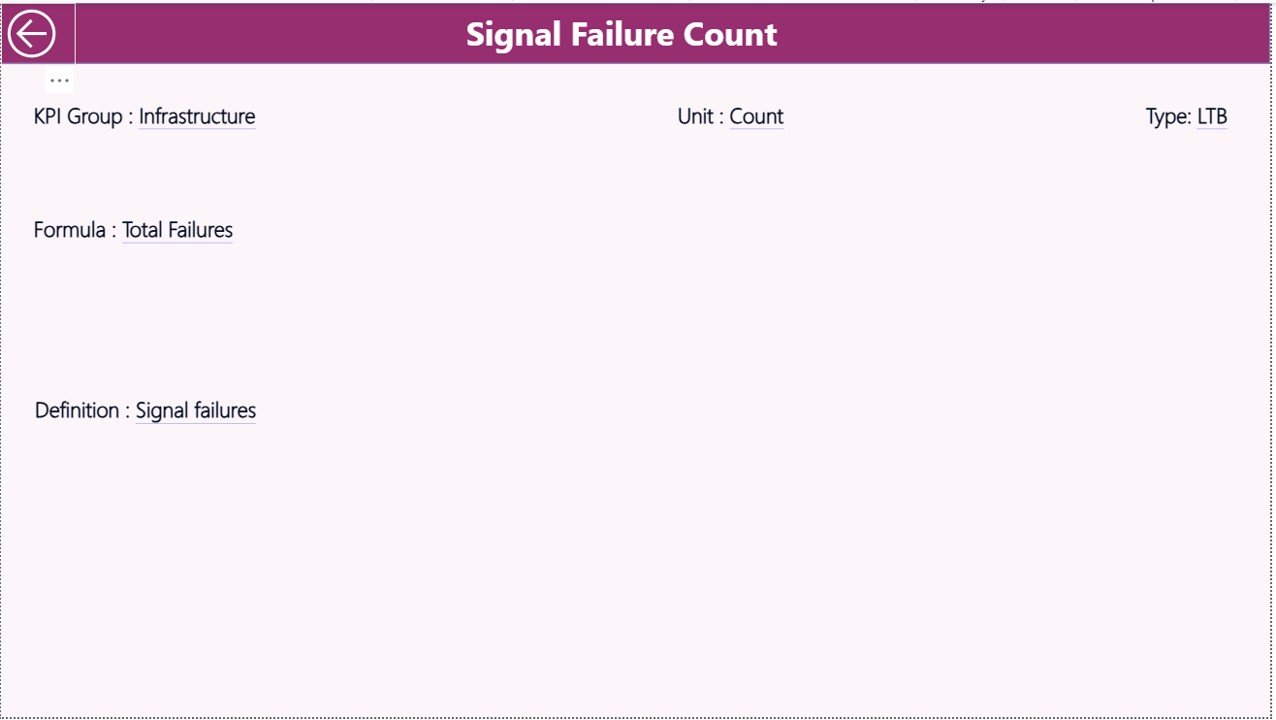
📘 Automated KPI Definitions – Drill into KPI details such as formulas, units, and LTB/UTB types for deeper understanding.
⚡ Excel-Based Input – Update only the Excel sheets and Power BI refreshes everything automatically.
🟢 Performance Icons – Clear green and red arrows instantly highlight KPIs that need attention.
🛠️ Ready-to-Use Visuals – Includes cards, tables, combo charts, slicers, navigation panels, and drill-through options.
📂 What’s Inside the Railways KPI Dashboard in Power BI
The product includes a structured and professionally designed Power BI file along with Excel data templates:
📁 Power BI Dashboard (.pbix)
• Summary Page
• KPI Trend Page
• KPI Definition Page
📘 Excel Input File
• Actual Data Sheet (MTD & YTD values)
• Target Data Sheet (Monthly Targets)
• KPI Definition Sheet (Formula, Unit, Type, Group)
📝 Full KPI Structure
• KPI Number
• KPI Group
• KPI Name
• Formula & Definition
• Unit of Measurement
• Lower the Better (LTB) / Upper the Better (UTB)
📊 Visualization Pack
• KPI Cards
• Trend Charts
• Comparison Metrics
• Conditional Icons
• Drill-through Insights
This complete package ensures you don’t have to build anything from scratch—just update your Excel sheets and you’re ready to analyze railway performance in seconds.
🧭 How to Use the Railways KPI Dashboard in Power BI
Using the dashboard is simple and requires no technical or coding skills:
Open the Power BI Desktop file
Update data in the Excel sheets (Actual, Targets, KPI Definitions)
Click Refresh to update visuals
Select Month or KPI Group from filters
Analyze Summary Page for instant performance updates
Check KPI Trend Page for monthly variations
Use Drill-Through to understand KPI formulas and definitions
Share insights with teams and decision-makers
With this dashboard, your monthly reporting becomes faster, clearer, and highly accurate.
👥 Who Can Benefit from This Railways KPI Dashboard?
This dashboard is designed specifically for railway professionals and teams responsible for performance management:
🚉 Railway Operations Managers – Track punctuality, efficiency, and delays
🛠️ Maintenance Departments – Monitor breakdown patterns and resource usage
📦 Freight Teams – View freight volume, delays, and revenue KPIs
👥 Customer Service Departments – Track satisfaction scores and complaints
🧮 Data Analysts & BI Teams – Simplify reporting and automate analysis
📊 Leadership Teams – Get a complete snapshot of railway performance in seconds
Whether you manage passenger services, freight routes, or overall railway operations, this dashboard helps you make data-driven decisions instantly.
### Click here to read the Detailed blog post
Visit our YouTube channel to learn step-by-step video tutorials —
Compatibility and Requirements
- Works in Power BI Desktop, which is free to download from Microsoft. Get it from Get Power BI Desktop.
- You enter your data in the included Excel input file and refresh the Power BI report to update the visuals.
Frequently Asked Questions
Which pages are included?
Three pages: Summary, KPI Trend and KPI Definition.
How do I update the dashboard?
Enter your data in the Excel input file: the Actual sheet for MTD and YTD values, the Target sheet for monthly targets and the KPI Definition sheet for formulas, units and types. Then click Refresh in Power BI.
Can I compare results with targets and last year?
Yes. The Summary page shows MTD and YTD results against targets and against the previous year. Green and red arrows mark the KPIs that need attention.
How do I see the formula behind a KPI?
Use drill-through to open the KPI Definition page. It shows the formula, the unit and whether the KPI is Lower the Better (LTB) or Upper the Better (UTB).
Is there an Excel or Google Sheets version?
Yes. See the Railways KPI Dashboard in Excel and the Railway KPI Dashboard in Google Sheets.
Related Railway Templates
- Railways KPI Dashboard in Excel: the same KPIs in Excel
- Railway KPI Dashboard in Google Sheets: the Google Sheets edition
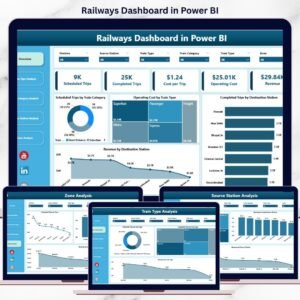
- Railways Dashboard in Power BI: a wider railway performance dashboard
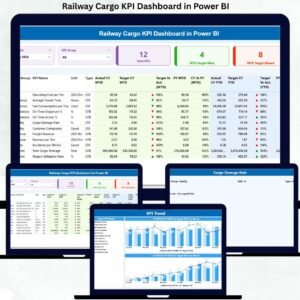
- Railway Cargo KPI Dashboard in Power BI: KPIs for freight and cargo
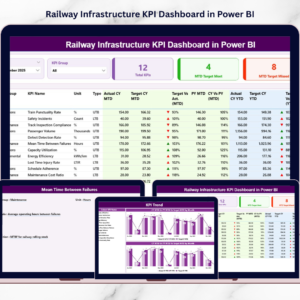
- Railway Infrastructure KPI Dashboard in Power BI: KPIs for track and infrastructure
Browse all Power BI KPI dashboards.



















Reviews
There are no reviews yet.