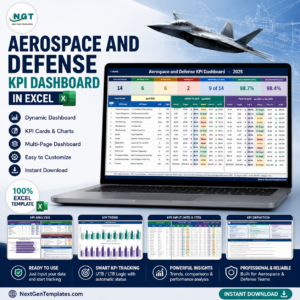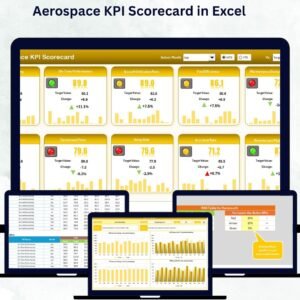

In the fast-moving world of aerospace, success depends on precision, performance, and control. The Aerospace KPI Scorecard in Excel is a ready-to-use tool built to help aviation and aerospace professionals track performance metrics, boost productivity, and achieve operational excellence. Whether you manage aircraft manufacturing, maintenance, logistics, or research, this scorecard delivers real-time visibility into your KPIs — all inside Microsoft Excel.
It’s your mission-control dashboard for efficiency, quality, safety, and cost optimization. With dynamic visuals, dropdown filters, and instant MTD (Month-to-Date) & YTD (Year-to-Date) insights, this scorecard turns raw data into actionable intelligence that helps you make smarter, faster decisions.
✈️ Key Features of Aerospace KPI Scorecard in Excel
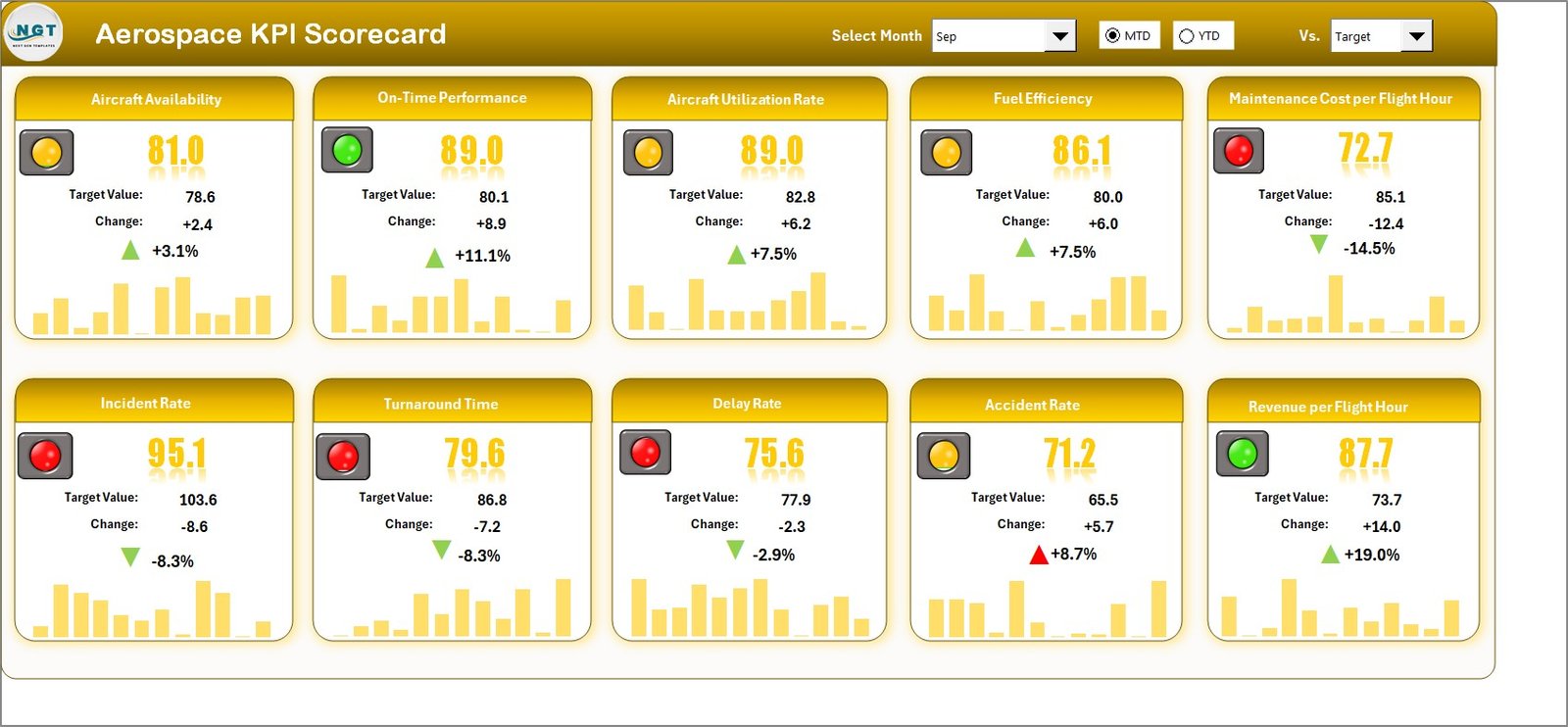
⚙️ Dynamic Scorecard Dashboard — View all your KPIs in one central hub with interactive dropdowns for month, MTD, and YTD views.
📊 Actual vs Target Comparison — Instantly evaluate your current performance against strategic targets.
🟢 Visual Indicators & Conditional Formatting — Quickly identify strong and weak performance using color codes.
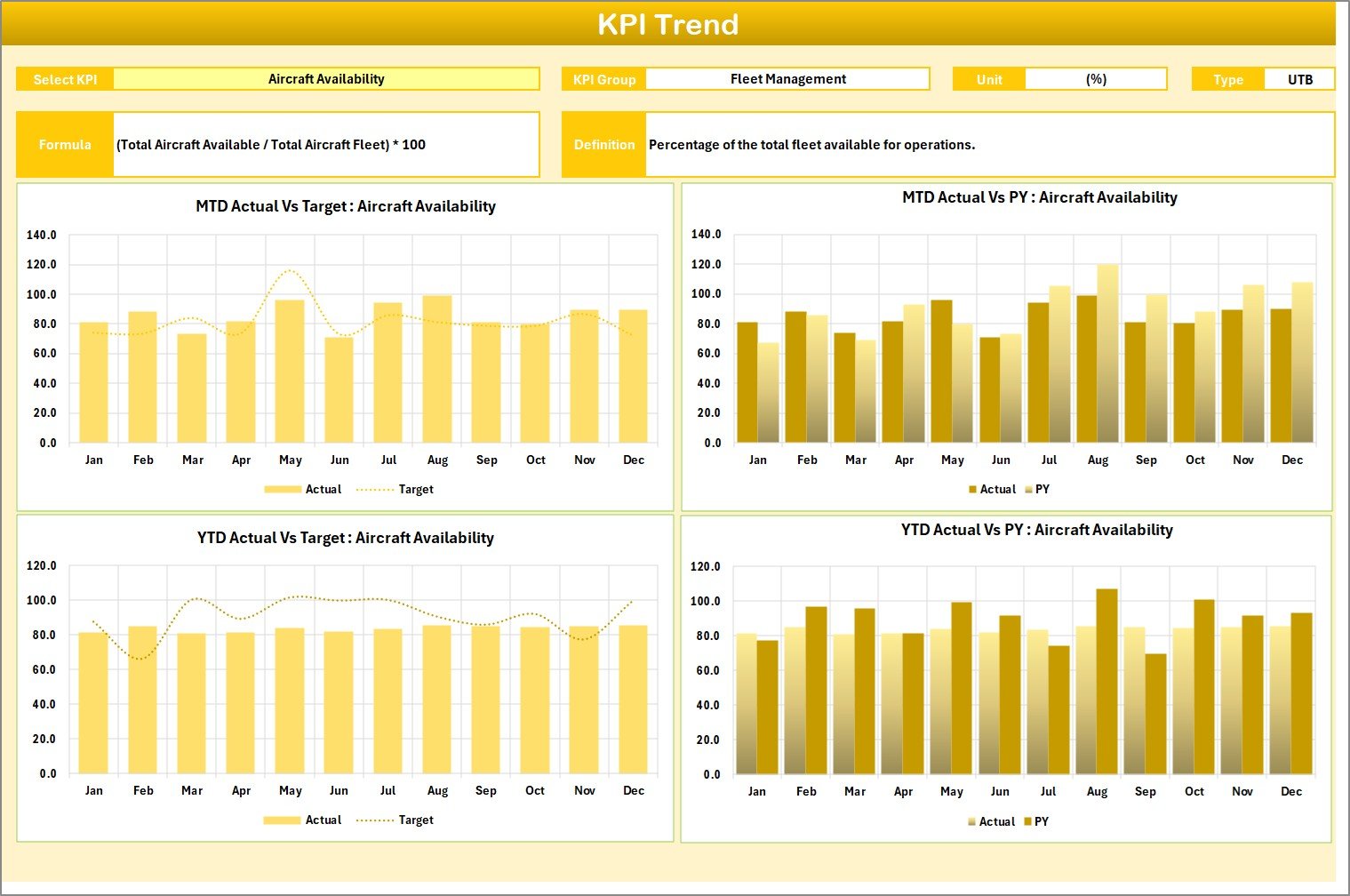
📈 Trend Analysis Sheet — Track KPI progress over time with historical charts for Actual, Target, and Previous Year values.
🧮 Automatic Calculations — Just update monthly data, and the entire dashboard refreshes instantly.
🧠 Compact Layout — Display up to 10 KPIs at a glance for faster insights and performance tracking.
💡 User-Friendly Design — Built for both technical and non-technical users, no coding or BI software required!
📂 What’s Inside the Aerospace KPI Scorecard
The template includes four professionally-designed worksheets, each built to simplify and automate your KPI monitoring process:
1️⃣ Scorecard Sheet — Your main performance dashboard featuring dropdown selections, color-coded visuals, and instant MTD/YTD summaries.
2️⃣ KPI Trend Sheet — Analyze KPI performance over time. Choose any KPI (via dropdown in cell C3) to view its trend chart and historical comparison.
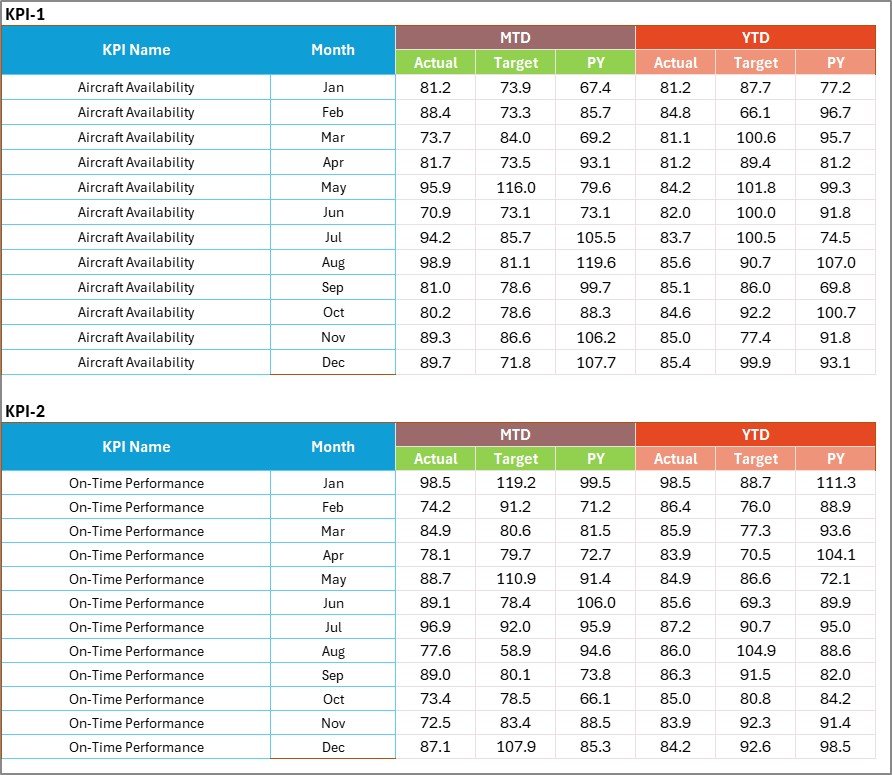
3️⃣ Input Data Sheet — Record Actual, Target, and Previous Year results. Once updated, all visuals and formulas update automatically.
4️⃣ KPI Definition Sheet — Acts as your KPI reference database, with columns for KPI Group, Unit, Formula, Definition, and Type (UTB or LTB).
Together, these sheets create a complete, interactive ecosystem for tracking aerospace KPIs with precision and speed.
🧭 How to Use the Aerospace KPI Scorecard
🪂 Step 1: Download and open the Excel file.
🪂 Step 2: Go to the Input Data Sheet and enter monthly Actual, Target, and Previous Year data.
🪂 Step 3: Navigate to the Scorecard Sheet to view updated visuals and performance indicators.
🪂 Step 4: Use the KPI Trend Sheet to analyze long-term progress.
🪂 Step 5: Refer to the KPI Definition Sheet for detailed metric references.
🪂 Step 6: Review and act on the insights to improve operational efficiency and strategic decision-making.
The entire process is seamless — update data once and see your entire dashboard transform automatically!
👨🚀 Who Can Benefit from This Aerospace KPI Scorecard
💼 Aerospace Manufacturing Managers — Track production efficiency, defect rates, and cycle times.
🧰 Maintenance & Repair Teams (MROs) — Monitor maintenance turnaround times and cost control.
🔬 R&D Divisions — Measure testing milestones, project completion rates, and innovation metrics.
🚚 Logistics & Supply Chain Teams — Evaluate delivery performance, warehousing efficiency, and procurement speed.
📊 Corporate Leaders & Analysts — Align department KPIs with business goals and regulatory standards.
No matter your role, this tool ensures you stay informed, compliant, and ahead of your performance goals.
🌟 Why You’ll Love This Template
✅ Easy to Customize: Add or remove KPIs anytime.
✅ Cost-Effective Alternative: No need for Power BI or ERP setup — Excel does it all!
✅ Highly Visual: Trend charts, color codes, and auto-refreshing visuals simplify complex data.
✅ Collaboration Ready: Share it with your team through OneDrive or Google Drive.
✅ Continuous Improvement: Use insights to benchmark performance and drive better results each month.