

Key Features of Copywriting & Content Creation KPI Dashboard in Excel ✨
Content marketing is one of the strongest growth drivers for modern businesses. But without tracking and measuring results, even the most creative strategies can fall flat. The Copywriting & Content Creation KPI Dashboard in Excel is a ready-to-use solution that helps businesses analyze, optimize, and prove the ROI of their content efforts.
This dashboard empowers copywriters, marketers, and decision-makers to track performance against defined goals, compare with past results, and take data-driven actions.
Key highlights include:
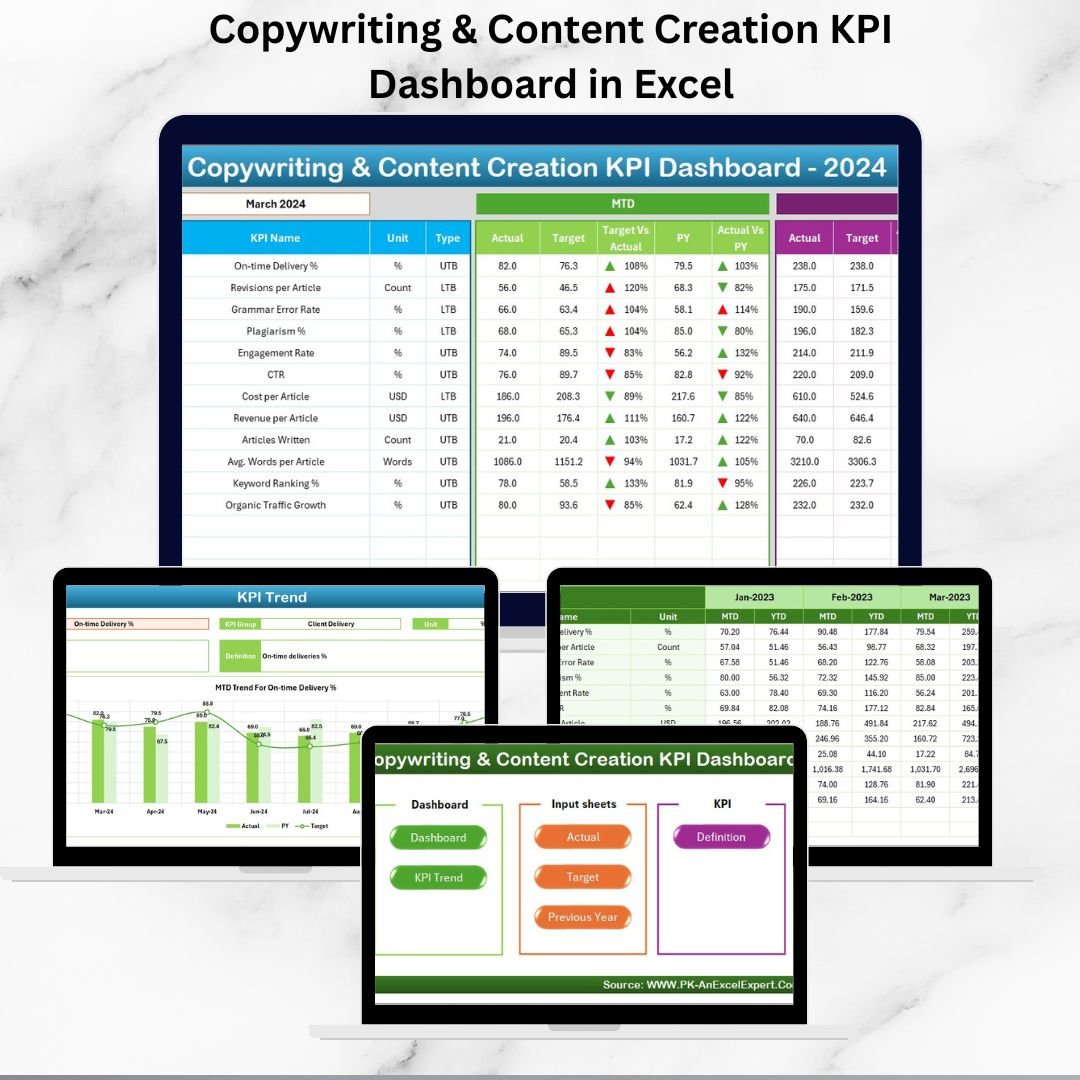
📊 MTD & YTD Tracking – Compare actual vs. target vs. previous year.
✅ Target vs. Actual Analysis – Spot successes and areas needing improvement.
📈 KPI Trend Analysis – Visual insights for each KPI.
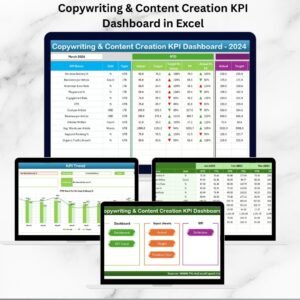
🎨 User-Friendly Design – Interactive sheets with navigation buttons.
💡 Customizable Structure – Add/remove KPIs based on business goals.
🚀 Ready to Use – No coding required, just input your data.
With this dashboard, your content strategy becomes measurable, actionable, and scalable.
What’s Inside the Copywriting & Content Creation KPI Dashboard 📂
The dashboard is designed with seven worksheets, each serving a specific purpose:
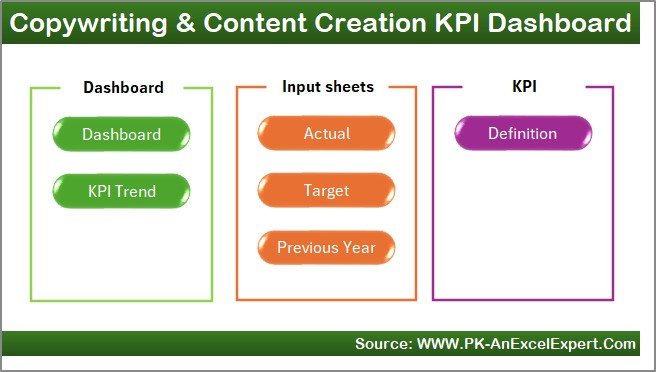
Home Sheet
Acts as an index page.
Six navigation buttons to move quickly between sheets.
Saves time and improves usability.
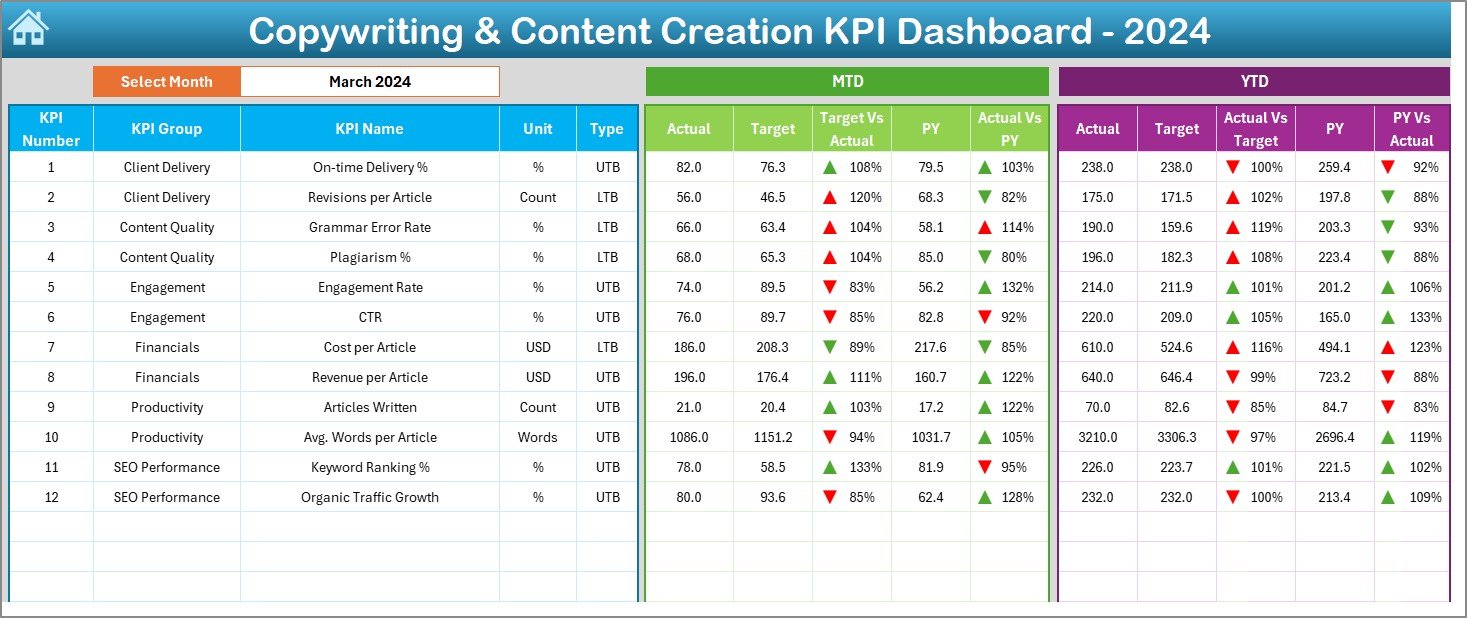
Dashboard Sheet
The main reporting page.
Drop-down at cell D3 to select a month → auto-updates data.
Displays:
MTD Analysis (Actual vs. Target vs. Previous Year).
YTD Analysis with arrows showing trends.
Target vs. Actual Performance for quick evaluation.
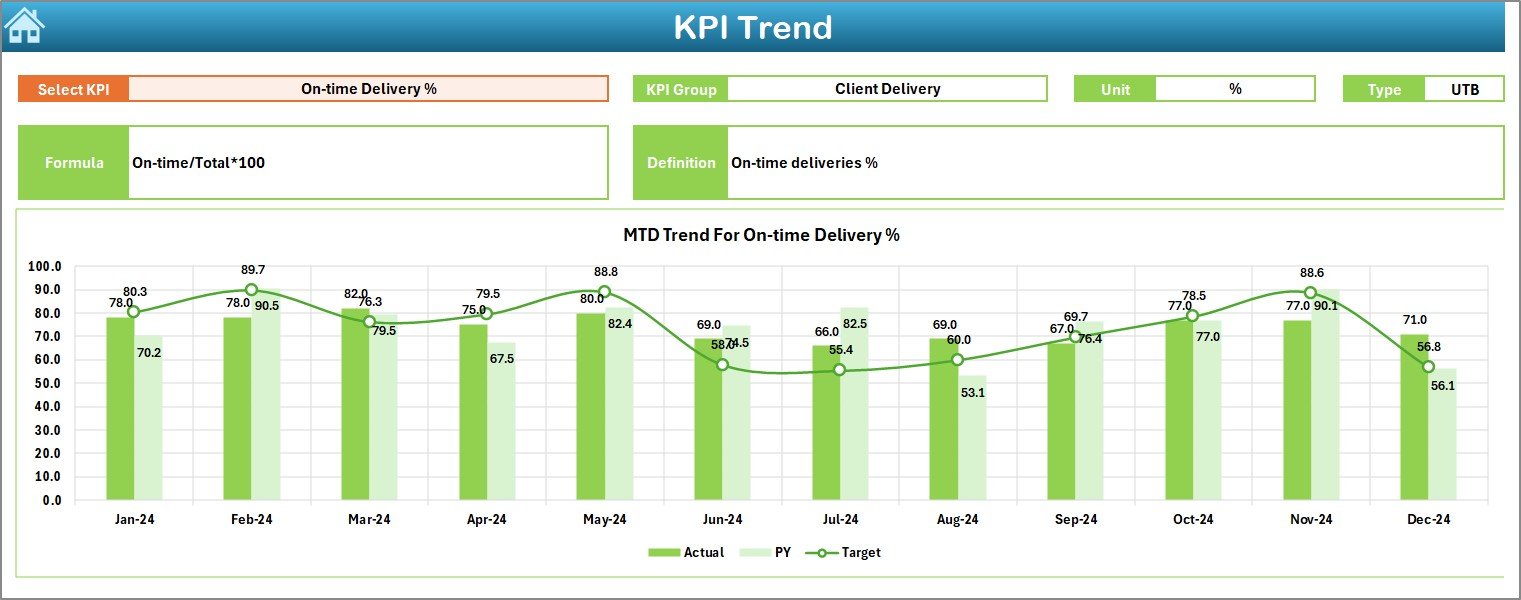
KPI Trend Sheet
Focuses on individual KPI analysis.
Drop-down at cell C3 to choose KPI.
Displays KPI group, unit, type (UTB/LTB), formula, and definition.
Trend charts for both MTD and YTD performance.
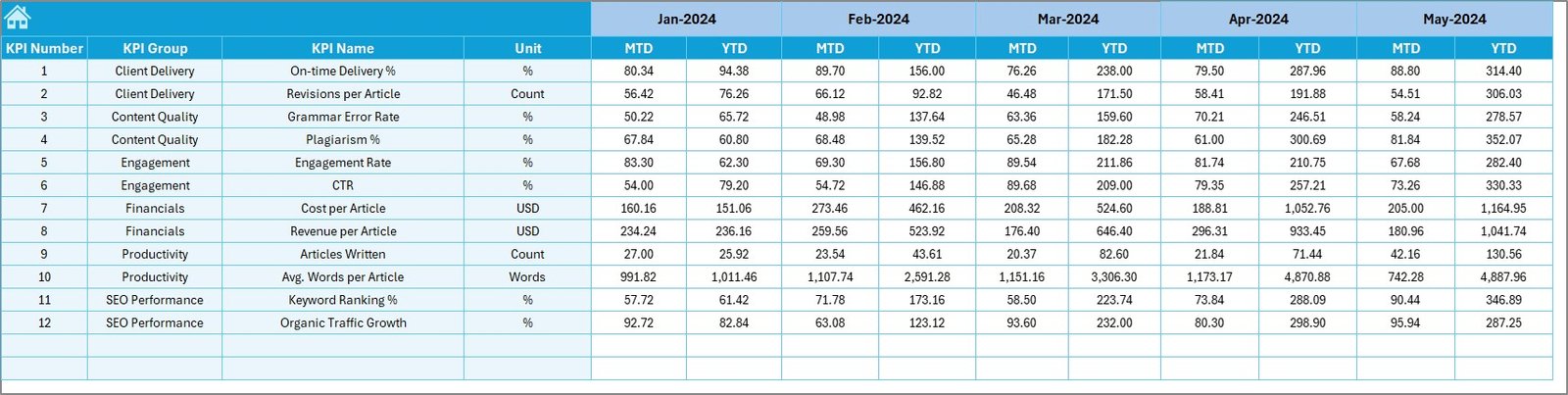
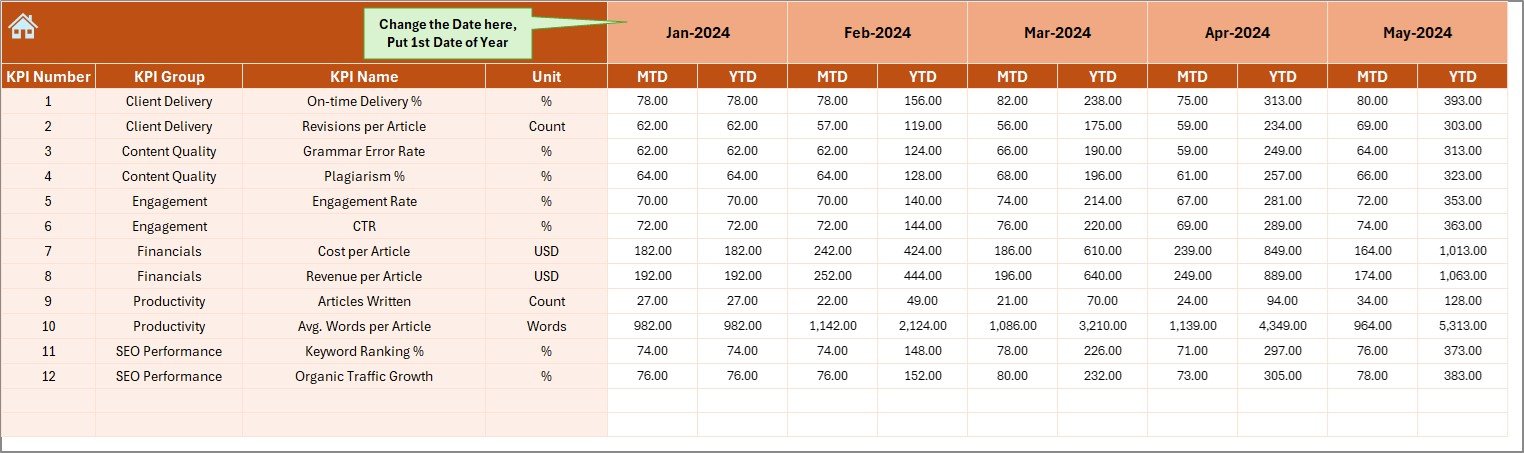
Actual Numbers Input Sheet
Input real-time performance data.
Includes MTD and YTD fields.
Flexible—choose your fiscal year starting month at cell E1.
Target Sheet
Input monthly and yearly goals.
Keeps teams aligned with business objectives.
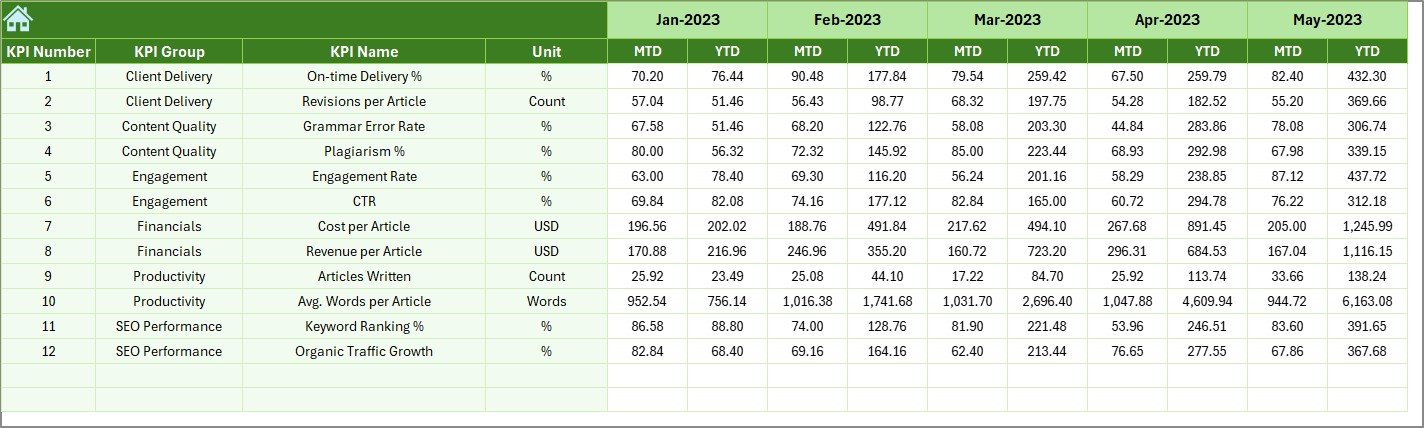
Previous Year Numbers Sheet
Stores historical data.
Helps with year-over-year comparisons.
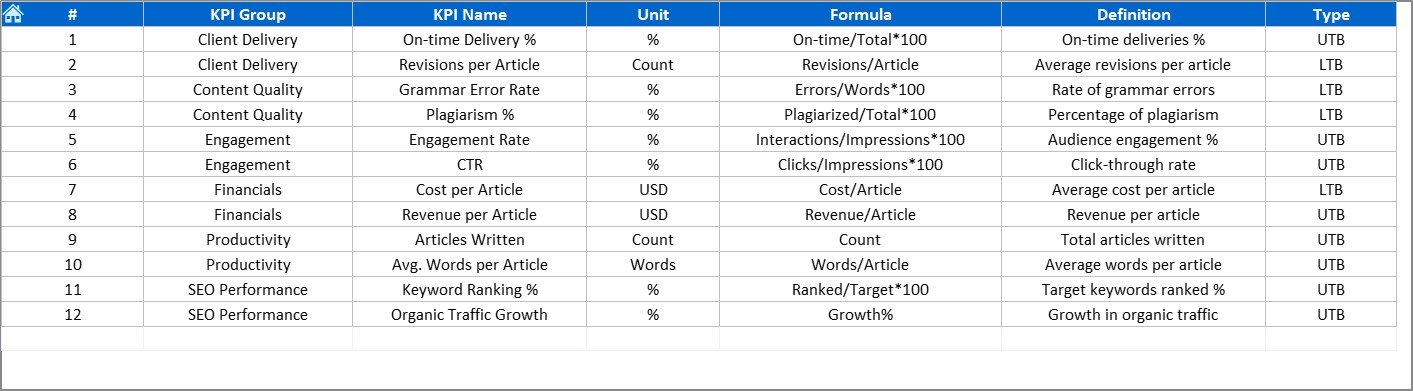
KPI Definition Sheet
Contains KPI groups, names, formulas, and definitions.
Ensures consistency and a single source of truth.
Why You Need a KPI Dashboard for Copywriting & Content Creation 🖊️
Content creation is more than just writing—it’s about generating measurable impact. A KPI dashboard ensures:
🔍 Clarity – Everyone knows what success looks like.
📅 Consistency – Data updated regularly for accuracy.
⏱️ Efficiency – Teams focus on strategies that work.
📊 Better Decisions – Identify gaps and optimize campaigns.
Advantages of the Copywriting & Content Creation KPI Dashboard 🌟
📌 Centralized Data – All metrics in one file.
⏳ Saves Time – Automated updates reduce manual work.
🎯 Customizable – Tailor KPIs to your goals.
📊 Visual Insights – Conditional formatting & charts make analysis easy.
🔄 Performance Tracking – MTD & YTD comparisons ensure timely action.
🤝 Goal Alignment – Keeps writers, marketers, and managers on the same page.
Common KPIs for Copywriting & Content Creation ✍️
This dashboard works best with KPIs like:
Website Traffic 🌐
Conversion Rate 💰
Bounce Rate ↩️
Engagement Rate ❤️
Click-Through Rate (CTR) 🔗
Content Production Volume 📝
Keyword Rankings 📈
Return on Content Investment (ROCI) 📊
Best Practices for Using the KPI Dashboard 💡
✅ Choose relevant KPIs that match business goals.
📅 Update data weekly or monthly.
🎯 Set realistic targets.
📊 Compare year-over-year trends.
🖼️ Use visuals (charts, arrows, colors) for clarity.
🤝 Share dashboard access with team members.
⚙️ Automate with formulas where possible.
Opportunities for Improvement 🔧
While already powerful, you can enhance this dashboard by:
🔔 Adding Automated Alerts for KPIs off-track.
🌐 Integrating with Google Analytics for live data.
📊 Building Power BI Visuals for advanced storytelling.
📱 Creating a Mobile Version for on-the-go tracking.
🤖 AI Forecasting to predict trends.
✅ Click here to read the Detailed blog post
📺 Visit our YouTube channel to learn step-by-step video tutorials
Watch the step-by-step video tutorial:
























Reviews
There are no reviews yet.