


In the highly competitive world of apparel manufacturing, success hinges on data-driven decisions. Introducing the Apparel Manufacturing KPI Dashboard in Power BI — a powerful, ready-to-use dashboard that gives you real-time insights into key performance indicators (KPIs) that matter most to your business. 🧵📈
Whether you’re managing production, quality, or delivery performance, this dashboard helps you monitor metrics, detect issues early, and drive continuous improvement. All without the need for complex tools or coding knowledge.
🛠️ Key Features of Apparel Manufacturing KPI Dashboard
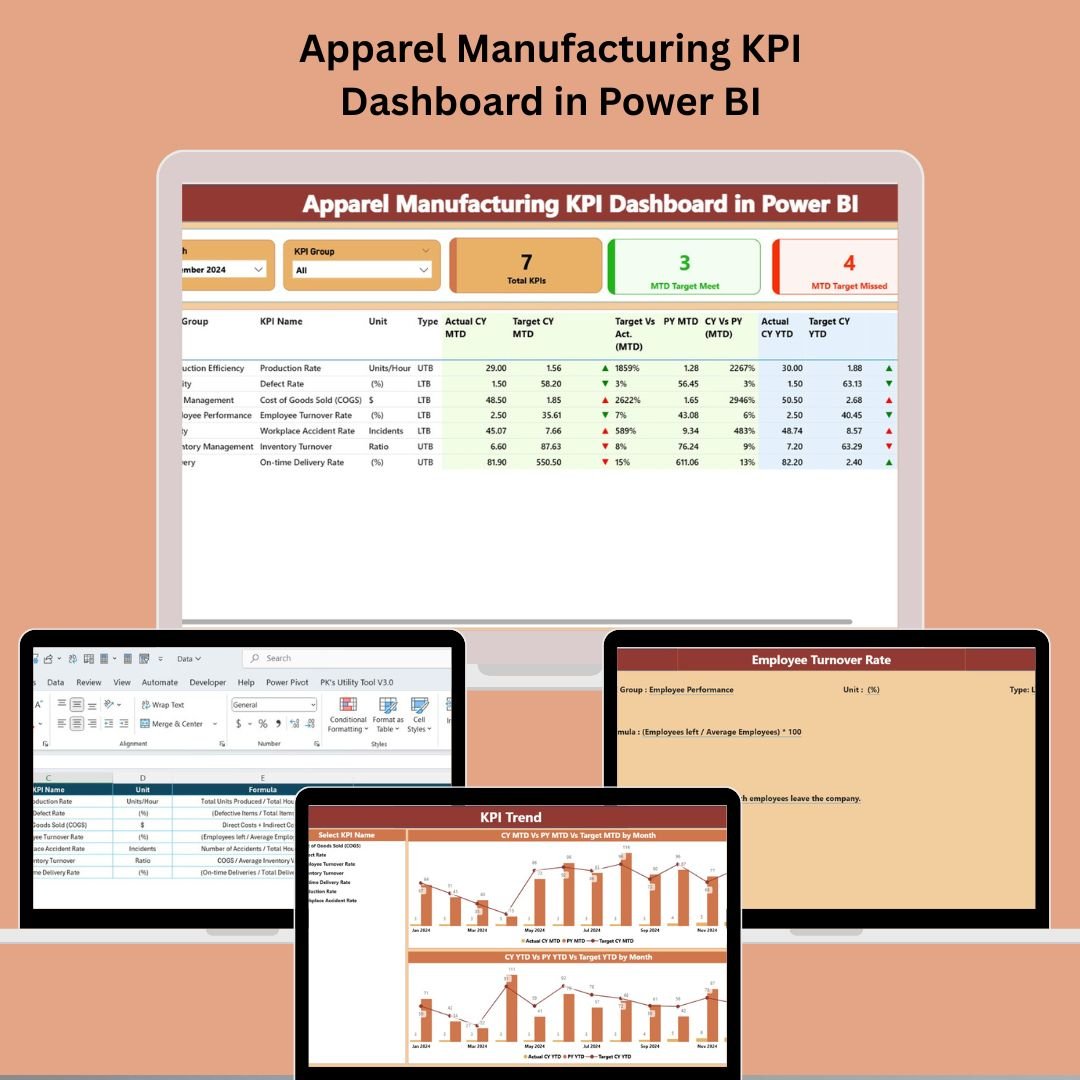
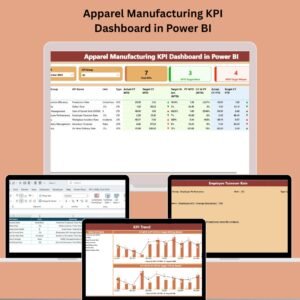
🧩 Summary Page – Your Command Center
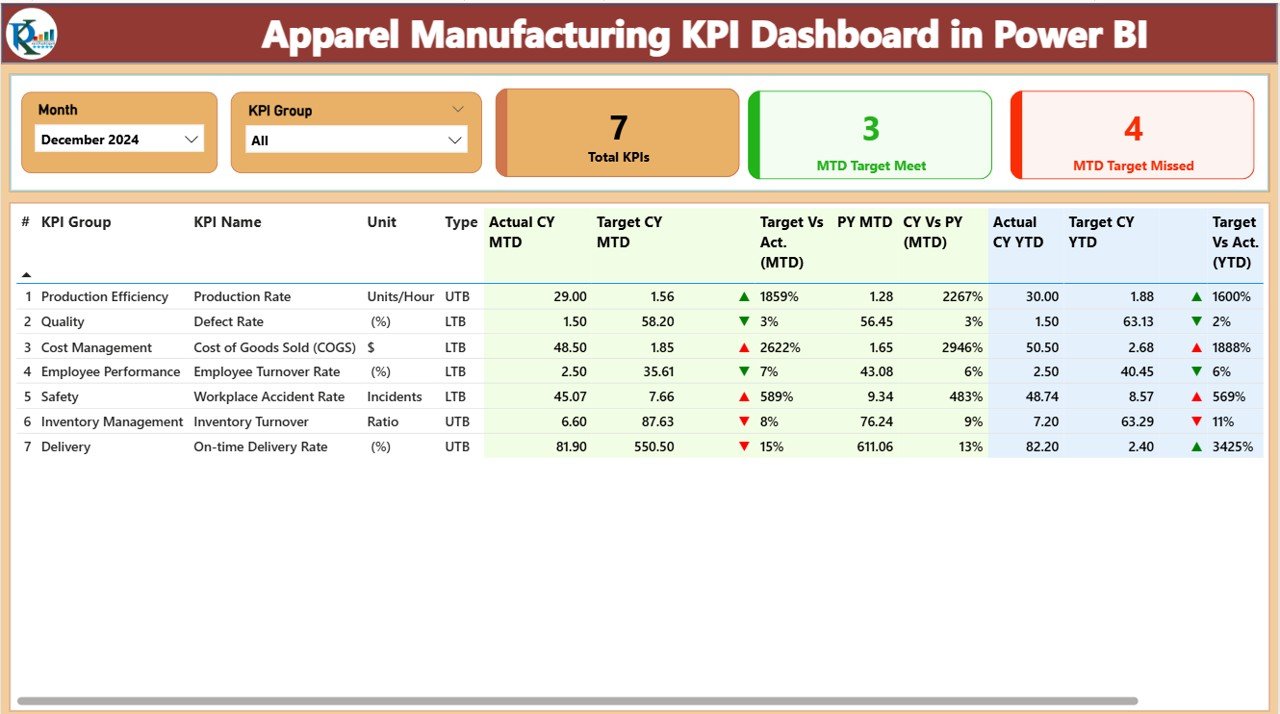
📆 Month & KPI Group Slicers – Filter metrics by month or KPI category
📋 KPI Cards – See total KPIs, MTD Target Met, and MTD Target Missed
🧾 Detailed KPI Table with:
KPI Group, Name, Unit
MTD & YTD Actual, Target, Previous Year
Icons (▲▼) for quick visual performance status
% Comparisons for Target vs Actual, CY vs PY
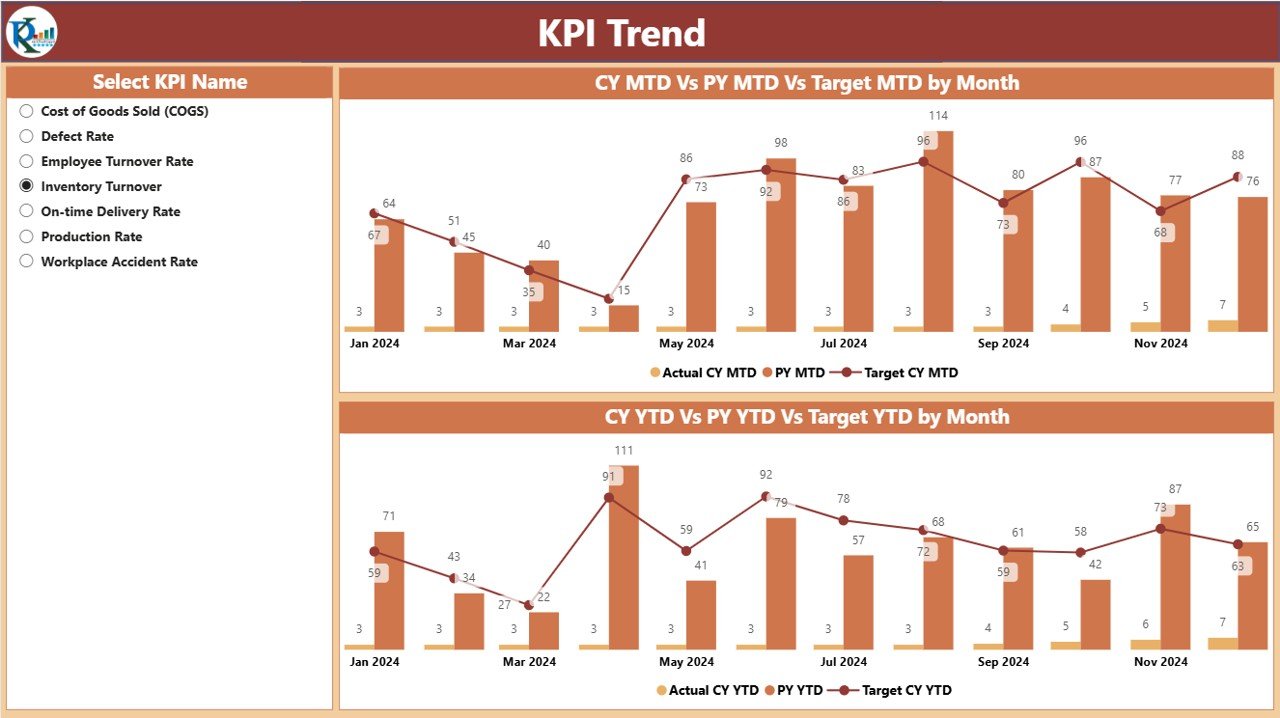
📈 KPI Trend Page – Visualize Performance Over Time
🎯 Combo Charts for each KPI
MTD and YTD: Actual, Target, Previous Year
🧮 Use the KPI Slicer to select any metric
🕵️ Gain insights into trends, dips, and seasonality
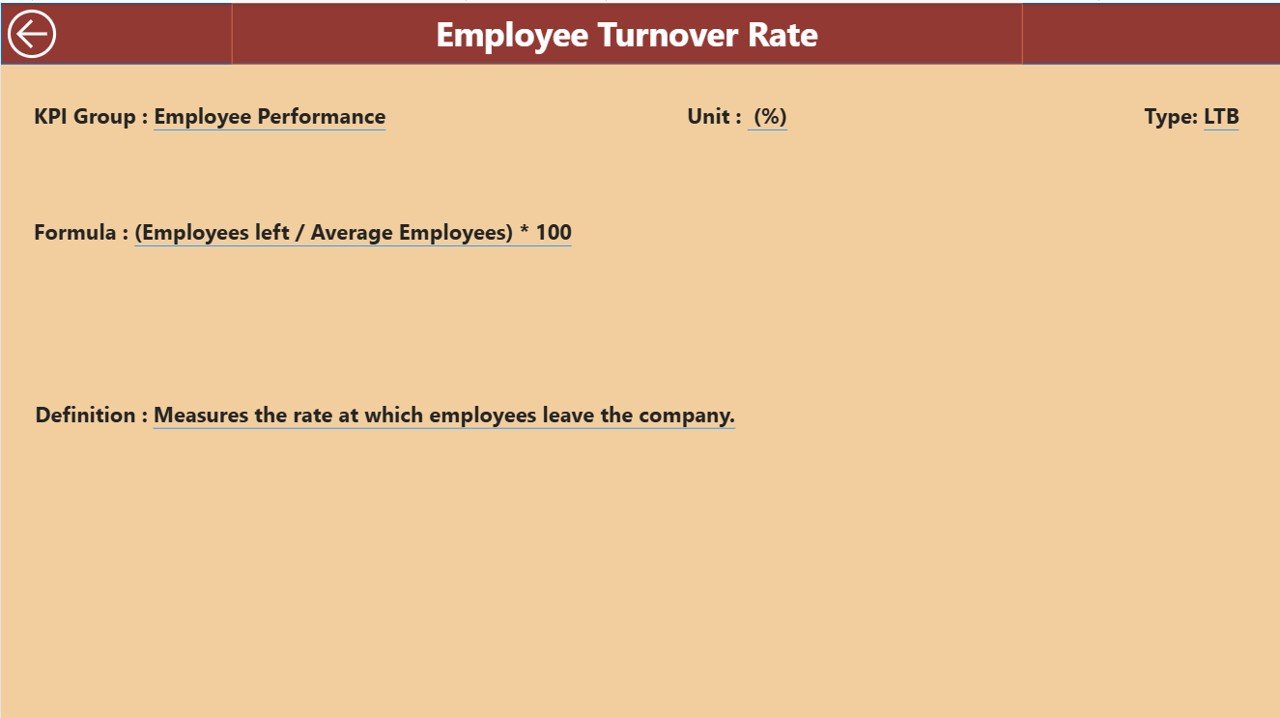
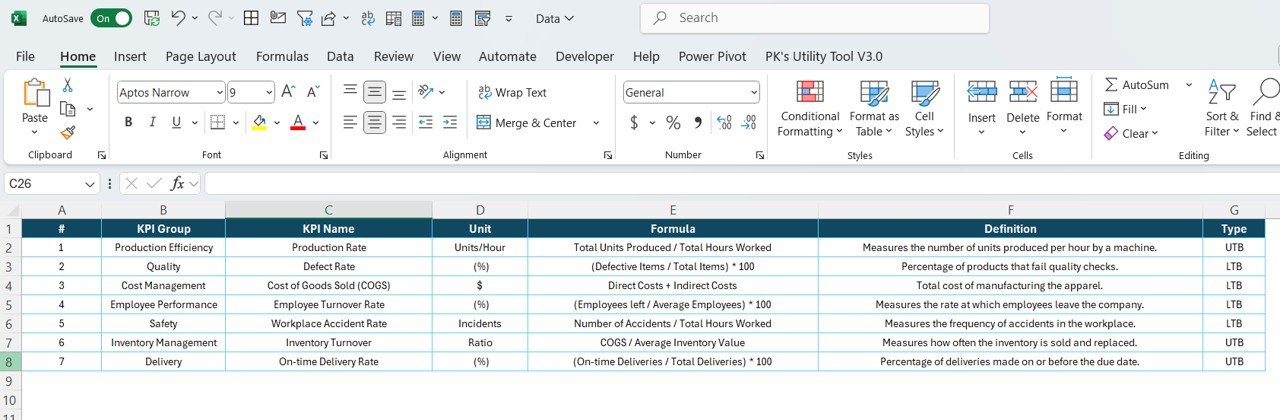
📘 KPI Definition Page – Drill into the Data
🔍 Click from Summary Page to view full KPI details
Fields include:
KPI Number & Group
KPI Name, Unit, Formula
Definition & Type (LTB/UTB)
This keeps your team aligned on metric meanings and calculations.
📂 What’s Inside the Dashboard File?
✅ 3 Power BI Pages: Summary, Trend, and Definition
✅ Built-in slicers and visual indicators
✅ Drill-through functionality for deeper analysis
✅ KPI tracking with real-time comparison to targets and historical data
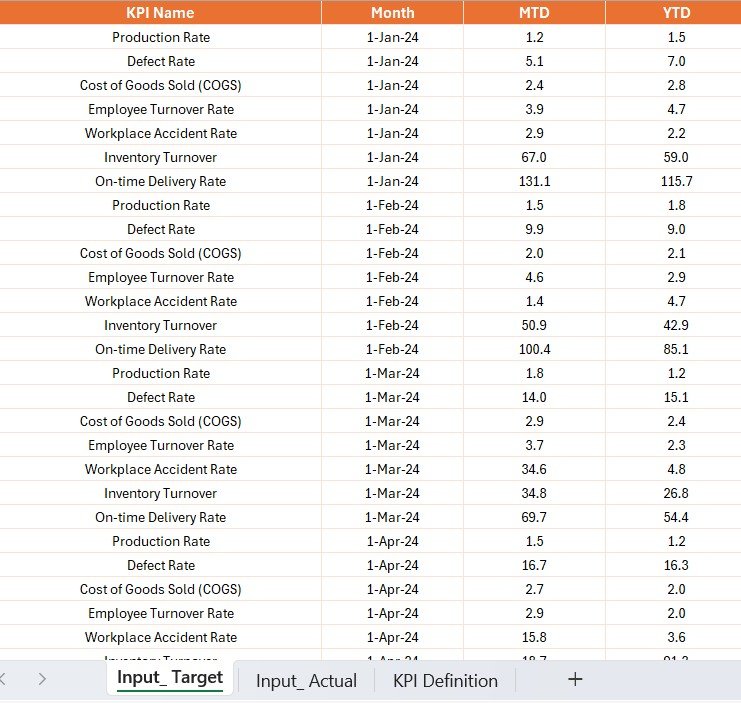
✅ Excel file integration with sheets:
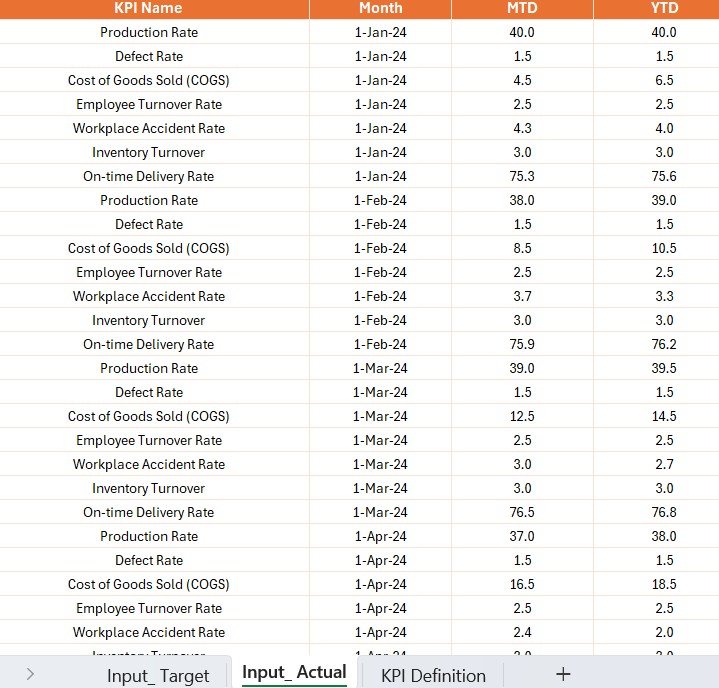
Input_Actual – Fill in actual MTD/YTD data
Input_Target – Input monthly and yearly targets
KPI_Definition – Define formulas, types, and descriptions
Everything updates dynamically once data is refreshed.
🧑💻 How to Use the Apparel Manufacturing KPI Dashboard
📥 Open your linked Excel file and input actual and target KPI values
🔄 Refresh the Power BI dashboard to sync updated data
📊 Use the Summary Page to monitor high-level KPI performance
📈 Navigate to the Trend Page to analyze KPI progress month over month
🔎 Drill down into the KPI Definition Page for formula and context
📤 Share the dashboard with team leads, QC managers, and stakeholders
No Power BI expertise required — just plug, refresh, and analyze!
🎯 Who Can Benefit from This Dashboard?
🏭 Apparel Production Teams – Monitor output, quality, and defects
👨🏫 Operations Managers – Track goal achievements by department
📉 Quality Control Specialists – Analyze reject rates and improvement over time
🧑💼 Executives – Get visual summaries of plant-wide performance
🧵 Small & Large Apparel Units – Scalable for all business sizes
Whether you’re tracking 10 or 100 KPIs, this dashboard adapts to your process.
🔗 Click here to read the Detailed blog post
🔗 Visit our YouTube channel to learn step-by-step video tutorials
Watch the step-by-step video tutorial:
Compatibility and Requirements
- Works in Power BI Desktop, which is free to download. Microsoft explains the install in Get Power BI Desktop.
- You enter data in the linked Excel file (Input_Actual, Input_Target and KPI_Definition sheets), so you also need Excel to edit it.
Frequently Asked Questions
How many pages does the dashboard have?
Three Power BI pages: Summary, KPI Trend and KPI Definition.
Where do I enter my numbers?
Fill in actual MTD and YTD values on the Input_Actual sheet and your targets on the Input_Target sheet of the linked Excel file. Then refresh the dashboard in Power BI.
Can I see how one KPI changes over time?
Yes. On the KPI Trend page, pick a KPI with the slicer. The combo charts show MTD and YTD actual, target and previous year.
Where can I see the formula behind a KPI?
Open the KPI Definition page from the Summary page. It lists the KPI number, group, name, unit, formula, definition and type (LTB or UTB).
Is there an Excel or Google Sheets version?
Yes. See the Apparel Manufacturing KPI Dashboard in Excel and the Apparel Manufacturing KPI Dashboard in Google Sheets.
Related Apparel and Manufacturing Templates
- Apparel Manufacturing KPI Dashboard in Excel: the same KPIs in Excel
- Apparel Manufacturing KPI Dashboard in Google Sheets: the Google Sheets edition
- Textiles & Apparel Manufacturing KPI Dashboard in Power BI: a textiles-focused Power BI dashboard
- Manufacturing Efficiency Dashboard in Power BI: plant-level efficiency in Power BI
- Manufacturing Excellence Bundle: 8 Excel and Power BI templates in one download
Browse all Power BI KPI dashboards and manufacturing templates.




























Reviews
There are no reviews yet.