

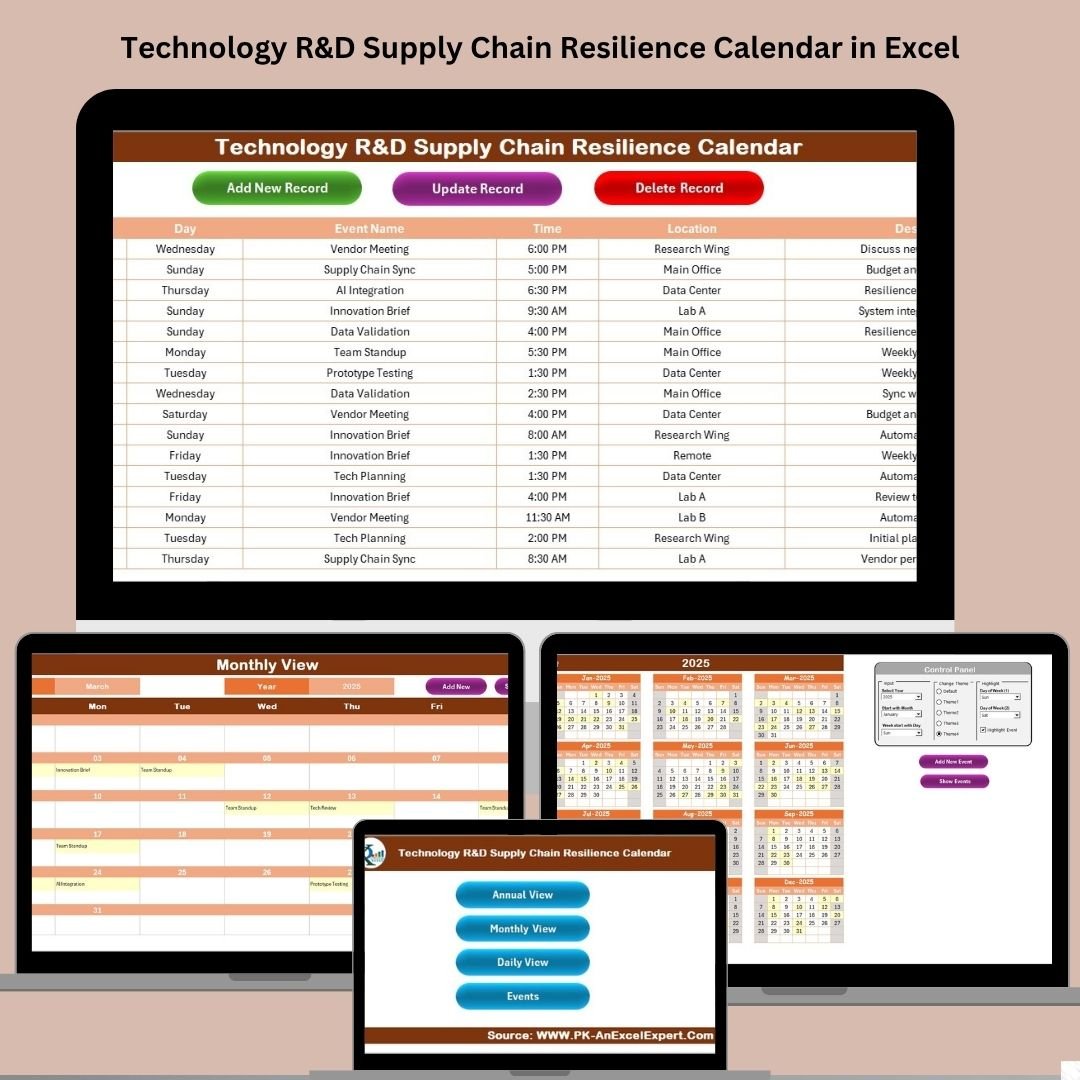



In a fast-paced world of research and development, maintaining a resilient and transparent supply chain is essential. Delays, lack of visibility, and missed deadlines can stall innovation. That’s where the Technology R&D Supply Chain Resilience Calendar in Excel comes into play—a comprehensive, ready-to-use template designed to help you schedule, monitor, and manage key supply chain events with complete control.
With built-in interactivity and automation, this calendar empowers you to stay organized and agile without relying on complex tools or software subscriptions.
🔑 Key Features of the Resilience Calendar
📅 Multi-View Calendar Dashboard

Switch seamlessly between Annual, Monthly, and Daily views with dedicated buttons for each sheet.
🎨 Customizable Themes and Highlights
Change the entire workbook’s look using one of 5 color themes and highlight weekends or specific weekdays for better visual tracking.
➕ Add, View, and Manage Events Easily
With built-in forms, you can add, update, and delete events effortlessly from any view—Annual, Monthly, or Daily.
🔍 Smart Filters
Select year, month, start day, and event range dynamically from the control panel or calendar icons.
🗂️ Event Database with Full Record Management
Track every event in a structured table including auto-generated IDs, event name, date, time, location, and a short description.
📦 What’s Inside the Product?
This Excel template is made up of 5 powerful worksheets, each carefully designed for intuitive use:
1️⃣ Home Sheet
Your launchpad. Jump to any view or sheet using clearly labeled buttons:
➡️ Annual View
➡️ Monthly View
➡️ Daily View
➡️ Events Database
2️⃣ Annual View Sheet
Get a 12-month calendar view with advanced control features like:
🎯 Year, start month, and week start selection
🎨 Theme switcher with 5 visual themes
🌈 Day-of-week highlighting (e.g., Sat-Sun)
🟨 Event highlighting toggle for visibility
➕ Add/View event forms linked directly to calendar dates
3️⃣ Monthly View Sheet
View one month at a time with a detailed focus:
📆 Select month and year from dropdown
📌 View at least one event per day; overflow shows “more than 1…”
🚀 Add/View buttons for quick event entry or inspection
4️⃣ Daily View Sheet
Need details? This sheet shows all events within a date range:
📅 Pick start and end dates using calendar icons
🔄 Click “Refresh” to view updated entries
➕ Add New Event button for quick additions
5️⃣ Events Sheet (Database)
Behind the scenes, this sheet maintains every event log:
🔢 Auto-generated IDs
📍 Full details: Date, Day, Event Name, Time, Location, Description
🛠️ Buttons for Add, Update, and Delete events
💡 How to Use the Product
Start at the Home Sheet and pick the view you want: Annual, Monthly, Daily, or Event list.
Use the control panel to customize the theme, select the year, and highlight specific days.
Add or update events using the built-in forms from any view.
Use the Daily View for tracking upcoming deadlines or a historical log.
All changes auto-update across views—no need to edit formulas manually!
👥 Who Can Benefit from This Calendar?
🧪 R&D Project Managers
Easily manage critical supply milestones, testing events, and delivery schedules.
🔬 Technology Procurement Teams
Track vendor meetings, equipment deliveries, and inventory planning dates.
📊 Operations & Logistics Analysts
Keep tabs on process steps and logistics coordination across the supply chain.
🧭 Program Leads & Innovation Coordinators
Ensure key innovation timelines remain intact with cross-functional scheduling.
✅ Why Choose This Template?
🚫 No extra software needed – 100% Excel-based
✅ Fully customizable and user-friendly
🧠 Built-in smart automation with forms
📈 Improve visibility on all scheduled events
🔄 Always up-to-date thanks to interconnected views
💻 Compatible with Excel 2016 and above
🖌️ Brand it with your own colors or logos
🔗 Click here to read the Detailed blog post
📺 Visit our YouTube channel to learn step-by-step video tutorials
Watch the step-by-step video tutorial:
Compatibility and Requirements
- Works in Microsoft Excel desktop (Excel 2016 or later, or Microsoft 365).
- You pick the year, month and week start from dropdown lists on the calendar sheets. Microsoft explains them in Create a drop-down list.
Frequently Asked Questions
Which sheets are included?
Five sheets: Home, Annual View, Monthly View, Daily View and Events.
How do I add an event?
Use the Add button on the Annual, Monthly or Daily view to open the event form. Each event is saved in the Events sheet with an auto-generated ID, date, day, event name, time, location and description.
Can I change or delete an event later?
Yes. The Events sheet has Add, Update and Delete buttons, and the calendar views refresh to match.
Can I change the colors and highlight weekends?
Yes. The Annual View has 5 color themes and a day-of-week highlight option, for example Saturday and Sunday. You can also turn event highlighting on or off.
Is there a version for another team?
Yes. For example, see the R&D Supply Chain Resilience Calendar in Excel and the Technology Procurement Supply Chain Resilience Calendar in Excel.
Related Supply Chain Resilience Calendars
- R&D Supply Chain Resilience Calendar in Excel: the same calendar for general R&D teams
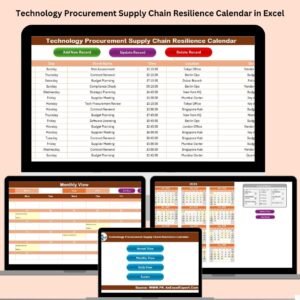
- Technology Procurement Supply Chain Resilience Calendar in Excel: for vendor meetings and deliveries
- Technology Logistics Supply Chain Resilience Calendar in Excel: for shipment and logistics dates
- Technology Operations Supply Chain Resilience Calendar in Excel: for operations scheduling
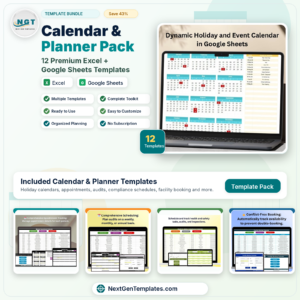
- Calendar & Planner Pack: 12 Excel and Google Sheets calendar templates in one download
Browse all Excel calendar templates.






Reviews
There are no reviews yet.