



In today’s fast-paced regulatory landscape, staying compliant is no longer just a checkbox task—it’s a strategic necessity. Introducing the Legal Compliance KPI Dashboard in Power BI, your all-in-one solution for tracking, monitoring, and improving your organization’s legal compliance efforts in real time.
This interactive and visually rich Power BI dashboard is designed specifically for legal and compliance teams who need instant clarity and control. From tracking policy adherence and audit readiness to risk mitigation metrics, this dashboard puts your compliance performance front and center.
Let’s explore how it empowers your team to act quickly, report accurately, and stay ahead of compliance risks.
✨ Key Features of Legal Compliance KPI Dashboard
🟢 Three Dynamic Dashboard Pages

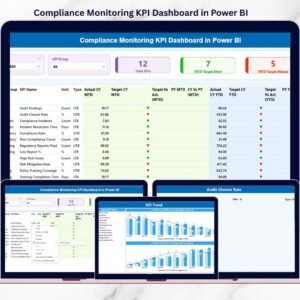
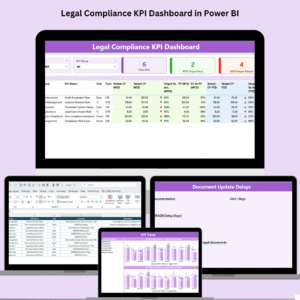
Summary Page
Get an instant overview of all legal KPIs with slicers for Month and KPI Group. Visuals include:Total KPIs Count
MTD Target Met / Missed
Detailed KPI table with trend indicators (📈/📉)
KPI Trend Page
Combo charts highlight performance over time with filters by KPI Name. Separate visuals for MTD and YTD trends let you:Spot fluctuations quickly
Compare Target vs Actual vs Previous Year
KPI Definition Page (Drill-through)
Easily navigate from Summary to detailed definitions, formulas, units, and KPI types using a single click.
📦 What’s Inside the Product?
This dashboard connects seamlessly with an Excel backend and includes:
✅ Input_Actual Sheet – Records actual MTD and YTD values
🎯 Input_Target Sheet – Stores target metrics for the same periods
📘 KPI Definition Sheet – Lists KPI numbers, groups, units, formulas, and types (UTB/LTB)
Power BI consumes this structured data and visualizes it effortlessly with auto-refresh capabilities and filters.
🧠 How to Use the Legal Compliance Dashboard
Step 1: Enter your KPI data in Excel
Step 2: Open the Power BI file and refresh
Step 3: Use slicers to filter by KPI Group or Month
Step 4: Click a KPI to drill into definition and root cause
Step 5: Review trends, spot red flags, and take action!
Whether you’re in a boardroom or an audit meeting, this dashboard ensures you always have the right insights at your fingertips.
👥 Who Can Benefit from This Dashboard?
⚖️ Legal Teams & Compliance Officers
🏢 Corporate Risk Managers
🏥 Healthcare Compliance Teams
🏫 Educational Institutions
🧾 Audit and Regulatory Consultants
🏛️ Government and Public Sector Agencies
If your role involves ensuring policy compliance or preparing for audits, this dashboard is for you!
🚀 Why Power BI for Legal Compliance?
Interactive Filters & Slicers – Instantly drill down to specifics
Auto-Refresh Option – Update Excel, click refresh—done!
Secure & Scalable – Role-based access and performance at scale
No Coding Needed – User-friendly for non-tech professionals
Mobile & Desktop Access – Compliance insights wherever you go
📌 Pro Tips for Maximum Impact
✅ Use conditional formatting in Excel for alerts
📅 Schedule monthly updates for audit readiness
🎨 Customize charts to match your brand
🔐 Use role-based access to protect sensitive data
🔍 Bookmark views in Power BI for faster reporting
🔗 Click here to read the detailed blog post
🎥 Visit our YouTube channel to learn step-by-step video tutorials
Watch the step-by-step video tutorial:
Compatibility and Requirements
- Open the .pbix file in Power BI Desktop, which is free from Microsoft. Microsoft explains the download in Get Power BI Desktop.
- Your KPI data goes into the included Excel file. Refresh Power BI after you update it.
Frequently Asked Questions
Which pages are in the Power BI report?
There are three pages: a Summary page, a KPI Trend page and a KPI Definition drill-through page.
How do I filter the dashboard?
Use the slicers for Month and KPI Group on the Summary page, and filter by KPI Name on the KPI Trend page.
Where do I enter my numbers?
Enter actual MTD and YTD values in the Input_Actual sheet and targets in the Input_Target sheet of the Excel file, then refresh.
What does the KPI Definition sheet hold?
It lists each KPI’s number, group, unit, formula and type, which marks whether upper or lower values are better.
Related Legal and Compliance Templates
- Legal Compliance KPI Dashboard in Excel: the same KPI dashboard in Excel
- Legal Compliance Dashboard in Excel: a full legal compliance dashboard in Excel
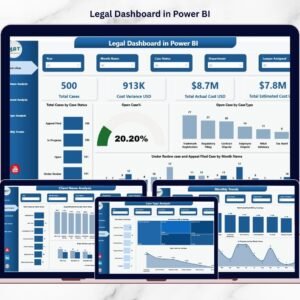
- Legal Dashboard in Power BI: a legal dashboard in Power BI
- Legal Compliance Calendar in Excel: plan compliance deadlines in an Excel calendar
- Power BI Dashboard Mega Collection: 15 Power BI dashboards in one bundle
Browse all Power BI KPI dashboards.












Reviews
There are no reviews yet.