

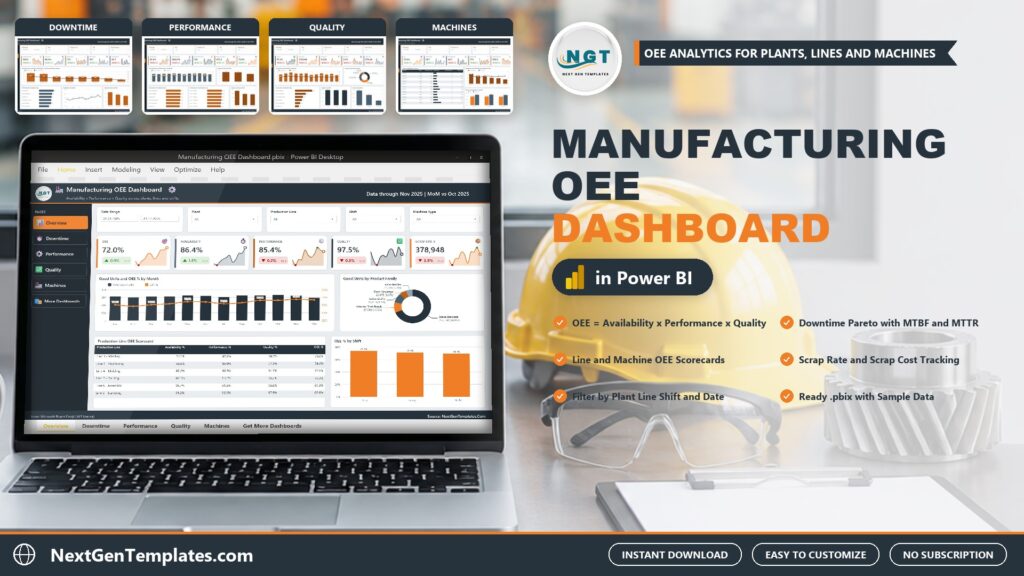
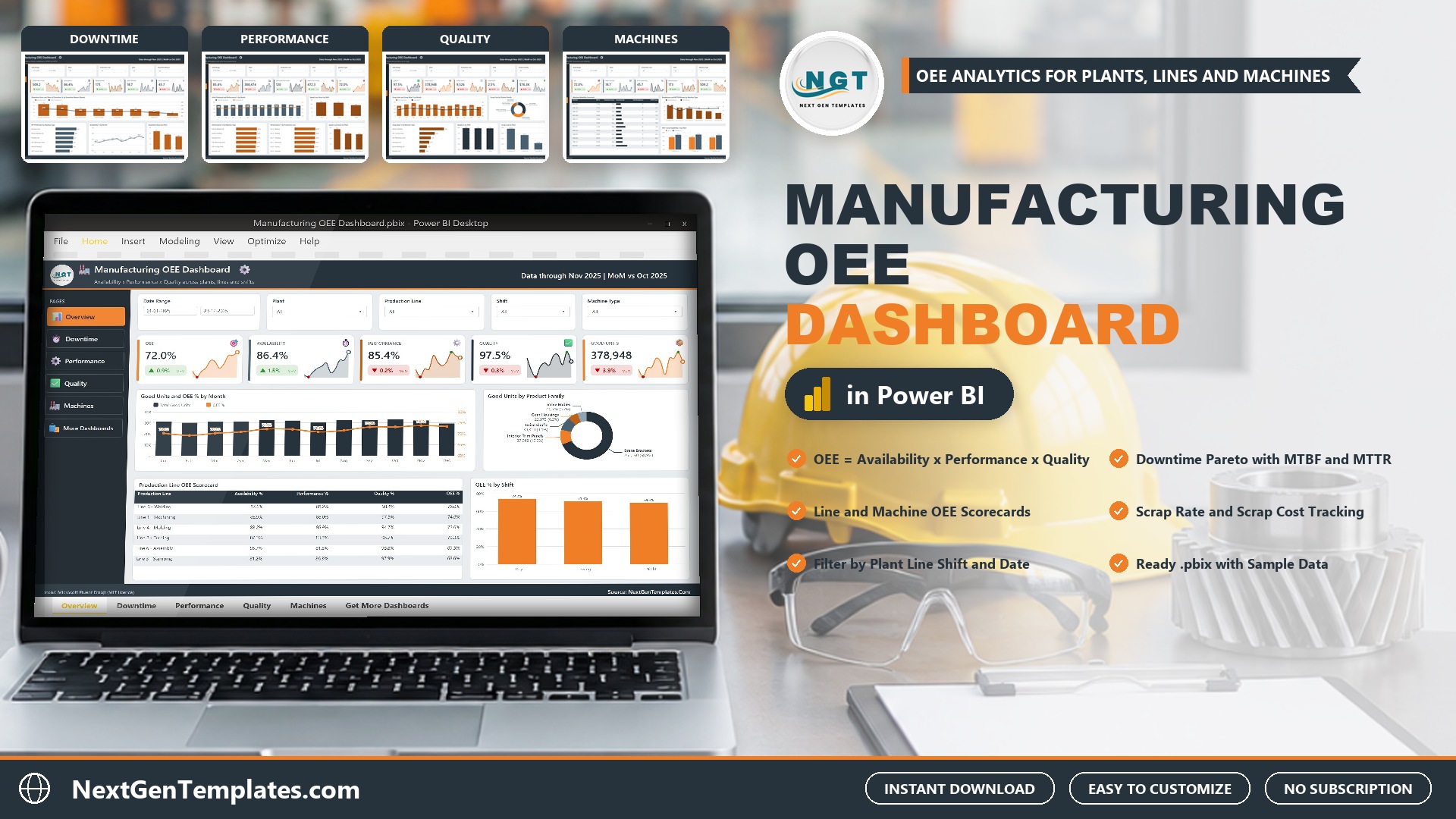
The Manufacturing OEE Dashboard in Power BI answers the questions every plant manager asks: how much of our planned time becomes good parts, what stops the lines, and where does scrap cost the most? It reports OEE, availability, performance, quality, downtime and scrap across five interactive pages. The sample model holds 500 production runs for 2025 across 3 plants and 12 machines, with 378,948 good units, 72.0% OEE and a 2.5% scrap rate.
Watch the Manufacturing OEE Dashboard in Power BI: Downtime and Scrap walkthrough
OEE, or overall equipment effectiveness, multiplies three ratios: availability (how much of the planned time the machine ran), performance (how fast it ran against its ideal cycle) and quality (how many units were good). A 72.0% OEE can hide very different stories, such as long changeovers, minor stops or a high scrap rate on one machine type. Production data usually sits in one export, downtime reasons in another and scrap in a third. This oee dashboard in Power BI puts them in one model that refreshes from a single workbook.
 Launch offer
From your first Pivot Table to the Data Model, DAX, Power Query and a one-page KPI dashboard. 11h 51m of video by PK, with practice files, quizzes and a capstone.
What the Manufacturing OEE Dashboard in Power BI Shows
- OEE and its three parts. In the sample, availability is 86.4%, performance 85.4% and quality 97.5%, giving 72.0% OEE. Production lines range from 76.0% (Line 5 Welding) to 68.6% (Line 3 Stamping), and shifts from 74.2% (Day) to 69.5% (Night).
- Downtime Pareto with MTBF and MTTR. Eight downtime reasons are ranked by hours. Mechanical Breakdown leads with 104.0 hours (20.4%), followed by Changeover and Setup with 94.9 hours (18.6%). The page also shows 173 breakdowns, an MTBF of 18.7 hours and an MTTR of 45.7 minutes.
- Speed losses. 472.3 speed loss hours across 388,474 units produced, with performance by machine type and production line and speed loss hours by shift and plant.
- Scrap rate and scrap cost. 9,526 scrap units and $76.3K scrap cost. Injection Molding has the highest scrap rate (5.3%), Drive Shafts carry the highest scrap cost by product family ($26,154) and Columbus, OH carries the most by plant ($38,060).
- Machine reliability. All 12 machines are ranked on OEE, downtime hours, breakdowns and MTBF, from WLD-401 (77.4% OEE) to PRS-202 (65.6% OEE and 73.1 downtime hours).
- Filters and drill-through. Date Range, Plant, Production Line and Shift on every page, one page-specific slicer, a hidden Details page and two tooltip pages.
The Five Pages, One by One
Overview
Sparkline cards for OEE, Availability, Performance, Quality and Good Units, each with a month-on-month change. Below them sit Good Units and OEE % by Month, a donut of good units by product family, a Production Line OEE Scorecard and OEE % by Shift.
Downtime
Cards for Downtime Hours, Availability, Breakdowns, MTBF and MTTR, a Pareto of downtime hours and share of downtime by reason, MTTR Minutes by Machine Type, Availability % by Month and Downtime Hours by Plant.
Performance
Units Produced and Performance % by Month, Speed Loss Hours by Shift, Performance % by Machine Type, Performance % by Production Line and Speed Loss Hours by Plant.
Quality
Scrap Units and Scrap Rate % by Month, Scrap Cost by Product Family, Scrap Rate % by Machine Type, Quality % by Shift and Scrap Cost by Plant.
Machines
A Machine Reliability Scorecard with a downtime bar, Breakdowns and MTTR Minutes by Machine Type and OEE % and Availability % by Plant.
How It Compares With Other Options
| Feature | This Power BI template | Custom BI build | MES / OEE software |
|---|---|---|---|
| Cost | One-time purchase | Licences plus build time | Usually a subscription |
| Ready-made OEE pages | Yes, five pages | No, you design them | Yes |
| Downtime Pareto with MTBF and MTTR | Yes | If you build it | Often |
| Edit measures and visuals | Full access, more than 50 DAX measures | Full access | Limited |
| Live machine data capture | No, you load an export | Possible with development | Usually yes |
How to Set It Up
- Install Power BI Desktop (free from Microsoft) and unzip the download.
- Open Data.xlsx and replace the sample rows with your own production runs, keeping the column headers.
- Open the .pbix, choose Transform data, Data source settings, Change Source, and point it at your copy of Data.xlsx.
- Press Refresh. Every page, card and chart updates.
The workbook has 20 columns: Run ID, Production Date, Plant, Production Line, Machine, Machine Type, Shift, Product Family, Downtime Reason, Planned Minutes, Downtime Minutes, Run Minutes, Ideal Cycle Seconds, Ideal Run Minutes, Total Units, Good Units, Scrap Units, Breakdowns, Repair Minutes and Scrap Cost. Most production and maintenance exports can be reshaped into that layout in a spreadsheet in under an hour.
Who It Is For, and Who It Is Not For
Good fit: plant managers, operations and continuous improvement teams, maintenance planners and analysts who report on production efficiency.
Not a fit: teams that need live data capture from machines, a manufacturing execution system, work order management or predictive maintenance. It reads a workbook you fill or export.
Frequently Asked Questions
How is OEE calculated in this dashboard?
OEE is Availability x Performance x Quality, all calculated from the columns in Data.xlsx. Availability is run minutes over planned minutes, performance compares ideal run minutes with actual run minutes, and quality is good units over total units.
Does it connect to my machines or MES?
No. It reads Data.xlsx. Export your production runs, paste them in and press Refresh.
Do I need a paid Power BI licence?
No. Power BI Desktop is free. Pro or Premium is only needed to publish and share in the Power BI Service.
Is the sample data real?
No. The runs and figures are fictional records used to demonstrate the visuals. Replace them before presenting anything.
Can I use my own plants, lines and machines?
Yes. Plants, lines, machines, shifts, product families and downtime reasons come from the data, so new values appear after a refresh.
Get the Dashboard
Download the Manufacturing OEE Dashboard in Power BI. One payment, instant download, no subscription. The ZIP holds the .pbix, the sample Data.xlsx and a PDF user manual.
Related Templates
- Flooring Materials Manufacturing Dashboard in Power BI
- Digital Twins in Manufacturing Dashboard in Power BI
- Fire Safety Equipment Manufacturing Dashboard in Power BI
- Plant Production Planning and Control Management System in Excel VBA
Built by PK, Microsoft Certified Professional with 15+ years of Excel, Google Sheets and Power BI experience and founder of NextGenTemplates.