

The best franchise management dashboard for most franchisors is the Franchise Royalty Management System Web App ($39.99), because it bills royalties and ages receivables as well as reporting. For KPI reporting only, the Franchise Management KPI Dashboard in Google Sheets ($9.99) is the cheapest start, with Excel and Power BI versions from $11.99 to $14.99.
Last updated: October 2026
Key takeaways
- The Franchise Royalty Management System Web App costs $39.99 once and runs 21 modules on a 21-table Google Sheets database.
- Four of the six templates are KPI dashboards that track MTD, YTD and previous-year results against targets, priced from $9.99 to $14.99.
- The Franchise Management KPI Dashboard in Google Sheets is the lowest-priced option at $9.99 and suits teams that already share work in the cloud.
- Both Power BI dashboards cost $11.99 and read their data from Excel sheets, so no coding is needed to update them.
- A KPI dashboard shows performance but does not bill anyone; royalty invoicing needs the web app or dedicated franchise software.
 Launch offer
SUMIFS, XLOOKUP, FILTER, LAMBDA and checking AI-written formulas, with real business projects. 11h 47m of video by PK, with practice files, quizzes and a capstone.
Franchise management dashboard templates compared
| Template | Format | Best For | Price |
|---|---|---|---|
| Franchise Royalty Management System Web App (Best overall) | Google Apps Script web app on Google Sheets | Royalty billing, receivables, audits, franchisee portal | $39.99 |
| Franchise Management KPI Dashboard in Excel | Excel | Franchisee performance and sales trend monitoring | $14.99 |
| Franchise Performance KPI Dashboard In Excel | Excel | Outlet-by-outlet target vs actual comparison | $14.99 |
| Franchise Management KPI Dashboard in Power BI | Power BI | Regional managers who want drill-through KPI definitions | $11.99 |
| Franchise Performance KPI Dashboard in Power BI | Power BI | Restaurant, retail and fitness networks needing visual KPI cards | $11.99 |
| Franchise Management KPI Dashboard in Google Sheets (Best value) | Google Sheets | Multi-location teams collaborating in the cloud | $9.99 |
How we picked these
We searched the NextGenTemplates catalog, roughly 6,900 products, for franchise-specific tools in Excel, Google Sheets, Power BI and web app formats. We kept only paid templates built around franchise networks, outlets, franchisees or royalties. Generic multi-store dashboards and free downloads were left out.
Ranking weighs how much of the franchisor workflow each tool covers, then price, then format flexibility. A tool that bills and collects ranks above a tool that only reports, because it replaces more of a typical franchise software subscription.
What does a franchise management dashboard actually need to do?
Franchisors usually face two separate problems. One is knowing which outlets are hitting target. The other is collecting the right royalty on time. Franchise software vendors such as FranConnect bundle both into a subscription priced by quote, and per-seat or per-outlet fees grow as the network grows.
The templates below split those jobs. The web app handles money. The four KPI dashboards plus the Google Sheets version handle performance. Many networks need only one of the two, and buying a template for that one job costs far less than a full platform.
For background on how franchise systems are structured, the International Franchise Association publishes industry resources for franchisors and franchisees.
The 6 best franchise management dashboard templates for 2026
1. Franchise Royalty Management System Web App: best overall
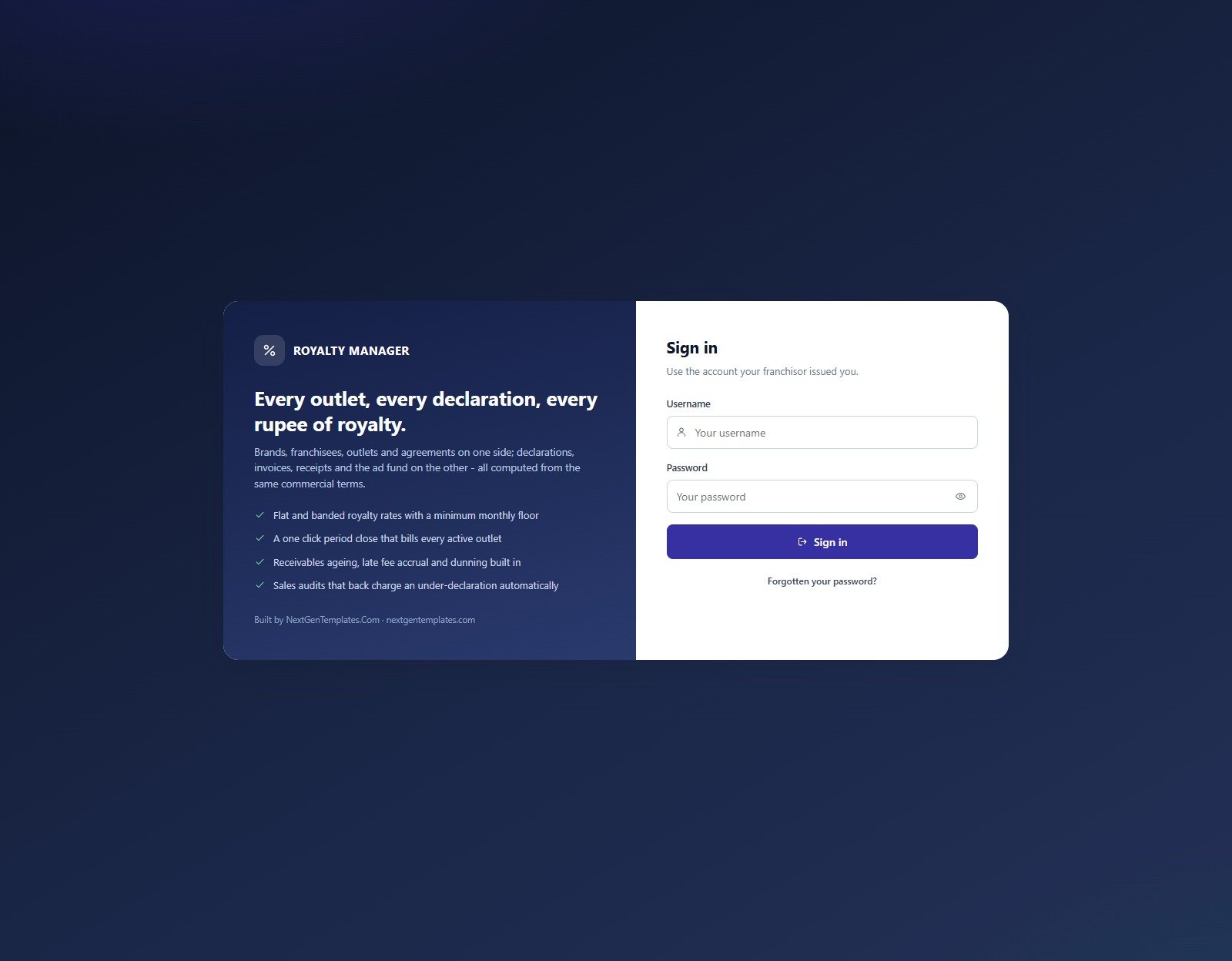
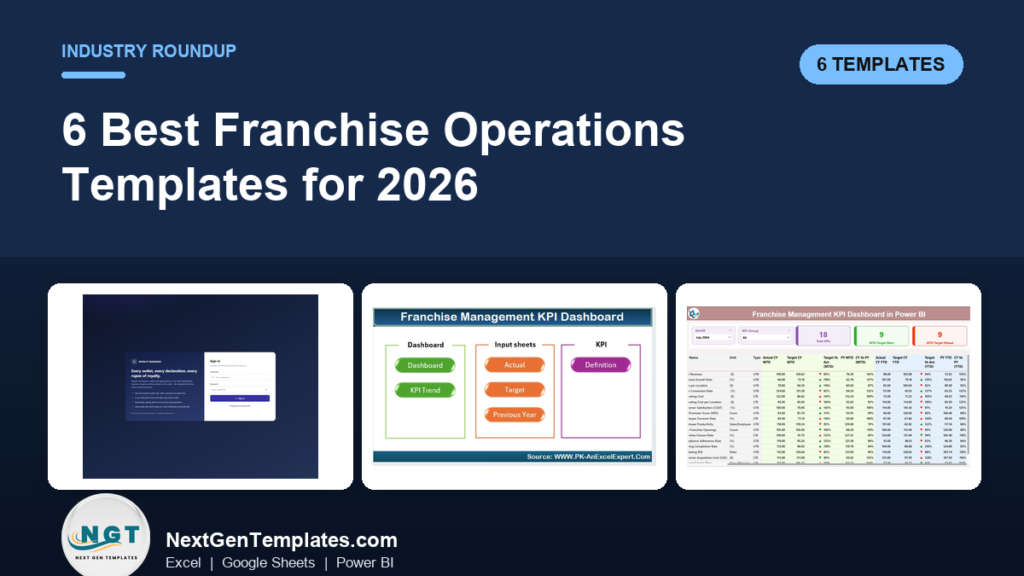
The pain here is a franchisor reconciling royalty declarations in spreadsheets, chasing late payers by email and paying monthly for a platform that charges by the outlet. This web app moves that work into one system you own after a single purchase.
What it is: a Google Apps Script web app that runs 21 modules on a 21-table Google Sheets database. It ships with 11,028 seeded rows across a six-brand, 72-outlet demonstration network, so 18 closed billing months are visible before you enter anything.
Who it is for: franchisors with several brands or outlets who bill royalties monthly.
- Banded or flat royalty with a floor, topped up to the minimum monthly royalty when sales fall short
- One-click monthly period close that turns approved declarations into royalty invoices and is safe to re-run
- Receivables in Not due, 0-30, 31-60, 61-90 and 90+ buckets, with late-fee accrual and a collection rate
- Sales audits that price under-declared sales at the agreement’s own rate and raise the adjustment invoice
- A franchisee self-service portal and five roles, from Administrator to Compliance Auditor
Use cases:
- An outlet declares $40,000 of sales on a 6% royalty with a $2,500 floor (example figures). The system bills $2,500, not $2,400.
- Finance opens the 61-90 bucket on the dashboard and sees which franchisees need a collection call.
- A compliance auditor finds under-declared sales and the adjustment invoice is raised at the agreement’s own rate.
- You log in as the partner role in the live demo to see exactly what a franchisee would see.
Price: $39.99. Get the franchise royalty management web app.
Best for: franchisors who need billing and collections, not only charts.
2. Franchise Management KPI Dashboard in Excel

The pain is a head office that only learns an outlet is struggling when the quarter ends. This Excel dashboard puts franchisee results in front of the franchisor on a regular cycle without a new software contract.
What it is: an Excel dashboard for franchise owners, managers and stakeholders covering revenue growth, franchisee performance, customer satisfaction and operational efficiency.
Who it is for: franchisors and operators managing one location or a network.
- KPI tracking for sales, revenue, customer satisfaction, employee performance and marketing
- Franchisee performance monitoring across sales, compliance and operational metrics
- Sales and revenue views by period, location and franchisee
- Time-based analysis from daily through yearly periods
- Cost efficiency, profit margin and profitability monitoring
Use cases:
- Rank franchisees on sales and compliance to spot the top performers.
- Review seasonal swings in revenue before planning a promotion.
- Check profit margin by location to find cost problems.
- Prepare a monthly review pack for franchisee meetings.
Price: $14.99. Buy the franchise management KPI dashboard in Excel.
Best for: franchisors who want franchisee-level comparison in a familiar Excel file.
3. Franchise Performance KPI Dashboard In Excel
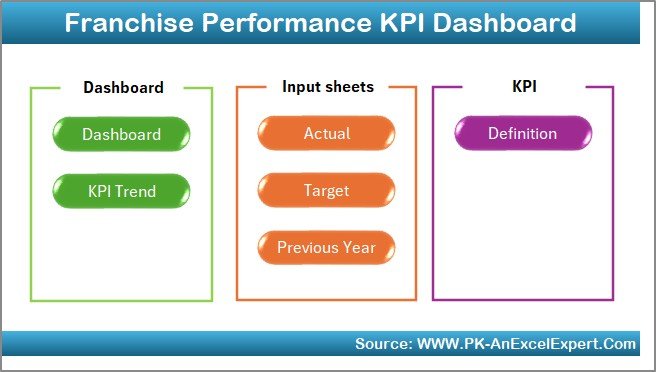
The pain is scattered reports from outlets that use different layouts. This workbook gives every branch the same structure, so comparisons are fair and reports no longer need manual stitching.
What it is: an Excel dashboard with MTD, YTD and previous-year data side by side, plus a Home sheet with navigation buttons.
Who it is for: multi-outlet franchise operators who set targets per branch.
- Dashboard sheet showing MTD, YTD and previous-year values
- Target vs Actual view for each outlet
- KPI Trend sheet with selectable KPIs and charts
- Data input sheets for actuals, targets and previous-year figures
- KPI Definition sheet listing Group, Unit, Formula and Definition, with variance arrows via conditional formatting
Use cases:
- Compare each branch against last year’s performance for the same month.
- Use the KPI definition sheet to settle disputes over how a metric is calculated.
- Spot variance with the up and down arrows before a regional call.
- Collect monthly figures from outlets through the simple input sheets.
Price: $14.99. Get the franchise performance KPI dashboard in Excel.
Best for: target-driven branch comparison with a clear KPI dictionary.
4. Franchise Management KPI Dashboard in Power BI
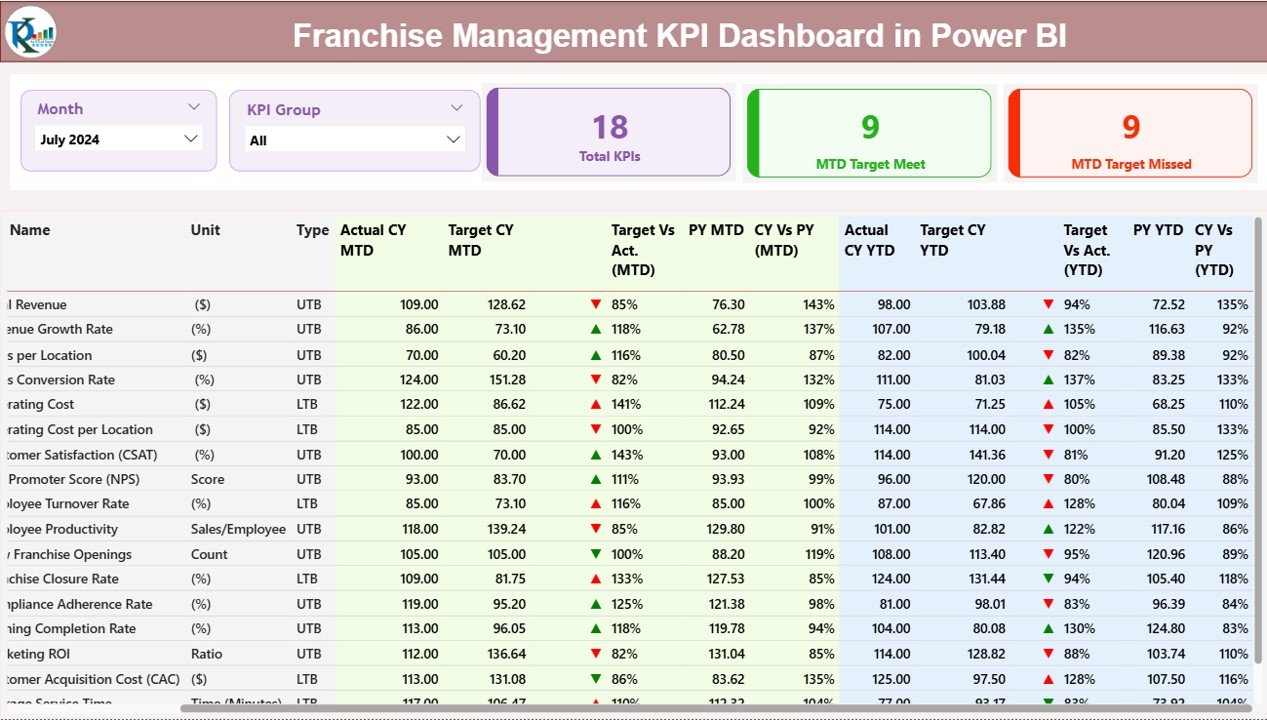
The pain is a regional manager who needs to filter by month and KPI group in seconds, not scroll through a workbook. Power BI slicers do that, and the data still comes from an Excel file you update.
What it is: a three-page Power BI report: Summary, KPI Trend and KPI Definition.
Who it is for: franchise owners and regional managers comfortable opening a Power BI file.
- Summary page with month and KPI Group slicers
- Cards for total KPIs tracked, MTD targets met and MTD targets missed
- Detail table with Unit, Type (UTB/LTB), MTD and YTD actual vs target, and previous year
- KPI Trend page with a KPI selector and combo charts of Actual vs Target
- Drill-through KPI Definition page, with green and red icons for status
Use cases:
- Open the targets-missed card to see which KPIs failed this month.
- Drill through a KPI to confirm its formula before a review.
- Compare current year against previous year on the trend page.
- Add a new KPI or department, since the report is customizable.
Price: $11.99. Buy the franchise management KPI dashboard in Power BI.
Best for: interactive filtering for managers who review many locations.
5. Franchise Performance KPI Dashboard in Power BI
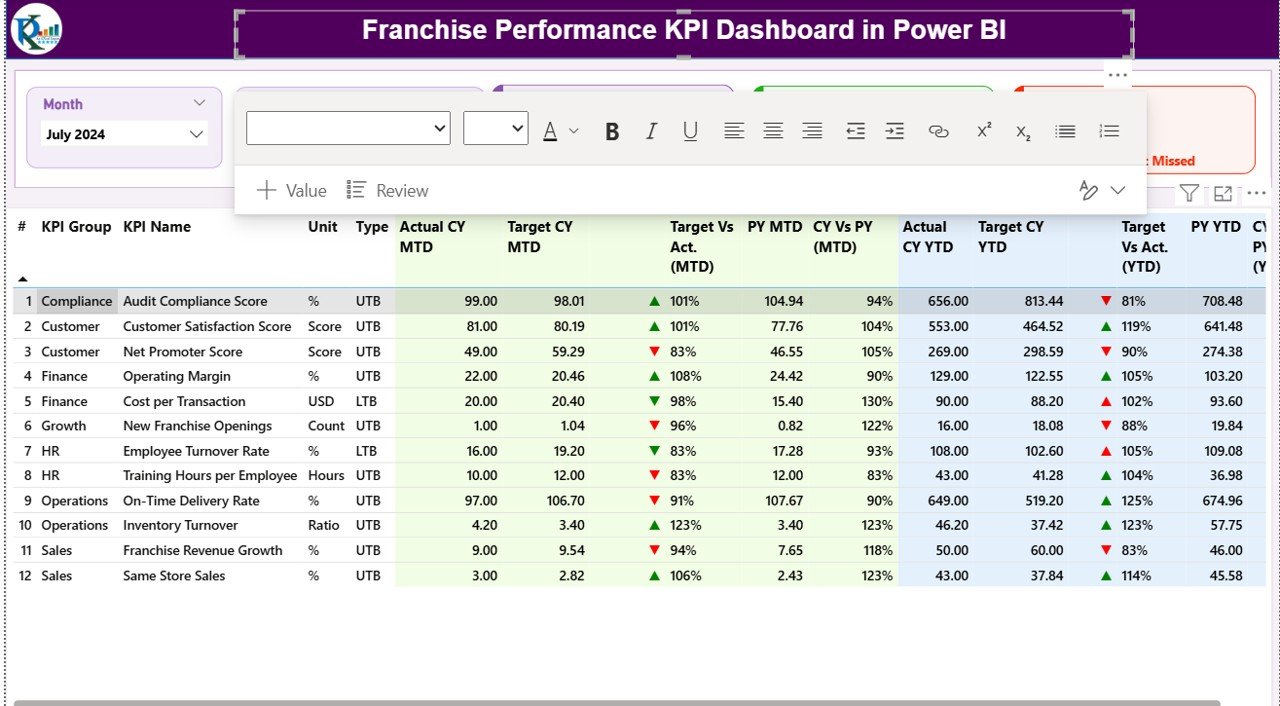
The pain is the same, with a sector twist: restaurant chains, retail networks and fitness brands all track sales, customer experience and operations, and need the executive view fast.
What it is: a Power BI dashboard driven by Excel sheets, with Power BI refreshing the visuals.
Who it is for: owners, regional managers and analysts overseeing restaurant, retail or fitness franchises.
- MTD and YTD metrics for all franchises in one view
- Slicers by month or KPI category (Sales, Customer Experience, Operations)
- Performance cards for total KPI count, targets met and missed
- Trend page with combo charts showing peaks, dips and seasonal patterns
- Drill-through definition page showing formula and type (LTB or UTB)
Use cases:
- Run a quick executive review from the targets met and missed cards.
- Filter to Customer Experience to see service quality across outlets.
- Check seasonal dips on the trend page before scheduling staff.
- Let analysts update the Excel source without writing code.
Price: $11.99. Get the franchise performance KPI dashboard in Power BI.
Best for: sector-based franchise networks that need a fast executive snapshot.
6. Franchise Management KPI Dashboard in Google Sheets: best value

The pain is a franchise team spread over many sites that cannot all open the same Excel file. A shared Google Sheet fixes that, at the lowest price on this list.
What it is: a cloud dashboard that tracks sales, customer satisfaction, compliance, efficiency and year-over-year growth. Picking a month in cell D3 updates the main dashboard.
Who it is for: franchise owners, area managers, multi-location retail and F&B brands, and service franchises.
- MTD, YTD and previous-year actual and target in one central dashboard
- Target vs Actual and PY vs Actual comparisons
- KPI Trend sheet with charts
- Green up and red down arrows through conditional formatting
- Simple monthly data entry
Use cases:
- Area managers each update their own month’s values in the shared file.
- Pick a month and review results immediately in a call.
- Check YoY growth by KPI during a quarterly review.
- Share view access with franchise partners.
Price: $9.99. Buy the franchise management KPI dashboard in Google Sheets.
Best for: the cheapest way to start tracking franchise KPIs with shared access.
Which franchise management dashboard should you choose?
| If you need | Choose | Price |
|---|---|---|
| Royalty billing, receivables and audits | Franchise Royalty Management System Web App | $39.99 |
| Franchisee comparison in Excel | Franchise Management KPI Dashboard in Excel | $14.99 |
| Branch targets and variance in Excel | Franchise Performance KPI Dashboard In Excel | $14.99 |
| Interactive slicers and drill-through | Either Power BI dashboard | $11.99 |
| Shared cloud access at lowest cost | Franchise Management KPI Dashboard in Google Sheets | $9.99 |
A short decision path: if money leaves or enters through royalties, start with the web app. If you only report performance, pick the format your team already opens daily. If you review many locations in meetings, choose Power BI. If people work from different offices, choose Google Sheets.
Bundle maths: do you need both a KPI dashboard and the web app?
Many franchisors do. The web app covers billing at $39.99, and a KPI dashboard adds performance tracking for $9.99 to $14.99. Together that is $49.98 to $54.98 as a one-time spend. A franchise SaaS platform charges recurring fees, though prices vary by vendor and are usually quoted on request, so check their sites before comparing.
How do you calculate franchise royalty, and what is a minimum floor?
The basic formula is royalty = net sales x royalty rate. A floor adds a rule: royalty = the larger of (net sales x rate) and the minimum monthly royalty. With banded rates, each slice of sales takes its own rate.
Worked example with illustrative numbers: net sales of $30,000 at 6% gives $1,800. If the agreement sets a $2,500 minimum, the franchisee owes $2,500. The web app applies this per outlet from its own agreement.
When a template is NOT the right answer
Templates fit networks that can live with a spreadsheet-based data layer. Buy dedicated franchise software when you need point-of-sale integration that feeds sales automatically, a franchisee-facing training and compliance platform, or contractual support with service levels.
The KPI dashboards rely on manual or Excel-based data entry. If you have hundreds of outlets and no person owning the monthly update, the data will go stale. The web app runs on Google Sheets and Apps Script, so very large networks should test it in the live demo first.
Also, none of these templates replaces legal advice on franchise agreements or royalty terms. They compute what your agreement says; they do not write it.
Related operations templates and guides
If you run other parts of the business from spreadsheets, these guides help: facility management templates for site upkeep, supplier management Excel templates for vendor scorecards, asset management templates for fixed asset tracking, and customer management and service templates for retention. For another ranked operations roundup, see airline and airport operations templates, and for equipment oversight read IT asset management dashboards.
Frequently asked questions
What is a franchise management dashboard?
A franchise management dashboard is a single view of how franchise outlets perform against targets. It typically shows sales, customer satisfaction, compliance and costs by month and year. The templates here also cover royalty billing through the Franchise Royalty Management System Web App, priced at $39.99.
What KPIs should a franchisor track?
Franchisors commonly track sales, revenue, customer satisfaction, compliance, operational efficiency and profit margin, each against target and previous year. The Franchise Performance KPI Dashboard In Excel ($14.99) includes a KPI definition sheet listing group, unit, formula and definition for each metric.
How much does a franchise management dashboard template cost?
Prices here run from $9.99 for the Google Sheets KPI dashboard, to $11.99 for each Power BI dashboard, $14.99 for each Excel dashboard and $39.99 for the royalty web app. Each is a one-time payment with no subscription, according to the NextGenTemplates product pages.
Can I track franchise royalties in Excel or Google Sheets?
Yes. The Franchise Royalty Management System Web App runs on a Google Sheets database with Apps Script. It supports flat or banded royalty with a minimum floor, monthly period close, invoices and receivables aging, and costs $39.99 as a one-time purchase.
Is Power BI or Excel better for franchise reporting?
Power BI suits interactive slicing and drill-through across many locations, at $11.99 per dashboard here. Excel suits teams that want to work inside a familiar workbook, at $14.99. Both Power BI dashboards read data from Excel sheets, so you can start in Excel either way.
Can franchisees enter their own sales data?
With the Franchise Royalty Management System Web App, yes. It includes a franchisee self-service portal where partners declare sales and view their own outlets, invoices and receipts. The KPI dashboards use data entry sheets that your team fills in.
How does a sales audit back charge work?
When an audit finds under-declared sales, the back charge prices the difference at the rate in that outlet’s agreement. The Franchise Royalty Management System Web App does this calculation and raises the adjustment invoice automatically, according to its product description.
Do these templates need a subscription?
No. The NextGenTemplates listings describe one-time purchases with no subscription for the web app, and the dashboards are downloadable files. Power BI dashboards need Power BI to open; Power BI Desktop is a free download from Microsoft.
Can I try the royalty web app before buying?
Yes. A live demo is deployed with test logins for five roles, including Administrator and Franchisee Portal. It holds 18 closed billing months across a six-brand, 72-outlet demonstration network, so you can test every module without signing up.
When should a franchisor buy software instead of a template?
Buy software if you need automatic point-of-sale feeds, vendor support with service levels, or training and compliance platforms for franchisees. Templates suit networks that can maintain data monthly and want to avoid recurring per-outlet fees.
Get more franchise management dashboard templates
Start with the Franchise Royalty Management System Web App at $39.99, then add the Google Sheets KPI dashboard at $9.99 for performance tracking. Watch walkthroughs on the NextGenTemplates YouTube channel.