Video Game Development Dashboard is fast, creative, and highly demanding. Teams juggle multiple platforms, development phases, task types, effort hours, and tight deadlines—all at the same time. However, when studios rely on scattered spreadsheets or manual status updates, visibility drops. As a result, delays increase, effort overruns go unnoticed, and productivity suffers.
That is exactly where the Video Game Development Dashboard in Excel becomes a must-have solution 🎮📊.
This ready-to-use Excel dashboard is designed specifically for game development teams that want complete visibility into tasks, effort utilization, and project progress—without using complex tools or expensive software. It transforms raw project data into clear visuals that help teams stay on track and deliver games on time.
🔑 Key Features of Video Game Development Dashboard in Excel
📊 Centralized Project Tracking
Monitor all tasks, platforms, development phases, and effort hours in one structured Excel dashboard.
⏱️ Planned vs Actual Effort Comparison
Instantly compare planned effort hours with actual hours to detect overruns early.
🎯 Effort Utilization & Overrun Analysis
Track utilization percentages and overrun hours to improve workload planning.
📈 Multi-Dimensional Analysis
Analyze performance by platform, development phase, task type, and month using slicers.
🧭 Built-In Page Navigator
Easily move between dashboard pages without confusion or wasted time.
🧩 Fully Excel-Based & Easy to Customize
No coding, no macros, and no external tools—just Excel.
📦 What’s Inside the Video Game Development Dashboard in Excel
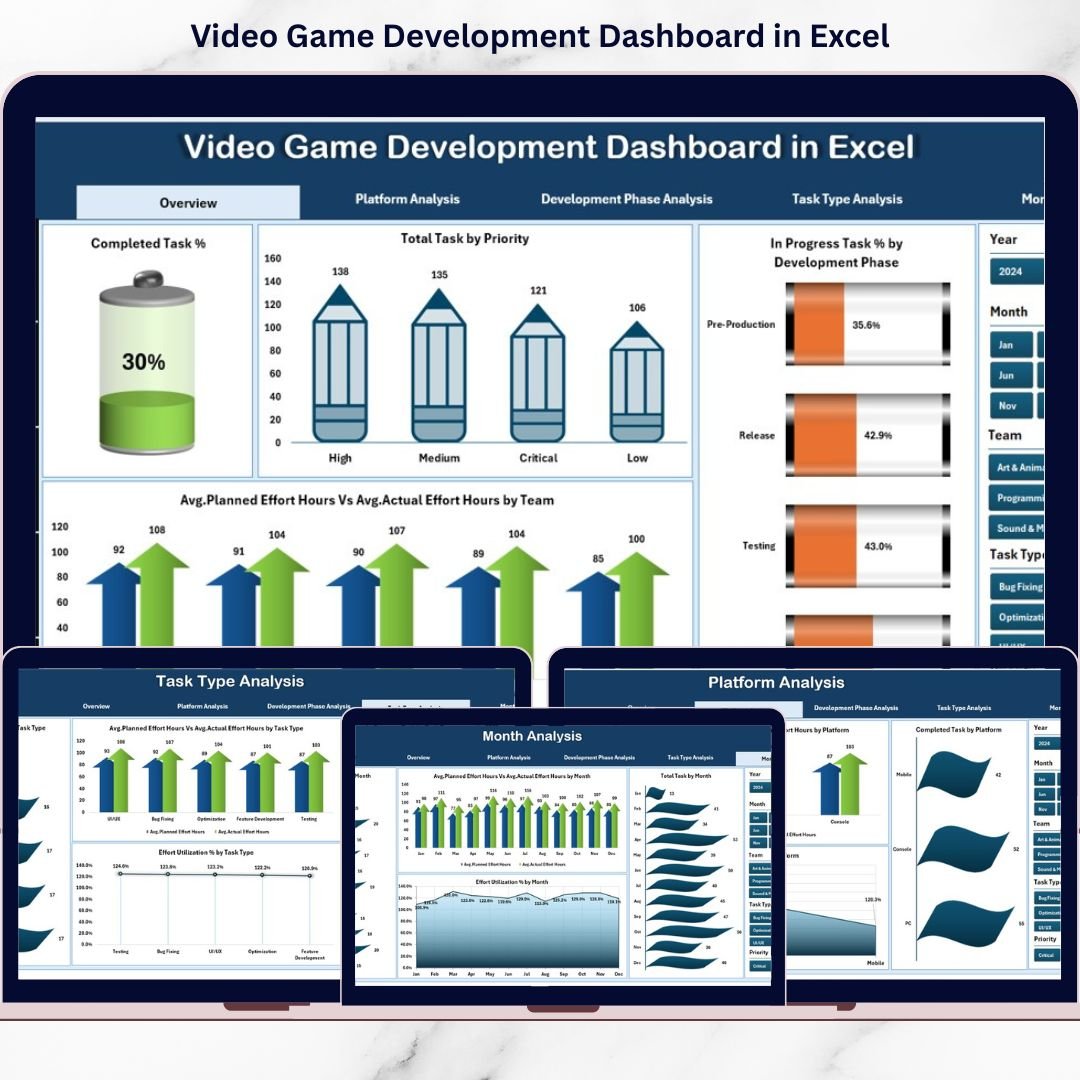
This dashboard includes five powerful analytical pages, supported by structured backend sheets.
📌 Overview Page
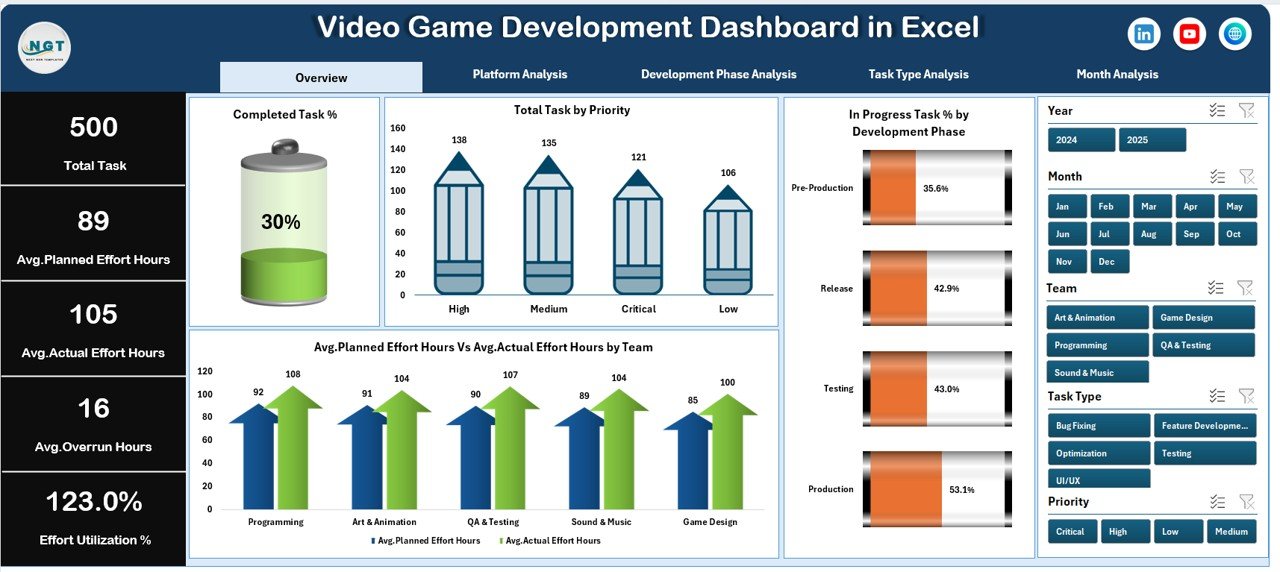
The main landing page that shows overall project health at a glance.
-
KPI cards: Total Tasks, Completed %, In-Progress %, Overall Effort
-
High-level charts for task status, priorities, effort comparison, and phase performance
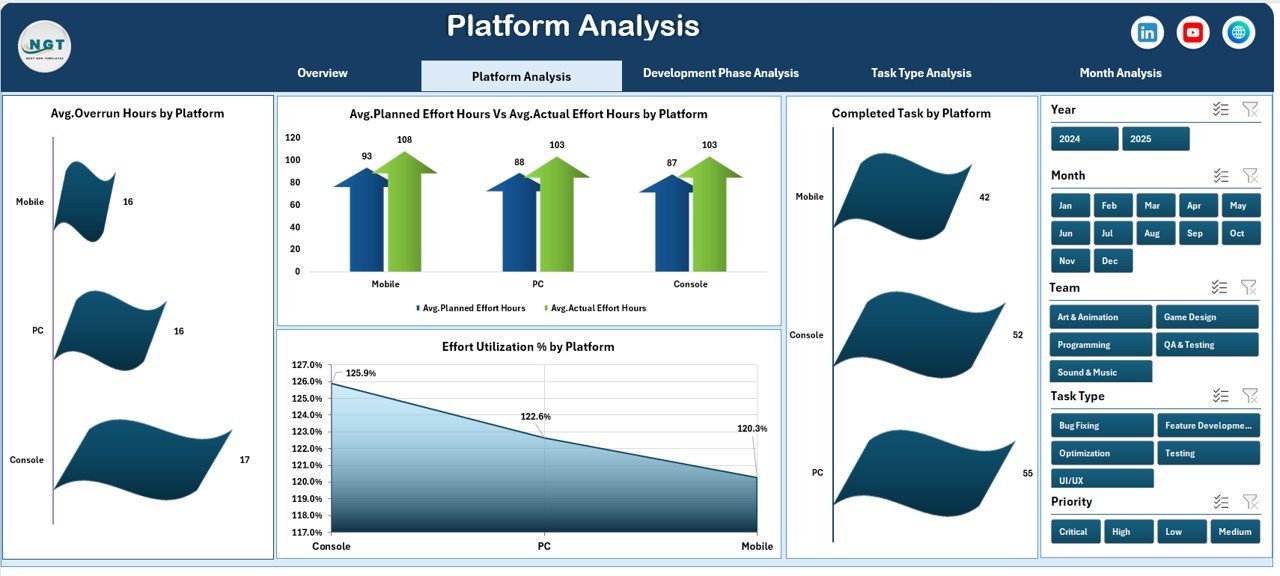
🕹️ Platform Analysis Page
Designed for multi-platform development analysis.
-
Completed tasks by platform
-
Planned vs actual effort by platform
-
Effort utilization % by platform
-
Average overrun hours by platform
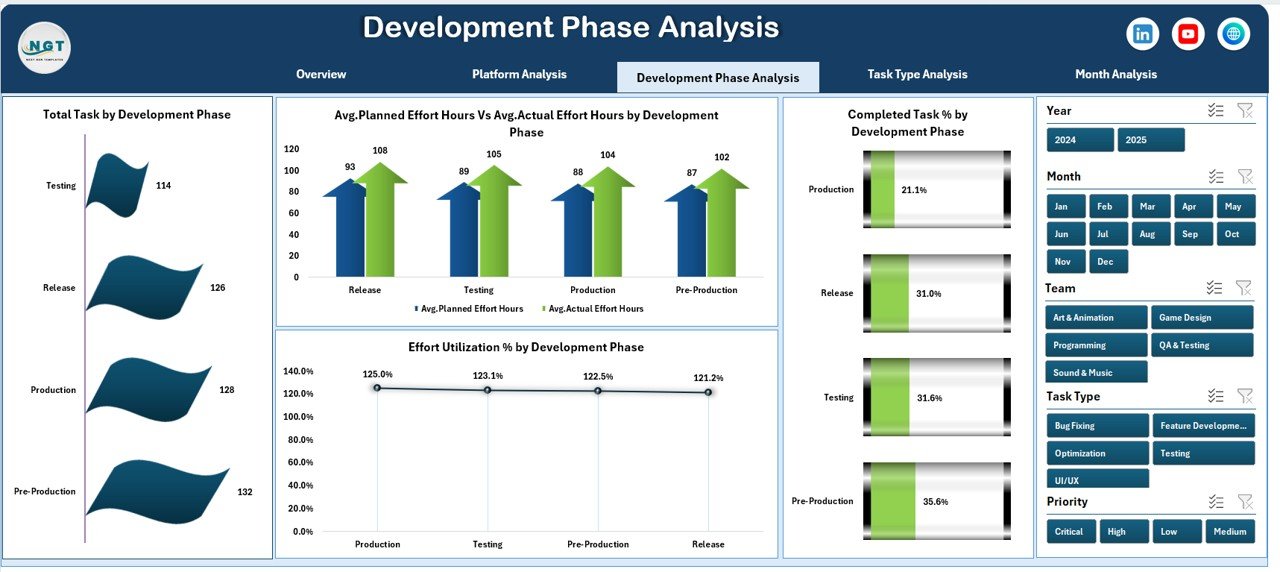
🧩 Development Phase Analysis Page
Tracks performance across phases such as design, development, testing, and deployment.
-
Tasks by development phase
-
Planned vs actual effort by phase
-
Effort utilization % by phase
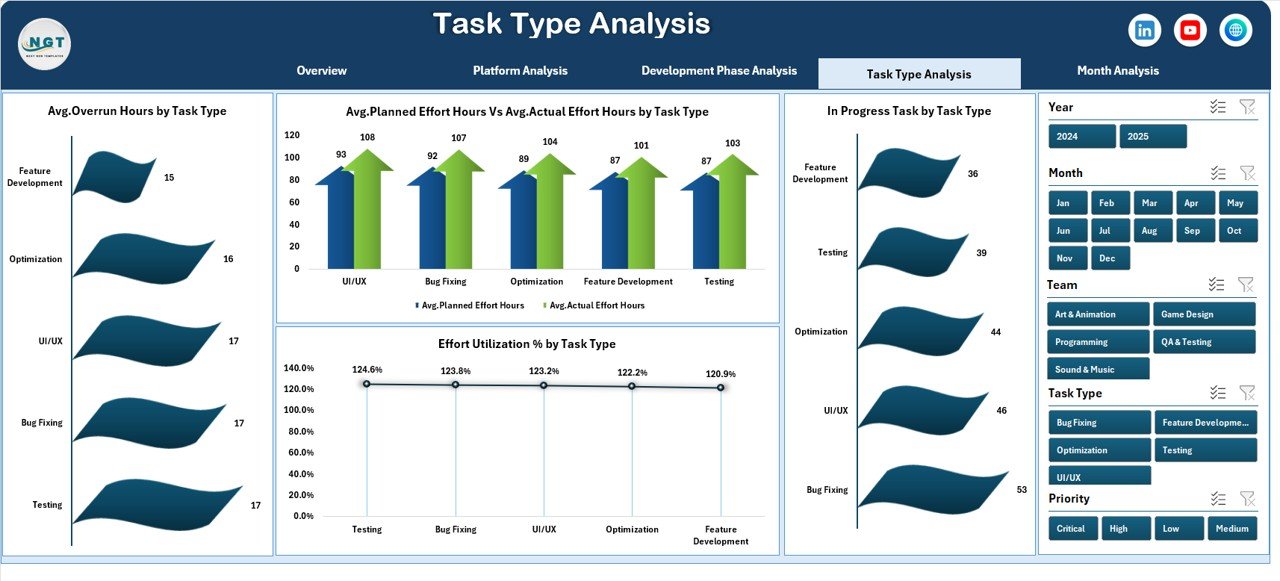
🧠 Task Type Analysis Page
Helps balance workload across different task categories.
-
Tasks by task type
-
In-progress tasks by task type
-
Planned vs actual effort by task type
-
Effort utilization % by task type
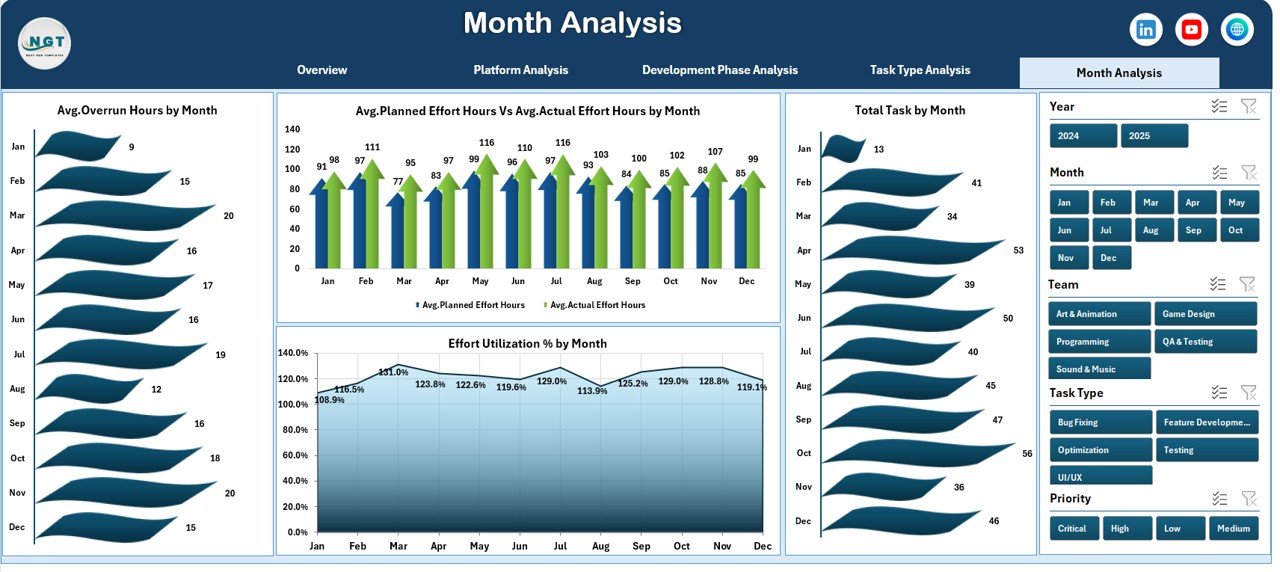
📅 Month Analysis Page
Supports time-based tracking and forecasting.
-
Planned vs actual effort by month
-
Effort utilization % by month
-
Total tasks by month
-
Average overrun hours by month
📄 Data Sheet & Support Sheet
-
Data Sheet stores raw task and effort data
-
Support Sheet handles calculations and logic
🛠️ How to Use the Video Game Development Dashboard in Excel
Using the dashboard is simple and intuitive:
1️⃣ Enter task, platform, phase, and effort data in the Data Sheet
2️⃣ Keep planned and actual effort updated regularly
3️⃣ Open the dashboard and use slicers to filter views
4️⃣ Navigate pages using the Page Navigator
5️⃣ Analyze charts, KPIs, and trends
6️⃣ Take corrective actions based on insights
Within minutes, your project data becomes actionable insights.
👥 Who Can Benefit from This Video Game Development Dashboard in Excel
🎮 Game Project Managers
🧑💻 Development Leads
🎨 Designers & Technical Leads
🧪 QA Managers
🎯 Producers
🏢 Indie Game Studios
🏗️ Mid-Sized Development Teams
If your team uses Excel and wants better control over development progress, this dashboard fits perfectly.