
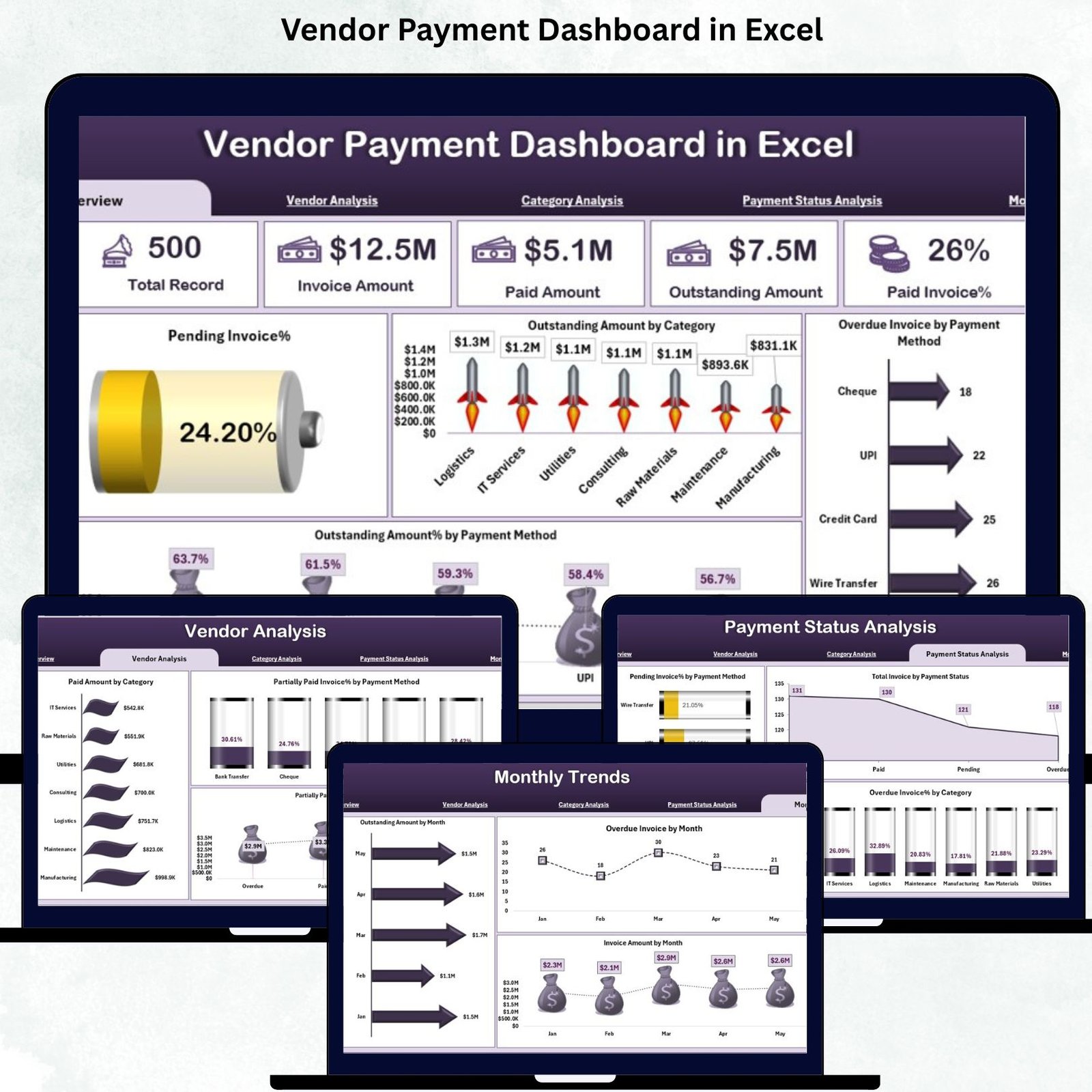
Managing vendor payments can quickly become overwhelming—hundreds of invoices, multiple payment methods, varying due dates, pending approvals, and overdue bills. Without a structured system, finance teams struggle with delays, disputes, and cash flow uncertainty. That’s exactly why we created the Vendor Payment Dashboard in Excel—a powerful, ready-to-use tool that brings complete clarity, visibility, and control to your vendor payment process.
This dashboard transforms raw invoice data into interactive charts, easy-to-read KPIs, and smart insights. Whether you’re tracking pending invoices, outstanding amounts, overdue trends, category-wise performance, or monthly payment patterns, everything becomes effortless. Since it runs entirely in Excel, anyone can use it—no coding, no software installation, and no technical complexity.
This product is designed for businesses of all sizes—startups, SMEs, enterprises, agencies, manufacturing units, service providers, consultants, and more. If you deal with vendors, this dashboard will instantly upgrade your financial management.
💡 Key Features of the Vendor Payment Dashboard in Excel
💰 Real-Time Payment Visibility
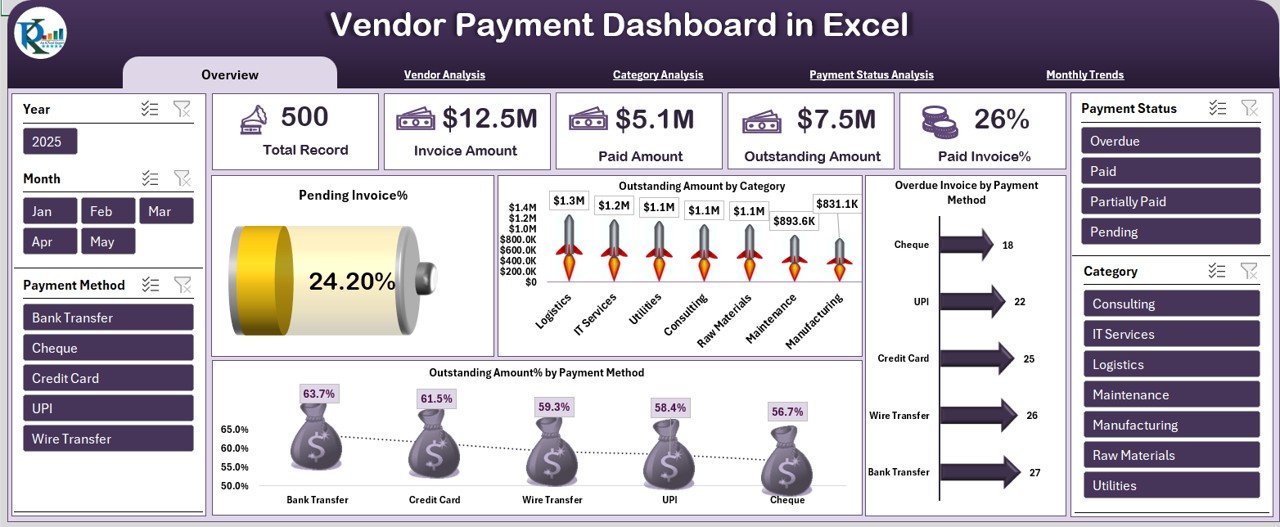
Track total invoice amount, paid amount, outstanding dues, and pending percentages at a glance.
📈 Powerful Visual Charts
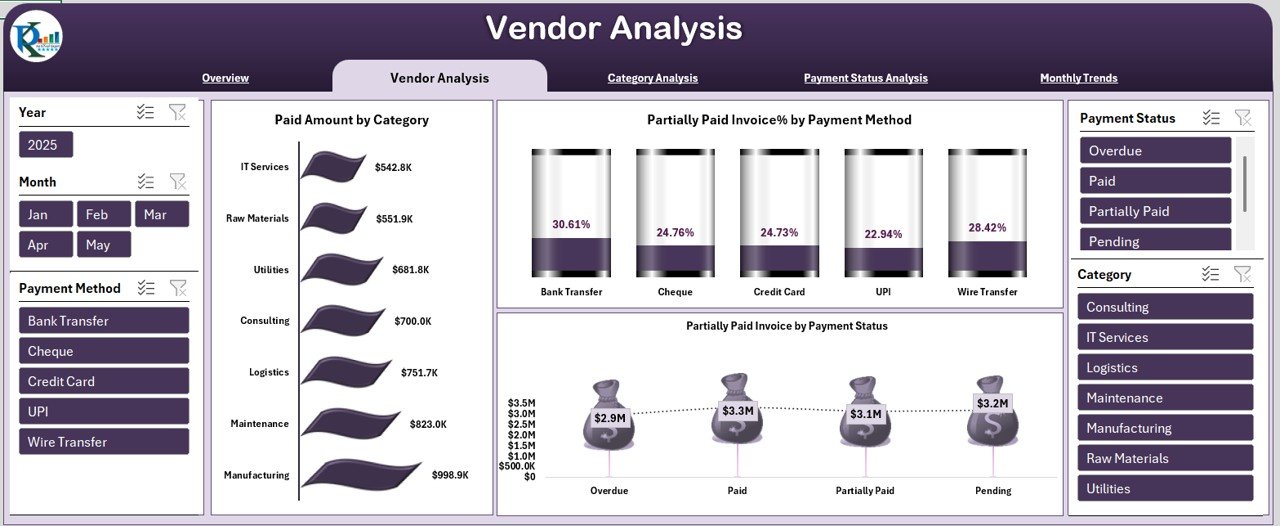
Get instant insights through charts like Outstanding by Category, Overdue by Payment Method, Paid Amount by Category, and more.
🧾 Vendor-Wise & Category-Wise Analysis
Identify which vendors or categories have the most delays, pending invoices, or high payment volume.
📅 Monthly Trend Breakdown
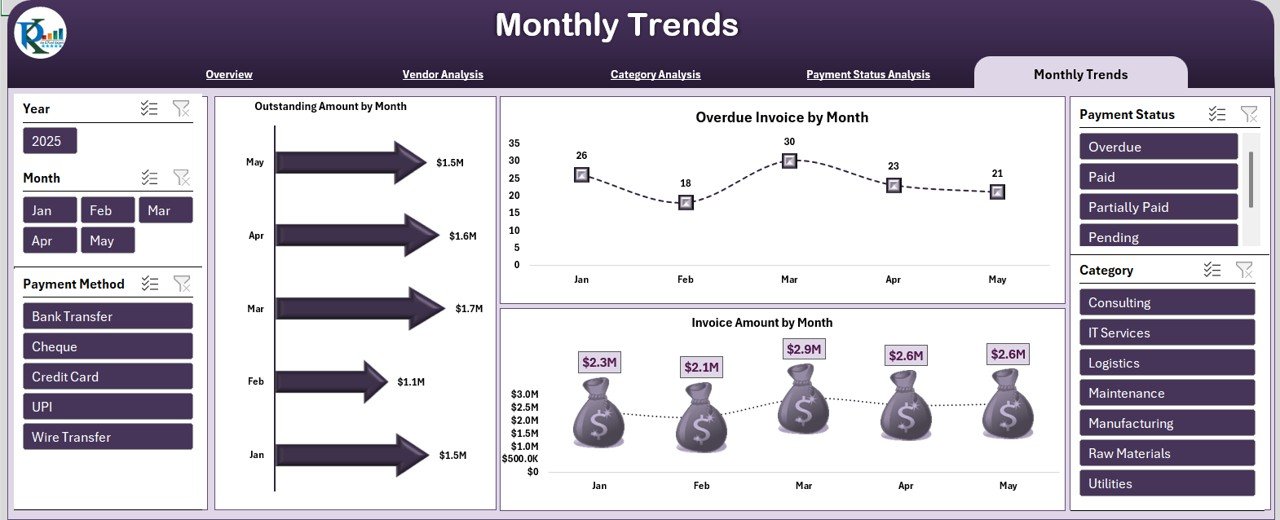
Monitor how payments, outstanding dues, and overdue invoices fluctuate month by month.
🔍 Smart Payment Status Insights
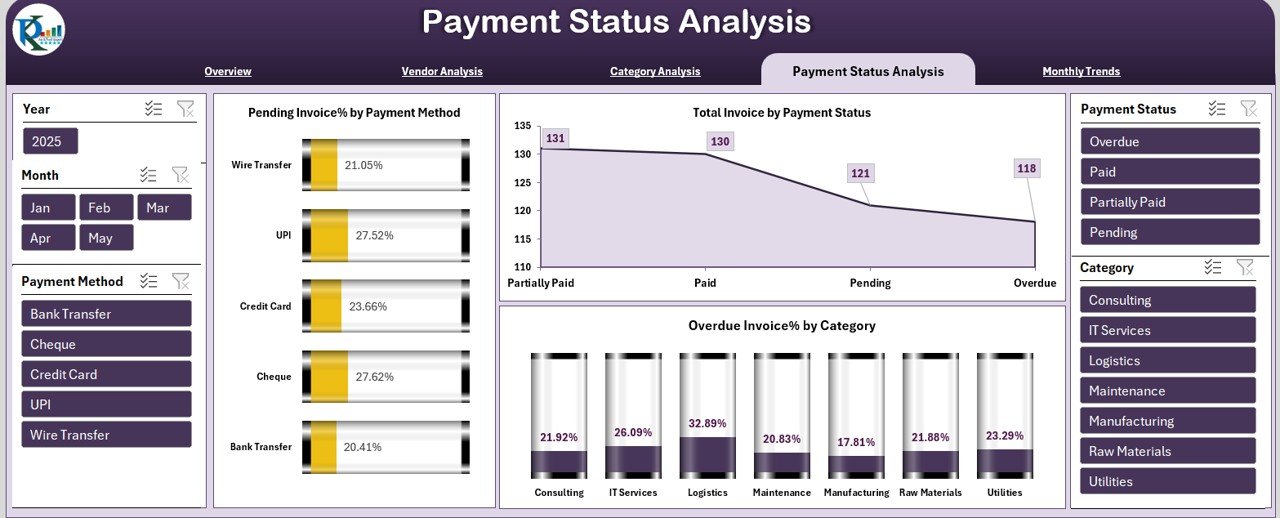
Detect gaps in payment processing and understand why certain invoices remain pending or partially paid.
🧩 Easy Excel-Based Setup
No coding or software—just plug in your invoice data and your dashboard updates automatically.
📦 What’s Inside the Vendor Payment Dashboard in Excel
Inside this digital product, you get a fully built, interactive, and professionally designed Excel dashboard with:
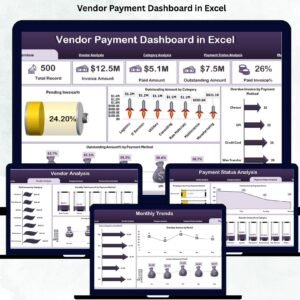
✨ Overview Page – A snapshot of total invoices, paid %, outstanding %, and overdue metrics
✨ Vendor Analysis Page – Paid amount by category, partially paid invoices, vendor performance
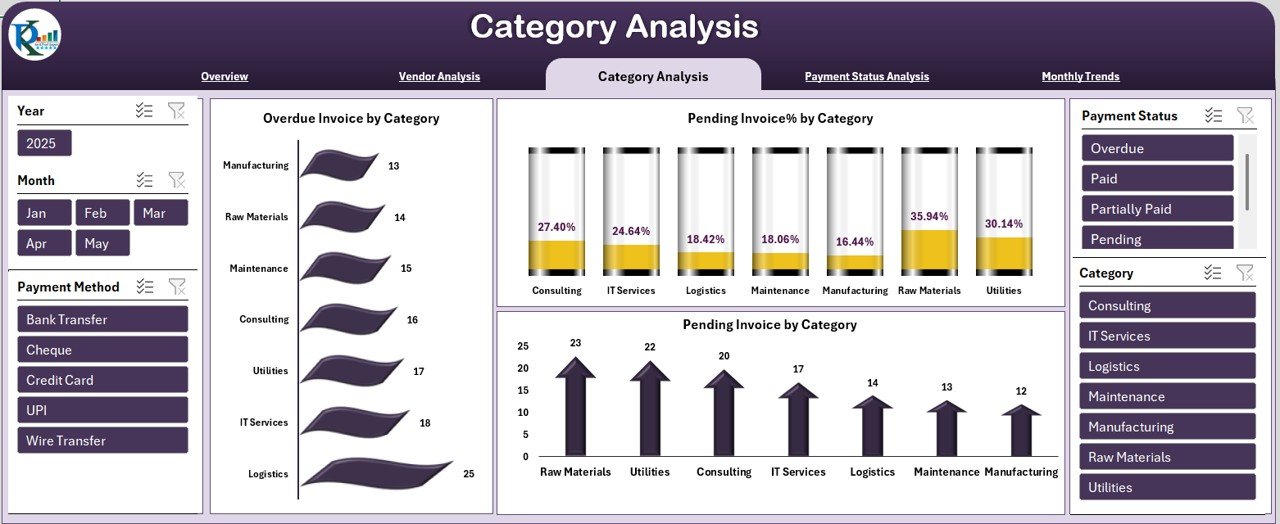
✨ Category Analysis Page – Pending percentage, overdue amount, and category-wise breakdown
✨ Payment Status Analysis Page – Insights by payment method and overdue patterns
✨ Monthly Trends Page – Month-wise charts for invoice amounts, overdue invoices, and outstanding values
✨ Input Data Sheet – Simple and clean structure to update data anytime
✨ Interactive Slicers – Filter by vendor, category, month, payment method, and more
Every sheet is data-driven and built using pivot tables, making it reliable, fast, and dynamic.
🛠️ How to Use the Vendor Payment Dashboard
1️⃣ Add Your Invoice Records
Open the Input Sheet and enter invoice date, vendor name, category, amount, payment status, due date, and payment method.
2️⃣ Refresh the Dashboard
Simply refresh pivot tables or click “Refresh All”—your entire dashboard updates instantly.
3️⃣ Analyze Key Metrics
Use Overview and Analysis pages to monitor paid %, outstanding %, overdue %, and monthly patterns.
4️⃣ Apply Slicers for Deeper Insights
Filter by category, vendors, payment method, or month to gain quick, customized insights.
5️⃣ Use Insights to Improve Payment Performance
Identify overdue areas, fix bottlenecks, prioritize pending invoices, and maintain healthy vendor relationships.
👥 Who Can Benefit from This Dashboard
✔️ Finance Teams & Accounts Payable
Track payments, prevent delays, and avoid duplicate or missed payments.
✔️ Procurement & Purchase Departments
Monitor category-wise vendor performance and spending patterns.
✔️ Business Owners & CEOs
Get real-time visibility of cash flow, outstanding amounts, and vendor liabilities.
✔️ Vendor Managers & Admin Teams
Maintain transparency and reduce vendor disputes with clear, visual data.
✔️ Consultants & Financial Analysts
Use it as a plug-and-play template to analyze client vendor payments effortlessly.
If your business interacts with vendors, this dashboard will make your payment tracking 10 times faster and 100 times clearer.












Reviews
There are no reviews yet.