

Training is one of the most important investments a company can make in its employees. But without clear budget monitoring, organizations often face challenges like overspending, underutilization, or lack of ROI tracking.
That’s why the Training Budget Report in Excel 🚀 is the ultimate solution for HR, Learning & Development (L&D), and finance teams.
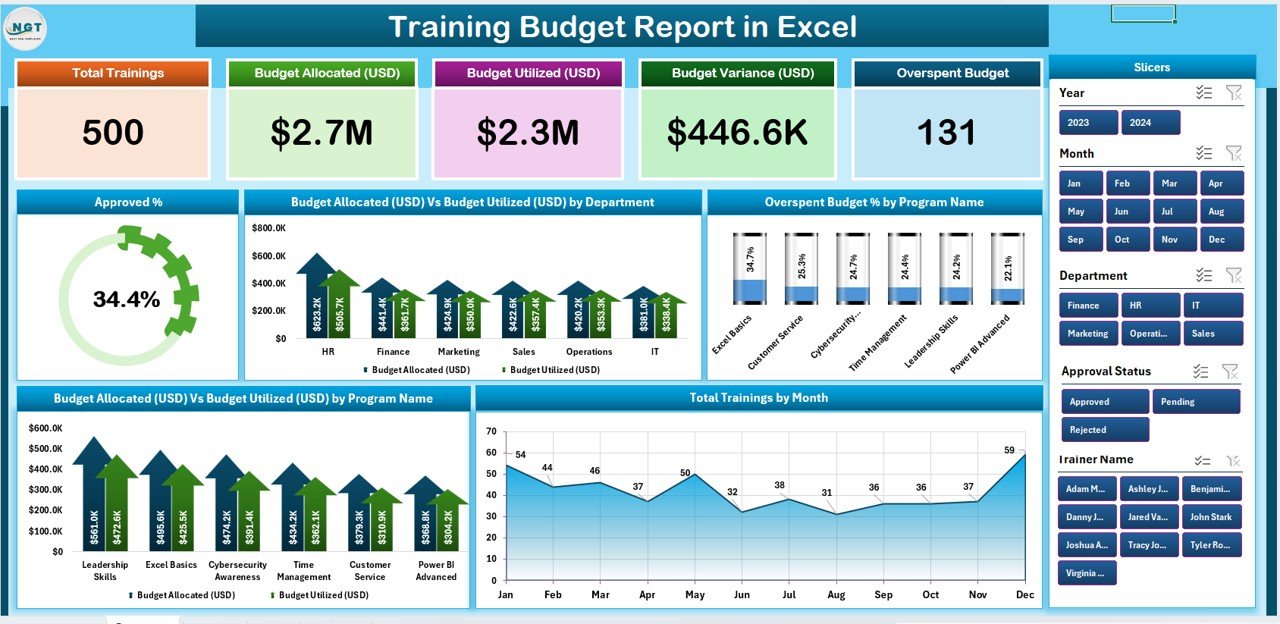
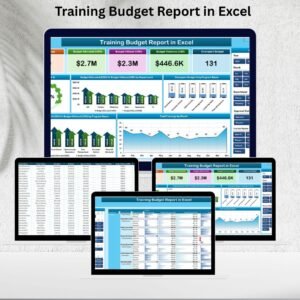
This ready-to-use Excel template consolidates all training-related costs into one interactive and structured report. With dashboards, KPIs, and drill-down reports, it gives decision-makers a real-time view of training budgets, allocations, and utilization.
Instead of juggling scattered spreadsheets, you’ll have one powerful Excel file that delivers clarity, control, and actionable insights.
🌟 Key Features of Training Budget Report in Excel
-
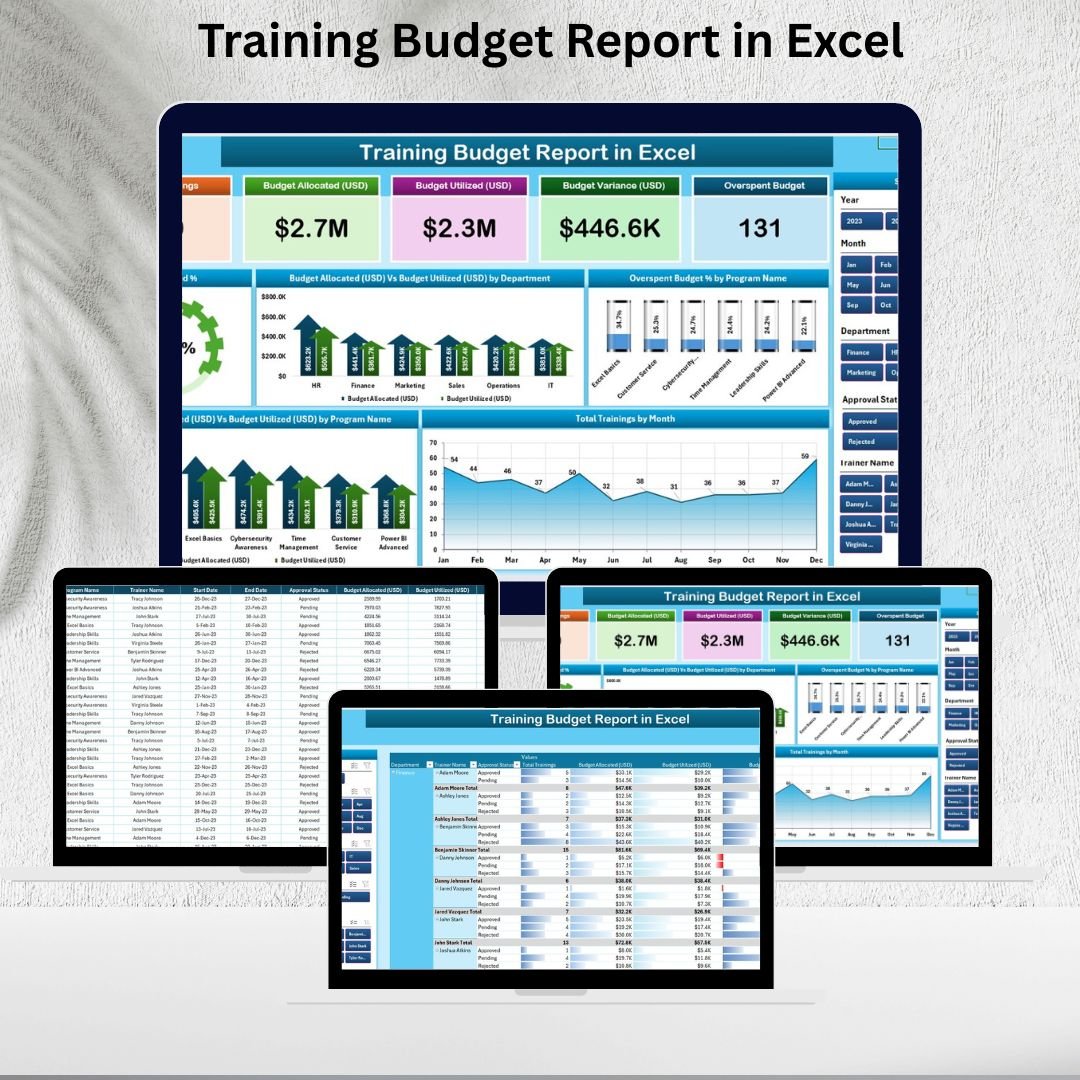
📊 Summary Page: The main dashboard shows 5 KPI cards including Approved %, Budget Utilized %, Overspend %, and Total Training Programs. Charts highlight budget allocation vs utilization, overspend % by program, and training performance by department or month.
-
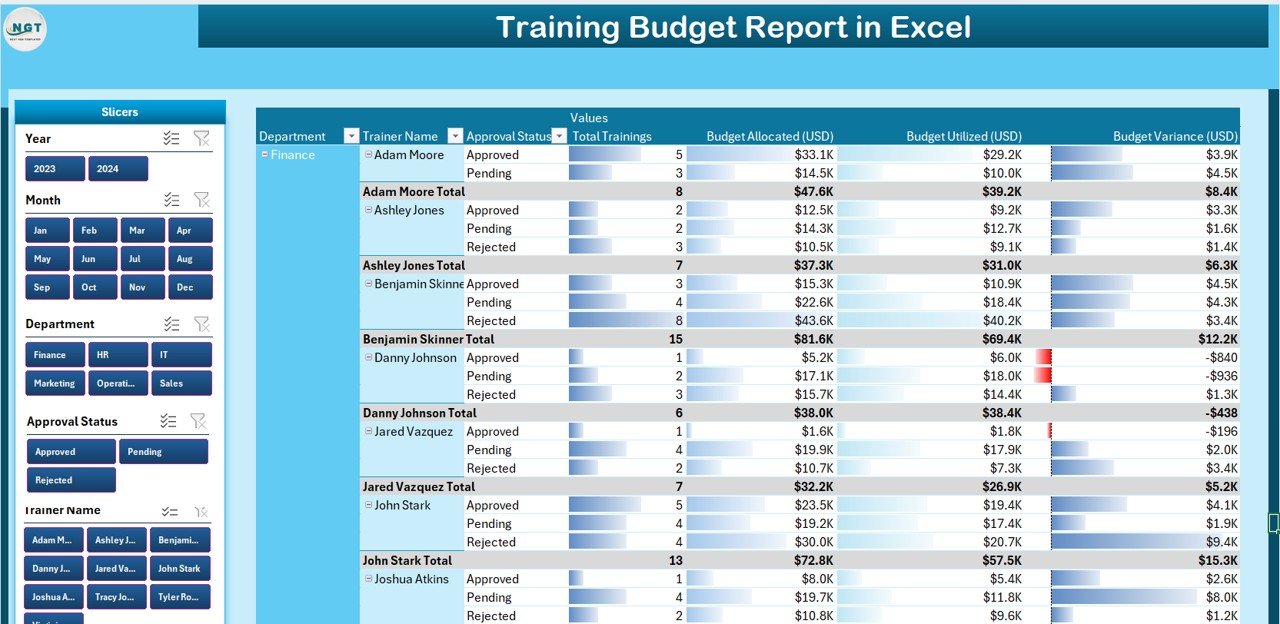
📑 Report Page: Provides a detailed tabular breakdown of allocations, utilizations, variances, and program-level performance with slicers for department, training type, or year.
-
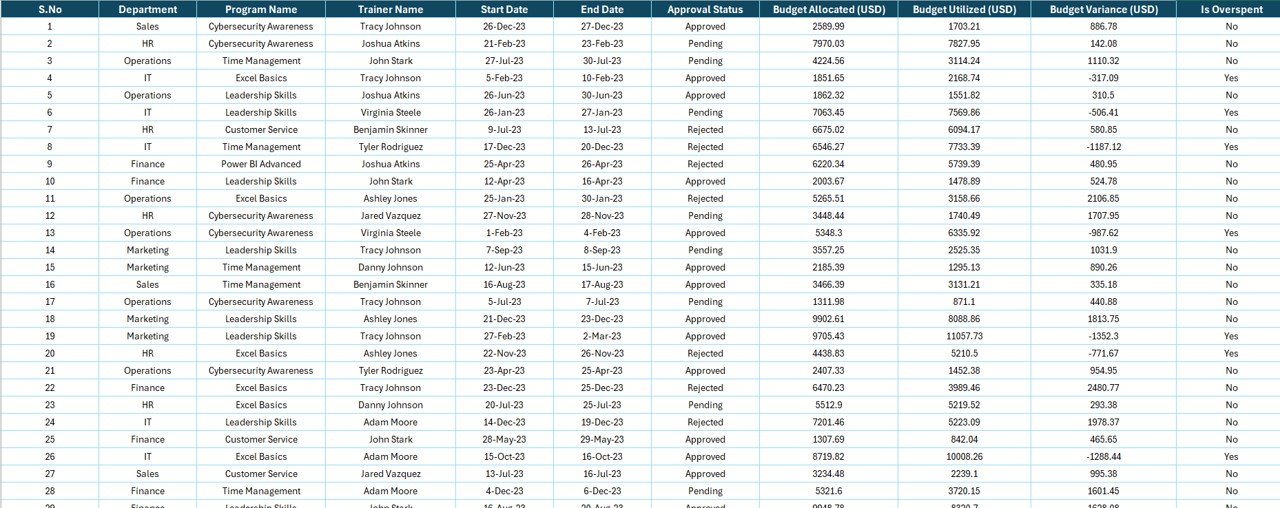
📝 Data Sheet: Stores raw data (department, program, budget allocation, utilization, approved %, overspend %, training month). Ensures dynamic updates for charts and pivots.
-
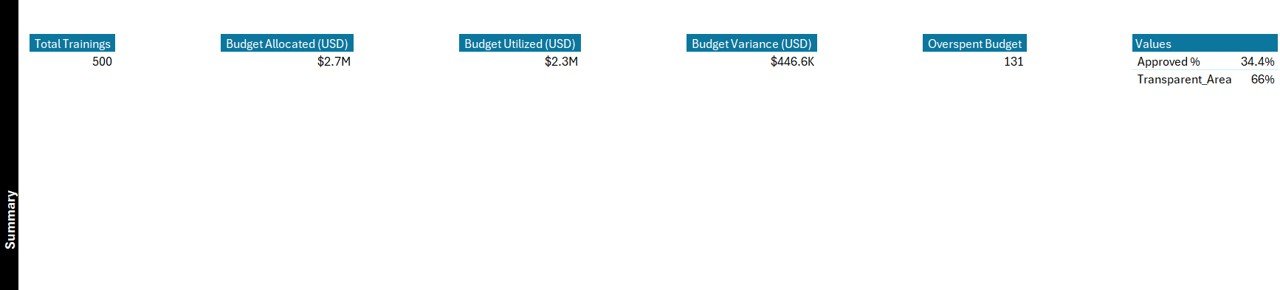
⚙ Support Sheet: Keeps reference data, categories, and validation lists to ensure clean and consistent reporting.
-
🎯 Interactive Slicers: Quickly filter reports by department, program, or timeframe.
-
📈 Dynamic Charts & KPIs: Visualize budget allocation, utilization, and overspending in real-time.
-
⚡ Excel-Powered: No costly software—just Excel’s built-in formulas, charts, and pivot tables.
📦 What’s Inside the Training Budget Report
When you download this product, you’ll receive:
-
✅ A professional Excel template with 3 report pages (Summary, Report, Data) + Support Sheet.
-
✅ Pre-designed KPI cards and charts for budget tracking.
-
✅ Dynamic slicers for department, program, and year analysis.
-
✅ A structured data-entry system that powers automatic updates.
-
✅ A scalable framework suitable for small teams or large organizations.
🛠 How to Use the Training Budget Report
-
Enter Data: Input training details (department, program, allocation, utilization) into the Data Sheet.
-
Refresh Pivots: Update pivot tables and charts with the latest data.
-
Analyze Summary: Review KPIs and charts on the Summary Page to spot trends.
-
Drill Down: Use the Report Page for detailed breakdowns by department or program.
-
Share Reports: Export dashboards as PDF or PowerPoint for stakeholder presentations.
💡 No advanced Excel skills required—this template is designed for quick adoption and ease of use!
👥 Who Can Benefit from This Report
The Training Budget Report in Excel is designed for:
-
👩💼 HR Teams: Track training investments and cost efficiency.
-
📚 L&D Professionals: Monitor training program performance and ROI.
-
💰 Finance Managers: Ensure budget utilization is on target.
-
🏢 Department Heads: Manage program-level spending with transparency.
-
📊 Executives: Gain a top-level view of organizational training expenses.
If you want to control costs, improve transparency, and maximize ROI on training, this report is your perfect tool.




Reviews
There are no reviews yet.