
Academic excellence starts with consistent monitoring. The Student Academic Performance Dashboard in Google Sheets is a ready-to-use, interactive reporting tool that helps educators and administrators track attendance, grades, and GPA with ease. 🎓📊
Built for schools, colleges, and universities, this dashboard brings together every aspect of student performance — attendance, test results, course outcomes, and departmental trends — into one dynamic, visual platform. It’s the perfect blend of simplicity, analytics, and collaboration, designed to make academic evaluation transparent and data-driven.
🔑 Key Features of the Student Academic Performance Dashboard in Google Sheets
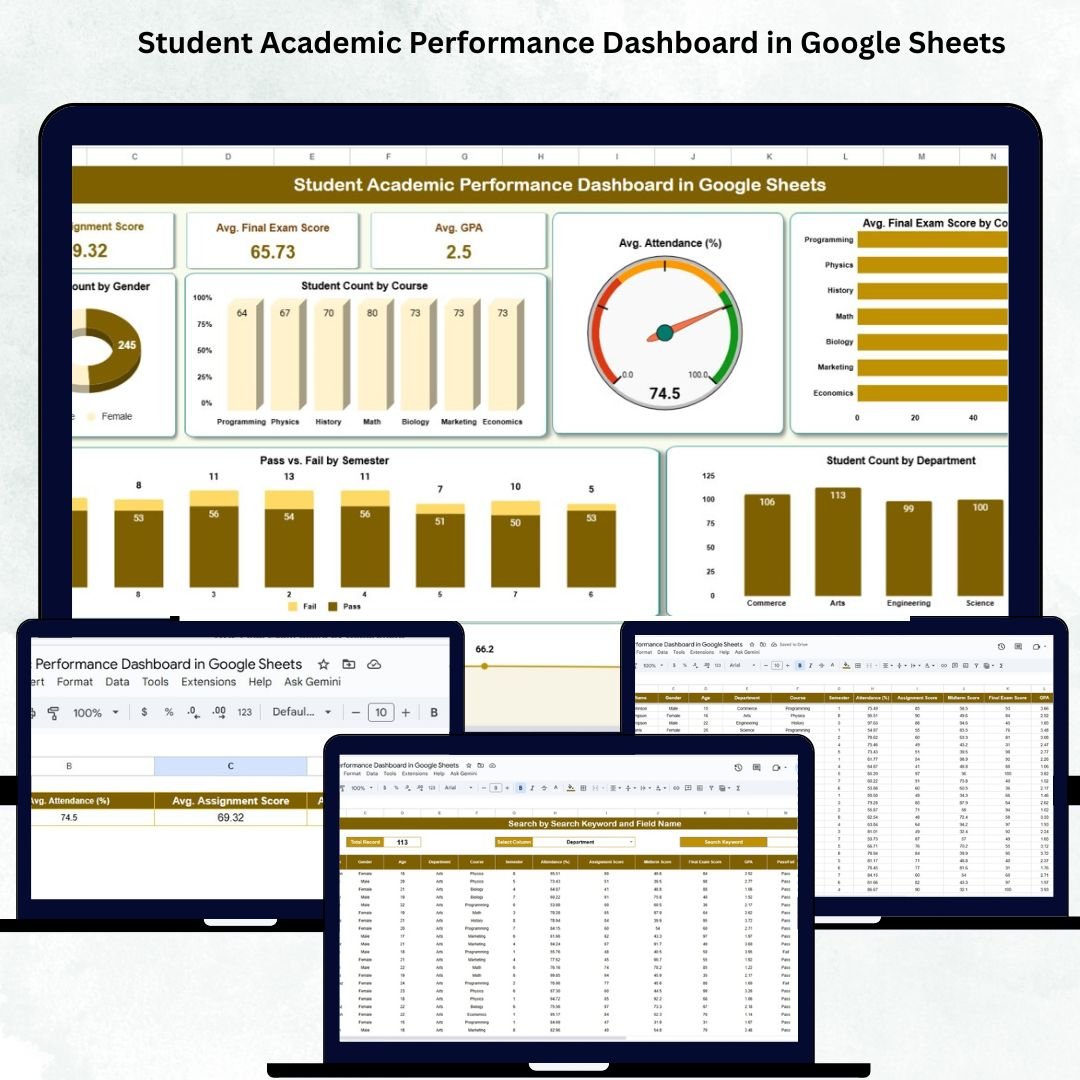
📋 Dashboard Sheet Tab (Main Performance View)
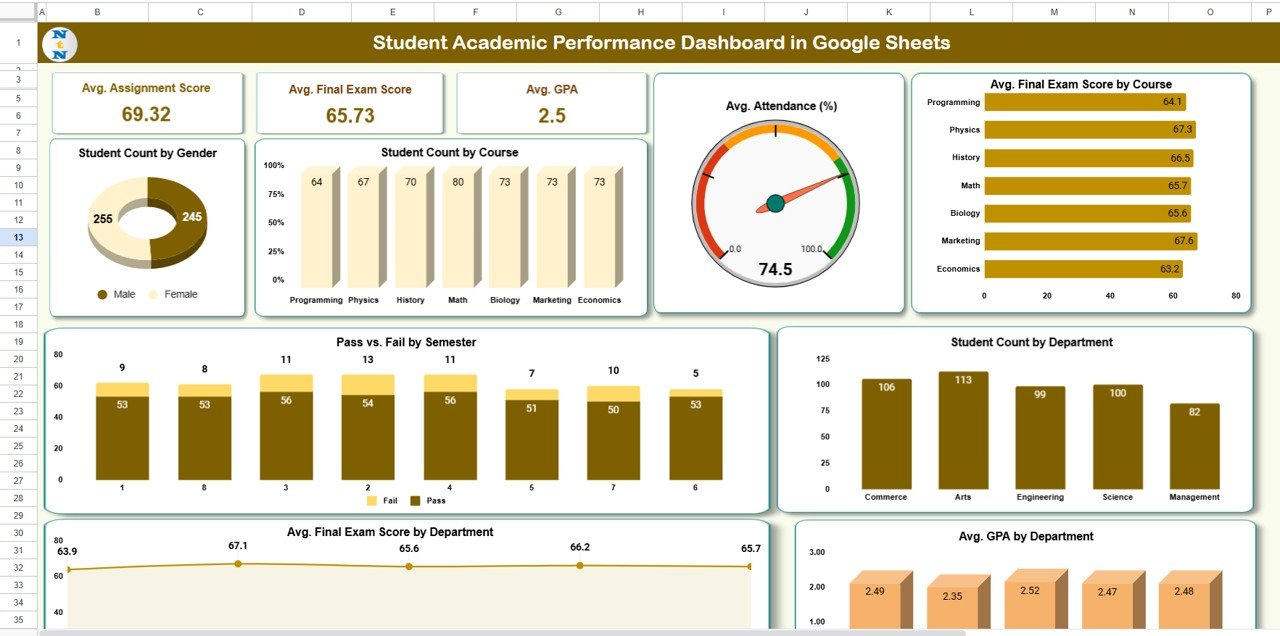
The central hub for all academic metrics, this sheet provides high-level insights with summary cards and visual charts:
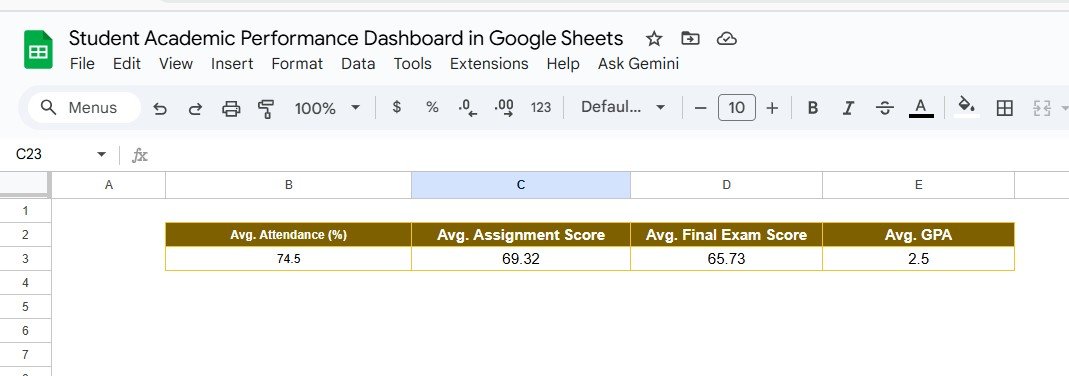
Cards Displayed:
-
Avg. Attendance (%): Overall attendance percentage across all students.
-
Avg. Assignment Score: Average marks achieved in assignments.
-
Avg. Final Exam Score: Total average of final exam performance.
-
Avg. GPA: Institution-wide average GPA score.
Charts Included:
-
👨🎓 Student Count by Gender – Understand gender distribution across students.
-
📚 Student Count by Course – Track enrollment strength by course.
-
📅 Avg. Attendance (%) – Evaluate attendance consistency across semesters.
-
🧮 Avg. Final Exam Score by Course – Compare results by subject or specialization.
-
🏢 Student Count by Department – Identify departmental student strength.
-
✅ Pass vs. Fail by Semester – Review student success rates over time.
-
📊 Avg. Final Exam Score by Department – Assess departmental academic performance.
-
🧠 Avg. GPA by Department – Benchmark academic outcomes institution-wide.
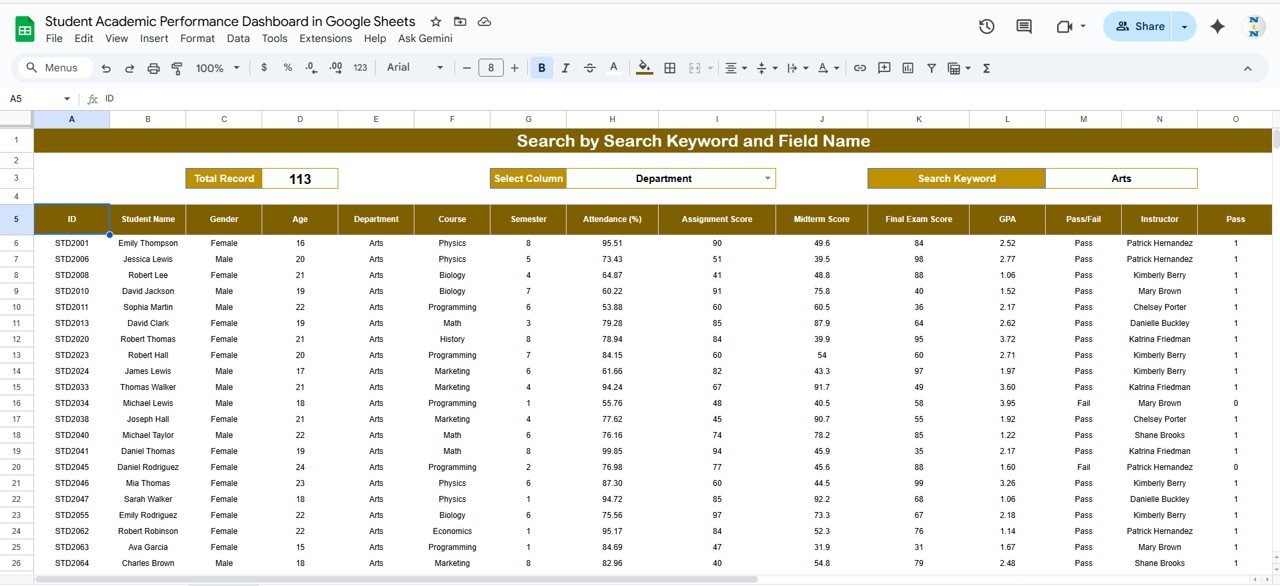
🔍 Search Sheet Tab (Dynamic Filtering)
Quickly search for specific student details using smart filters.
You can search by:
-
Student Name
-
Student ID
-
Department
-
Course
-
Semester
-
Pass/Fail Status
Example: Type “Computer Science” and instantly view all students under that department with real-time updates.
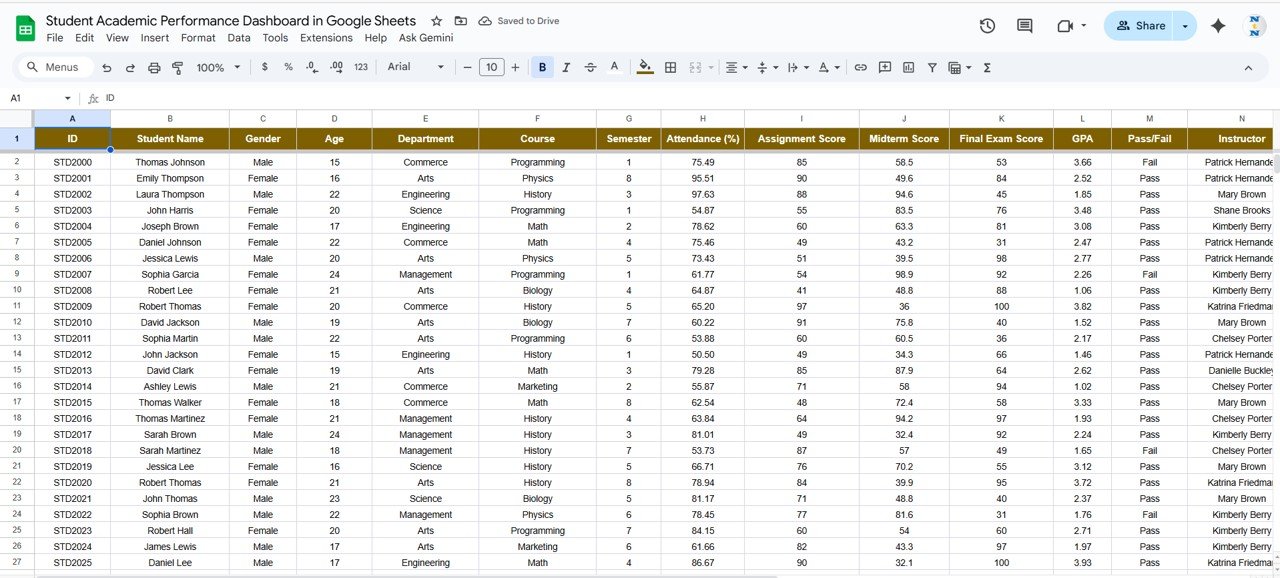
🧾 Data Sheet Tab (Master Input Data)
All academic information is stored here — the foundation of the dashboard.
Typical columns include:
-
Student ID / Name
-
Gender / Age
-
Department / Course / Semester
-
Attendance (%)
-
Assignment Score
-
Midterm and Final Exam Score
-
GPA
-
Pass/Fail Status
This sheet auto-updates all KPIs and charts, keeping the dashboard live and accurate.
⚙️ Support Sheet Tab (Dropdown & Validation Lists)
The support tab ensures data accuracy and consistency. It includes dropdown lists for departments, semesters, and grades — minimizing human error during data entry.
📦 What’s Inside the Dashboard
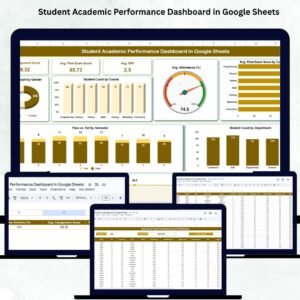
✅ Fully automated Google Sheets file with charts & summaries
✅ Predefined KPIs and formulas for instant calculations
✅ Interactive dashboard for student performance visualization
✅ Search-enabled sheet for fast lookups
✅ Data validation and dropdown setup for uniform entries
✅ Editable and customizable structure
✅ Cloud-based, shareable, and collaboration-friendly
Everything you need to manage academic reporting — visually, efficiently, and in real time. 🚀
🧑🏫 Who Can Benefit from This Dashboard
🎯 Teachers & Professors – Monitor classroom performance and attendance.
🎓 School & College Administrators – Evaluate academic trends institution-wide.
📈 Academic Coordinators – Identify departments needing support.
🏫 Principals & Deans – Get quick overviews for academic audits.
📚 Tutors & Mentors – Support underperforming students with data insights.
This dashboard transforms traditional grade tracking into a smart, automated monitoring system — enabling faster decisions and better results.
🧪 How to Use the Student Academic Performance Dashboard
1️⃣ Enter Student Data – Add student details in the Data Sheet tab.
2️⃣ Analyze Performance – View live dashboards for attendance, GPA, and course-wise scores.
3️⃣ Search Records – Filter specific students or departments in the Search tab.
4️⃣ Monitor Trends – Track academic progress by semester or department.
5️⃣ Collaborate Online – Share dashboards securely with faculty and management.
💡 Pro Tip: Use conditional formatting to highlight low-performing students automatically!
🌟 Why Choose This Dashboard
-
Instant academic insights through automated KPIs
-
Department and course-level tracking
-
Real-time updates across teams via Google Sheets
-
Fully customizable for any educational level
-
Ideal for academic audits, progress reviews, and student engagement tracking
The Student Academic Performance Dashboard in Google Sheets brings analytics-driven decision-making to the classroom — helping institutions improve performance, transparency, and accountability. 🌟
🔗 Click here to read the Detailed blog post
Watch the step-by-step video Demo:




























Reviews
There are no reviews yet.