


Key Features of Prosthetics Manufacturing KPI Dashboard
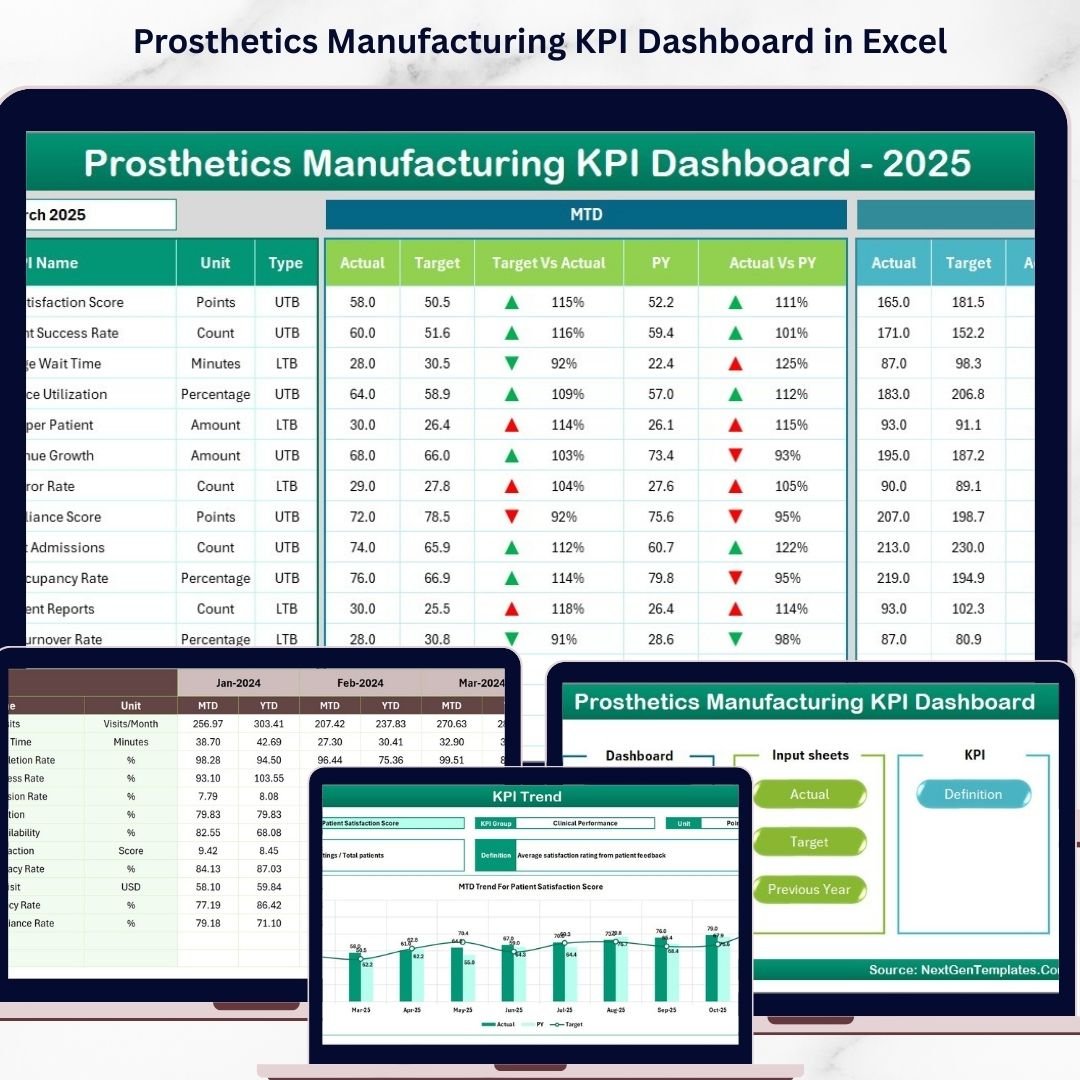
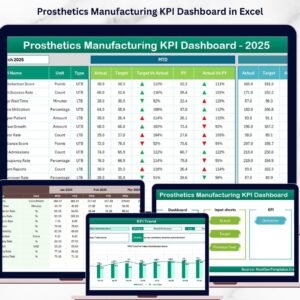
Unlock unparalleled insights into your prosthetics manufacturing process with our comprehensive Prosthetics Manufacturing KPI Dashboard. Designed to optimize performance tracking and decision-making, this digital product features 7 meticulously crafted worksheets that cover every aspect of your Key Performance Indicators (KPIs). Navigate effortlessly through a centralized Home sheet with six quick-access buttons, enabling seamless transitions across all dashboard components.
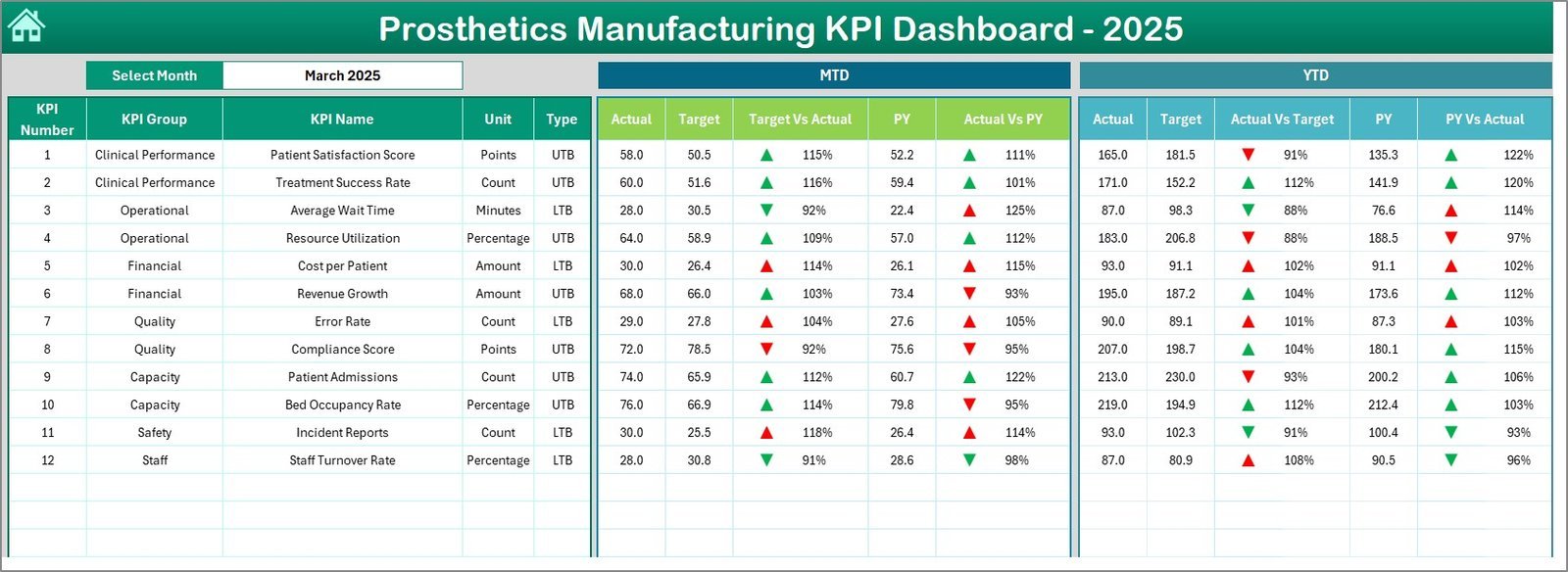
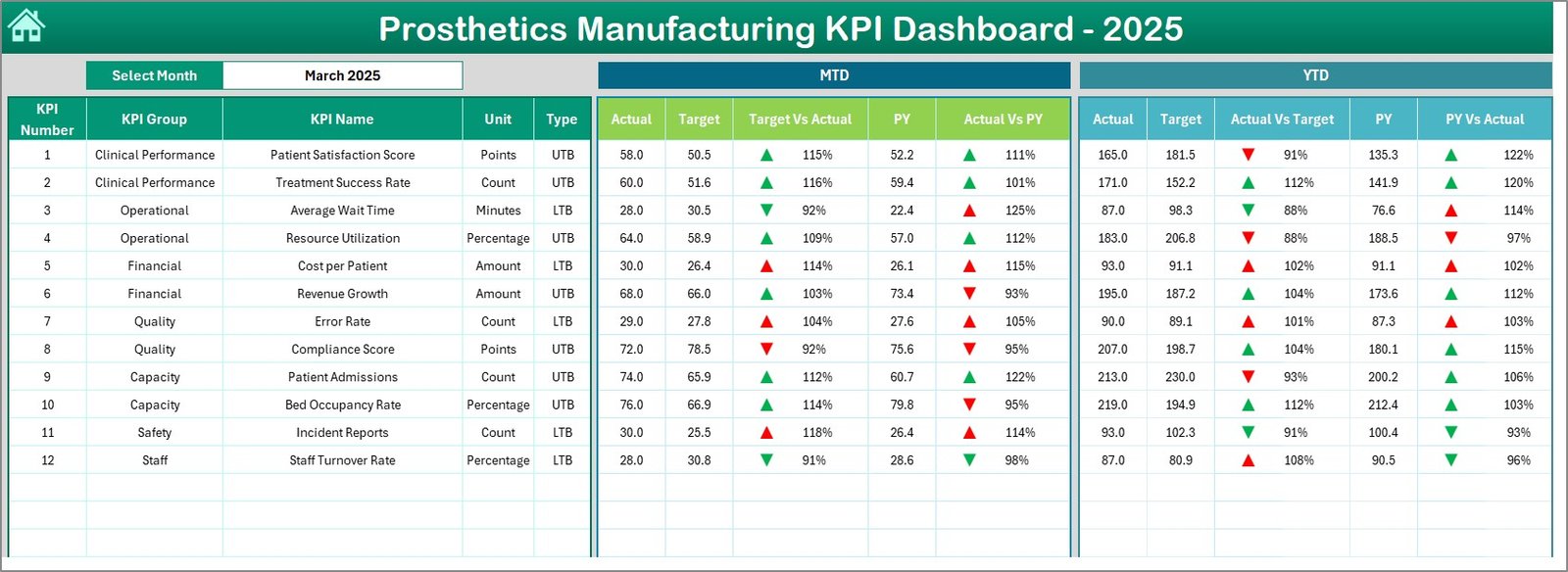
The main Dashboard sheet offers dynamic month-wise data selection via a dropdown menu, displaying vital MTD (Month-to-Date) and YTD (Year-to-Date) actuals, targets, and previous year comparisons. Experience real-time conditional formatting with intuitive up/down arrows that instantly highlight performance against goals, ensuring you stay ahead in your manufacturing metrics.
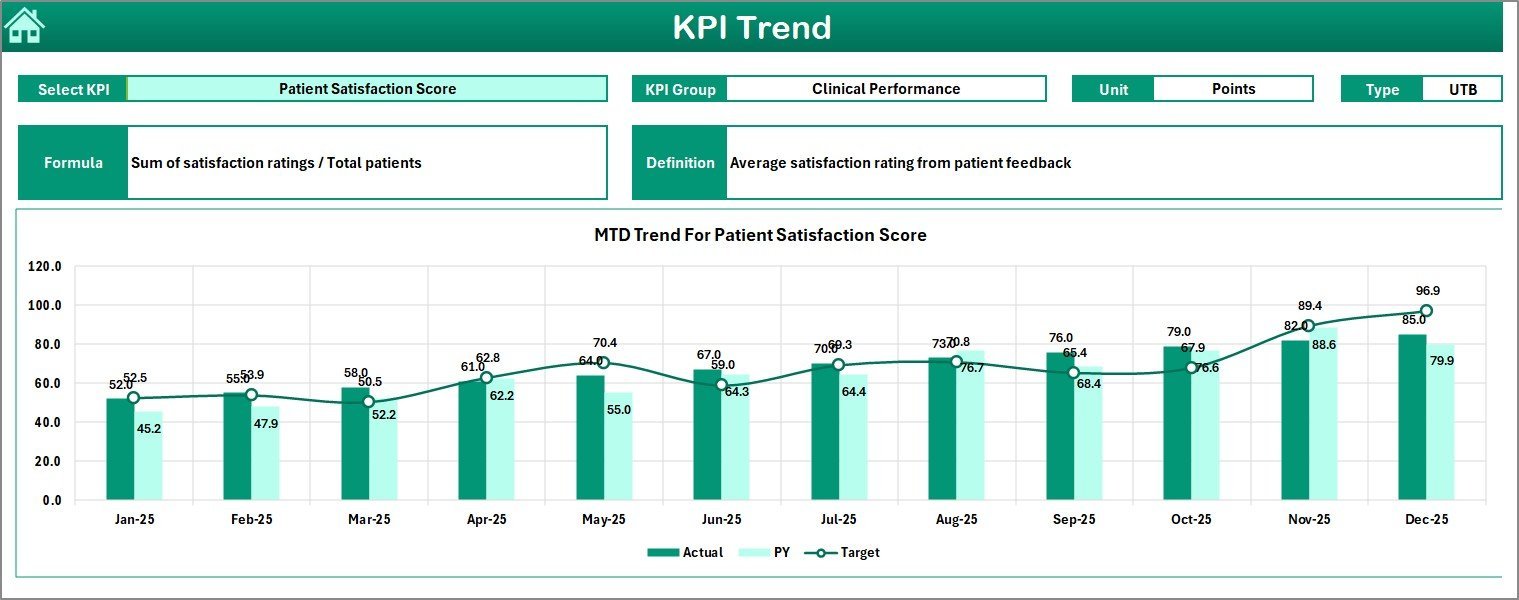
Delve deeper into trends with the KPI Trend sheet, where you can select individual KPIs to view detailed groupings, measurement units, KPI types (Lower the Better or Upper the Better), formulas, and definitions. Visualize MTD and YTD trend charts for actual, target, and previous year values to identify patterns and areas for improvement.
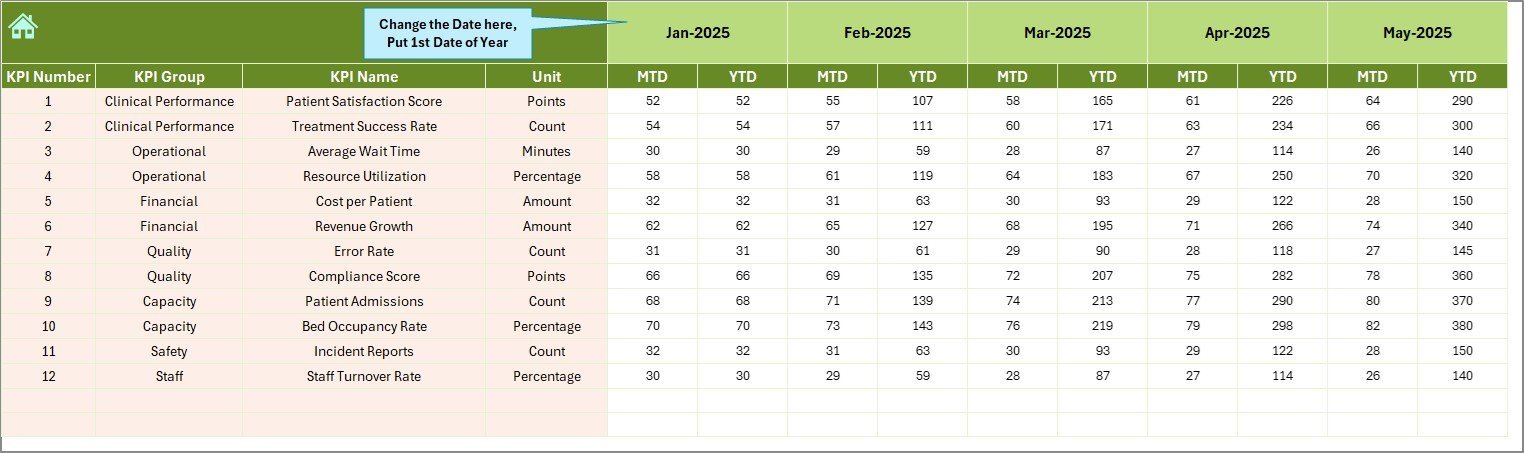
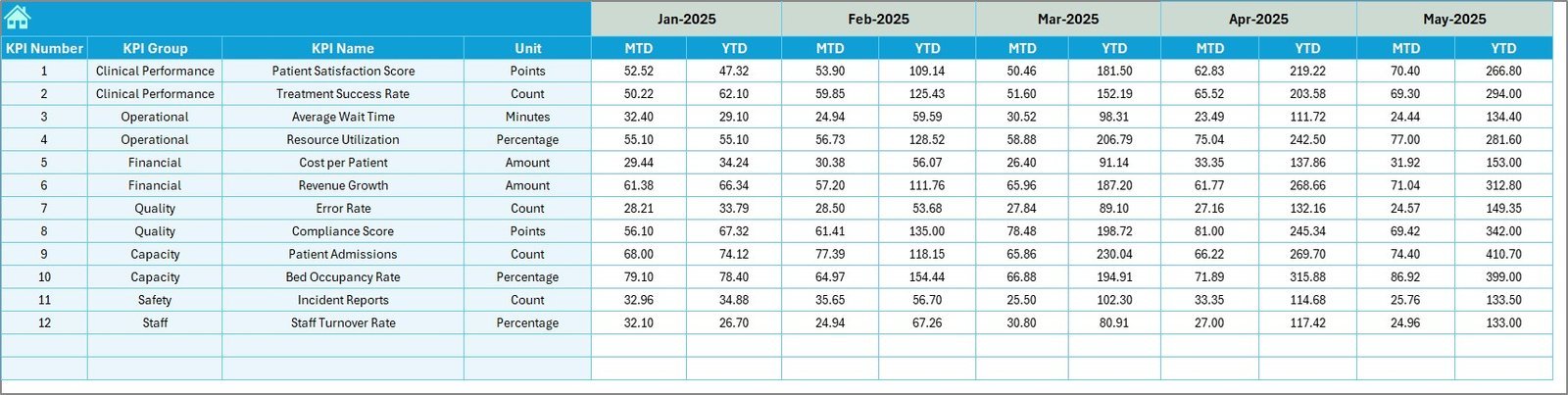
Input accuracy is critical. The Actual Numbers Input and Target Number Input sheets allow you to enter monthly actuals and targets respectively, with flexible month adjustments making data entry straightforward. Similarly, the Previous Year Number sheet captures last year’s metrics for an effective comparative analysis.
Finally, the KPI Definition sheet empowers you to customize KPI names, groups, units, formulas, and definitions. Specify whether a KPI is LTB (Lower the Better) or UTB (Upper the Better) to fine-tune your dashboard’s responsiveness and insights.
What’s Inside the Prosthetics Manufacturing KPI Dashboard
✨ Home Sheet: User-friendly index with six navigation buttons for quick access.
✨ Dashboard Sheet: Interactive monthly KPI overview with conditional formatting.
✨ KPI Trend Sheet: Detailed KPI insights with trends and definitions.
✨ Actual Numbers Input: Enter monthly and yearly actual data with ease.
✨ Target Number Input: Input your monthly and yearly KPI targets.
✨ Previous Year Number Sheet: Historical data input for year-over-year comparison.
✨ KPI Definition Sheet: Customize KPIs with names, formulas, units, and performance types.
How to Use the Prosthetics Manufacturing KPI Dashboard
🔹 Begin at the Home sheet to navigate to any desired section instantly.
🔹 Use the Dashboard sheet to select the month and instantly view key performance data, including actuals vs targets and previous year comparisons.
🔹 Explore the KPI Trend sheet to analyze specific KPI behaviors and trends visually.
🔹 Accurately input your current actual and target numbers in their respective sheets, ensuring the month is correctly set.
🔹 Populate the Previous Year Number sheet with last year’s data to enable comparative insights.
🔹 Define or update KPI characteristics in the KPI Definition sheet to tailor the dashboard to your unique manufacturing metrics.
🔹 Leverage real-time conditional formatting to quickly identify areas needing attention or improvement.
🔹 Regularly update inputs to maintain dashboard accuracy and drive actionable insights for continuous performance enhancement.
Who Can Benefit from This Prosthetics Manufacturing KPI Dashboard
🚀 Manufacturing Managers: Track production efficiency and quality metrics seamlessly.
🚀 Quality Assurance Teams: Monitor KPIs that impact product standards and compliance.
🚀 Operations Executives: Gain real-time insights to optimize workflow and resource allocation.
🚀 Financial Analysts: Compare actual vs target performance to forecast budgeting and costs.
🚀 Business Owners: Make informed strategic decisions with comprehensive KPI overviews.
🚀 Data Analysts: Utilize trend analyses and KPI definitions to generate actionable reports.
🚀 Consultants: Provide clients with a ready-to-use, customizable KPI dashboard tailored to prosthetics manufacturing.
🚀 Project Managers: Align project milestones with real KPI data for better tracking.
🚀 Continuous Improvement Teams: Identify performance gaps and opportunities for process optimization.
🚀 Educational Institutions: Use as a practical tool for teaching manufacturing analytics and KPI management.
Click here to read the Detailed blog post.
Visit our YouTube channel to learn step-by-step video tutorials



















Reviews
There are no reviews yet.