
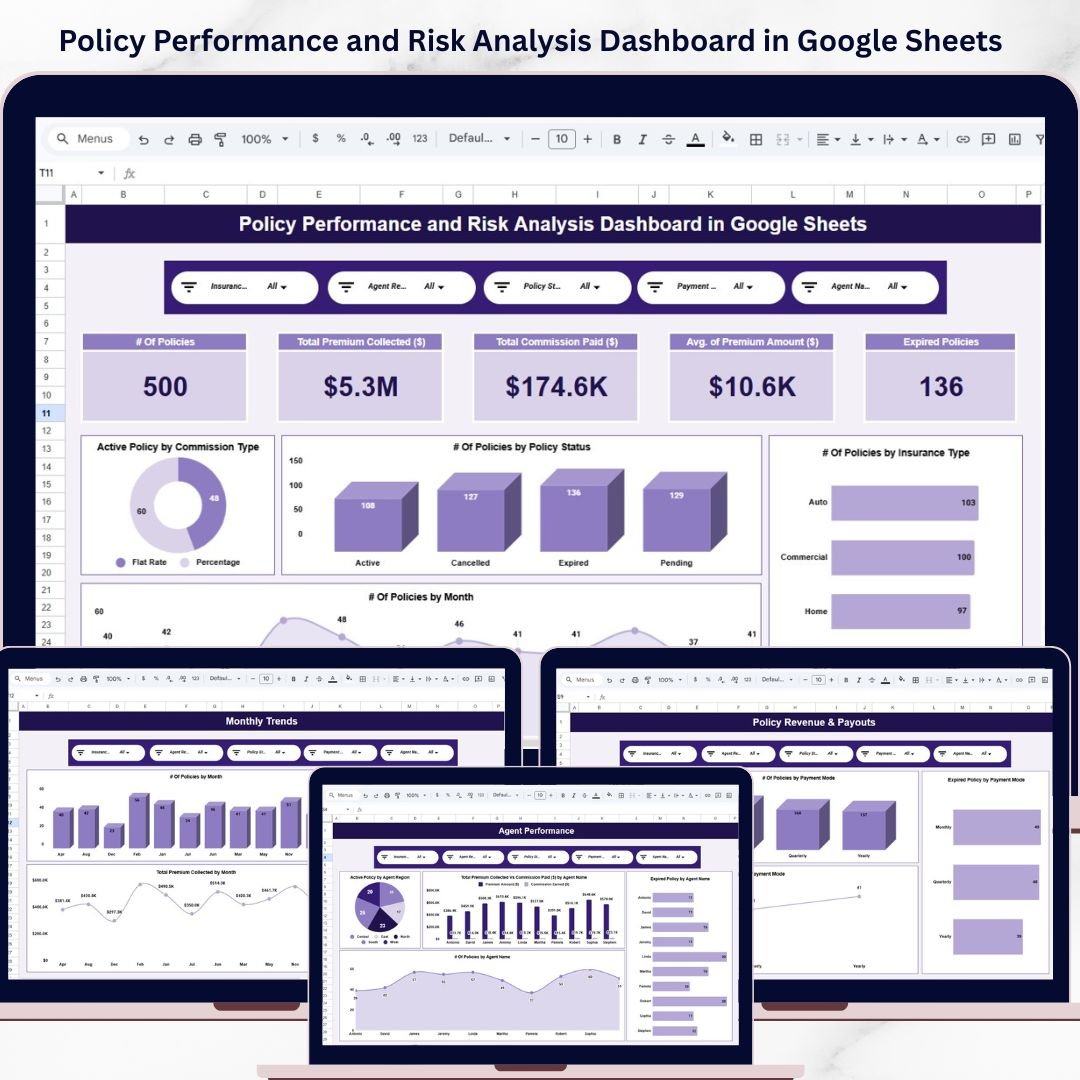
Policy Performance and Risk Analysis Dashboard in Google Sheets is a powerful, ready-to-use analytics template built specifically for insurance professionals who want to monitor policy performance, assess risk exposure, and track financial metrics in one centralized dashboard. Whether you manage life insurance, health insurance, property insurance, or general insurance portfolios, this dashboard delivers instant clarity on how your policies are performing across every critical dimension.Policy Performance and Risk Analysis Dashboard in Google Sheets
Instead of relying on disconnected spreadsheets, manual reports, or expensive BI tools, this Google Sheets dashboard gives insurance managers, underwriters, risk analysts, and operations leaders a structured analytical environment with interactive charts, slicers, KPI cards, and a smart search feature. Because it is built in Google Sheets, your entire team can collaborate in real time without any additional software.Policy Performance and Risk Analysis Dashboard in Google Sheets
Policy Performance and Risk Analysis Dashboard in Google Sheets
🔑 Key Features of Policy Performance and Risk Analysis Dashboard in Google Sheets
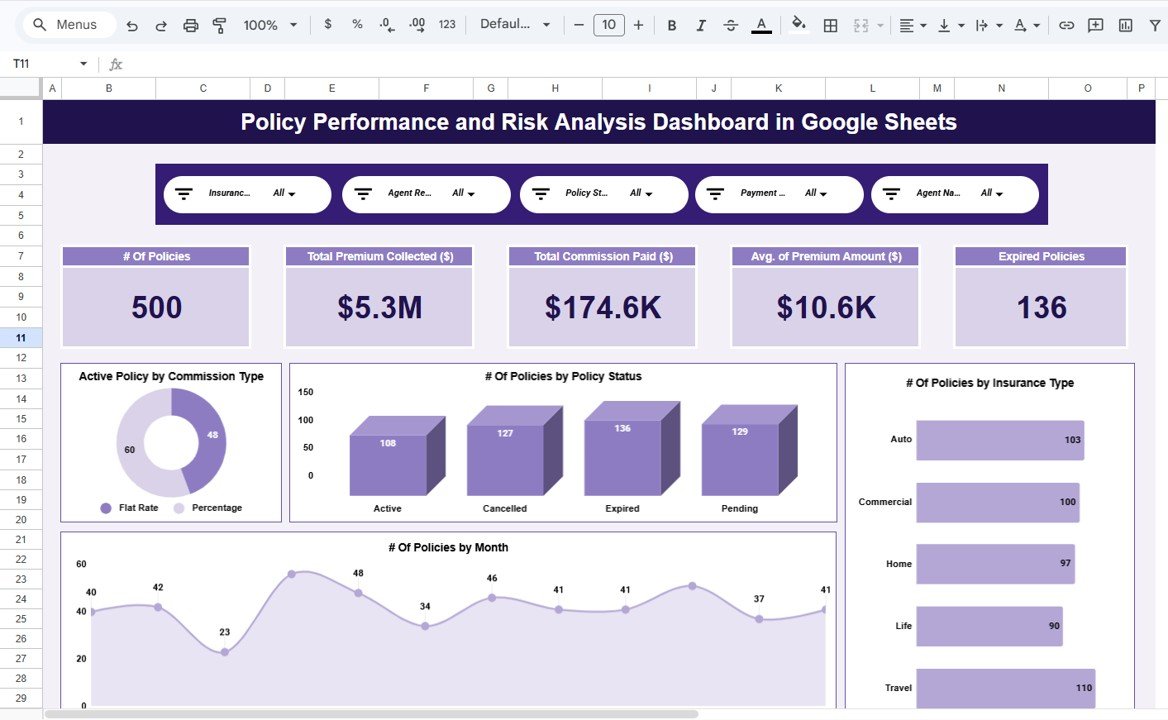
📊 Centralized Policy Performance Monitoring – Track total policies, active policies, expired policies, total premium collected, total claims, and risk scores from a single overview page with dynamic KPI cards and interactive slicers.Policy Performance and Risk Analysis Dashboard in Google Sheets
📈 Multi-Page Analytical Dashboard – This dashboard includes five professionally designed analysis pages covering policy overview, policy type analysis, risk and claims analysis, premium and revenue analysis, and monthly trend tracking.
🎛️ Interactive Slicers and Filters – Filter data instantly by insurance type, policy status, risk category, region, agent, or time period to drill down into specific segments quickly.
📉 Risk Exposure Visualization – Understand risk distribution across policy types, regions, and customer segments using structured charts that highlight high-risk areas requiring immediate attention.
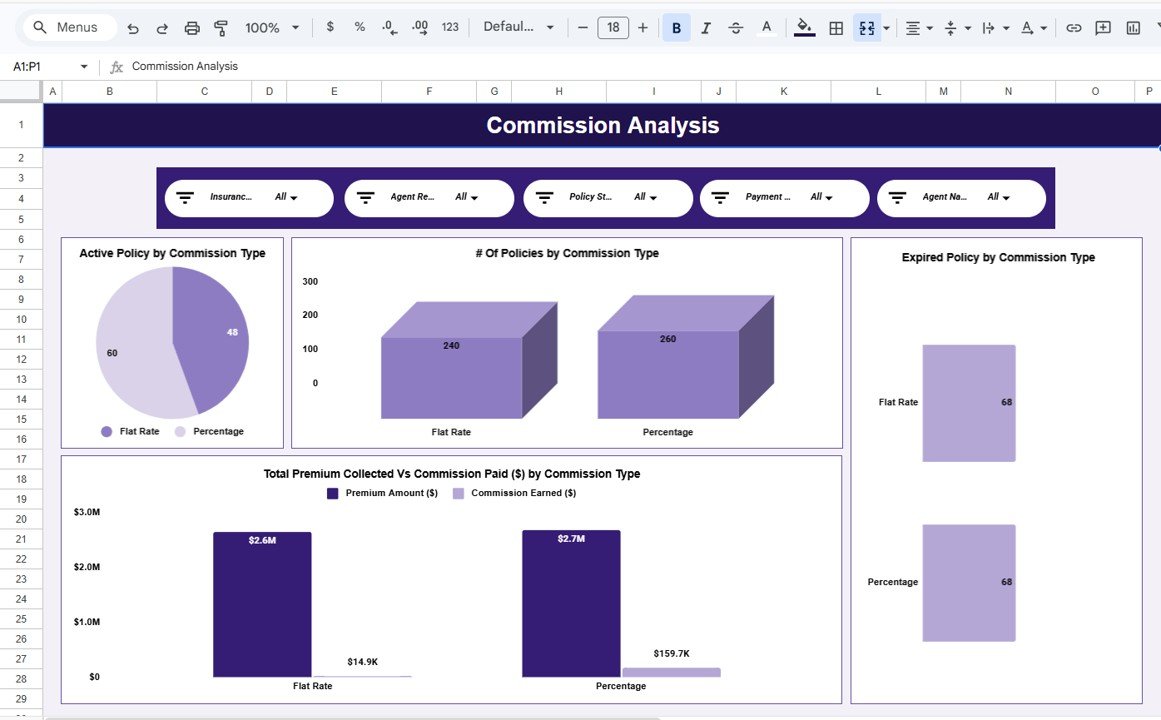
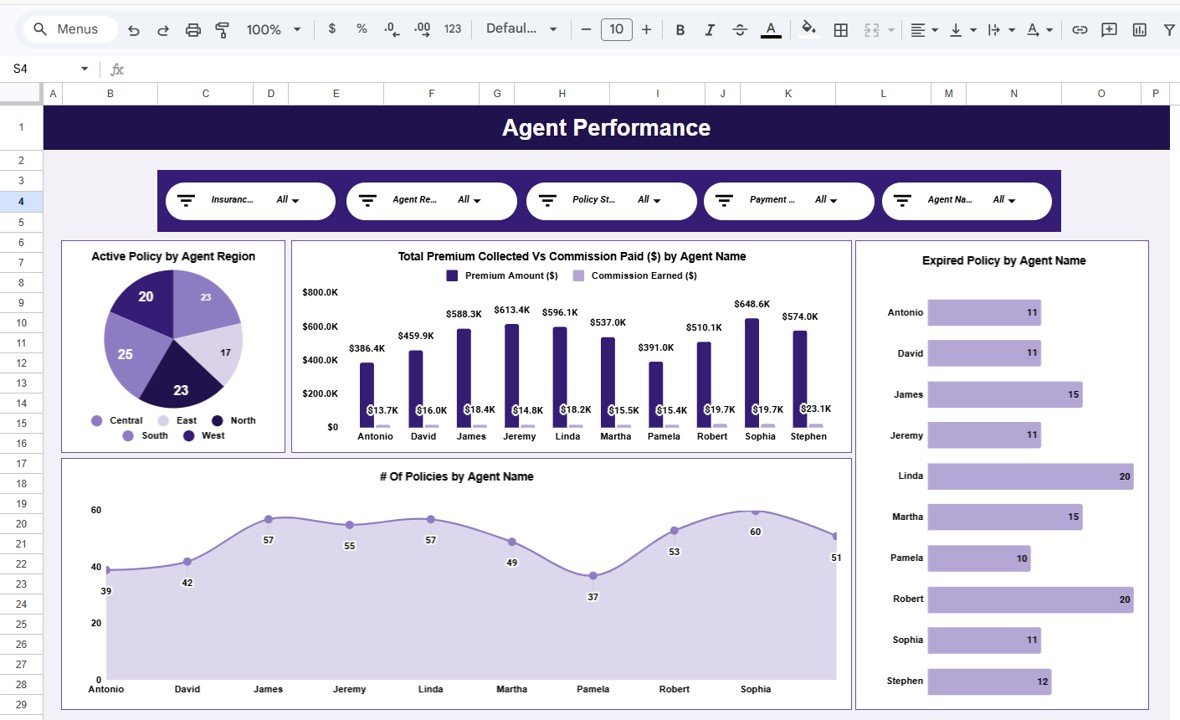
💰 Premium and Claims Cost Analysis – Compare premium collected versus claims paid across insurance types, agents, and regions to evaluate profitability and loss ratios effectively.
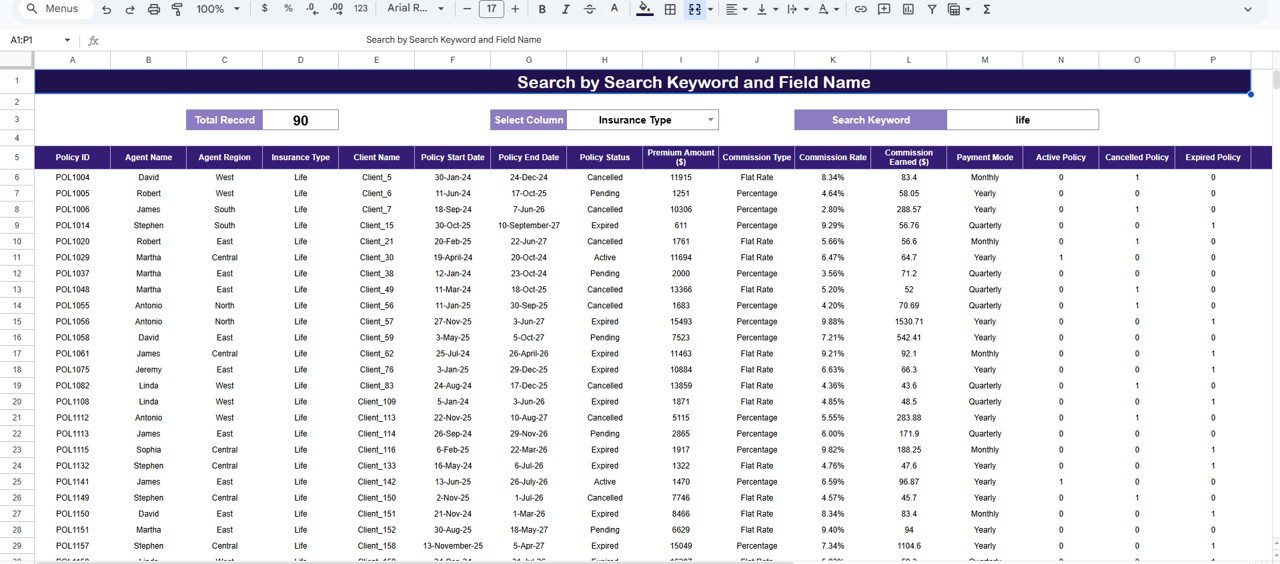
🔍 Smart Search and Drill-Down – Use the built-in search page to instantly find any policy record by keyword and field name, making audits, reviews, and customer queries effortless.
☁️ Cloud-Based Google Sheets Platform – No software installation needed. Access, update, and share the dashboard with your team from anywhere using Google Sheets.
⚡ Fully Automated Charts and KPIs – All visuals refresh automatically as you update data, ensuring your reports are always accurate and current.Policy Performance and Risk Analysis Dashboard in Google Sheets
📦 What’s Inside the Policy Performance and Risk Analysis Dashboard in Google Sheets
This template contains seven structured sheets designed to deliver end-to-end insurance analytics:
📌 1. Overview Page – High-level snapshot with KPI cards showing Total Policies, Active Policies, Expired Policies, Total Premium Collected, Total Claims Amount, Average Risk Score, and Loss Ratio. Charts display Premium Collected by Insurance Type, Claims Amount by Region, Active Policies by Policy Status, and Risk Score by Insurance Type. Interactive slicers allow filtering by Insurance Type, Policy Status, Risk Category, Region, and Agent.
📌 2. Policy Type Analysis Page – Detailed breakdown of policy performance by insurance type including Total Policies by Insurance Type, Premium Collected by Insurance Type, Claims Amount by Insurance Type, and Average Risk Score by Insurance Type.
📌 3. Risk and Claims Analysis Page – Deep dive into risk exposure and claims behavior with Claims Amount by Risk Category, Risk Score by Region, Loss Ratio by Insurance Type, and Claims Frequency by Agent.
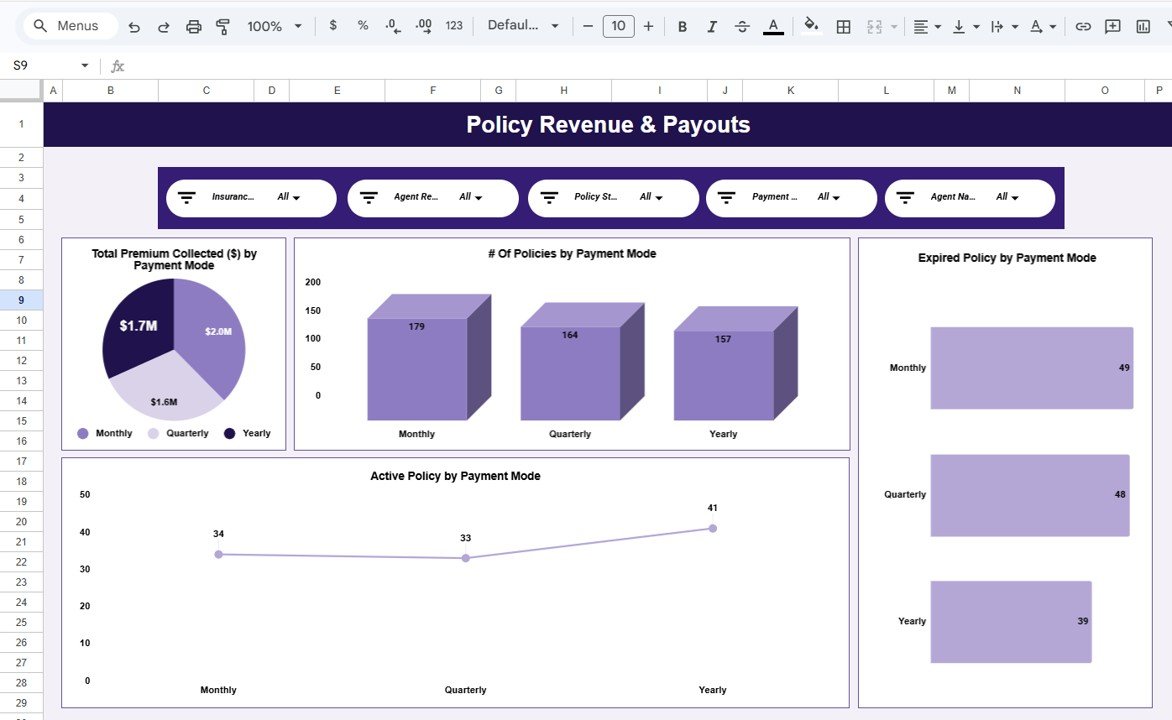
📌 4. Premium and Revenue Analysis Page – Financial performance insights including Premium Collected by Region, Premium Collected by Agent, Revenue vs Claims Comparison by Insurance Type, and Monthly Premium Collection Trends.
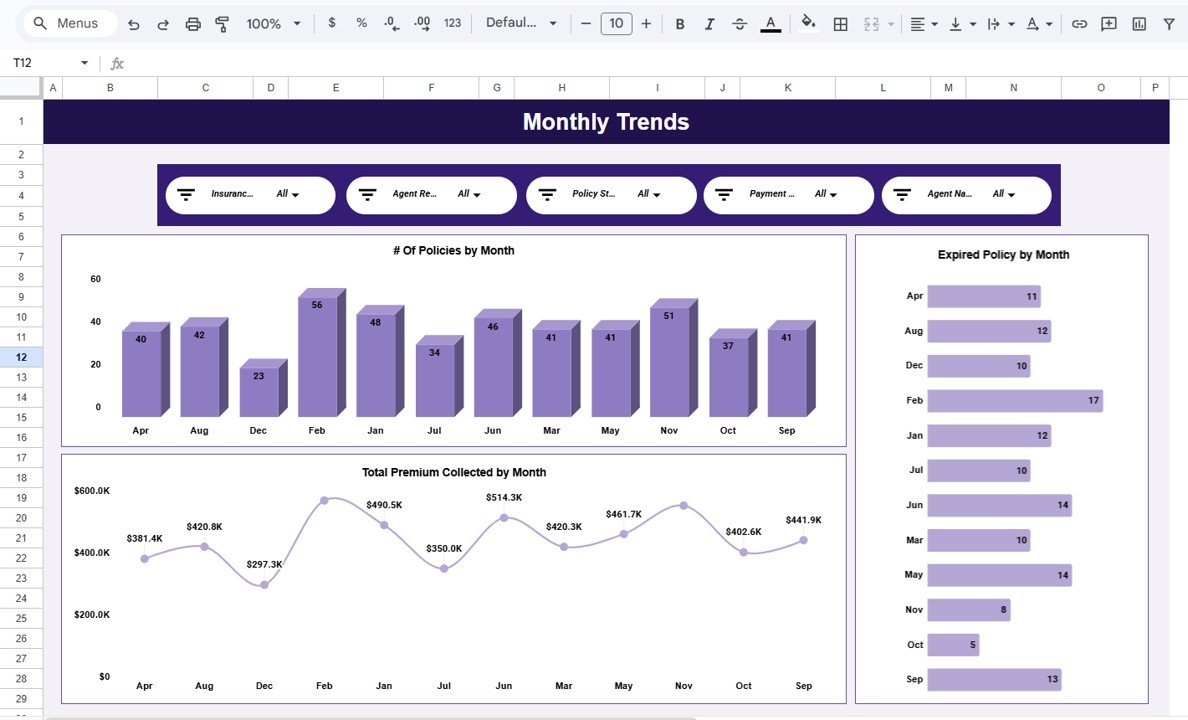
📌 5. Monthly Trends Page – Time-based analysis showing Total Policies by Month, Premium Collected by Month, Claims Amount by Month, and Average Risk Score by Month to identify seasonal patterns and growth trends.
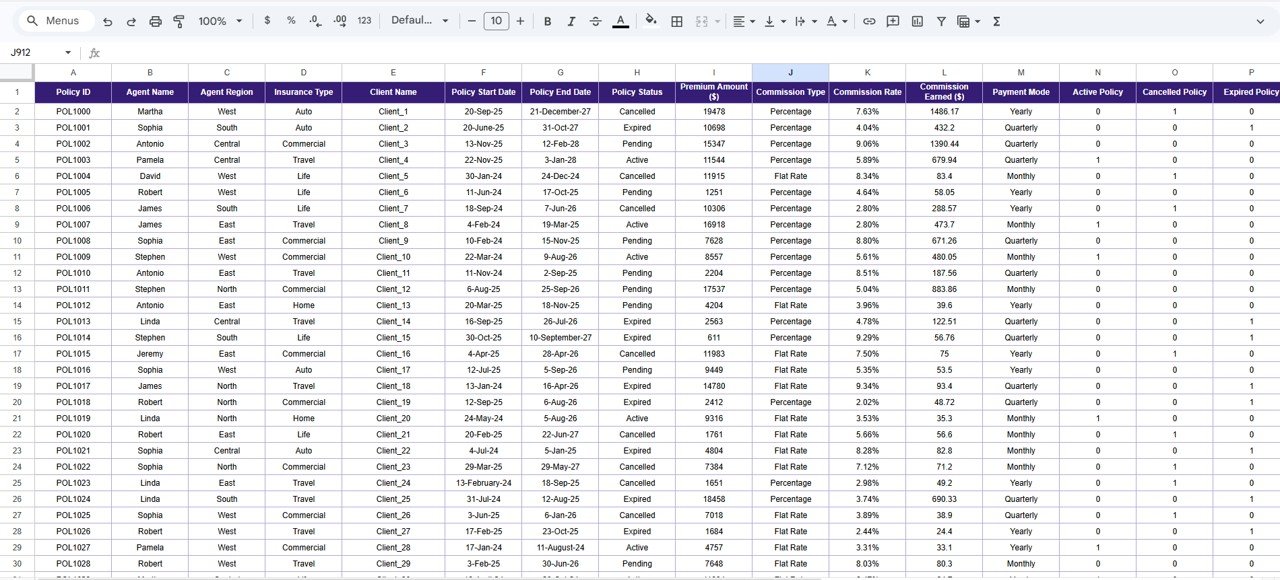
📌 6. Data Sheet – The underlying structured data table where you enter all policy records. The dashboard reads from this sheet and updates all visuals automatically.
📌 7. Search Sheet – A powerful search feature that lets you find specific policy records by entering a keyword and selecting a field name. Matching records appear instantly, making it ideal for audits, customer queries, and management reporting.
⚙️ How to Use the Policy Performance and Risk Analysis Dashboard in Google Sheets
1️⃣ Open the Google Sheets file and navigate to the Data Sheet tab
2️⃣ Enter or paste your policy data in the structured format provided
3️⃣ Go to the Overview page to see KPI cards and charts update automatically
4️⃣ Use slicers to filter by insurance type, region, risk category, or agent
5️⃣ Explore analysis pages for deeper insights into policy types, risk, premiums, and trends
6️⃣ Use the Search Sheet to locate specific policy records instantly
7️⃣ Share the dashboard with your team for real-time collaboration
👥 Who Can Benefit from This Policy Performance and Risk Analysis Dashboard in Google Sheets
🛡️ Insurance Companies and Agencies – Monitor portfolio performance across all policy types and regions.
📊 Underwriting and Risk Teams – Evaluate risk distribution and identify high-risk segments for corrective action.
💰 Finance and Revenue Teams – Track premium collection, claims costs, and profitability ratios.
🏢 Operations and Compliance Managers – Maintain oversight on policy lifecycle and regulatory compliance.
📈 Insurance Consultants and Advisors – Use data-driven insights to advise clients on insurance performance optimization.
🎓 Students and Researchers – Analyze insurance datasets for academic projects and case studies.
This dashboard helps insurance organizations move from reactive reporting to proactive, data-driven decision making. By centralizing policy data, risk metrics, and financial KPIs into one collaborative Google Sheets template, teams save hours of manual work and gain clarity that drives profitability and accountability.Policy Performance and Risk Analysis Dashboard in Google Sheets
📖 Click here to read the Detailed Blog Post
Watch the step-by-step video tutorial:































Reviews
There are no reviews yet.