

Ophthalmology Services KPI Dashboard in Excel Ophthalmology is one of the fastest-growing fields in healthcare. As diagnostic technologies evolve and patient demand rises, eye-care centers must ensure accuracy, efficiency, and high-quality service delivery at all times. Managing OPD volume, surgeries, diagnostics, revenue, wait times, and treatment outcomes manually becomes extremely difficult. That’s why healthcare teams now rely on the Ophthalmology Services KPI Dashboard in Excel — a complete performance monitoring system tailored for eye hospitals, clinics, and vision centers.
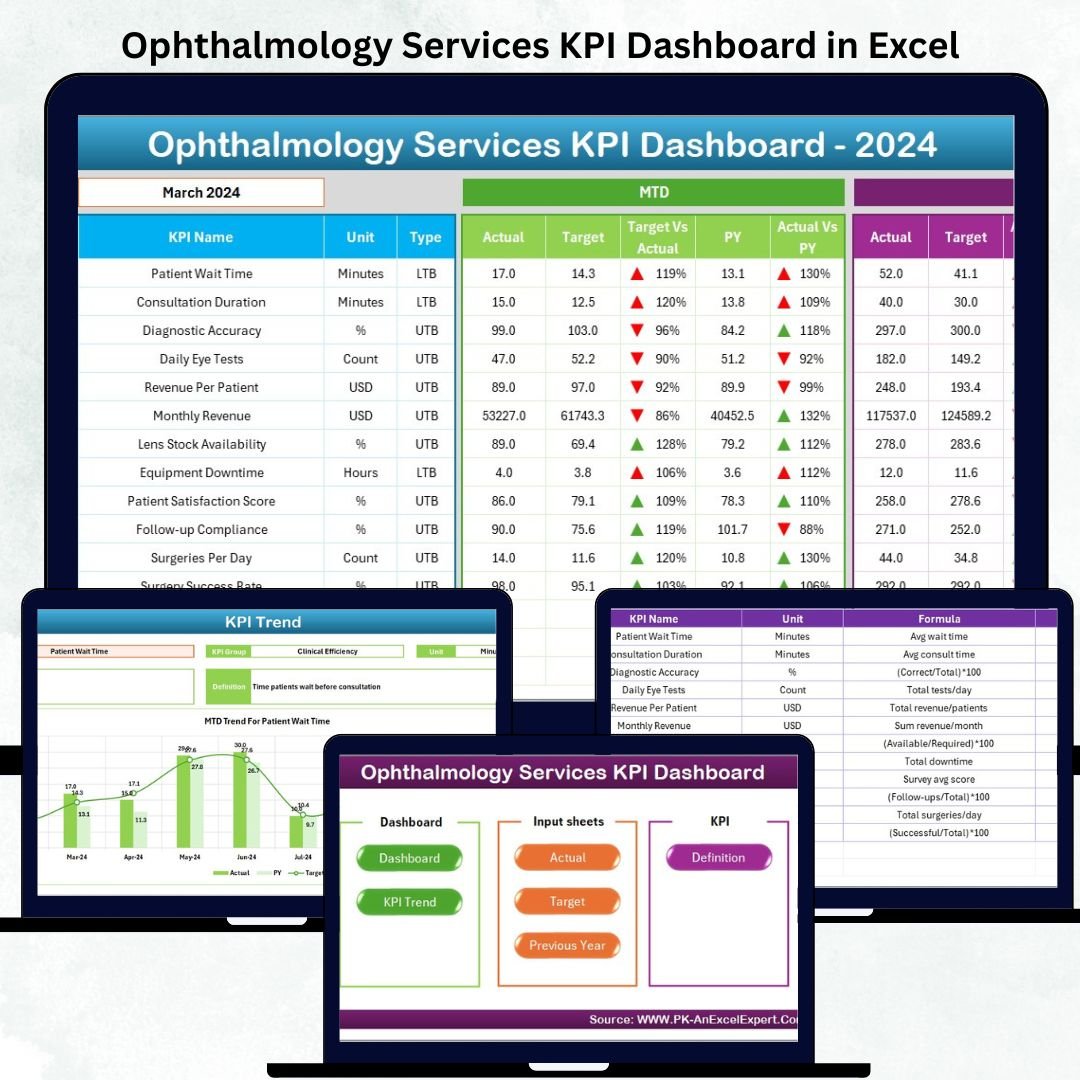
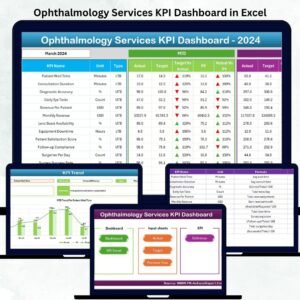
Ophthalmology Services KPI Dashboard in Excel This powerful dashboard gives you an instant snapshot of all your critical MTD (Month-To-Date) and YTD (Year-To-Date) KPIs in one place. Designed with automation, trend charts, conditional indicators, and clean navigation, it provides the clarity you need to make quick and confident decisions. Ophthalmology Services KPI Dashboard in Excel Whether you’re an ophthalmologist, clinic manager, technician, or administrator — this dashboard simplifies daily reporting and enhances patient care.
Here’s what makes this dashboard an essential tool for any eye-care organization 👇
✨ Key Features of the Ophthalmology Services KPI Dashboard in Excel
📊 1. Seven Professionally Structured Worksheets
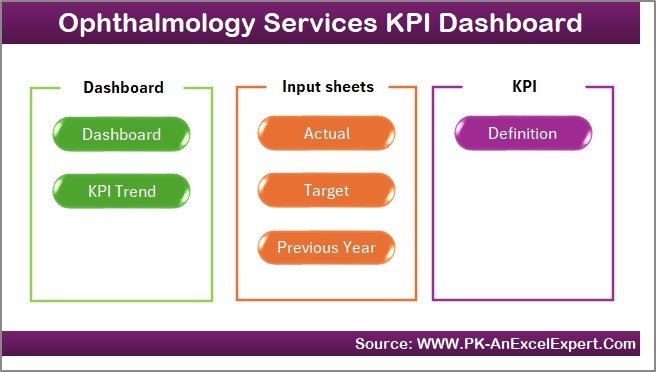
Includes Home, Dashboard, KPI Trend, Actual Numbers, Targets, Previous Year Numbers, and KPI Definitions — all designed for smart analysis.
🎯 2. Dynamic Month Selection
Choose any month from the dropdown and instantly view updated MTD & YTD Actual, Target, and Previous Year comparisons.
📈 3. Comprehensive MTD & YTD Performance Tracking
Track KPIs like OPD volume, diagnostic counts, surgery numbers, revenue, waiting times, and treatment outcomes.
🚦 4. Conditional Formatting for Quick Interpretation
Green ▲ indicates improvement, and red ▼ indicates decline — helping you understand performance at a glance.
🔄 5. Automated Data Refresh
Just update the Actual, Target, and Previous Year sheets — the dashboard updates automatically.
👨⚕️ 6. Suitable for All Eye-Care Facilities
Hospitals, clinics, diagnostic centers, and multi-branch eye-care networks.
📦 What’s Inside the Ophthalmology Services KPI Dashboard in Excel
🏠 1. Home Sheet – The Navigation Center
A clean, user-friendly index page with six clickable navigation buttons. It allows quick access to all dashboard sections — perfect for busy clinical teams.
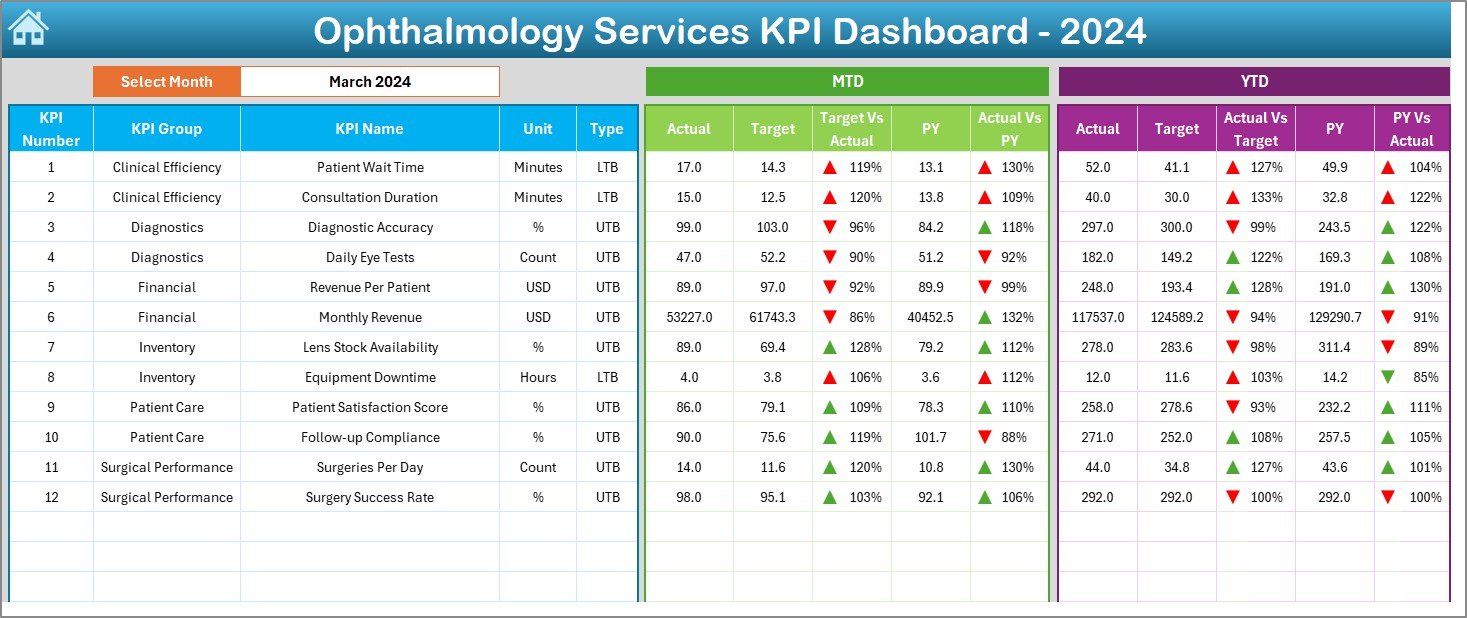
📊 2. Dashboard Sheet – The Main Performance View
This sheet gives a complete overview of clinical, operational, and financial KPIs.
⭐ Month Selection (Cell D3)
Pick any month, and the dashboard dynamically updates:
-
MTD Actual
-
MTD Target
-
MTD Previous Year
-
MTD Target vs Actual
-
MTD PY vs Actual
And the same details for YTD KPIs, including visual ▲▼ indicators.
This helps you instantly see:
✔ OPD performance
✔ Diagnostic productivity
✔ Surgery progress
✔ Revenue trends
✔ Clinical quality metrics
✔ Operational efficiency
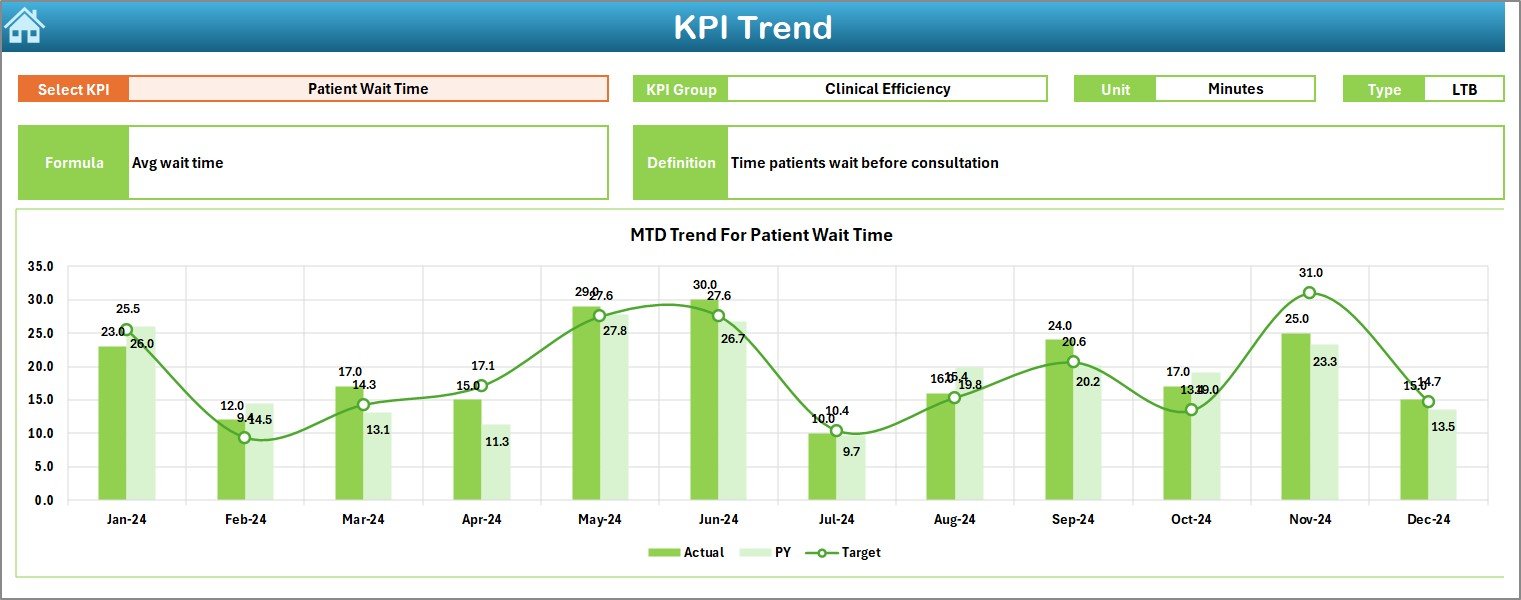
📈 3. KPI Trend Sheet – Detailed Month-by-Month Analysis
This page allows you to analyze any specific KPI in depth.
Select a KPI from the dropdown and view:
-
KPI Group
-
KPI Unit
-
KPI Type (LTB/UTB)
-
KPI Formula
-
KPI Definition
⭐ Two Trend Charts
-
MTD Trend (Actual vs Target vs PY)
-
YTD Trend (Actual vs Target vs PY)
These visuals help you identify:
-
Seasonal patient load
-
Diagnostic variations
-
Surgery growth patterns
-
Revenue fluctuations
-
Improvement or decline trends
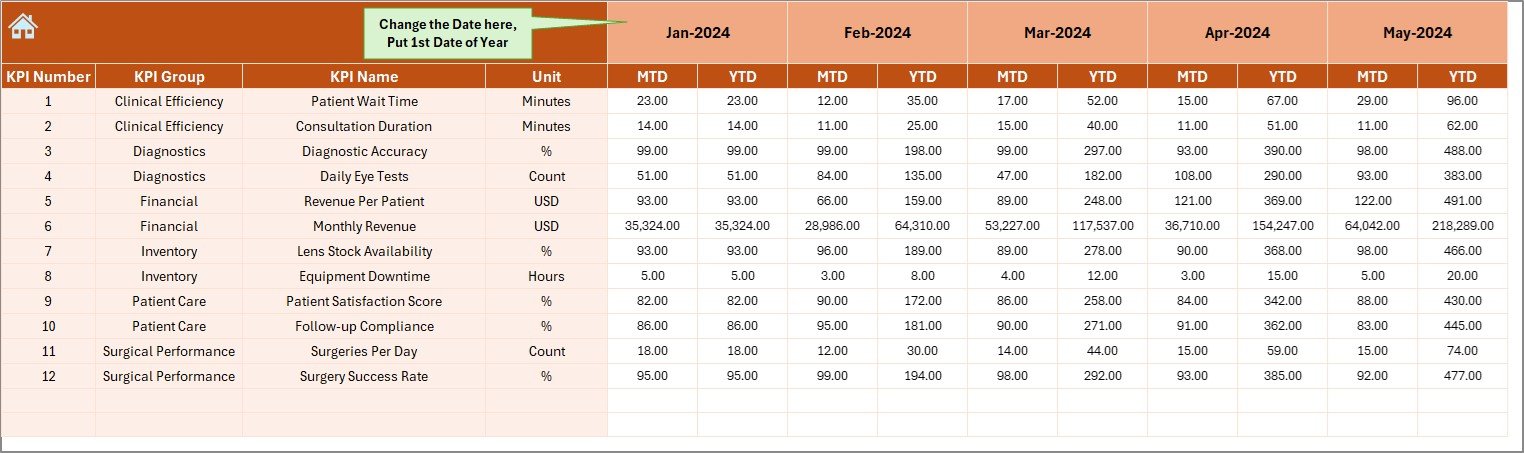
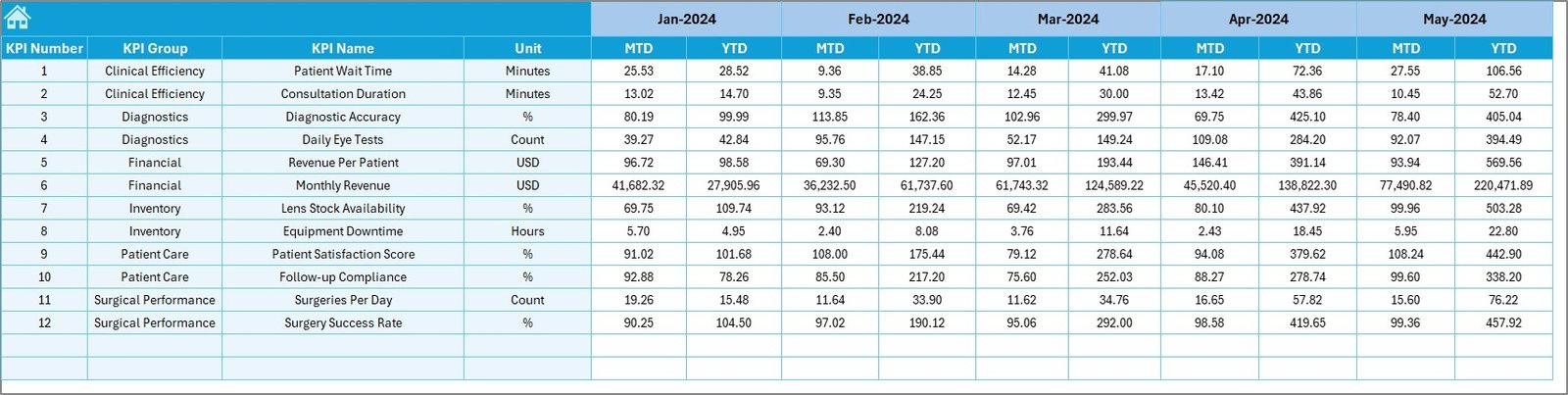
🧾 4. Actual Numbers Input Sheet
Enter:
-
MTD Actual
-
YTD Actual
-
Month (E1 as the first date of the month)
The dashboard updates automatically — eliminating manual errors.
🎯 5. Target Sheet
Enter:
-
MTD Target values
-
YTD Target values
This helps clinical and administrative teams set practical performance expectations.
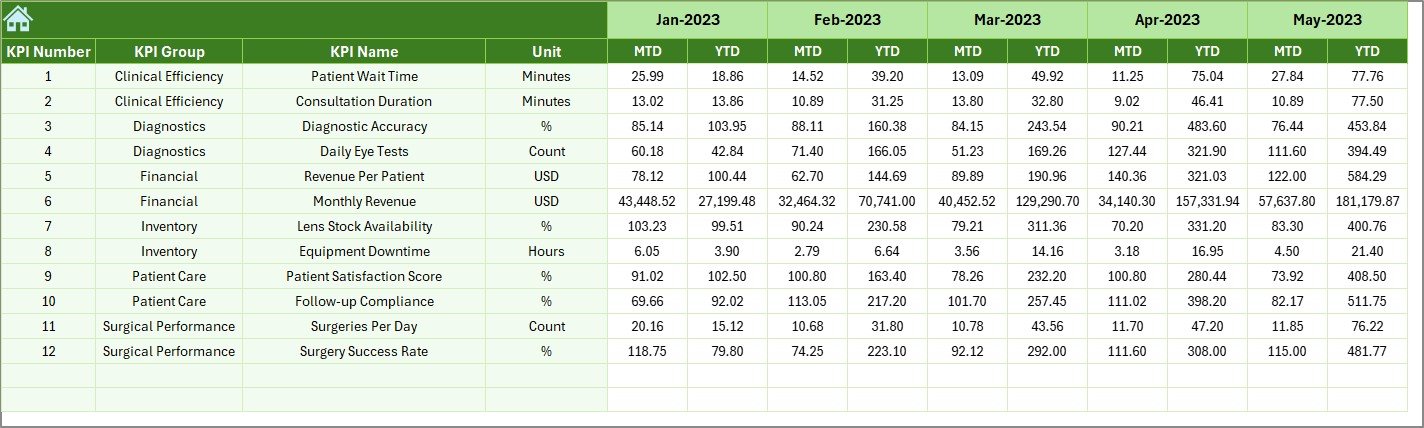
📘 6. Previous Year Numbers Sheet
Enter previous year MTD/YTD values to compare:
✔ Growth
✔ Stability
✔ Declines
✔ Seasonal trends
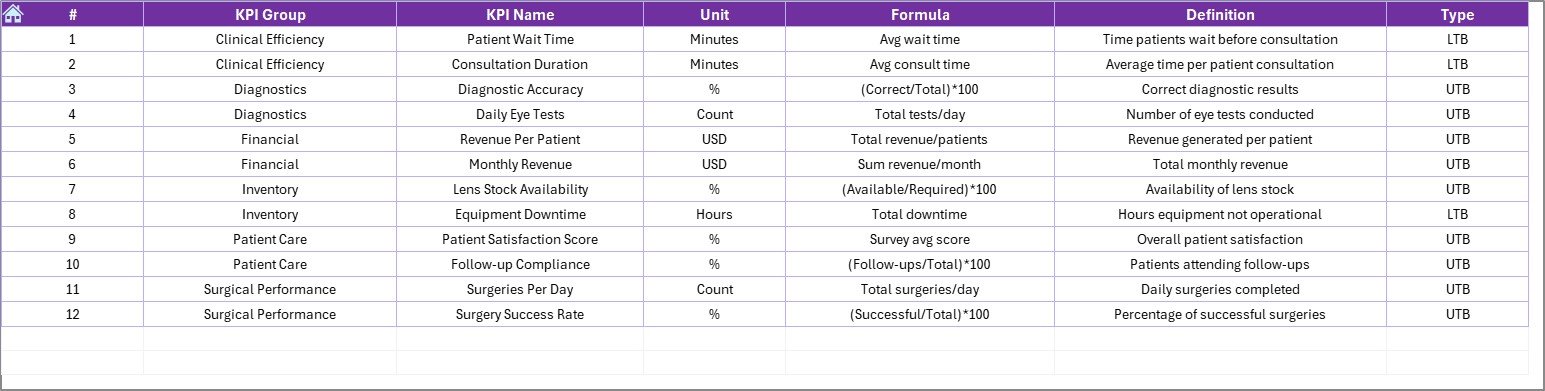
📑 7. KPI Definition Sheet – Your KPI Dictionary
This sheet includes:
-
KPI Name
-
KPI Group
-
Unit
-
Formula
-
Definition
-
KPI Type (UTB/LTB)
It ensures all staff interpret KPIs correctly.
🎯 Who Can Benefit from the Ophthalmology Dashboard?
👨⚕️ Ophthalmologists & Surgeons
Track surgery numbers, outcomes, diagnostic loads, and visit patterns.
🧑⚕️ Clinic Managers
Monitor waiting times, throughput, and operational bottlenecks.
💼 Administrators & Hospital Directors
Review revenue trends, performance gaps, and yearly progress.
👓 Optometrists & Technicians
Track diagnostics, test volumes, and workflow timelines.
🧾 Finance Teams
Monitor OPD revenue, surgery revenue, and total YTD performance.

















Reviews
There are no reviews yet.