



Key Features of Office Parking Utilization Task Calendar In Excel
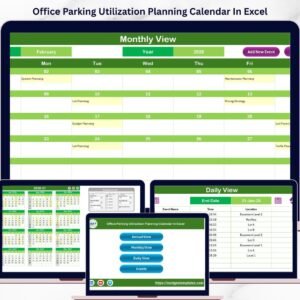
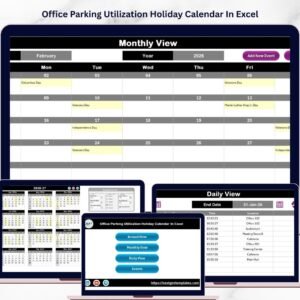
Optimize your office parking management effortlessly with the Office Parking Utilization Task Calendar In Excel, a comprehensive and user-friendly digital template designed to streamline scheduling and event tracking. This ready-to-use Excel calendar template is packed with powerful features to help you visualize, manage, and control parking space utilization across various timeframes – annual, monthly, and daily.
It contains five intuitive worksheets that provide a seamless navigation experience and robust functionality:

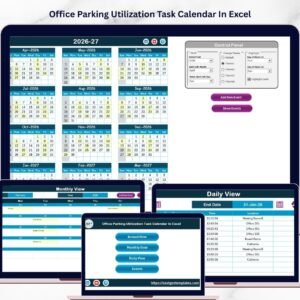
Office Parking Utilization Task Calendar In Excel
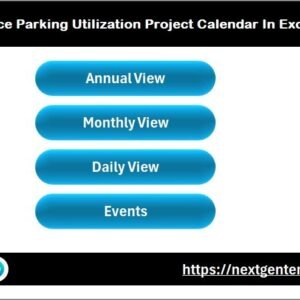
- 🗓️ Home Sheet Tab: Acts as an index with easy navigation buttons for Annual View, Monthly View, Daily View, and Events sheets.
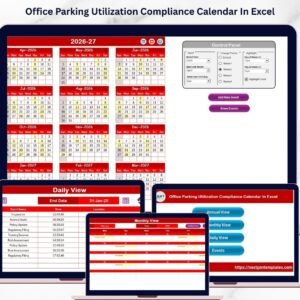
- 📅 Annual View Sheet Tab: Displays 12 months at a glance with dynamic controls to select the year, starting month, and starting day of the week. Five color themes are available for personalized visual appeal. Highlight specific weekdays or events for better clarity. Quickly add or view events via dedicated buttons.
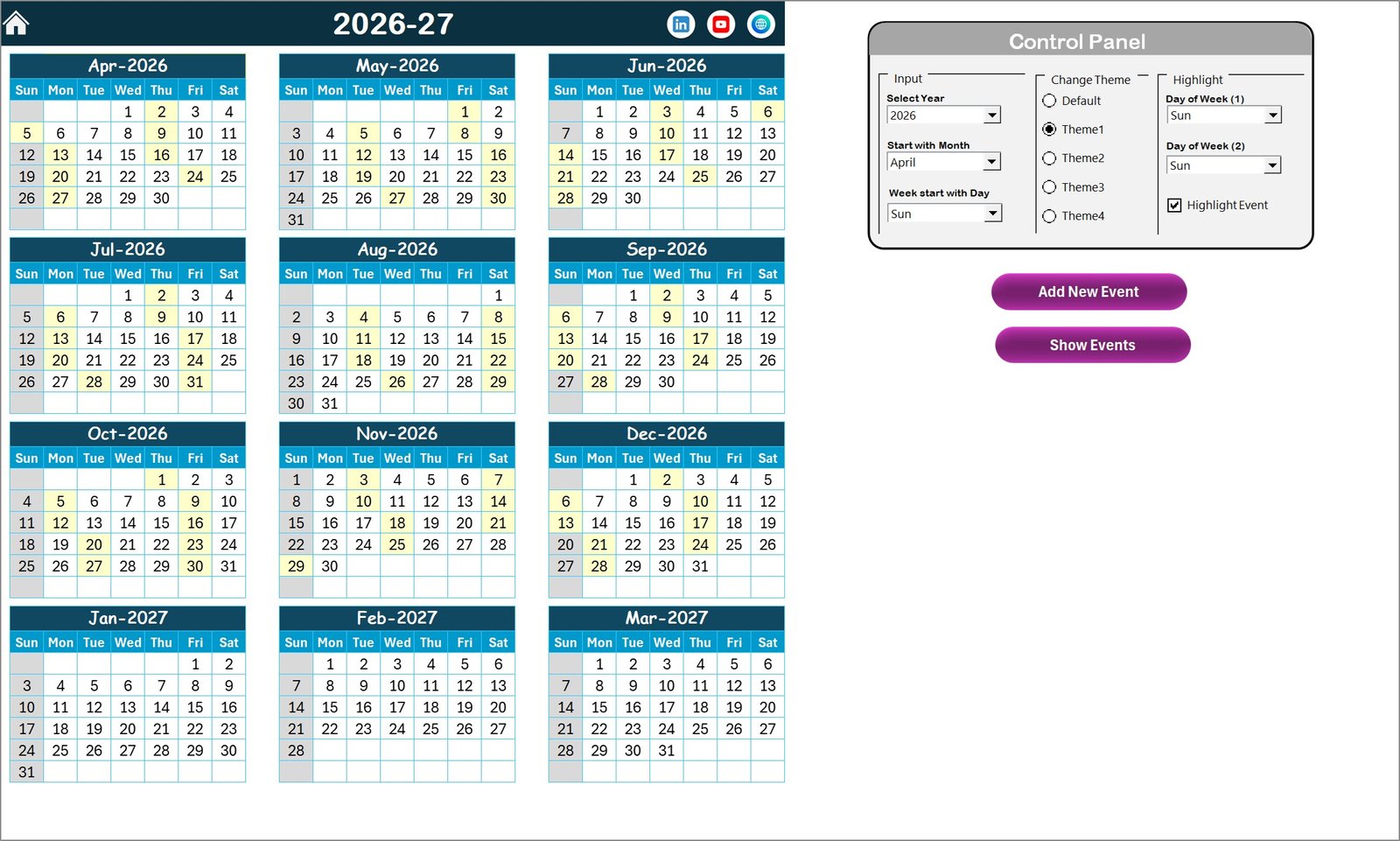
Annual View Sheet tab
- 📆 Monthly View Sheet Tab: Focus on a single month with options to select the month and year. This view highlights events and indicates when multiple events occur on the same day. Easily add or review events with the provided buttons.
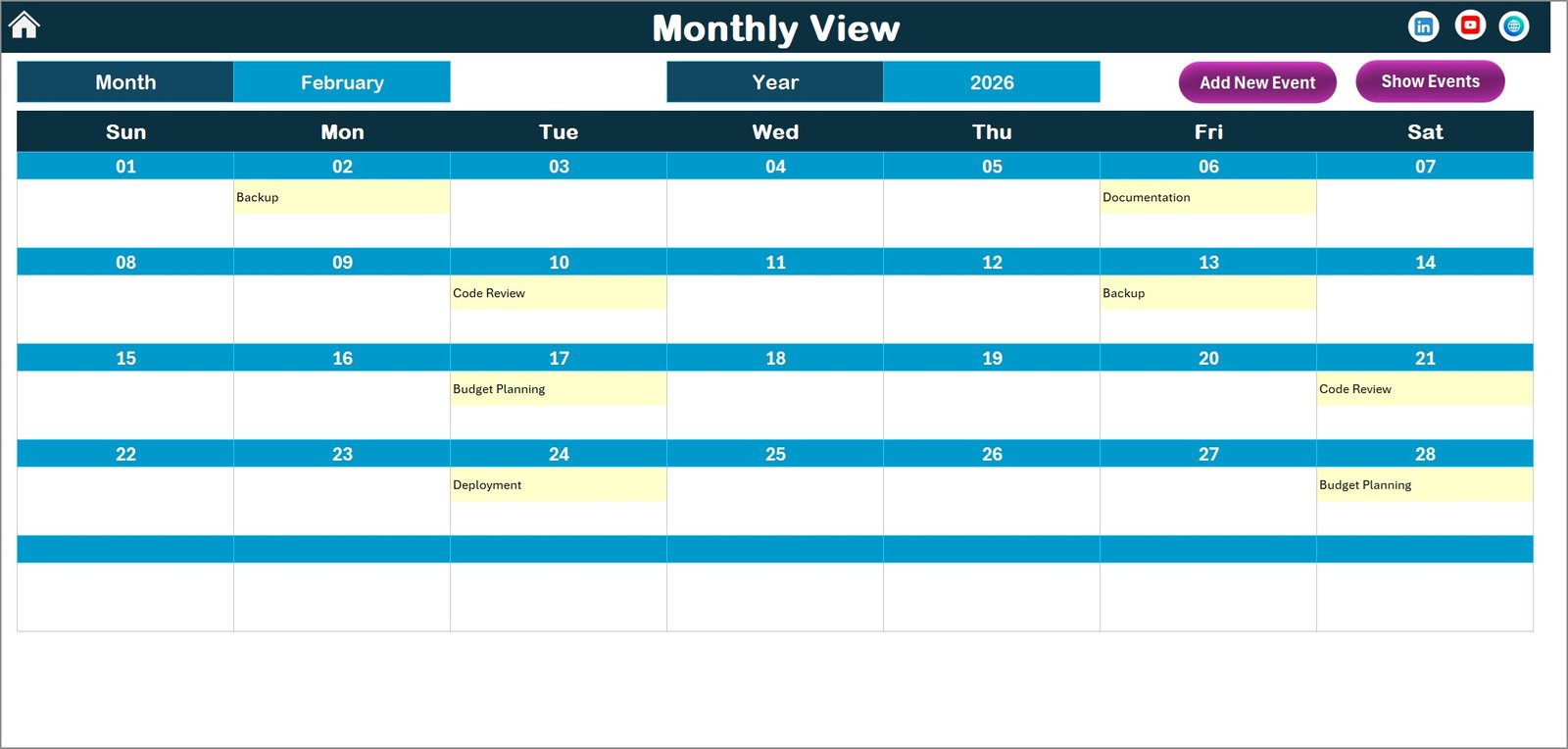
Monthly View Sheet tab
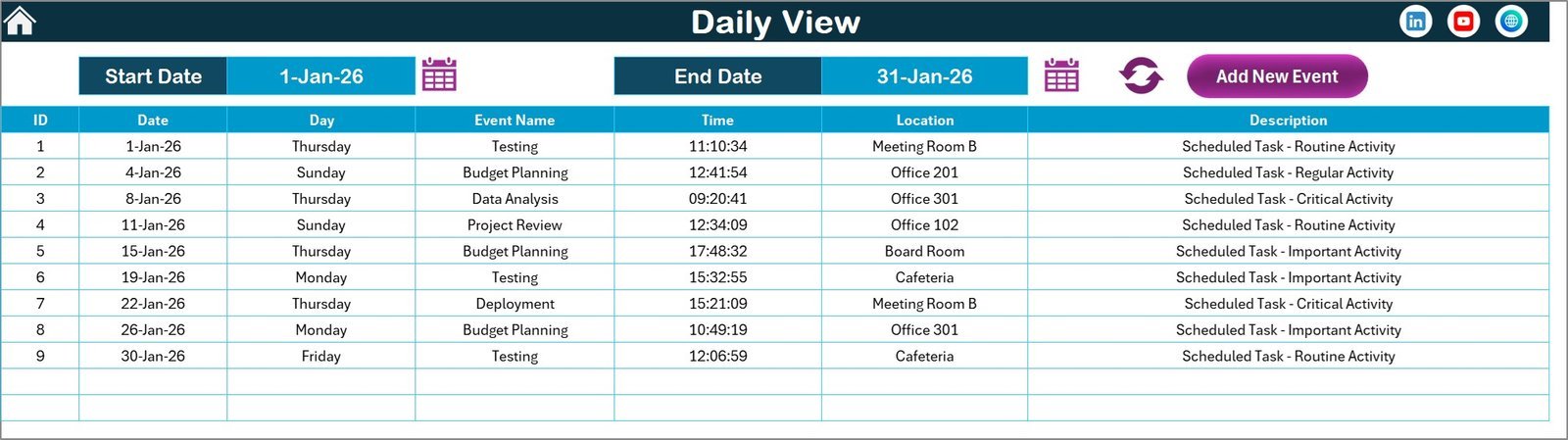
- 📋 Daily View Sheet Tab: Offers detailed event lists for a selected date range. Use a calendar icon to pick the start and end dates and refresh to view updated events. Add new events quickly using the top button.
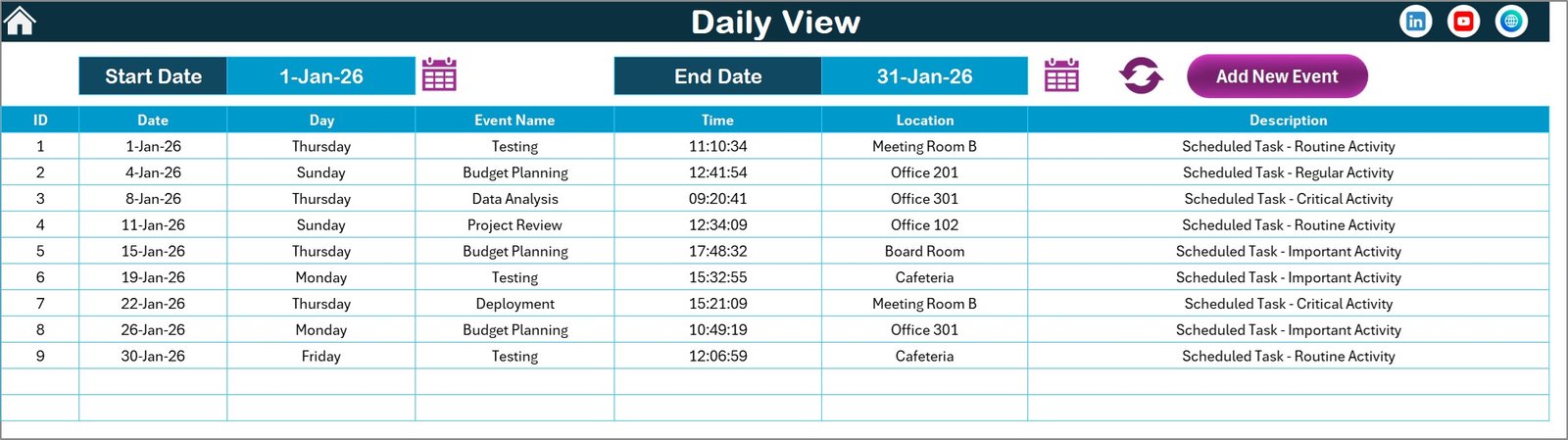
Daily View Sheet tab
- 🗃️ Events Sheet Tab: The database backend where all events are stored with detailed information including ID, date, day, event name, time, location, and description. Manage records with options to add, update, or delete entries.
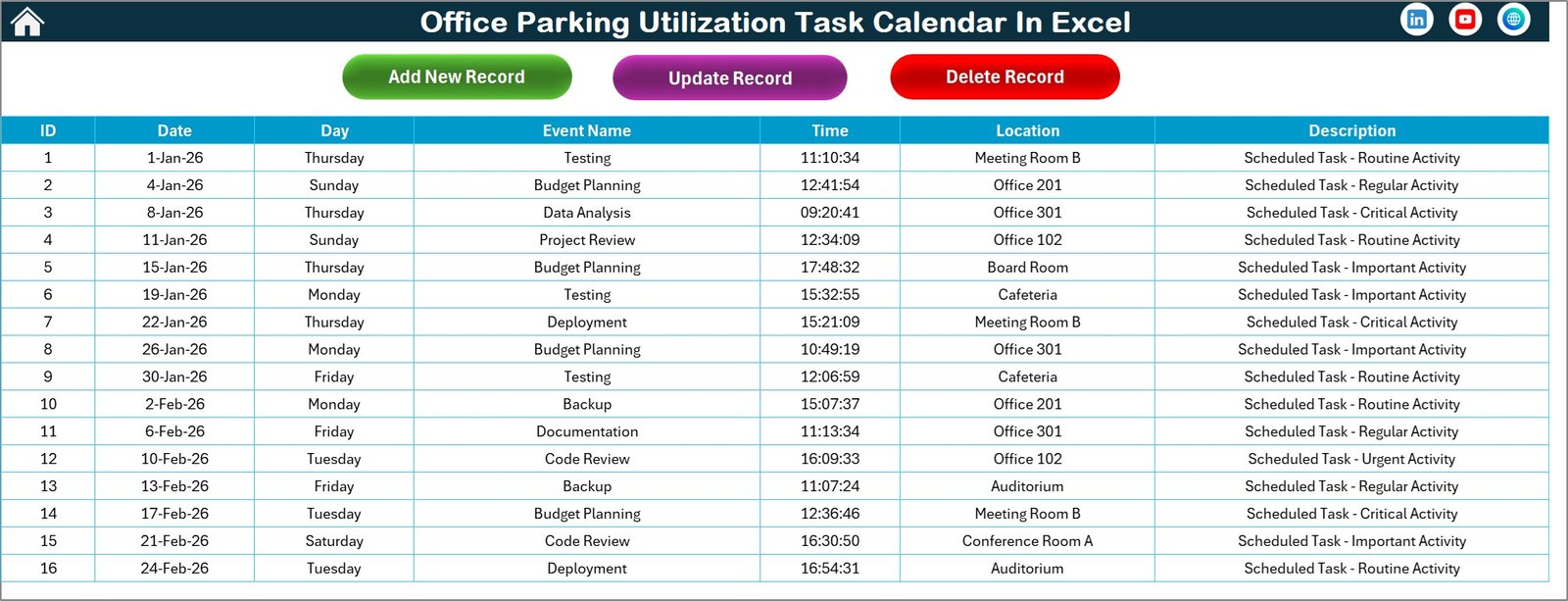
Events Sheet tab
What’s Inside the Office Parking Utilization Task Calendar In Excel
- 🛠️ Five well-organized worksheets for seamless calendar navigation and event management.
- 🎨 Five customizable color themes to match your office branding or preferences.
- 🔧 Control panel on Annual View for easy adjustments of year, month, starting weekday, and theme selection.
- ➕ Add New Event buttons on multiple sheets for quick event entry.
- 🔎 Show Event buttons to instantly view all scheduled events for any selected date.
- 📅 Detailed event tracking with date, time, location, and descriptions stored in an accessible database sheet.
- 🗓️ Dynamic calendar updates based on your inputs and selections.
- 🖥️ Fully digital Excel file – no installation required, ready to use immediately.
How to Use the Office Parking Utilization Task Calendar In Excel
Getting started with the Office Parking Utilization Task Calendar is simple and straightforward, even for Excel beginners.
- 🔘 Navigate via Home Sheet: Use the index buttons to jump between Annual, Monthly, Daily, and Events views.
- 🗓️ Annual View: Select the desired year, starting month, and weekday in the control panel. Choose your preferred color theme and highlight important weekdays or events. Add or view events quickly with dedicated buttons.
- 📅 Monthly View: Pick the month and year to focus on a specific timeframe. Add new events or view existing ones on particular dates.
- 📋 Daily View: Select a date range to see detailed event listings. Refresh to update the list and add new events as needed.
- 🗃️ Manage Events: Use the Events sheet to add, update, or delete event records with ease. The database keeps your event details organized and accessible.
- 💡 Customization: Personalize the calendar’s appearance using themes and highlight options to make important dates stand out.
Who Can Benefit from This Office Parking Utilization Task Calendar In Excel
- 🏢 Office Managers: Keep track of parking space usage and event schedules efficiently.
- 🚗 Facilities Coordinators: Plan and optimize parking allocations with clear, up-to-date calendars.
- 📅 Event Planners: Organize office events and ensure parking availability on important dates.
- 👨💼 HR Teams: Manage employee parking schedules and special office events to avoid conflicts.
- 🖥️ Small to Medium Businesses: Streamline parking management without investing in complex software.
- 📊 Data Analysts: Use the event database for reporting and utilization insights.
- 🧑💻 Anyone needing a powerful, easy-to-use digital calendar: Whether managing parking or other resources, this tool adapts to your needs.
Click here to read the Detailed blog post.
Visit our YouTube channel to learn step-by-step video tutorials.






Reviews
There are no reviews yet.