

Managing healthcare contracts efficiently is critical for ensuring compliance, financial control, and smooth operations. However, many healthcare organizations still struggle with scattered Excel files, manual tracking, and unclear performance visibility. This leads to delays, compliance risks, and poor decision-making.
That’s exactly where the Health Contract Management KPI Dashboard in Excel becomes a powerful solution.
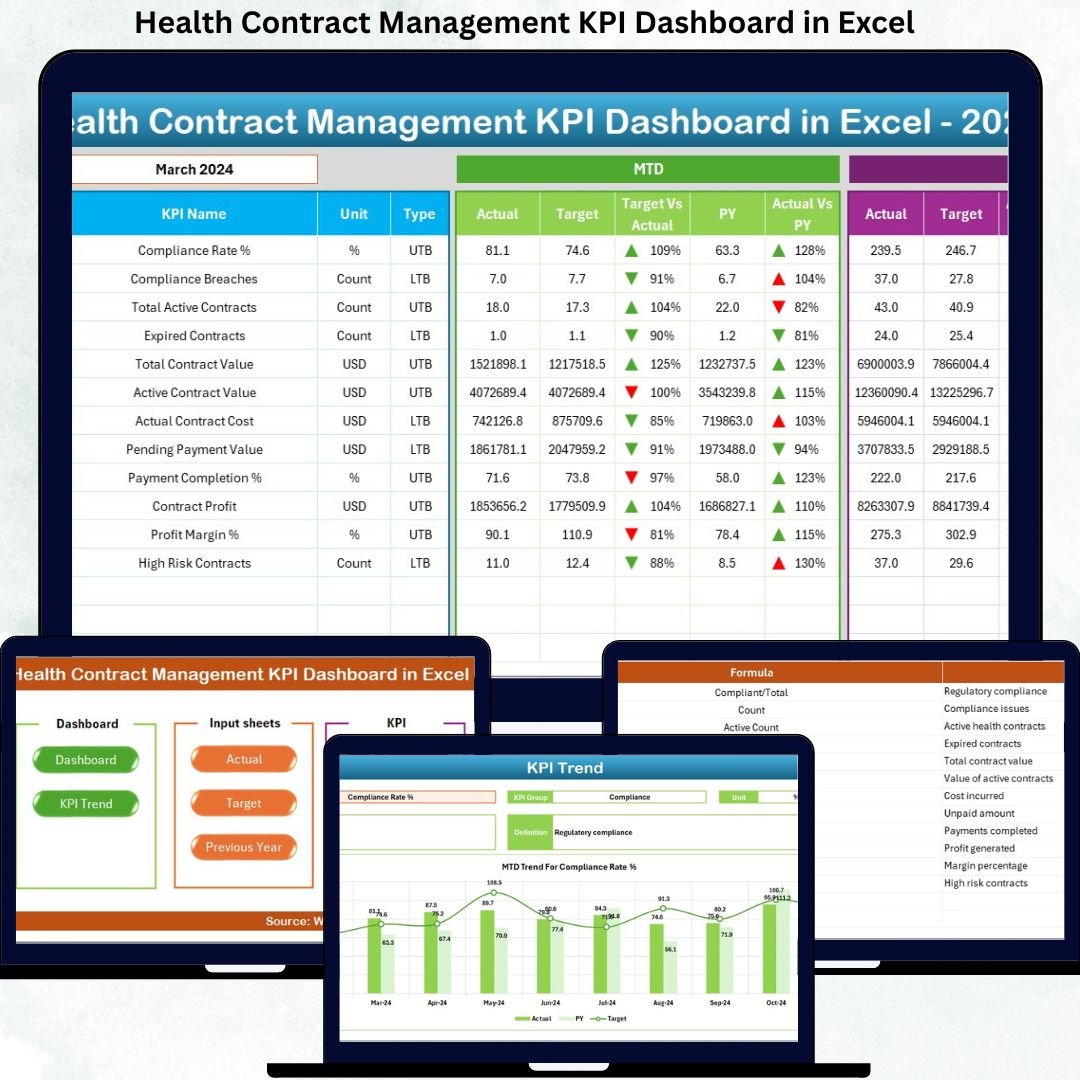
This professionally designed dashboard transforms raw contract data into meaningful insights, enabling healthcare organizations to monitor performance, track compliance, analyze trends, and make data-driven decisions — all from one centralized Excel dashboard.
🔹 Key Features of Health Contract Management KPI Dashboard
✅ Centralized KPI Monitoring – Track all contract-related KPIs from one interactive dashboard
📅 Dynamic Month Selection – Change reporting month instantly using a drop-down
📊 MTD & YTD Performance Tracking – Monitor Monthly and Year-to-Date results effortlessly
🎯 Target vs Actual Analysis – Identify gaps and performance deviations instantly
📉 Previous Year Comparison – Measure growth and performance trends
🚦 Conditional Formatting Indicators – Visual arrows highlight performance direction
📈 Trend Analysis – Analyze KPI performance over time
🧩 Fully Customizable in Excel – No coding or BI tools required
This dashboard is designed to provide clarity, control, and confidence in managing healthcare contracts.
🔹 What’s Inside the Health Contract Management KPI Dashboard
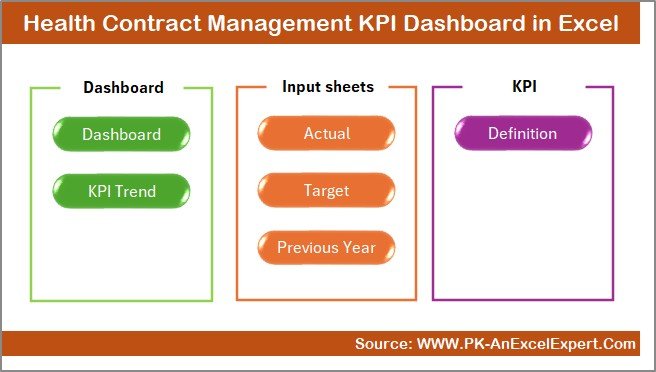
The dashboard includes 7 professionally designed worksheets, each serving a specific purpose:
📌 Summary Page
Acts as the main navigation hub with quick-access buttons to all sheets, improving usability and saving time.
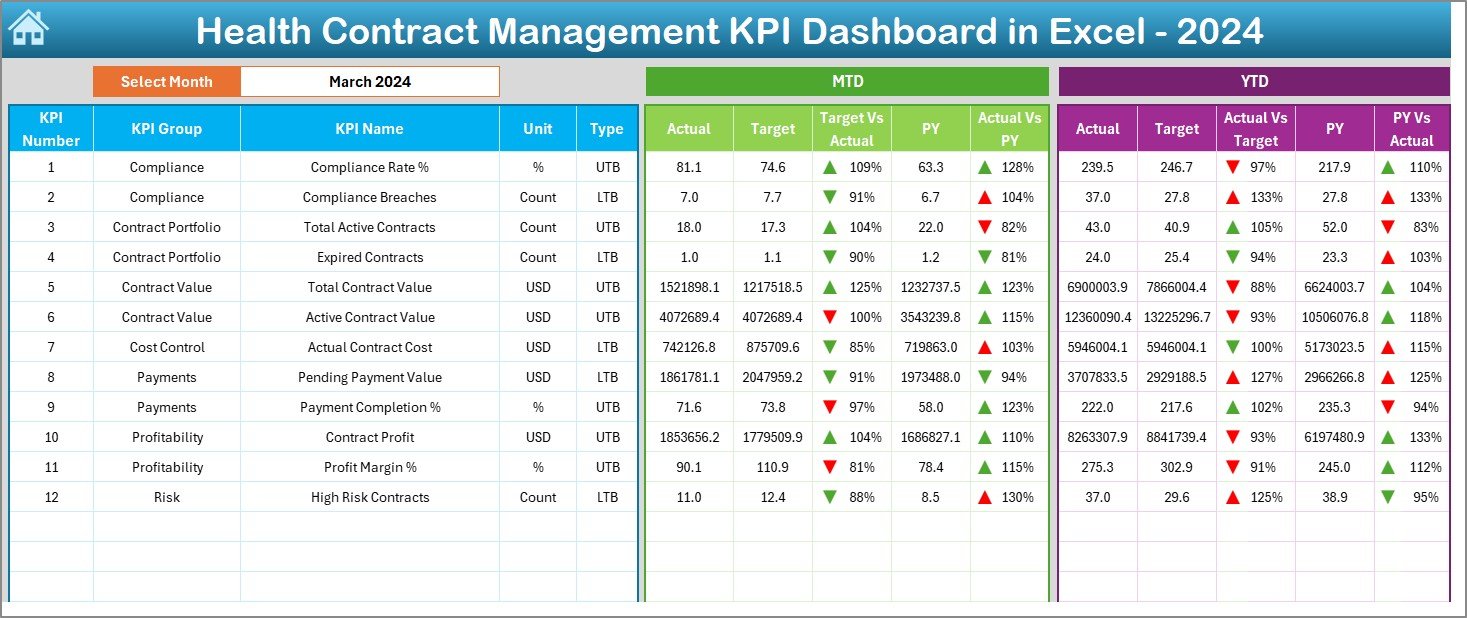
📌 Dashboard Sheet
The core dashboard showing:
-
MTD & YTD performance
-
Target vs Actual comparison
-
Previous year analysis
-
Visual KPI indicators with arrows
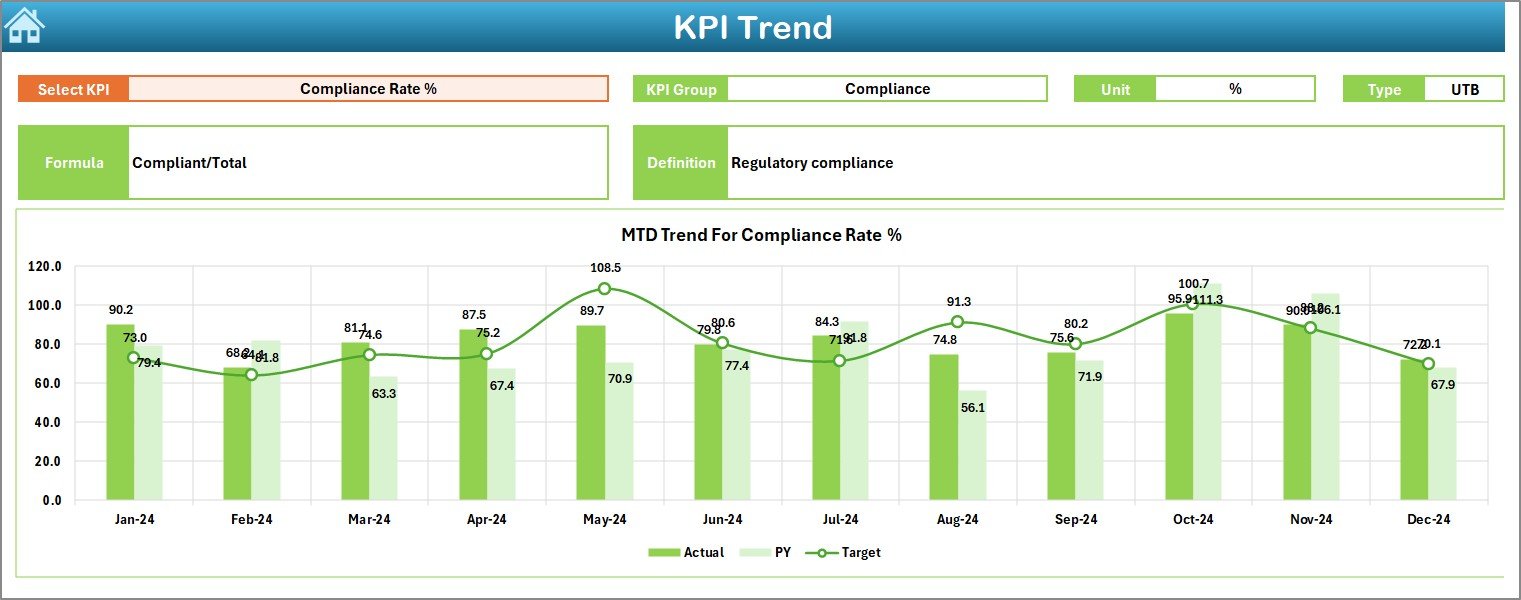
📌 Trend Sheet
Helps analyze KPI performance over time with:
-
KPI selection dropdown
-
KPI group, unit, and type
-
MTD & YTD trend charts
-
Actual vs Target vs Previous Year analysis
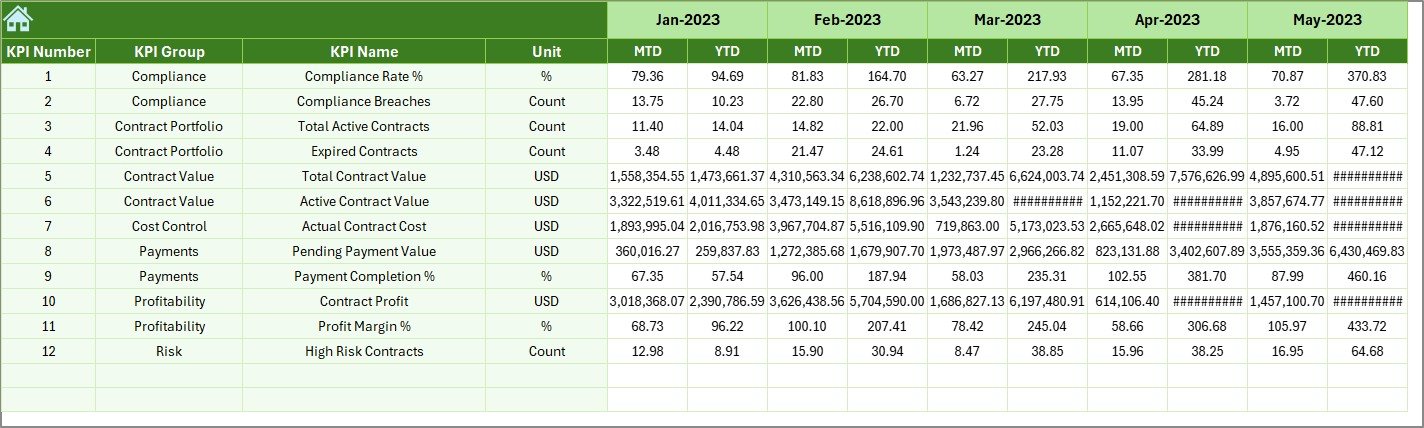
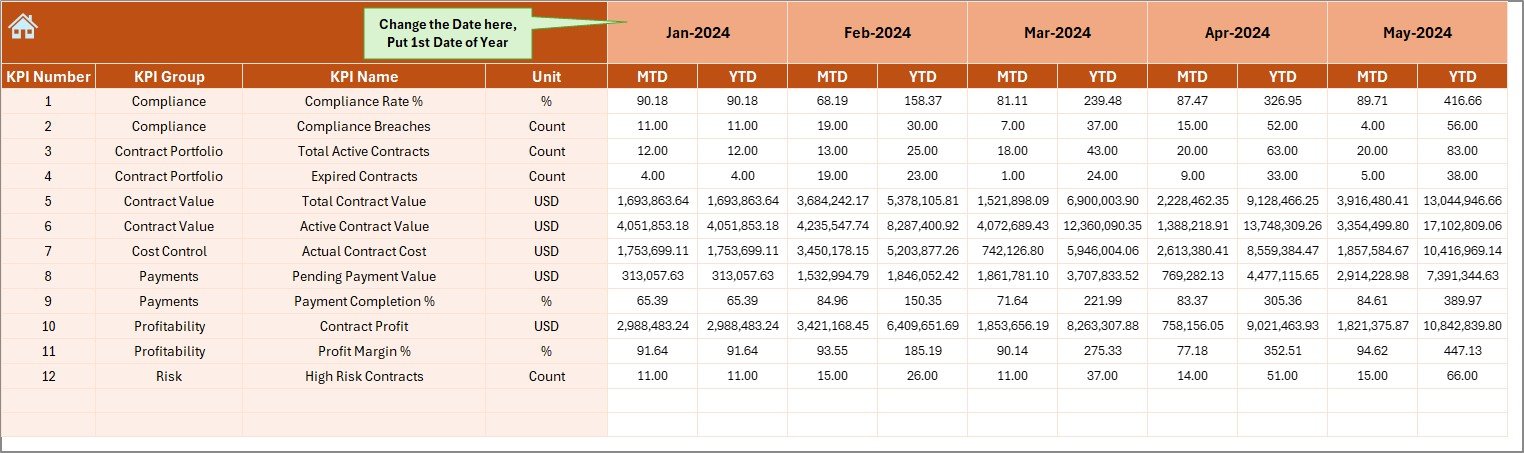
📌 Actual Data Sheet
Enter real performance values here.
Once updated, the dashboard automatically refreshes all KPIs.
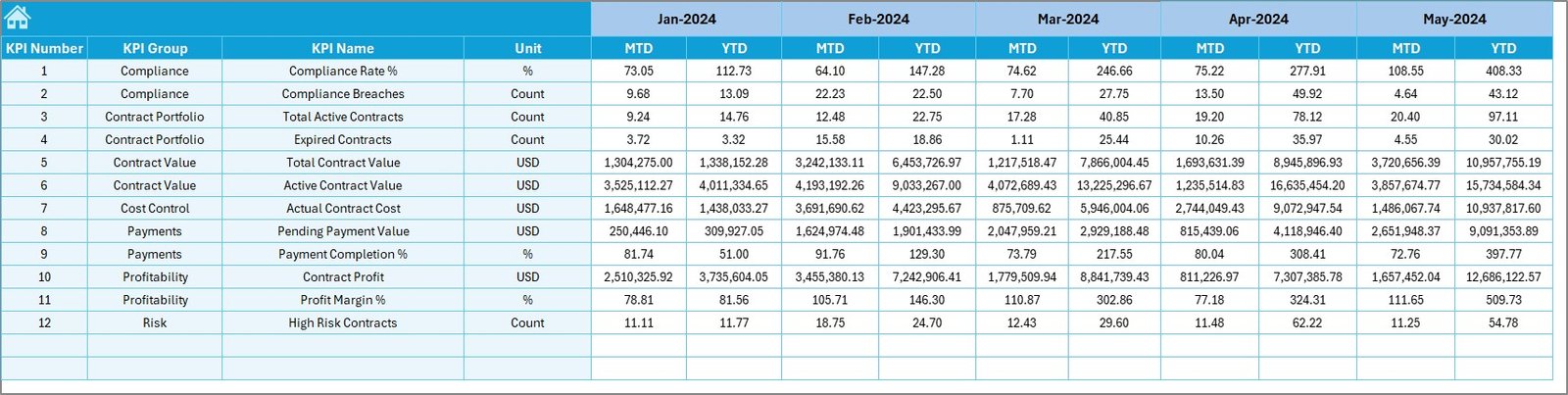
📌 Target Sheet
Define monthly and yearly targets to track performance efficiency and accountability.
📌 Previous Year Sheet
Store historical data to compare performance year-over-year and identify improvement areas.
📌 KPI Definition Sheet
Contains KPI name, group, unit, formula, and definition for complete clarity and standardization.
🔹 How to Use the Health Contract Management KPI Dashboard
Using this dashboard is simple and intuitive:
1️⃣ Enter actual KPI values in the Actual Data Sheet
2️⃣ Update targets in the Target Sheet
3️⃣ Select the month from the dropdown
4️⃣ View automatic updates in the dashboard
5️⃣ Analyze trends and performance gaps
6️⃣ Use insights for reporting, audits, and decision-making
No technical skills required — everything works seamlessly in Excel.
🔹 Who Can Benefit from This Dashboard?
This dashboard is ideal for:
🏥 Hospitals & Healthcare Organizations
📊 Contract & Procurement Managers
💼 Finance & Compliance Teams
📑 Healthcare Administrators
🏛️ Government Health Departments
📈 Healthcare Consultants & Analysts
Anyone responsible for managing healthcare contracts, costs, or compliance will find this tool extremely valuable.
🔹 Why Choose This Dashboard?
✔ Improves contract visibility
✔ Reduces manual reporting effort
✔ Enhances compliance monitoring
✔ Supports audit readiness
✔ Improves financial control
✔ Enables data-driven decisions
✔ Saves time and operational cost
This dashboard turns complex contract data into clear, actionable insights.
Click here to read the Detailed Blog Post
Watch the step-by-step video tutorial:






























Reviews
There are no reviews yet.