

🔑 Key Features of Freelancer Business Dashboard in Google Sheets
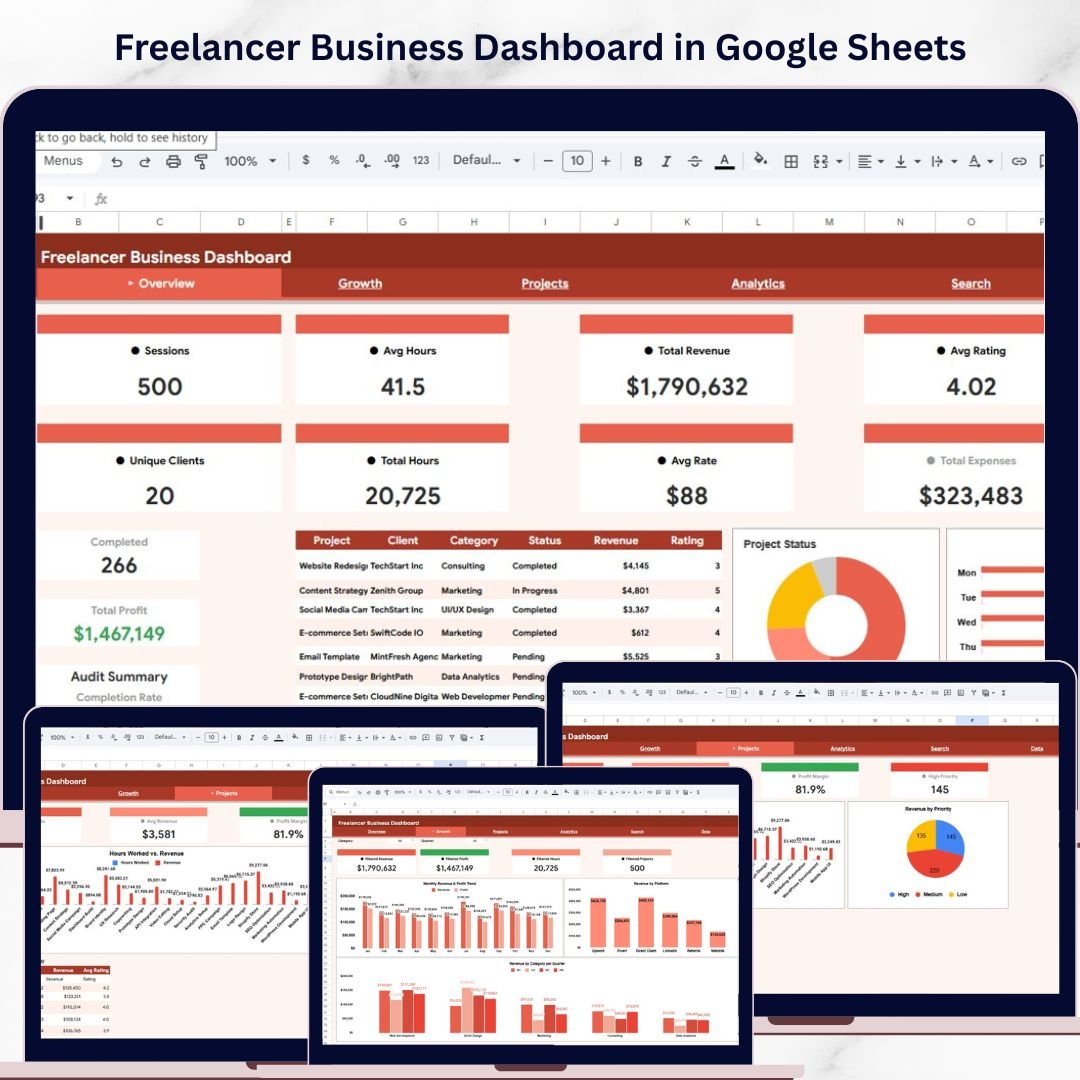
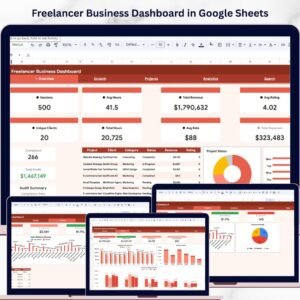
Freelancer Business Dashboard in Google Sheets is a powerful, ready-to-use analytics tool designed to help freelancers track every aspect of their business — from revenue and expenses to project status and client satisfaction. This dashboard includes 5 interactive pages with 13 KPI cards, 9 dynamic charts, interactive slicers for instant filtering, a dedicated search sheet, and a structured data sheet. Whether you are a solo consultant, creative professional, or independent contractor, this Google Sheets dashboard template gives you a complete 360-degree view of your freelancing business in minutes.Freelancer Business Dashboard in Google Sheets
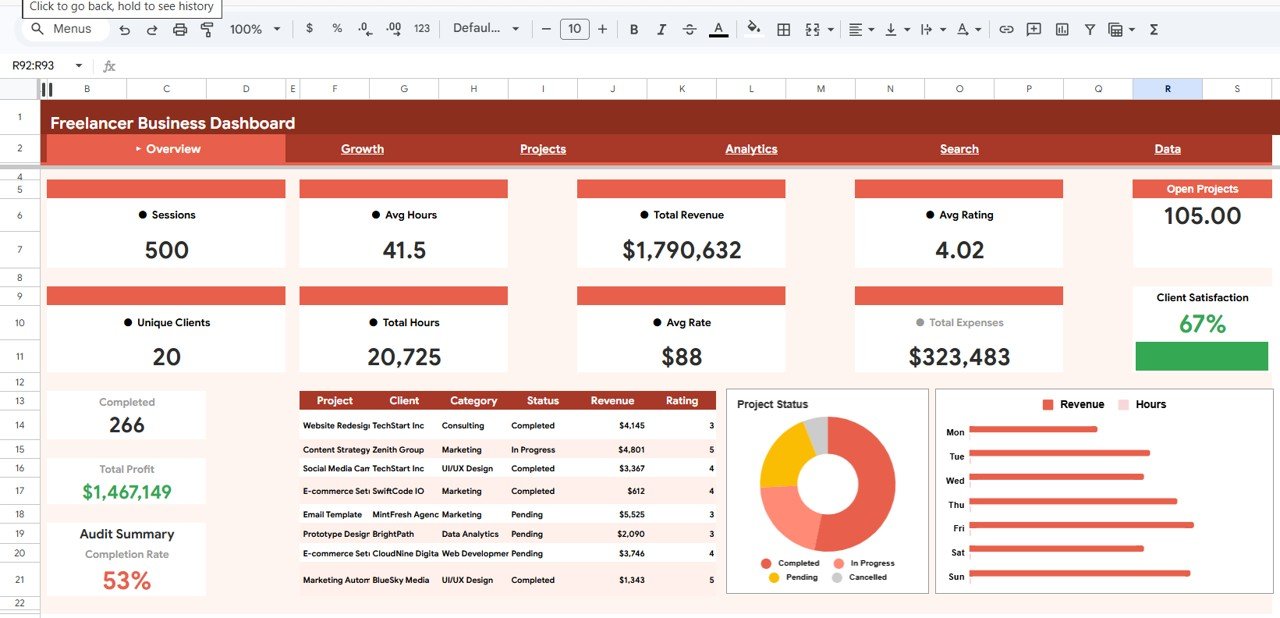
📊 13 KPI Cards on Overview Page — Track Sessions, Avg Hours, Total Revenue, Avg Rating, Open Projects, Unique Clients, Total Hours, Avg Rate, Total Expenses, Client Satisfaction, Completed Projects, Total Profit, and Audit Summary Completion Rate all in one glance.
📈 9 Dynamic Charts Across 4 Pages — Visualize Project Status by Category, Revenue by Category, Hours by Category, Monthly Revenue and Profit Trend, Revenue by Platform, Revenue by Category per Quarter, Hours Worked vs Revenue by Project, Revenue by Priority, Top Clients by Revenue, Projects by Category and Status, Category Performance Summary, and Monthly Hours and Projects.
🔍 Interactive Slicers — Apply filters instantly on the Overview page to drill down into specific categories, time periods, platforms, or project statuses without modifying the underlying data.
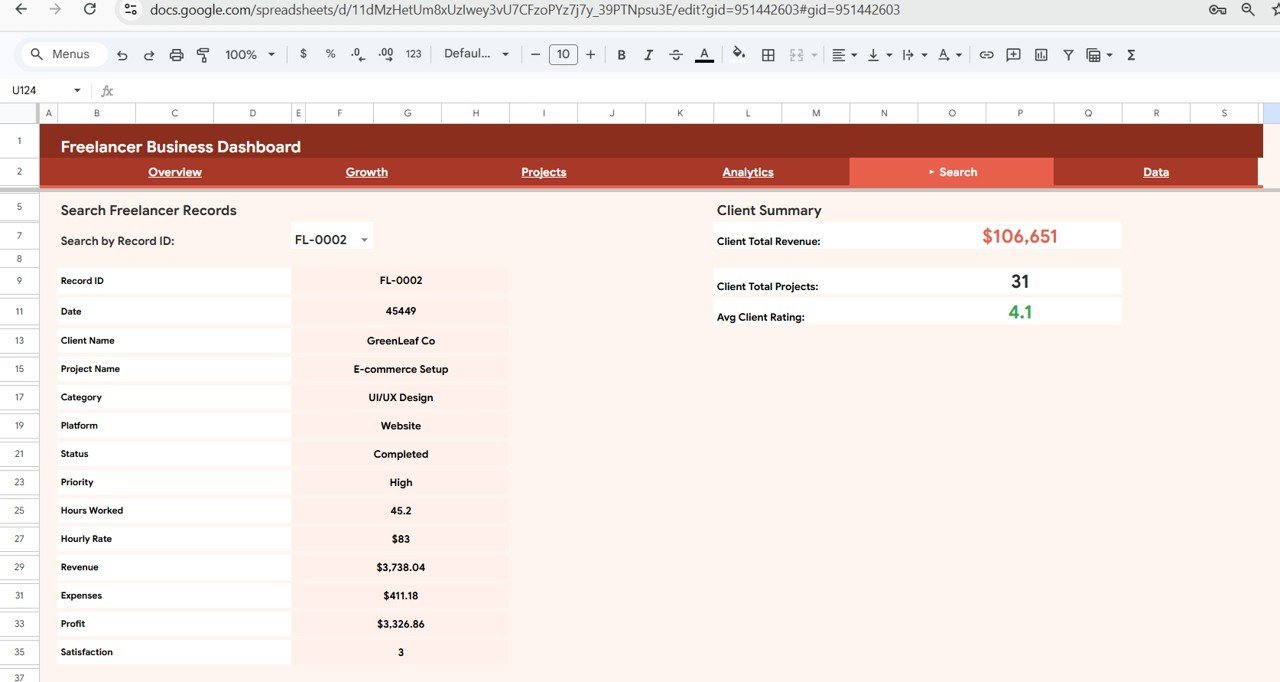
🔎 Dedicated Search Sheet — Quickly look up any freelancer record by Record ID and instantly view complete details including Client Name, Project Name, Category, Platform, Status, Priority, Hours Worked, Revenue, Expenses, Profit, and Satisfaction along with a Client Summary panel.
💡 Zero Coding Required — Simply replace the sample data with your own records in the Data sheet and every chart, KPI card, and analysis page updates automatically.
🌐 Works Anywhere — Built entirely in Google Sheets so you can access your dashboard from any device with an internet connection. Perfect for freelancers who work on the go.
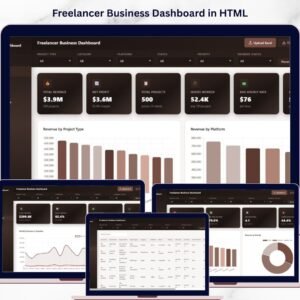
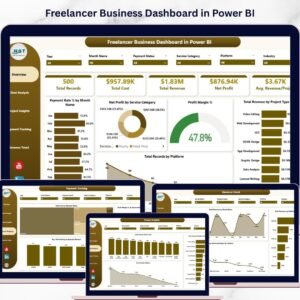
🔗 This template is also available as a Freelancer Business Dashboard in Excel, Freelancer Business Dashboard in Power BI, and Freelancer Business Dashboard in HTML.
📦 What’s Inside the Freelancer Business Dashboard in Google Sheets
This comprehensive freelancer dashboard template contains 6 professionally designed sheets that cover every angle of your freelancing operations:
📋 Overview Page — The main command center featuring 13 KPI cards at the top for high-level business metrics. Below the cards, you will find 3 powerful charts: Project Status by Category shows the distribution of active, completed, and pending projects across different freelancing categories. Revenue by Category breaks down your total earnings by each service type so you can identify your most profitable niches. Hours by Category reveals where you are investing the most time, helping you optimize your hourly rate and workload. Multiple slicers let you filter the entire dashboard instantly.
Overview Page
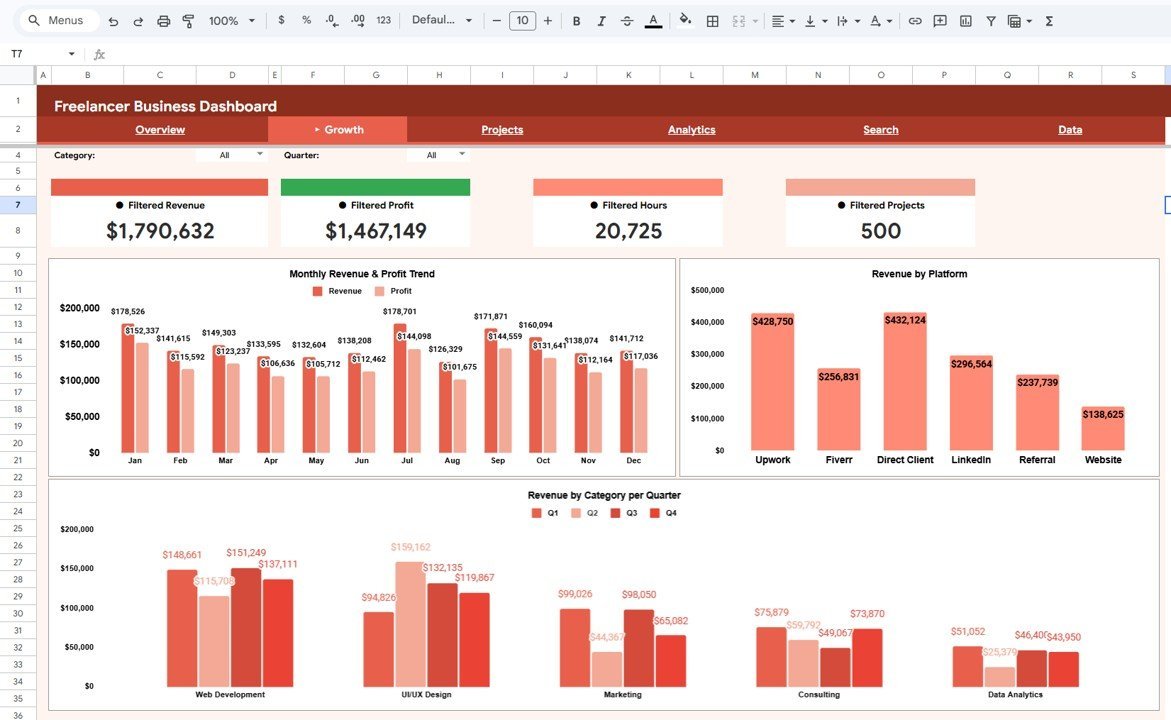
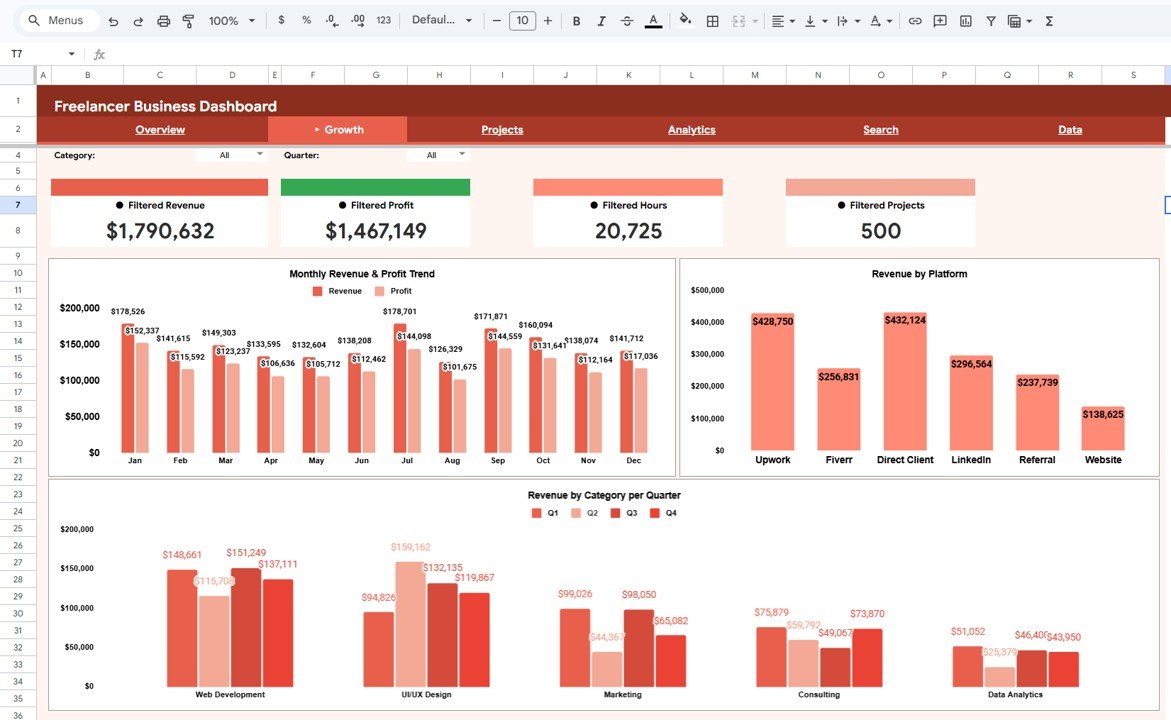
📈 Growth Page — Dedicated to trend analysis and platform performance. Monthly Revenue and Profit Trend by Month displays a line chart tracking your income and profit trajectory over time so you can spot seasonal patterns and growth opportunities. Revenue by Platform highlights which freelancing platforms or channels generate the most income. Revenue by Category per Quarter provides a quarterly breakdown to help you plan resource allocation and marketing efforts strategically.
Growth Page
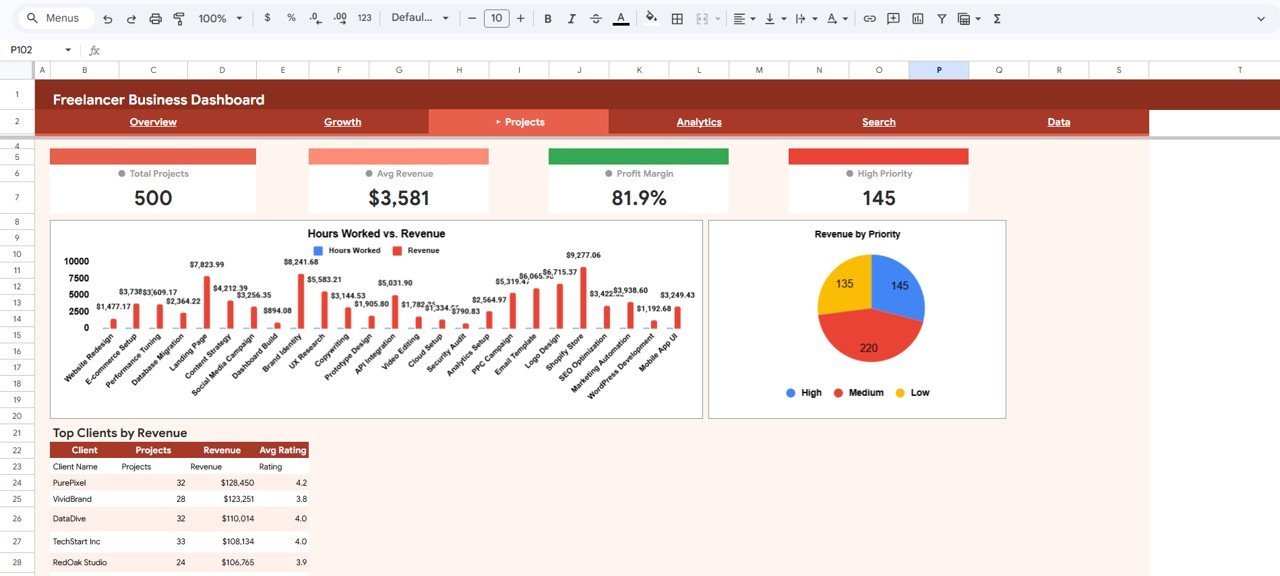
📊 Projects Page — A deep dive into individual project performance. Hours Worked vs Revenue by Project compares the effort invested against the income earned for each project, helping you identify high-value and low-value engagements. Revenue by Priority shows how your earnings distribute across high, medium, and low priority projects. Top Clients by Revenue ranks your clients by total spending so you can nurture your best relationships.
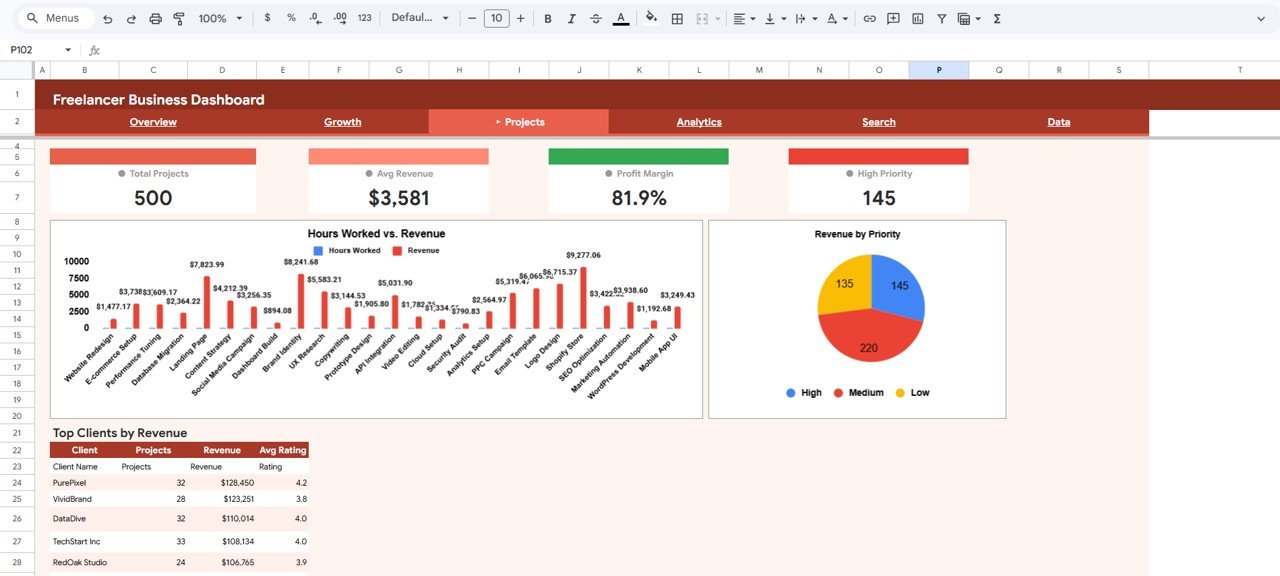
Projects Page
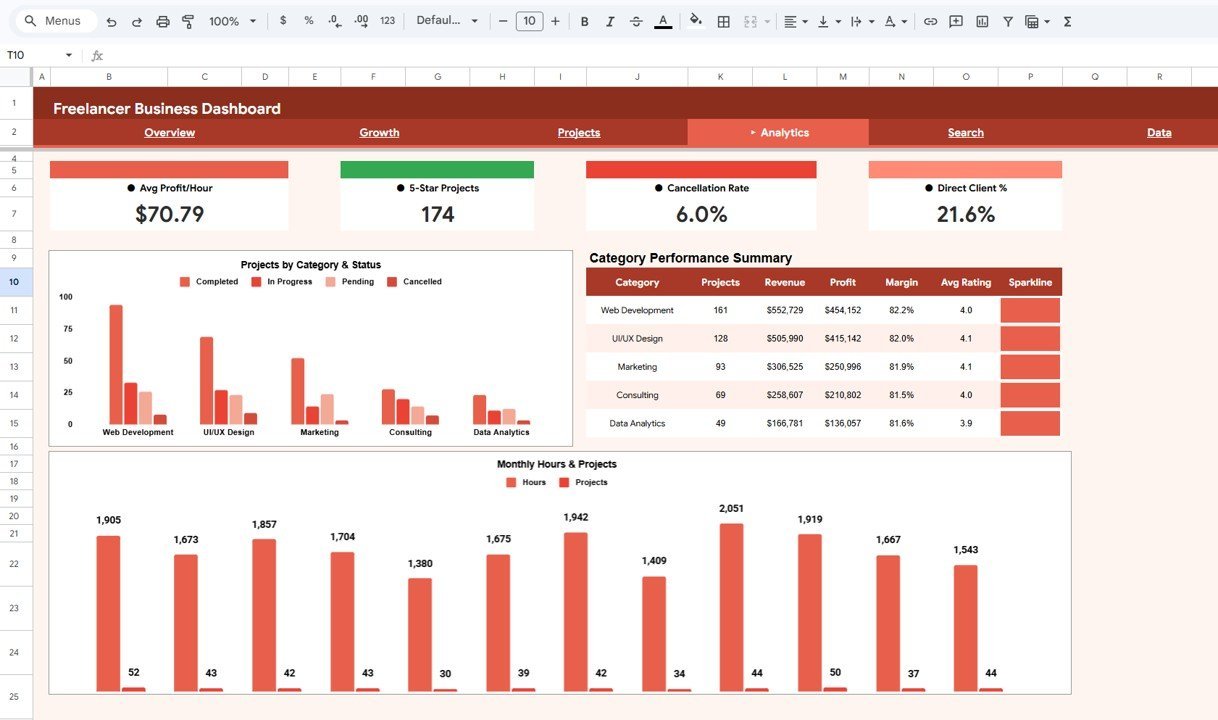
🔬 Analytics Page — Advanced category and time-based analysis. Projects by Category and Status visualizes how many projects in each category are active, completed, or on hold. Category Performance Summary by Category aggregates key metrics per category for a comprehensive comparison. Monthly Hours and Projects by Month tracks your workload over time to help manage capacity and prevent burnout.
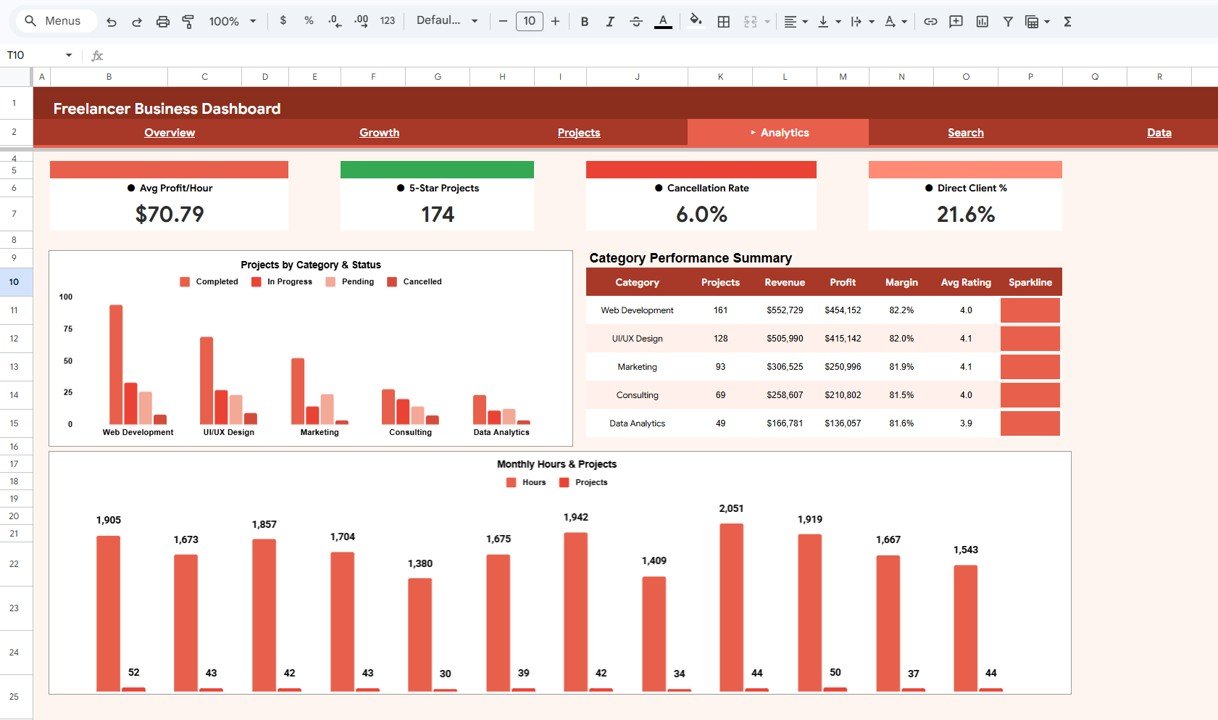
Analytics Page
🔍 Search Sheet — A lookup tool where you can search any freelancer record by Record ID using a dropdown. Once selected, it displays the full record details including Record ID, Date, Client Name, Project Name, Category, Platform, Status, Priority, Hours Worked, Hourly Rate, Revenue, Expenses, Profit, and Satisfaction. On the right side, a Client Summary panel shows Client Total Revenue, Client Total Projects, and Avg Client Rating for quick reference.
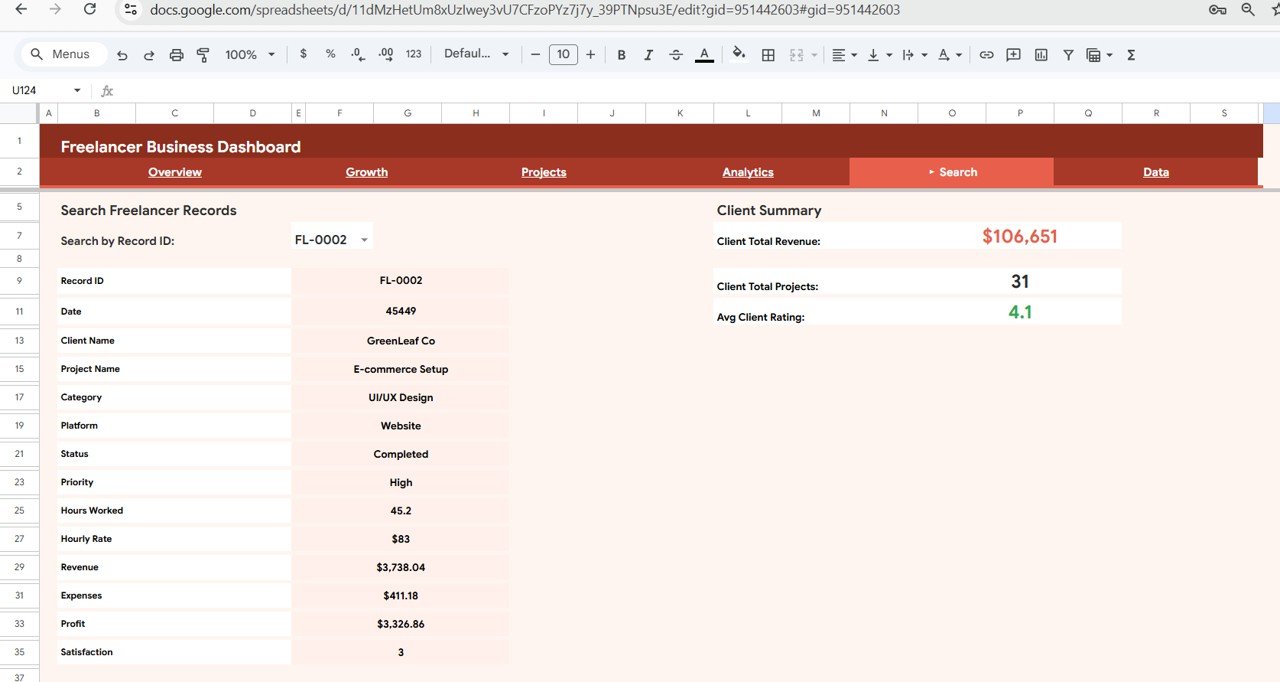
Search Sheet
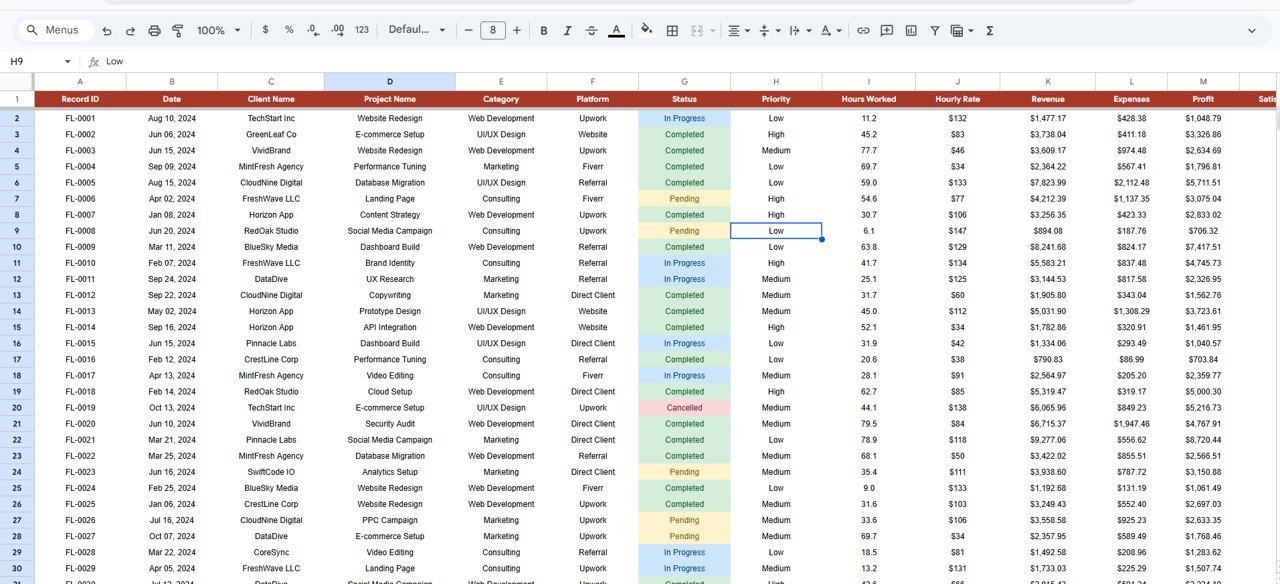
📝 Data Sheet — The structured input sheet where all your freelancing records live. Simply add your data in the same format — each row represents one project session with fields for Date, Client Name, Project Name, Category, Platform, Status, Priority, Hours Worked, Hourly Rate, Revenue, Expenses, Profit, and Satisfaction. All dashboard pages auto-update as you enter new data.
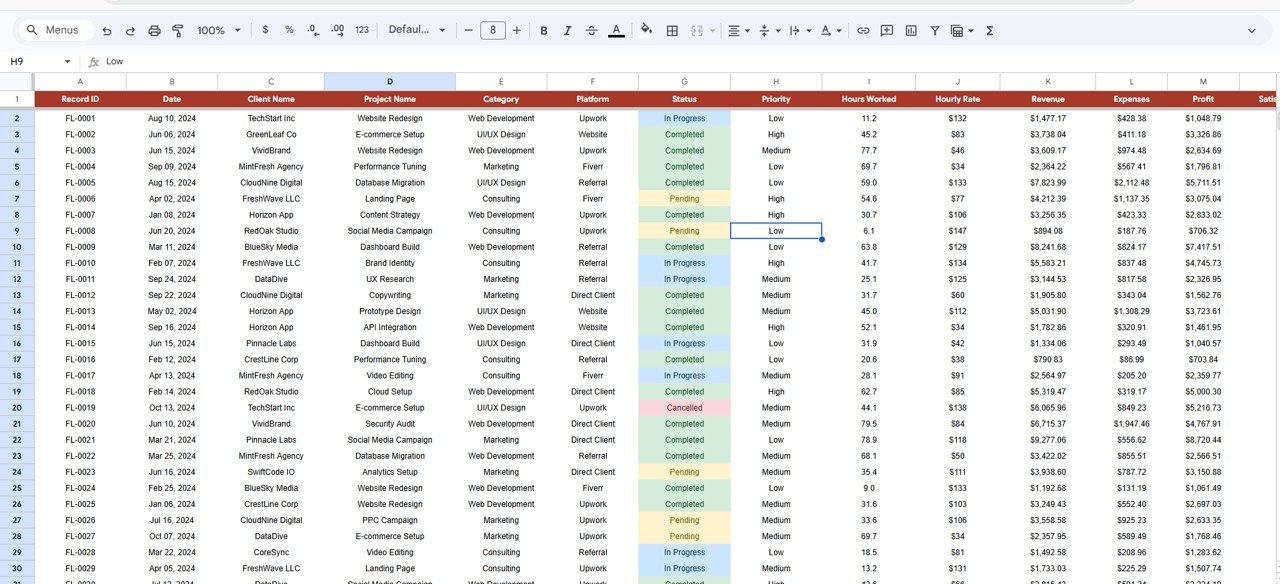
Data Sheet
⚙️ How to Use the Freelancer Business Dashboard in Google Sheets
1️⃣ Open the PDF guide included in your download — it contains the Google Sheets copy link.
2️⃣ Click the link to create your own editable copy in Google Drive.
3️⃣ Navigate to the Data sheet and replace the sample data with your actual freelancing records.
4️⃣ Go to the Overview page to see your KPI cards and charts update automatically.
5️⃣ Use the slicers to filter data by category, platform, status, or time period.
6️⃣ Explore the Growth, Projects, and Analytics pages for deeper insights.
7️⃣ Use the Search sheet to quickly look up any specific record by ID.
👥 Who Can Benefit from This Freelancer Business Dashboard
🎯 Solo Freelancers — Track income, expenses, and profit across multiple clients and projects in one place.
🎯 Consultants and Coaches — Monitor session hours, client satisfaction, and revenue trends to grow your practice.
🎯 Creative Professionals — Designers, writers, and developers can visualize project performance and identify their most profitable service categories.
🎯 Agency Owners — Get a high-level view of team project status, client revenue, and platform performance.
🎯 Side Hustlers — Keep your freelance income organized alongside a full-time job with minimal effort.
❓ Frequently Asked Questions
What KPIs does the Freelancer Business Dashboard in Google Sheets track?
The dashboard tracks 13 key performance indicators including Sessions, Avg Hours, Total Revenue, Avg Rating, Open Projects, Unique Clients, Total Hours, Avg Rate, Total Expenses, Client Satisfaction, Completed Projects, Total Profit, and Audit Summary Completion Rate. These KPIs give you a complete view of your freelancing business health.
Do I need advanced Google Sheets skills to use this template?
No. Simply replace the sample data in the Data sheet with your own records and all 5 dashboard pages, 13 KPI cards, and 9 charts update automatically. No formulas to write and no coding required.
Can I customize this freelancer dashboard to add my own categories?
Yes. You can modify the categories, platforms, and statuses in the Data sheet to match your specific freelancing services. The charts and slicers will reflect your custom data automatically.Freelancer Business Dashboard in Google Sheets
How is this different from the Freelancer Business Dashboard in Excel?
The Google Sheets version works entirely in the cloud so you can access it from any device with a browser. The Excel version offers offline access and advanced features like VBA macros. Both contain the same 5 dashboard pages and 13 KPI cards.Freelancer Business Dashboard in Google Sheets
Can I track multiple freelancing platforms in this dashboard?
Absolutely. The Growth page includes a Revenue by Platform chart that breaks down your earnings by each platform — whether you use Upwork, Fiverr, Toptal, direct clients, or any other source. Just enter the platform name in the Data sheet.
Is this template compatible with Google Sheets on mobile?
Yes. Since it runs on Google Sheets, you can view your dashboard on any mobile device through the Google Sheets app. For the best editing experience, we recommend using a desktop or tablet.Freelancer Business Dashboard in Google Sheets
🔗 Explore Related Templates
📌 Freelance Business KPI Scorecard in Google Sheets — A focused KPI scorecard for tracking freelancer performance metrics with monthly targets and actuals.
📌 Personal Finance Dashboard in Google Sheets — Track your personal income, expenses, savings, and investments alongside your freelancing earnings.
📌 Freelancer Business Dashboard in Power BI — Need more advanced analytics? Try the Power BI version with interactive drill-throughs and DAX calculations.
📖 Click here to read the Detailed Blog Post
Watch the step-by-step video tutorial:































Reviews
There are no reviews yet.