
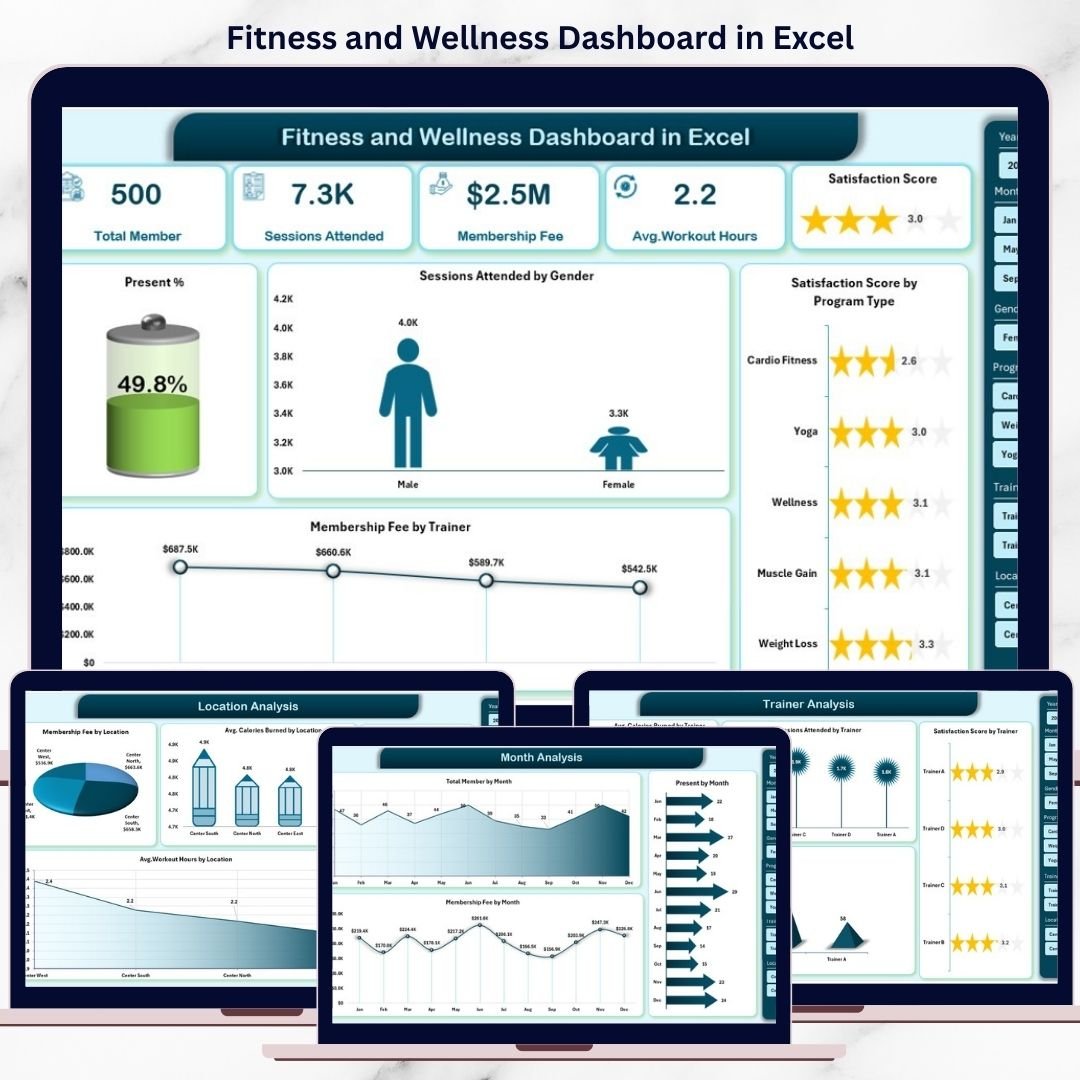
Managing fitness and wellness data becomes difficult when attendance records, program details, trainer performance, and revenue numbers stay scattered across multiple Excel sheets. As a result, gym owners, fitness managers, and wellness coordinators often struggle to understand what is really working and where improvement is needed.
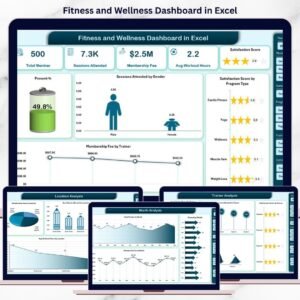
The Fitness and Wellness Dashboard in Excel is a ready-to-use, interactive performance tracking solution that brings all your fitness and wellness data into one powerful, visual Excel dashboard. Instead of working with raw rows of data, you instantly see attendance trends, satisfaction levels, program effectiveness, trainer impact, location performance, and revenue movement in a clear and structured way.
This dashboard helps you replace guesswork with data-driven decisions—without investing in expensive software or complex tools.
🚀 Key Features of Fitness and Wellness Dashboard in Excel
📊 All-in-One Fitness Reporting – Track fitness, wellness, and membership data in one dashboard
🧭 Easy Page Navigation – Left-side navigator for quick movement between pages
🎯 Interactive Slicers – Filter by month, program, trainer, location, or gender
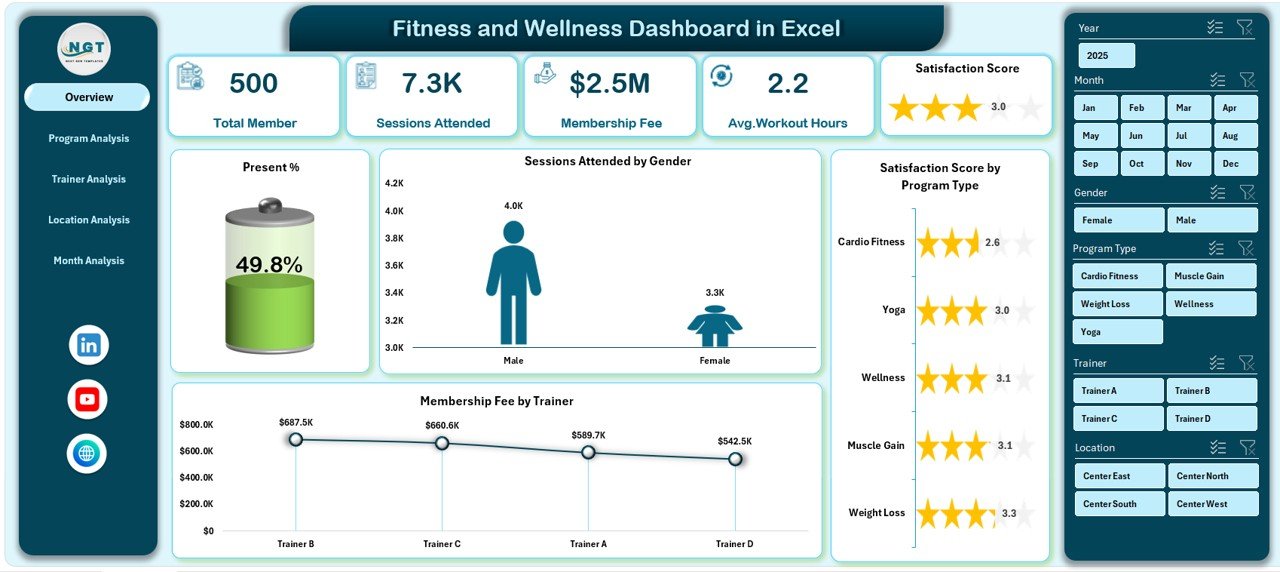
📈 KPI Cards for Instant Insights – Understand performance at a glance
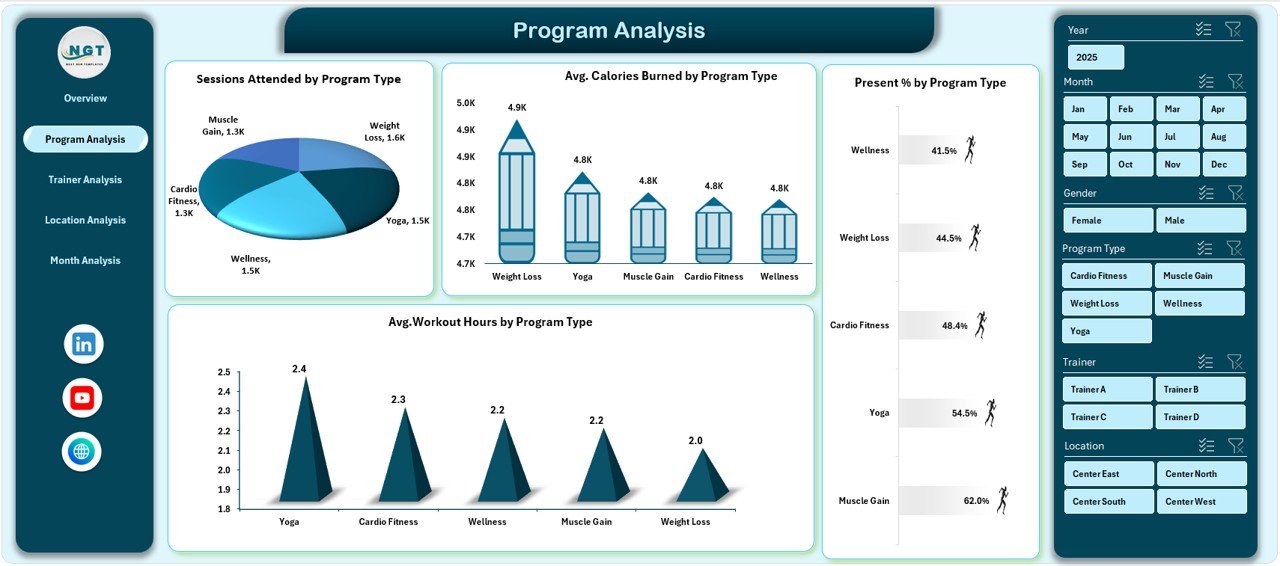
🏋️ Program Performance Analysis – Identify high-impact fitness programs
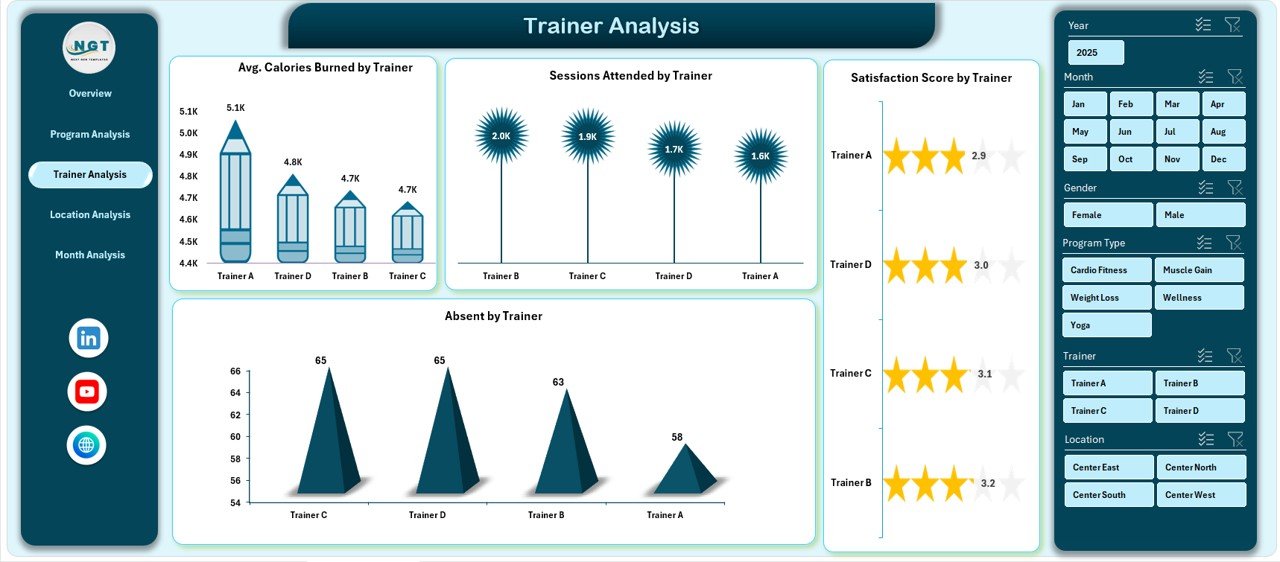
👥 Trainer Performance Tracking – Measure attendance, satisfaction, and outcomes
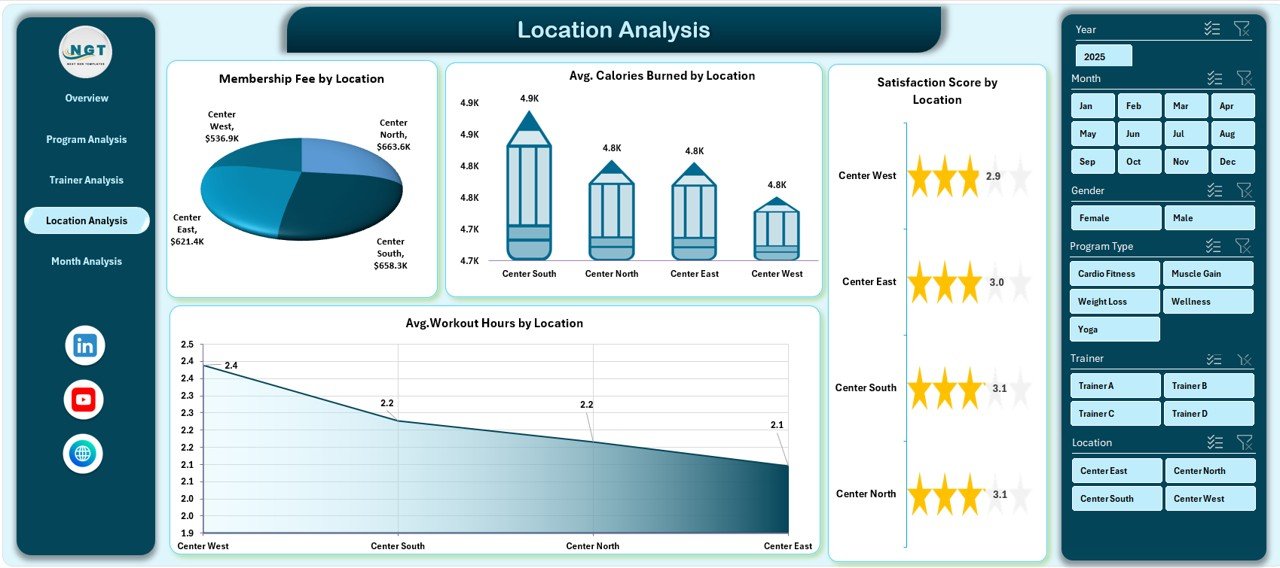
📍 Location-Wise Insights – Compare results across gyms or wellness centers
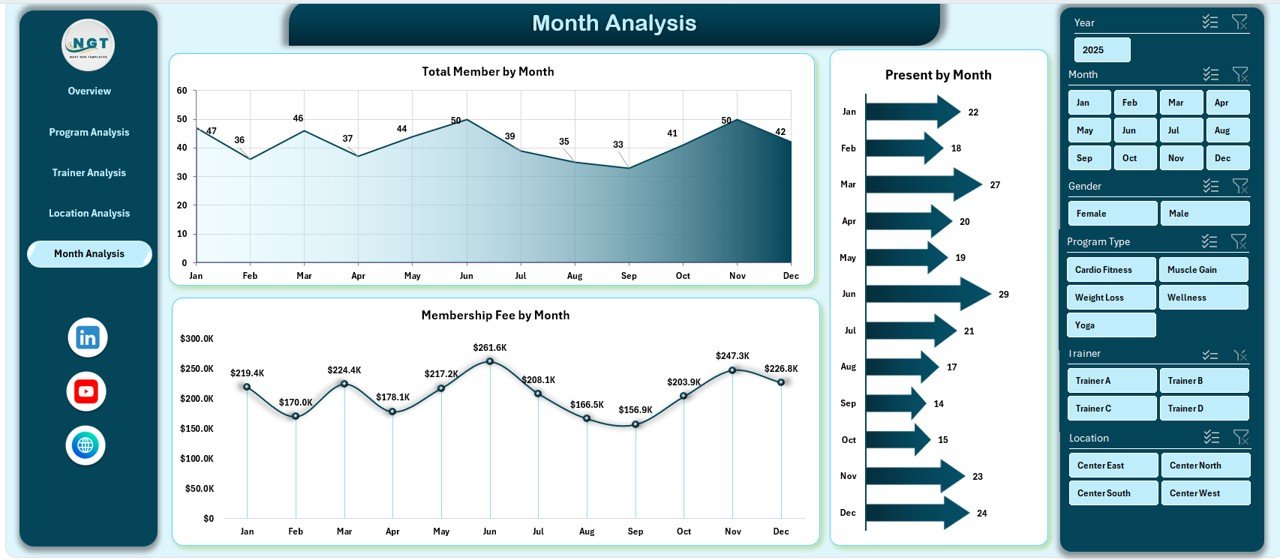
📅 Monthly Trend Analysis – Monitor growth, seasonality, and revenue trends
💰 Membership Revenue Tracking – Understand income contribution clearly
🧠 100% Excel-Based Solution – No VBA, no external tools required
📦 What’s Inside the Fitness and Wellness Dashboard in Excel
📁 Professional Excel Dashboard File with clean and modern design
🏠 Overview Page – High-level snapshot of fitness and wellness performance
🏋️ Program Analysis Page – Program-wise attendance, calories, and workout hours
👨🏫 Trainer Analysis Page – Trainer performance and member engagement insights
📍 Location Analysis Page – Location-wise comparison of results and revenue
📆 Month Analysis Page – Monthly trends for members, attendance, and fees
📄 Data Sheet – Centralized raw data storage
🧮 Support Sheet – Helper calculations and mappings
Everything is structured to ensure clarity, flexibility, and scalability.
🧠 How to Use the Fitness and Wellness Dashboard in Excel
1️⃣ Enter or update fitness and wellness data in the Data Sheet
2️⃣ Refresh pivot tables (if required)
3️⃣ Navigate using the left-side Page Navigator
4️⃣ Apply right-side slicers to filter data dynamically
5️⃣ Review KPIs and charts on each analysis page
6️⃣ Use insights to improve programs, trainers, locations, and revenue
No advanced Excel knowledge is required. If you can use Excel, you can use this dashboard confidently.
👥 Who Can Benefit from This Fitness and Wellness Dashboard in Excel
🏋️ Gym Owners & Fitness Center Managers – Monitor performance easily
🧘 Wellness Program Coordinators – Track participation and satisfaction
👨🏫 Fitness Trainers & Team Leads – Understand trainer impact
📊 Operations & Admin Teams – Reduce reporting effort
💼 Business Owners & Decision-Makers – Get a clear performance overview
This dashboard works perfectly for small gyms, fitness studios, wellness centers, and multi-location organizations.
🔗 Click here to read the Detailed Blog Post
🎥 Visit our YouTube channel to learn step-by-step video tutorials
https://www.youtube.com/@PKAnExcelExpert



























Reviews
There are no reviews yet.