
Managing employee performance while controlling attrition is one of the toughest challenges for growing organizations. When HR data is scattered across multiple spreadsheets or systems, identifying early warning signs becomes nearly impossible. Attrition rises, engagement drops, and decisions turn reactive.
The Employee Performance and Attrition Dashboard in Google Sheets is a ready-to-use, cloud-based HR analytics solution designed to help organizations track workforce health, performance, engagement, and attrition trends in one centralized dashboard. Instead of manually reviewing raw HR data, leaders gain instant, visual insights that support smarter workforce decisions.
Built entirely in Google Sheets, this dashboard combines simplicity, collaboration, and powerful analytics, making it ideal for modern HR teams and business leaders.
🚀 Key Features of Employee Performance and Attrition Dashboard in Google Sheets
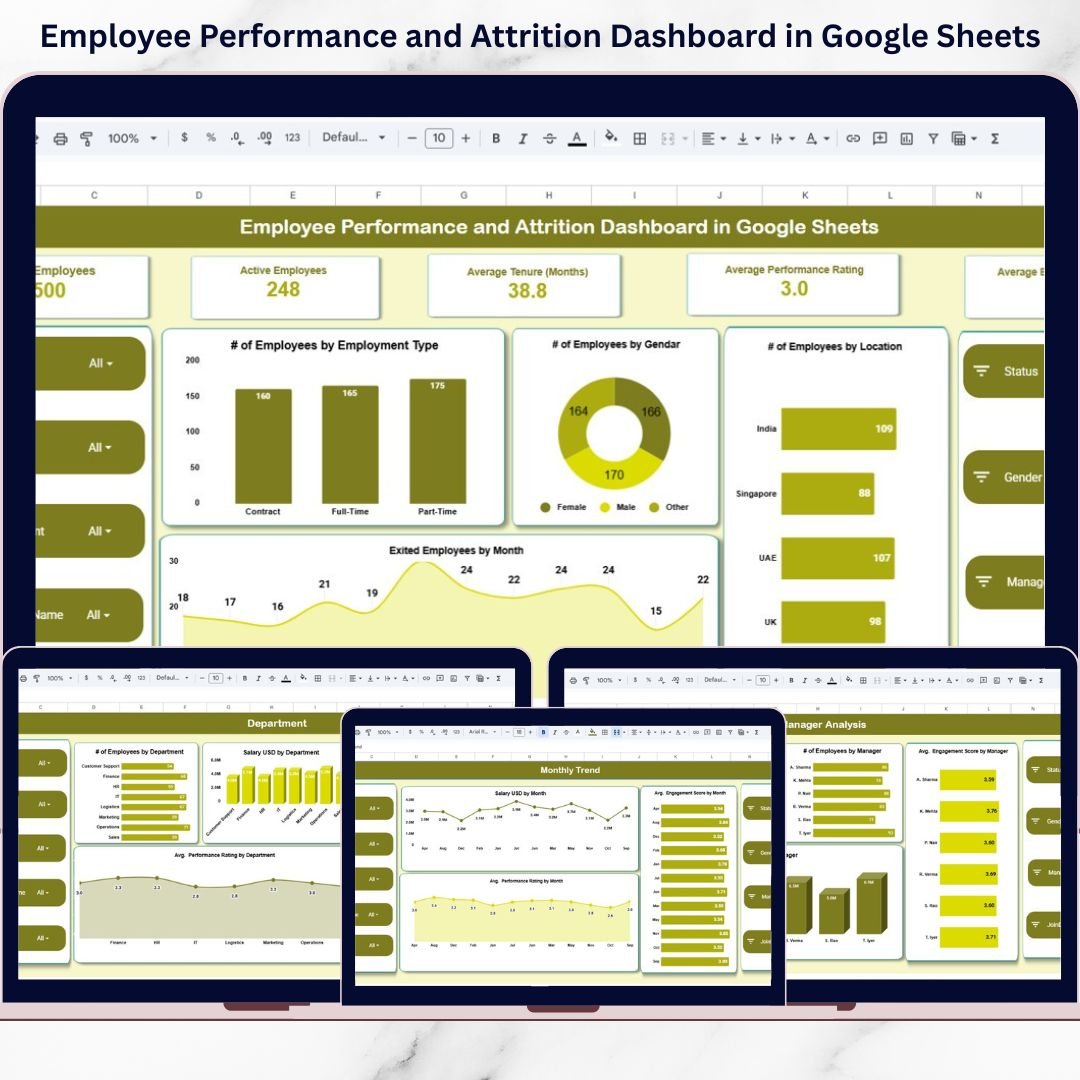
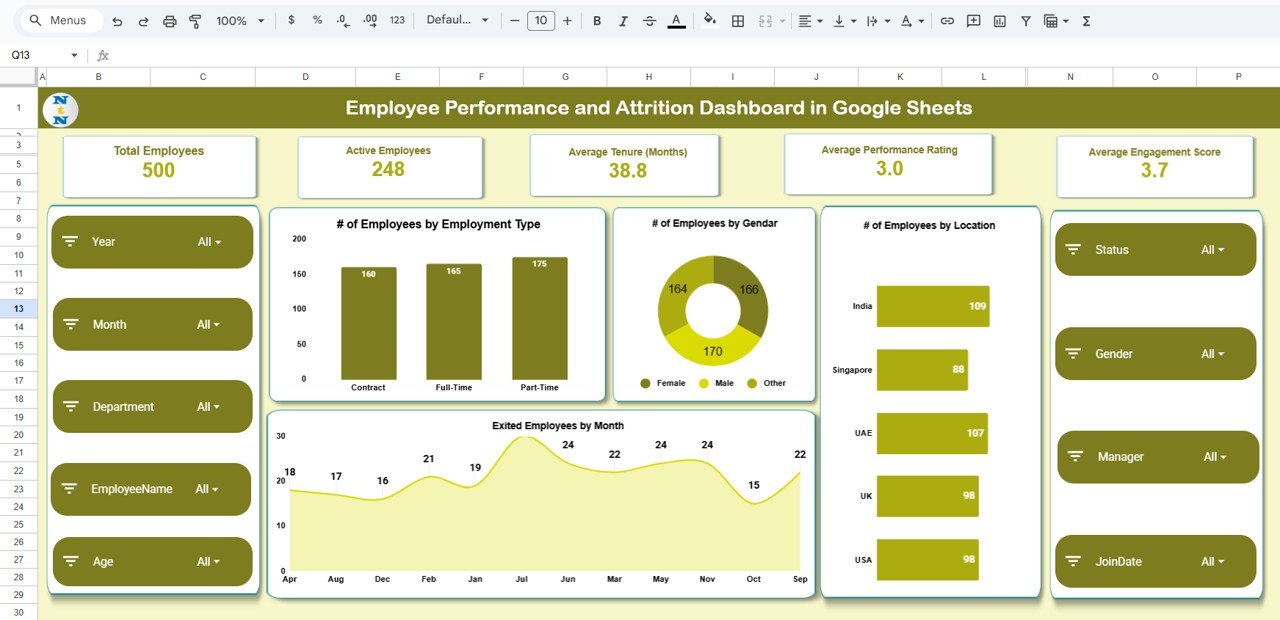
✅ Interactive KPI Cards to monitor total employees, active employees, tenure, performance, and engagement
✅ Attrition Trend Analysis to track employee exits by month
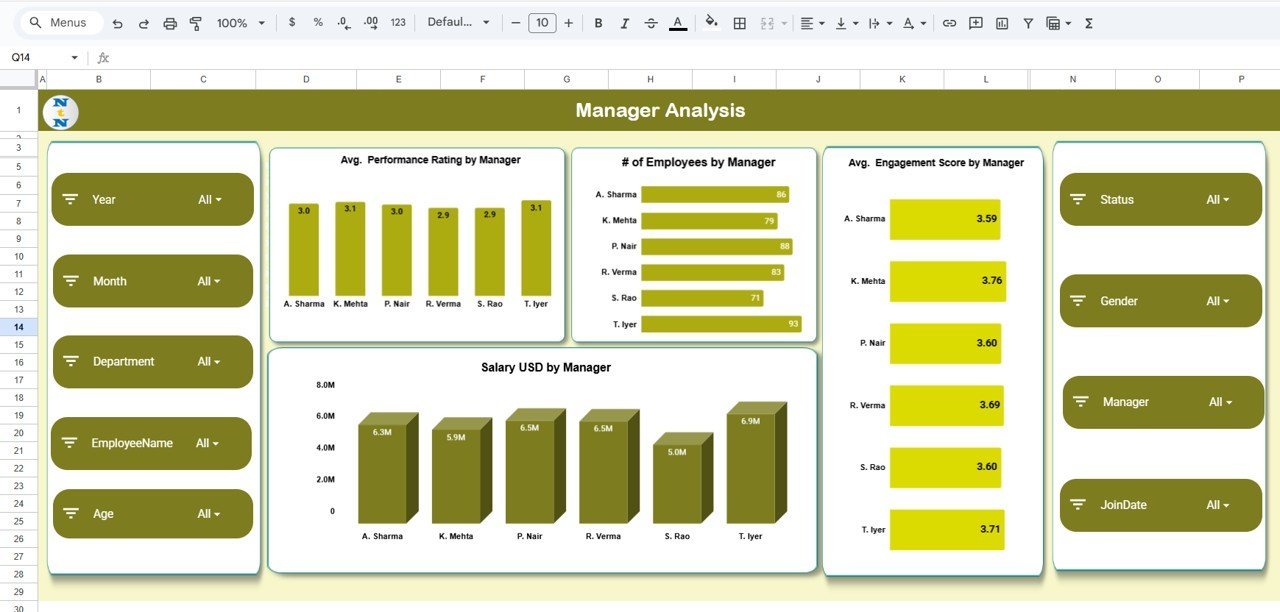
✅ Manager-Wise Performance Insights to evaluate leadership impact
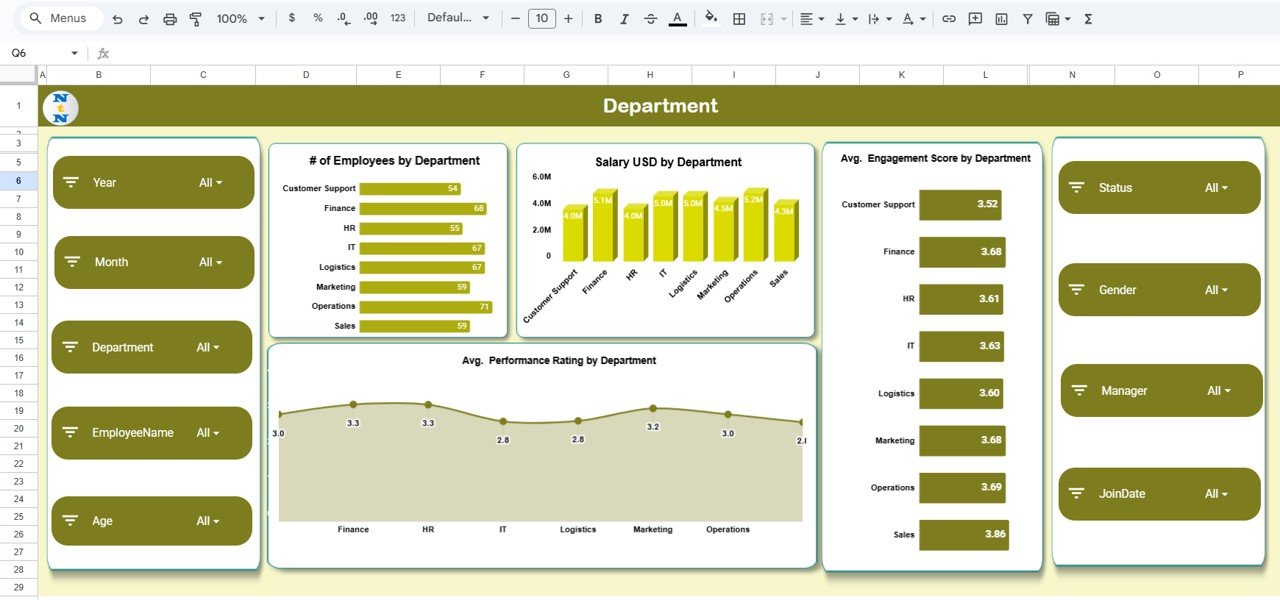
✅ Department-Level Comparison for performance, engagement, and salary cost
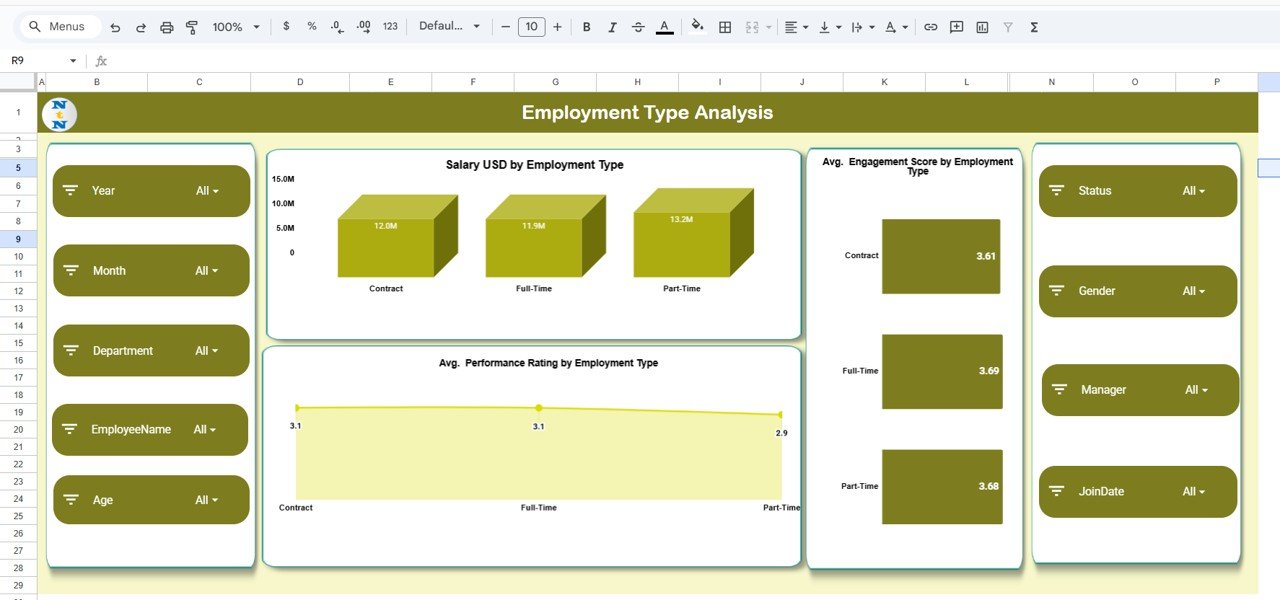
✅ Employment Type Analysis to compare full-time, part-time, and contract staff
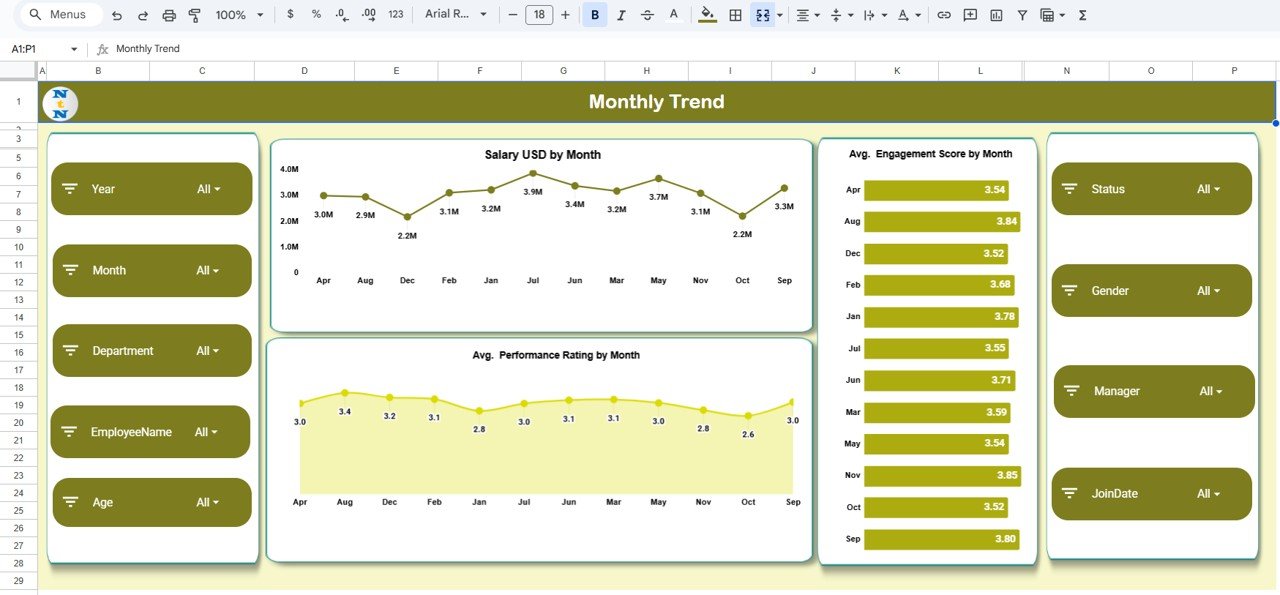
✅ Monthly Trend Tracking for salary spend, performance, and engagement
✅ Dynamic Slicers & Filters for deep workforce analysis
✅ Cloud-Based Collaboration with real-time updates in Google Sheets
📂 What’s Inside the Employee Performance and Attrition Dashboard
📌 Overview Dashboard
A high-level snapshot showing workforce stability with KPIs such as total employees, active employees, average tenure, performance rating, and engagement score.
📌 Employee Distribution Analysis
Visual breakdown of employees by employment type, gender, location, and monthly exit trends.
📌 Manager Analysis Page
Analyze average performance rating, engagement score, employee count, and salary cost by manager.
📌 Department Analysis Page
Compare departments based on headcount, salary spend, performance rating, and engagement levels.
📌 Employment Type Analysis Page
Understand how different employment types perform and engage across the organization.
📌 Monthly Trends Page
Track changes in salary spend, performance ratings, and engagement scores over time.
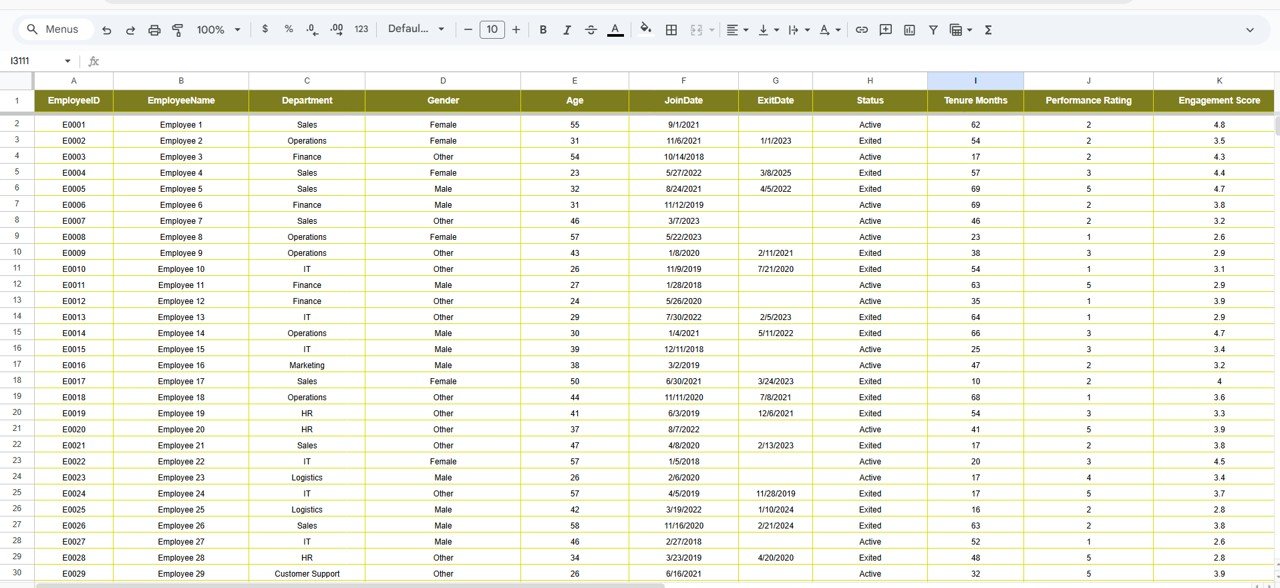
📌 Employee Master Data Table (Backend)
A structured data table capturing employee demographics, tenure, performance, engagement, and status.
Each section is built to answer real HR and leadership questions, not just display numbers.
🛠️ How to Use the Employee Performance and Attrition Dashboard
1️⃣ Enter or update employee data in the master data table
2️⃣ Dashboard visuals update automatically
3️⃣ Apply slicers for department, manager, month, or status
4️⃣ Monitor attrition risks and performance gaps instantly
5️⃣ Identify engagement issues early
6️⃣ Take proactive HR and workforce actions
No complex formulas. No BI tools. Just instant insights.
🎯 Who Can Benefit from This Employee Performance and Attrition Dashboard
👩💼 HR Managers – Reduce attrition and improve engagement
📊 HR Analysts – Analyze workforce trends efficiently
👔 Business Leaders – Make data-driven people decisions
🏢 Department Heads – Compare team performance and engagement
📈 Workforce Planning Teams – Support long-term staffing strategies
🧠 People Analytics Professionals – Deliver insights without complexity
Whether you manage a small workforce or a large organization, this dashboard adapts easily.
🔗 Click here to read the Detailed blog post
Watch the step-by-step video tutorial:






























