
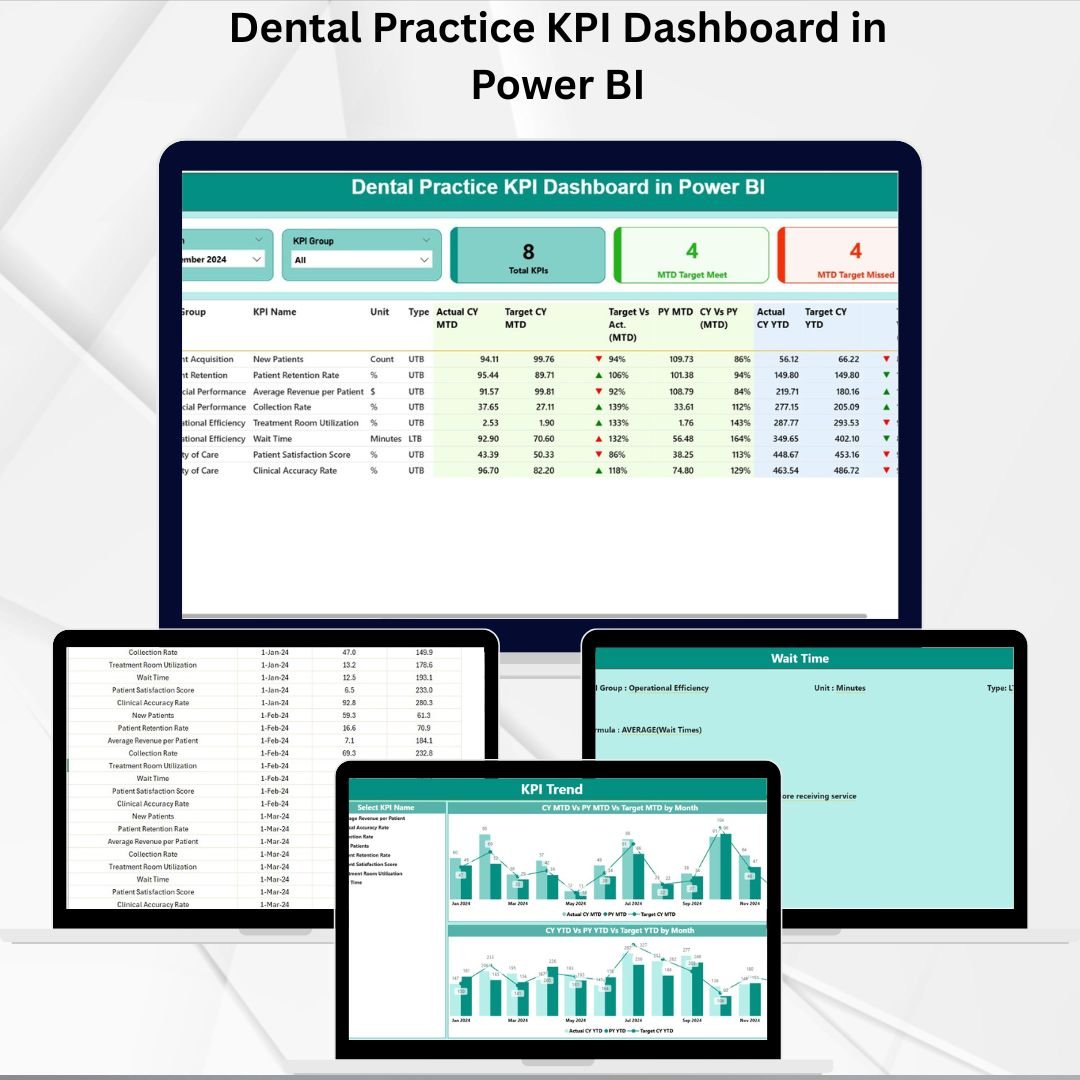

Running a successful dental practice today is about more than providing excellent care—it’s about managing operations, tracking performance, and making data-driven decisions. Rising costs, increasing competition, and regulatory pressures mean clinics need real-time insights to stay ahead. That’s why we designed the Dental Practice KPI Dashboard in Power BI—a ready-to-use solution that empowers dental professionals with clarity, control, and confidence.
This powerful dashboard centralizes your clinic’s key performance indicators (KPIs) into an easy-to-read, interactive format. Instead of juggling spreadsheets and reports, you can view financial, operational, and patient-focused metrics all in one place.
✨ Key Features of the Dental Practice KPI Dashboard
-
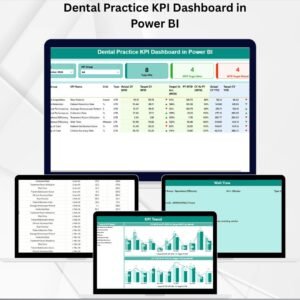
📊 3 Main Dashboard Pages – Summary, KPI Trend, and KPI Definition for clear insights.
-
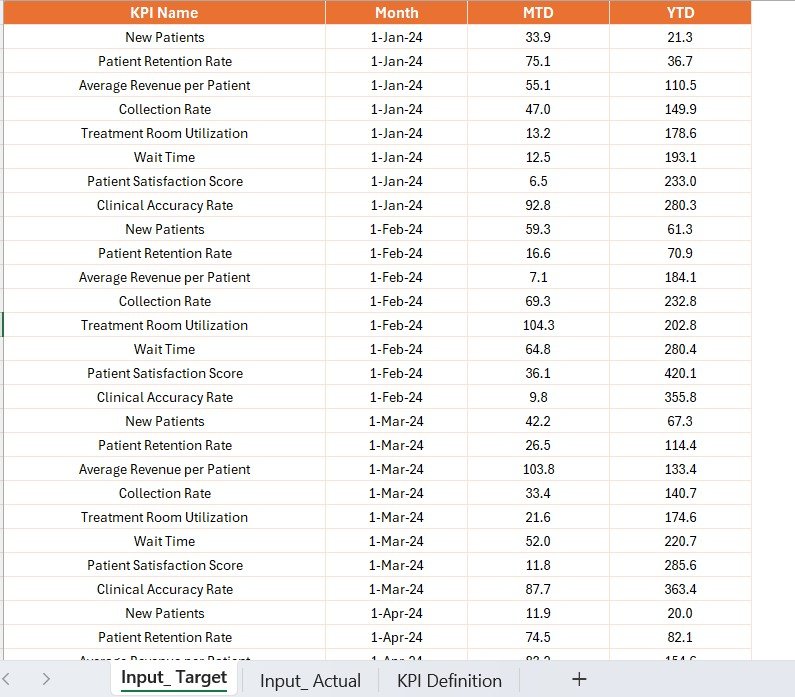
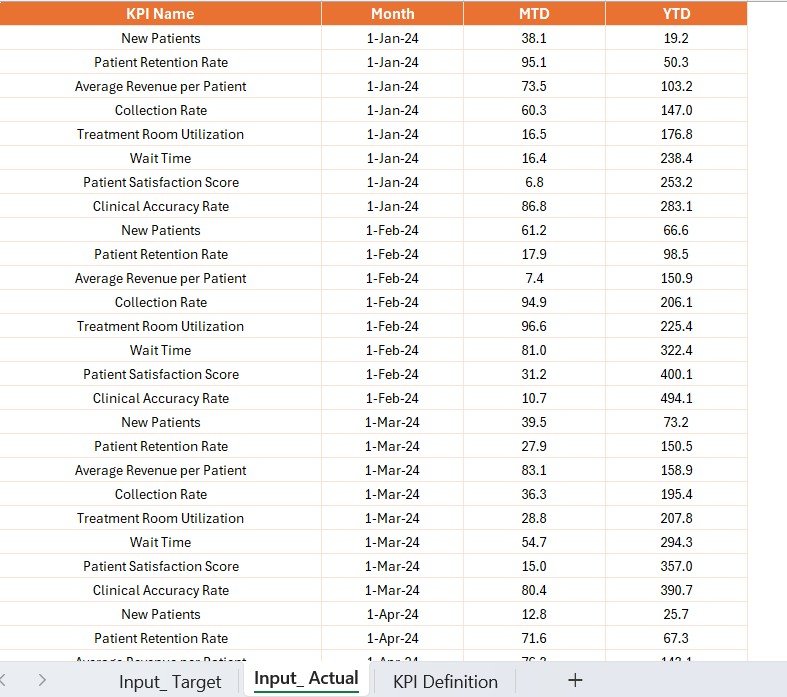
🗂️ Excel Data Source – Enter Actual, Target, and Definition data easily in structured worksheets.
-
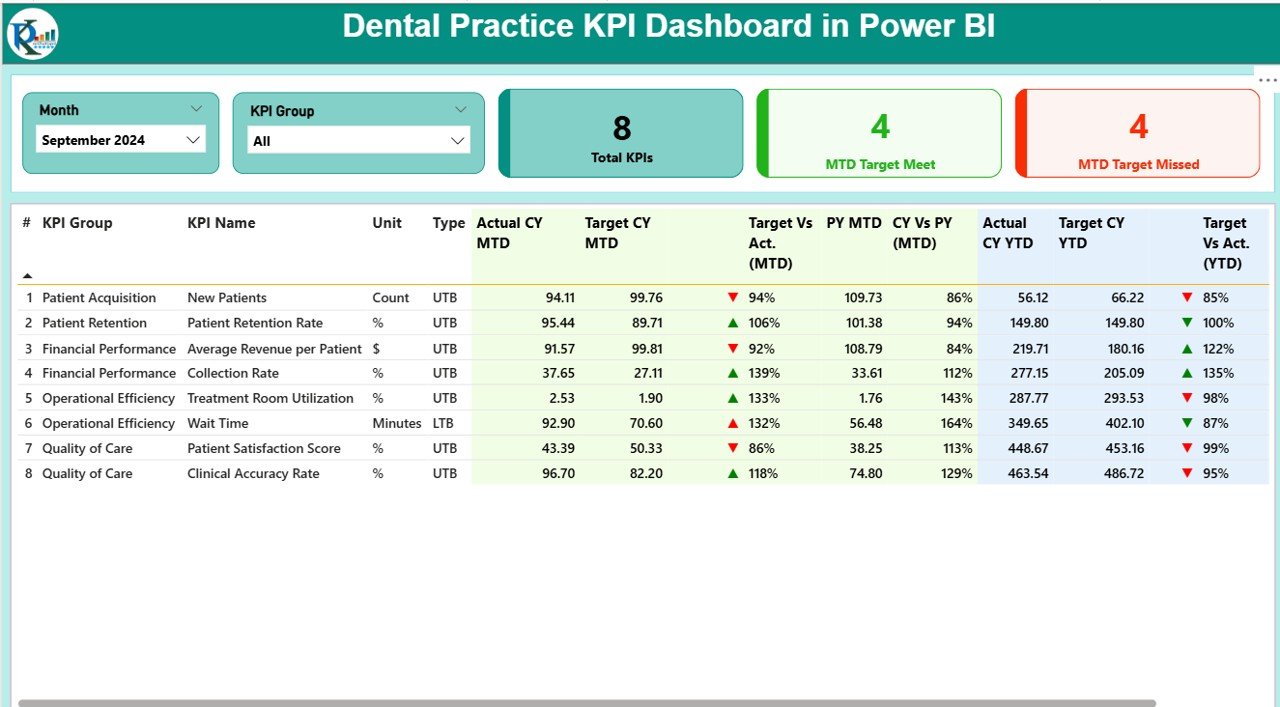
🎯 KPI Cards & Metrics – Instantly see total KPIs, target met, and missed counts.
-
🔄 MTD & YTD Analysis – Track performance month-to-date and year-to-date for better decision-making.
-
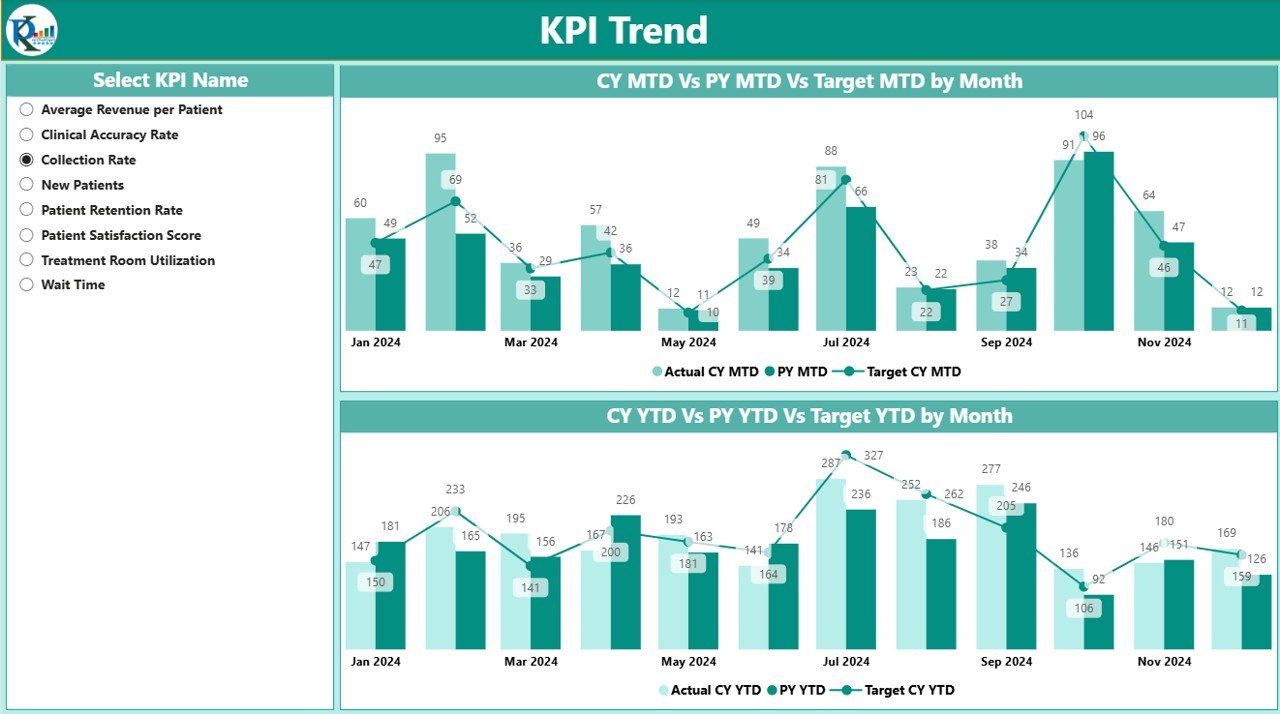
📈 Interactive Charts – View Actuals vs. Targets vs. Previous Year with trend analysis.
-
🖱️ Slicers & Drill-throughs – Filter by Month, KPI Group, or drill into detailed KPI definitions.
-
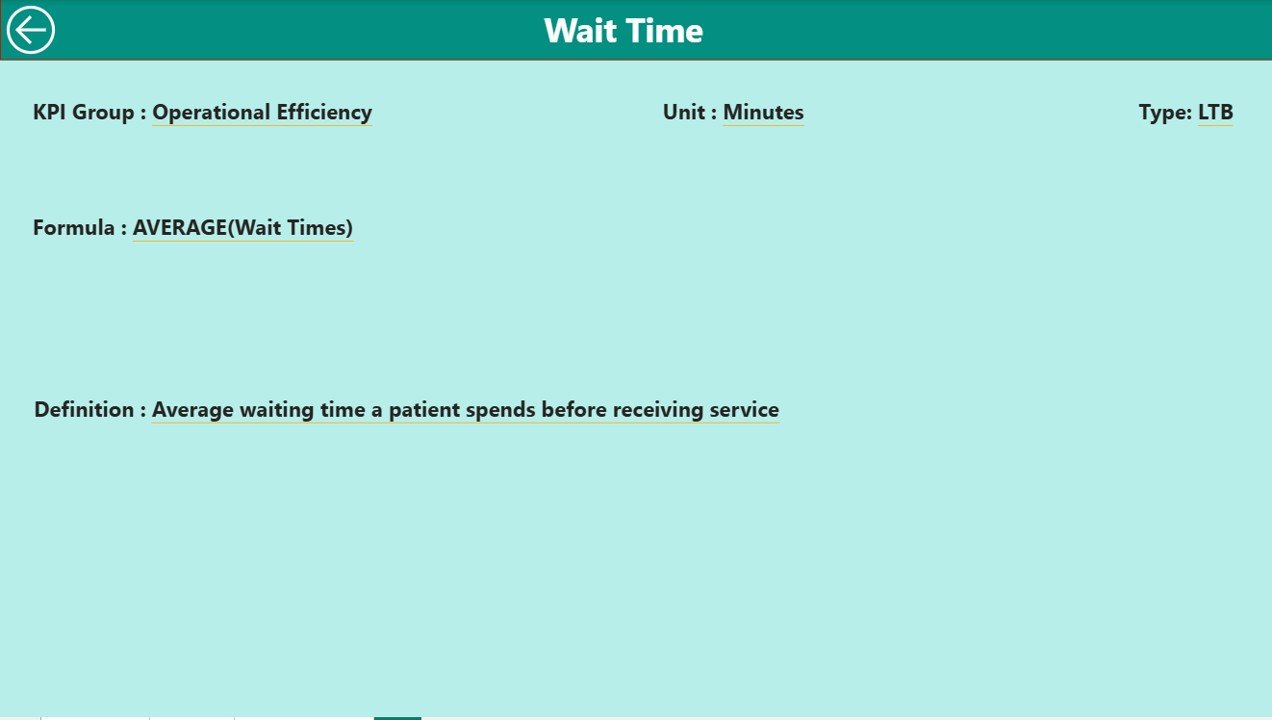
✅ KPI Definitions – Every metric is transparent with formula, unit, and type (LTB/UTB).
-
🔒 User-Friendly Design – Built for non-technical staff; updates automatically when data is refreshed.
📦 What’s Inside the Dashboard
-
Summary Page – A complete snapshot with KPI cards, performance tables, and variance analysis.
-
KPI Trend Page – Combo charts showing performance over time (CY, PY, and Targets).
-
KPI Definition Page – Drill-through transparency with KPI Name, Formula, Unit, and Type.
-
Excel Backend – Three sheets (Actual, Target, KPI Definition) for simple and secure data entry.
This structure makes it easy to maintain and highly customizable, even for small clinics.
🛠️ How to Use the Dashboard
-
Update Excel Sheets – Add Actual values in Input_Actual and Target values in Input_Target.
-
Refresh Power BI – Connect the Excel file and update visuals instantly.
-
Navigate with Slicers – Filter by Month, KPI Group, or specific metrics.
-
Drill Into Details – From the Summary Page, explore any KPI’s definition.
-
Review Trends – Use the KPI Trend page to track progress and spot opportunities.
-
Act on Insights – Use findings to adjust staff allocation, reduce costs, or improve patient care.
👥 Who Can Benefit from This Dashboard?
-
🦷 Dentists & Clinic Owners – Gain a bird’s-eye view of practice health.
-
👩⚕️ Clinic Managers – Monitor daily operations and resource utilization.
-
💼 Finance Teams – Track costs, revenue, and profitability with accuracy.
-
📋 Operations Staff – Improve efficiency with chair utilization and treatment acceptance insights.
-
🌟 Patient Experience Teams – Measure satisfaction and focus on retention strategies.
🎯 Advantages of the Dental Practice KPI Dashboard
-
✅ Improved Decision-Making – Instant visibility without manual reports.
-
✅ Time-Saving – Automates calculations and reporting.
-
✅ Target Tracking – Compare actual vs. monthly and yearly goals.
-
✅ Transparency – Clear KPI definitions reduce confusion.
-
✅ Growth Opportunities – Identify underperforming areas quickly.
-
✅ Patient Focus – More time for care, less on admin tasks.
🚀 Opportunities for Improvement
While already powerful, the dashboard can be enhanced by:
-
🔗 EHR Integration – Direct connection to patient data for accuracy.
-
🔔 Automated Data Updates – Eliminate manual Excel entry.
-
📱 Mobile Accessibility – View KPIs on-the-go with Power BI app.
-
👥 Expanded KPIs – Add marketing ROI, compliance, or staff performance metrics.
-
📊 Predictive Analytics – Forecast treatment acceptance or patient retention.
🏆 Best Practices for Using the Dashboard
-
Keep data updated monthly (or weekly) for accuracy.
-
Define SMART Goals (Specific, Measurable, Achievable, Relevant, Time-bound).
-
Train staff to understand KPIs and their impact.
-
Customize KPIs to match your clinic’s unique needs.
-
Analyze long-term trends, not just current performance.
-
Act on insights to reduce costs and improve patient satisfaction.
🏢 Real-World KPIs to Track
-
Patient Appointments (scheduled, completed, missed)
-
Chair Utilization Rate (%)
-
Average Treatment Time
-
Patient Satisfaction Score
-
Revenue per Patient
-
Treatment Acceptance Rate (%)
-
New vs. Returning Patients
-
Operating Costs
These metrics help clinics boost efficiency, reduce costs, and improve patient experience.
📖 Click here to read the Detailed blog post
🎥 Visit our YouTube channel to learn step-by-step video tutorials

















Reviews
There are no reviews yet.