
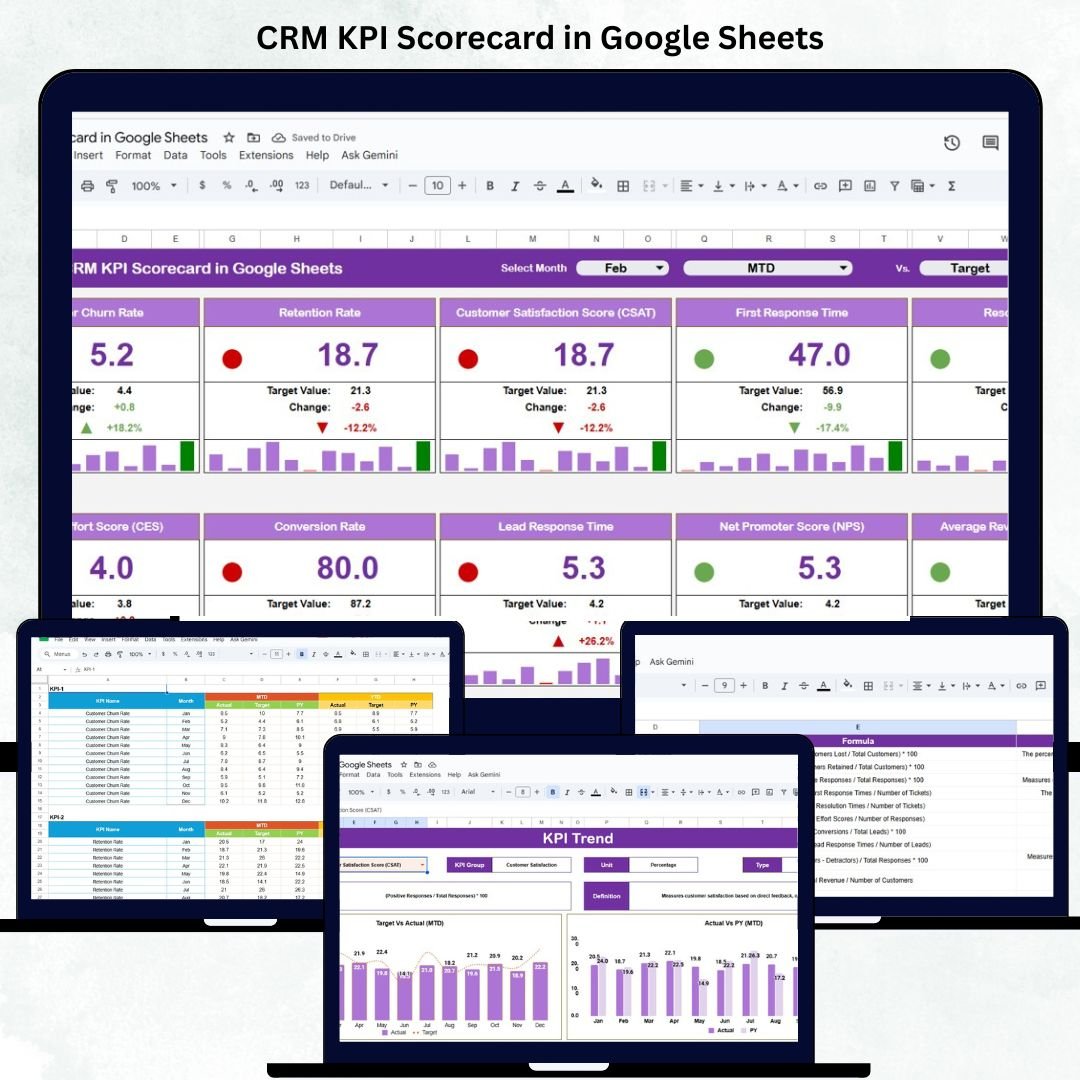
Customer Relationship Management (CRM) is the lifeline of every successful business. To maintain strong customer relationships, track conversions, and drive growth, organizations need a clear, data-driven overview of performance. The CRM KPI Scorecard in Google Sheets is a ready-to-use, interactive tool that helps you measure and visualize CRM performance across sales, support, and customer satisfaction metrics. 📊🤝
This smartly designed Google Sheets scorecard consolidates all your CRM data into one visual workspace — offering real-time insights, performance comparisons, and trend analysis without the need for expensive CRM software. It’s perfect for managers, team leads, and business owners who want data transparency, visual clarity, and faster decision-making. 🚀
🔑 Key Features of the CRM KPI Scorecard in Google Sheets
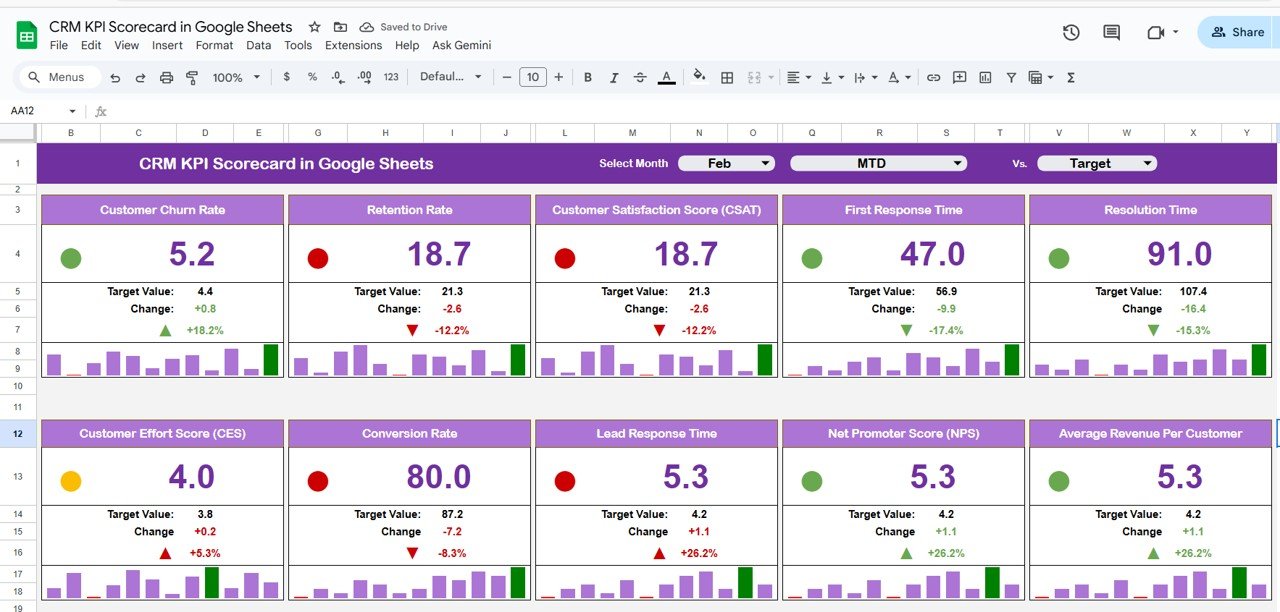
📋 Scorecard Sheet Tab (Main Dashboard)
-
Centralized dashboard view of all CRM KPIs
-
Month selector (Range D3) for instant data refresh
-
Toggle buttons for MTD (Month-To-Date) and YTD (Year-To-Date) performance
-
Visual indicators:
🟢 Green = Target Achieved
🟡 Yellow = Near Target
🔴 Red = Below Target
⬆️ Up Arrow = Performance Improved
⬇️ Down Arrow = Performance Declined -
Clear, color-coded visuals for instant decision-making
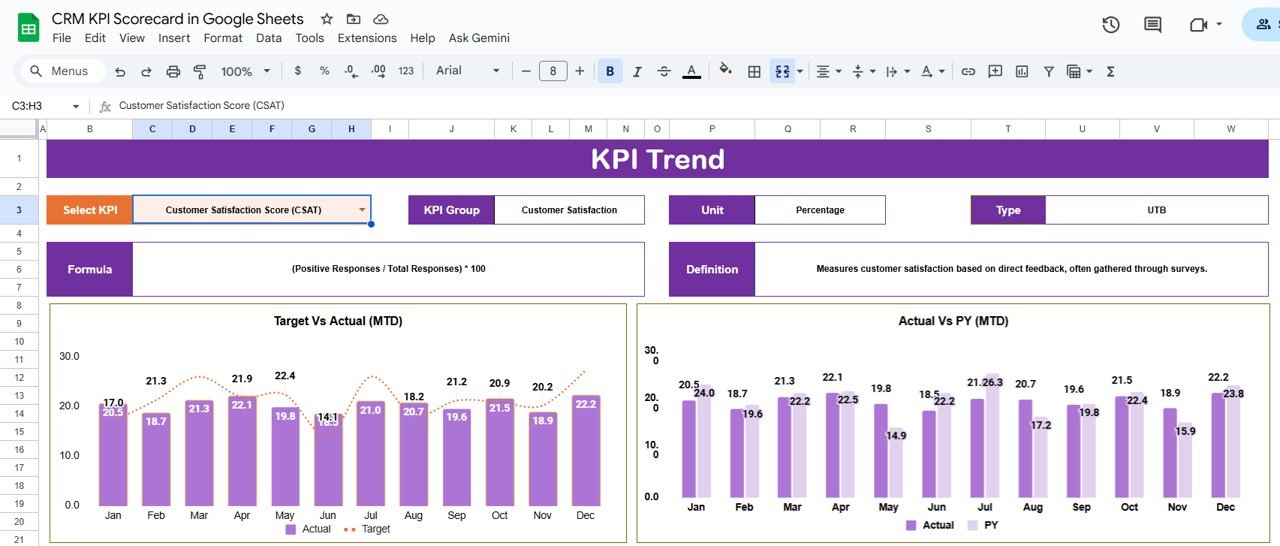
📈 Trend Sheet Tab
-
Analyze individual KPI trends month over month
-
Dropdown (Cell C3) to select any KPI
-
Displays KPI Group, Unit, Type (UTB/LTB), Formula, and Definition
-
Identify long-term improvements or performance dips
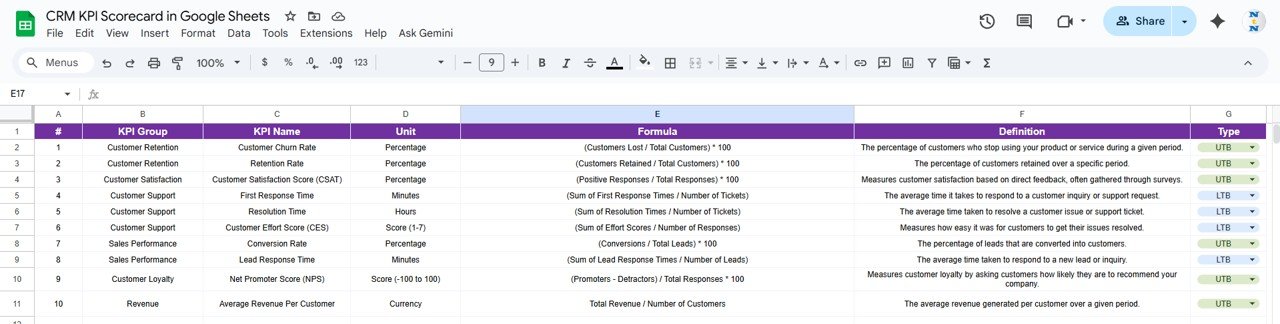
📖 KPI Definition Sheet Tab
-
Detailed KPI table including formula, unit, and description
-
Ensures clarity and uniform understanding across teams
-
Supports quick onboarding for new users
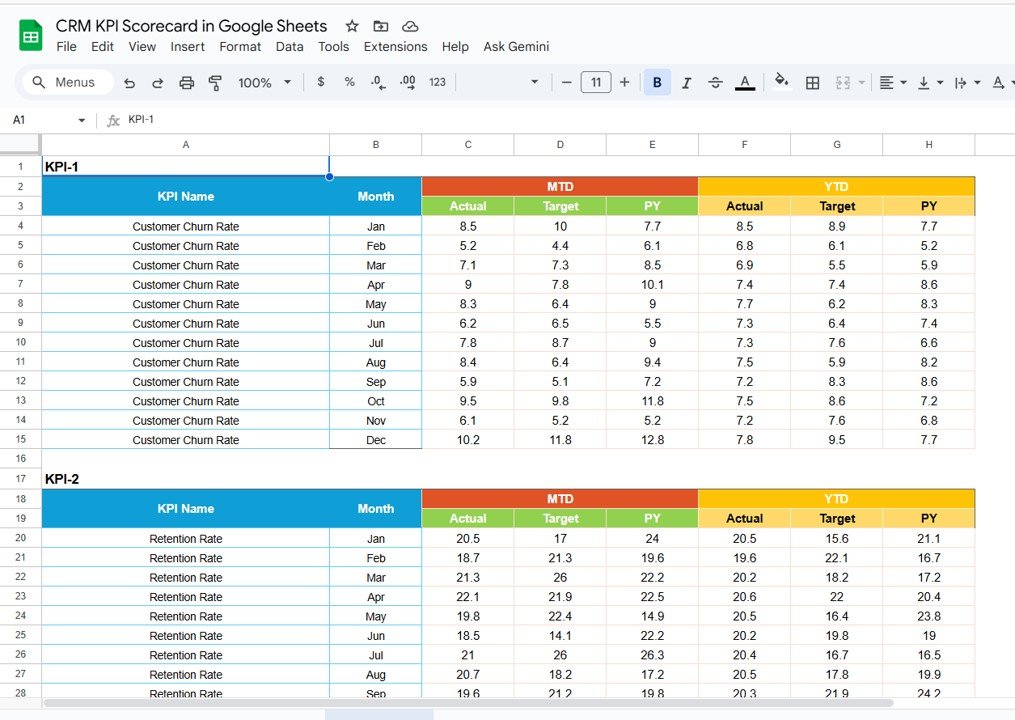
📊 Data Input Sheet Tab
-
Enter Actual, Target, and Previous Year data per KPI
-
Automated MTD and YTD performance calculations
-
Validations to ensure consistent formatting
-
Fully connected with the dashboard and trend tabs
🎨 Color Settings Sheet Tab
-
Customize performance thresholds and visual colors
-
Personalize scorecard visuals to match your brand or preference
📦 What’s Inside the CRM KPI Scorecard?
When you download this file, you’ll receive:
✅ Pre-built Google Sheets scorecard with five interactive tabs
✅ Automatic MTD and YTD calculations
✅ Traffic-light indicators and up/down arrows for visuals
✅ KPI Definition table with preloaded metrics
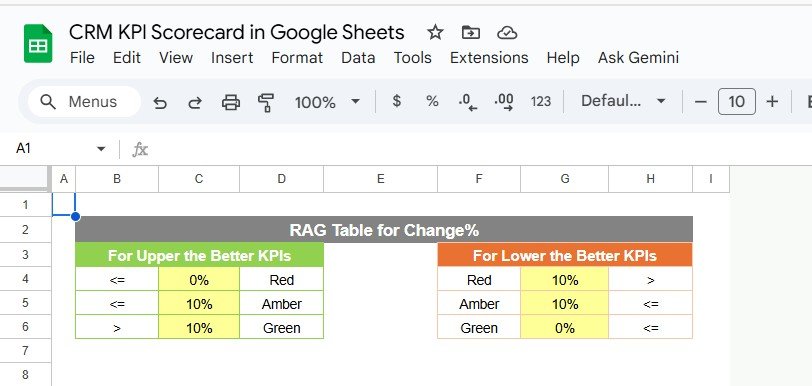
✅ Editable thresholds and color schemes
✅ Fully automated formulas — no coding required
✅ Cloud-based file for real-time collaboration
Everything you need to analyze CRM health, track team performance, and visualize results in one file.
🧑💼 Who Can Benefit from This Scorecard?
🎯 Sales Managers – Monitor leads, conversions, and deal closures
📈 Marketing Teams – Track engagement and customer acquisition
🤝 Customer Support Teams – Evaluate response times and satisfaction rates
💼 Business Owners – Make informed decisions using real-time KPI insights
🧩 CRM Analysts – Analyze monthly and yearly performance trends
This scorecard is ideal for any organization that values data transparency and customer-centric performance tracking.
🧪 How to Use the CRM KPI Scorecard
1️⃣ Select Month: Use the dropdown (D3) to view MTD or YTD metrics.
2️⃣ Enter Data: Input Actual, Target, and Previous Year values in the Data Input Sheet.
3️⃣ View Dashboard: The Scorecard updates automatically with color-coded visuals.
4️⃣ Analyze Trends: Use the Trend Sheet to monitor KPI performance over time.
5️⃣ Customize Settings: Adjust colors or thresholds in the Color Settings Tab.
Within minutes, you’ll have a clear, professional CRM performance scorecard ready for review or presentation.
🌟 Why Choose This Scorecard?
-
Real-time, cloud-based CRM performance tracking
-
Fully automated calculations and visual indicators
-
Interactive trend charts and MTD/YTD toggles
-
Customizable KPIs, thresholds, and visuals
-
Compatible across all devices via Google Sheets
-
No technical skills or coding required
With the CRM KPI Scorecard in Google Sheets, you can easily monitor team efficiency, customer engagement, and business performance — all in one powerful yet simple template. 🌟
🔗 Click here to read the Detailed blog post
Watch the step-by-step video Demo:






























Reviews
There are no reviews yet.