

Key Features of Courier Service KPI Scorecard
Introducing the Courier Service KPI Scorecard – a ready-to-use, comprehensive digital template designed specifically to help courier companies track, analyze, and improve their performance through key performance indicators (KPIs). This powerful scorecard empowers managers and teams with clear, visual insights to drive operational excellence and customer satisfaction.
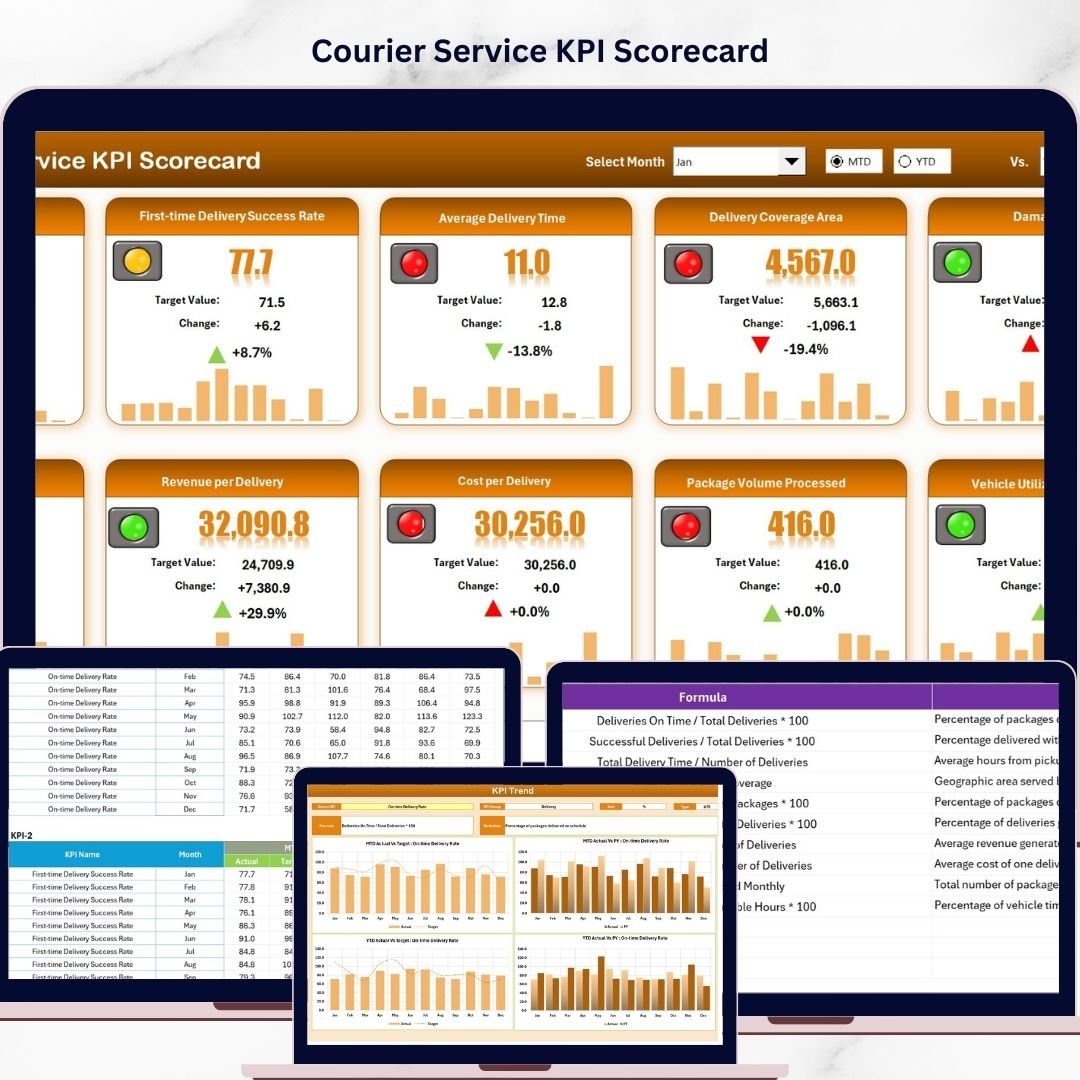
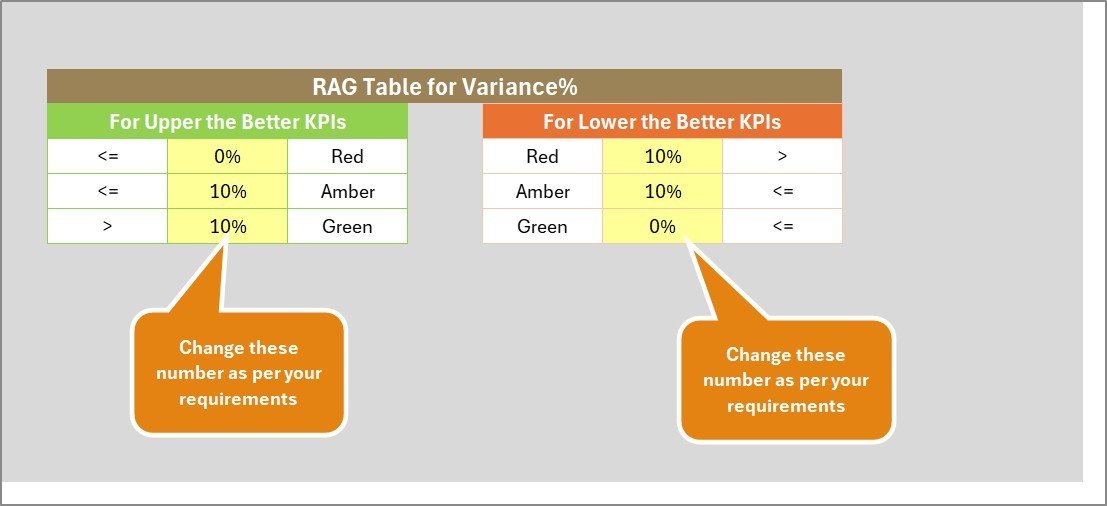
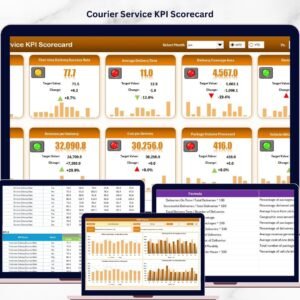
With four meticulously crafted worksheets, this template offers an all-in-one solution for real-time KPI monitoring and trend analysis. The Scorecard sheet serves as your main dashboard, featuring dropdown menus to select Month, MTD (Month-to-Date), or YTD (Year-to-Date) views. You can instantly compare actual results against targets using color-coded visuals that make performance status clear at a glance. This comprehensive overview ensures you never miss critical data points.
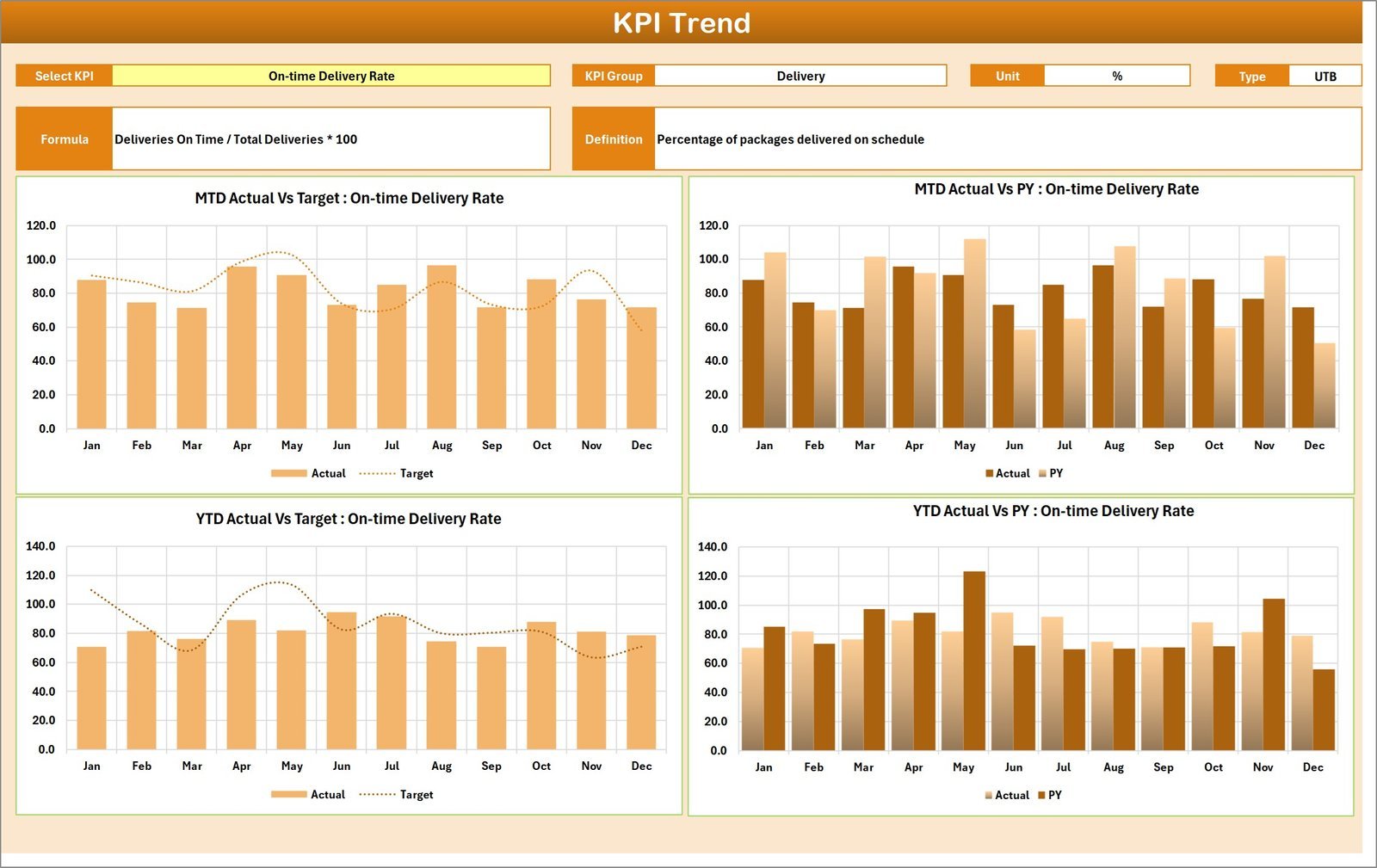
The KPI Trend sheet offers in-depth trend analysis, allowing you to select any KPI via dropdown and view its group, unit, type (whether lower or upper is better), formula, and definition. The sheet also includes dynamic MTD and YTD trend charts showing actual, target, and prior year (PY) values, enabling you to easily identify performance patterns and areas for improvement.
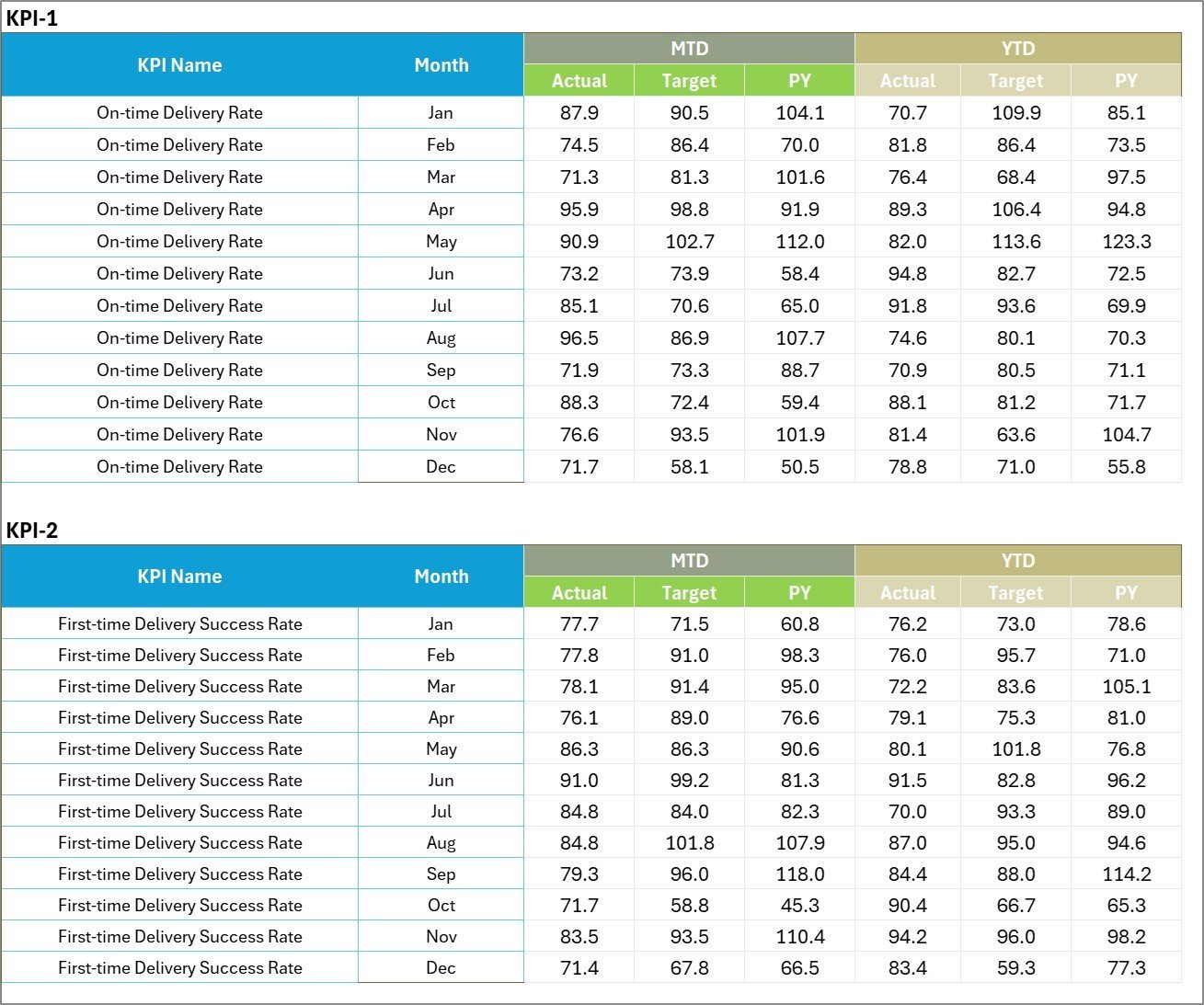
The Input Data sheet is your data entry hub-where you record actual values, set targets, and update metrics. Its user-friendly design ensures flexibility, allowing you to keep your scorecard current and accurate with minimal effort.
Finally, the KPI Definition sheet lets you define every KPI precisely by entering the KPI name, group, unit, formula, and detailed definitions. This ensures clarity and consistency across your organization, making the scorecard an effective communication tool.
What’s Inside the Courier Service KPI Scorecard
- 📊 Scorecard Sheet: Interactive dashboard with dropdown filters for Month, MTD, and YTD, alongside actual vs. target comparisons and color-coded performance indicators.
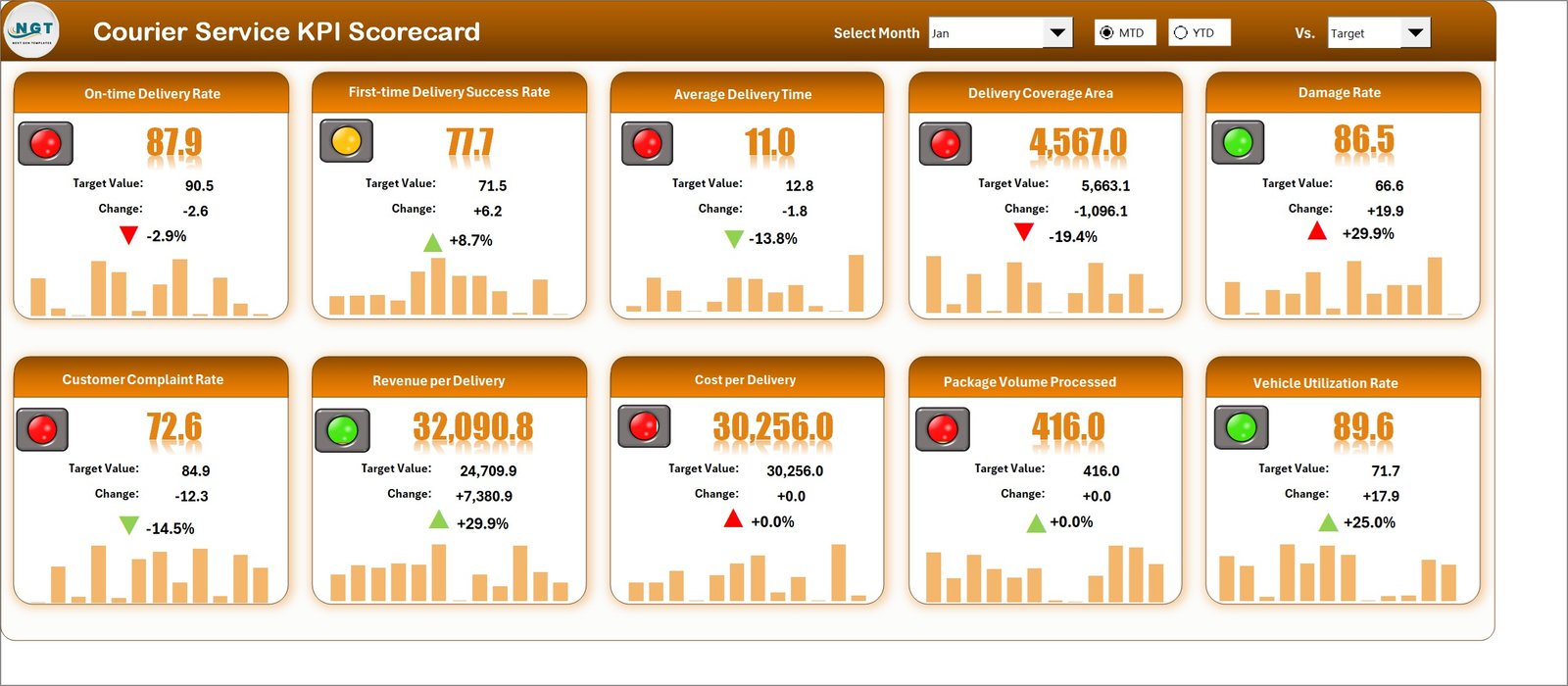
Courier Service KPI Scorecard - 📈 KPI Trend Sheet: Select KPIs to view detailed information and visualize MTD, YTD trends of actual, target, and previous year data with clear charts.
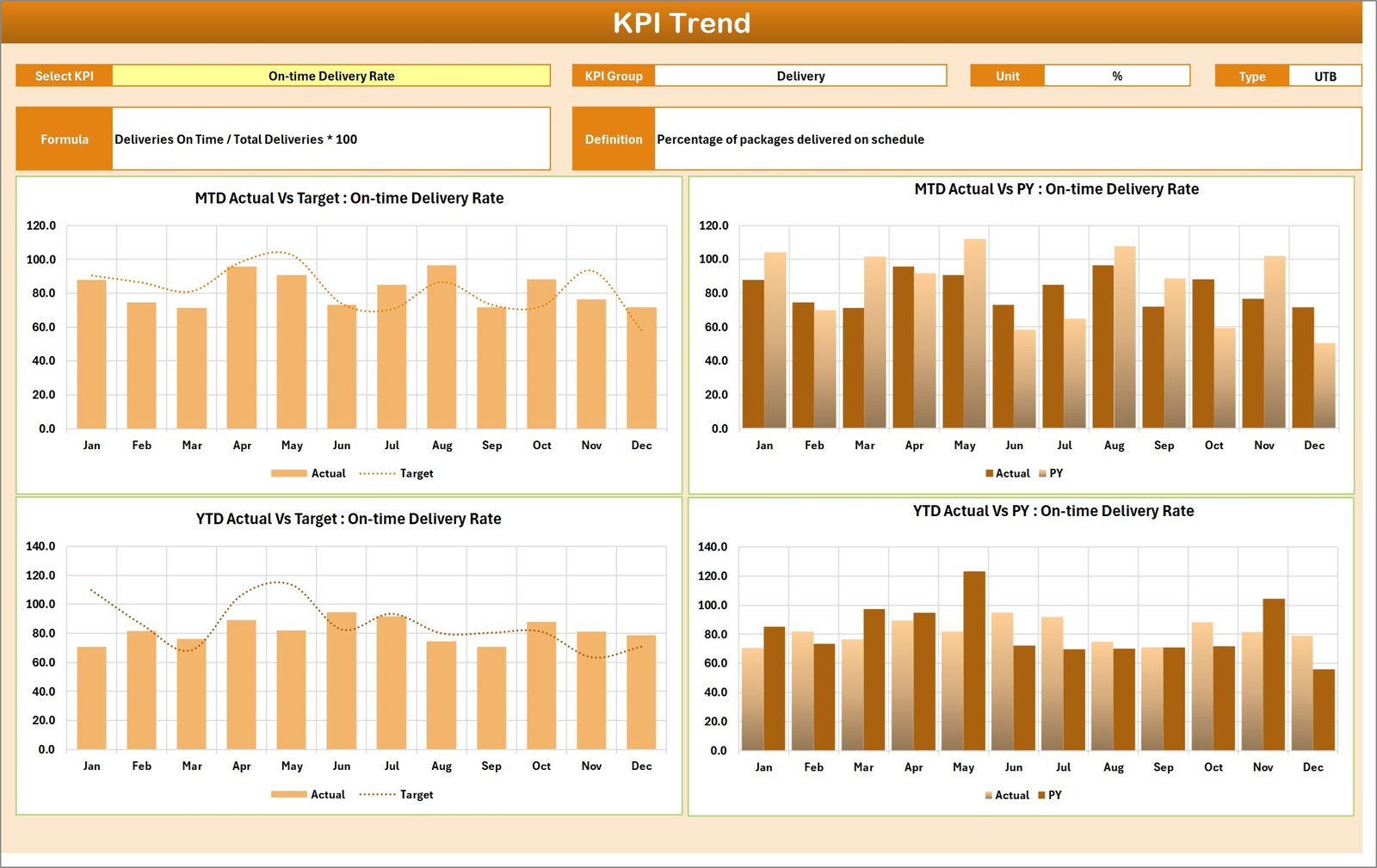
KPI Trend Sheet - 📝 Input Data Sheet: Easily enter and update all KPI-related data, including actual values and targets, ensuring your scorecard reflects the latest performance.
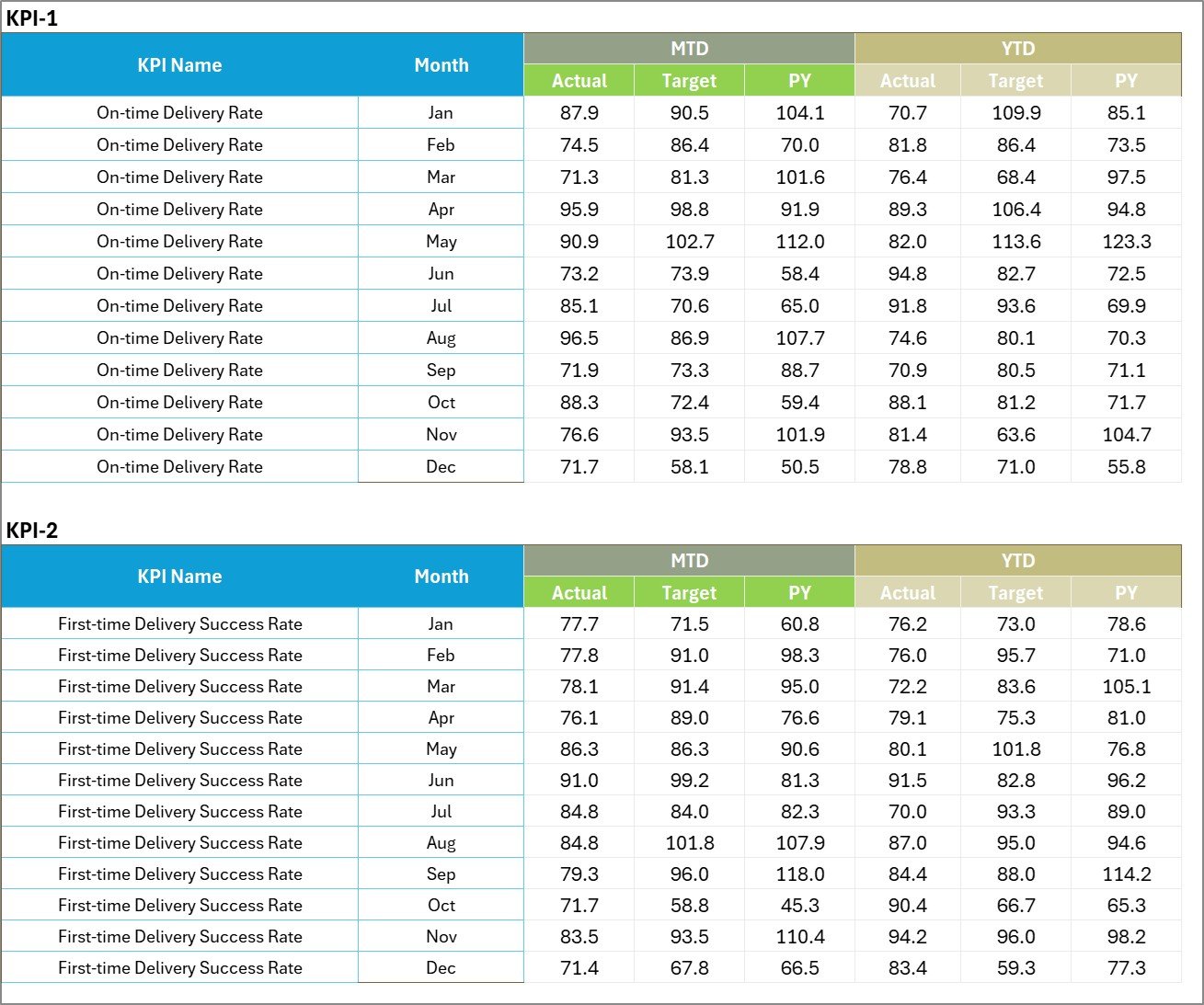
Input Data Sheet - 📋 KPI Definition Sheet: Define each KPI’s name, group, unit, formula, and description for consistent understanding across your team.

KPI Definition sheet tab
How to Use the Courier Service KPI Scorecard
Getting started with the Courier Service KPI Scorecard is simple and intuitive. First, input your KPI data in the Input Data sheet, including actual numbers and target benchmarks. Next, use the KPI Definition sheet to ensure every KPI is clearly defined and aligned with your operational goals.
Then, navigate to the Scorecard sheet to monitor your courier service performance. Use the dropdown menus to filter data by month, MTD, or YTD, and quickly identify which KPIs are meeting or missing their targets through the visual indicators.
For deeper insights, switch to the KPI Trend sheet to analyze historical trends and compare current performance against previous periods. This helps in spotting patterns, forecasting challenges, and making data-driven decisions to optimize your courier operations.
This scorecard is fully customizable and can be updated regularly, enabling continuous performance tracking and improvement.
Who Can Benefit from This Courier Service KPI Scorecard
- 🚚 Courier Company Managers: Streamline performance tracking and identify bottlenecks quickly.
- 📈 Operations Teams: Gain actionable insights to enhance service quality and delivery times.
- 📊 Business Analysts: Easily analyze KPI trends and prepare reports for stakeholders.
- 🧑💼 Customer Service Departments: Monitor customer satisfaction KPIs to improve experience.
- 💼 Logistics Coordinators: Manage efficiency metrics and optimize resource allocation.
- 📉 Executive Leadership: Obtain a clear, visual overview of company performance at a glance.
- 🖥️ Data Teams: Use the structured data input and KPI definitions for consistent reporting.
Whether you’re a small courier startup or an established logistics firm, this KPI scorecard is designed to simplify your performance management and help you achieve operational excellence.
Click here to read the Detailed blog post.
Visit our YouTube channel to learn step-by-step video tutorials

















Reviews
There are no reviews yet.