
Aviation operations run on precision. From on-time departures and flight delays to aircraft utilization and safety compliance, aviation teams manage hundreds of critical metrics every day. When these metrics are tracked across scattered reports and manual spreadsheets, teams lose visibility, response time slows down, and operational risks increase.
That is exactly why the Aviation Operations KPI Dashboard in Google Sheets becomes a powerful and practical solution for modern aviation teams.
This ready-to-use dashboard transforms complex operational data into a structured, visual, and decision-ready reporting system. It helps airlines, airports, ground handling teams, and aviation service providers monitor performance across flights, aircraft, safety, and efficiency—all within one interactive Google Sheets dashboard. Instead of reacting to issues after they occur, teams gain real-time clarity and act proactively.
Because the dashboard is built entirely in Google Sheets, it offers cloud-based access, real-time collaboration, automatic calculations, and zero dependency on expensive aviation software.
✈️ Key Features of the Aviation Operations KPI Dashboard in Google Sheets
📊 1. Centralized Aviation KPI Monitoring
Track all critical aviation KPIs in one place instead of managing multiple reports.
⏱️ 2. MTD & YTD Performance Tracking
Monitor Month-to-Date and Year-to-Date performance to balance short-term operations and long-term trends.
🎯 3. Target vs Actual & Prior-Year Comparison
Instantly compare operational results against targets and previous-year benchmarks.
📈 4. Visual Performance Indicators
Conditional formatting with up/down arrows highlights improvements or declines instantly.
🤝 5. Google Sheets-Based Collaboration
Operations, safety, and leadership teams collaborate in real time with controlled access.
📦 What’s Inside the Aviation Operations KPI Dashboard in Google Sheets
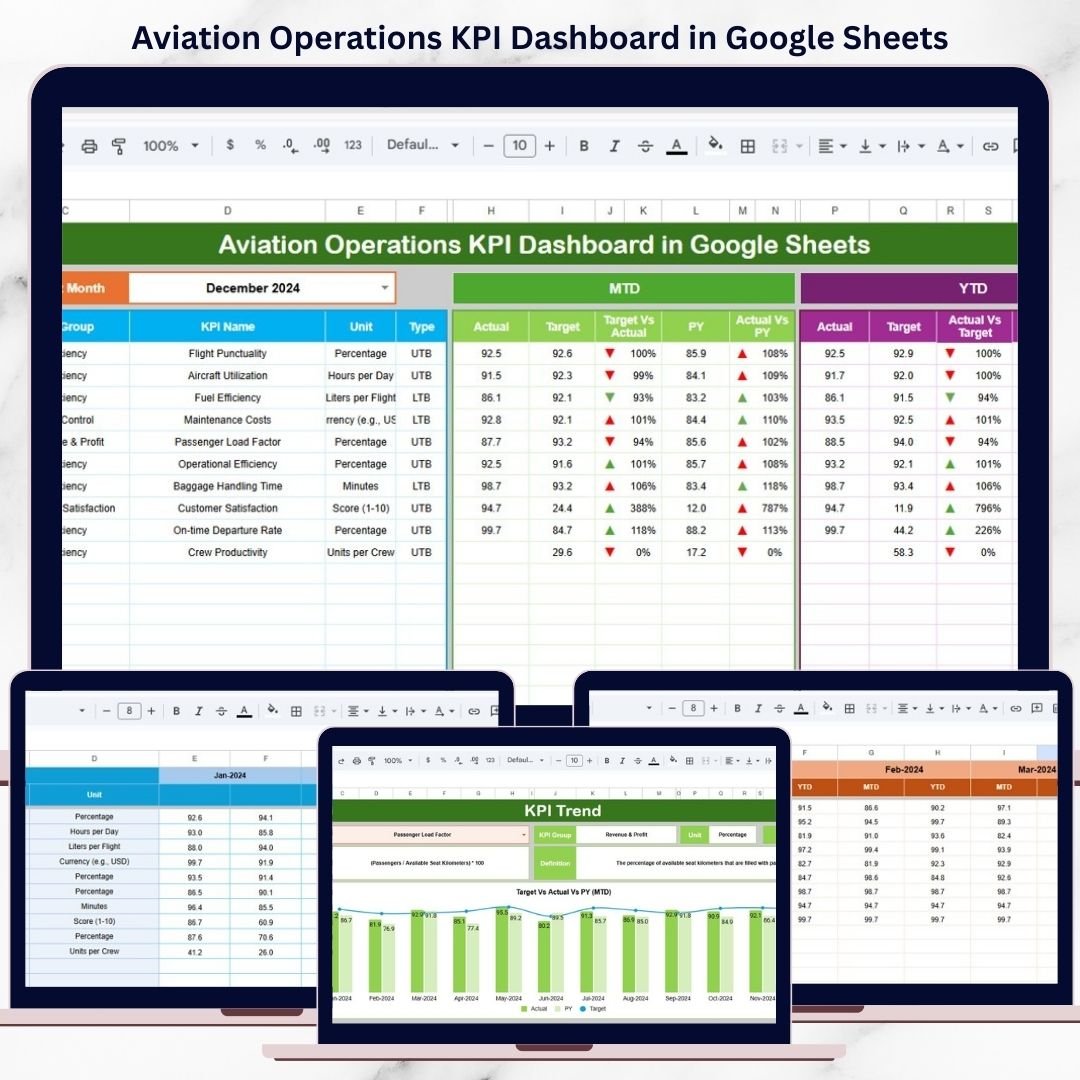
🖥️ Dashboard Sheet Tab – KPI Performance Overview
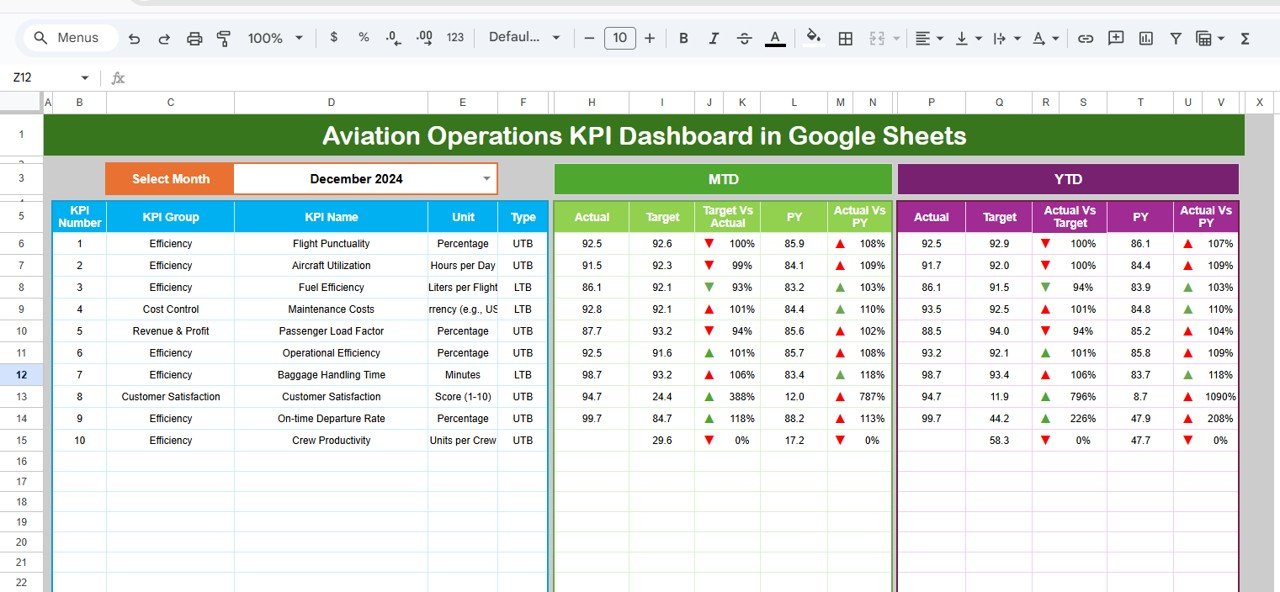
This is the main reporting page where all aviation KPIs appear at a glance.
📌 Month Selection
-
Month dropdown available in cell D3
-
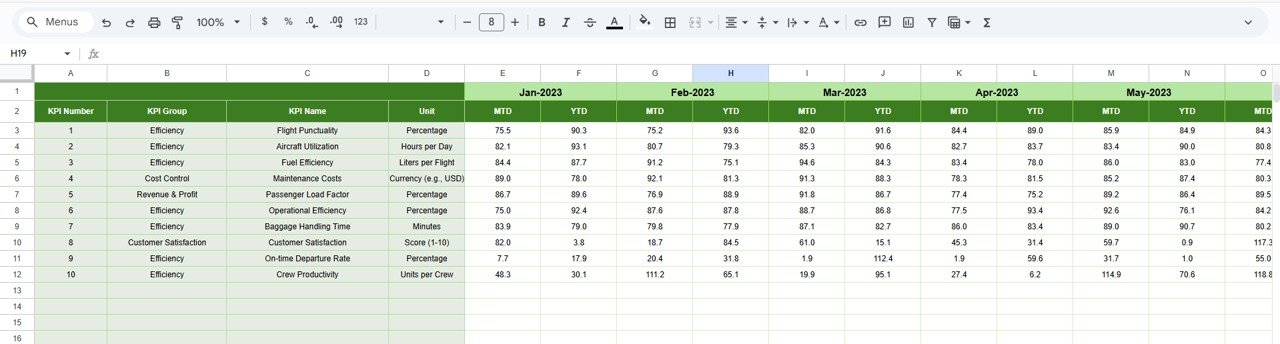
Selecting a month updates all KPI values automatically
📌 KPI Metrics Displayed
-
MTD Actual
-
MTD Target
-
MTD Previous Year
-
Target vs Actual variance
-
Previous Year vs Actual variance
All variances use conditional formatting arrows for quick interpretation.
📌 YTD Performance
-
YTD Actual
-
YTD Target
-
YTD Previous Year
-
Trend indicators for long-term visibility
This layout supports both tactical and strategic operational monitoring.
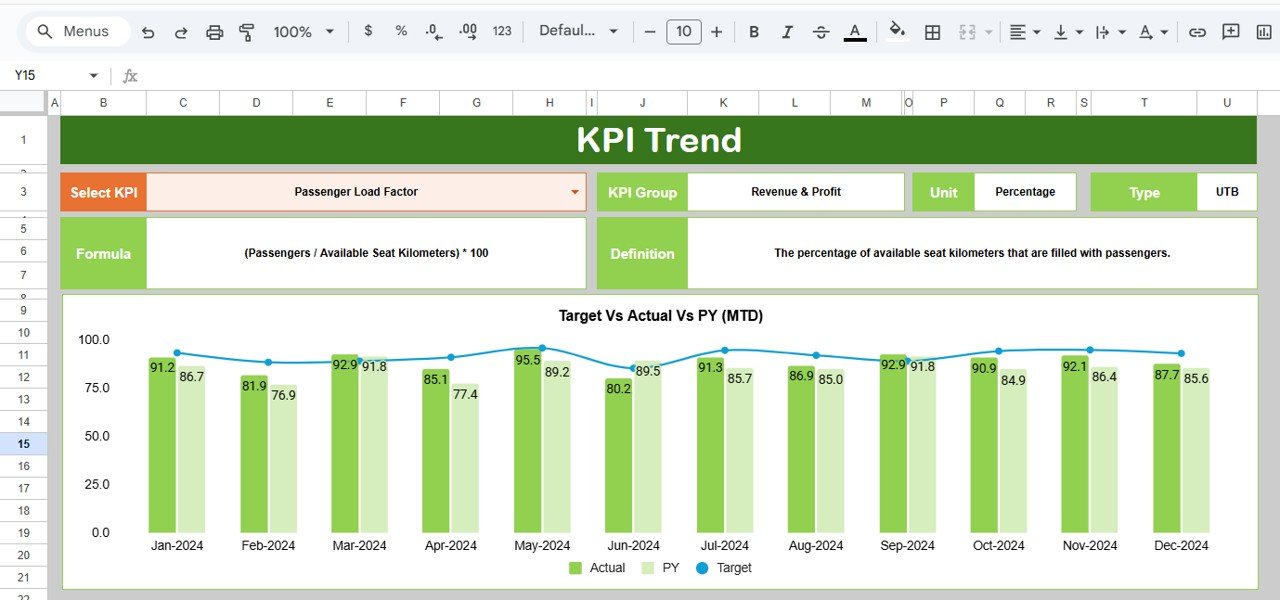
📊 KPI Trend Sheet Tab
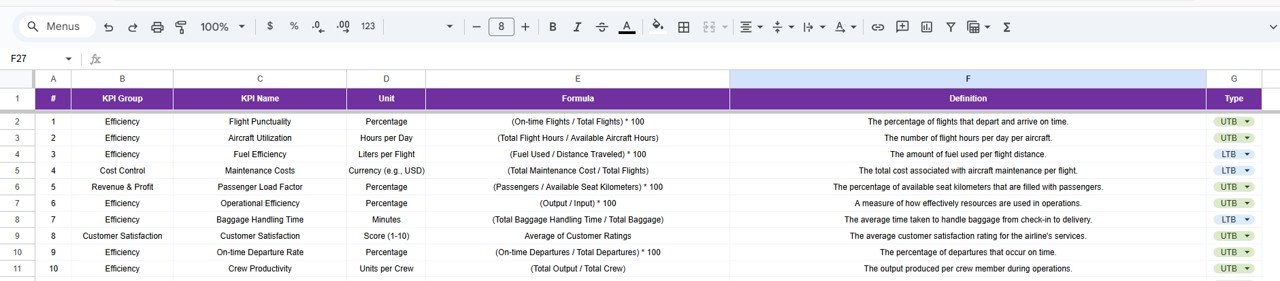
This sheet explains and contextualizes each KPI.
🔍 KPI Selection
-
Select a KPI from the dropdown in cell C3
📘 KPI Details Displayed
-
KPI Group
-
Unit of Measurement
-
KPI Type (Lower the Better / Upper the Better)
-
KPI Formula
-
KPI Definition
This ensures everyone understands how KPIs are calculated and why they matter.
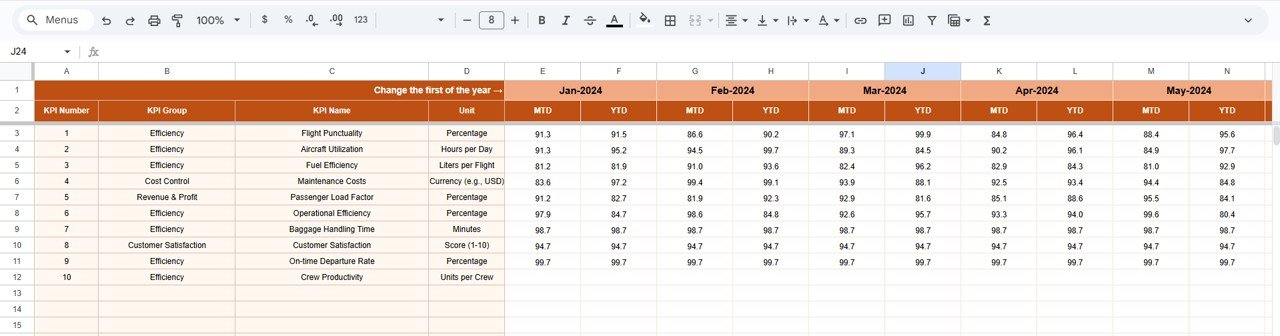
📋 Actual Number Sheet Tab
This sheet captures actual operational data.
-
Enter MTD and YTD actual values
-
Change the reporting month using cell E1
-
Enter the first month of the year to align YTD calculations
All dashboards and visuals update automatically.
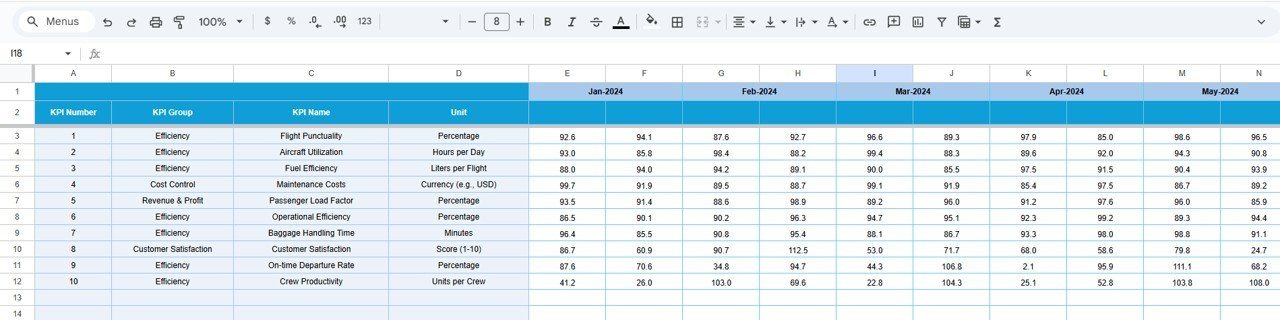
🎯 Target Sheet Tab
This sheet stores planned KPI targets.
-
Monthly MTD targets
-
Cumulative YTD targets
It enables consistent benchmarking across operations.
📆 Previous Year Number Sheet Tab
This sheet supports historical comparison.
-
Enter last year’s MTD and YTD KPI values
-
Enable year-over-year aviation performance analysis
This is especially useful for seasonal aviation trends.
📘 KPI Definition Sheet Tab
The KPI master reference ensures consistency.
-
KPI Name
-
KPI Group
-
Unit
-
Formula
-
KPI Definition
-
KPI Type (LTB / UTB)
🎯 Who Can Benefit from This Aviation Operations KPI Dashboard
✈️ Airline Operations Teams
Monitor on-time performance, delays, and utilization.
🏢 Airport Authorities
Track operational efficiency and safety indicators.
🚜 Ground Handling Teams
Improve turnaround time and operational coordination.
📊 Aviation Analysts
Analyze trends and performance gaps with confidence.
🚀 Aviation Service Providers
Standardize KPI reporting across clients and locations.
### Click here to read the Detailed blog post
Watch the step-by-step video tutorial:




















Reviews
There are no reviews yet.