In today’s fast-moving automotive industry, success depends on how quickly you can turn data into decisions. Yet many dealerships and service centers still rely on disconnected spreadsheets and time-consuming manual reports. As a result, leaders often lack real-time visibility into sales, service, and operational performance.
That is exactly why the Automotive KPI Scorecard in Google Sheets is a must-have tool for modern automotive businesses.
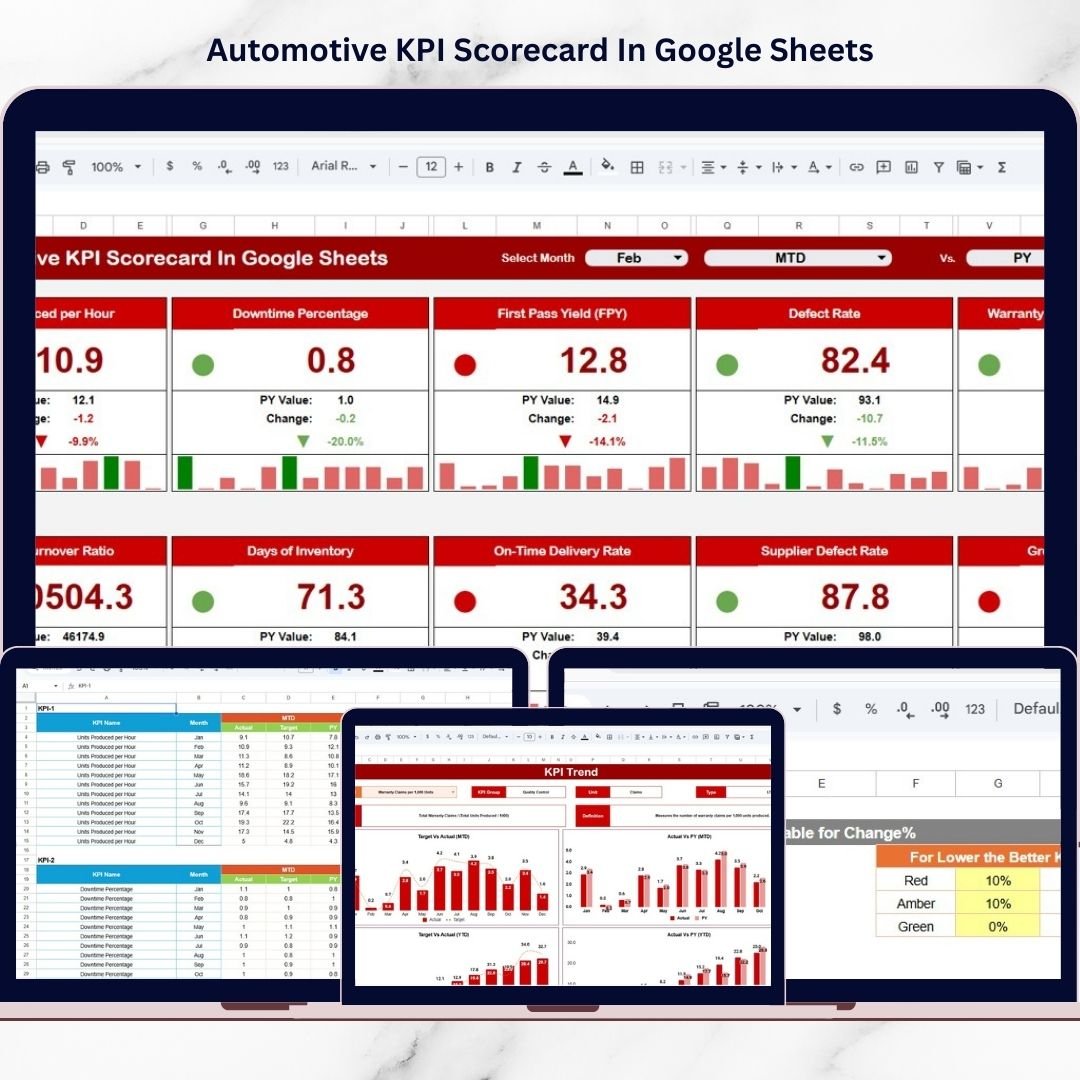
This powerful, ready-to-use scorecard provides a centralized and highly visual system to monitor your most important KPIs in one dynamic interface. Instead of juggling multiple reports, you can instantly evaluate performance, compare targets, and identify improvement opportunities.
Built entirely in Google Sheets, the template is collaborative, flexible, and cost-effective — making it ideal for dealerships, workshops, and automotive groups that want smarter performance management without expensive BI tools.
🚀 Key Feature of Automotive KPI Scorecard in Google Sheets
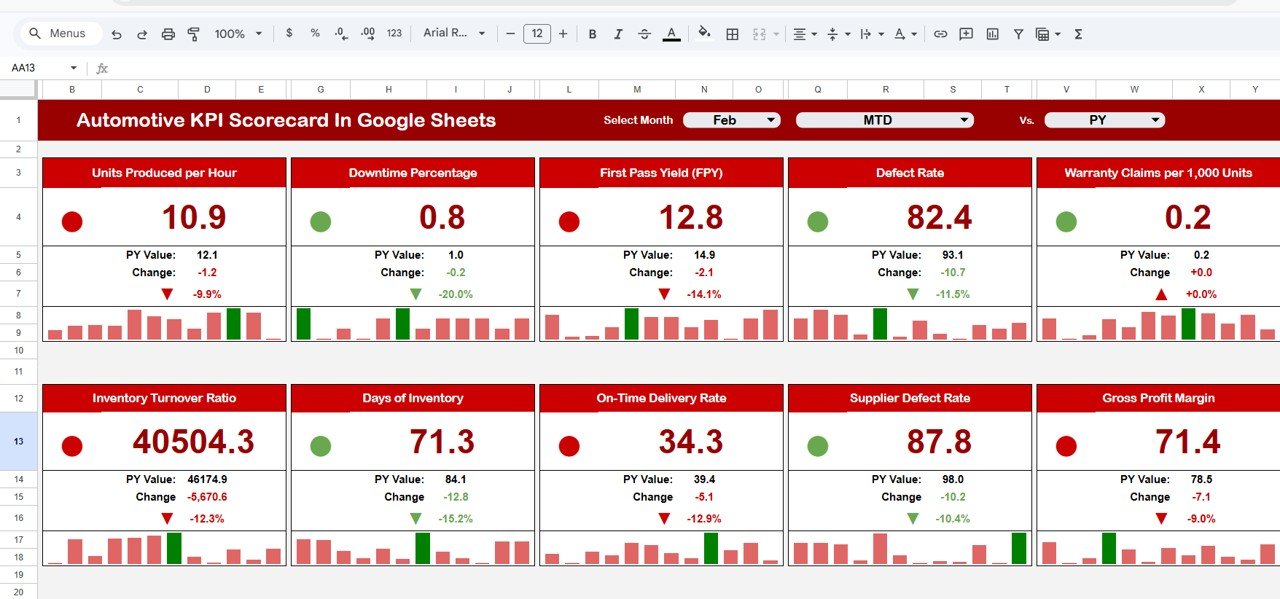
✅ Interactive Scorecard Dashboard – Monitor all 10 KPIs in one clean and executive-ready view.
✅ MTD & YTD Toggle View – Seamlessly switch between monthly and yearly performance tracking.
✅ Traffic Light Performance Indicators – Instantly spot underperforming areas using smart visual signals.
✅ Dynamic KPI Intelligence Panel – View KPI group, unit, formula, and definition in one place.
✅ Automated Variance Analysis – Compare actual vs target with built-in percentage arrows.
✅ Customizable Colour Settings – Adjust thresholds and visual rules to match your business standards.
✅ Google Sheets Collaboration Ready – Share and update performance data in real time.
Because of these features, automotive teams gain complete operational clarity without complex systems.
📦 What’s Inside the Automotive KPI Scorecard in Google Sheets
This professionally structured template includes 5 powerful worksheets designed for end-to-end performance tracking.
1️⃣ Scorecard Dashboard – Main Performance View
The heart of the template where you monitor all KPIs at a glance. It includes:
-
Month dropdown selector
-
Automatic monthly refresh
-
Traffic light indicators
-
Percentage variance arrows
-
MTD and YTD toggle buttons
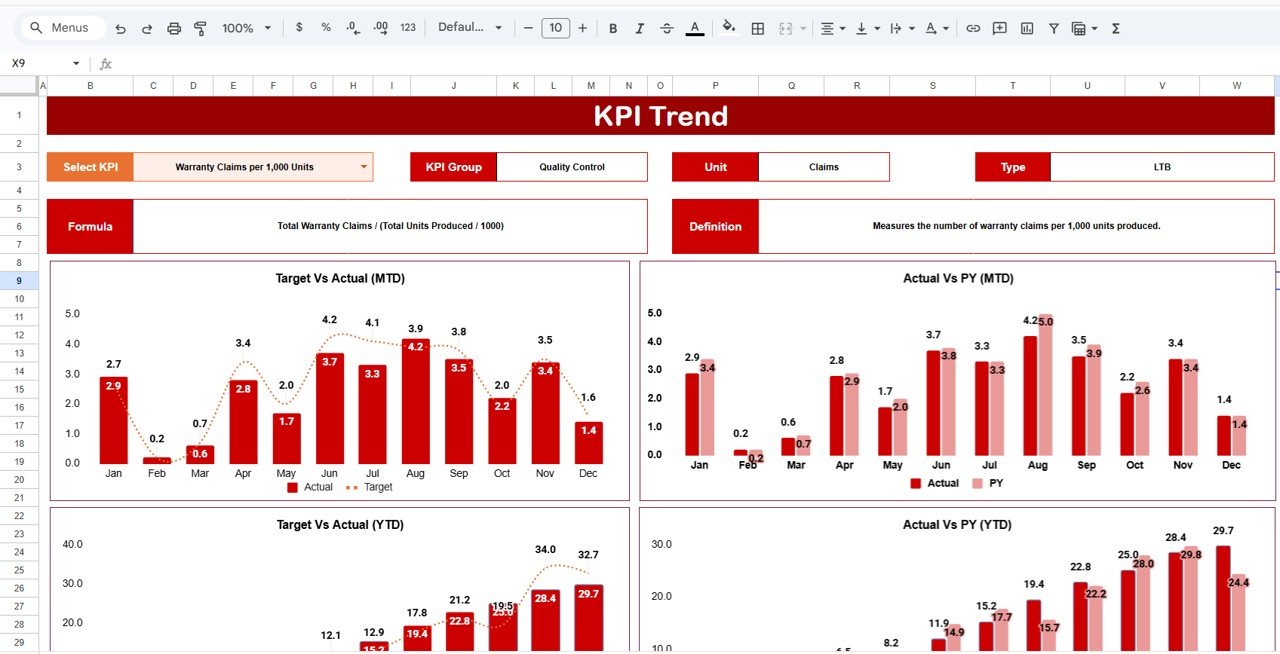
2️⃣ Trend Sheet – Deep KPI Intelligence
Analyze individual KPIs using the dropdown in cell C3. This sheet displays:
-
KPI Group
-
Unit of measurement
-
KPI Type (LTB/UTB)
-
KPI Formula
-
KPI Definition
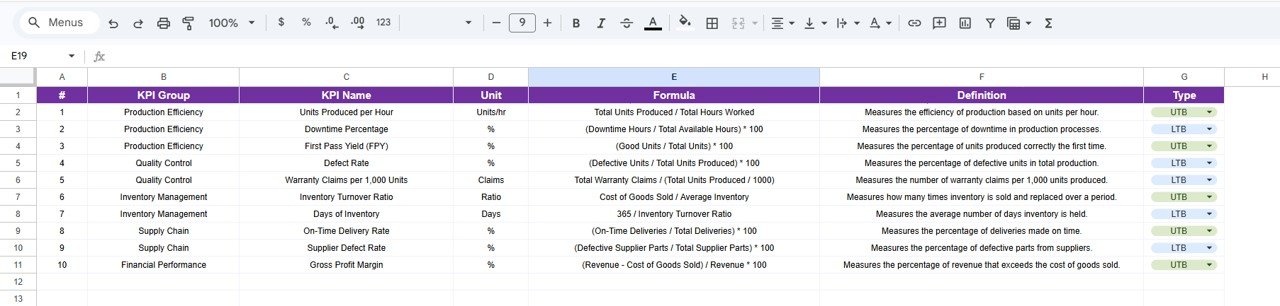
3️⃣ KPI Definition Sheet – Foundation Layer
Standardizes KPI logic by storing name, group, unit, formula, and performance type for each metric.
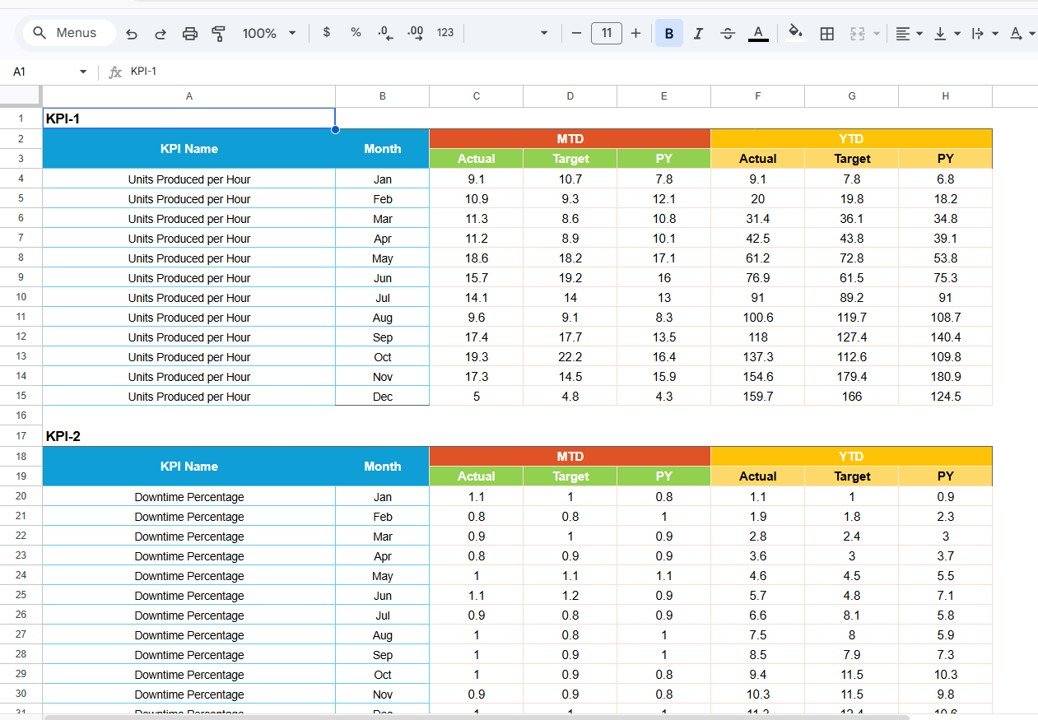
4️⃣ Data Input Sheet – Primary Data Entry Area
Enter monthly actual and target values here. The scorecard updates automatically.
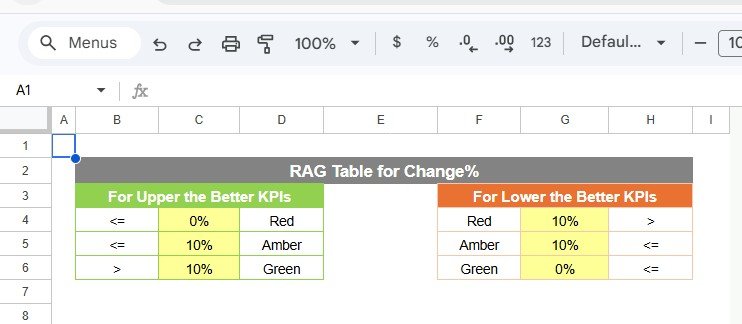
5️⃣ Colour Settings Sheet – Visual Control Center
Customize traffic light thresholds, color rules, and arrow logic to match your reporting standards.
Together, these sheets create a complete automotive performance monitoring system.
⚙️ How to Use the Automotive KPI Scorecard in Google Sheets
Getting started takes only a few minutes:
-
Open the Google Sheets template
-
Update the KPI Definition sheet
-
Configure thresholds in Colour Settings
-
Enter targets and actual data in the Data Input sheet
-
Select the desired month on the Scorecard
-
Toggle between MTD and YTD views
-
Review instant performance insights
Within moments, your automotive data becomes decision-ready intelligence.
👥 Who Can Benefit from This Automotive KPI Scorecard in Google Sheets
This scorecard is built for automotive professionals who need clear performance visibility.
Perfect for:
-
🚗 Dealership Owners
-
🛠️ Service Center Managers
-
📊 Automotive Analysts
-
💼 Operations Managers
-
📈 Sales Managers
-
🧠 Business Consultants
-
🏢 Automotive Groups
Because the template runs in Google Sheets, teams can collaborate easily from anywhere.
By implementing the Automotive KPI Scorecard in Google Sheets, your business gains:
-
Centralized KPI monitoring
-
Faster performance reviews
-
Improved accountability
-
Better sales and service visibility
-
Real-time variance tracking
-
Cost-effective analytics
In today’s competitive automotive market, reactive reporting is no longer enough. You need proactive, data-driven management.
This scorecard delivers exactly that.
🔗 Click here to read the Detailed blog post
Watch the step-by-step video tutorial: