The aerospace and defense sector operates in one of the most demanding business environments in the world. Multi-million-dollar contracts, strict compliance regulations, export controls, operational readiness requirements, and high-risk projects require absolute precision.Yet many organizations still rely on scattered spreadsheets and static reports.That slows decisions.That hides risks.
That increases cost overruns.🚀 Now you can take control.The Aerospace and Defense Dashboard in Power BI is a powerful, ready-to-use business intelligence solution designed specifically for aerospace manufacturers, defense contractors, and government suppliers.
This interactive Power BI dashboard centralizes financial, operational, inventory, readiness, and risk metrics into one structured system — giving leadership teams complete visibility in real time.
No more manual consolidation.
No more reporting delays.
Just clear, actionable insights.
Key Feature of Aerospace and Defense Dashboard in Power BI
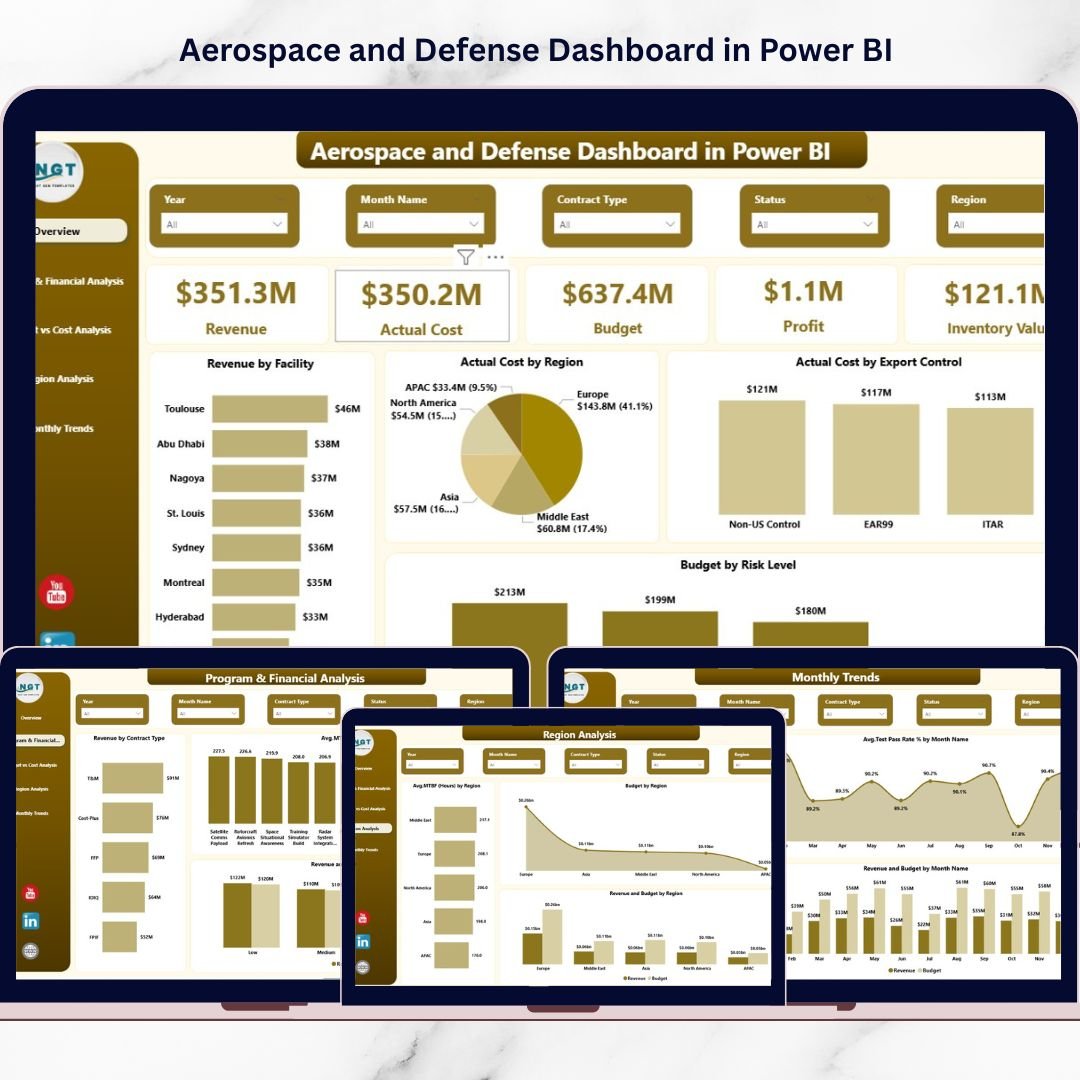
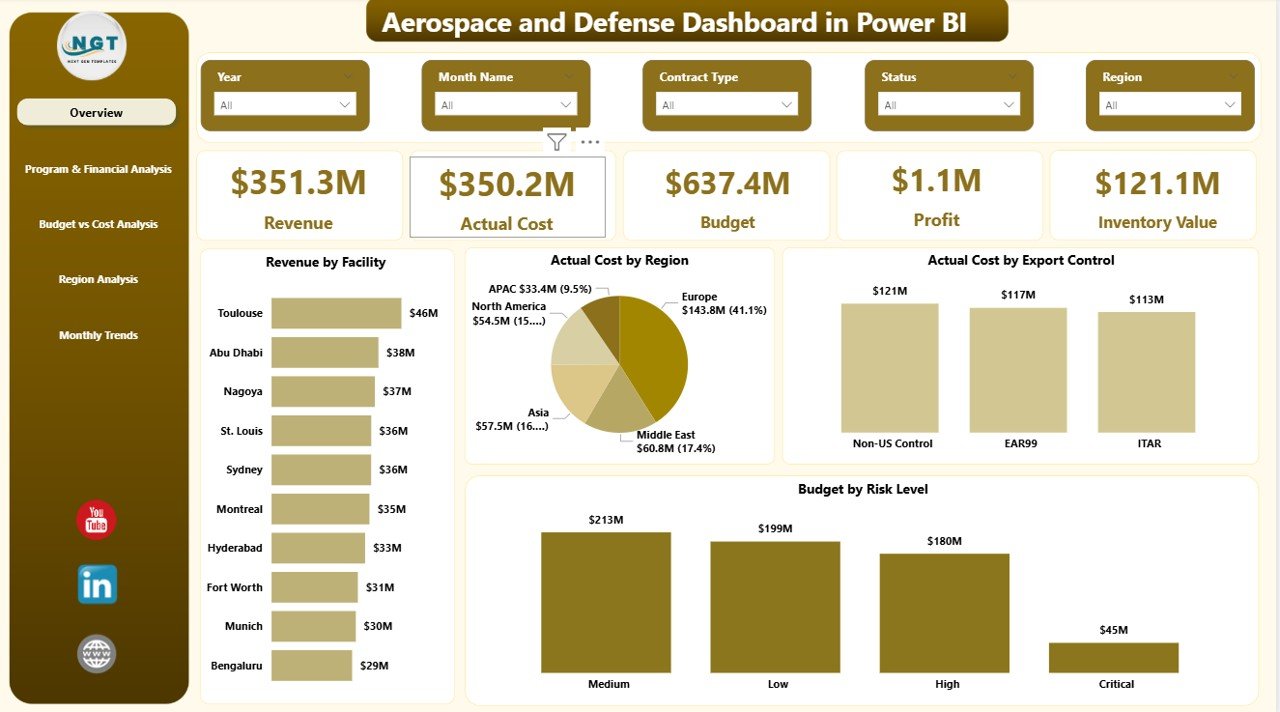
📊 Executive KPI Cards – Instantly track Revenue, Actual Cost, Budget, Profit, and Inventory Value in one clean snapshot.
🌍 Facility & Region Analysis – Compare performance by region and facility to identify high-performing and high-cost areas.
📈 Budget vs Actual Control – Detect financial gaps immediately with dynamic comparisons.
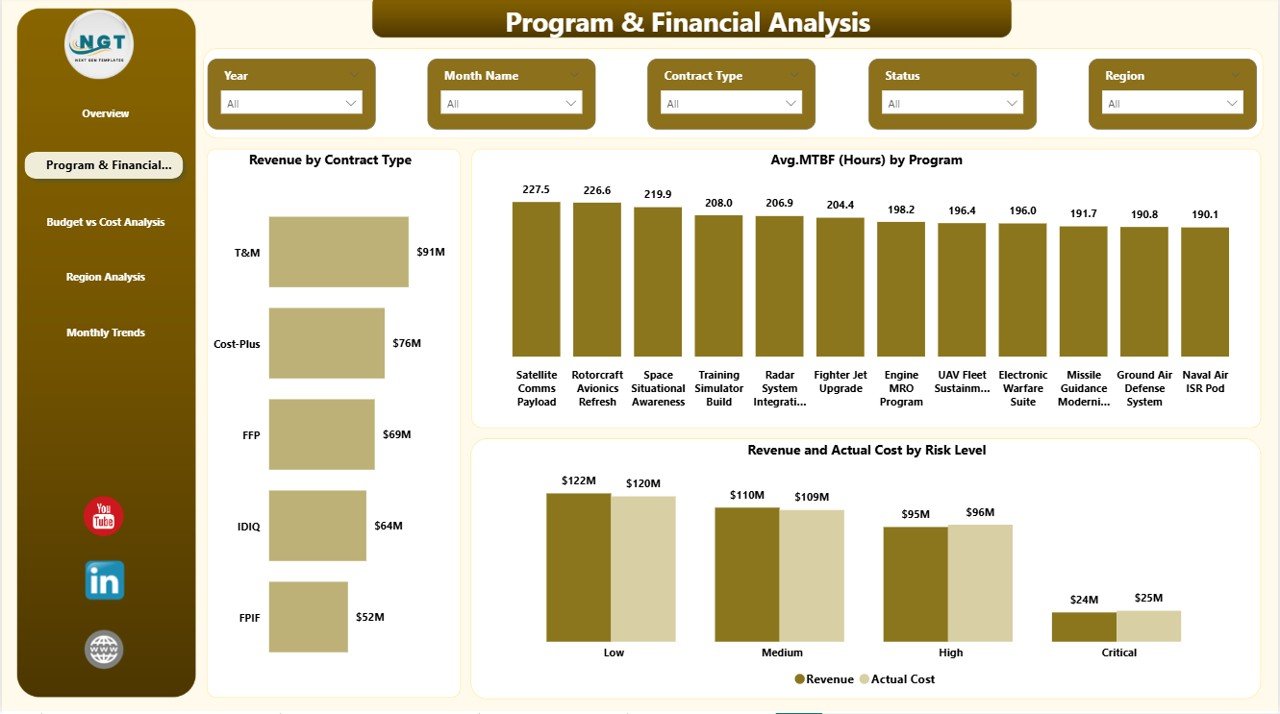
🛡️ Risk-Level Monitoring – Analyze revenue and cost by risk category to minimize exposure.
⚙️ Program Reliability Tracking – Monitor MTBF (Mean Time Between Failures) and operational readiness %.
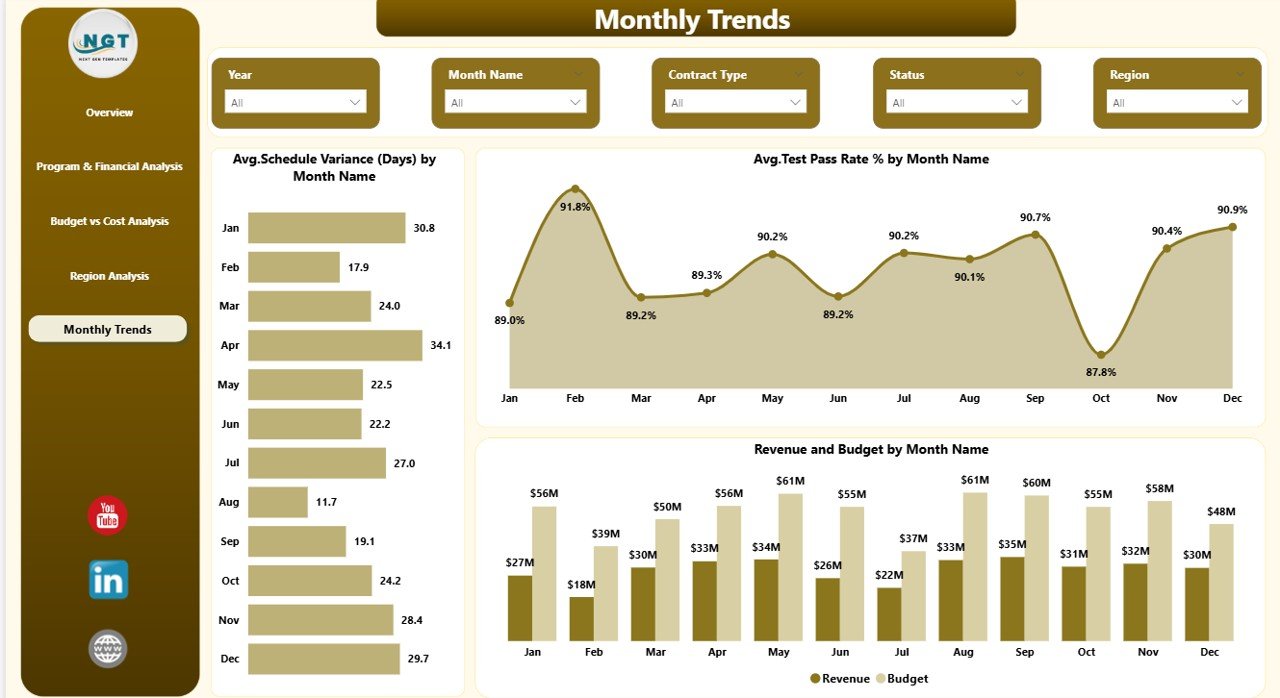
📅 Monthly Trend Analysis – Track schedule variance, test pass rate, and revenue growth patterns over time.
🔍 Interactive Slicers & Drill-Down – Filter by facility, region, contract type, risk level, workstream, or month.
What’s Inside the Aerospace and Defense Dashboard in Power BI
This dashboard includes 5 professionally designed analytical pages:
1️⃣ Overview Page – Executive Control Center
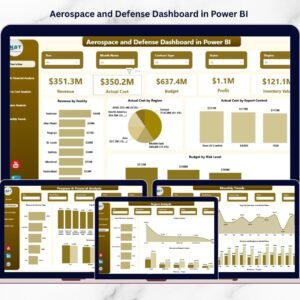
View Revenue, Cost, Budget, Profit, and Inventory Value at a glance. Includes charts for Revenue by Facility, Cost by Region, Budget by Risk Level, and more.
2️⃣ Program & Financial Analysis
Analyze Revenue by Contract Type, MTBF by Program, and Revenue vs Cost by Risk Level for smarter program management.
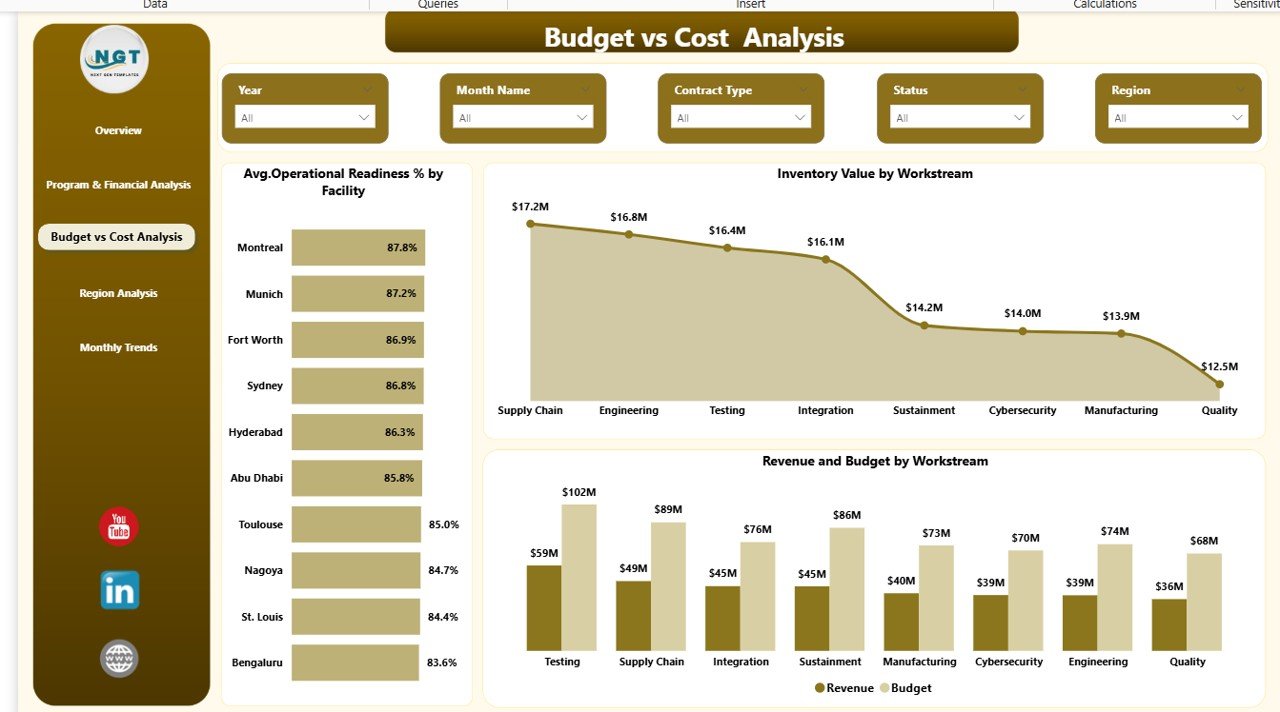
3️⃣ Budget vs Cost Analysis
Track Operational Readiness %, Inventory by Workstream, and Revenue vs Budget comparisons for financial control.
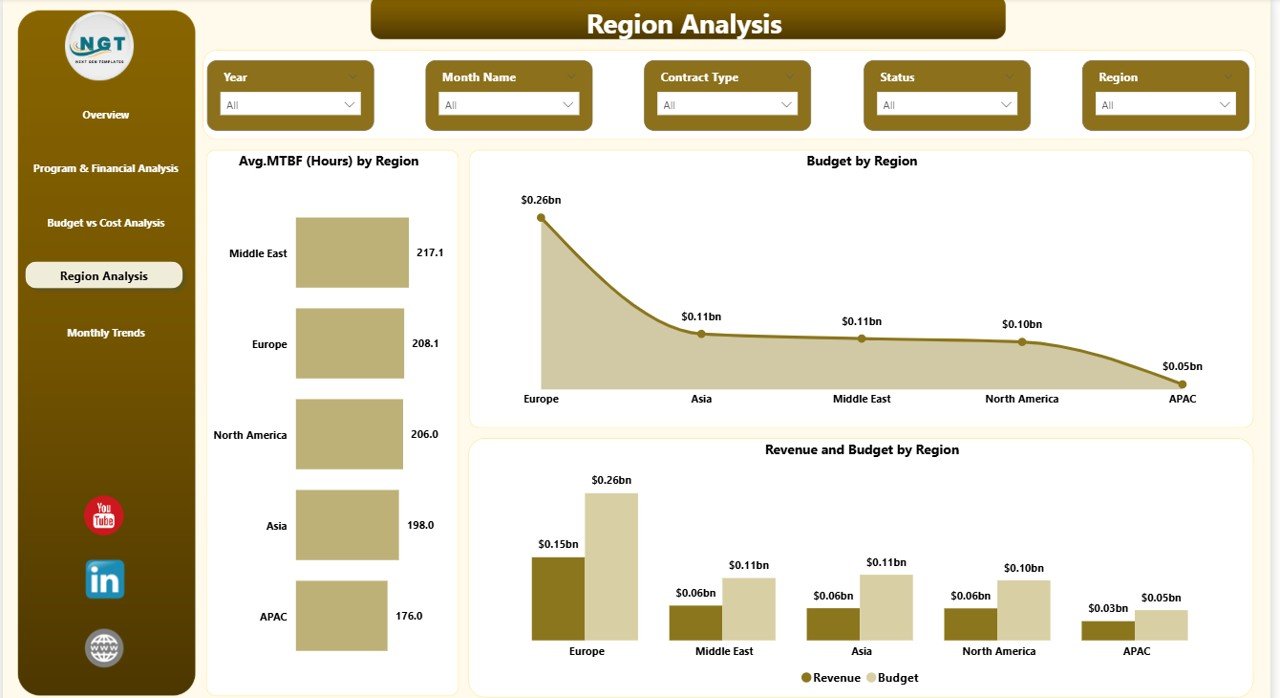
4️⃣ Region Analysis
Compare MTBF, Budget, and Revenue across geographic regions for strategic resource allocation.
5️⃣ Monthly Trends Page
Monitor Schedule Variance (Days), Test Pass Rate %, and Revenue vs Budget trends by month for accurate forecasting.
How to Use the Aerospace and Defense Dashboard in Power BI
Using this dashboard is simple and structured:
1️⃣ Import your financial and operational datasets into Power BI.
2️⃣ Map KPIs such as Revenue, Budget, Cost, MTBF, and Readiness.
3️⃣ Configure slicers for facility, region, risk level, and contract type.
4️⃣ Refresh data automatically for real-time insights.
5️⃣ Publish to Power BI Service and share securely with stakeholders.
Within minutes, your team can begin analyzing mission-critical performance metrics.
Who Can Benefit from This Aerospace and Defense Dashboard in Power BI
This dashboard is ideal for:
✈️ Aerospace Manufacturers
🛡️ Defense Contractors
🏢 Government Suppliers
📊 CFOs & Financial Controllers
⚙️ Program Managers
📦 Supply Chain Leaders
📑 Compliance Officers
If your organization manages contracts, budgets, inventory, and operational performance, this dashboard provides the clarity you need.
Why This Dashboard Is a Game-Changer
✔ Centralized performance visibility
✔ Improved budget control
✔ Stronger risk management
✔ Better operational readiness tracking
✔ Enhanced program reliability monitoring
✔ Regional performance comparison
✔ Long-term trend forecasting
Instead of reacting to problems, you will anticipate them.
Instead of guessing, you will decide with confidence.
This is not just a report — it is a strategic control system for aerospace and defense operations.
Click here to read the Detailed blog post
Watch the step-by-step video tutorial: