

The best construction subcontractor template is the Construction Project Intelligence Kit ($49.99) for general contractors tracking subcontractor performance, and a trade-specific KPI dashboard ($12.99) for subs scoring their own work. Excavation, concrete, paving, fencing, insulation, drywall and home renovation versions cover Excel and Power BI.
Last updated: October 2026
Key takeaways
- The Construction Project Intelligence Kit costs $49.99 for 6 templates across Excel, Power BI and Google Sheets, against $84.94 bought one by one.
- NextGenTemplates has no file called a subcontractor template, so the closest fits are seven trade contractor KPI dashboards at $12.99 each.
- Every trade dashboard scores MTD and YTD against target with traffic lights, and 13 to 15 KPIs depending on the trade.
- Direction-aware scoring means beating a waste, rework or DSO target reads above 100%, not as a failure.
- These are reporting templates over numbers you type in. They do not replace Procore, lien waiver paperwork or safety compliance records.
 Launch offer
SUMIFS, XLOOKUP, FILTER, LAMBDA and checking AI-written formulas, with real business projects. 11h 47m of video by PK, with practice files, quizzes and a capstone.
Construction subcontractor templates compared
| Template | Format | Best For | Price |
|---|---|---|---|
| Construction Project Intelligence Kit (Best overall and best value) | Excel, Power BI, Google Sheets | GCs managing contractor performance, budgets and safety | $49.99 |
| Excavation Contractor KPI Dashboard | Excel | Earthmoving and site-prep subs | $12.99 |
| Concrete Contractor KPI Dashboard | Power BI | Flatwork and structural concrete subs | $12.99 |
| Paving Contractor KPI Dashboard | Excel | Asphalt and hot-mix paving subs | $12.99 |
| Fencing Contractor KPI Dashboard | Excel | Chain link, wood, vinyl and ornamental installers | $12.99 |
| Insulation Contractor KPI Dashboard | Power BI | Spray foam and batt insulation subs | $12.99 |
| Drywall Contractor KPI Dashboard | Power BI | Hanging and finishing subs | $12.99 |
| Home Renovation Contractor KPI Dashboard | Excel | Remodelers who also sub out trades | $12.99 |
How we picked these
We searched the NextGenTemplates catalog of roughly 6,900 products for anything built for subcontractors. No file carries that label, so we looked for products that serve subcontractor trades or the general contractors who hire them.
We kept paid, full-system products with a month-based scorecard, targets and traffic lights. We left out free files, loosely related project templates and anything that did not map to a trade a GC normally subcontracts. Search volume for the exact phrase is very low, so treat this as a practical guide to adjacent tools, not a list of products with that name.
The 8 best construction subcontractor templates for 2026
1. Construction Project Intelligence Kit: best overall and best value
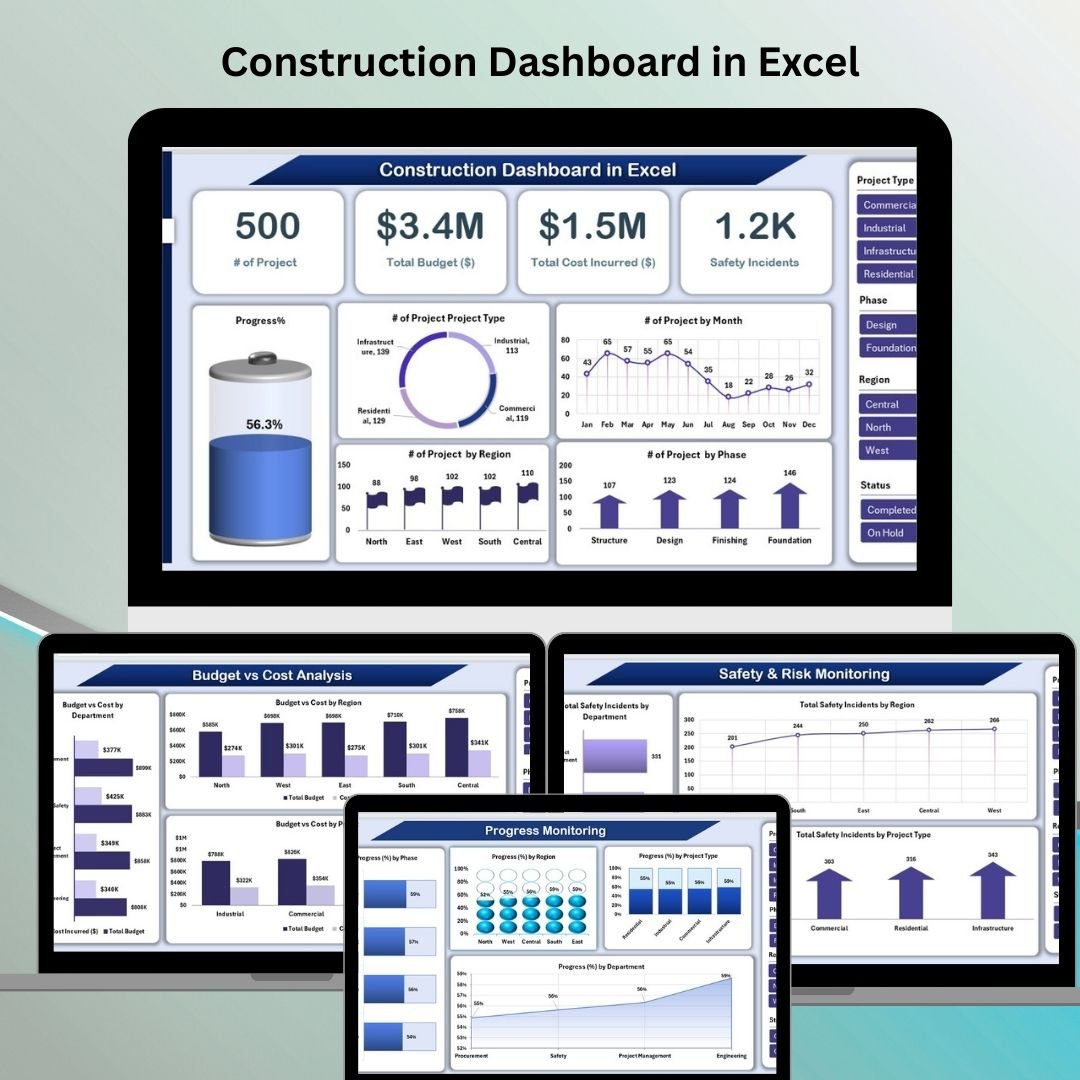
This is the bundle to buy if you are the general contractor. It packs 6 premium construction dashboards into one pack, in Excel, Power BI and Google Sheets, so each stakeholder opens the format they already use.
Who it is for: general contractors and project managers who award work to subcontractors and need to see budget, safety and progress in one place.
- Portfolio dashboards, KPI dashboards and a dedicated Construction Safety KPI dashboard
- Budget vs cost tracking by department, region, contractor and project type
- Progress and timeline views across multiple sites
- Contractor performance ranking by project count and budget, which helps award decisions
- Power BI decomposition views and Google Sheets keyword search tabs
Use cases: catch a cost overrun on a single contractor before it reaches the owner’s invoice. Compare the incident rate from the safety dashboard across sites before the next award. Rank your top contractors by number of projects and budget handled. Share the Google Sheets version with a sub who has no Power BI license.
The maths favours the bundle: $49.99 against $84.94 for the six separately, a saving of $34.95. Get the Construction Project Intelligence Kit for $49.99.
Best for: a GC who wants one kit covering contractor performance, cost and safety.
2. Excavation Contractor KPI Dashboard in Excel
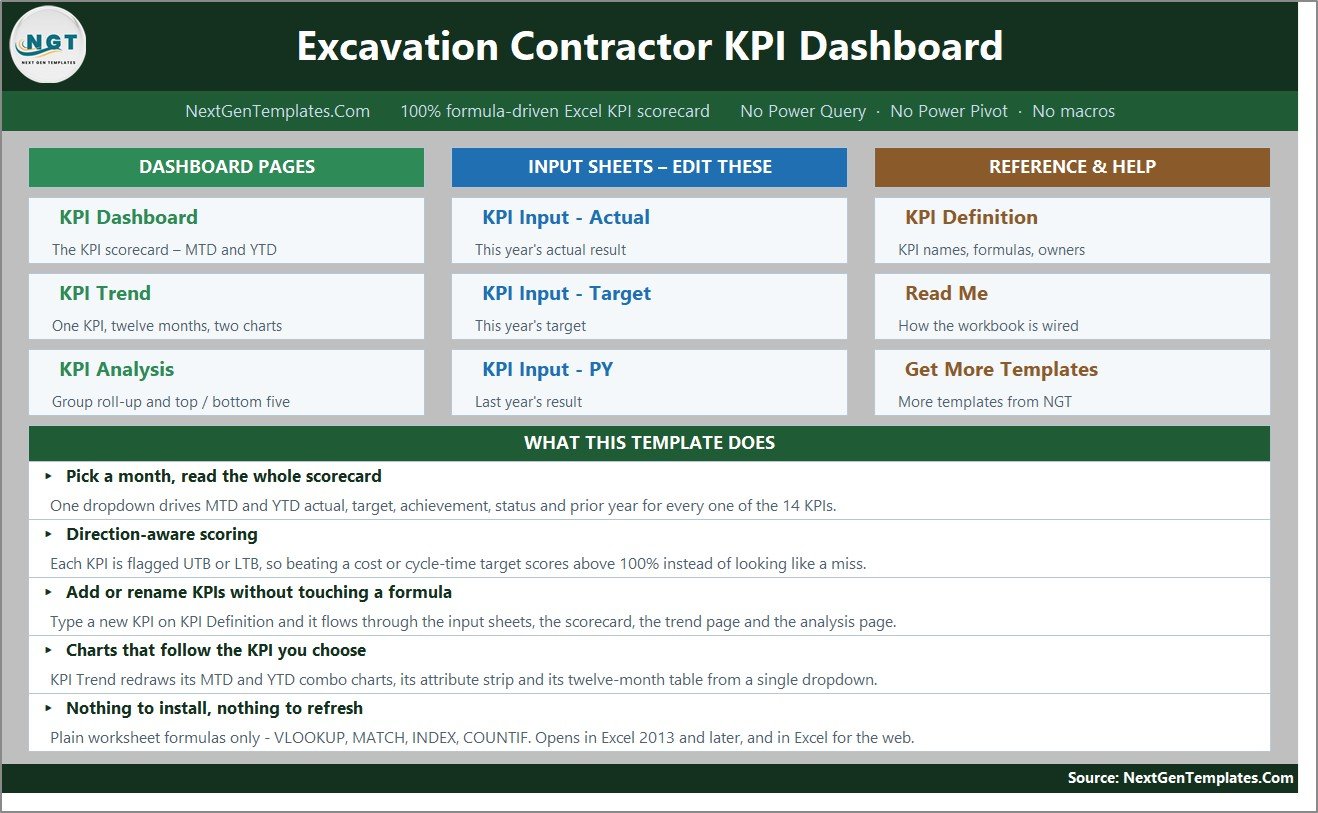
A month-picker scorecard for excavation, earthmoving and site-preparation contractors. It tracks 15 KPIs in five groups: Production & Earthmoving, Quality & Grading, Safety & Compliance, Fleet & Equipment, and Project & Financial.
Who it is for: excavation subs who want to see whether the month hit target without building a model from scratch.
- MTD and YTD actual, target, achievement %, status, prior year and year-on-year movement
- 9 upper-the-better and 6 lower-the-better KPIs, including Rework Rate, Utility Strikes per 1,000 Digs, Fuel Cost per Operating Hour and Cost per Cubic Yard
- Editable traffic lights: On Target 100%+, At Risk 95-99%, Missed below 95%
- KPI Trend page with a twelve-month table and combo charts
Use cases: see whether fuel cost per operating hour is drifting while production holds. Watch unplanned equipment downtime by month. Show the GC a scorecard with utility strikes per 1,000 digs. It runs on plain worksheet formulas, with no macros or add-ins, and opens in Excel 2013 and later and Excel for the web. Price: $12.99. See the excavation contractor KPI dashboard.
Best for: earthmoving subs with fleet cost and safety to watch.
3. Concrete Contractor KPI Dashboard in Power BI
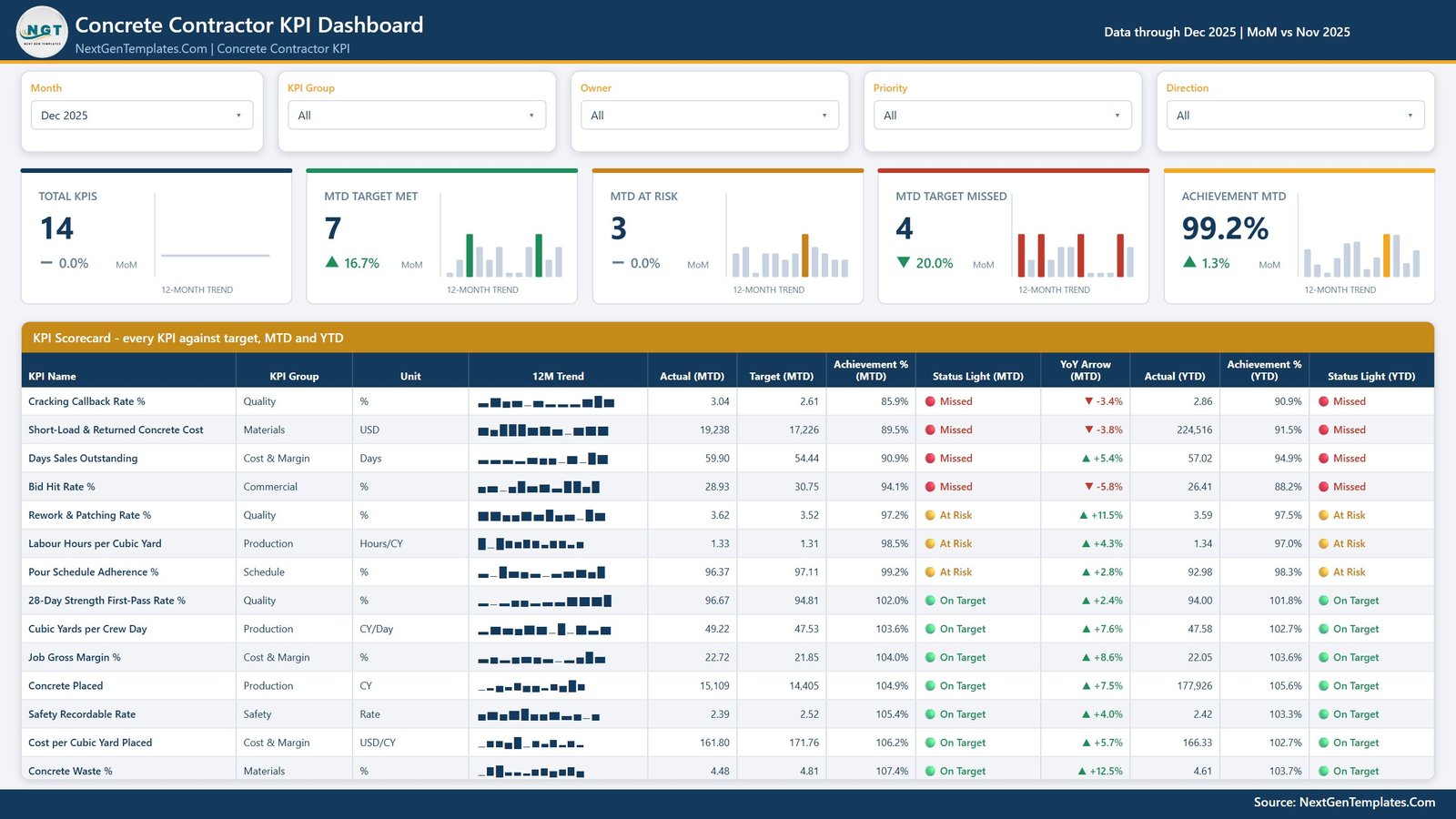
This Power BI report scores 14 concrete-contracting KPIs across 7 KPI groups, with MTD and YTD traffic lights on the same row. Six KPIs are higher-is-better and eight are lower-is-better.
Who it is for: concrete subs that want slicers and drill-down on their scorecard.
- KPIs include Concrete Placed, Cubic Yards per Crew Day, Labour Hours per Cubic Yard, 28-Day Strength First-Pass Rate % and Rework & Patching Rate %
- Five synced slicers: Month, KPI Group, Owner, Priority and Direction
- A 12-month sparkline on every row that holds the full year when you change the month
- Editable .pbix, the Excel data pack that drives it and a user manual PDF
Use cases: spot a rise in cracking callbacks against the 28-day strength first-pass rate. Filter the scorecard to one owner. Check cost per yard and DSO in the same view. It is $12.99 (regular $19.99). View the concrete contractor KPI dashboard in Power BI.
Best for: concrete subs who already use Power BI Desktop.
4. Paving Contractor KPI Dashboard in Excel
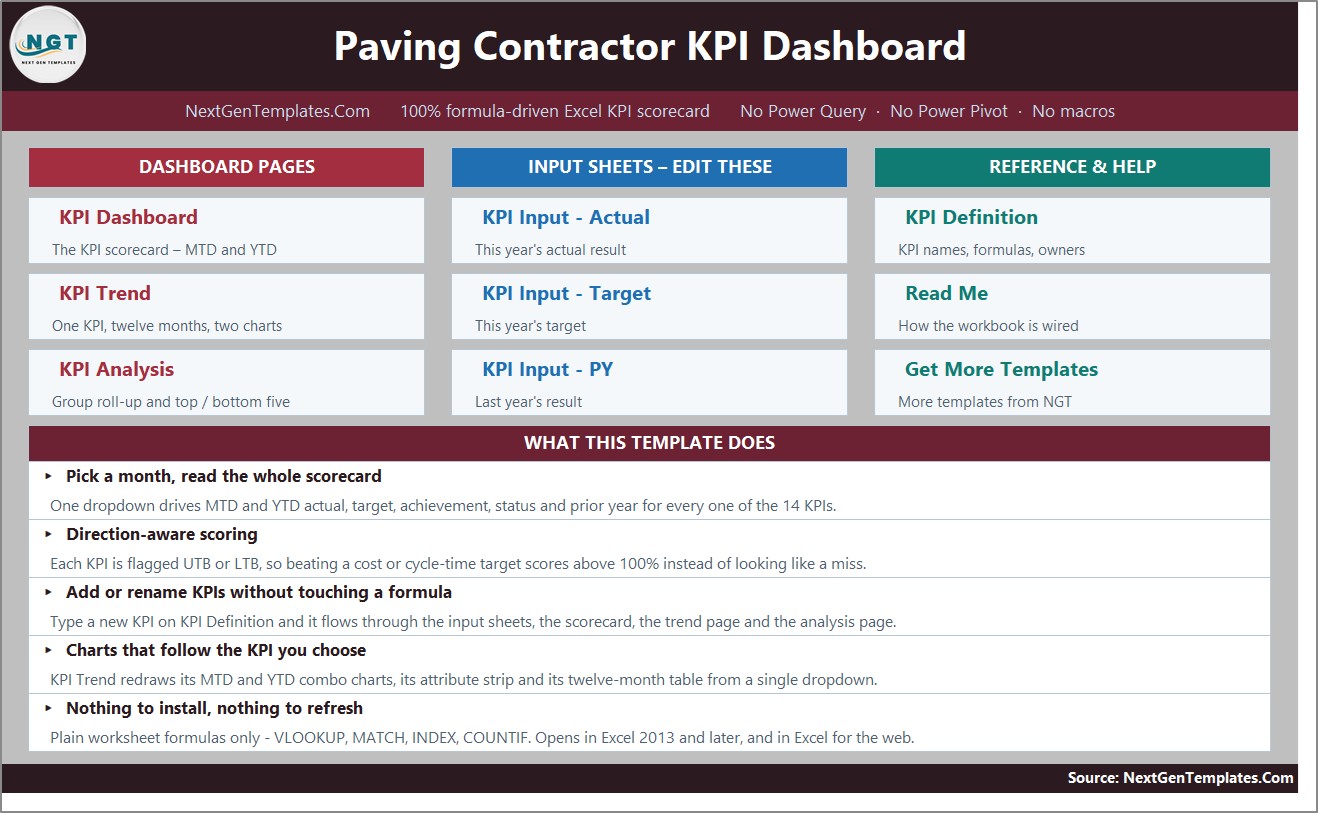
A formula-driven monthly scorecard for asphalt and hot-mix paving contractors. One dropdown re-reads the workbook, and it scores 14 paving KPIs MTD and YTD.
Who it is for: paving subs who need on-time completion, compaction and margin on one page.
- KPIs include on-time completion, tonnage placed, compaction density, gross job margin, TRIR, equipment uptime, rework, DSO, bid win rate, waste and crew productivity
- Prior-year comparator and a direction-aware arrow per KPI
- Four lower-is-better KPIs score above 100% when you beat them
- Group roll-up and a top-and-bottom-five ranking
Use cases: see which five KPIs drag the month down. Compare tonnage placed against last year. Track equipment uptime next to rework. No macros, no Power Query and no data model. Price: $12.99. Open the paving contractor KPI dashboard.
Best for: asphalt subs wanting a quick monthly target check.
5. Fencing Contractor KPI Dashboard in Excel
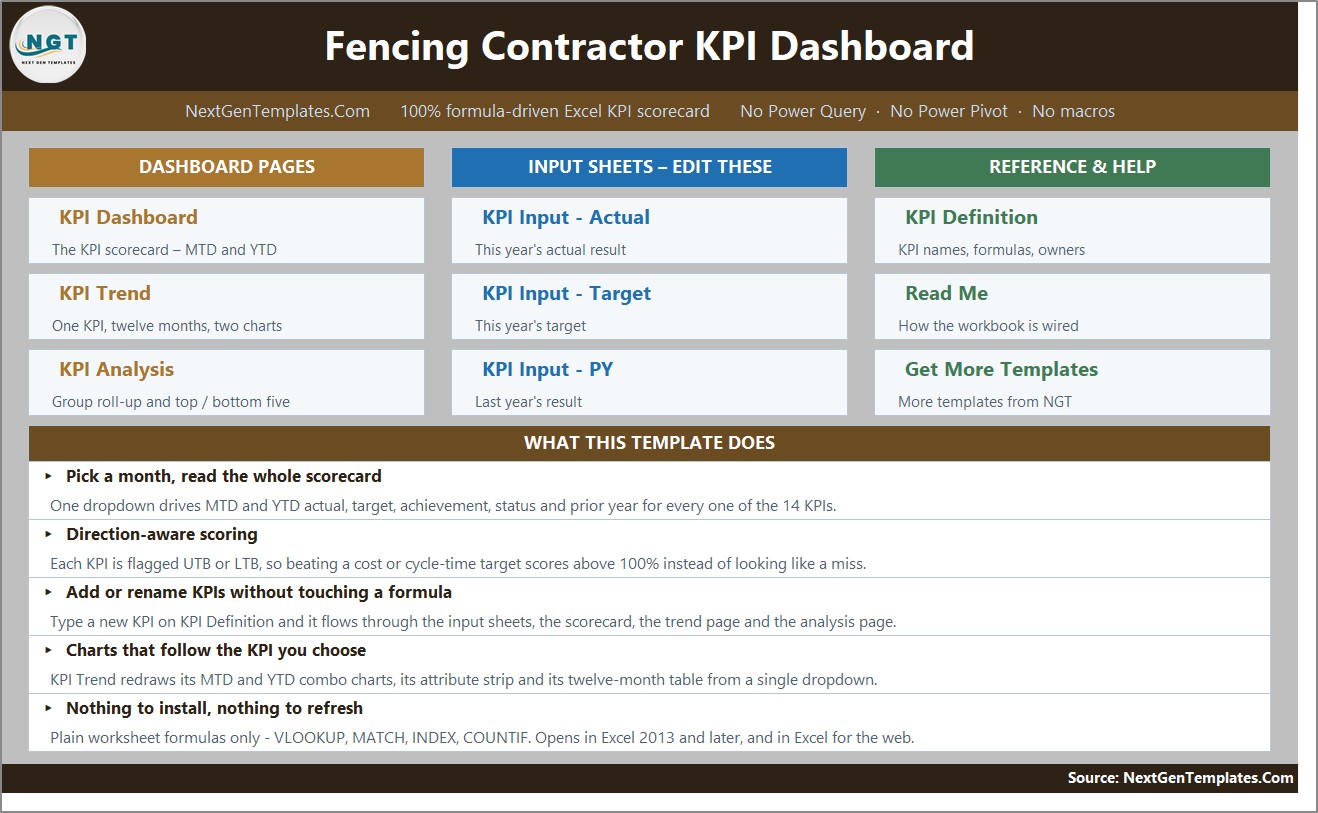
Built for chain link, wood, vinyl, ornamental and temporary fence installers. It tracks 14 KPIs across 6 groups: Production, Financial, Sales, Quality, Safety and Customer.
Who it is for: fencing subs and small crews who bid on commercial and site work.
- 8 upper-the-better and 6 lower-the-better KPIs
- Cutting permit turnaround, waste, callbacks, DSO, incidents or warranty claims below target scores above 100%
- Thresholds editable in the formulas, and every cell unlocked
- 2025 sample data included so it works on first open
Use cases: track callbacks against warranty claims. Move a target and watch the traffic light change. Rename a KPI to match your own language. A separate Power BI build exists with its own 12-KPI set. Price: $12.99. Get the fencing contractor KPI dashboard.
Best for: fence installers who want editable targets and thresholds.
6. Insulation Contractor KPI Dashboard in Power BI
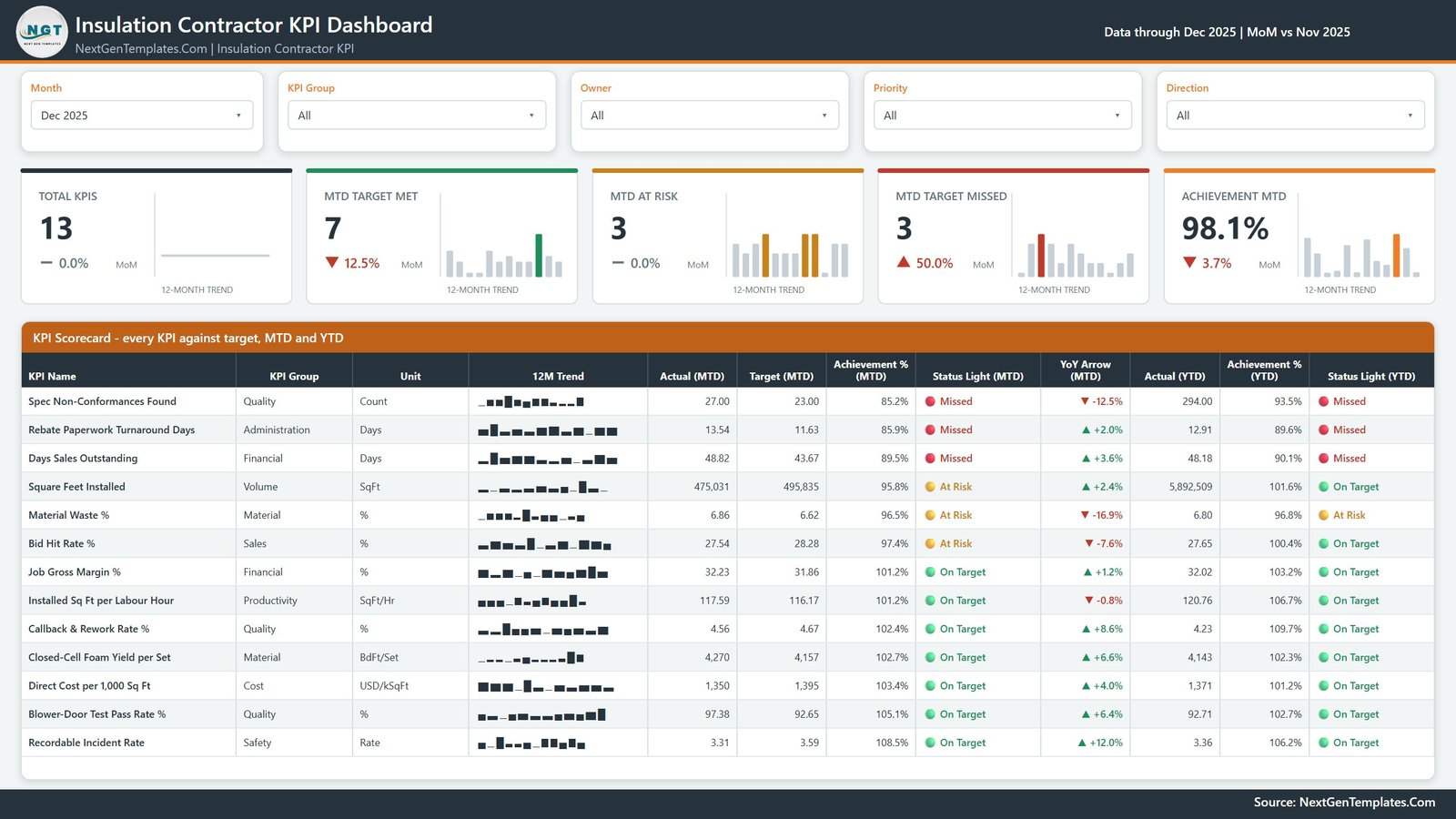
This report scores 13 insulation KPIs against target on four report pages, from a single Excel workbook you control. It uses native Power BI visuals only.
Who it is for: insulation subs who report to builders and want a clear MTD and YTD picture.
- 13 KPIs in nine groups, including Installed Sq Ft per Labour Hour, Closed-Cell Foam Yield per Set, Material Waste % and Blower-Door Test Pass Rate %
- 6 higher-is-better and 7 lower-is-better KPIs
- 12-month sparkline per KPI and prior-year comparison
- Sample year loaded: 13 KPI definitions, 156 monthly target rows and 312 actual rows
Use cases: compare blower-door pass rate with callback and rework rate. Watch direct cost per 1,000 sq ft. Show how a good month sits inside a weak year. You need only the free Power BI Desktop. Price: $12.99. Check the insulation contractor KPI dashboard.
Best for: insulation subs with quality and material waste to control.
7. Drywall Contractor KPI Dashboard in Power BI
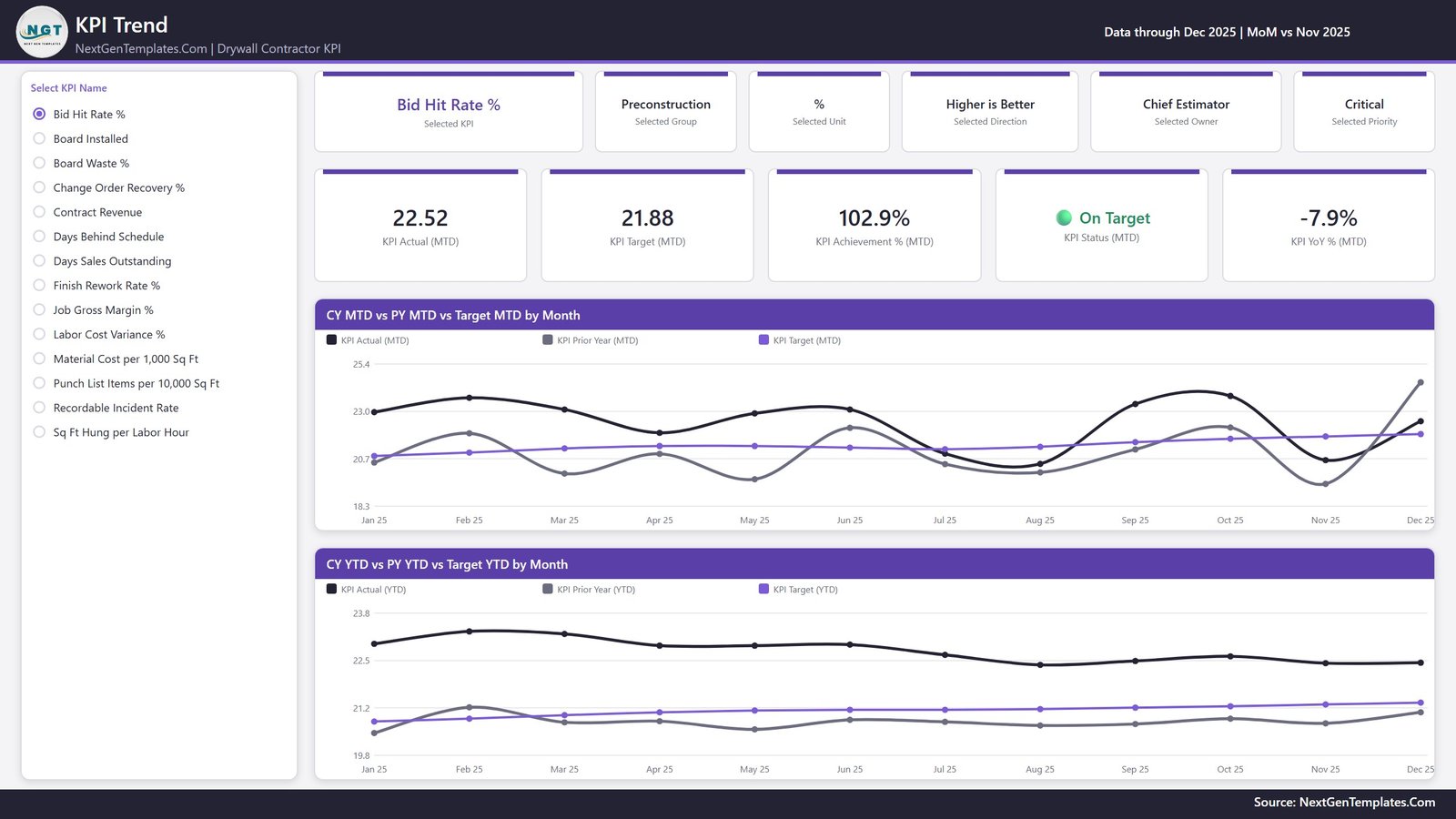
It scores 14 drywall KPIs across 7 KPI groups, with MTD and YTD traffic lights per row. Six KPIs are higher-is-better and eight are lower-is-better.
Who it is for: hanging and finishing subs who live on labor variance and waste.
- KPIs include Contract Revenue, Job Gross Margin %, Labor Cost Variance %, Board Installed (MSF), Sq Ft Hung per Labor Hour and Board Waste %
- Also Finish Rework Rate %, Punch List Items per 10,000 Sq Ft, Change Order Recovery % and Days Behind Schedule
- Five synced slicers and a 12-month sparkline on every row
- Editable .pbix, Excel data pack and user manual PDF
Use cases: see whether labor cost variance is eating margin. Compare punch list items per 10,000 sq ft by month. Track change order recovery. Price: $12.99 (regular $19.99). Browse the drywall contractor KPI dashboard.
Best for: drywall subs who want job costing and quality on one scorecard.
8. Home Renovation Contractor KPI Dashboard in Excel
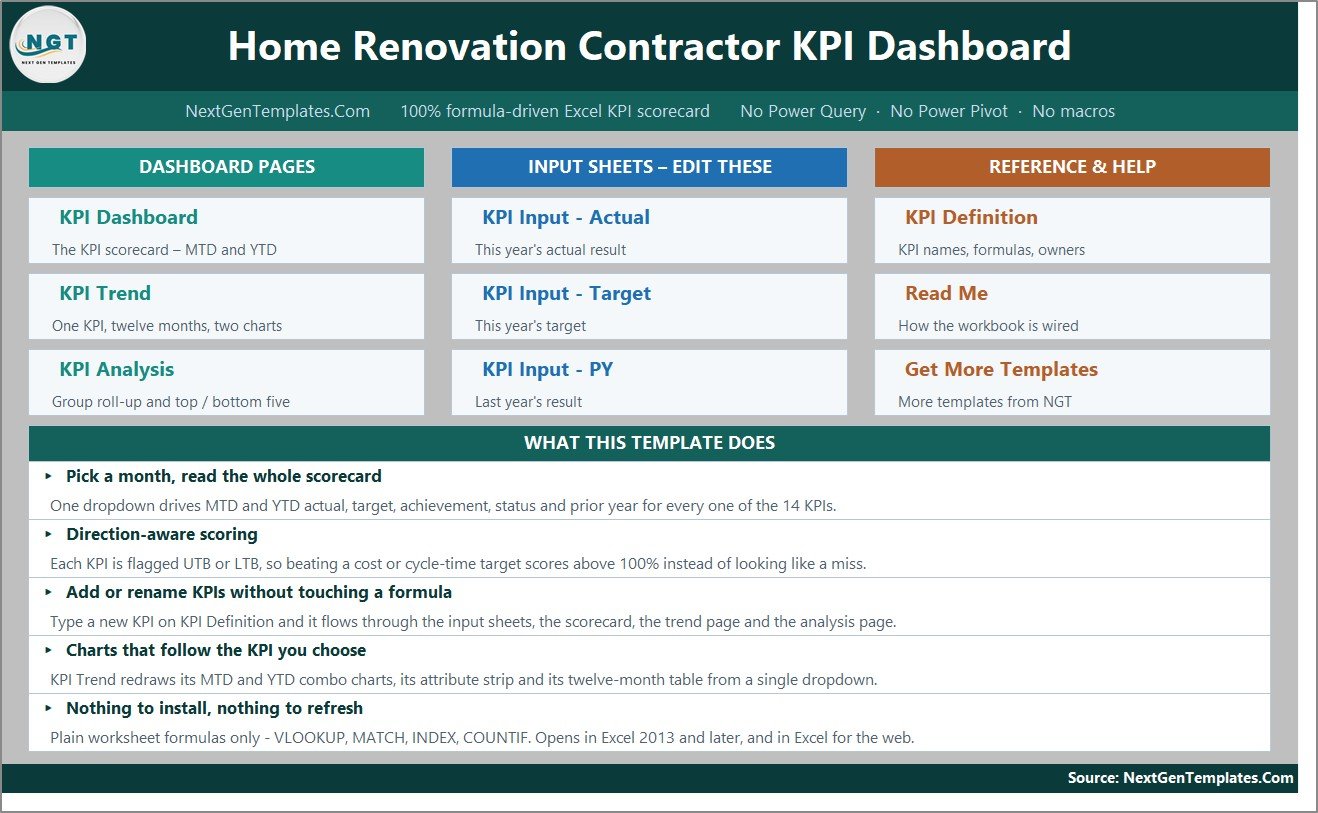
This workbook tracks 15 renovation KPIs across 5 groups: Delivery, Financial, Sales, Quality and Workforce, on 11 worksheets. The sheets are wired for 22 KPI rows, so seven more can be added without editing a formula.
Who it is for: remodelers who manage their own crews and sub out specialist trades.
- KPIs include On-Time Completion Rate, Change-Order Rate, Gross Margin, Quote-to-Close Rate and Warranty Callback Rate
- Seven summary cards and a KPI Trend page
- A KPI Analysis page with group roll-ups
- Setup is replacing the sample numbers on three input sheets
Use cases: check change-order rate against gross margin. Watch crew utilisation by month. Monitor punch-list and rework rate on jobs. The file is a reporting template and does not establish compliance with building codes, licensing or contract law. Price: $12.99. See the home renovation contractor KPI dashboard.
Best for: renovation firms that need a scorecard with room to add KPIs.
How do you score a subcontractor with these templates?
The trade dashboards share one scoring rule. For higher-is-better KPIs, achievement is Actual divided by Target. For lower-is-better KPIs, it is Target divided by Actual. That is why beating a waste, cost or DSO target reads above 100%.
| KPI | Formula | Worked example |
|---|---|---|
| Rework rate (lower is better) | Target / Actual | Target 2%, actual 1.6% = 125% |
| Rework rate missing target | Target / Actual | Target 2%, actual 2.5% = 80%, Missed |
| Total recordable incident rate | Recordable incidents x 200,000 / hours worked | 3 x 200,000 / 180,000 = 3.33 |
| Days sales outstanding | Receivables / revenue x days in period | $150,000 / $1,200,000 x 365 = 45.6 days |
| Gross job margin % | (Revenue – job cost) / revenue | ($100,000 – $82,000) / $100,000 = 18% |
The 200,000 in the incident rate formula is the OSHA base for 100 full-time workers over a year. The OSHA recordkeeping guidance explains what counts as a recordable case, so check definitions before you enter numbers in any dashboard.
How do you run a monthly subcontractor review with a KPI dashboard?
A dashboard only changes behaviour if someone reads it on a fixed day. A simple monthly routine works for both a GC reviewing subs and a sub reviewing its own crews.
- Close the month’s numbers by the fifth working day: hours, units installed, rework items, receivables and incidents.
- Type them into the input sheets, then pick the month in the dropdown. In the Excel files every card, chart and traffic light follows that one cell.
- Read the Missed rows first (below 95% achievement in the Excel files), then the At Risk rows (95-99%).
- Check the YTD column next to MTD. A good month inside a weak year is still a weak year.
- Write one action per Missed KPI, with an owner and a date, and review it at the next meeting.
For a GC, the same routine applies at portfolio level. Use the Intelligence Kit to compare contractors by budget and project count, then open the safety dashboard before awarding the next package. Ten minutes on four or five red rows is more useful than scrolling every KPI.
A practical rule for targets: set them from your own last twelve months, not from an industry figure you cannot verify. The prior-year column in each trade dashboard shows whether you are improving against yourself, which is the fairest comparison for a small sub.
How to choose between them
| If you are… | Buy | Price |
|---|---|---|
| A GC scoring several subs across sites | Construction Project Intelligence Kit | $49.99 |
| An excavation, paving, fencing or renovation sub on Excel | The matching Excel dashboard | $12.99 |
| A concrete, insulation or drywall sub who wants slicers | The matching Power BI dashboard | $12.99 |
| Sharing with a team that lives in Google Sheets | The Intelligence Kit (Google Sheets version) | $49.99 |
A short decision tree helps. If you hire subs, start with the kit. If you are the sub, pick your trade. If your trade is not listed, pick the closest, then rename KPIs, since the Excel files have unlocked cells. If you want one scorecard and no Power BI, stay in Excel.
Bundle versus single dashboards: the maths
| Purchase | Cost | What you get |
|---|---|---|
| 1 trade dashboard | $12.99 | One trade, one format |
| 2 trade dashboards | $25.98 | Two trades, for a firm that crosses trades |
| 3 trade dashboards | $38.97 | Three trades, still $11.02 under the kit |
| 4 trade dashboards | $51.96 | More than the $49.99 kit |
| Construction Project Intelligence Kit | $49.99 | 6 templates, 3 platforms |
The break-even is the fourth trade file. Before that, singles are cheaper, but they cover one trade each, while the kit is built around contractor performance, budget and safety across projects. For a sub, one trade file is usually enough. For a GC, the kit wins on breadth.
For wider project tooling, see our guide to construction project templates for contractors and builders. If you are weighing subscription software, our Procore alternatives in Excel and Sheets comparison covers it. Contractors who also run a materials yard may find the distribution center templates useful.
When a template is NOT the right answer
These are scorecards over numbers you enter. They do not generate lien waivers, pay applications, insurance certificates or prequalification forms, and they are not a legal or safety compliance record.
If you need drawings, RFIs, change-order approvals with e-signatures, bid portals or live field apps, buy construction software such as Procore or Buildertrend. Their subscriptions cost more over time, but they are built for those jobs.
Also skip a template if you will not enter data monthly. A dashboard with stale inputs is worse than none. And if you have one small crew and no targets, a simple job-cost sheet may be enough before you add 14 KPIs.
Frequently asked questions
What is a construction subcontractor template?
A construction subcontractor template is a pre-built spreadsheet or report that tracks a sub’s performance, cost, safety and schedule. NextGenTemplates has no subcontractor-only file, so the closest fits are the trade contractor KPI dashboards at $12.99 and the $49.99 Construction Project Intelligence Kit.
Can I use Excel to manage subcontractors?
Yes. Excel handles scorecards, budgets and KPI tracking well when you enter data monthly. The Excavation, Paving, Fencing and Home Renovation dashboards run on plain worksheet formulas with no macros, and open in Excel 2013 and later and Excel for the web. Excel is weaker for live multi-user field data.
Should I choose an Excel or Power BI subcontractor dashboard?
Choose Excel if your team already lives in spreadsheets and wants editable formulas. Choose Power BI for slicers, drill-down and a 12-month sparkline per KPI. The Power BI files need the free Power BI Desktop and an Excel data workbook. The Intelligence Kit includes Excel, Power BI and Google Sheets versions.
How do I track subcontractor performance?
Pick a handful of measurable KPIs, set a monthly target for each, and score actual against target. Typical ones are rework rate, days behind schedule, recordable incident rate and cost per unit. The Intelligence Kit ranks contractors by project count and budget, which helps with award decisions.
What KPIs should a subcontractor track?
Core subcontractor KPIs are gross job margin, labor hours per unit installed, rework or callback rate, days sales outstanding, bid hit rate and recordable incident rate. Each trade dashboard here has 13 to 15 KPIs, for example 14 in the Concrete and Drywall versions and 15 in Excavation.
How is achievement percentage calculated?
For higher-is-better KPIs, achievement is Actual divided by Target. For lower-is-better KPIs it is Target divided by Actual, so beating a waste, cost or DSO target scores above 100%. A rework target of 2% with an actual of 1.6% scores 125%.
Do these templates replace Procore or Buildertrend?
No. They are reporting templates over numbers you type in, not field management software. They do not handle RFIs, drawings, bid portals or e-signatures. They suit teams that want a monthly scorecard without a per-user subscription. Our Procore alternatives post covers the wider comparison.
Do the templates handle lien waivers or compliance paperwork?
No. These are KPI reporting templates. They do not create lien waivers, pay applications, certificates of insurance or compliance records, and they do not establish compliance with licensing or safety law. Keep that paperwork in your document system or accounting software and use the dashboard for performance trends.
How much do the subcontractor KPI dashboards cost?
Each trade KPI dashboard costs $12.99, a one-time payment with no subscription. The Construction Project Intelligence Kit costs $49.99 for six templates across Excel, Power BI and Google Sheets, against $84.94 bought individually, a saving of $34.95.
Get more construction templates
The best-value pick is the Construction Project Intelligence Kit for $49.99: six dashboards, three platforms, one payment. Single trade dashboards start at $12.99. Watch walkthroughs on the NextGenTemplates YouTube channel.