

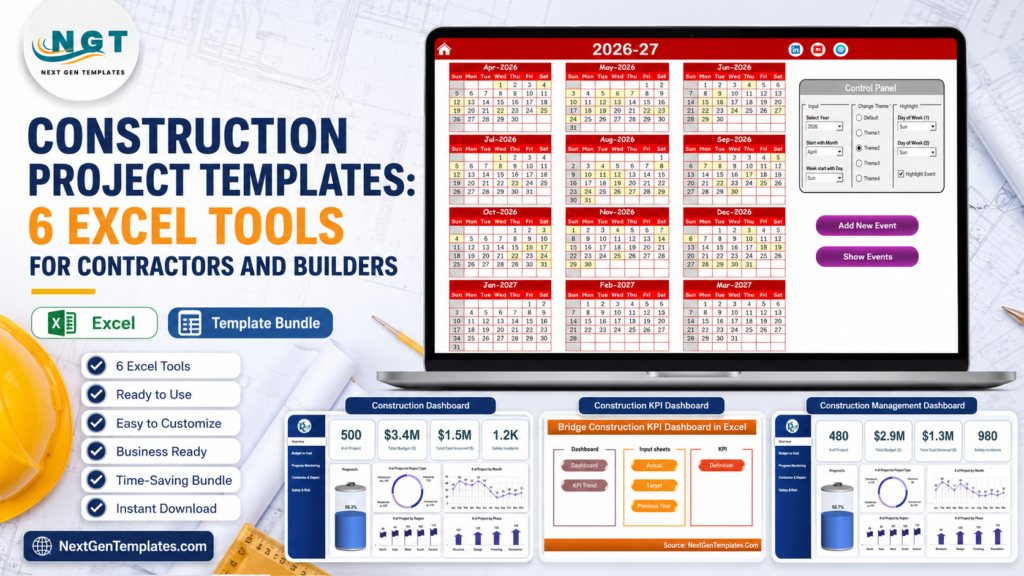
Construction project Excel templates help contractors control budgets, cost codes, change orders, subcontractors, safety, and timelines without buying a full construction management platform on day one. KPMG’s Global Construction Survey reported that 37 percent of respondents missed budget and/or schedule targets because of ineffective risk management, which is exactly why contractors need a simple, repeatable reporting system for every active job. See the KPMG summary here: KPMG Global Construction Survey.construction project templates
If your team already lives in Microsoft Excel, the practical stack is simple: one portfolio dashboard, one project cost dashboard, one timeline calendar, one KPI dashboard, and specialized infrastructure dashboards for bridge, highway, or civil work. The tools below are built for general contractors, builders, project managers, controllers, and subcontractor coordinators who need faster visibility than scattered files can provide.construction project templates
Key Features of Construction Project Templates
The best construction project Excel setup should answer five questions quickly: which jobs are over budget, which phases are slipping, which subcontractors need attention, which change orders are still open, and which safety or quality signals need escalation.
- Budget vs actual tracking: compare planned budget, actual cost, and variance by project, contractor, region, and phase.
- Cost code control: add cost code, division, CSI category, or work package columns to keep reporting aligned with your estimating structure.
- Change order visibility: track submitted, approved, rejected, and pending change orders alongside budget impact.
- Subcontractor accountability: compare contractor spend, project count, completion rate, incidents, and variance.
- Timeline and KPI monitoring: keep milestones, project progress, labor productivity, and safety metrics in one reporting rhythm.
 Launch offer
SUMIFS, XLOOKUP, FILTER, LAMBDA and checking AI-written formulas, with real business projects. 11h 47m of video by PK, with practice files, quizzes and a capstone.
Dashboard Pages Explanation
A contractor dashboard should not be one giant report. It should separate the work into clear pages so owners, PMs, controllers, and site supervisors can scan the view that matters to them.construction project templates
Portfolio Overview
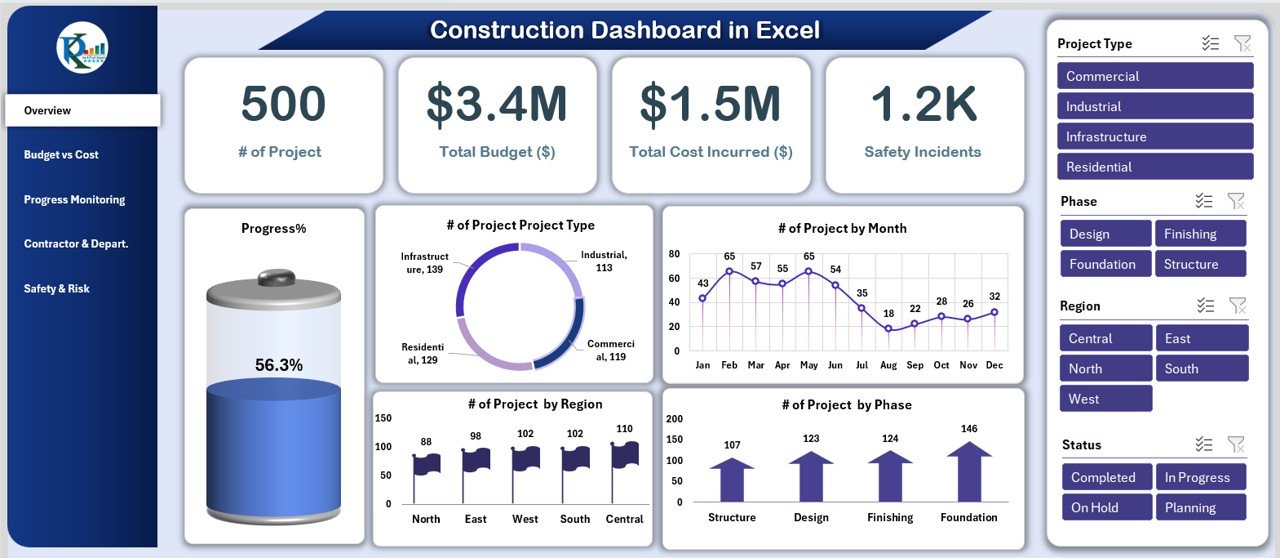
Use this page for total projects, total budget, total actual cost, progress percentage, safety incidents, project status, and region-level breakdowns. This is the page for weekly leadership meetings.
Budget, Cost, and Change Orders
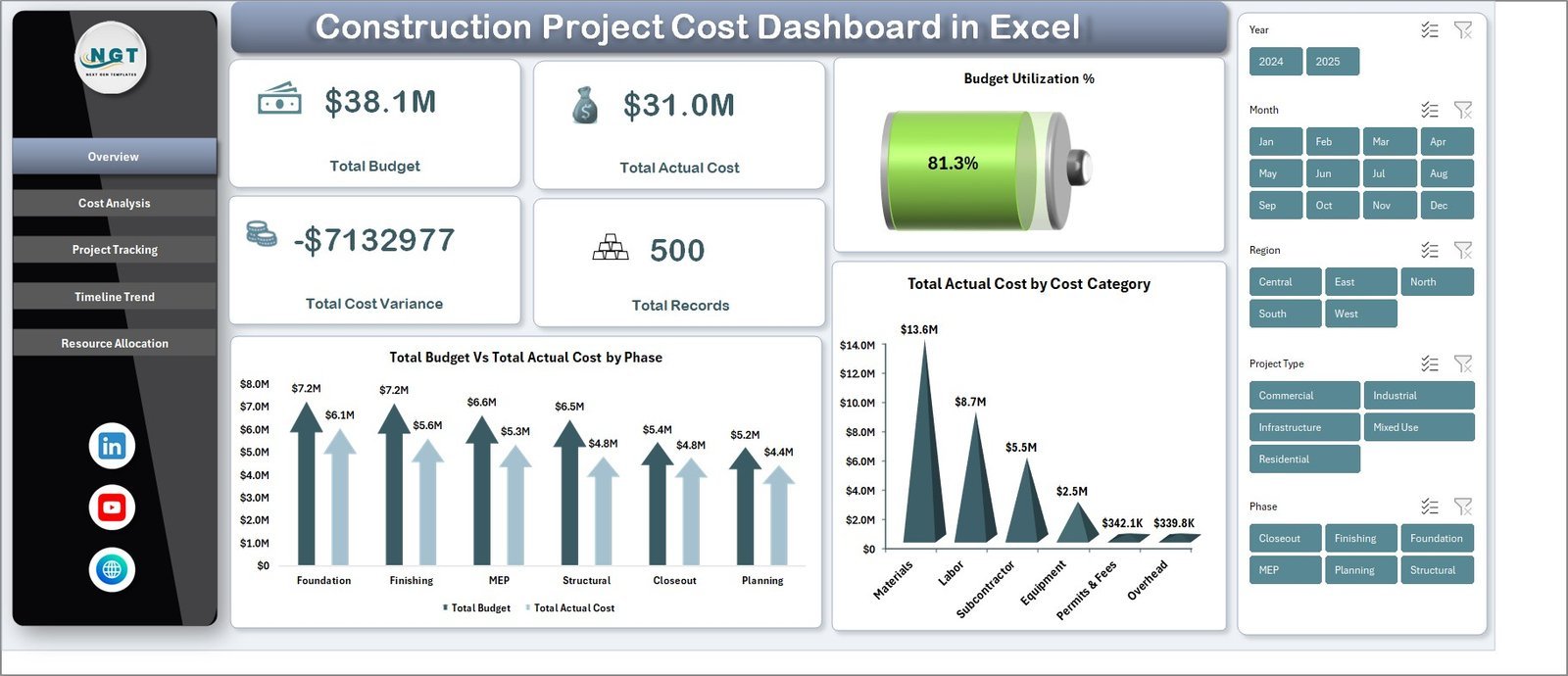
This page should show budget vs actual cost, variance by phase, variance by contractor, and a change order log. If you use cost codes, make them a required field so every cost lands in the right bucket.construction project templates
Timeline and Progress
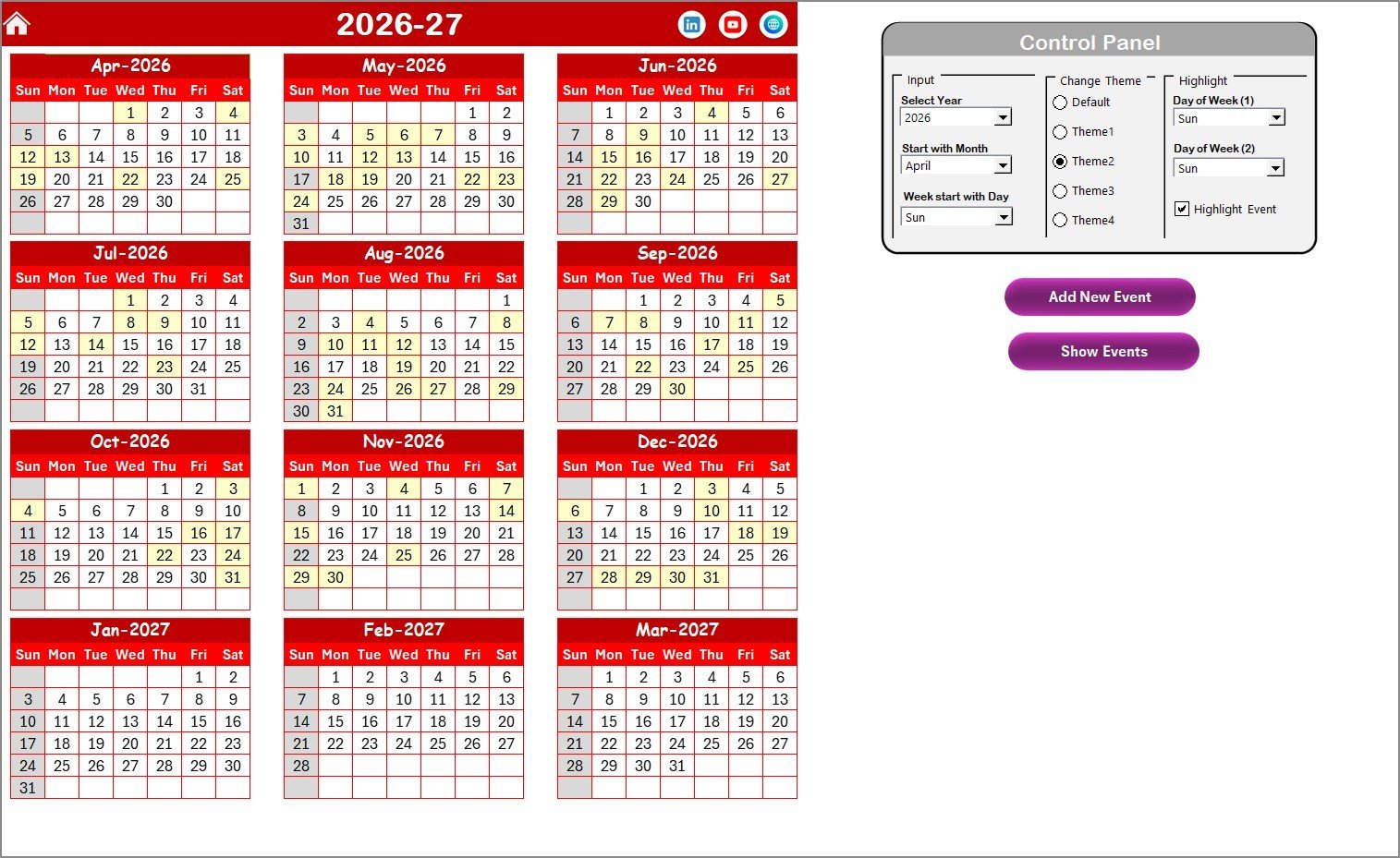
Use timeline calendars and KPI trend pages to track planned dates, actual dates, milestones, phase completion, and delayed work. Microsoft also recommends structured tables for easier filtering and analysis in Excel; see Microsoft Support on Excel tables.construction project templates
Contractor, Safety, and Quality
Contractor scorecards, safety incident charts, quality scores, and bridge or highway dashboards help project leaders see which work packages need intervention before the next billing cycle.construction project templates
Construction Project Excel Templates vs. Google Sheets vs. Paid Construction SaaS – Feature Comparison
| Feature | Construction Excel Templates | Google Sheets Alternative | Paid Construction SaaS |
|---|---|---|---|
| Cost | One-time template purchase | Low cost, but manual build | Subscription or contract pricing |
| Setup time | Same day for most teams | Fast if the model is simple | Implementation and user training needed |
| Budget tracking | Built into dashboards and cost sheets | Good for collaboration | Advanced cost modules |
| Change orders | Trackable with custom columns/logs | Trackable with shared sheets | Workflow approvals included |
| Subcontractor reporting | Strong dashboard visibility | Good shared data entry | Deeper vendor workflows |
| Best fit | Small and mid-size contractors needing control now | Teams needing cloud collaboration | Large teams needing RFIs, submittals, and field workflows |
Who Should Use This Template Stack
These construction project templates are best for general contractors, builders, real estate developers, specialty contractors, project controls analysts, construction CFOs, and owner-side PMOs. They are especially useful when your team needs budget and status reporting but is not ready for a heavy SaaS rollout.construction project templates
They are not a replacement for a full construction operations platform if you need native RFIs, drawing markups, field daily logs, formal submittal workflows, or mobile punch-list management. They work best as a reporting and control layer that can sit beside your existing field process.construction project templates
Real-World Use Cases
Weekly Contractor Review
A project manager updates the data sheet every Friday with actual costs, progress percentage, open change orders, and subcontractor notes. On Monday, leadership reviews one dashboard instead of six separate spreadsheets.construction project templates
Budget Recovery Meeting
A controller filters by project phase and contractor to find where cost variance is increasing. The team then decides whether the issue is labor productivity, material pricing, scope creep, or pending change orders.construction project templates
Bridge and Infrastructure Reporting
A civil contractor uses bridge dashboards to review budget, actual cost, safety incidents, quality score, inspection result, and region-level performance across multiple infrastructure jobs.
Advantages of Construction Project Excel Templates
The biggest advantage is speed. You can download a file, replace sample data, and start reporting without waiting for a software implementation. Excel templates are also editable, easy to teach, and familiar to project managers, estimators, and finance teams. For mixed reporting teams, Power BI companion dashboards add stronger executive visuals while keeping the source data in Excel.construction project templates
Opportunities for Improvement
Templates depend on data discipline. If project names, cost codes, subcontractor names, phases, and change order statuses are entered inconsistently, the dashboard will still need cleanup. Before using any template, define the required fields, lock dropdown lists where possible, and decide who owns the weekly update.construction project templates
Best Practices
- Create a standard project naming convention before importing data.
- Add cost code, subcontractor, change order status, phase, and region fields to every project record.
- Update actual cost and progress weekly, not only at month-end.
- Separate approved change orders from pending change orders so your forecast is realistic.
- Archive a dated copy before major client or owner meetings.
- Use Power BI when executives need interactive reporting across many projects or regions.
Explore Relevant Templates
Best value: Construction Project Intelligence Kit – 6 Premium Templates. This bundle includes Excel, Power BI, and Google Sheets construction dashboards for budget vs cost, safety incidents, contractor performance, and project progress. It is the strongest CTA if you want a multi-platform construction reporting pack instead of buying individual templates one by one.
| Tool | Best For | Platform |
|---|---|---|
| Construction Dashboard in Excel | Portfolio budget, progress, contractor, and safety reporting | Excel |
| Construction Project Cost Dashboard in Excel | Budget vs actual cost, variance, resource allocation, and cost control | Excel |
| Construction Project Timeline Calendar in Excel | Milestones, daily events, monthly planning, and project schedules | Excel |
| Construction KPI Dashboard in Excel | Project timelines, budget utilization, labor productivity, and safety KPIs | Excel |
| Bridge Construction Dashboard in Excel | Bridge project budget, cost variance, safety, quality, and regional performance | Excel |
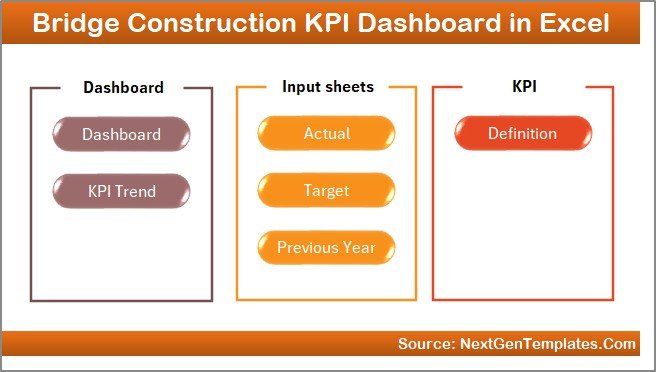
| Bridge Construction KPI Dashboard in Excel | Target vs actual KPI tracking for bridge construction performance | Excel |
For teams that want interactive BI visuals, also review the Bridge Construction KPI Dashboard in Power BI. Microsoft explains how Power BI Desktop is used to connect, model, and visualize data here: What is Power BI Desktop?construction project templates
Frequently Asked Questions
What is the best construction project Excel template for contractors?
For most contractors, the best starting point is a portfolio dashboard such as Construction Dashboard in Excel, then a cost dashboard and timeline calendar for deeper project control. If you want multiple formats, the Construction Project Intelligence Kit is the best-value bundle.construction project templates
Can Excel track construction change orders?
Yes. Add fields for change order number, description, submitted date, status, owner approval, subcontractor, budget impact, and forecast impact. Excel works well for visibility, while dedicated construction SaaS is better for formal approval workflows.construction project templates
How do I track subcontractor performance in Excel?
Track subcontractor name, scope, contract value, actual cost, variance, schedule status, safety incidents, quality score, and change orders. Then use pivots or dashboard charts to rank subcontractors by cost, progress, and risk.construction project templates
Should contractors use Excel or Power BI?
Use Excel when the project manager owns the data and needs fast editing. Use Power BI when leadership needs interactive reporting across many projects, regions, or business units.
Do these templates replace Procore or Autodesk Construction Cloud?
No. These templates are reporting and control tools. They are useful for budgets, KPIs, schedules, and contractor visibility, but they do not replace full workflow tools for RFIs, submittals, drawings, punch lists, or mobile field logs.
About the Author
Built by PK – Microsoft Certified Professional with 15+ years of Excel, Google Sheets, and Power BI experience. Founder of NextGenTemplates, reaching 300K+ subscribers across YouTube channels. Every template is hand-built and tested before release.
Conclusion
Construction project templates give contractors a practical way to move from scattered spreadsheets to a repeatable control system. Start with the Construction Project Intelligence Kit if you want the broadest bundle, or choose the individual Excel dashboards above for budget, timeline, KPI, bridge, and contractor reporting. For walkthroughs and template tutorials, visit https://www.youtube.com/@NextGenTemplates.
Last updated: July 2026