

Modern fertilizer manufacturing plants operate in a complex environment where production efficiency, raw material utilization, energy consumption, quality compliance, and logistics performance must be monitored continuously. However, relying on manual spreadsheets or disconnected reports often leads to delayed insights and inefficient decision-making.
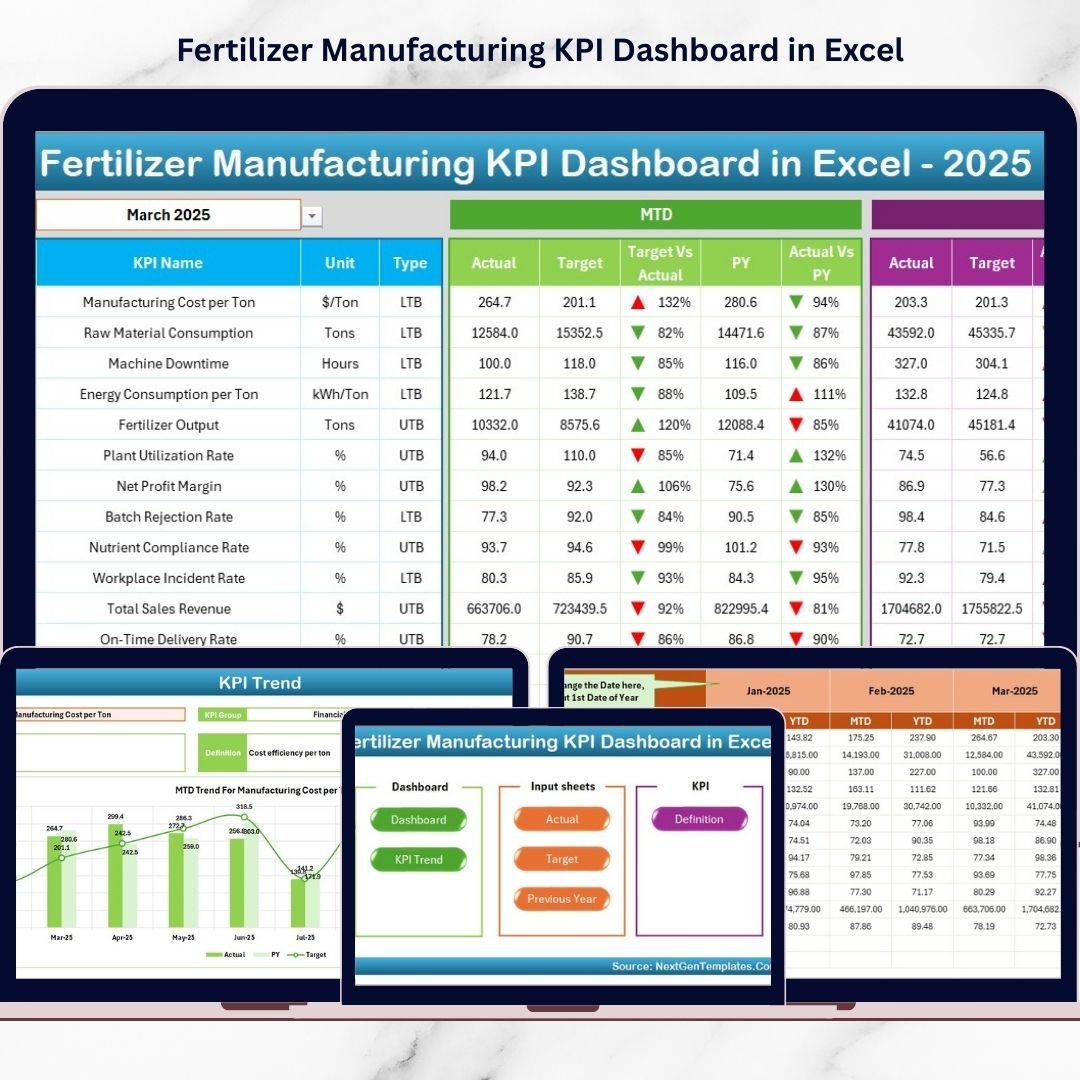
The Fertilizer Manufacturing KPI Dashboard in Excel provides a ready-to-use, automated performance monitoring solution that converts operational data into clear visual insights. Instead of analyzing multiple reports, managers can track all KPIs from one centralized dashboard and instantly compare Actual vs Target and Current Year vs Previous Year performance.
Designed using advanced Excel features, this dashboard enables fertilizer manufacturers to improve operational control, reduce costs, and drive data-based decisions without investing in expensive software.
⭐ Key Feature of Fertilizer Manufacturing KPI Dashboard in Excel
📊 Centralized KPI Monitoring – View all manufacturing KPIs in one interactive dashboard.
📅 Dynamic Month Selection – Change reporting month instantly using dropdown (Cell D3).
📈 MTD & YTD Performance Tracking – Monitor short-term and long-term performance together.
🔺 Visual Performance Indicators – Up/Down arrows highlight improvement or decline instantly.
📉 Trend Analysis Charts – Analyze KPI behavior over time.
🎯 Target vs Actual Comparison – Evaluate operational success quickly.
📚 KPI Definition Library – Standardized KPI formulas and explanations.
⚙️ Automated Calculations – Dashboard updates automatically after data entry.
📂 What’s Inside the Fertilizer Manufacturing KPI Dashboard in Excel
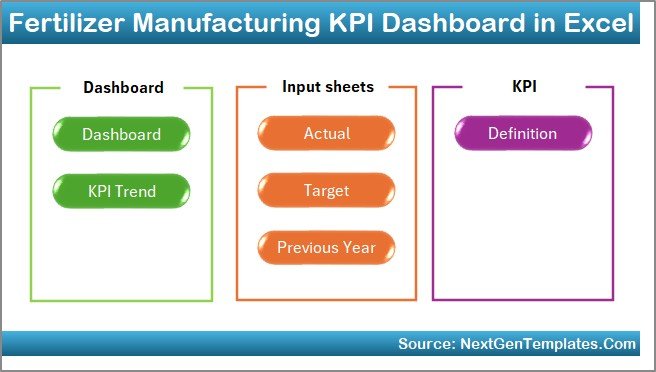
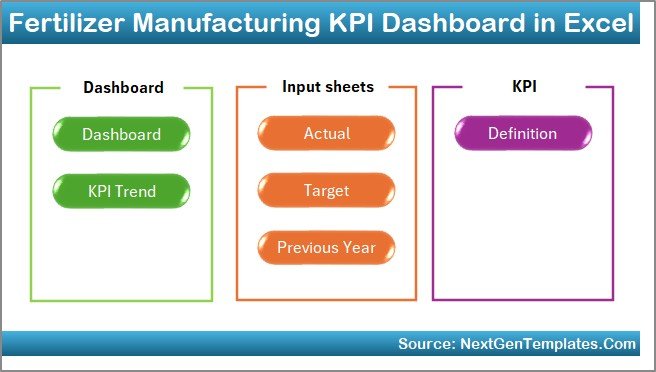
This ready-to-use solution includes 7 structured worksheets, each serving a specific operational purpose.
🏠 Home Sheet – Smart Navigation Center
The Home Sheet acts as the dashboard index.
Features
Six navigation buttons
One-click access to all sheets
User-friendly interface
Users move across sections quickly without manual searching.
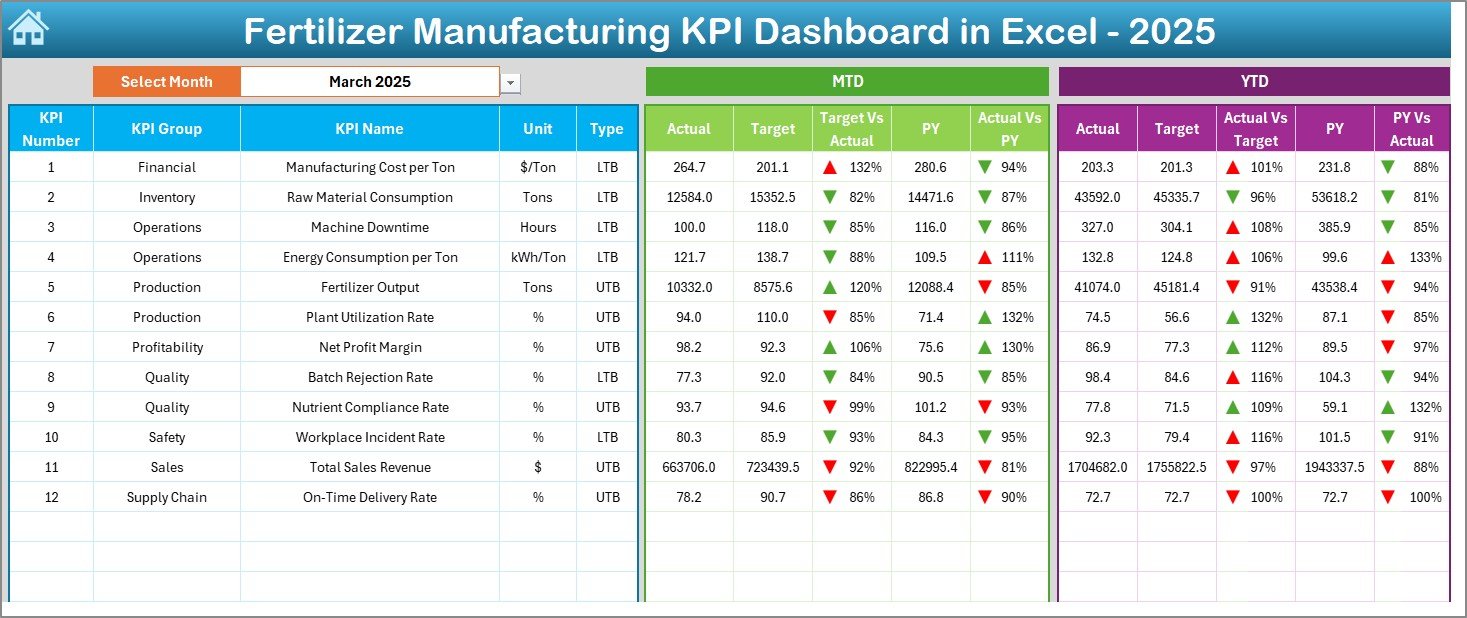
📊 Dashboard Sheet – Main KPI Monitoring Area
This sheet is the heart of the dashboard.
Key Functionalities
Month selector in cell D3
Automatic dashboard refresh
MTD and YTD KPI monitoring
Metrics Displayed
MTD Actual vs Target
MTD Actual vs Previous Year
YTD Actual vs Target
YTD Actual vs Previous Year
Visual arrows instantly indicate performance trends:
🔼 Improvement
🔽 Decline
Managers understand operational health at a glance.
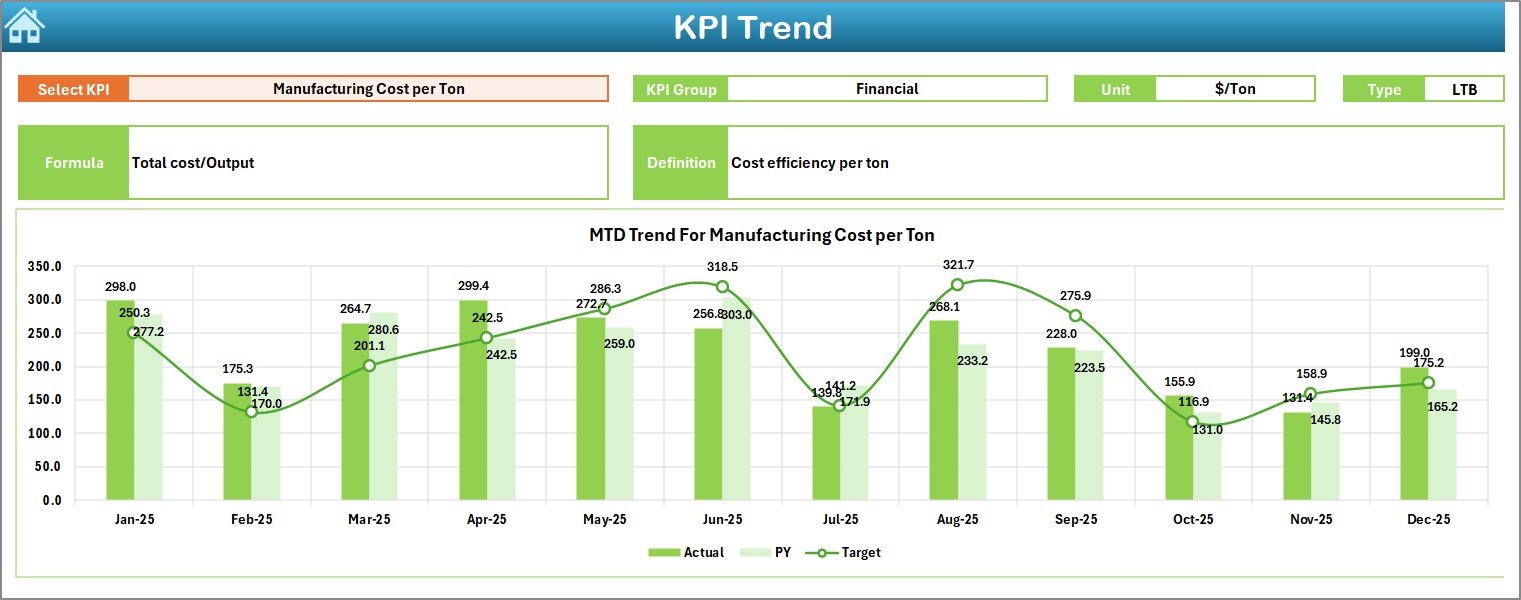
📈 KPI Trend Sheet – Deep Performance Analysis
This sheet explains KPI performance behavior.
Users select a KPI from dropdown cell C3 to view:
KPI Group
Measurement Unit
KPI Type (LTB / UTB)
Formula & Definition
MTD Trend Charts
YTD Trend Charts
Actual vs Target vs Previous Year comparison
This helps identify long-term patterns and operational gaps.
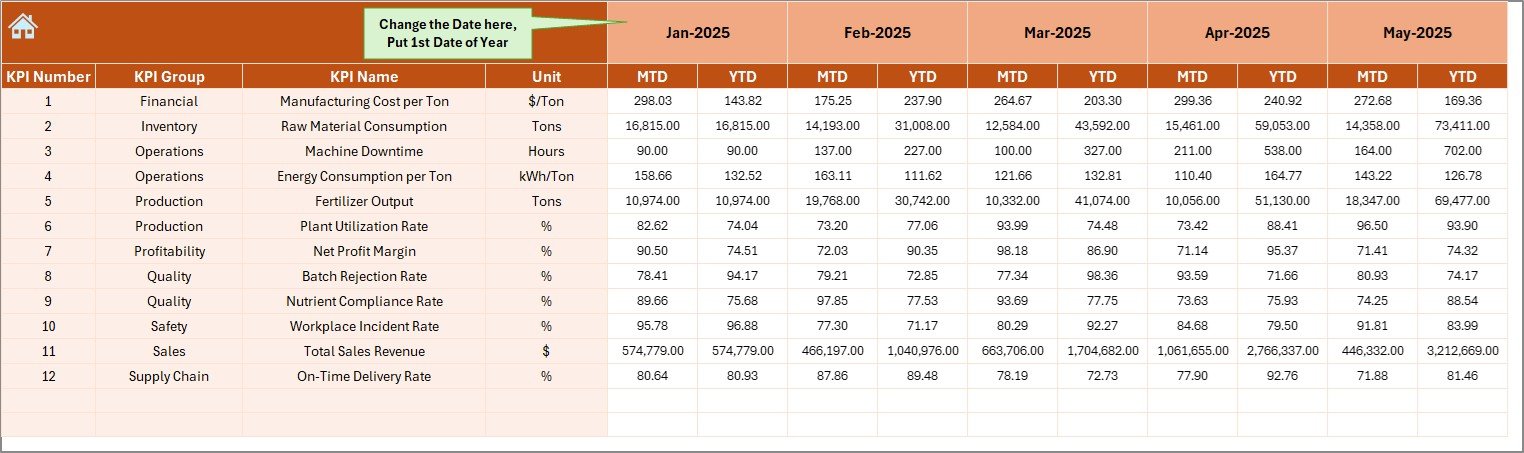
✏️ Actual Numbers Input Sheet – Data Entry Area
This sheet captures operational data.
How It Works
Select starting month in cell E1
Enter MTD & YTD actual values
Dashboard updates automatically
Structured inputs reduce manual errors.
🎯 Target Sheet – Performance Planning
Stores KPI targets used for evaluation.
Users define:
Monthly targets
YTD targets
KPI-specific goals
Targets establish clear performance expectations.
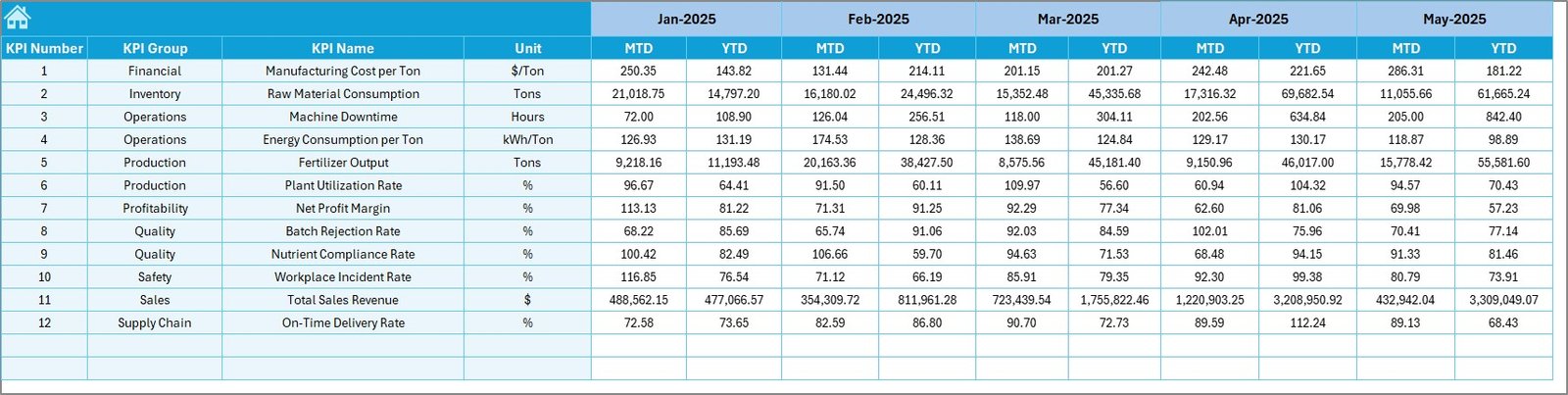
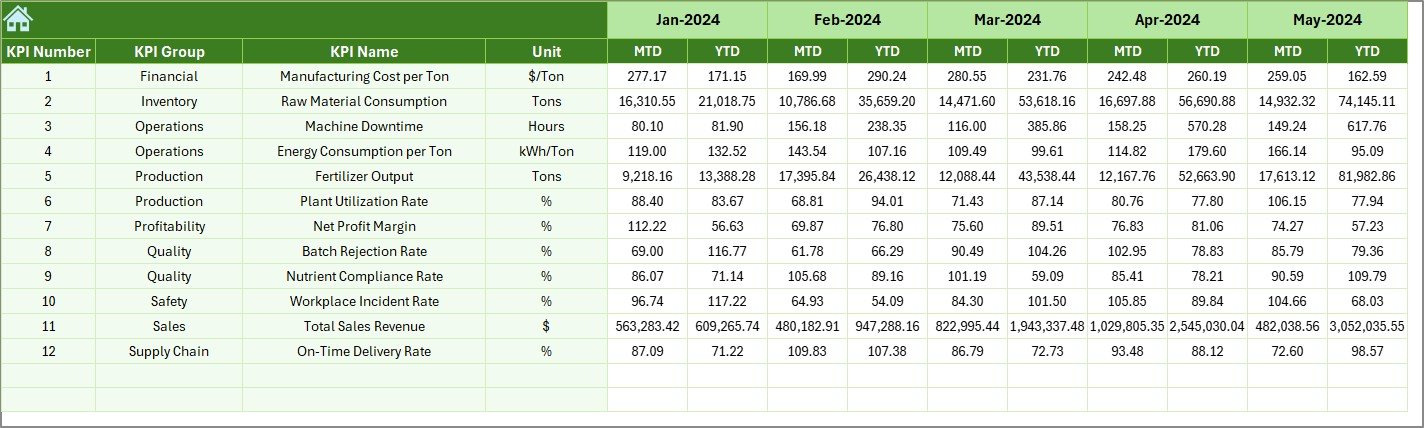
📅 Previous Year Numbers Sheet – Historical Comparison
Maintains last year’s data for benchmarking.
Benefits include:
Year-over-year comparison
Growth measurement
Trend evaluation
Managers easily measure operational improvement.
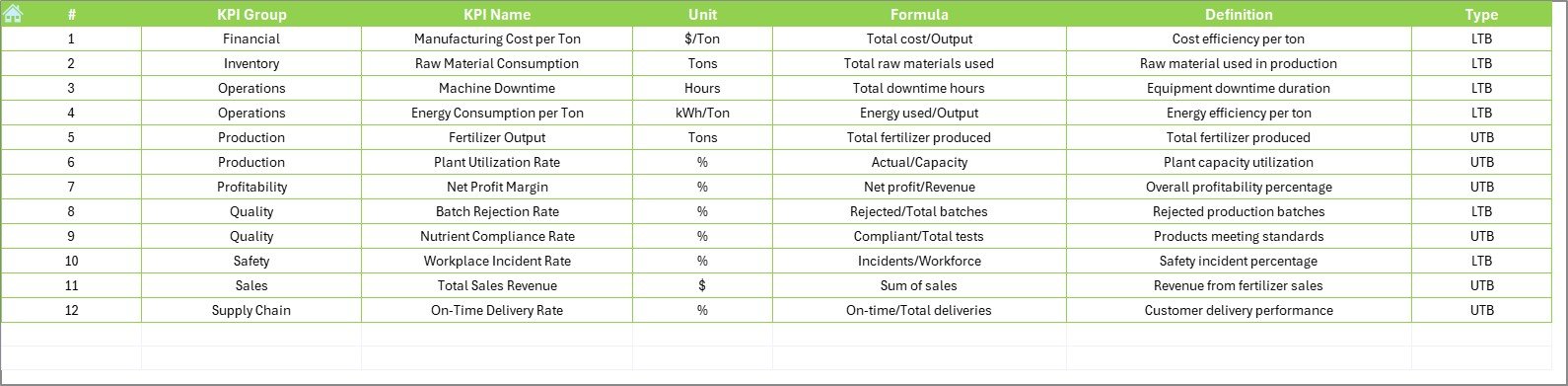
📘 KPI Definition Sheet – KPI Knowledge Base
Acts as a centralized KPI reference.
Includes:
KPI Name
KPI Group
Unit
Formula
KPI Definition
Ensures consistent KPI understanding across teams.
🧪 What KPIs Can Fertilizer Manufacturers Track?
Production KPIs
Production Volume
Plant Utilization Rate
Downtime Percentage
Batch Completion Rate
Quality KPIs
Product Purity Level
Rejection Rate
Quality Compliance Score
Cost KPIs
Energy Cost per Ton
Raw Material Consumption
Maintenance Cost
Supply Chain KPIs
Delivery Timeliness
Inventory Turnover
Logistics Efficiency
Tracking these ensures balanced operational performance.
🚀 How to Use the Fertilizer Manufacturing KPI Dashboard in Excel
1️⃣ Define KPIs aligned with plant objectives
2️⃣ Populate KPI Definition Sheet
3️⃣ Enter monthly targets
4️⃣ Input actual operational data
5️⃣ Review dashboard insights regularly
6️⃣ Take corrective actions based on trends
No advanced Excel expertise required.
👥 Who Can Benefit from This Dashboard
Plant Managers
Production Supervisors
Quality Control Teams
Operations Managers
Finance Analysts
Manufacturing Consultants
Both operational and strategic teams gain actionable insights.
✅ Advantages of Fertilizer Manufacturing KPI Dashboard in Excel
📊 Centralized performance visibility
⚡ Faster operational analysis
💰 Improved cost monitoring
📈 Historical performance comparison
🎯 Better accountability across departments
🔄 Automated reporting process
🛠 Highly customizable structure
💡 Best Practices for Maximum Results
Update KPI data regularly
Focus on actionable KPIs only
Maintain standardized definitions
Review trends monthly
Train teams on dashboard usage
Automate data collection where possible
These practices maximize dashboard effectiveness.
🧠 How This Dashboard Improves Decision-Making
The dashboard converts raw production data into actionable insights:
Rising energy cost → analyze consumption trends
Production decline → investigate downtime KPIs
Quality issues → review process performance
Managers shift from reactive management to proactive optimization.
🏁 Conclusion
The Fertilizer Manufacturing KPI Dashboard in Excel delivers a structured and practical approach to monitoring production, quality, and operational performance. By combining automated calculations, visual indicators, and trend analysis, the dashboard provides instant operational visibility.
Because Excel is flexible, affordable, and widely used, organizations can implement advanced KPI monitoring without complex BI tools. Ultimately, companies that adopt KPI-driven dashboards improve efficiency, control costs, and strengthen strategic decision-making.






























