

ERP systems run your finance, supply chain, procurement, sales, and operations. But here’s the truth — if you’re not measuring ERP performance properly, you’re flying blind.
Scattered reports. Delayed reviews. Unclear targets.
That’s where things go wrong.
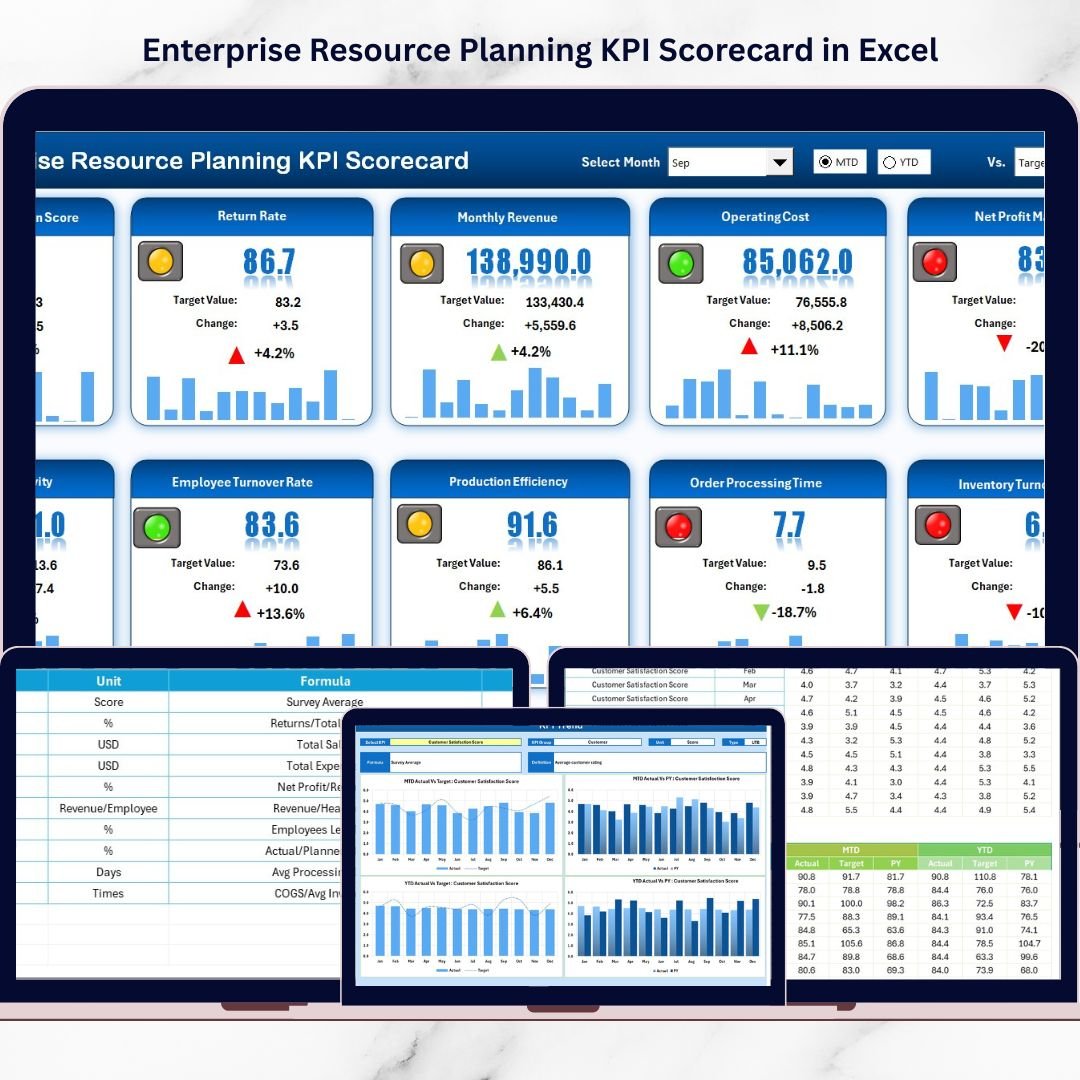
The Enterprise Resource Planning KPI Scorecard in Excel gives you a powerful, ready-to-use system to track ERP performance using structured KPIs, MTD & YTD comparisons, and visual indicators — all inside one dynamic Excel file.
No complex BI tools.
No expensive software.
Just clarity, control, and confident decision-making.
📊 Key Feature of Enterprise Resource Planning KPI Scorecard in Excel
This template includes 4 powerful worksheets designed for complete ERP performance tracking.
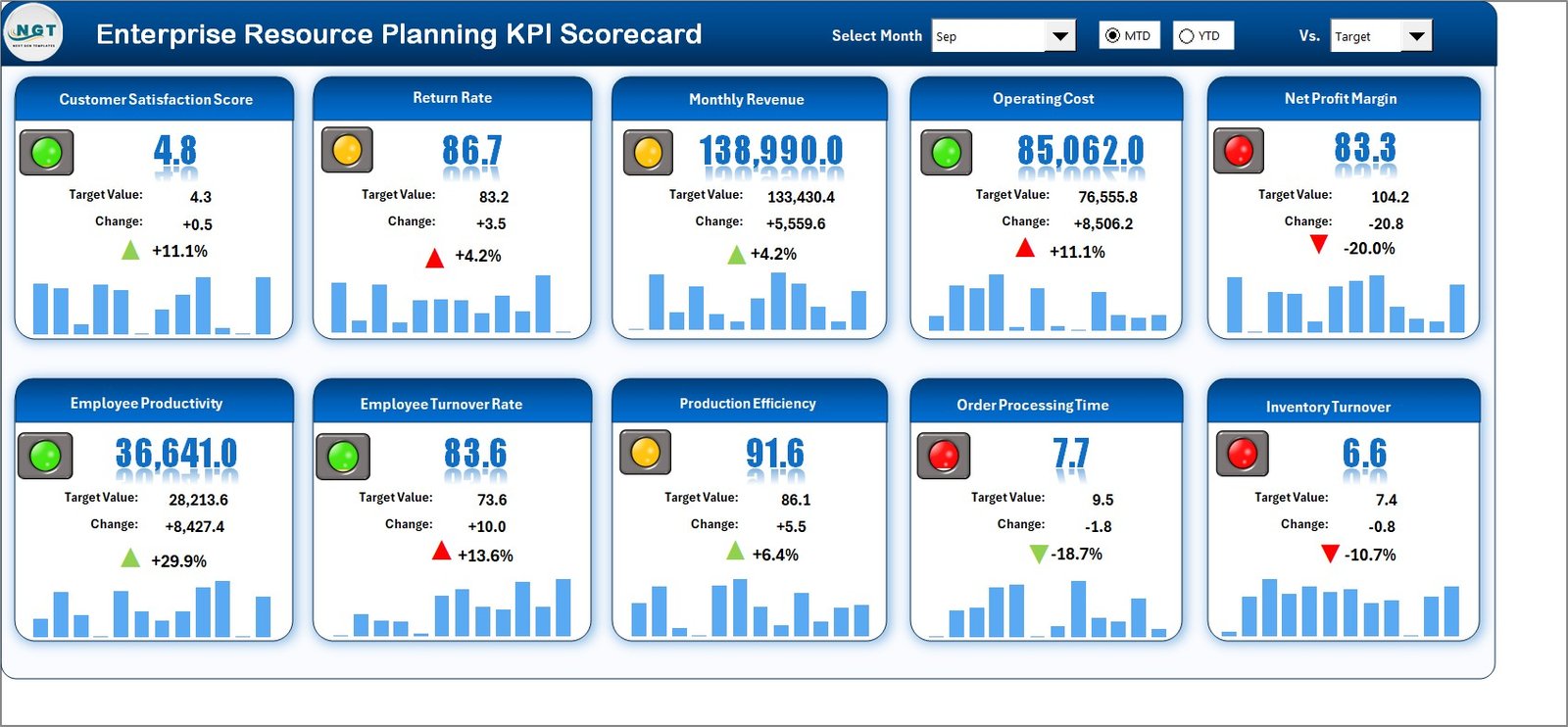
📈 Scorecard Sheet – The Main Dashboard
✔ Month Selection Dropdown
✔ MTD / YTD Toggle View
✔ Actual vs Target Comparison
✔ Previous Year Comparison
✔ Conditional Formatting (Green/Red Indicators)
✔ Comprehensive KPI Summary
Instantly identify which ERP metrics are performing and which require attention.
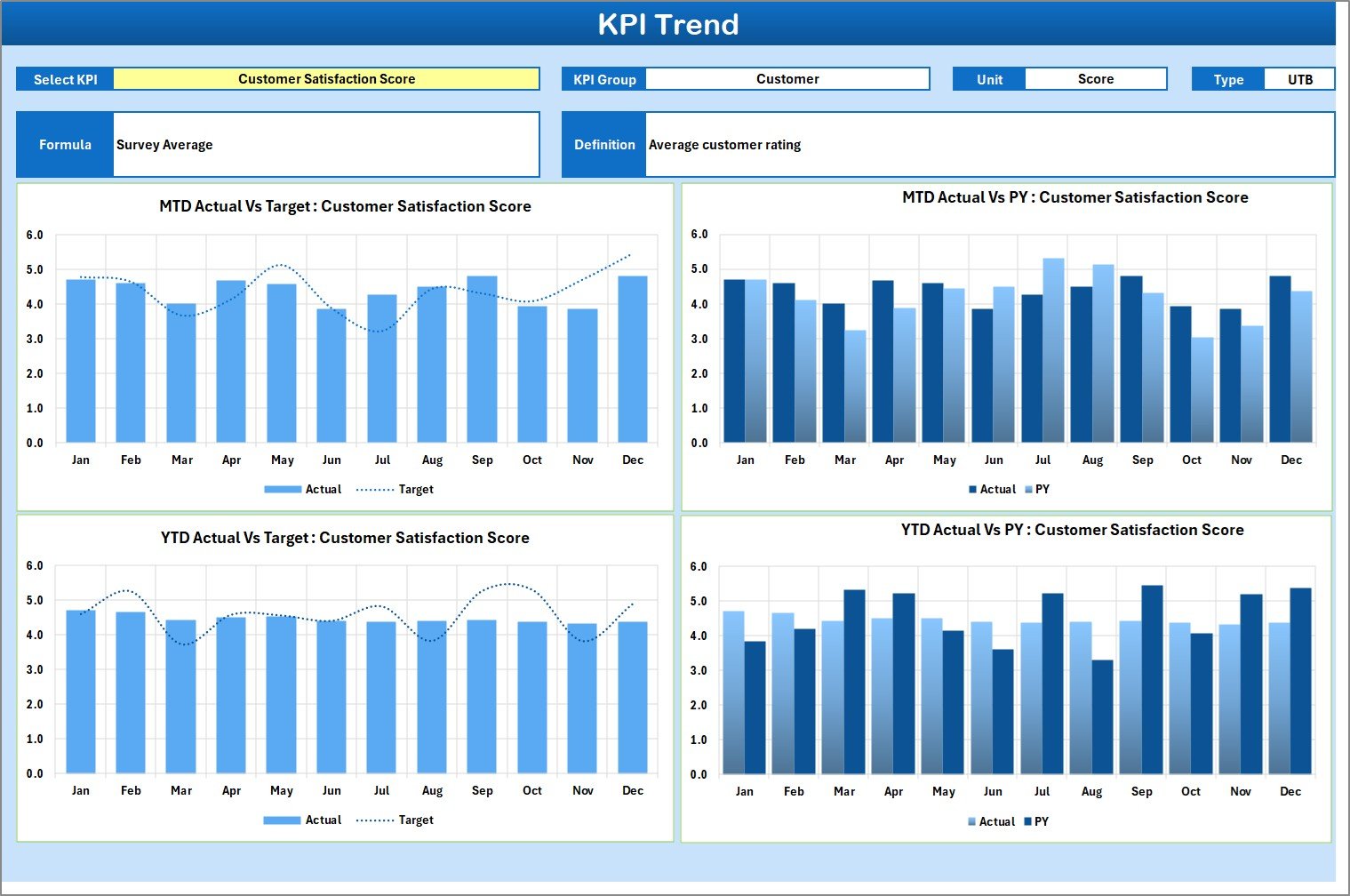
📉 KPI Trend Sheet – Deep Performance Analysis
✔ KPI Selection Dropdown (Cell C3)
✔ KPI Group, Unit, Type (LTB / UTB)
✔ KPI Formula & Definition
✔ MTD Trend Chart
✔ YTD Trend Chart
✔ Actual vs Target vs Previous Year Analysis
Track performance patterns month by month and plan proactively.
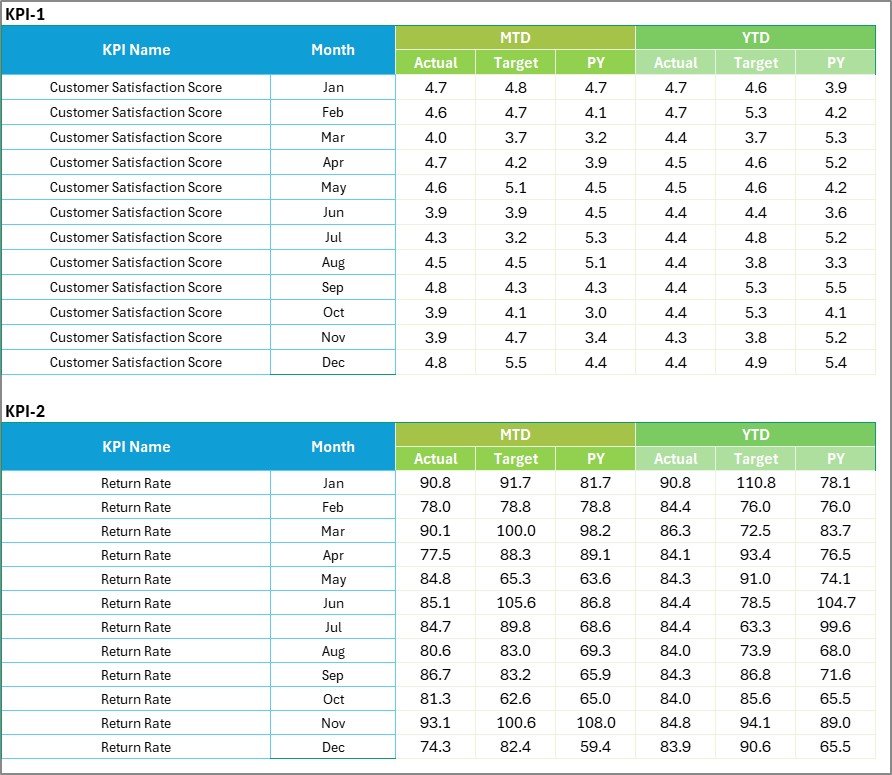
🗂 Input Data Sheet – Data Engine
✔ Enter Monthly Actual Values
✔ Record Targets
✔ Add Previous Year Data
✔ Automatic Scorecard Updates
Update once — see changes everywhere instantly.
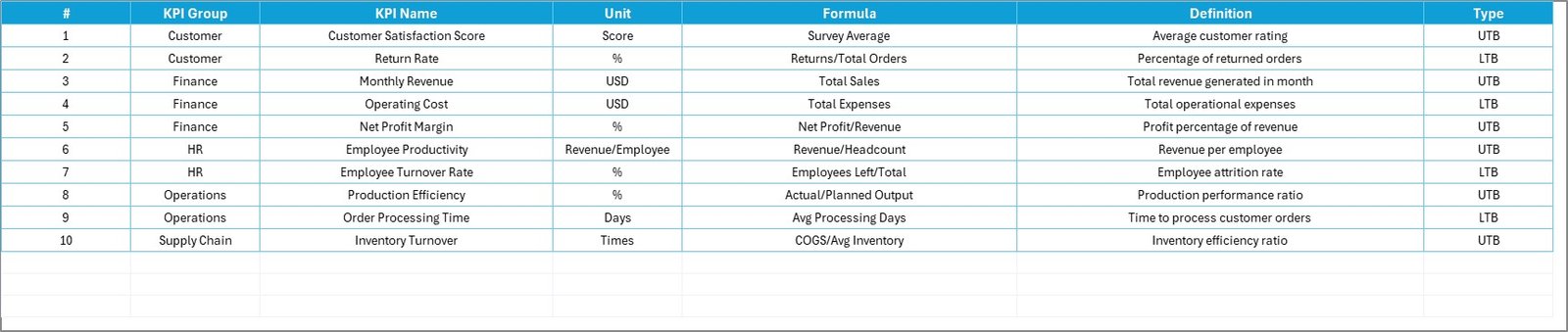
📘 KPI Definition Sheet – KPI Documentation
✔ KPI Name
✔ KPI Group
✔ Unit
✔ Formula
✔ Definition
Ensure complete transparency and consistent measurement logic.
📦 What’s Inside the Enterprise Resource Planning KPI Scorecard in Excel
✔ 4 Structured Worksheets
✔ Dynamic Dropdown Filters
✔ Automated MTD & YTD Analysis
✔ Visual Performance Indicators
✔ Trend Charts
✔ Editable KPI Framework
✔ Customizable KPI Groups
✔ Clean & Professional Layout
This isn’t just a spreadsheet — it’s your ERP performance command center.
🛠 How to Use the Enterprise Resource Planning KPI Scorecard in Excel
1️⃣ Define your ERP KPIs in the KPI Definition sheet.
2️⃣ Enter Actual, Target, and Previous Year data in the Input Data sheet.
3️⃣ Select Month and MTD/YTD in the Scorecard.
4️⃣ Analyze performance instantly.
5️⃣ Use Trend sheet for deeper insights.
Within minutes, you gain full visibility into ERP system performance.
👥 Who Can Benefit from This Enterprise Resource Planning KPI Scorecard?
This template is ideal for:
💼 ERP Managers
💰 CFOs
📦 Supply Chain Managers
🏭 Operations Managers
📊 Business Analysts
🖥 IT Administrators
If your organization uses ERP — this scorecard becomes essential.
🎯 Why Choose Enterprise Resource Planning KPI Scorecard in Excel?
✔ Centralized ERP Performance Monitoring
✔ Clear MTD & YTD Comparison
✔ Faster Decision-Making
✔ Improved Accountability
✔ Better Strategic Planning
✔ User-Friendly Interface
✔ No Advanced Excel Skills Required
✔ Cost-Effective Alternative to BI Tools
Measure smarter.
Optimize faster.
Control performance with confidence.
Click here to read the Detailed blog post
Visit our YouTube channel to learn step-by-step video tutorials
👉 https://youtube.com/@PKAnExcelExpert






























