

Preventive maintenance is the backbone of asset reliability, cost control, and operational efficiency. Yet, many organizations still depend on manual logs, scattered spreadsheets, or static reports to manage maintenance activities. As a result, overdue tasks increase, unexpected breakdowns occur, and maintenance costs spiral out of control.
That is exactly where the Preventive Maintenance Dashboard in Google Sheets becomes extremely valuable.
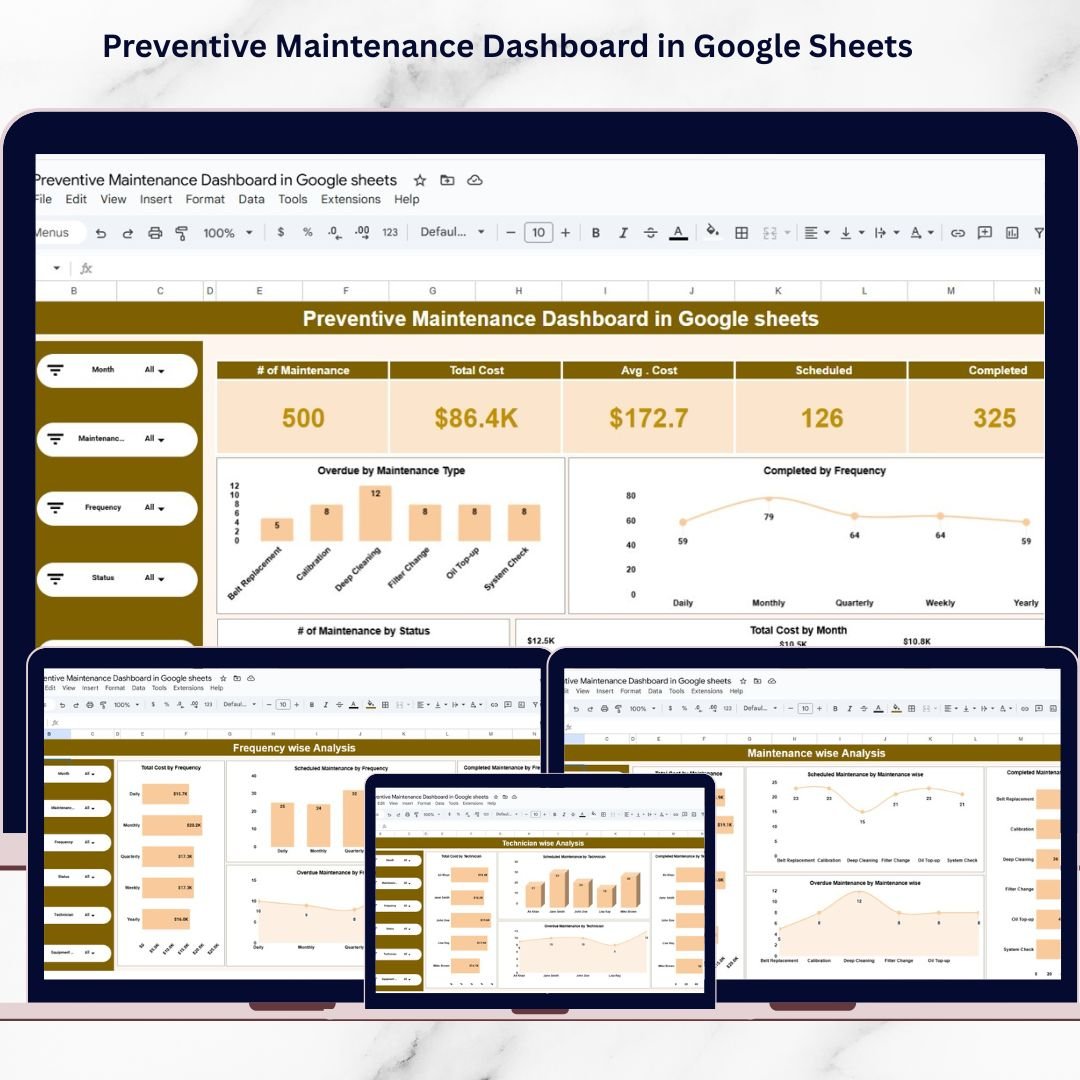
This ready-to-use, interactive dashboard gives maintenance teams a clear, real-time view of schedules, costs, equipment health, and technician performance. Instead of reacting to failures, managers can identify risks early, prioritize work, and take proactive action—all within Google Sheets.
Because it is cloud-based, teams collaborate in real time and always work with the latest maintenance data.
⭐ Key Features of Preventive Maintenance Dashboard in Google Sheets
🧩 All-in-One Maintenance Dashboard
Track schedules, costs, equipment, technicians, and maintenance status in one place.
🎛️ Interactive Slicers
Filter data instantly by Month, Maintenance Type, Frequency, Status, Technician, and Equipment.
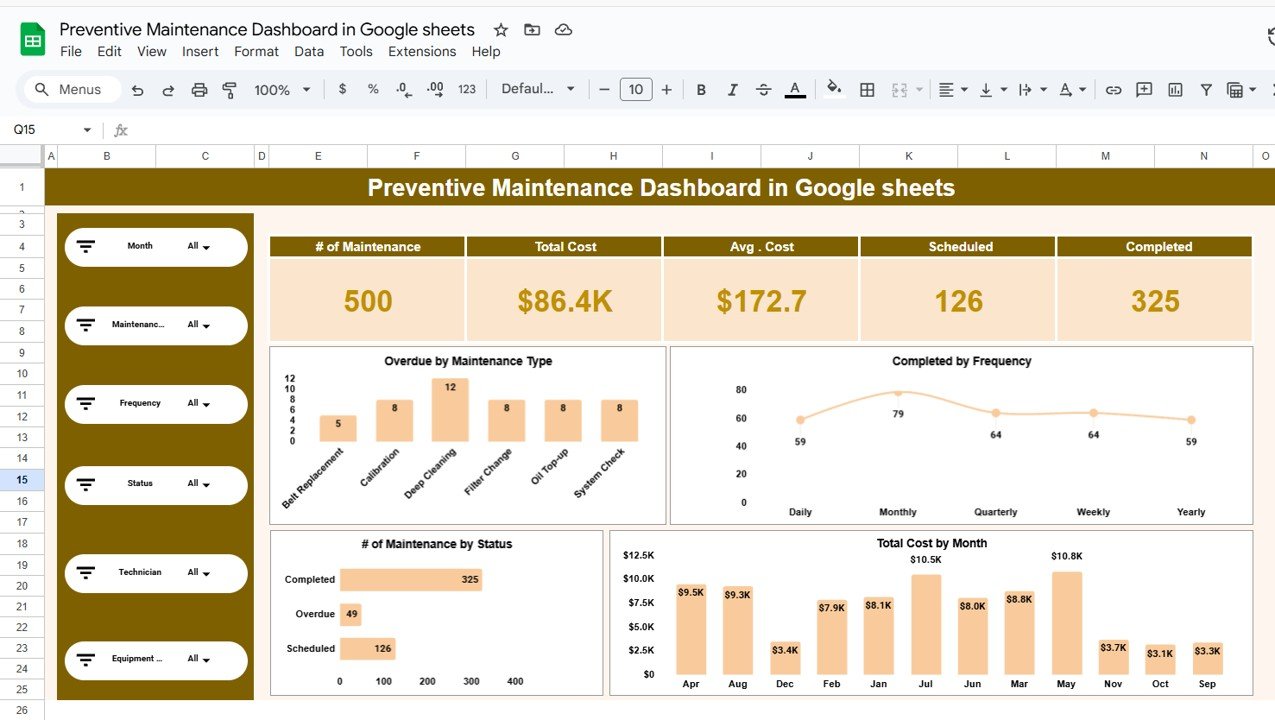
📊 Real-Time KPI Cards
View total maintenance activities, cost, scheduled, completed, and overdue tasks at a glance.
📈 Trend & Cost Analysis
Identify cost spikes, overdue patterns, and workload trends quickly.
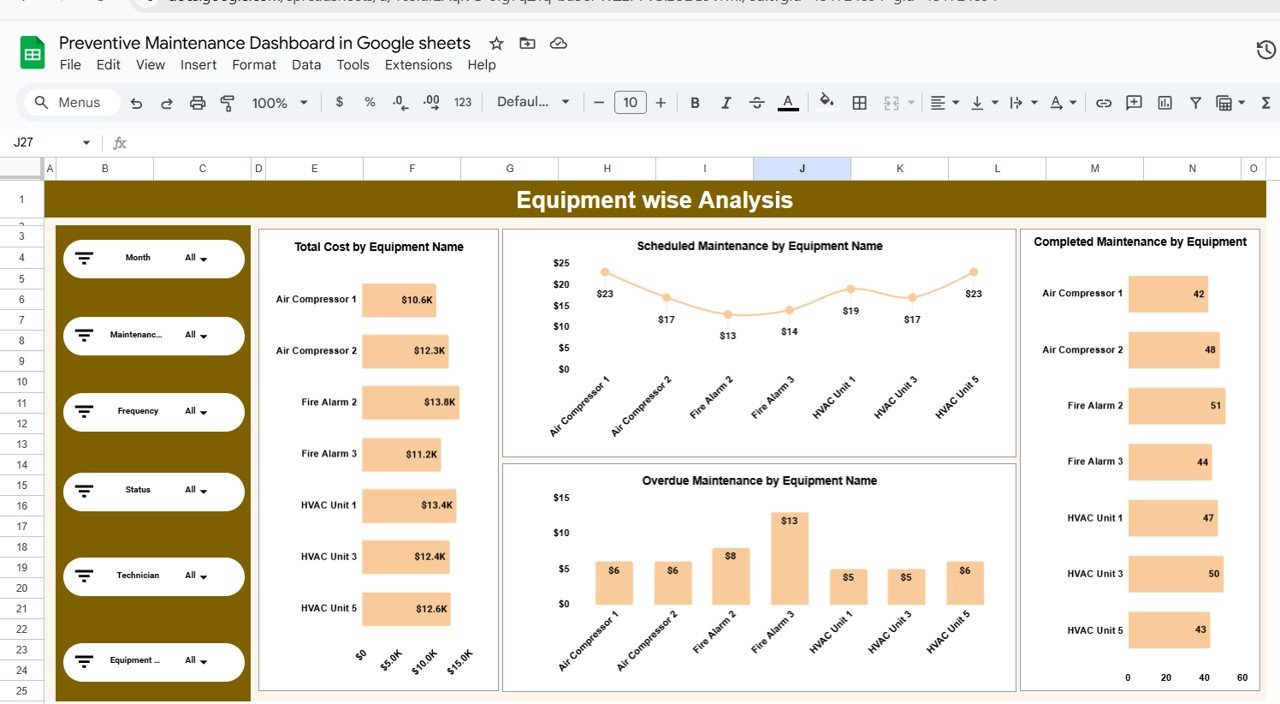
🏭 Equipment-Level Insights
Spot high-risk and high-cost assets instantly.
👷 Technician Performance Tracking
Balance workloads and improve accountability across teams.
☁️ Built in Google Sheets
Real-time collaboration without expensive CMMS or BI tools.
🧩 Fully Customizable
Adapt KPIs, visuals, and logic to your maintenance process.
📦 What’s Inside the Preventive Maintenance Dashboard in Google Sheets?
This dashboard includes multiple professionally designed analytical pages, each focused on a key maintenance dimension:
📌 Overview Page
High-level snapshot of maintenance activities, cost trends, status distribution, and overdue tasks.
📌 Equipment Wise Analysis
Maintenance cost, scheduled, completed, and overdue tasks by equipment.
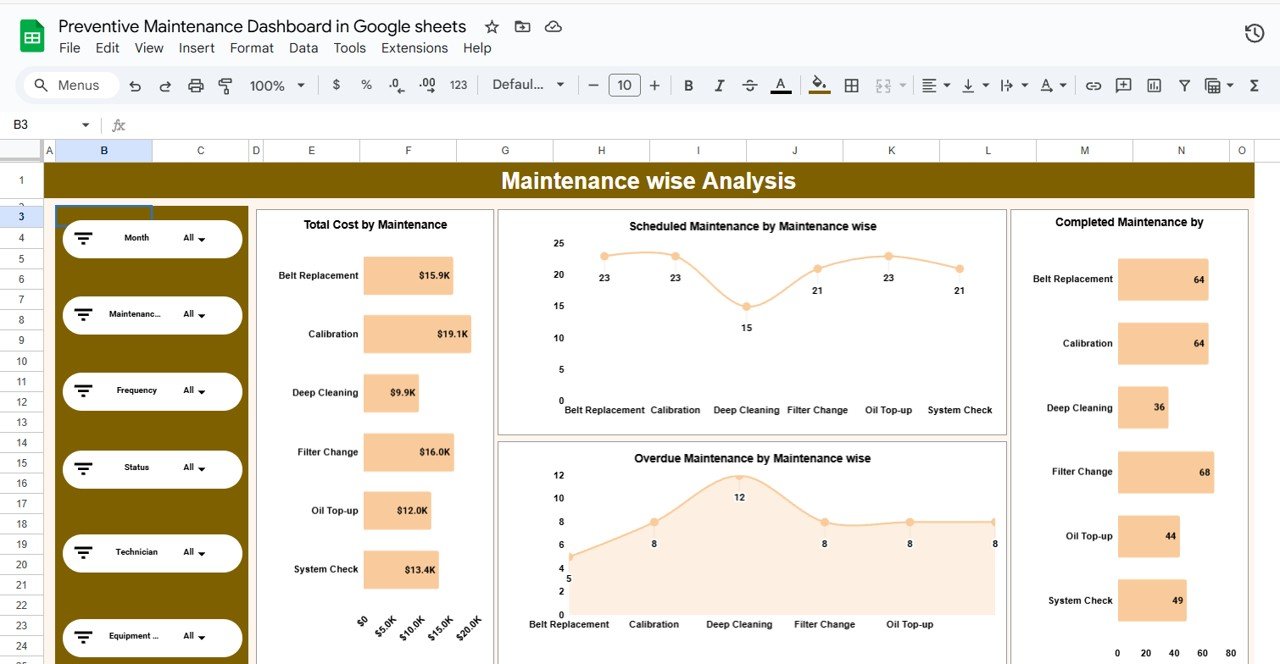
📌 Maintenance Wise Analysis
Performance and cost breakdown by maintenance type.
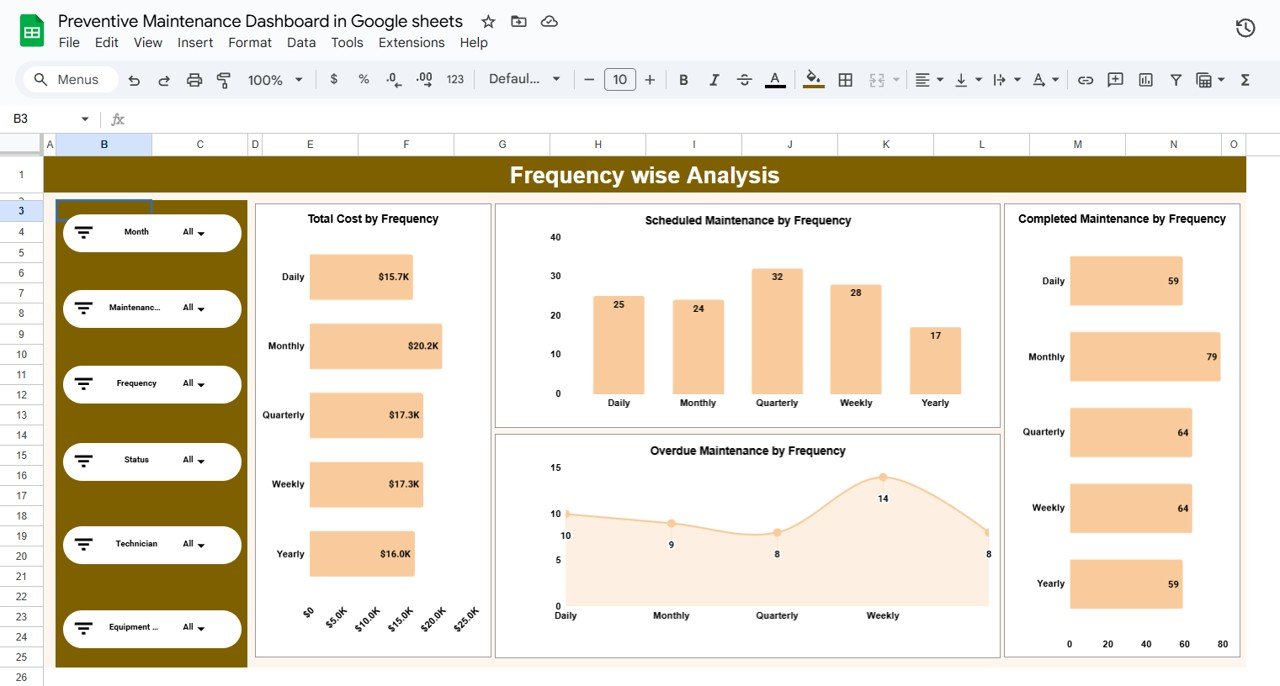
📌 Frequency Wise Analysis
Impact of daily, weekly, monthly, quarterly, and yearly maintenance frequencies.
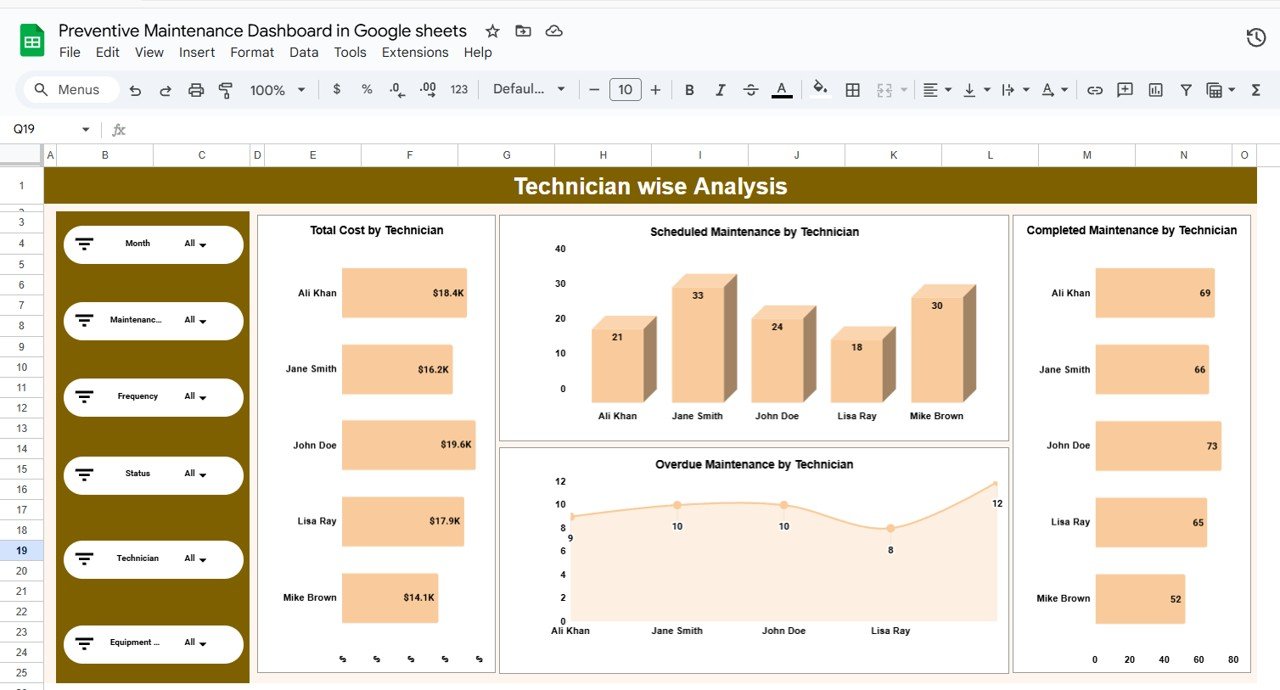
📌 Technician Wise Analysis
Technician workload, cost contribution, and overdue tasks.
Together, these pages create a complete preventive maintenance performance management system.
🛠️ How to Use the Preventive Maintenance Dashboard in Google Sheets
Using this dashboard is simple and intuitive:
1️⃣ Enter maintenance records in the structured data table
2️⃣ Apply slicers to filter by equipment, technician, or status
3️⃣ Review KPI cards and charts on the dashboard
4️⃣ Analyze overdue tasks and cost drivers
5️⃣ Take corrective action before failures occur
All charts and KPIs update automatically, allowing teams to focus on decisions—not data preparation.
👥 Who Can Benefit from This Preventive Maintenance Dashboard?
This dashboard is ideal for:
🏭 Maintenance Managers
🏢 Facility & Plant Managers
⚙️ Operations & Engineering Teams
🏥 Hospitals, Campuses & Utilities
🏗️ Manufacturing & Industrial Units
🧾 Service & Infrastructure Companies
Whether you manage a single facility or multiple assets, this dashboard scales easily.
🚀 Why This Dashboard Is a Must-Have for Maintenance Teams
✔ Centralized maintenance visibility
✔ Reduced equipment downtime
✔ Better cost control and forecasting
✔ Improved technician productivity
✔ Faster, data-driven decisions
✔ No complex software required
This dashboard transforms Google Sheets into a powerful preventive maintenance intelligence tool.
🔗 Click here to read the Detailed blog post
Watch the step-by-step video tutorial:
📺 Visit our YouTube channel to learn step-by-step video tutorials and dashboard walkthroughs.































Reviews
There are no reviews yet.