

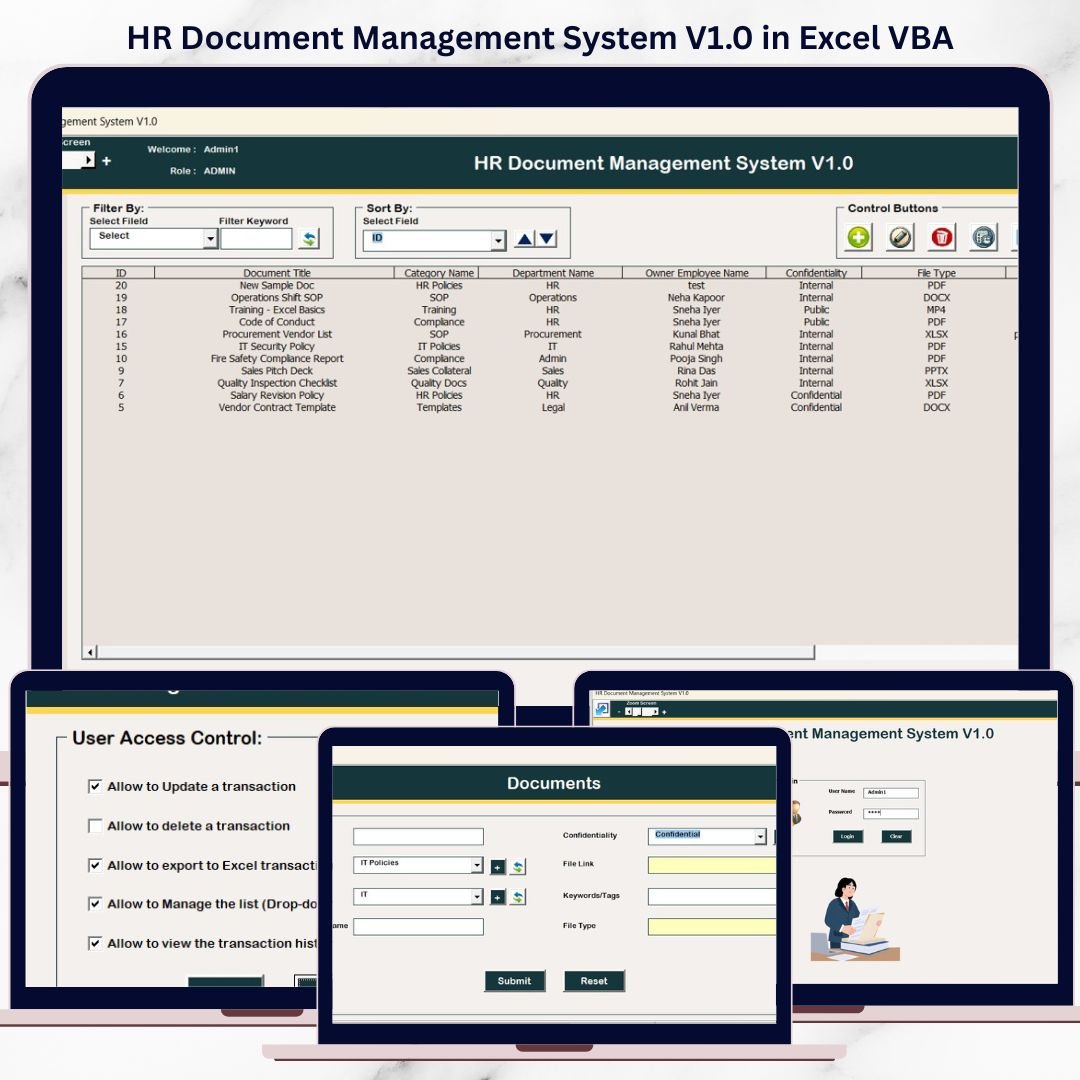
Managing HR documents using scattered Excel files, shared folders, and manual processes often leads to data duplication, missing records, version control issues, and serious security risks. HR teams waste valuable time searching for documents instead of focusing on people management and compliance.
That is exactly why HR Document Management System V1.0 in Excel VBA is a powerful, practical, and cost-effective solution.
This ready-to-use Excel & VBA-based desktop application allows HR teams to store, manage, track, and control HR documents from a single, secure Excel file—without investing in expensive HR software or cloud subscriptions.
Designed for simplicity, security, and control, this system combines the familiarity of Microsoft Excel with the automation power of VBA to deliver a professional HR document management experience.
❓ What Is HR Document Management System V1.0?
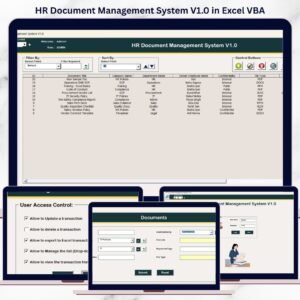
HR Document Management System V1.0 is a role-based Excel VBA application that helps organizations manage HR documents such as:
-
Employee documents
-
Policy files
-
Compliance records
-
Offer letters
-
Appraisal documents
-
Contracts and agreements
Instead of maintaining multiple files, all document records are stored in a centralized database, accessible through structured forms, filters, and secure user roles.
With features like login authentication, audit history, filtering, sorting, and export, this system provides full visibility and control over HR documentation.
🔐 Key Features of HR Document Management System V1.0
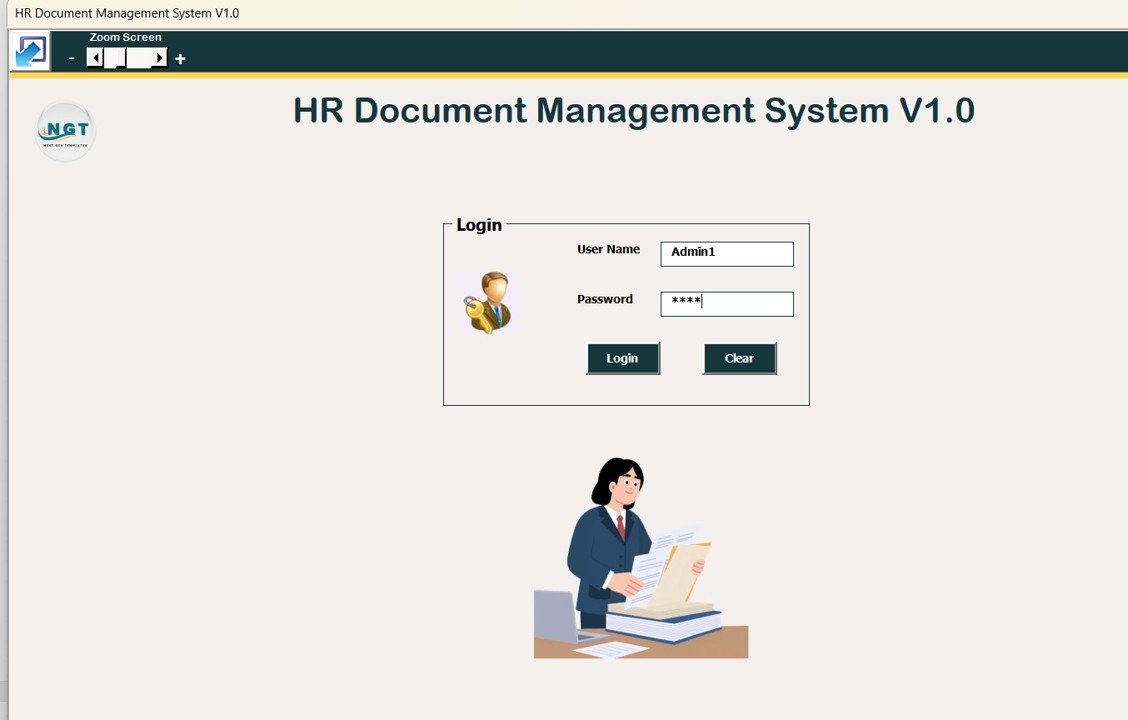
🔑 1. Secure Login Form (Role-Based Access)
The system starts with a secure login screen.
-
Enter User ID and Password
-
Press Login or hit Enter
-
Access is granted based on user role
🔹 Default Login Credentials
Admin Role
-
Username:
Admin1 -
Password:
abcd
User Role
-
Username:
User1 -
Password:
abcd
Admin and User roles have different access permissions, ensuring data security and governance.
🧭 2. Main Form – Central Control Panel
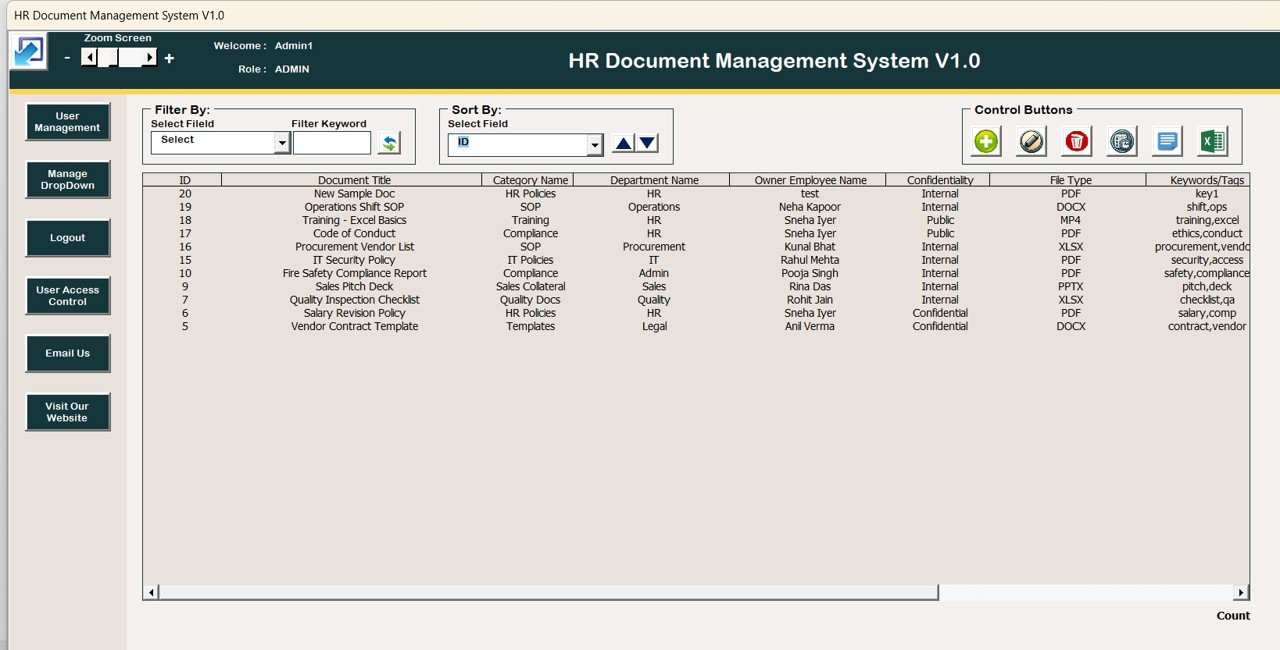
After login, users are redirected to the Main Form, which acts as the operational hub of the system.
📋 Central List Box
-
Displays all HR document records
-
Shows only filtered or relevant data
-
Supports record selection and double-click actions
🔍 Advanced Filters
-
Filter records by Date
-
Filter by Selected Column
-
Quickly locate specific documents
🔃 Sort By Feature
-
Sort records instantly
-
Alphabetical or category-wise sorting
-
Ideal for large HR datasets
🎛️ 3. Action Buttons on Main Form
Powerful action buttons below the list box enable complete control.
1️⃣ Add New Record
-
Opens Document Entry Form
-
Add new HR document details
2️⃣ Update Existing Record
-
Select record → Update or Double-Click
-
Modify document information
3️⃣ Delete Record
-
Safely remove selected records
-
Prevents data clutter
4️⃣ Show Record History
-
View full audit trail
-
Track who changed what and when
5️⃣ Export to Excel
-
Export filtered data to a new Excel file
-
Ideal for audits and reporting
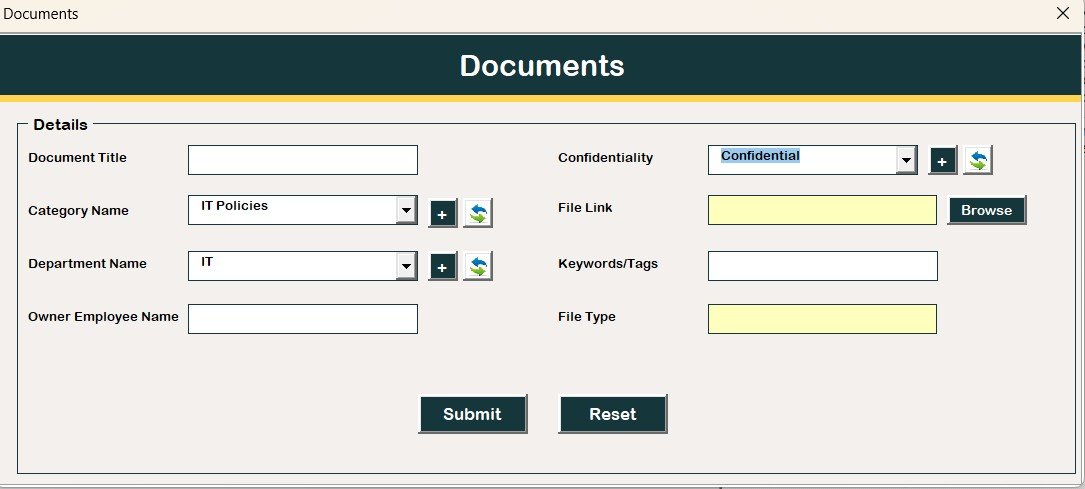
📝 4. Document Entry Form
This form is used for both adding and updating records.
-
Controlled data entry
-
Structured input fields
-
Ensures data accuracy and consistency
All changes are instantly reflected in the main database.
📂 5. Navigation Menu (Left Panel)
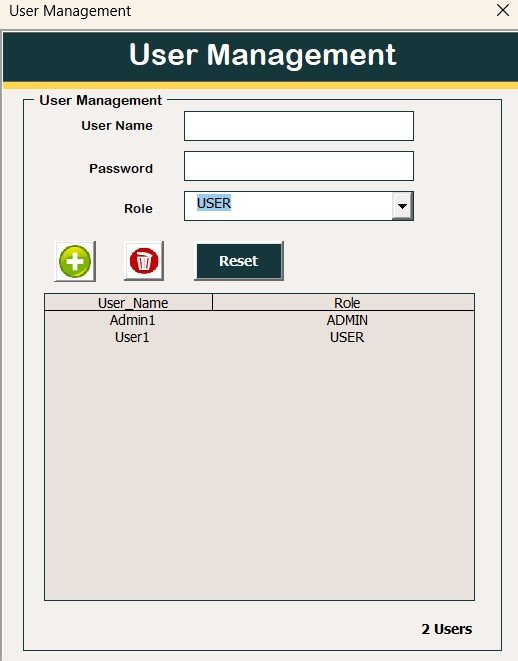
👤 User Management
-
Add / Update / Delete users
-
Reset passwords
-
Change existing passwords
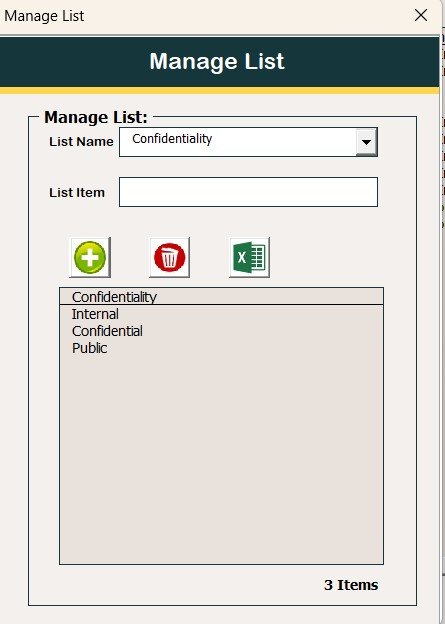
📑 Manage List
-
Control dropdown list values
-
Add or remove categories dynamically
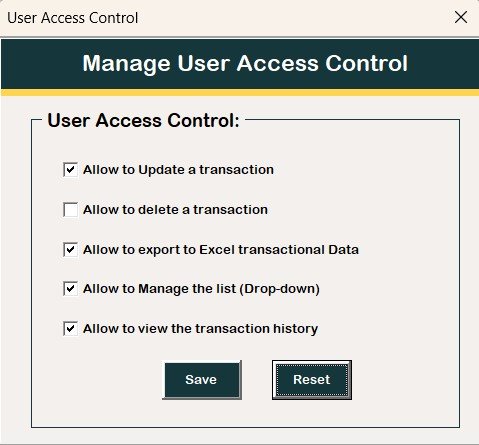
🔐 User Access Control (Admin Only)
-
Define role-based permissions
-
Enable or disable access using checkboxes
🚪 Logout
-
Saves all data
-
Safely closes the system
📧 Email Us
-
Contact support for customization or help
🌐 Visit Our Website
-
Explore more Excel & VBA tools
⚙️ System Compatibility (Important)
-
✔️ Windows 10 and above
-
✔️ Microsoft Excel 2010 or later
-
❌ Not supported on Mac OS
-
❌ Not supported on Mobile / Tablet
-
❌ Works only on Excel Desktop
⭐ Advantages of This HR Document Management System
-
Centralized HR document storage
-
Secure role-based access
-
Complete audit history
-
No internet dependency
-
Easy customization
-
One-time cost (no subscription)
👥 Who Should Use This Tool?
-
HR Managers & Executives
-
Small & Medium Businesses
-
Admin & Compliance Teams
-
HR Consultants
-
Organizations avoiding costly HR software
🎯 Conclusion
HR Document Management System V1.0 in Excel VBA is a practical, secure, and highly efficient solution for HR teams looking to organize documents without complexity. By combining Excel’s simplicity with VBA automation, this tool delivers enterprise-level document control at a fraction of the cost.
Click here to Read detailed blog post
Watch the step-by-step video tutorial:






Reviews
There are no reviews yet.