



The wind energy sector is growing rapidly as organizations shift toward clean, renewable, and sustainable power generation. Wind Energy KPI Scorecard in Excel However, managing wind energy operations efficiently requires continuous monitoring of energy output, turbine availability, downtime, and overall plant performance. Without a structured reporting system, decision-makers often struggle to identify underperformance, energy losses, or operational risks at the right time.
Wind Energy KPI Scorecard in Excel That is exactly why the Wind Energy KPI Scorecard in Excel becomes a powerful and practical solution 📊🌱.
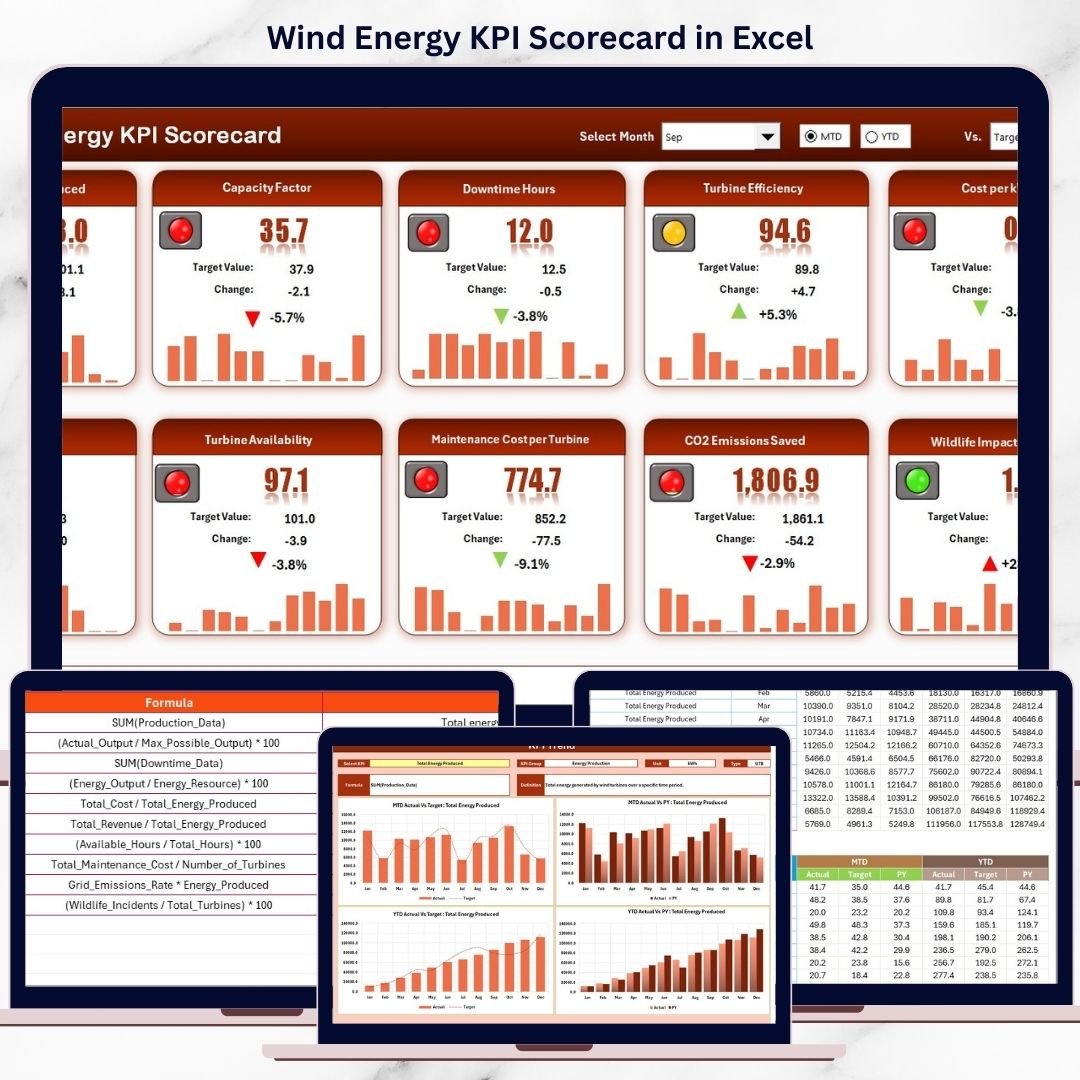
Wind Energy KPI Scorecard in Excel This ready-to-use Excel scorecard converts raw wind energy data into clear, structured, and actionable insights. Instead of working with multiple spreadsheets or static reports, wind energy operators and plant managers can track Month-to-Date (MTD) and Year-to-Date (YTD) performance from one centralized scorecard. Because everything is built in Microsoft Excel, the scorecard remains flexible, cost-effective, and easy to use—without the need for expensive software or advanced technical skills.
Designed specifically for wind farms, renewable energy companies, and operations teams, this scorecard helps organizations move from reactive monitoring to proactive performance management.
⭐ Key Features of Wind Energy KPI Scorecard in Excel
📊 Centralized KPI Monitoring
Track all critical wind energy KPIs in one structured scorecard.
📅 MTD & YTD Performance Analysis
Monitor short-term monthly results and long-term yearly performance together.
🎯 Actual vs Target Comparison
Instantly identify whether energy output and operational KPIs meet targets.
📈 Trend Analysis with Charts
Analyze performance patterns, seasonality, and long-term trends.
🧭 User-Friendly Excel Design
Simple dropdowns and visuals make analysis easy for all users.
🧩 Fully Customizable KPIs
Add, modify, or adjust KPIs based on plant or project requirements.
📦 What’s Inside the Wind Energy KPI Scorecard in Excel
This professionally designed Excel workbook includes four well-structured worksheets, each serving a specific purpose:
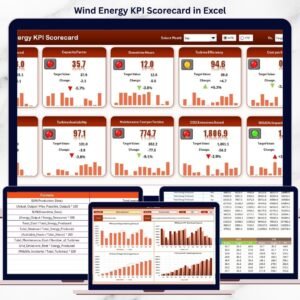
📊 Scorecard Sheet
The main performance dashboard that displays:
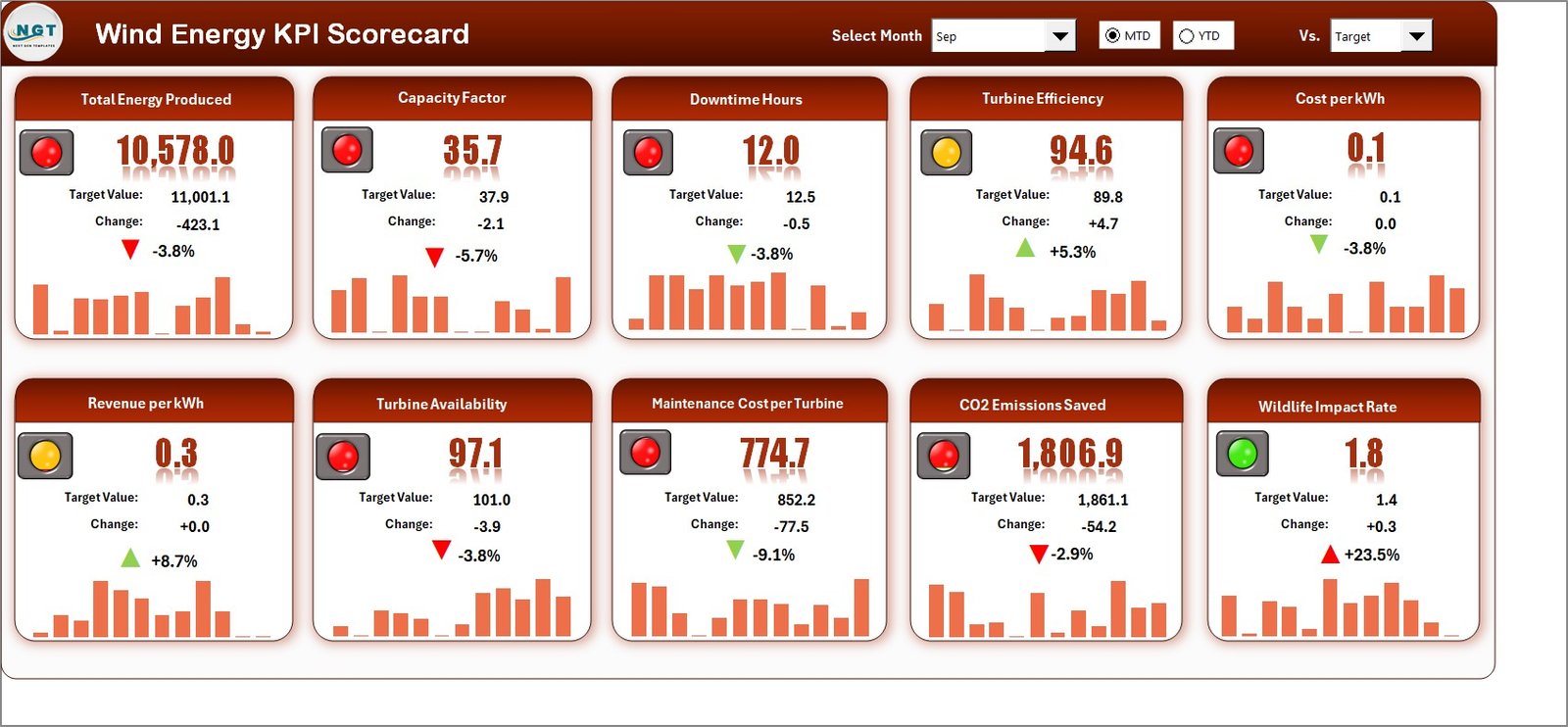
Month selection dropdown
MTD and YTD view selection
Actual vs Target KPI values
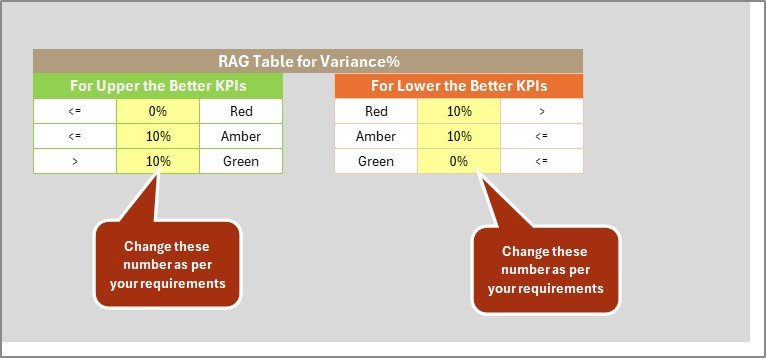
Color-coded indicators and conditional formatting for quick insights
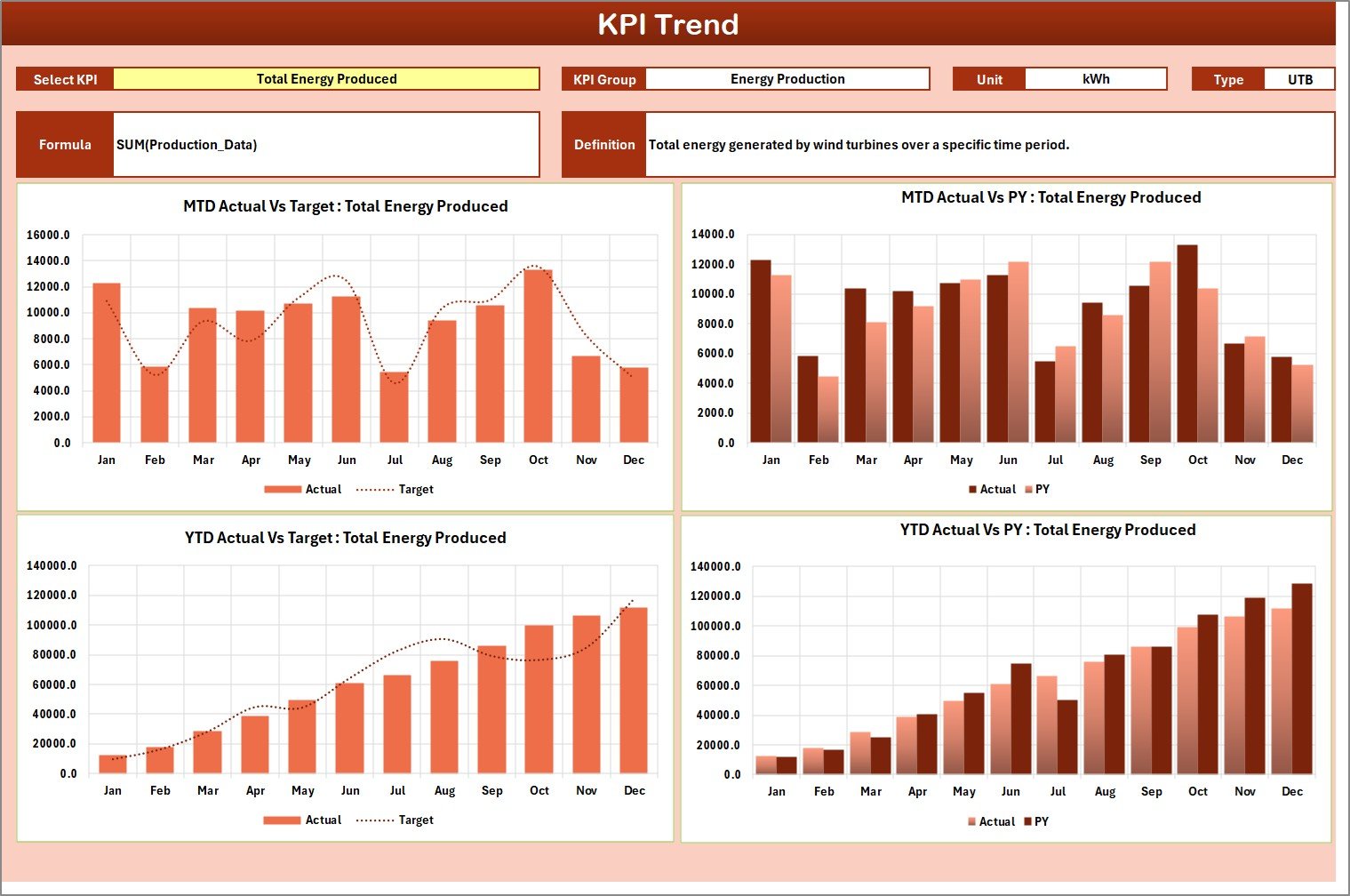
📈 KPI Trend Sheet
Supports in-depth KPI analysis with:
KPI selection dropdown (cell C3)
KPI group, unit, type (LTB/UTB), formula, and definition
MTD and YTD trend charts comparing Actual, Target, and Previous Year values
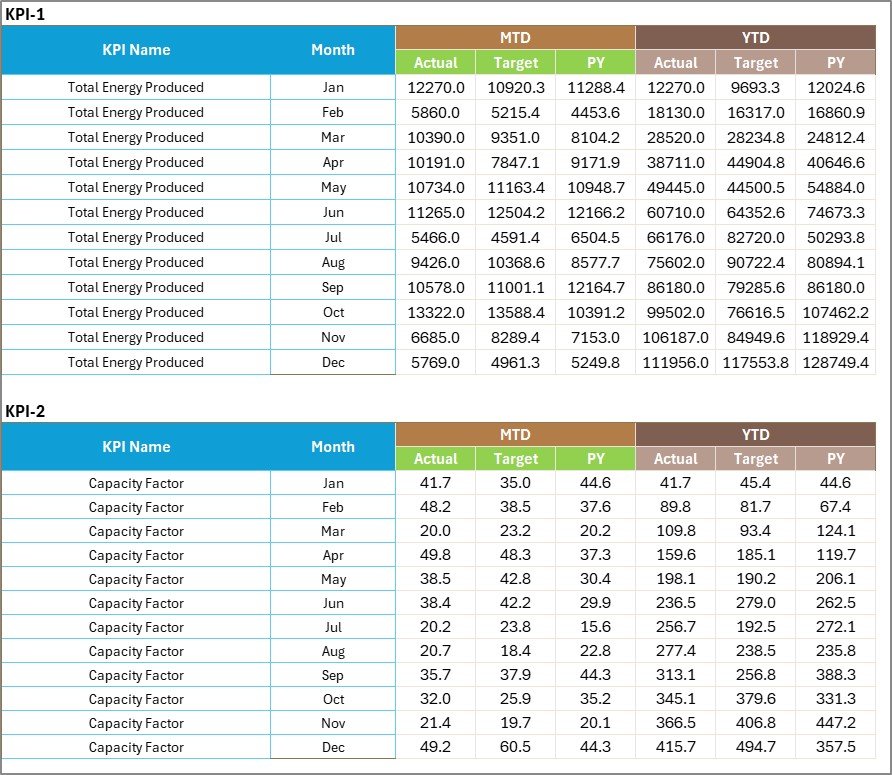
📝 Input Data Sheet
The centralized data entry sheet where users input:
Actual KPI values
Target KPI values
Monthly operational data
📘 KPI Definition Sheet
Acts as a governance and reference page containing:
KPI Name
KPI Group
Unit of measurement
KPI Formula
KPI Definition
This structure ensures clarity, consistency, and transparency across teams.
🛠️ How to Use the Wind Energy KPI Scorecard in Excel
Using the scorecard is simple and efficient:
1️⃣ Enter actual and target data in the Input Data sheet
2️⃣ Select the reporting month
3️⃣ Choose MTD or YTD view
4️⃣ Review KPI performance and indicators
5️⃣ Analyze trends and take corrective actions
Because calculations and visuals update automatically, teams save time and reduce manual errors.
👥 Who Can Benefit from This Wind Energy KPI Scorecard in Excel
This scorecard is ideal for:
🌬️ Wind Farm Managers
⚙️ Operations & Maintenance Teams
📊 Renewable Energy Analysts
🏭 Plant Heads
📈 Energy Planning Teams
🌱 Sustainability & Reporting Teams
Whether managing a single wind farm or multiple sites, this scorecard adapts easily to your operational needs.
📖 Click here to read the Detailed blog post
▶️ Visit our YouTube channel to learn step-by-step video tutorials
Watch the step-by-step video tutorial:
Compatibility and Requirements
- Works in Microsoft Excel desktop (Excel 2016 or later, or Microsoft 365).
- You pick the month and the MTD or YTD view from dropdowns on the Scorecard sheet, and the KPI on the KPI Trend sheet. Microsoft explains dropdowns in Create a drop-down list.
Frequently Asked Questions
Which worksheets are included?
Four worksheets: Scorecard, KPI Trend, Input Data and KPI Definition.
Where do I enter my wind energy data?
Enter actual values, target values and monthly operational data in the Input Data sheet. The Scorecard and the trend charts update from there.
Can I switch between monthly and yearly results?
Yes. Choose the reporting month and then select MTD or YTD view on the Scorecard sheet.
How do I see the trend for one KPI?
Open the KPI Trend sheet and pick the KPI in cell C3. It shows the KPI group, unit, type (LTB or UTB), formula and definition, plus MTD and YTD charts comparing Actual, Target and Previous Year values.
Is there a Google Sheets or Power BI version?
There is a Wind Energy KPI Scorecard in Google Sheets. For Power BI, see the Wind Energy KPI Dashboard in Power BI.
Related Energy Templates
- Wind Energy KPI Dashboard in Excel: a dashboard view of wind energy KPIs
- Wind Energy KPI Scorecard in Google Sheets: the same scorecard in Google Sheets
- Wind Energy Farms KPI Dashboard in Excel: a dashboard for wind farm performance
- Renewable Energy KPI Scorecard in Excel: a scorecard for renewable energy KPIs
- Energy & ESG Sustainability Bundle: 8 Excel and Power BI energy templates in one download
Browse all Excel KPI dashboards.
















Reviews
There are no reviews yet.