


Export compliance is not just a regulatory requirement—it is a business-critical responsibility. Yet many organizations still manage compliance using scattered Excel sheets, emails, and manual follow-ups. As a result, violations go unnoticed, audits become stressful, and compliance risks increase.
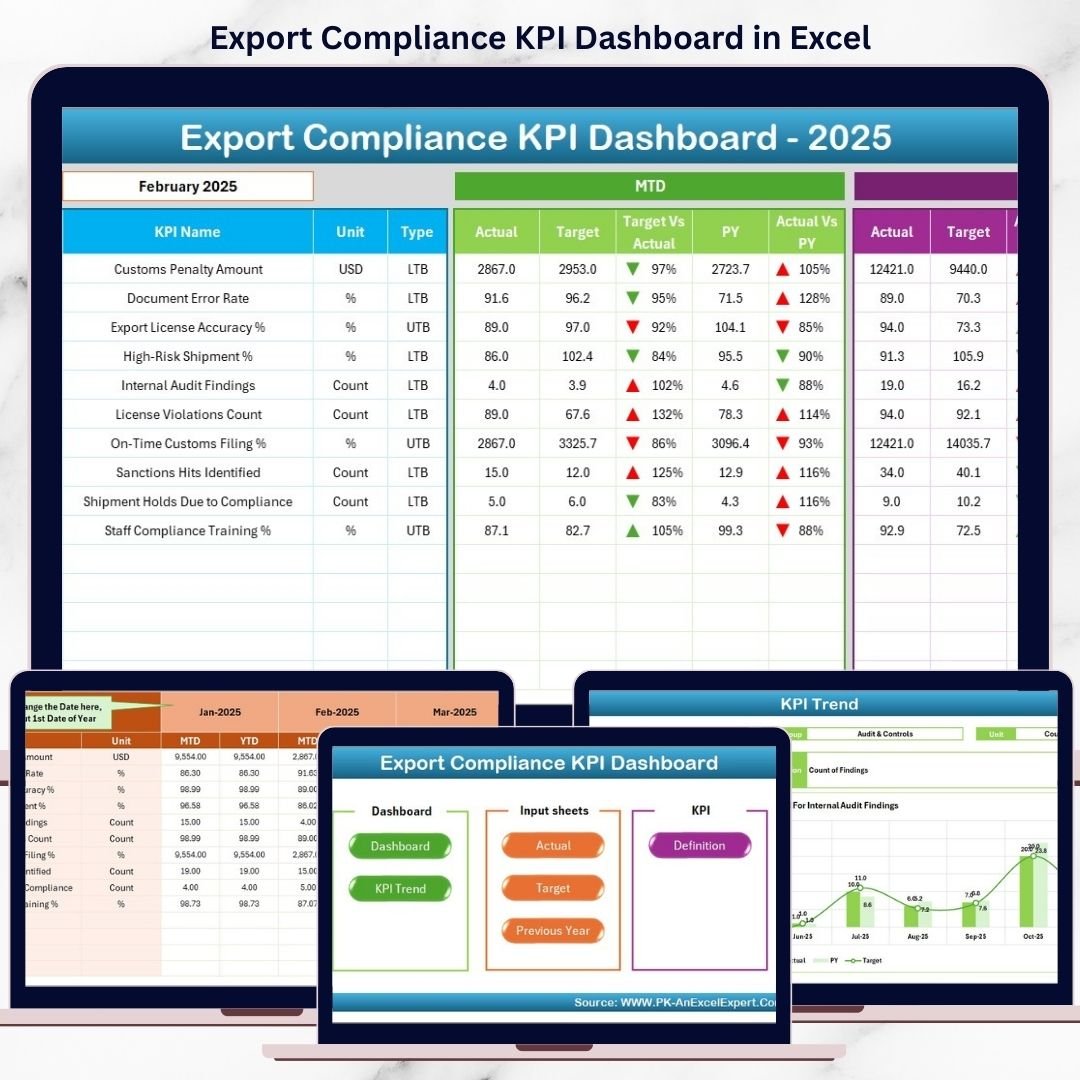
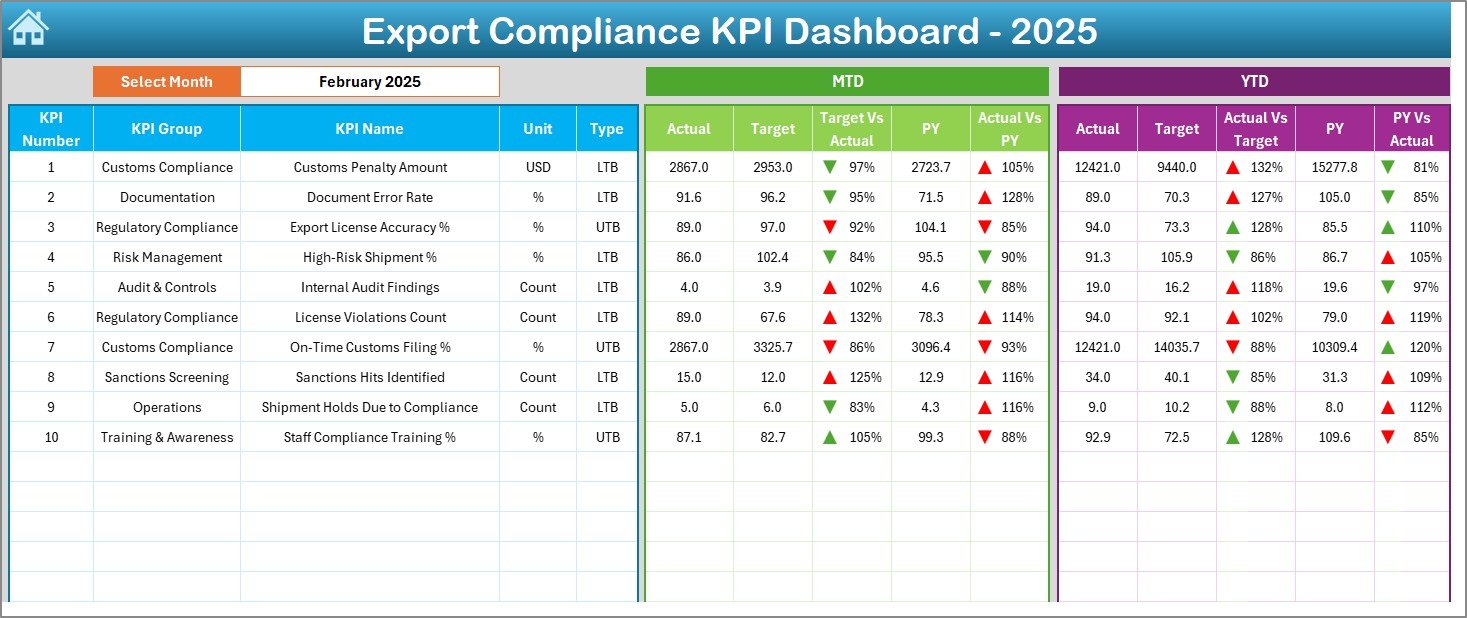
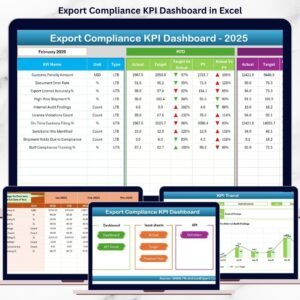
The Export Compliance KPI Dashboard in Excel is a ready-to-use, structured compliance monitoring solution that brings clarity, control, and confidence into export compliance tracking. Instead of checking multiple files, compliance teams can monitor MTD and YTD performance, compare Actual vs Target vs Previous Year, and identify risks early—all from one professional Excel dashboard.
This dashboard is designed for real-world compliance teams who need accuracy without complexity.
🚀 Key Features of Export Compliance KPI Dashboard in Excel
📊 Centralized Compliance Monitoring – Track all export compliance KPIs in one dashboard
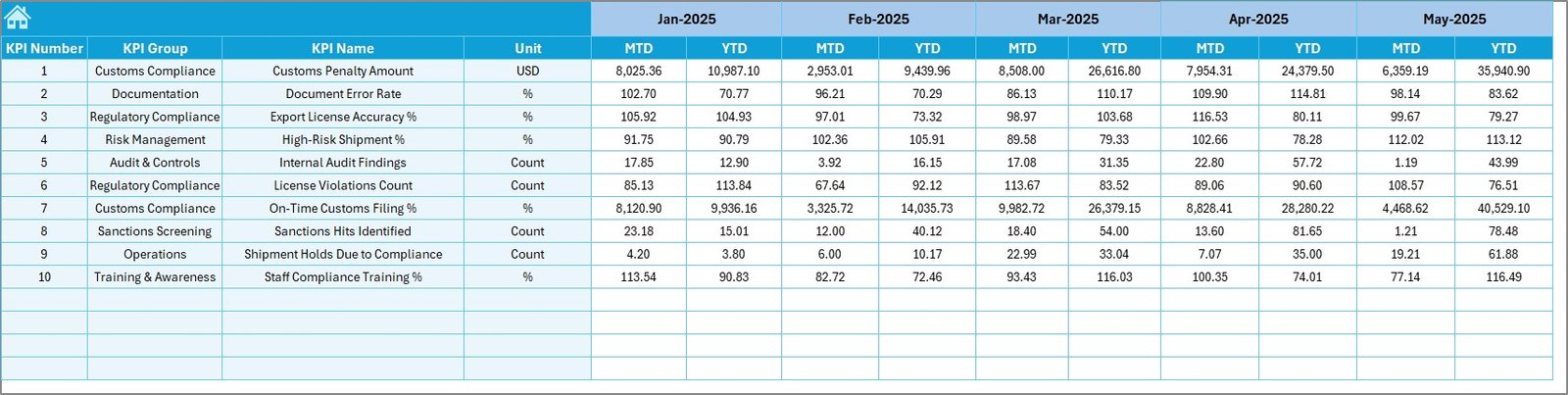
📅 MTD & YTD Performance Tracking – Monitor month-to-date and year-to-date compliance results
🎯 Actual vs Target Comparison – Instantly identify gaps using visual indicators
📈 Previous Year Comparison – Measure improvement or decline year-over-year
🚨 Conditional Formatting Alerts – Up/down arrows highlight risks and improvements
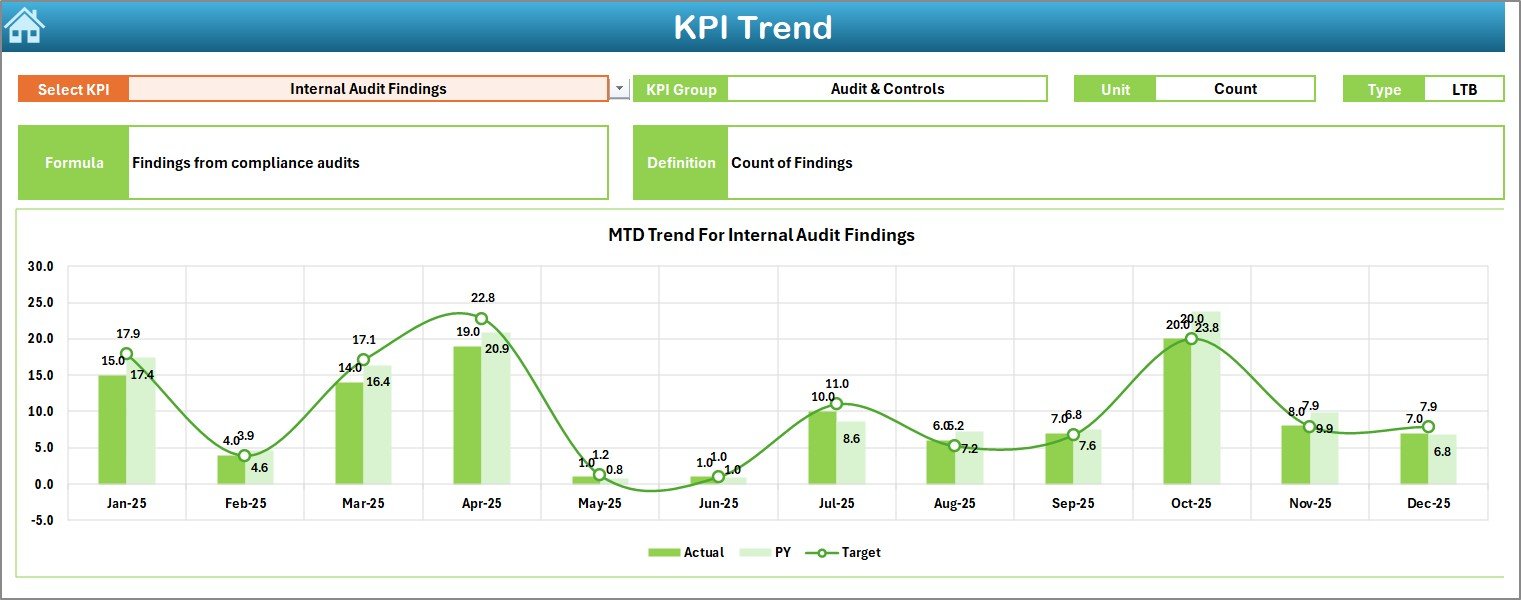
📉 KPI Trend Analysis – Analyze individual KPI performance over time
🧭 Easy Navigation Buttons – Move between sheets with one click
🧠 100% Excel-Based Solution – No VBA, no external software required
📦 What’s Inside the Export Compliance KPI Dashboard in Excel
📁 Excel Dashboard File with a professional, audit-ready structure
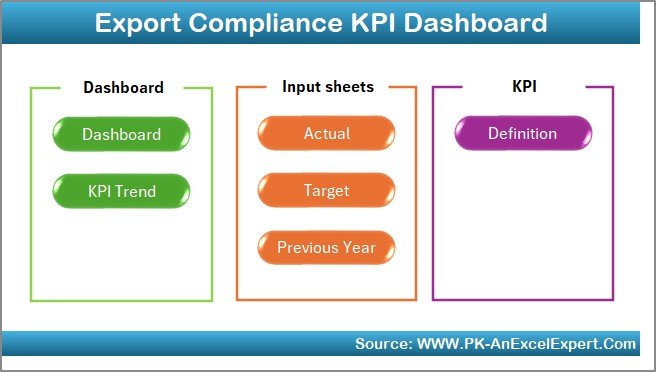
🏠 Home Sheet – Navigation hub with buttons to access all sections
📊 Dashboard Sheet – Main KPI performance view with MTD & YTD analysis
📈 KPI Trend Sheet – Deep-dive KPI-wise trend analysis with charts
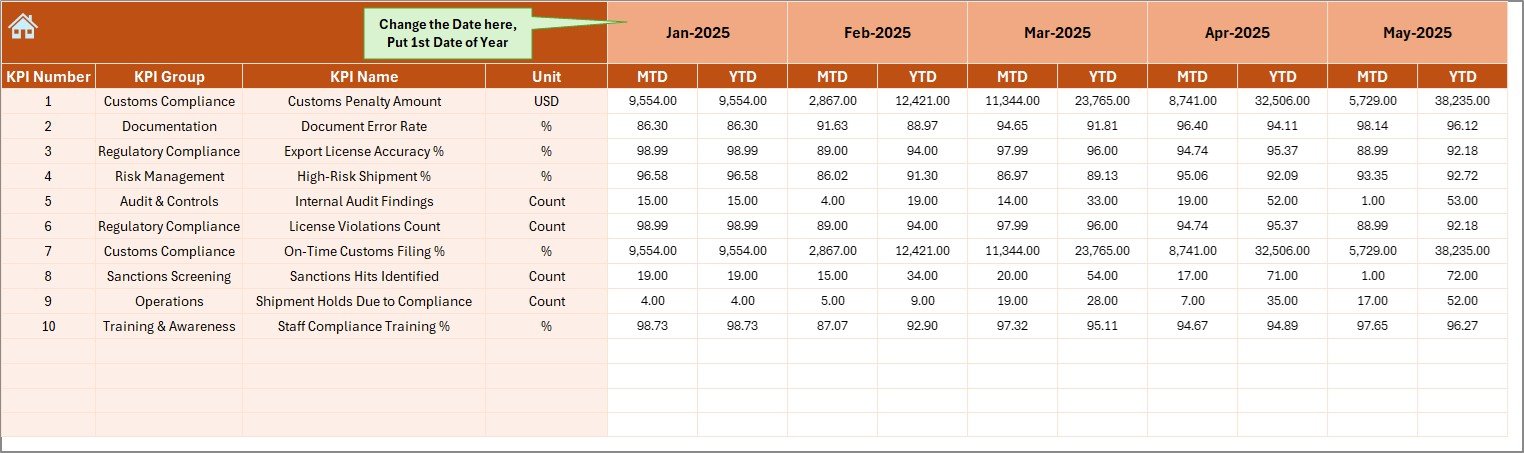
🧮 Actual Numbers Input Sheet – Enter current-year compliance data
🎯 Target Sheet – Define compliance goals and benchmarks
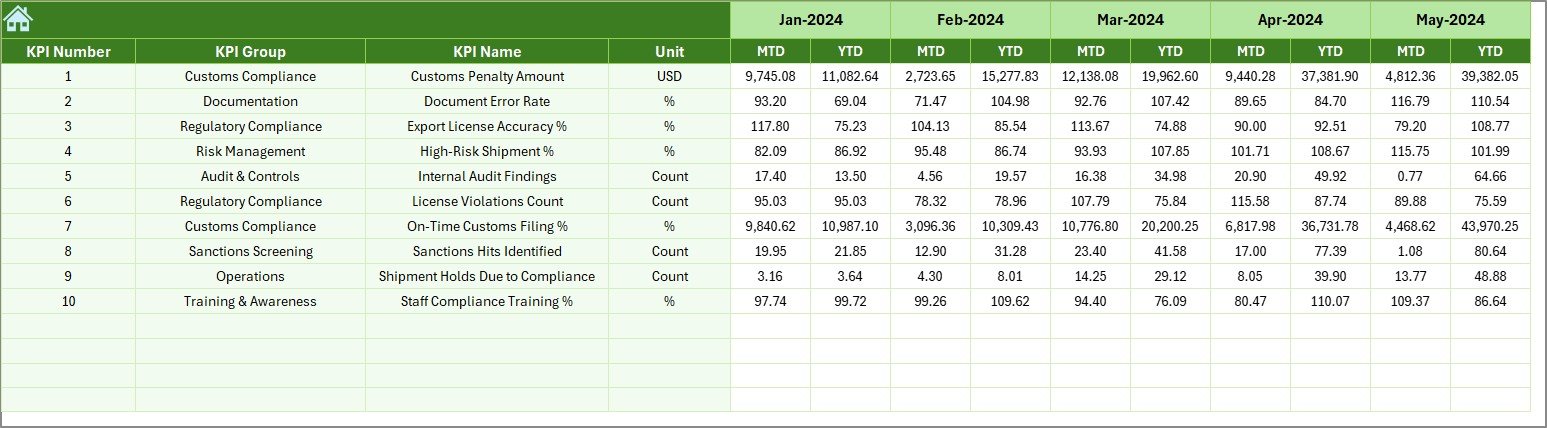
📜 Previous Year Number Sheet – Enable year-on-year comparison
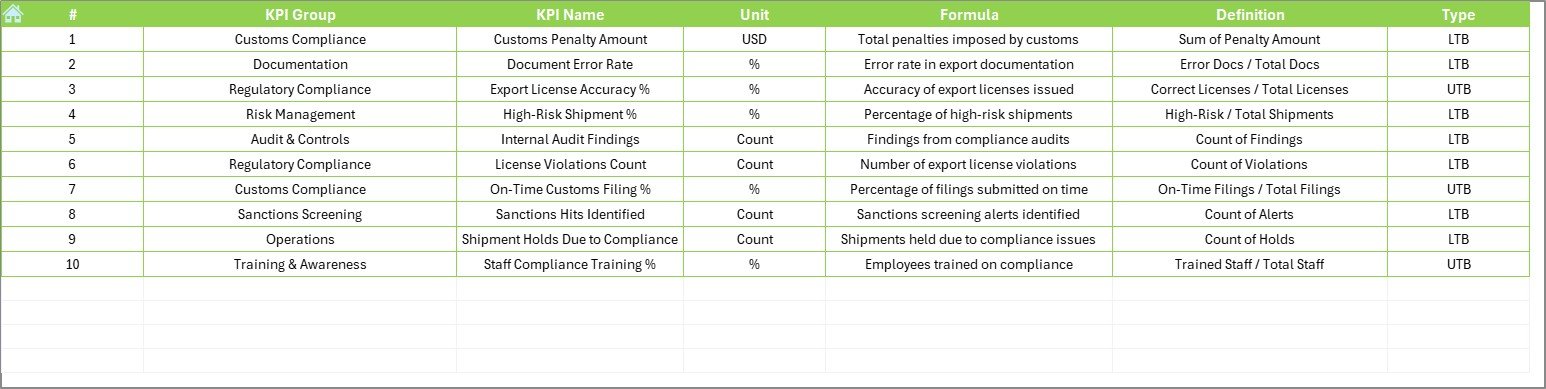
📘 KPI Definition Sheet – Store KPI names, units, formulas, and definitions
Each sheet is designed to improve governance, transparency, and audit readiness.
🧠 How to Use the Export Compliance KPI Dashboard in Excel
1️⃣ Open the Excel dashboard file
2️⃣ Enter current-year data in the Actual Numbers sheet
3️⃣ Update targets in the Target sheet
4️⃣ Add previous year values in the Previous Year Number sheet
5️⃣ Select the reporting month from the dropdown
6️⃣ Review MTD and YTD performance on the Dashboard
7️⃣ Use trend charts to identify risks and improvements
No advanced Excel skills are required. If you can use Excel, you can use this dashboard.
👥 Who Can Benefit from This Export Compliance KPI Dashboard in Excel
📦 Export Compliance Officers – Track compliance performance confidently
📋 Trade Compliance Managers – Identify violations and risks early
🔍 Risk & Audit Teams – Maintain audit-ready documentation
🚚 Logistics & Supply Chain Teams – Monitor screening and documentation KPIs
🏢 SMEs & Large Enterprises – Manage compliance without expensive software
This dashboard works across industries, regions, and regulatory environments.
🔗 Click here to read the Detailed Blog Post
🎥 Visit our YouTube channel to learn step-by-step video tutorials
https://www.youtube.com/@PKAnExcelExpert



























Reviews
There are no reviews yet.