


Drone services are transforming industries such as agriculture, construction, surveying, logistics, inspections, and media production. However, as drone operations scale, managing performance using scattered Excel sheets quickly becomes chaotic. Flight hours go untracked. Targets get missed. Profitability becomes unclear. As a result, decision-making slows down and growth suffers.
That is exactly why the Drone Services KPI Dashboard in Excel becomes a game-changing performance management solution 📊.
This ready-to-use Excel dashboard converts raw drone operations data into clear KPIs, visual indicators, and trend insights. Instead of guessing performance, drone businesses gain complete visibility into operations, efficiency, and profitability—all inside a single Excel file.
Designed for drone service providers, UAV operators, managers, and business owners, this dashboard helps you track targets, identify gaps, and scale operations with confidence—without expensive software or technical complexity.
🔑 Key Features of Drone Services KPI Dashboard in Excel
📊 Centralized KPI Tracking
Track all drone operational KPIs in one structured Excel dashboard.
🎯 MTD & YTD Performance Monitoring
Compare actual performance with targets and previous year data.
📈 Trend Analysis for Better Decisions
Identify performance patterns with built-in trend charts.
🔍 Visual Performance Indicators
Green ▲ and Red ▼ arrows instantly show success or risk.
📂 Smart Navigation with Home Sheet
Jump between sheets instantly using navigation buttons.
⚙️ Fully Excel-Based & Customizable
No Power BI or coding skills required.
⏱ Time-Saving Automation
Eliminate manual calculations and reporting delays.
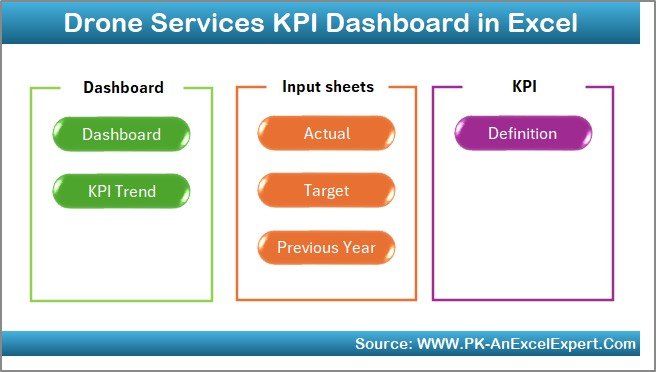
📦 What’s Inside the Drone Services KPI Dashboard in Excel
🏠 Home Sheet – One-Click Navigation Hub
The Home Sheet acts as the control panel of the dashboard.
🔹 Six navigation buttons
🔹 One-click access to all key worksheets
🔹 Clean, executive-friendly layout
This ensures fast navigation, even for non-technical users and leadership teams.
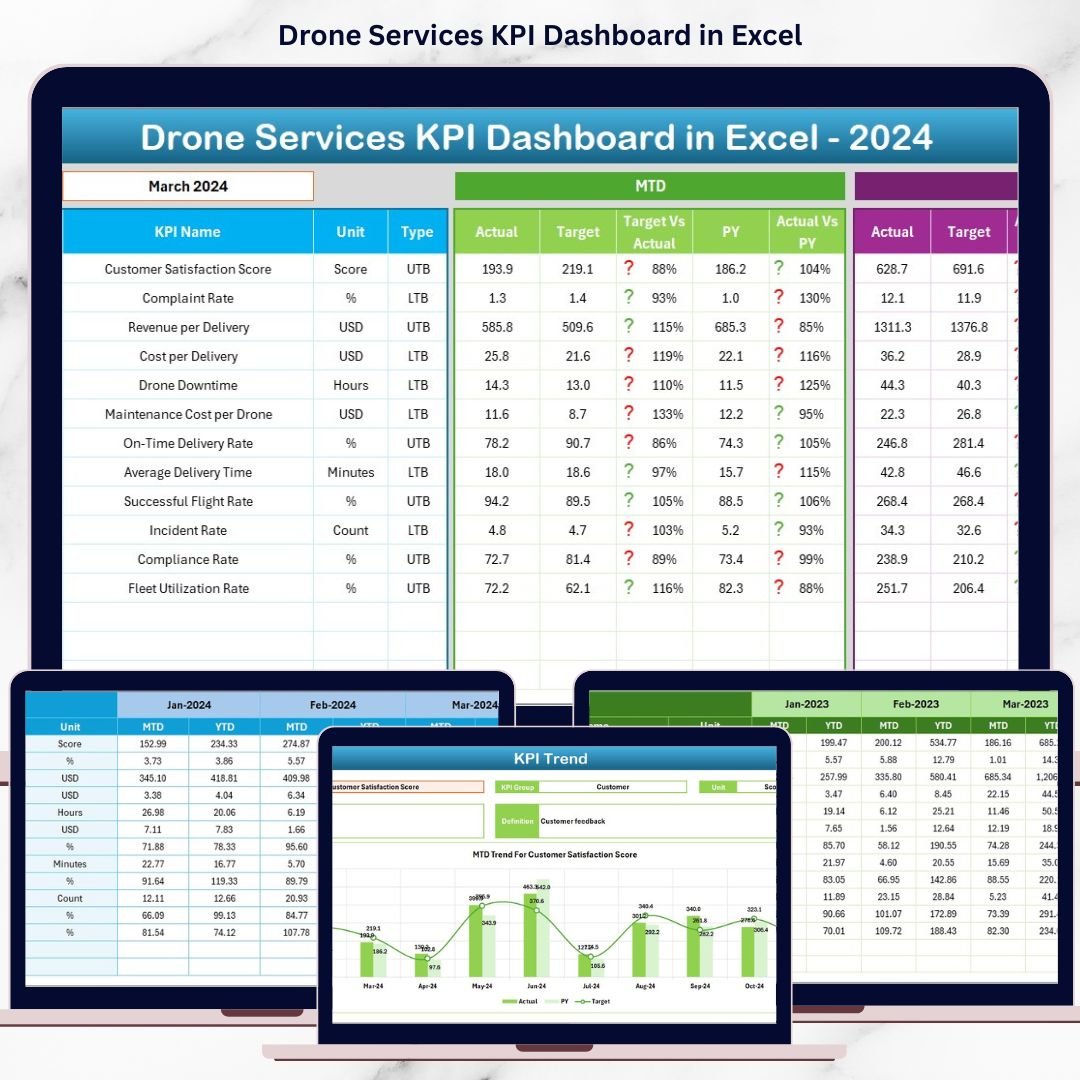
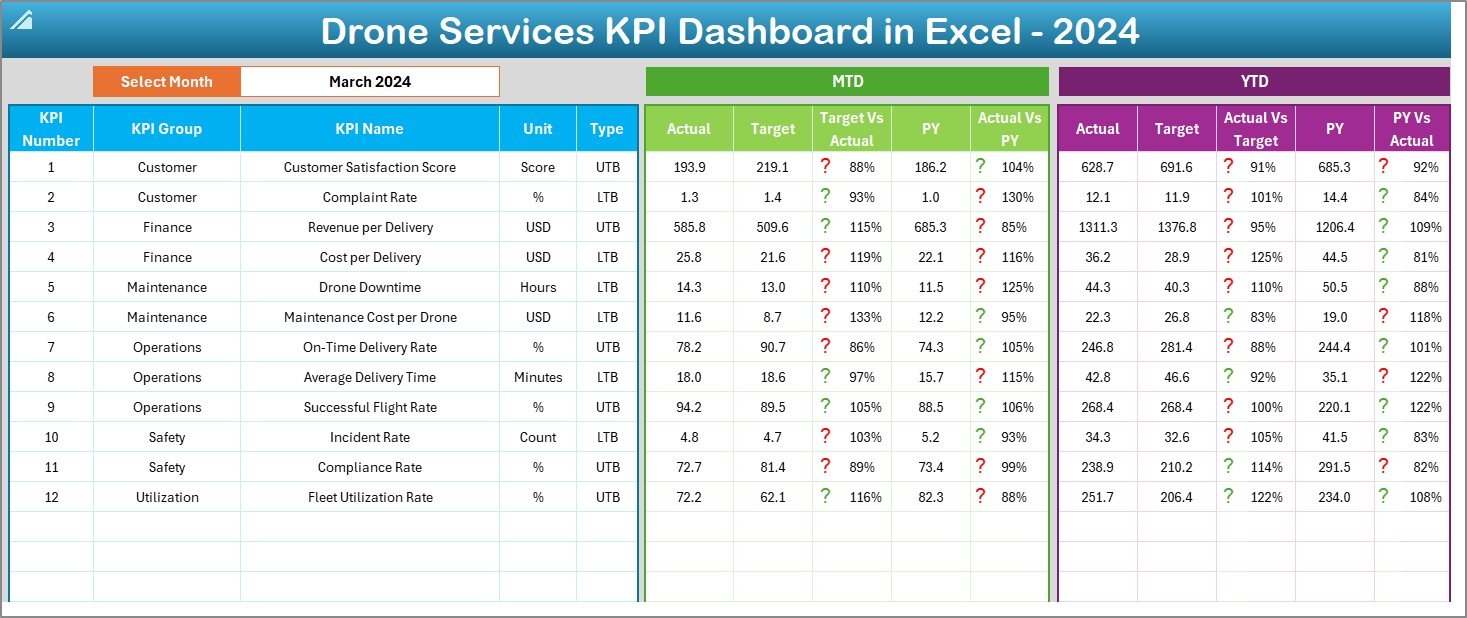
📊 Dashboard Sheet – Complete KPI Overview
The Dashboard Sheet is the heart of the KPI dashboard.
📅 Month Selection (Cell D3)
Select any reporting month from a drop-down. Instantly, the entire dashboard updates.
📌 Month-to-Date (MTD) Metrics
MTD Actual
MTD Target
MTD Previous Year
Target vs Actual %
PY vs Actual %
▲ / ▼ Performance Indicators
📌 Year-to-Date (YTD) Metrics
YTD Actual
YTD Target
YTD Previous Year
Target vs Actual %
PY vs Actual %
▲ / ▼ Performance Indicators
These visuals allow you to spot underperformance immediately—without digging into numbers.
📈 KPI Trend Sheet – Deep Performance Insights
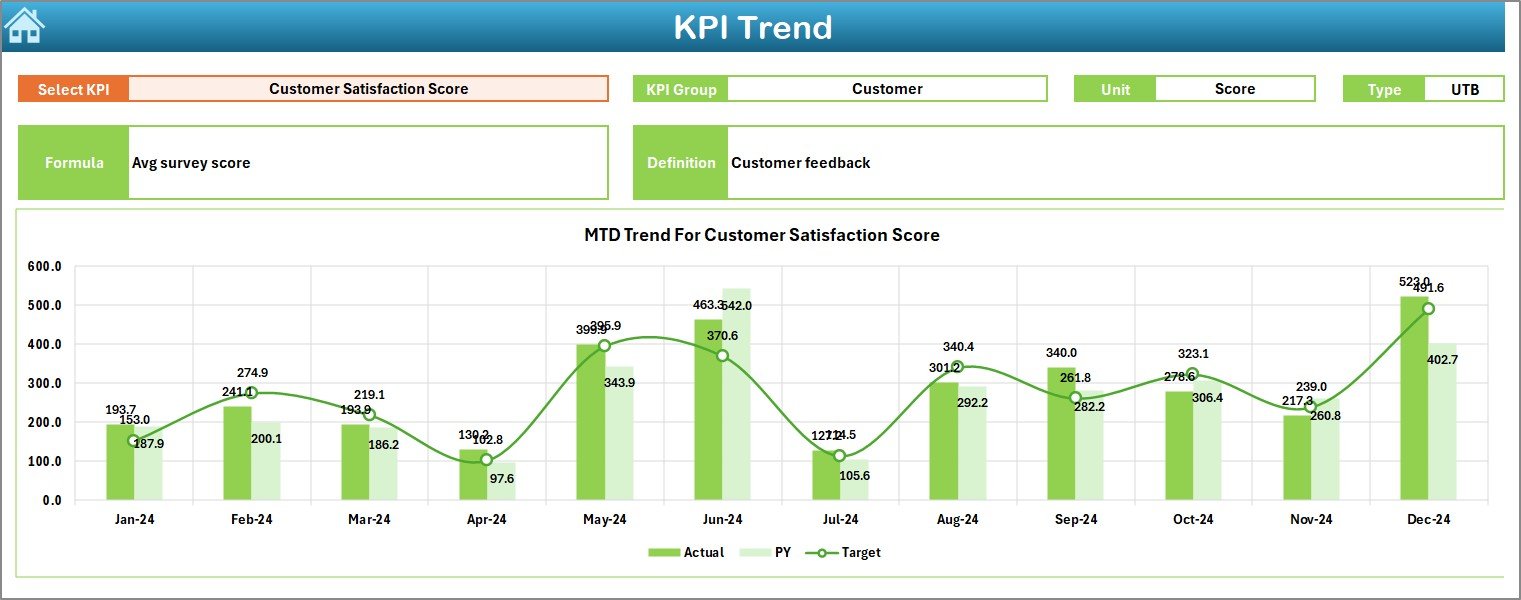
The KPI Trend Sheet enables focused analysis for individual KPIs.
🎯 KPI Selection (Cell C3)
Choose any KPI from a drop-down list.
📊 Displayed Details
KPI Group
Unit of Measurement
KPI Type (UTB / LTB)
KPI Formula
KPI Definition
📈 Trend Charts
MTD Trend: Actual vs Target vs PY
YTD Trend: Actual vs Target vs PY
This sheet helps you understand why performance is improving or declining over time.
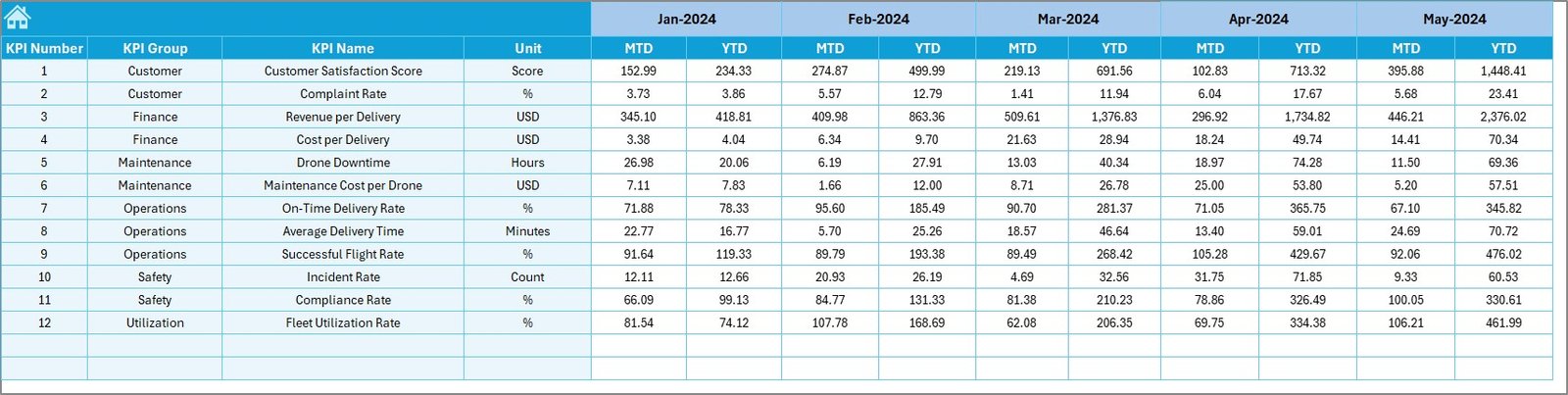
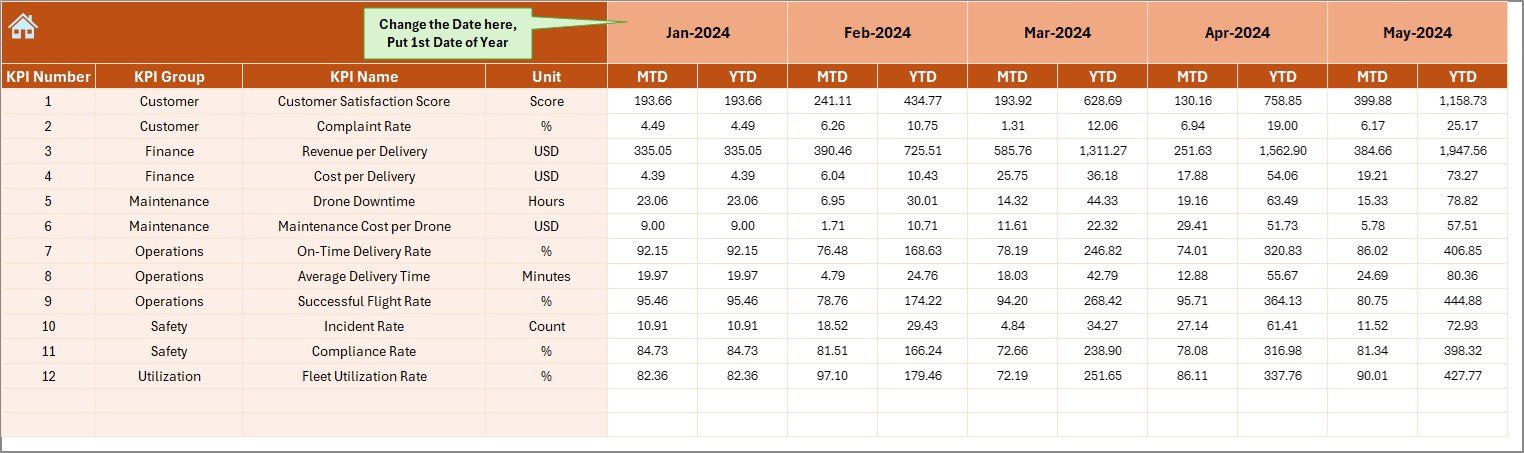
🧮 Actual Numbers Input Sheet – Enter Real Performance
This sheet captures current year operational data.
✔ Enter MTD Actual values
✔ Enter YTD Actual values
✔ Control reporting year using Cell E1
Once data is entered, all calculations update automatically.
🎯 Target Sheet – Define Performance Goals
The Target Sheet stores KPI targets.
✔ MTD Target values
✔ YTD Target values
This enables accurate target vs actual comparisons across all KPIs.
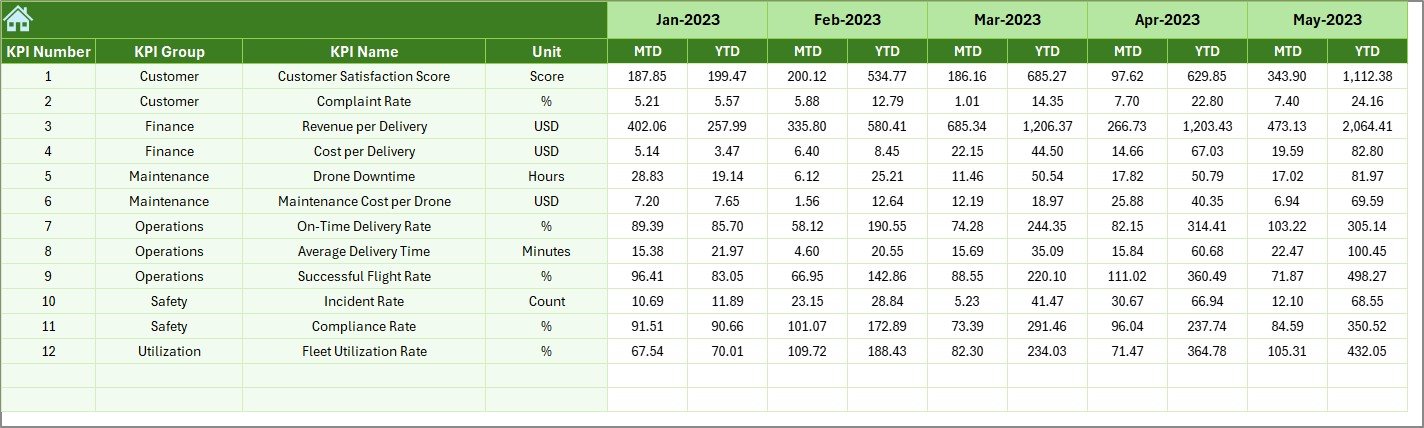
📅 Previous Year Number Sheet – Year-Over-Year Analysis
This sheet stores previous year KPI values.
✔ PY MTD values
✔ PY YTD values
With this data, the dashboard automatically shows growth, decline, and long-term trends.
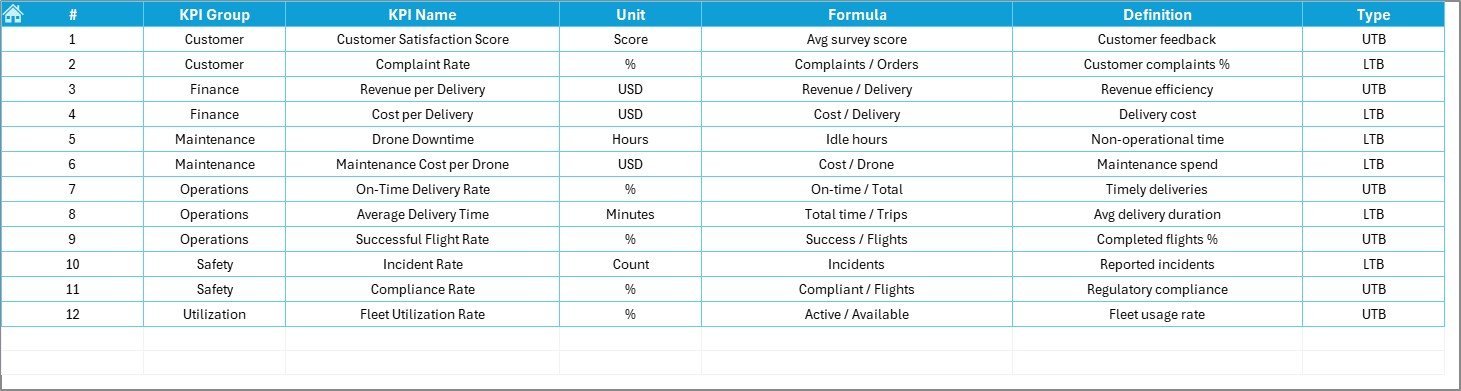
📘 KPI Definition Sheet – KPI Governance & Clarity
The KPI Definition Sheet ensures consistency across teams.
Includes:
KPI Name
KPI Group
Unit
Formula
Definition
This eliminates confusion and ensures everyone measures performance the same way.
⚙️ How to Use the Drone Services KPI Dashboard in Excel
📝 Enter Actual, Target & PY data
📅 Select reporting month
📊 Review KPI arrows and percentages
📈 Analyze trends
🎯 Take corrective action
No advanced Excel skills required.
👥 Who Can Benefit from This Dashboard
🚁 Drone service providers
📡 UAV operations managers
🏗 Construction & inspection teams
🌾 Agricultural drone businesses
📊 Project & operations managers
💼 Business owners & founders
🔍 Click here to read the Detailed blog post
📺 Visit our YouTube channel to learn step-by-step video tutorials
👉 Youtube.com/@PKAnExcelExpert































Reviews
There are no reviews yet.