

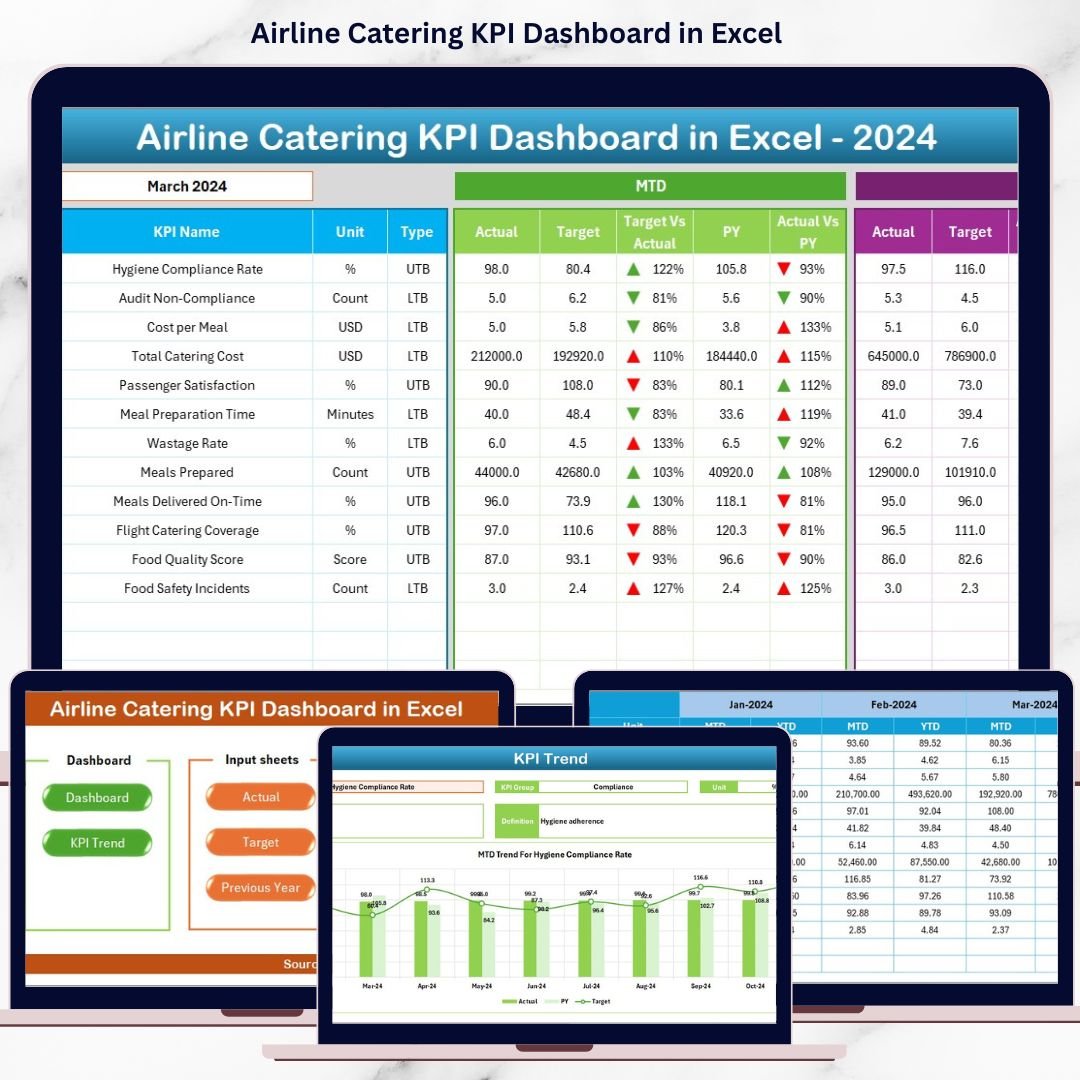


Airline catering is one of the most critical yet complex operational areas in the aviation industry. Every meal served, every delivery made on time, and every cost controlled directly influences passenger satisfaction, brand perception, and airline profitability. However, when catering performance data is scattered across spreadsheets or tracked manually, teams lose visibility and decision-making becomes reactive.
That is exactly why the Airline Catering KPI Dashboard in Excel is designed as a powerful, ready-to-use performance management solution for airline catering teams.
This professionally structured Excel dashboard converts raw catering data into clear KPIs, actionable insights, and trend analysis—without requiring any advanced technical skills or expensive BI tools. As a result, airline catering managers gain full control over performance, costs, quality, and service reliability.
🔑 Key Features of Airline Catering KPI Dashboard in Excel
🚀 Centralized KPI Monitoring
Track all airline catering KPIs in one structured and interactive dashboard instead of managing multiple disconnected files.
📅 MTD & YTD Performance Tracking
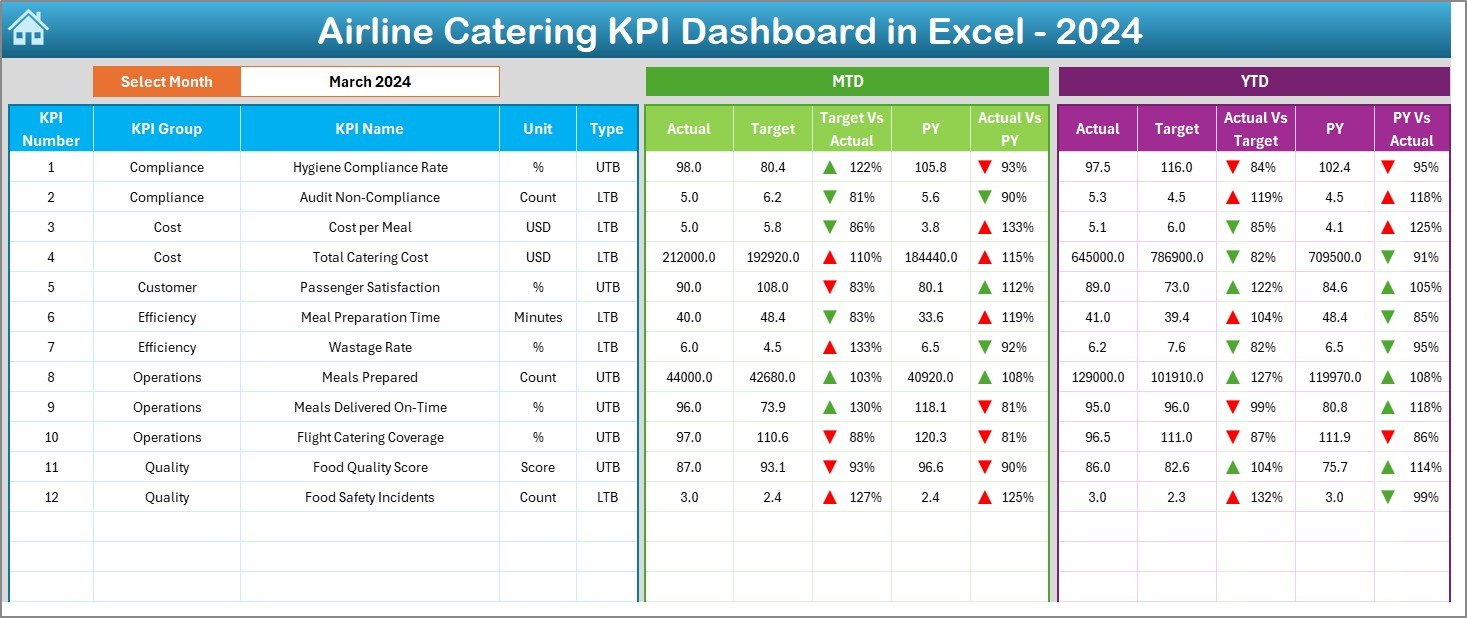
Analyze Month-to-Date and Year-to-Date actuals against defined targets and previous year benchmarks.
🎯 Target vs Actual & YoY Comparison
Instantly identify performance gaps using automated calculations and visual indicators.
📊 Conditional Formatting with Status Arrows
Up and down arrows highlight positive and negative performance for quick interpretation.
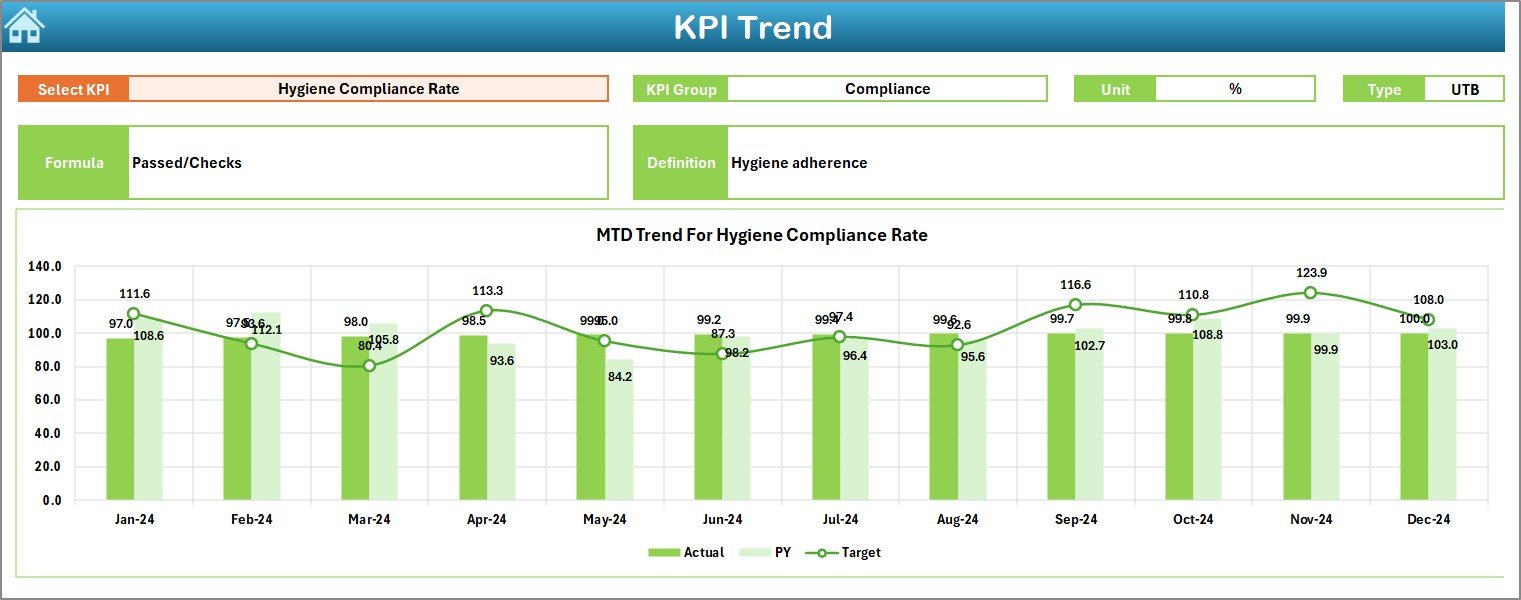
📈 Interactive KPI Trend Analysis
Monitor KPI-level trends across months to identify seasonality, risks, and improvement opportunities.
🧭 Smart Navigation System
Use the Summary Page with navigation buttons to move between sheets effortlessly.
💰 Cost-Effective Excel-Based Solution
No Power BI licenses or external tools required—fully built in Excel.
📦 What’s Inside the Airline Catering KPI Dashboard in Excel
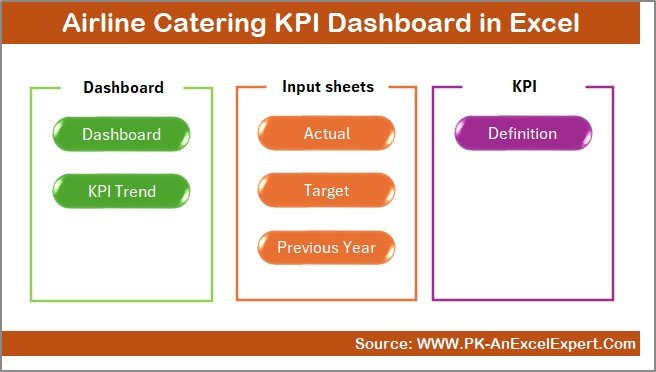
This dashboard includes 7 well-designed worksheets, each serving a specific purpose:
📌 Summary Page – Acts as an index with navigation buttons for fast access
📌 Dashboard Sheet – Displays all KPIs with MTD & YTD actuals, targets, PY values, and comparisons
📌 Trend Sheet – KPI-wise deep analysis with MTD and YTD trend charts
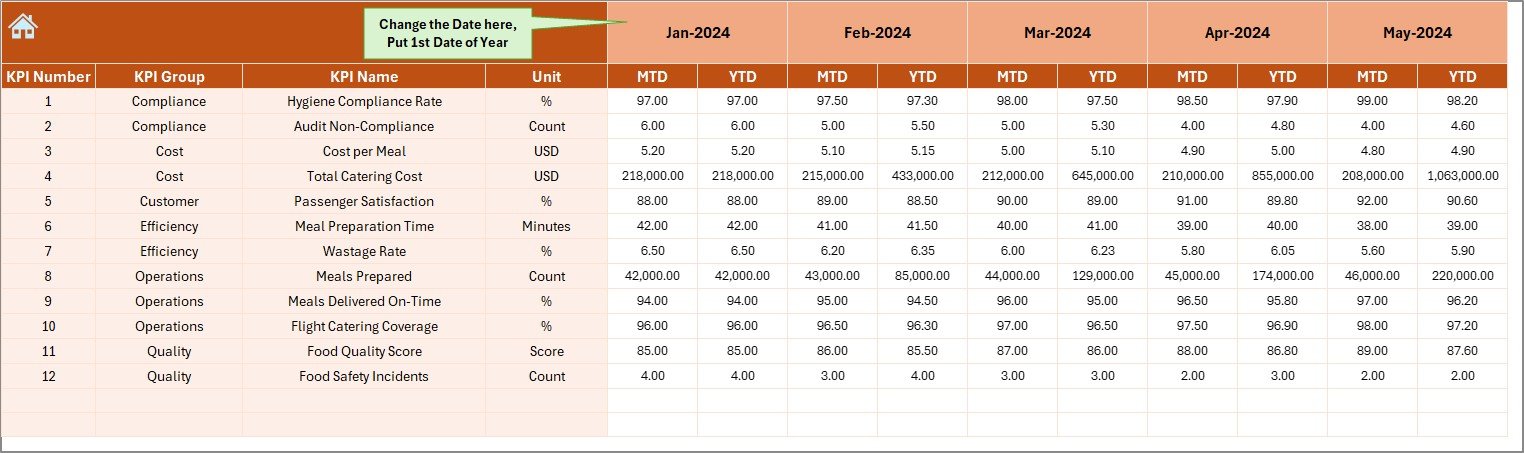
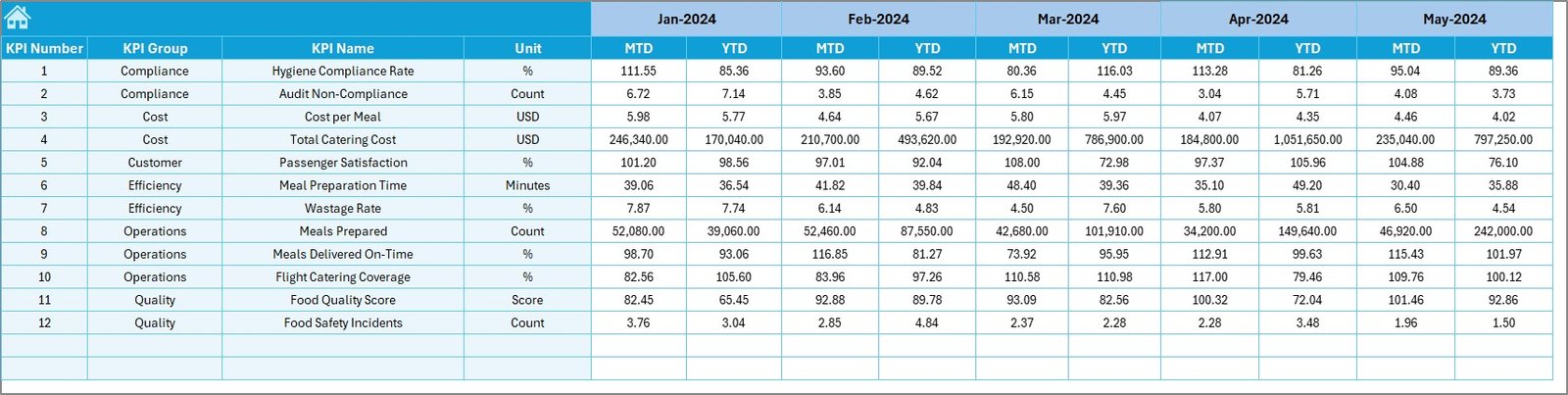
📌 Actual Numbers Sheet – Structured input for monthly MTD and YTD actual values
📌 Target Sheet – Enter monthly and cumulative performance targets
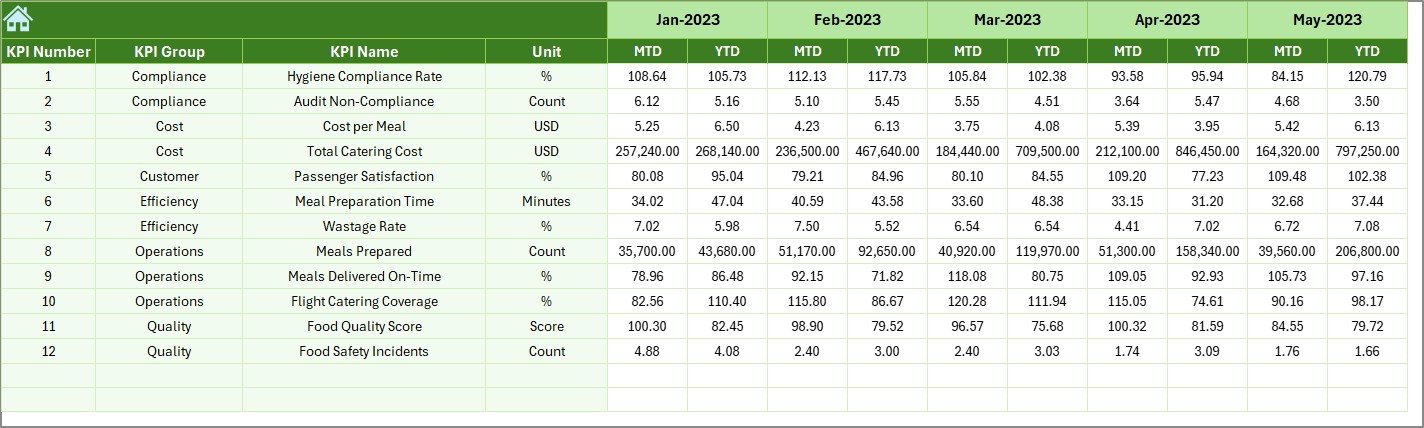
📌 Previous Year Sheet – Capture historical MTD and YTD data for YoY analysis
📌 KPI Definition Sheet – Stores KPI name, group, unit, formula, and definition
Together, these sheets create a complete airline catering performance management system.
🛠️ How to Use the Airline Catering KPI Dashboard in Excel
Using this dashboard is simple and intuitive:
1️⃣ Enter KPI definitions once in the KPI Definition Sheet
2️⃣ Input monthly actual data in the Actual Numbers Sheet
3️⃣ Set performance targets in the Target Sheet
4️⃣ Add historical data in the Previous Year Sheet
5️⃣ Select the month from the drop-down (cell D3)
6️⃣ Instantly view updated KPIs, trends, and comparisons
Because all calculations are automated, users only focus on data entry and decision-making.
👥 Who Can Benefit from This Airline Catering KPI Dashboard in Excel
✈️ Airline Catering Managers
📊 Airline Operations & Performance Teams
🍽️ In-Flight Catering Service Providers
📈 Aviation Operations Analysts
🏢 Airline Management & Leadership Teams
🧾 Cost Control & Quality Assurance Teams
Anyone responsible for catering efficiency, cost control, service quality, or performance reporting will benefit from this dashboard.
Click here to read the detailed blog post
Watch the step-by-step video tutorial:
Visit our YouTube channel to learn step-by-step video tutorials
YouTube.com/@PKAnExcelExpert
Compatibility and Requirements
- Works in Microsoft Excel desktop (Excel 2016 or later, or Microsoft 365).
- You pick the month from a drop-down in cell D3 on the Dashboard sheet. Microsoft explains drop-downs in Create a drop-down list.
Frequently Asked Questions
Which sheets are included?
Seven sheets: Summary Page, Dashboard, Trend, Actual Numbers, Target, Previous Year and KPI Definition.
How do I update the dashboard?
Enter your monthly MTD and YTD figures in the Actual Numbers sheet and your goals in the Target sheet. Then select the month in cell D3 and the dashboard updates.
Can I compare this year with last year?
Yes. Add last year’s MTD and YTD data to the Previous Year sheet and the Dashboard shows it next to your actuals and targets.
How do I see the trend for one KPI?
Open the Trend sheet to see MTD and YTD trend charts for each KPI. The KPI Definition sheet holds the KPI name, group, unit, formula and definition.
Is there a Power BI version?
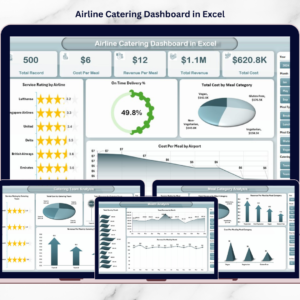
Not of this exact KPI dashboard. The closest match is the Airline Catering Dashboard in Power BI, and an Excel dashboard on the same topic is the Airline Catering Dashboard in Excel.
Related Airline and Catering Templates
- Airline Catering Dashboard in Excel: a dashboard view for airline catering
- Airline Catering Dashboard in Power BI: the same topic in Power BI
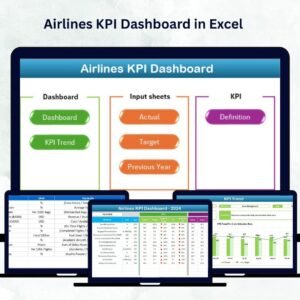
- Airlines KPI Dashboard in Excel: KPIs for airline operations
- Catering Services KPI Dashboard in Excel: KPIs for catering services
- KPI Dashboard Library (Excel): 15 KPI dashboards in one download
Browse all Excel KPI dashboards.
































Reviews
There are no reviews yet.