


Running an online subscription platform is not just about onboarding users and collecting payments. You must monitor recurring revenue, control churn, track targets, and analyze trends continuously. However, many subscription businesses still depend on fragmented spreadsheets, manual calculations, and delayed monthly reports. As a result, insights arrive late, risks grow silently, and growth decisions rely on assumptions instead of data.
That is exactly why the Online Subscription Platforms KPI Dashboard in Excel is a must-have performance management tool.
This ready-to-use Excel dashboard transforms raw subscription data into clear KPIs, instant comparisons, and actionable trends—all in one structured workbook. Instead of juggling multiple files or expensive BI tools, you gain clarity, control, and confidence directly inside Excel.
🔑 Key Feature of Online Subscription Platforms KPI Dashboard in Excel
✨ Centralized KPI Monitoring – Track all critical subscription KPIs in one interactive dashboard.
📅 MTD & YTD Performance Tracking – Instantly analyze Month-to-Date and Year-to-Date results.
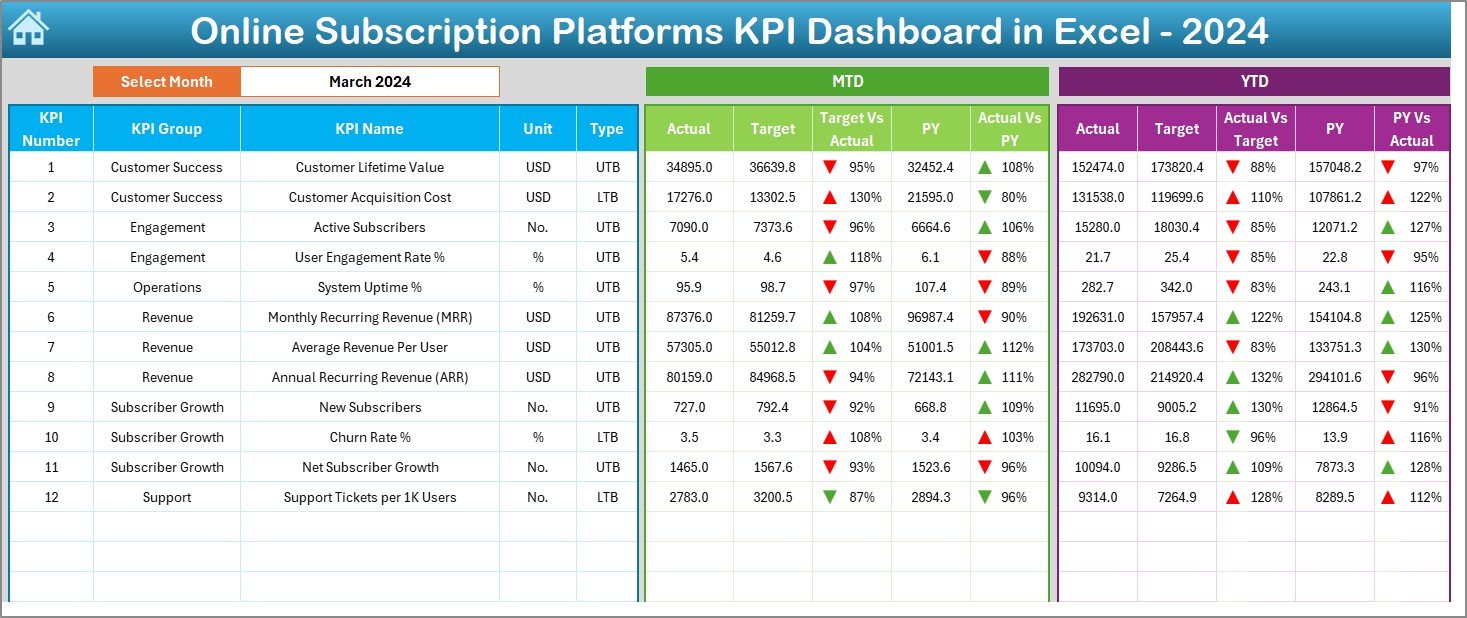
🎯 Target vs Actual Comparison – Identify performance gaps using automated variance logic.
📊 Previous Year (YoY) Analysis – Measure growth and decline with historical comparison.
📈 Trend-Based Insights – Visualize KPI performance over time for better forecasting.
🔽 Smart Drop-Down Controls – Change months and KPIs instantly without breaking formulas.
🚦 Conditional Formatting Signals – Up/down arrows highlight wins and risks instantly.
💼 Excel-Only Solution – No Power BI or external software required.
📦 What’s Inside the Online Subscription Platforms KPI Dashboard in Excel
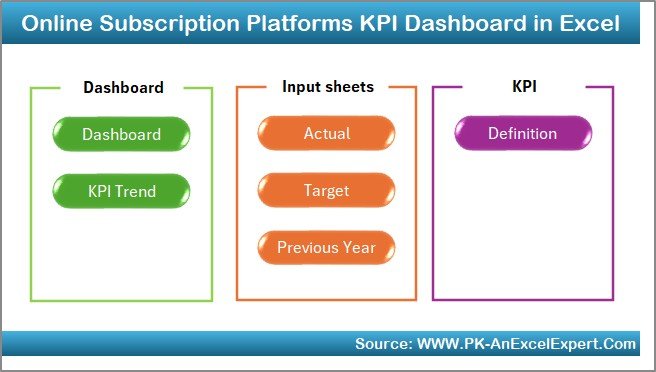
This dashboard is built with 7 professionally structured worksheets, each designed for a specific analytical purpose:
📌 Summary Page – Acts as the navigation hub with clickable buttons to jump between sheets.
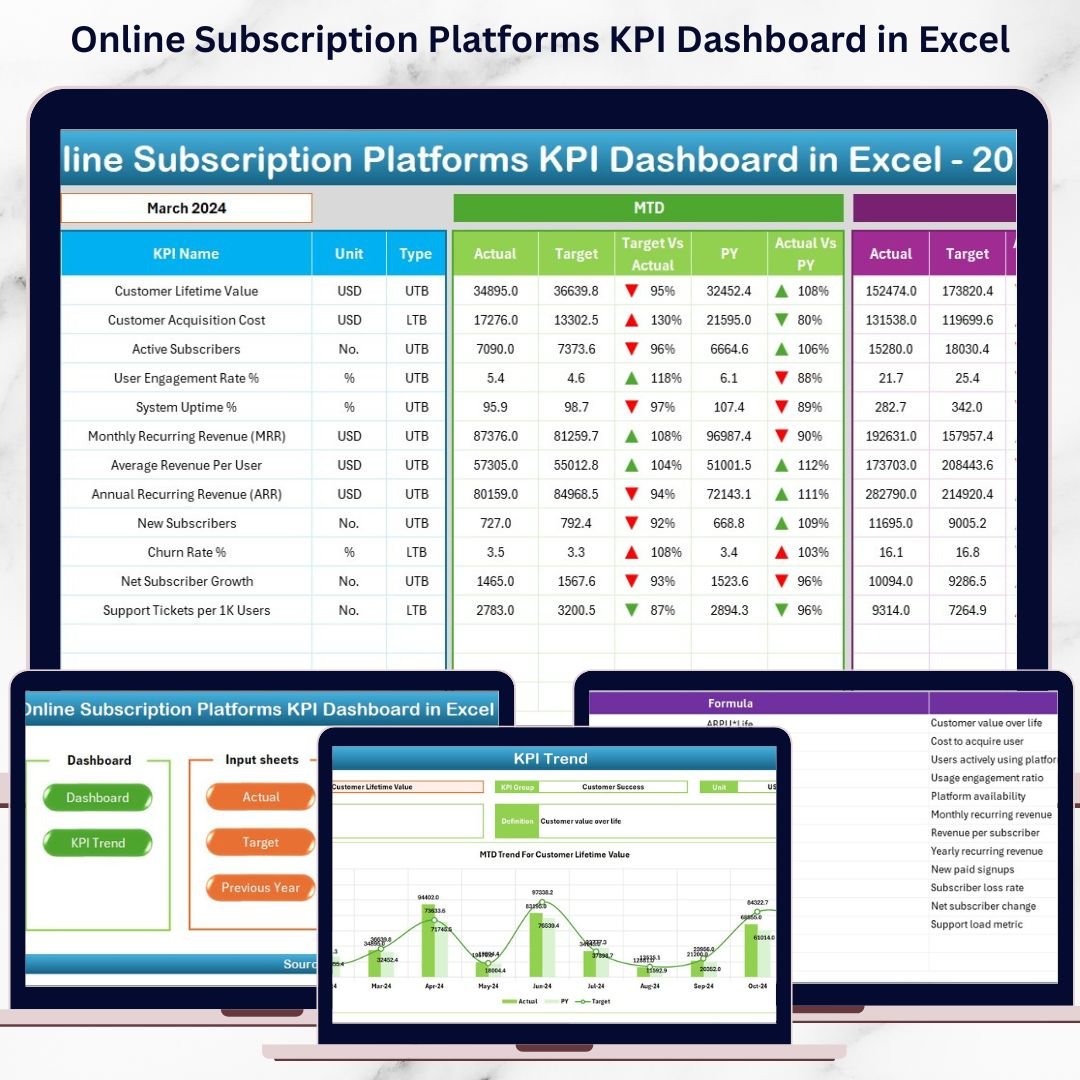
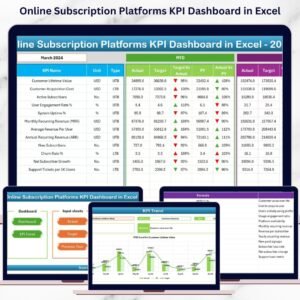
📌 Dashboard Sheet – Displays MTD & YTD Actuals, Targets, and Previous Year values with visual indicators.
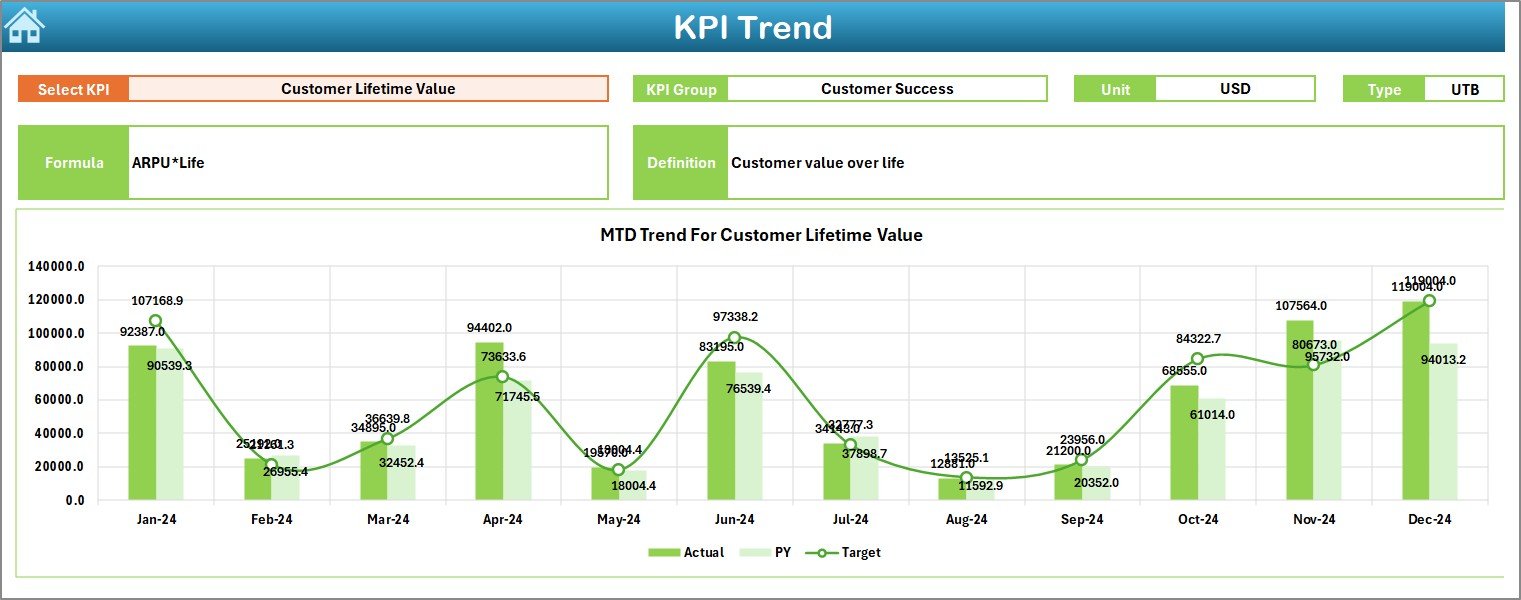
📌 Trend Sheet – Shows MTD and YTD trend charts for Actual, Target, and PY values for selected KPIs.
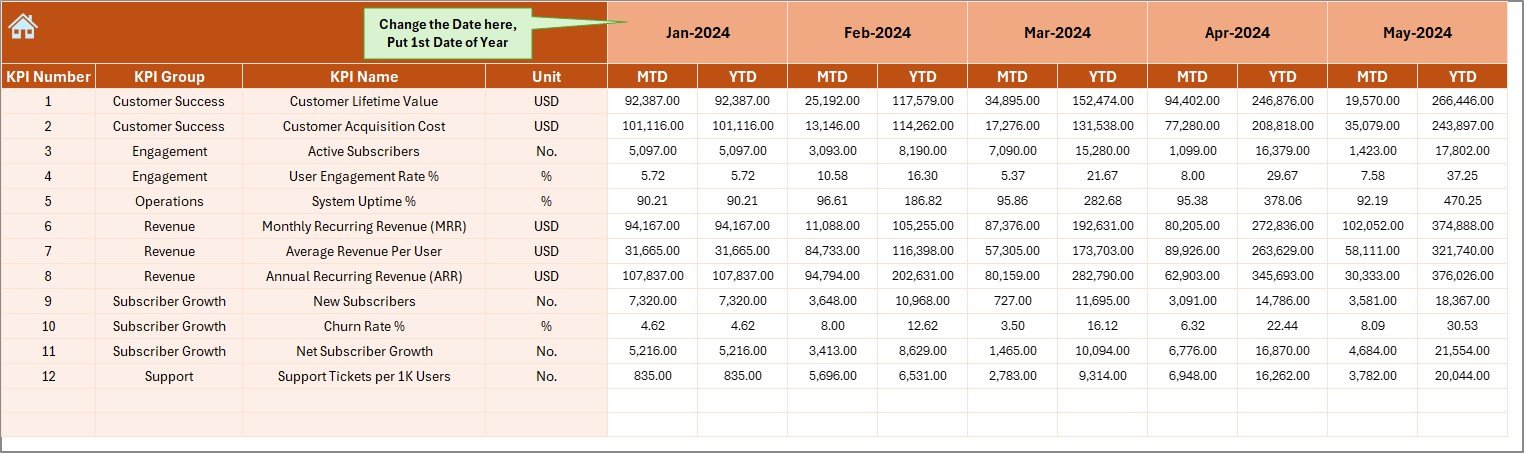
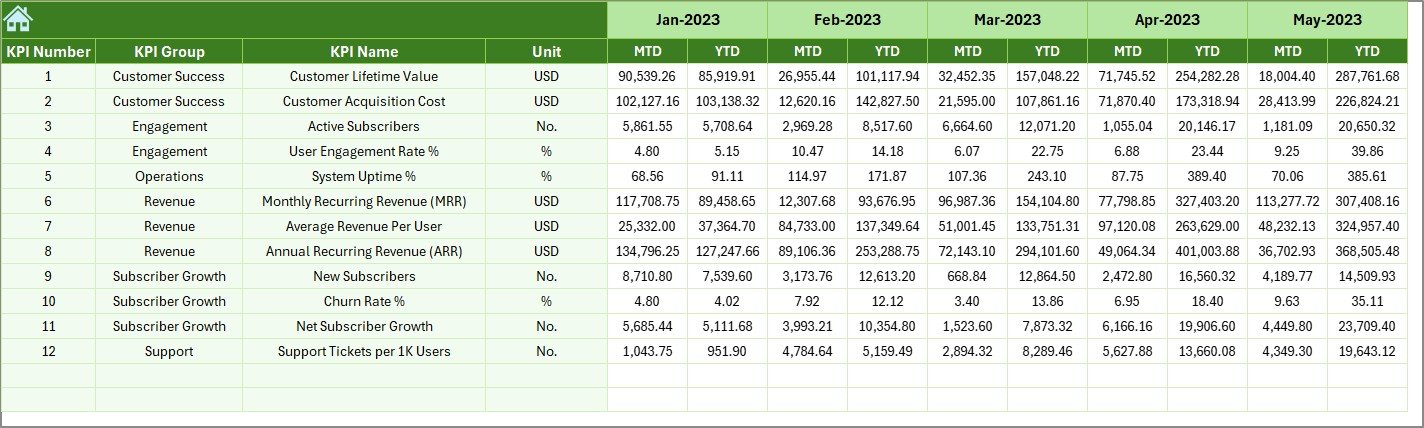
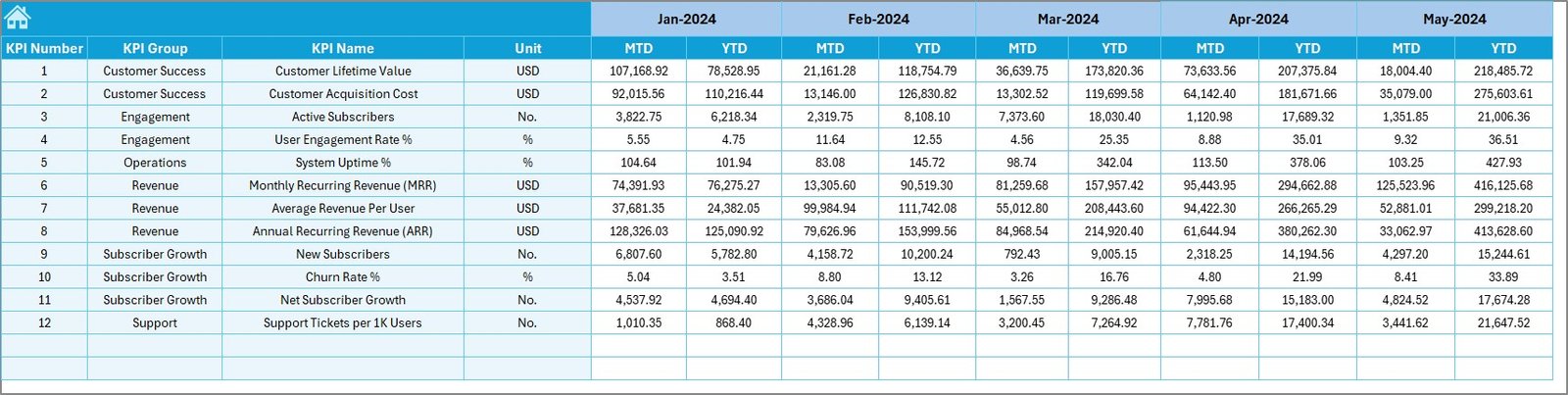
📌 Actual Numbers Sheet – Structured input area for entering monthly performance data.
📌 Target Sheet – Define KPI-wise monthly and yearly business targets.
📌 Previous Year Sheet – Store historical KPI data for YoY comparison.
📌 KPI Definition Sheet – Central source for KPI names, groups, units, formulas, and definitions.
Together, these sheets create a complete subscription performance monitoring system.
🛠️ How to Use the Online Subscription Platforms KPI Dashboard in Excel
Using this dashboard is simple and beginner-friendly:
1️⃣ Enter your actual KPI values in the Actual Numbers sheet.
2️⃣ Define monthly and yearly targets in the Target sheet.
3️⃣ Add previous year values in the PY sheet for comparison.
4️⃣ Select the month from the drop-down on the Dashboard.
5️⃣ Instantly review MTD, YTD, Target vs Actual, and YoY performance.
6️⃣ Use the Trend sheet to analyze patterns and growth direction.
Because everything is formula-driven, the dashboard updates automatically—no manual recalculations required.
🎯 Who Can Benefit from This Online Subscription Platforms KPI Dashboard in Excel
This dashboard is ideal for:
🚀 Subscription business owners
📊 SaaS founders and startup teams
💰 Finance and revenue managers
📉 Growth, retention, and churn analysts
🧠 Business and data analysts
⚙️ Operations and strategy teams
If your business depends on recurring revenue, this dashboard gives you the insights you need to scale profitably.
By using the Online Subscription Platforms KPI Dashboard in Excel, you eliminate guesswork and gain real-time performance visibility. It helps you detect churn risks early, monitor revenue momentum, and align teams with measurable goals. Moreover, its Excel-based design makes it cost-effective, customizable, and easy to adopt.
If you want clarity instead of chaos and decisions backed by data, this dashboard becomes an essential growth asset for your subscription business.
Click here to read the Detailed Blog Post
Watch the step-by-step video tutorial:






























Reviews
There are no reviews yet.