



In today’s competitive and data-driven healthcare environment, alternative medicine clinics must go beyond intuition and manual registers. Sustainable growth now depends on clear visibility, measurable outcomes, and data-backed decisions. That is exactly where the Alternative Medicine KPI Dashboard in Excel becomes a game-changing solution for holistic healthcare providers.
This professionally designed Excel dashboard helps alternative medicine clinics track patient performance, financial health, therapist productivity, and growth trends—all from one centralized, interactive system. Instead of managing scattered Excel files or paper-based records, this dashboard transforms raw data into clear insights and actionable intelligence.
Whether you operate an Ayurveda clinic, Homeopathy center, Naturopathy practice, Acupuncture studio, or holistic wellness facility, this dashboard empowers you to monitor performance confidently, identify gaps quickly, and plan strategically—without investing in costly BI tools.
🔑 Key Features of Alternative Medicine KPI Dashboard in Excel
📊 Centralized KPI Monitoring – Track operational, financial, clinical, and marketing KPIs in one unified dashboard
📅 Dynamic Month Selection – Instantly switch months using a dropdown and view real-time updates
🎯 MTD & YTD Performance Tracking – Monitor Month-to-Date and Year-to-Date KPIs effortlessly
🔁 Target vs Actual Comparison – Identify performance gaps using clear variance indicators
📈 Previous Year Analysis – Measure real growth with YoY performance comparison
⬆️⬇️ Smart Conditional Formatting – Instantly identify overperformance or underperformance
🧩 Fully Customizable Structure – Add, remove, or modify KPIs based on clinic needs
💰 Cost-Effective & Excel-Based – No expensive BI tools or advanced technical skills required
📦 What’s Inside the Alternative Medicine KPI Dashboard in Excel
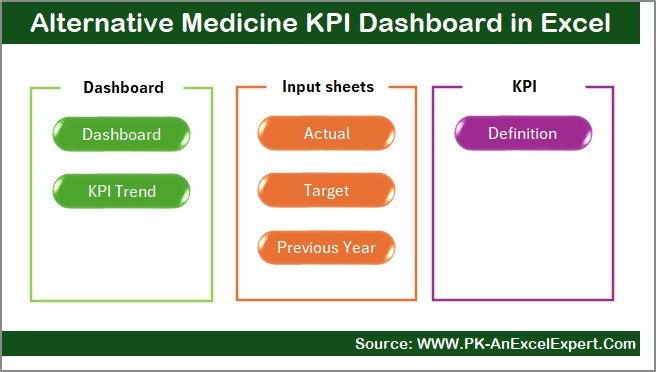
This dashboard comes with 7 well-structured worksheets, each designed for clarity and usability:
📌 Summary Page – Acts as the navigation hub with buttons to jump to each worksheet
📌 Dashboard Sheet – Displays consolidated MTD and YTD KPIs with targets and previous year comparison
📌 Trend Sheet – Analyze KPI trends over time with detailed metadata and visual charts
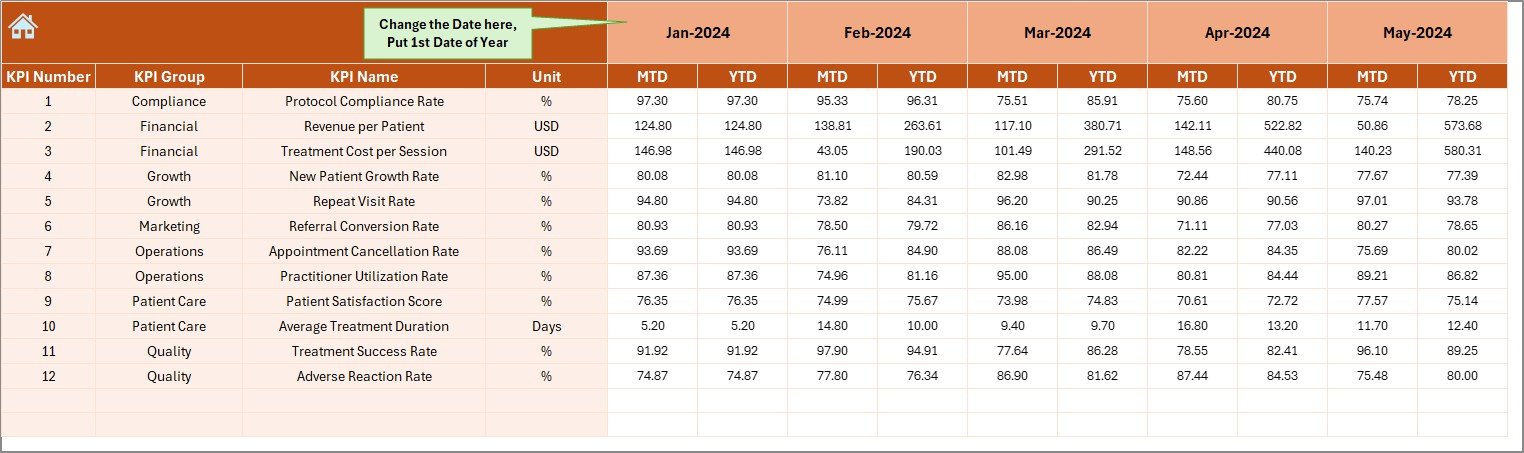
📌 Actual Numbers Input Sheet – Enter actual monthly performance data easily
📌 Target Sheet – Define monthly and yearly performance benchmarks
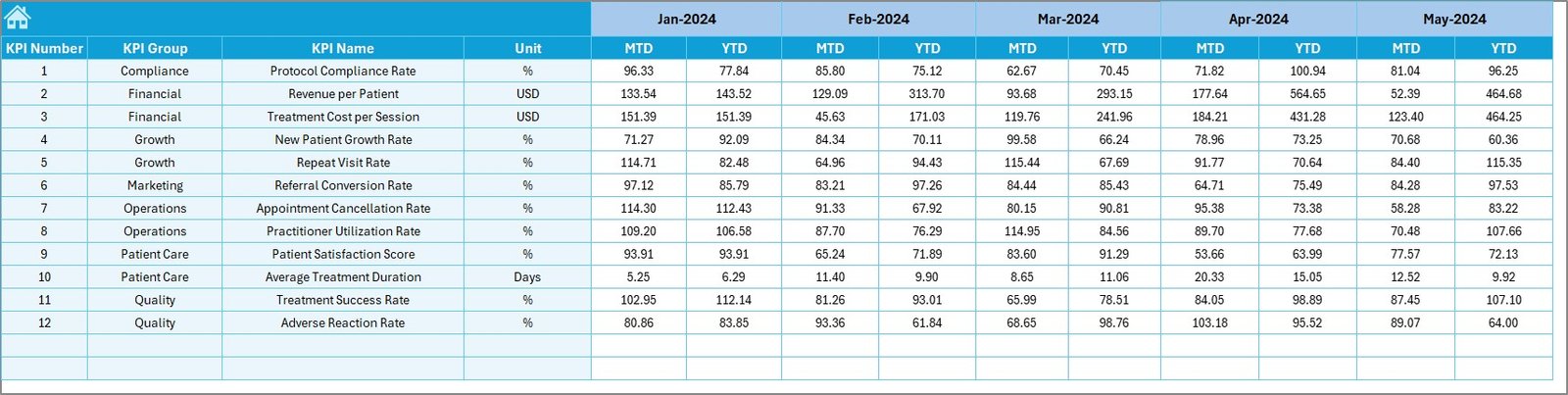
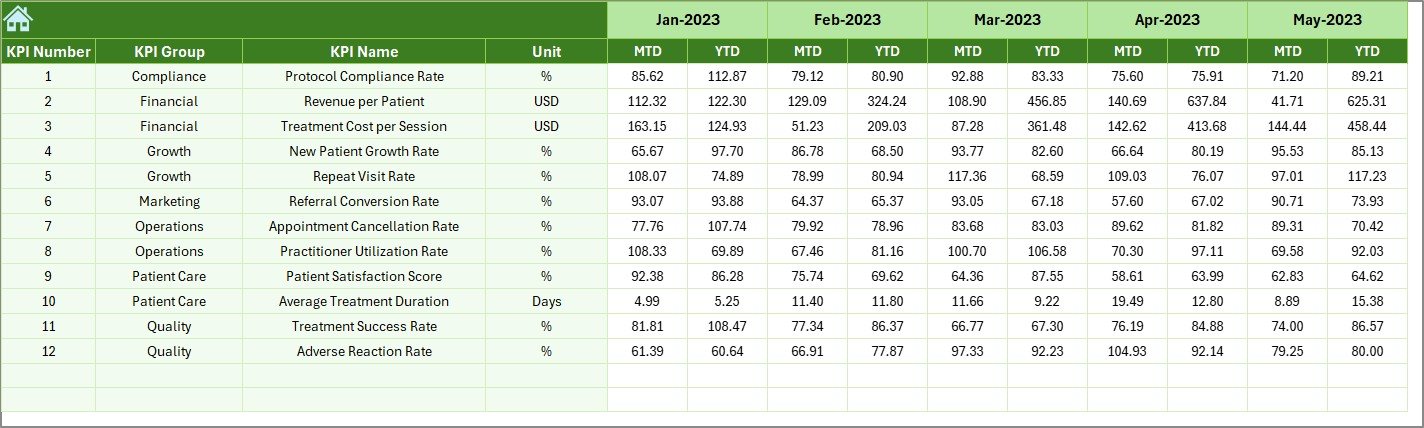
📌 Previous Year Sheet – Enable accurate year-over-year analysis
📌 KPI Definition Sheet – Maintain clarity with KPI names, formulas, units, and definitions
This structured layout ensures accuracy, consistency, and ease of use, even for non-technical users.
🚀 How to Use the Alternative Medicine KPI Dashboard in Excel
Using this dashboard is simple and intuitive:
1️⃣ Enter KPI actual values in the Actual Numbers Input Sheet
2️⃣ Define expected benchmarks in the Target Sheet
3️⃣ Add prior year values in the Previous Year Sheet
4️⃣ Select a month from the dropdown (cell D3)
5️⃣ Instantly view updated insights on the Dashboard and Trend sheets
No complex formulas, macros, or advanced Excel knowledge required. Everything updates automatically.
👥 Who Can Benefit from This Alternative Medicine KPI Dashboard
This dashboard is ideal for:
🧘 Alternative medicine clinics
🌿 Ayurveda, Homeopathy, and Naturopathy centers
🩺 Acupuncture and Chiropractic clinics
🧘♀️ Yoga therapy and wellness institutes
📊 Healthcare consultants and analysts
🏥 Multi-location holistic healthcare providers
If you want better visibility, improved control, and smarter decision-making, this dashboard is built for you.
Click here to read the Detailed Blog Post
Watch the step-by-step video tutorial:
Visit our YouTube channel to learn step-by-step video tutorials































Reviews
There are no reviews yet.