

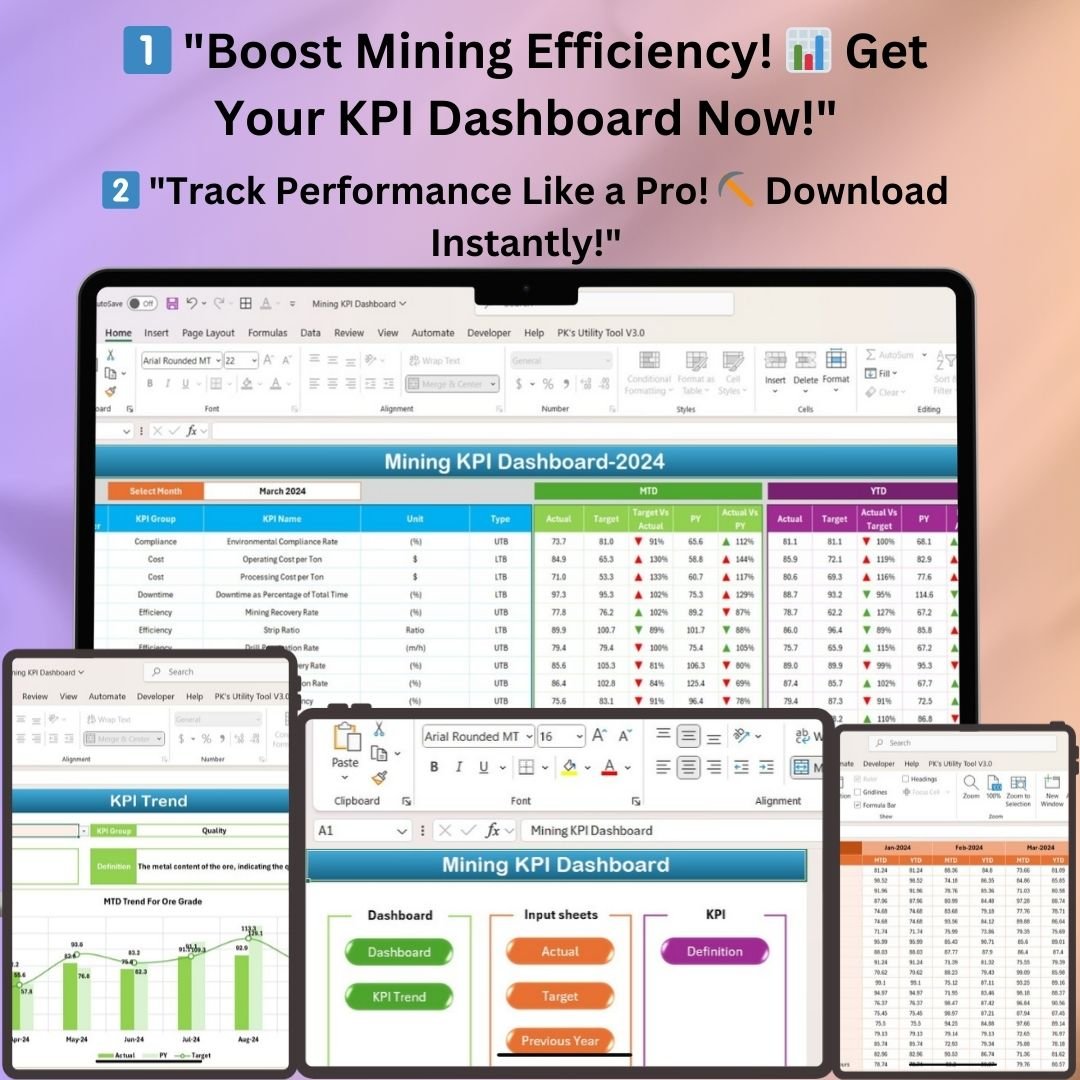
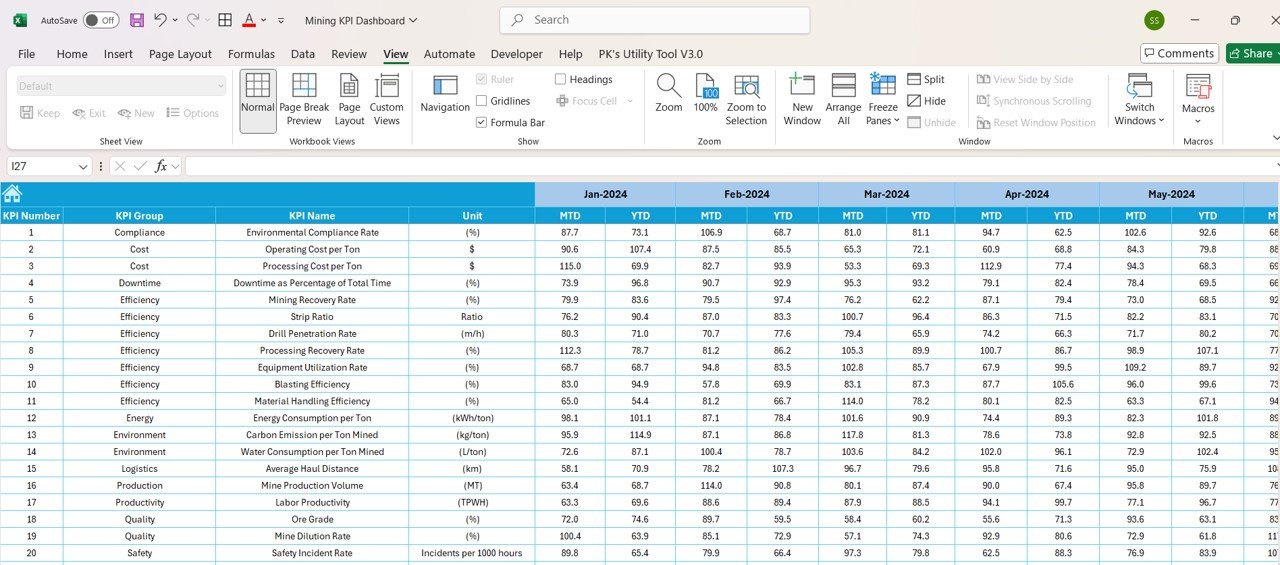
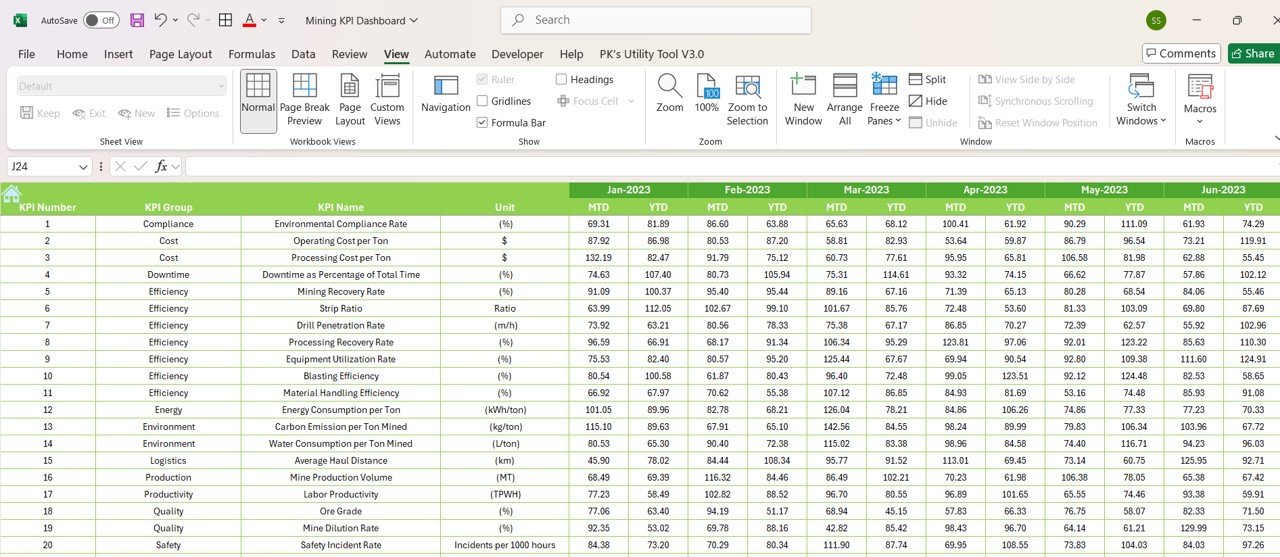

The Mining KPI Dashboard in Excel is a ready-made performance tracking tool for mining operations. It is built for mine managers, operations teams, financial analysts and project managers. It turns your monthly figures into MTD (Month-to-Date) and YTD (Year-to-Date) insights, target vs. actual comparisons and previous-year trends, so you can make data-driven decisions on production, cost, safety and equipment.
The dashboard offers easy navigation, interactive charts and automated calculations. It helps you streamline reporting and improve strategic planning. You can track production output, cost per ton, safety incidents or equipment utilization in one place. It works as a complete mining performance tracker in Microsoft Excel.
Key Features of the Mining KPI Dashboard in Excel
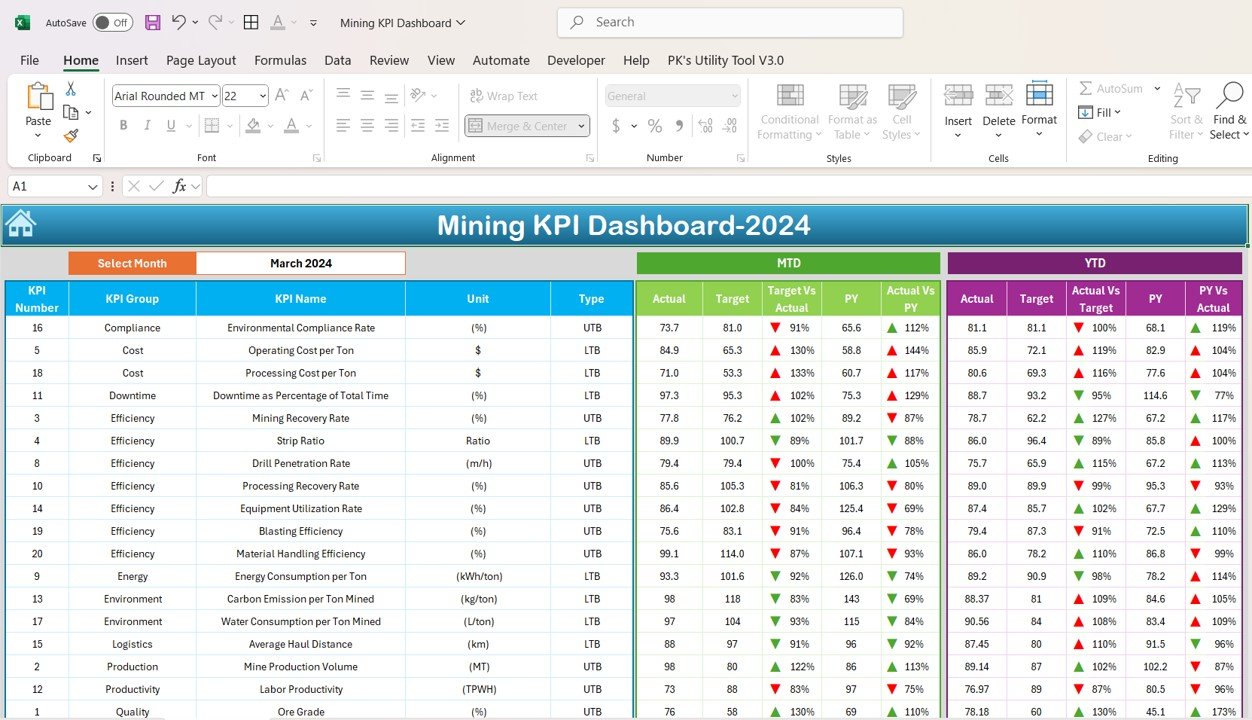
- MTD & YTD metrics: See all key mining KPIs for Month-to-Date and Year-to-Date in a structured format.
- Target vs. actual comparison: Measure actual performance against predefined monthly and annual targets.
- Previous year vs. actual: Compare current results with historical data to see year-over-year changes.
- Conditional formatting: Color-coded up/down arrows show performance trends at a glance.
- Dynamic month selection: Pick any month from a dropdown menu and the reports update automatically.
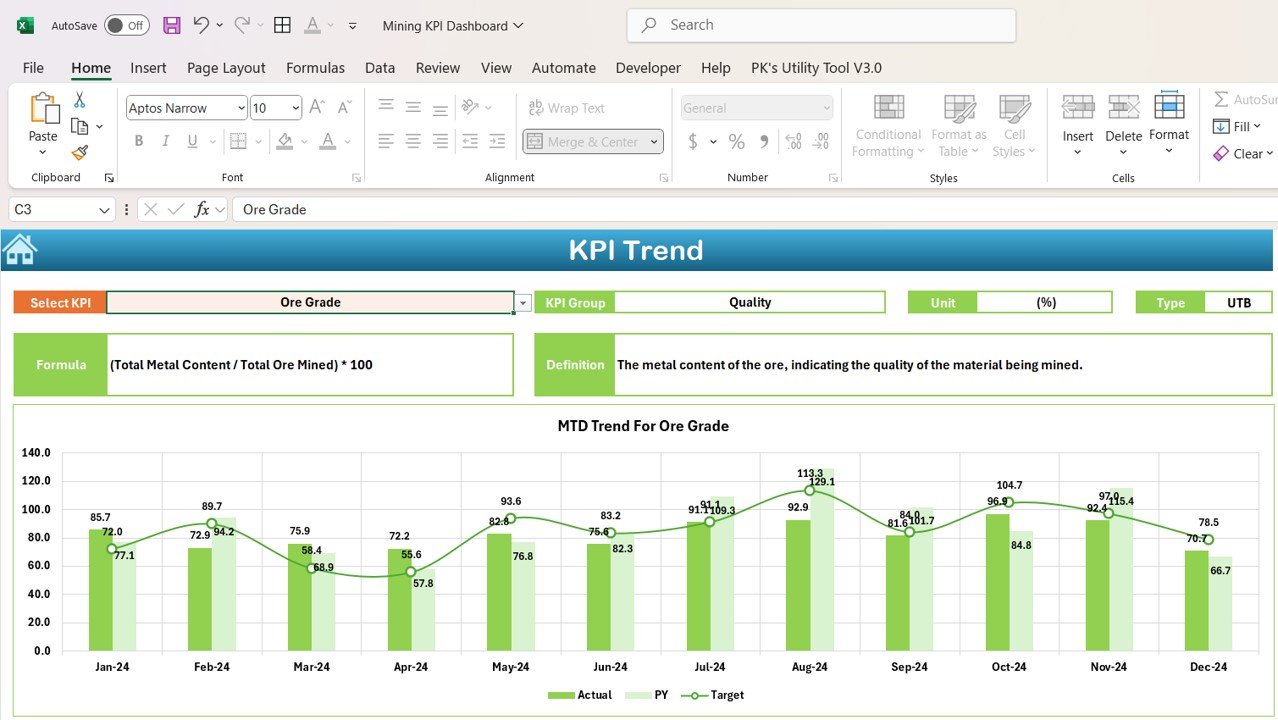
- KPI trend analysis: Interactive MTD and YTD trend charts for any selected KPI.
- Automated and dynamic: No complex formulas are needed. Update the input sheets and the dashboard refreshes.
- Customizable: Change KPI names, targets and data ranges to suit your mining operations.
- Excel-based: No extra software is needed. It works in Microsoft Excel 2016+.
Example KPIs Tracked
- Production Output (Tons)
- Cost per Ton
- Equipment Utilization Rate
- Safety Incidents
- Energy Consumption
- Ore Grade Percentage
What’s Inside: Sheets in This Mining Excel Template
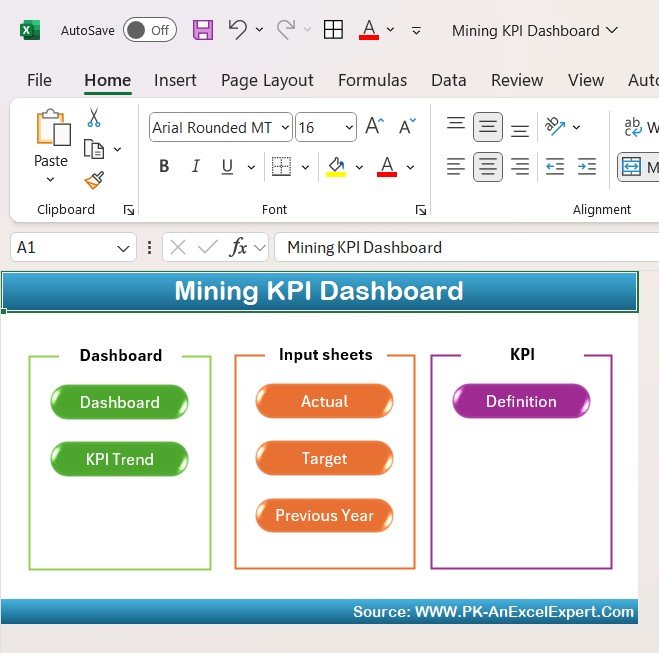
Home Sheet – Your Navigation Hub
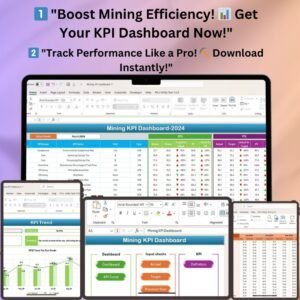
The Home Sheet is the control center of the whole file. Its navigation buttons give quick access to the Dashboard, KPI Trend and data input sheets. It works as a central menu for monitoring mining operations.
Dashboard Sheet – Mining KPI Insights at a Glance
The Dashboard Sheet is the heart of the template. It gives a visual snapshot of mining performance. It shows MTD and YTD values, target vs. actual and previous year vs. actual comparisons. Color-coded arrows help you spot what is improving and what needs attention. Change the month in the dropdown and every figure updates automatically.
KPI Trend Sheet – Analyze Long-Term Trends
Select a specific KPI from the dropdown list to see its MTD and YTD trends in interactive charts. This mining analytics view helps you find seasonal patterns, operational inefficiencies and chances for process improvement.
Actual Numbers Input Sheet – Enter & Update Data Easily
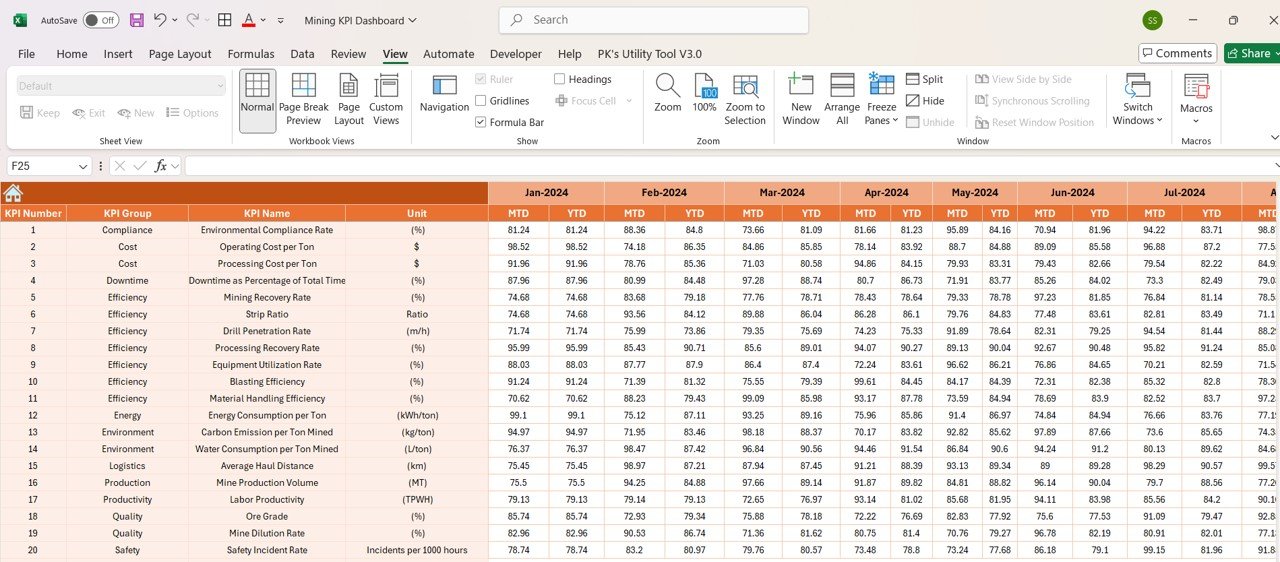
Enter your MTD and YTD actual values in structured input fields. The dashboard reflects the changes right away. The month selection dropdown keeps all reports in sync. The structured layout also helps reduce manual errors.
Target Sheet – Define Your KPI Goals
Set monthly and annual targets for each KPI. The template uses these goals for performance benchmarking. It gives a clear gap analysis between actual results and target goals.
Previous Year Number Sheet – Compare Past & Present
Store historical data to analyze year-over-year performance. Use it to find growth trends and areas that need optimization. It also supports predictive analysis and long-term strategy planning.
KPI Definition Sheet – Your KPI Reference Guide
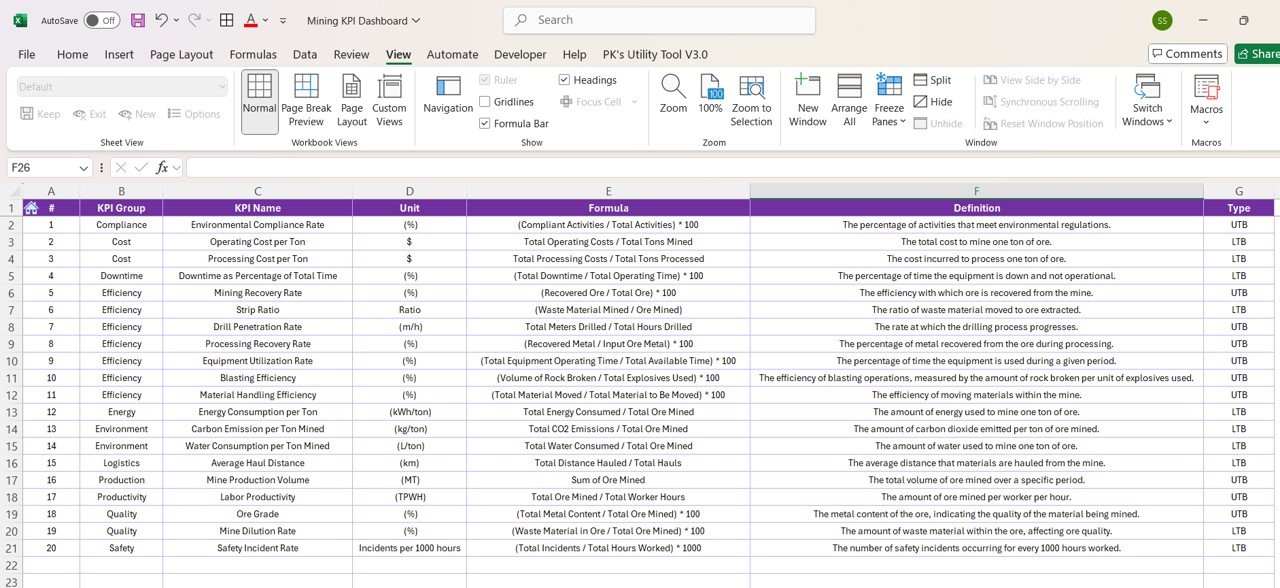
This sheet lists all tracked KPIs with their definitions and formulas. It supports standardized reporting across departments. It is also useful for training new employees on mining KPIs and performance tracking.
Who Is This KPI Dashboard for Mining For?
- Mine Managers – Track production, equipment efficiency and safety compliance.
- Operations Teams – Analyze cost per ton, energy usage and workforce productivity.
- Financial Analysts – Monitor mining financial KPIs and cost control strategies.
- Project Managers – Compare project performance against past years and target values.
How to Use the Dashboard
- Open the file in Microsoft Excel 2016 or later and start from the Home Sheet.
- Review the KPI Definition Sheet and adjust KPI names if needed.
- Enter your monthly and annual goals in the Target Sheet.
- Add historical figures to the Previous Year Number Sheet.
- Update MTD and YTD actuals in the Actual Numbers Input Sheet.
- Choose a month on the Dashboard Sheet. Then use the KPI Trend Sheet to drill into any KPI.
Frequently Asked Questions
Which Excel version do I need?
The Mining KPI Dashboard in Excel works in Microsoft Excel 2016 and later. No additional software is needed.
Do I need to write formulas?
No. The dashboard is automated and dynamic. You only update the input sheets and the calculations, charts and indicators refresh for you.
Can I change the KPIs and targets?
Yes. You can modify KPI names, targets and data ranges to match your own mining operations.
Can I compare this year with last year?
Yes. The Previous Year Number Sheet stores historical data. The Dashboard Sheet then shows previous year vs. actual comparisons for MTD and YTD.
How do I view a different month?
Select the month from the dropdown menu. All reports and charts update automatically.
Where can I learn more?
Read the detailed walkthrough in the blog post linked below, or watch the step-by-step video tutorials on our YouTube channel.
Learn More
Click here to read the detailed blog post.
Visit our YouTube channel to learn step-by-step video tutorials.
Last updated: October 2026
Compatibility and Requirements
- Works in Microsoft Excel 2016 or later. No extra software is needed.
- Pick the month from the dropdown on the Dashboard sheet. Microsoft explains drop-down lists in Create a drop-down list.
Related Mining Templates
- Mining KPI Dashboard in Power BI: the same KPIs for Power BI users
- Mining KPI Dashboard in Google Sheets: the same KPIs in Google Sheets
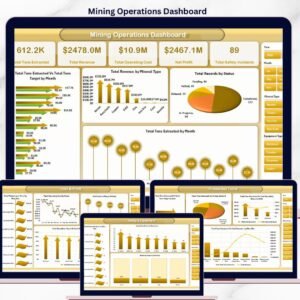
- Mining Operations Dashboard in Excel: a wider operations dashboard
- Mining Safety KPI Dashboard in Excel: focus on safety KPIs
- KPI Dashboard Library (Excel): 15 Excel KPI dashboards in one bundle
Browse all Excel KPI dashboard templates or the Power BI KPI dashboard templates.

















Reviews
There are no reviews yet.