

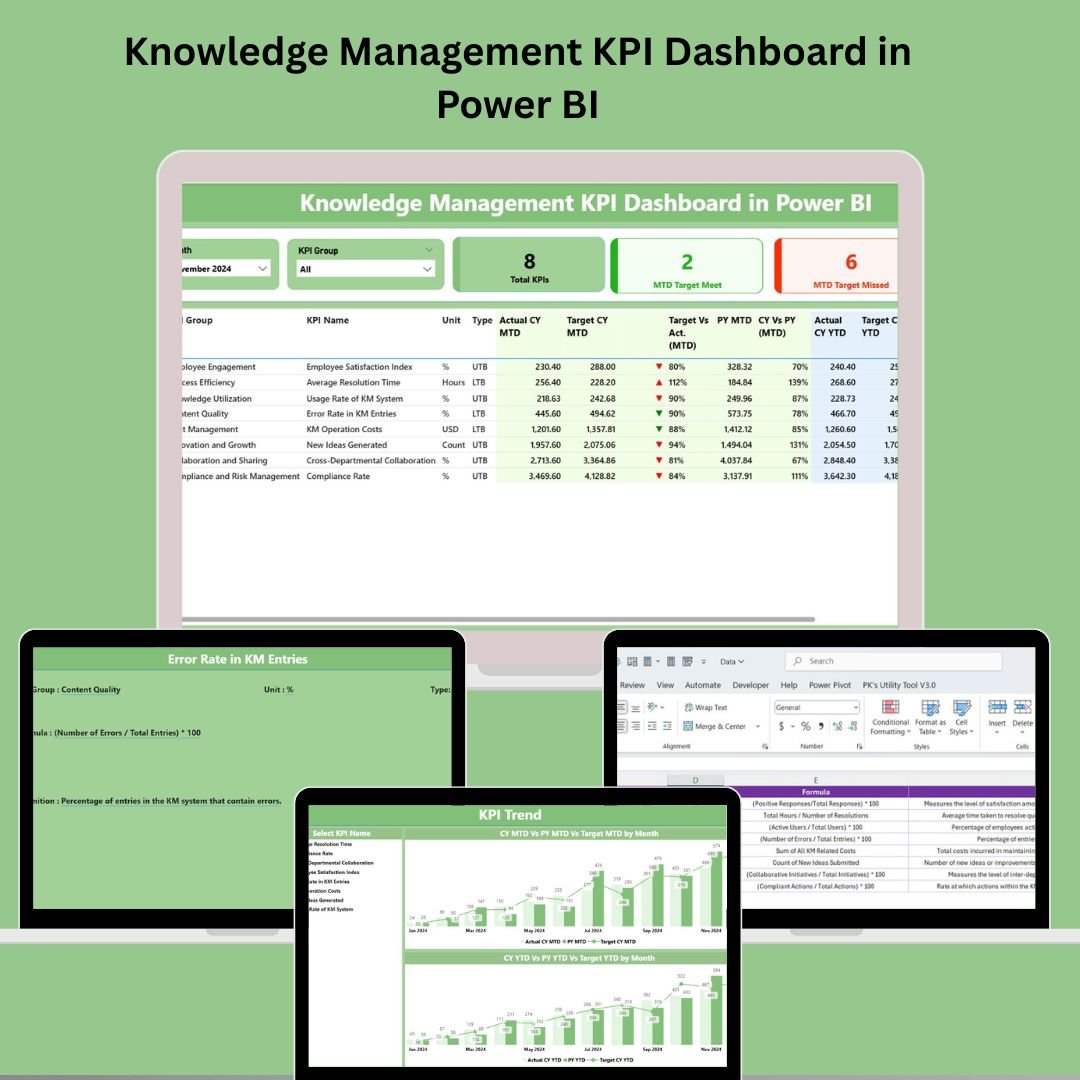

In the era of digital transformation, knowledge is one of your organization’s most valuable assets. But how do you measure it? Introducing the Knowledge Management KPI Dashboard in Power BI—a ready-to-use, powerful visual solution designed to help you monitor, track, and optimize how knowledge is captured, shared, and utilized across your teams.
Built with interactivity and simplicity in mind, this dashboard connects to a structured Excel data source, offering real-time performance visibility into your knowledge initiatives. Whether you’re managing documentation systems, training programs, or internal communication flows, this dashboard helps turn insights into action! ⚡
✨ Key Features of Knowledge Management KPI Dashboard
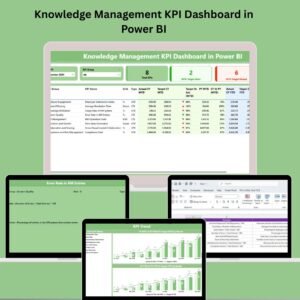
📊 Summary Page – The Pulse of Your KM Strategy
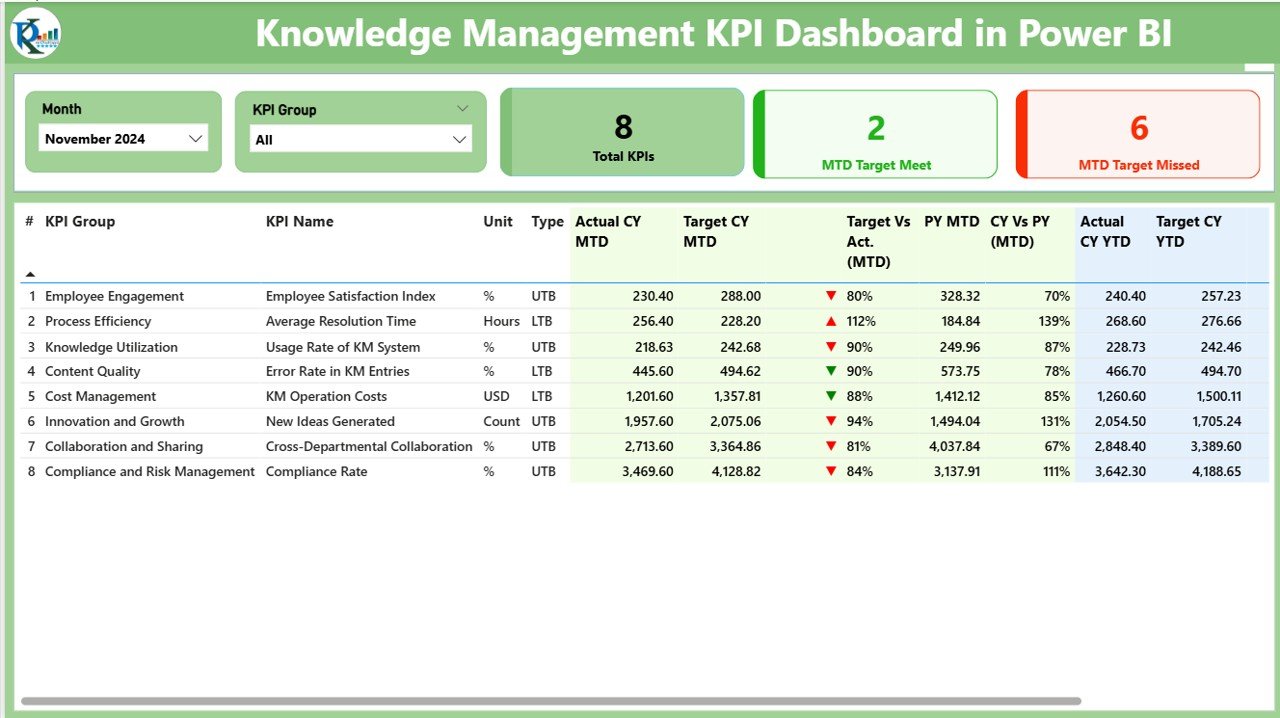
Navigate easily with slicers by month or KPI group.
View real-time cards showing:
✅ Total KPIs
🎯 MTD Target Met
❌ MTD Target Missed
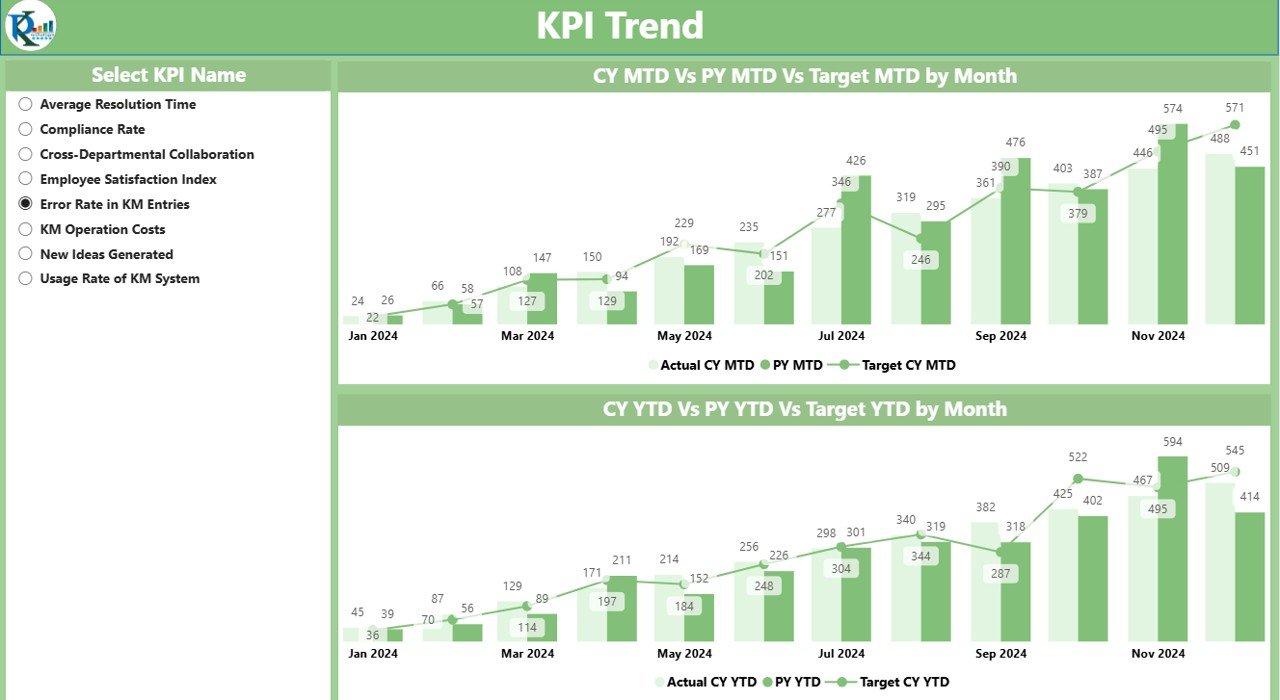
📈 KPI Trend Page – Track Performance Over Time
Visual combo charts for both Monthly and Yearly comparisons.
Filter by individual KPI to explore performance gaps or improvements.
Instantly identify patterns, dips, or gains in KPI progress.
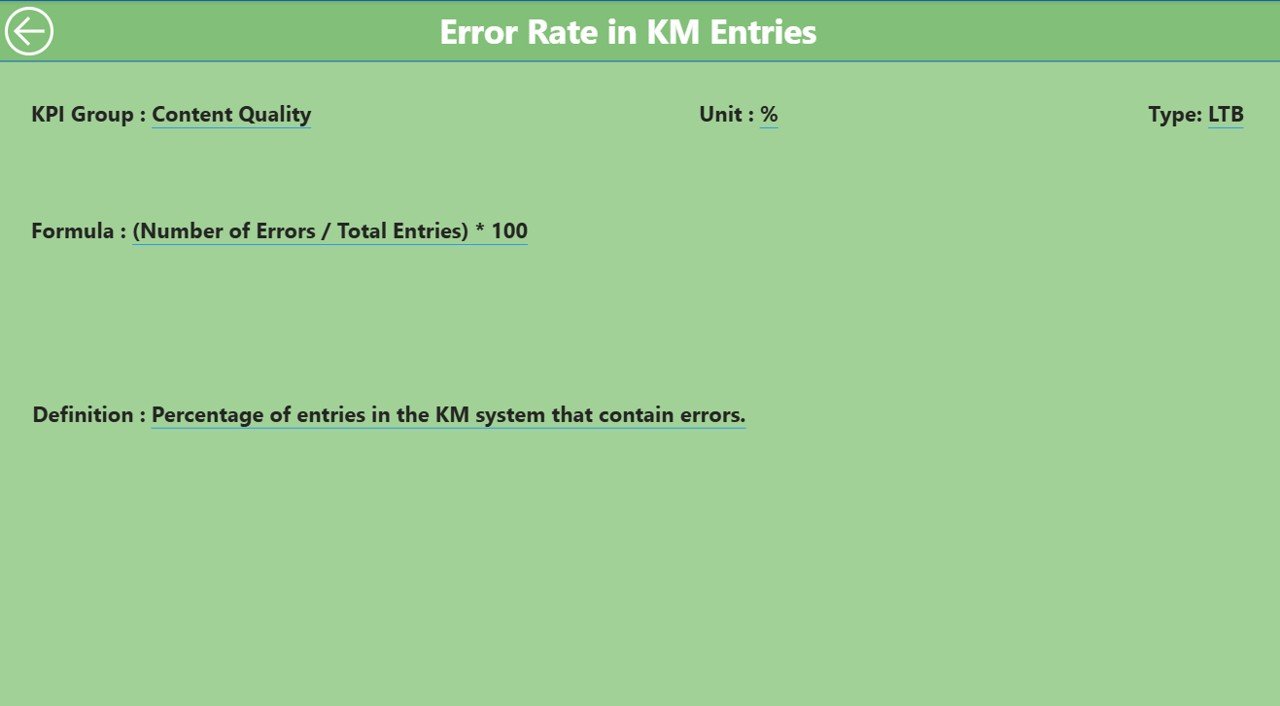
🧾 KPI Definition Page – Understand What Matters
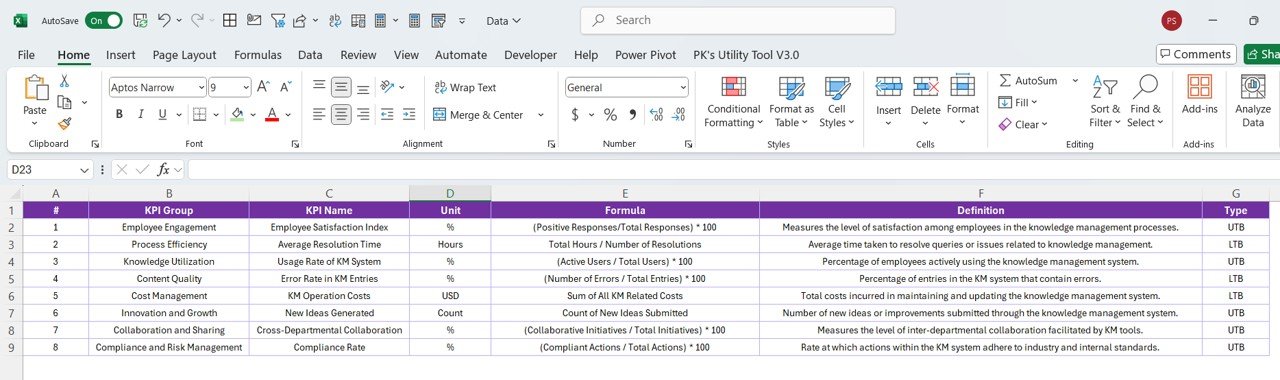
Drill through to view formula, definition, and type (UTB or LTB).
Return with a simple back button for easy navigation.
No guesswork—know exactly what each KPI measures.
📦 What’s Inside the Knowledge Management KPI Dashboard
Three Power BI Pages: Summary, KPI Trend, and KPI Definition.
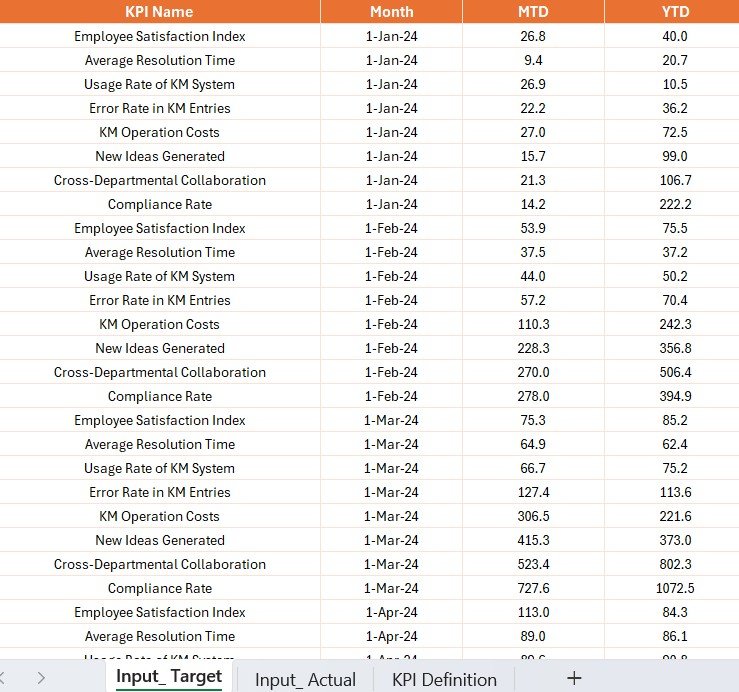
Excel Source File with:
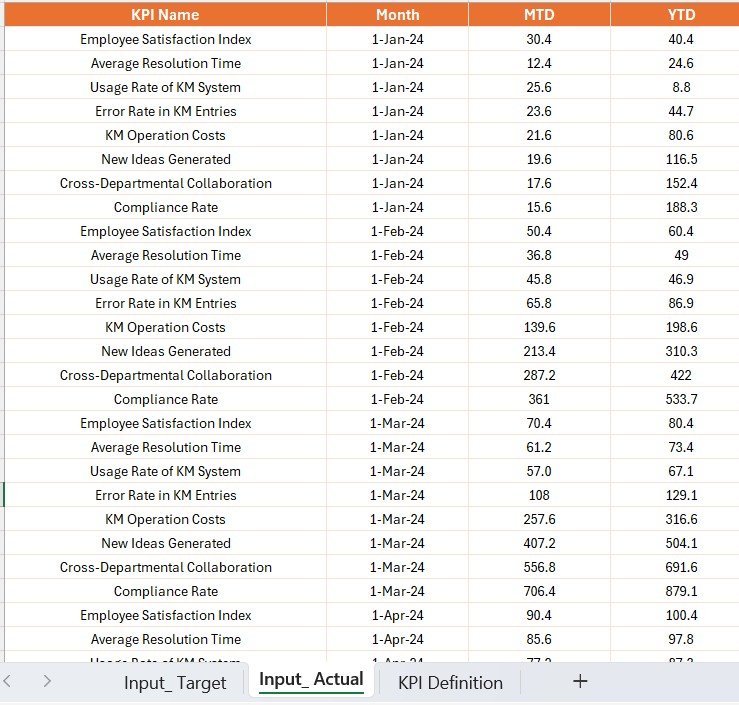
Input_Actual sheet (for MTD & YTD data)
Input_Target sheet (for target tracking)
KPI Definition sheet (with metadata and formulas)
Slicers, Charts, Drill-throughs, and Icons for intuitive navigation and performance clarity.
Data structure that supports scalability—easily add more KPIs as your needs evolve.
🛠️ How to Use the Knowledge Management KPI Dashboard
Open the Excel source file and enter/update your monthly KPI data.
Refresh the Power BI report to see all charts and visuals auto-update.
Use slicers and charts to analyze trends and performance across departments or projects.
Drill down into KPI definitions for clarification or during team reviews.
Export visuals or publish to Power BI Service for team-wide reporting.
👥 Who Can Benefit from This Dashboard?
🎓 Knowledge Managers
Track documentation lifecycle, article usage, and knowledge sharing effectiveness.
💼 Business Analysts
Gain real-time visibility into process gaps and data-driven opportunities.
📚 Learning & Development Teams
Measure training participation, learning material usage, and performance growth.
🏢 Project and IT Teams
Understand internal knowledge flows, tech documentation access, and issue resolution efficiency.
✅ Click here to read the Detailed Blog Post
📺 Visit our YouTube channel to learn step-by-step video tutorials
Watch the step-by-step video tutorial:
Compatibility and Requirements
- Opens in Power BI Desktop, which is free to download from Microsoft.
- The report reads from the Excel source file included in the download; update it, then click Refresh.
- Download link and setup steps: Get Power BI Desktop.
Frequently Asked Questions
Which pages are in the report?
Summary, KPI Trend and KPI Definition.
What is in the Excel source file?
An Input_Actual sheet for MTD and YTD data, an Input_Target sheet for targets and a KPI Definition sheet with formulas and metadata.
What does the Summary page show?
Cards for total KPIs, MTD target met and MTD target missed, with slicers for month and KPI group.
Can I add more KPIs?
Yes. The data structure lets you add more KPIs as your needs grow.
Is there an Excel version?
Yes. The Knowledge Management KPI Dashboard in Excel covers the same topic.
Related Knowledge Management Templates
- Knowledge Management KPI Dashboard in Excel: the same KPIs in Excel
- Knowledge Management Dashboard in Power BI: a chart dashboard for KM activity
- Knowledge Management Dashboard in Google Sheets: the online option
- Knowledge Management KPI Scorecard in Excel: a scorecard view against targets
- Power BI Dashboard Mega Collection: 15 Power BI templates in one download
Browse all Power BI KPI dashboards or the Power BI dashboards.





























Reviews
There are no reviews yet.