

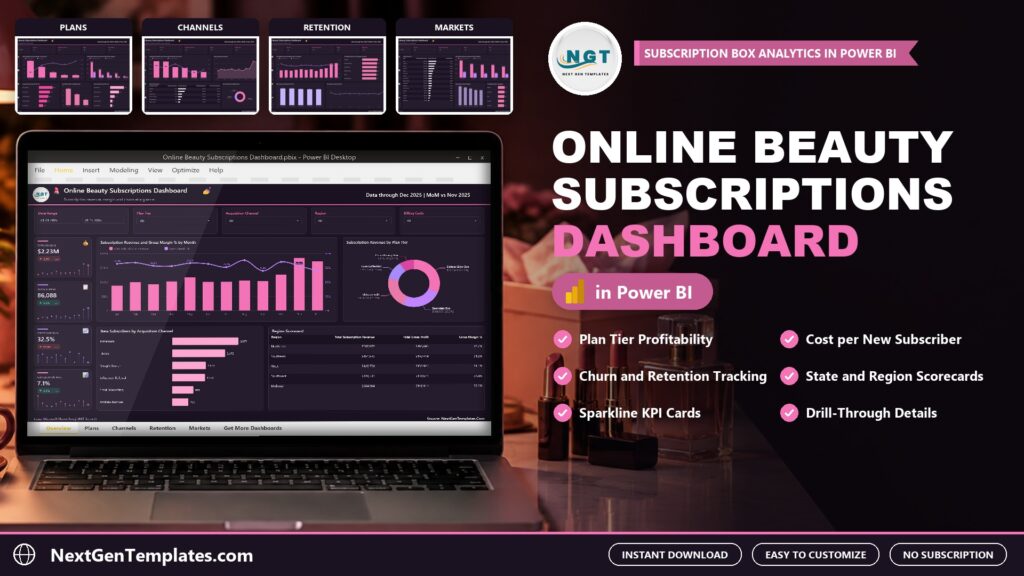
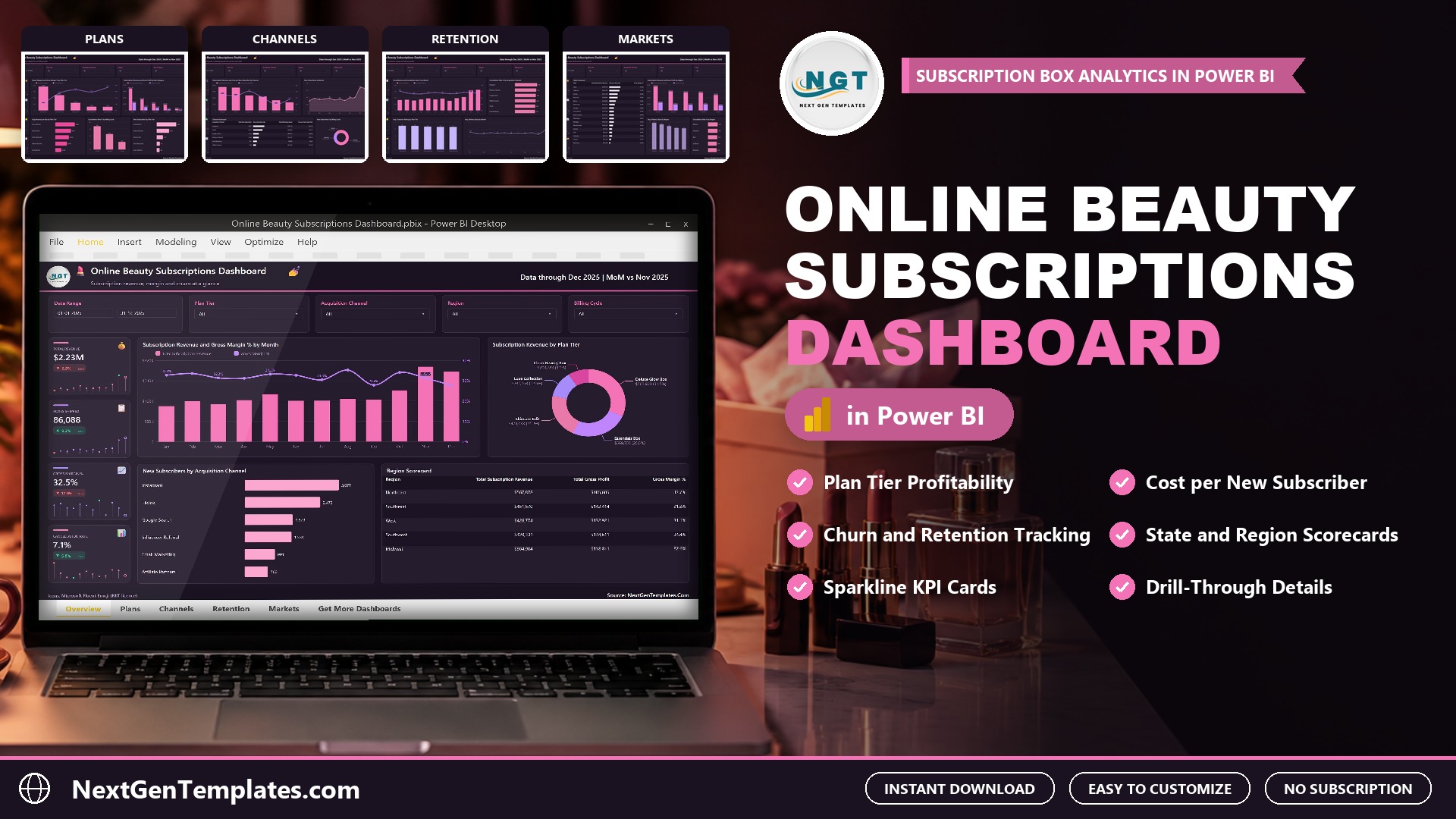
The Online Beauty Subscriptions Dashboard in Power BI answers the questions every beauty box business asks: which plans make money, which channels bring subscribers at a fair price, and where do subscribers leave? It reports revenue, gross margin, churn and cost per new subscriber across five interactive pages. The sample model holds 500 shipment batches for 2025 with $2.23M in subscription revenue, 86,088 boxes shipped, a 32.5% gross margin and a 7.1% cancellation rate.
Watch the Online Beauty Subscriptions Dashboard in Power BI: Margin and Churn walkthrough
A beauty subscription business sells a monthly, quarterly or annual box of skincare, makeup, fragrance, haircare or body care products. Revenue looks healthy while margin hides in the plan mix, discounts, shipping and the marketing spend needed to replace subscribers who cancel. Billing data sits in one export, ad spend in another, and delivery and rating data in a third. This beauty subscription box dashboard in Power BI puts them in one model that refreshes from a single workbook.
 Launch offer
From your first Pivot Table to the Data Model, DAX, Power Query and a one-page KPI dashboard. 11h 51m of video by PK, with practice files, quizzes and a capstone.
What the Online Beauty Subscriptions Dashboard in Power BI Shows
- Plan tier profitability. Five plans are compared on revenue, boxes shipped, gross margin by plan tier and revenue per box. In the sample, Essentials Box ships 37,997 boxes at a 12.1% margin, while Luxe Collection ships 5,749 boxes at 47.5% and earns $48.91 per box.
- Box category results. Skincare brings $1,032,719 in revenue and $365,517 in gross profit, ahead of Makeup, Fragrance, Haircare and Body Care.
- Cost per new subscriber. Six acquisition channels show new subscribers, marketing spend and cost per subscriber. Email Marketing costs $9.07 per subscriber and Google Search $30.98, against a blended $23.01.
- Churn and retention. Cancellation rate by billing cycle falls from 8.5% on Monthly plans to 5.7% on Quarterly and 2.8% on Annual plans.
- State and region scorecards. 17 US states are ranked by revenue and gross margin, and five regions are compared on revenue, gross profit, delivery days and cancellation rate.
- Filters and drill-through. Date Range, Plan Tier, Acquisition Channel and Region on every page, one page-specific slicer, a hidden Details page and two tooltip pages.
The Five Pages, One by One
Overview
Sparkline cards for Total Revenue, Boxes Shipped, Gross Margin % and Cancellation Rate, each with a month-on-month change. Below them sit Subscription Revenue and Gross Margin % by Month, a donut of revenue by plan tier, New Subscribers by Acquisition Channel and a Region Scorecard.
Plans
Boxes Shipped and Gross Margin % by Plan Tier, Revenue and Gross Profit by Box Category, Avg Revenue per Box by Plan Tier, Cancellation Rate % by Billing Cycle and New Subscribers by Plan Tier.
Channels
Subscription Revenue and Cost per New Subscriber by Channel, a Channel Scorecard with a subscriber bar, New Subscribers by Month (peaking at 1,488 in November) and New Subscribers by Billing Cycle.
Retention
Cancellations and Cancellation Rate % by Month, Cancellation Rate % by Acquisition Channel, Avg. Customer Rating by Plan Tier (4.1 to 4.3) and Avg. Delivery Days by Month (3.4 on average).
Markets
A State Scorecard for 17 states with a revenue share bar, Subscription Revenue and Gross Profit by Region, Avg. Delivery Days by Region and Cancellation Rate % by Region.
How It Compares With Other Options
| Feature | This Power BI template | Custom BI build | Subscription analytics software |
|---|---|---|---|
| Cost | One-time purchase | Licences plus build time | Usually a monthly subscription |
| Ready-made beauty box pages | Yes, five pages | No, you design them | Depends on vendor |
| Margin by plan tier and box category | Yes | If you build it | Often |
| Edit measures and visuals | Full access, 50 DAX measures | Full access | Limited |
| Live billing platform connection | No, you load an export | Possible with development | Usually yes |
How to Set It Up
- Install Power BI Desktop (free from Microsoft) and unzip the download.
- Open Data.xlsx and replace the sample rows with your own shipment batches, keeping the column headers.
- Open the .pbix, choose Transform data, Data source settings, Change Source, and point it at your copy of Data.xlsx.
- Press Refresh. Every page, card and chart updates.
The workbook has 20 columns: Batch ID, Ship Date, Plan Tier, Box Category, Acquisition Channel, Billing Cycle, State, State Code, Region, Boxes Shipped, New Subscribers, Cancellations, Subscription Revenue, Discounts, Product Cost, Shipping Cost, Marketing Spend, Retail Value, Delivery Days and Customer Rating. Most billing exports can be reshaped into that layout in a spreadsheet in under an hour.
Who It Is For, and Who It Is Not For
Good fit: owners and analysts of beauty box, skincare box and cosmetics subscription businesses, and agencies that report on them.
Not a fit: teams that need a live feed from a billing platform, order management, shipping labels or subscriber-level lifetime value modelling. It reads a workbook you fill or export, and it does not give financial advice.
Frequently Asked Questions
Does it connect to my subscription billing platform?
No. It reads Data.xlsx. Export your batches from your platform, paste them in and press Refresh.
Do I need a paid Power BI licence?
No. Power BI Desktop is free. Pro or Premium is only needed to publish and share in the Power BI Service.
Is the sample data real?
No. The batches and figures are fictional records used to demonstrate the visuals. Replace them before presenting anything.
Can I use my own plan names and channels?
Yes. Plans, box categories, channels, billing cycles, regions and states come from the data, so new values appear after a refresh.
Does it work on Mac?
Power BI Desktop runs on Windows. Mac users can use a Windows virtual machine or open a published copy in the Power BI Service.
Get the Dashboard
Download the Online Beauty Subscriptions Dashboard in Power BI. One payment, instant download, no subscription. The ZIP holds the .pbix, the sample Data.xlsx and a PDF user manual.
Related Templates
- Subscription Box Dashboard in Power BI
- Cosmetics and Skincare Dashboard in Power BI
- Personal Care and Beauty Dashboard in Power BI
- E-Commerce Dashboard in Power BI
Built by PK, Microsoft Certified Professional with 15+ years of Excel, Google Sheets and Power BI experience and founder of NextGenTemplates.