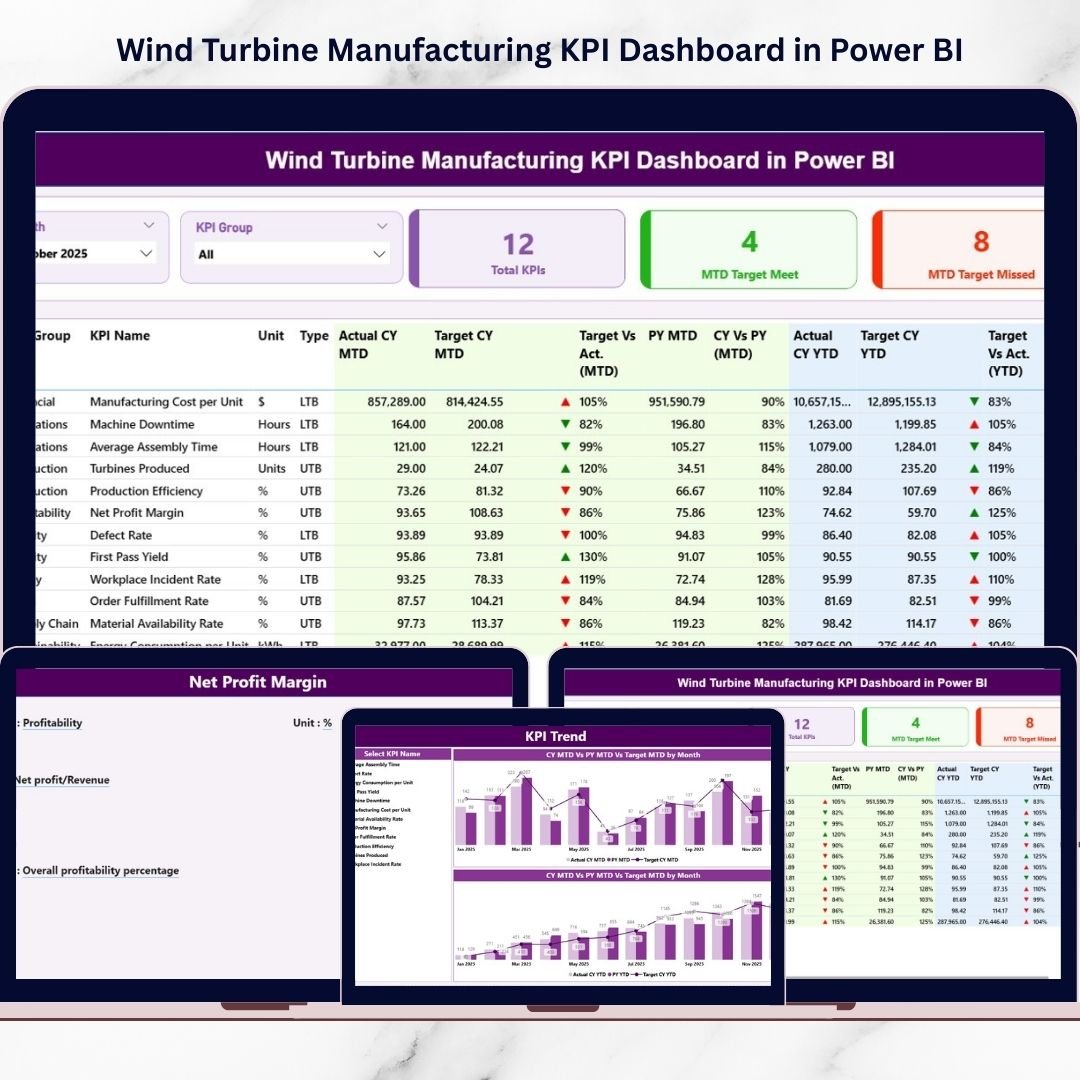
The renewable energy industry is expanding rapidly, and wind turbine manufacturers must continuously improve productivity, control operational costs, and maintain strict quality standards. However, relying on scattered spreadsheets and manual reporting often creates delays, data confusion, and slow decision-making.
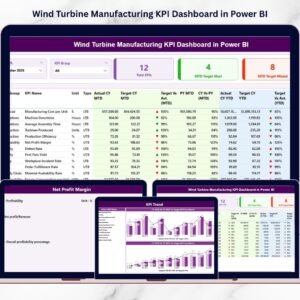
The Wind Turbine Manufacturing KPI Dashboard in Power BI provides a modern, intelligent solution.
This ready-to-use interactive dashboard transforms manufacturing data into powerful visual insights. Instead of reviewing multiple reports, managers can monitor KPIs, compare targets with actual performance, analyze trends, and identify production gaps — all within one centralized Power BI environment.
Designed specifically for wind turbine manufacturing operations, this dashboard empowers organizations to make faster, smarter, and data-driven decisions while improving operational efficiency.
🔑 Key Feature of Wind Turbine Manufacturing KPI Dashboard in Power BI
📊 Centralized KPI Monitoring
Track all manufacturing performance indicators in one unified dashboard.
🎯 Target vs Actual Performance Analysis
Instantly measure production achievement using automated calculations.
📈 MTD & YTD Performance Tracking
Monitor both short-term and long-term manufacturing performance.
🔄 Year-over-Year Comparison
Evaluate growth using Previous Year vs Current Year analytics.
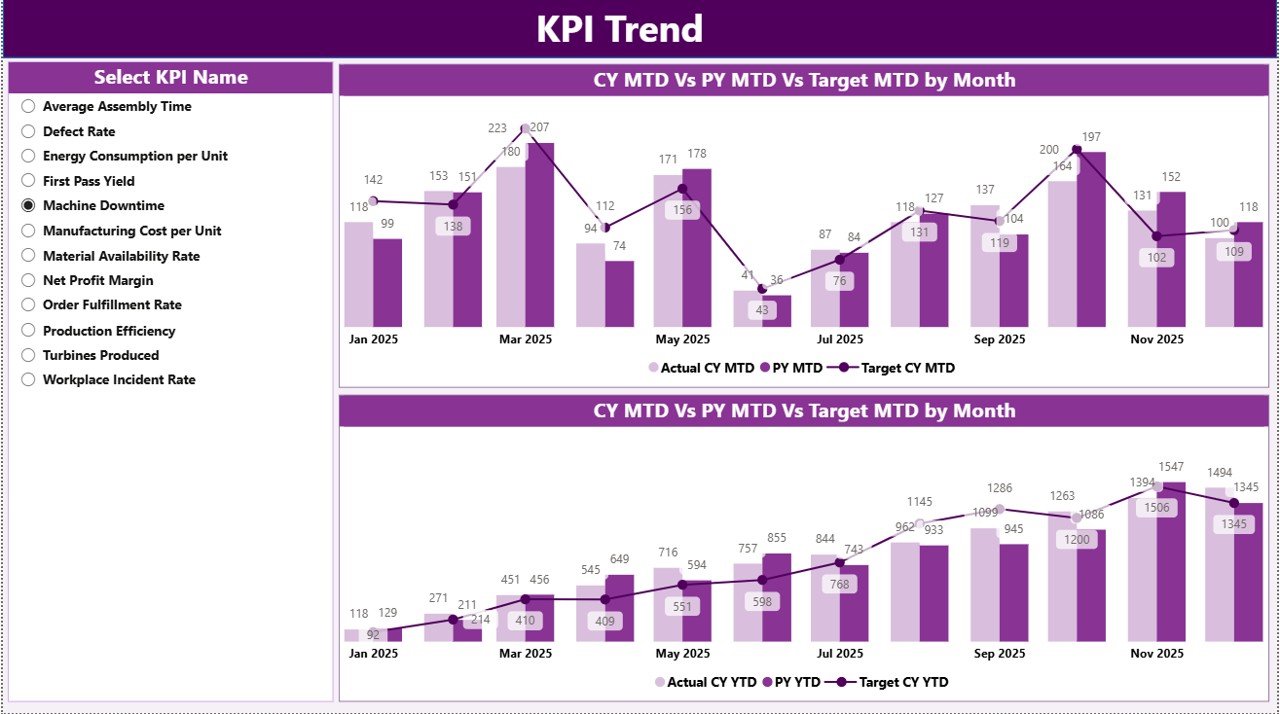
📉 Interactive KPI Trend Analysis
Visual combo charts reveal performance patterns and operational trends.
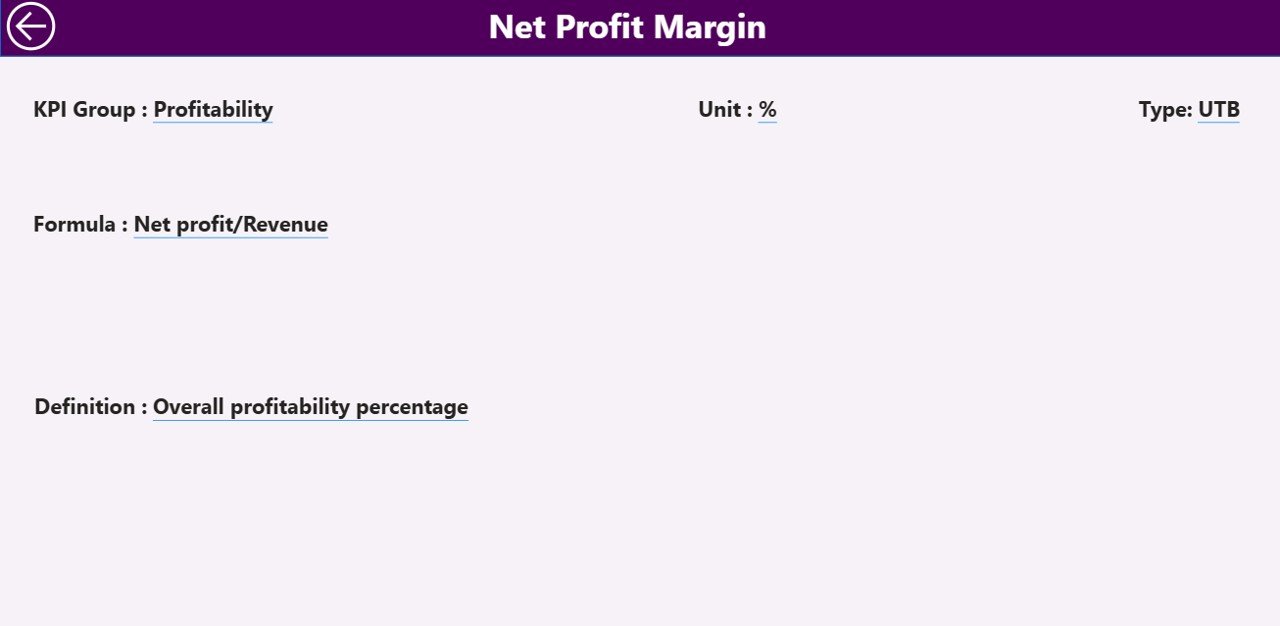
🧩 KPI Drill-Through Definition Page
Understand KPI formulas, logic, and measurement standards instantly.
⚡ Dynamic Power BI Slicers
Filter dashboards by month or KPI group in real time.
📂 Excel-Based Data Integration
Connect easily with existing Excel operational datasets.
🚀 Automated Visual Updates
Refresh data and instantly update the entire dashboard.
📦 What’s Inside the Wind Turbine Manufacturing KPI Dashboard in Power BI
The dashboard includes three powerful analytical pages:
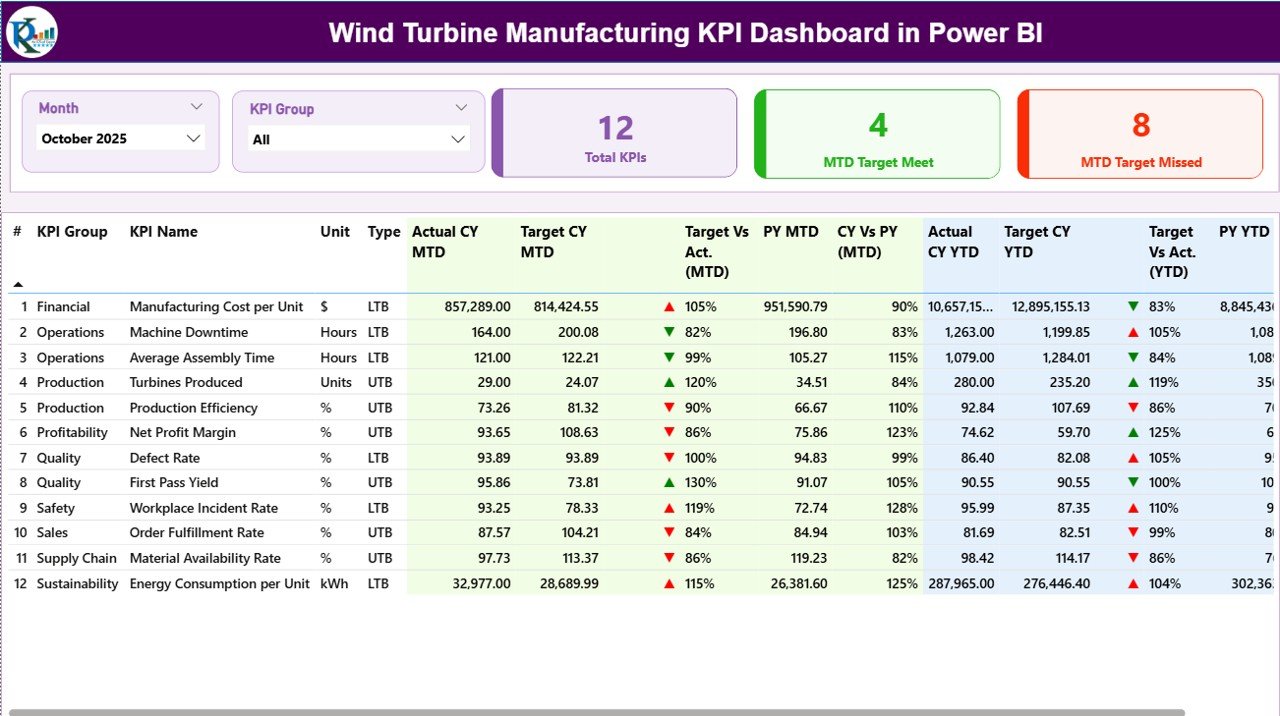
✔️ Summary Page – Overall KPI performance overview
✔️ KPI Trend Page – Historical performance and trend analysis
✔️ KPI Definition Page – Detailed KPI formulas and explanations
Supporting Excel data structure includes:
-
Input_Actual Sheet (Actual KPI values)
-
Input_Target Sheet (Performance targets)
-
KPI Definition Sheet (KPI metadata and logic)
This structure ensures accurate, scalable, and easy performance monitoring.
🛠️ How to Use the Wind Turbine Manufacturing KPI Dashboard in Power BI
Follow these simple steps:
Step 1: Enter Actual KPI data in Excel input sheets
Step 2: Add monthly targets and KPI definitions
Step 3: Load Excel data into Power BI
Step 4: Refresh the dashboard dataset
Step 5: Use slicers to analyze performance dynamically
Step 6: Review KPI cards and trend visuals for insights
Within minutes, your organization gains a professional manufacturing analytics system.
🎯 Who Can Benefit from This Wind Turbine Manufacturing KPI Dashboard in Power BI
This dashboard is ideal for:
✅ Wind Turbine Manufacturers
✅ Renewable Energy Production Teams
✅ Plant Managers & Supervisors
✅ Manufacturing Analysts
✅ Quality Assurance Teams
✅ Operations & Strategy Managers
✅ Supply Chain Leaders
Whether managing a single plant or multi-location production operations, this dashboard supports scalable performance analysis.
Why This Dashboard Improves Manufacturing Performance
Instead of manual reporting, you gain:
✔️ Real-time production visibility
✔️ Faster issue identification
✔️ Improved quality monitoring
✔️ Better production planning
✔️ Data-driven operational decisions
✔️ Enhanced accountability across teams
As a result, manufacturers improve efficiency and strengthen competitiveness in the renewable energy sector.
### Click hare to read the Detailed blog post
📺 Visit our YouTube channel to learn step-by-step video tutorials
👉 Youtube.com/@PKAnExcelExpert