

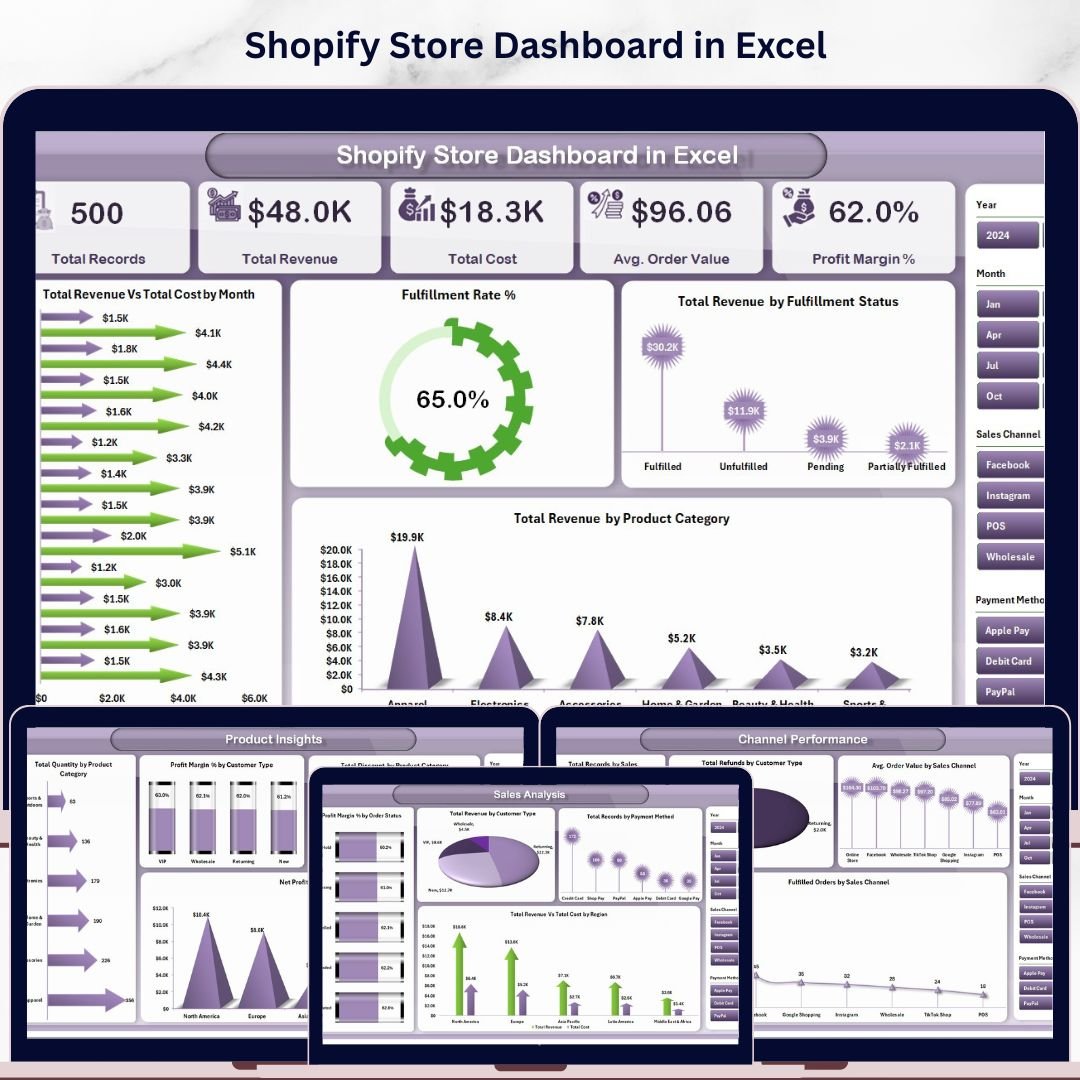
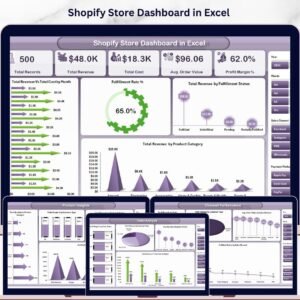
Shopify Store Dashboard in Excel is the ultimate analytics solution for Shopify store owners who want complete visibility into their sales, costs, fulfillment, and profitability — all inside a single Excel workbook. If you are managing a Shopify store and struggling to make sense of your order data, this Excel Dashboard Template transforms raw transactional data into powerful visual insights instantly. 📊💡
This dashboard includes 5 interactive analysis pages, each packed with dynamic charts, KPI cards, and slicers that let you filter your data with a single click. Whether you want to compare revenue by product category, track fulfillment rates, analyze sales channel performance, or monitor monthly trends — this Shopify Store Dashboard in Excel delivers it all without any complex software or subscriptions.
🔑 Key Features of Shopify Store Dashboard in Excel
✅ 5 dedicated dashboard pages covering every aspect of Shopify store analytics
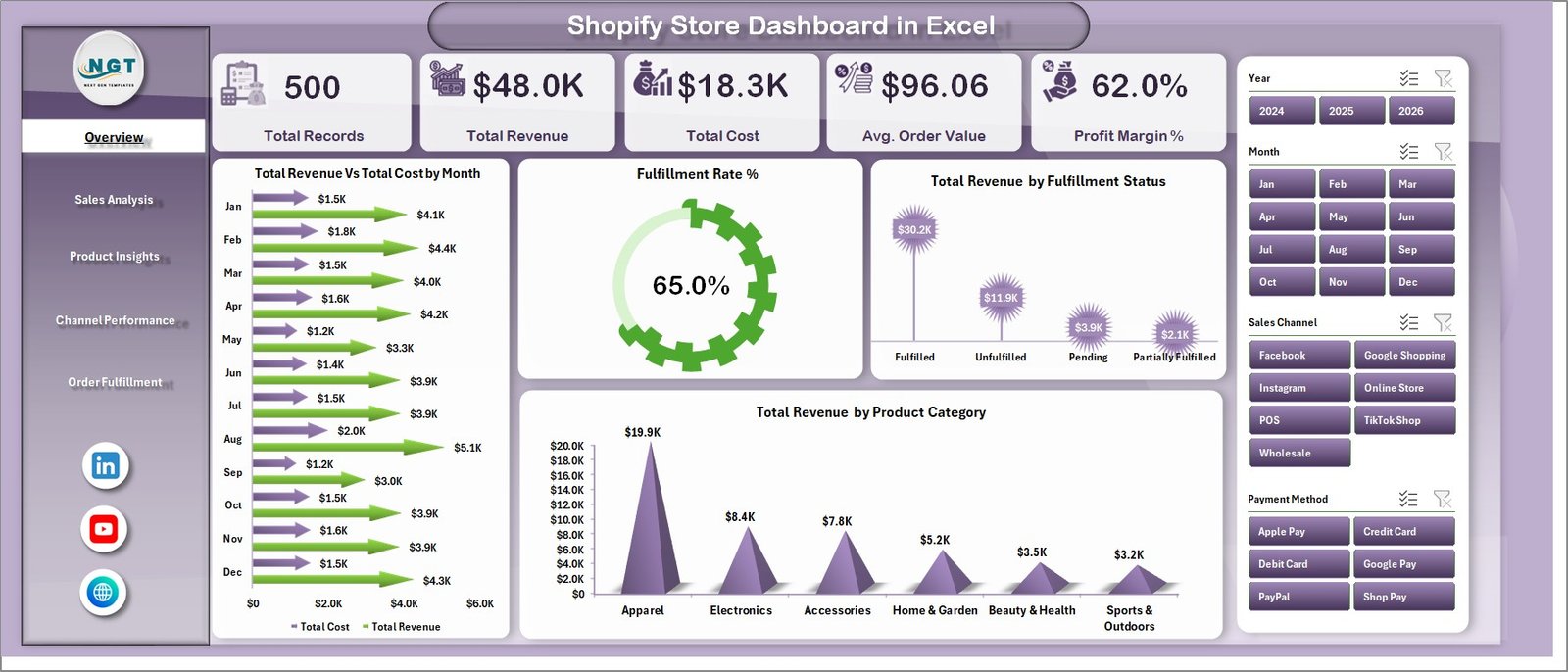
✅ Real-time KPI cards showing Total Records, Total Revenue, Total Cost, Avg. Order Value, and Profit Margin %
✅ Dynamic pivot charts that refresh automatically when you update your data
✅ Interactive slicers for instant filtering across all dashboard pages
✅ Sales channel performance comparison across all Shopify channels
✅ Product-level insights including quantity, discount, and net profit analysis
✅ Order fulfillment tracking with status breakdowns and monthly trends
✅ Automated pivot tables in the Support sheet — click Refresh All and everything updates
✅ No VBA, no macros, no coding — 100% formula and pivot-based
✅ Works with Microsoft Excel for desktop — fully customizable and extendable
📦 What’s Inside the Shopify Store Dashboard in Excel
This template includes 5 interactive dashboard pages plus a Data Sheet and Support Sheet — 7 sheets total that work together as a complete Shopify analytics system.
1️⃣ Overview Page — Your Shopify Command Center
The Overview Page provides a high-level snapshot of your entire Shopify store performance. At the top, you see KPI cards displaying Total Records, Total Revenue, Total Cost, Avg. Order Value, and Profit Margin %. Below, dynamic charts visualize Total Revenue by Month to identify growth patterns, Fulfillment Rate % to monitor operational efficiency, Total Revenue by Fulfillment Status to compare fulfilled vs unfulfilled orders, and Total Revenue by Product Category to pinpoint top-selling categories. Multiple slicers let you filter the entire dashboard instantly.
Shopify Store Dashboard in Excel
2️⃣ Sales Analysis Page
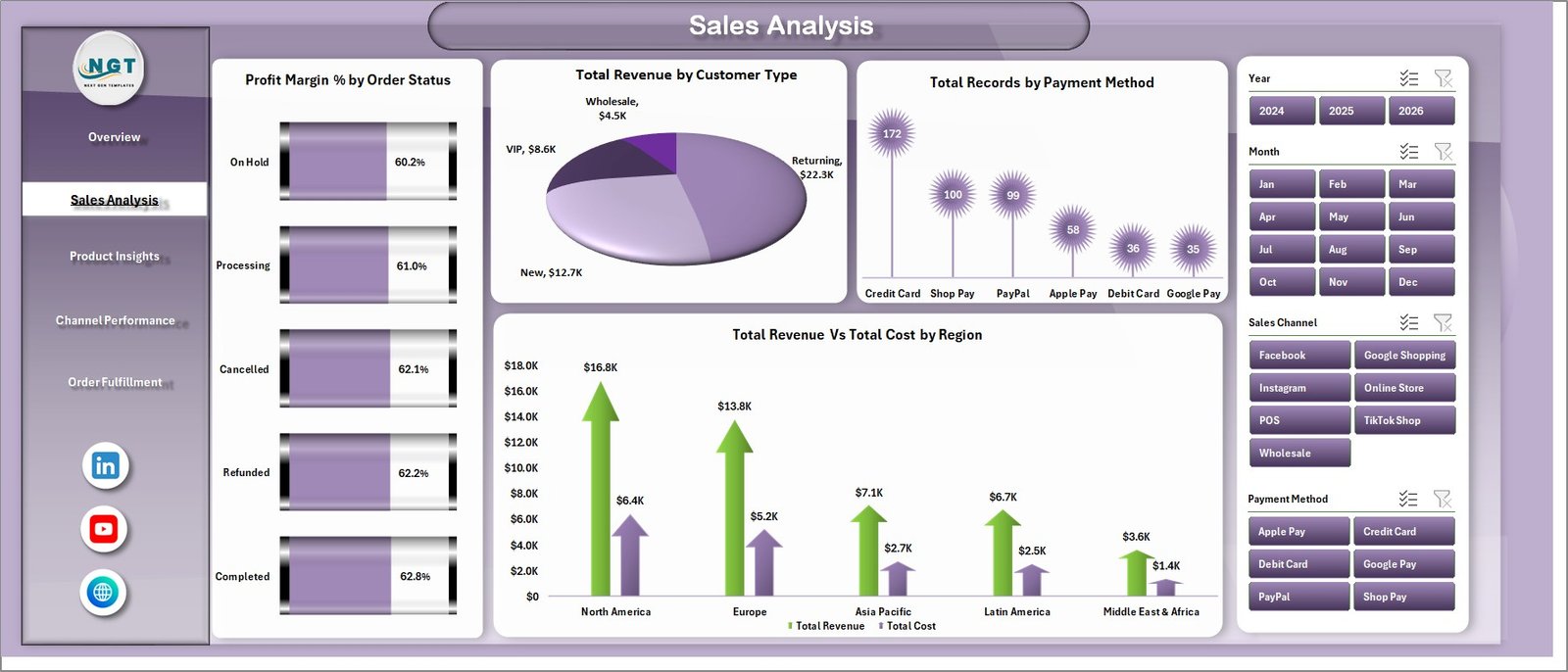
This page dives deeper into your Shopify sales performance with focused analytics. It features Profit Margin % by Order Status to understand profitability across different order stages, Total Revenue by Customer Type to compare new vs returning buyers, Total Records by Payment Method to see which payment options customers prefer, and Total Revenue vs Total Cost by Region to evaluate geographic profitability.
 Sales Analysis
3️⃣ Product Insights Page
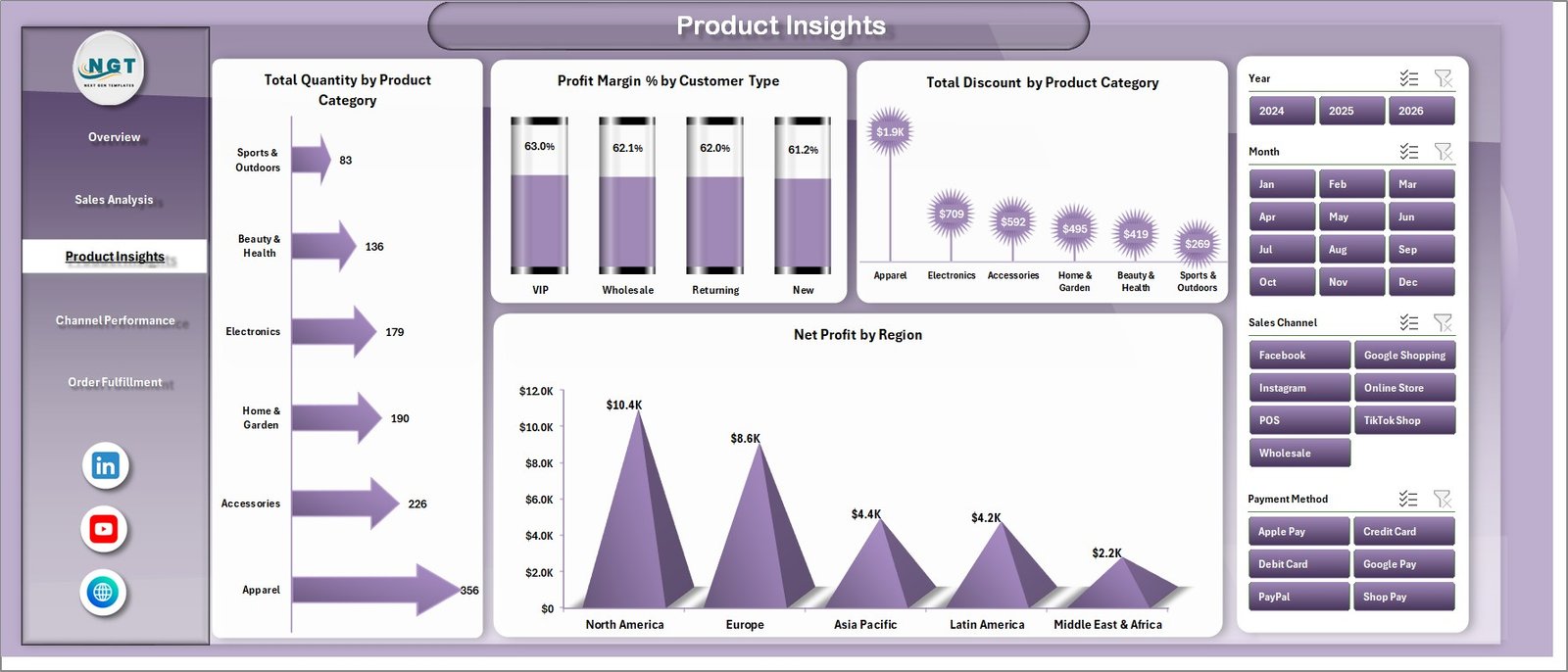
Understand your product performance at a granular level. This page shows Total Quantity by Product Category to identify volume leaders, Profit Margin % by Customer Type for segment-level margin analysis, Total Discount by Product Category to track promotional impact, and Net Profit by Region to uncover your most profitable markets.
 Product Insights
4️⃣ Channel Performance Page
If you sell through multiple Shopify sales channels, this page is essential. It visualizes Total Records by Sales Channel, Total Refunds by Customer Type, Avg. Order Value by Sales Channel, and Fulfilled Orders by Sales Channel — helping you identify your strongest and weakest channels quickly.
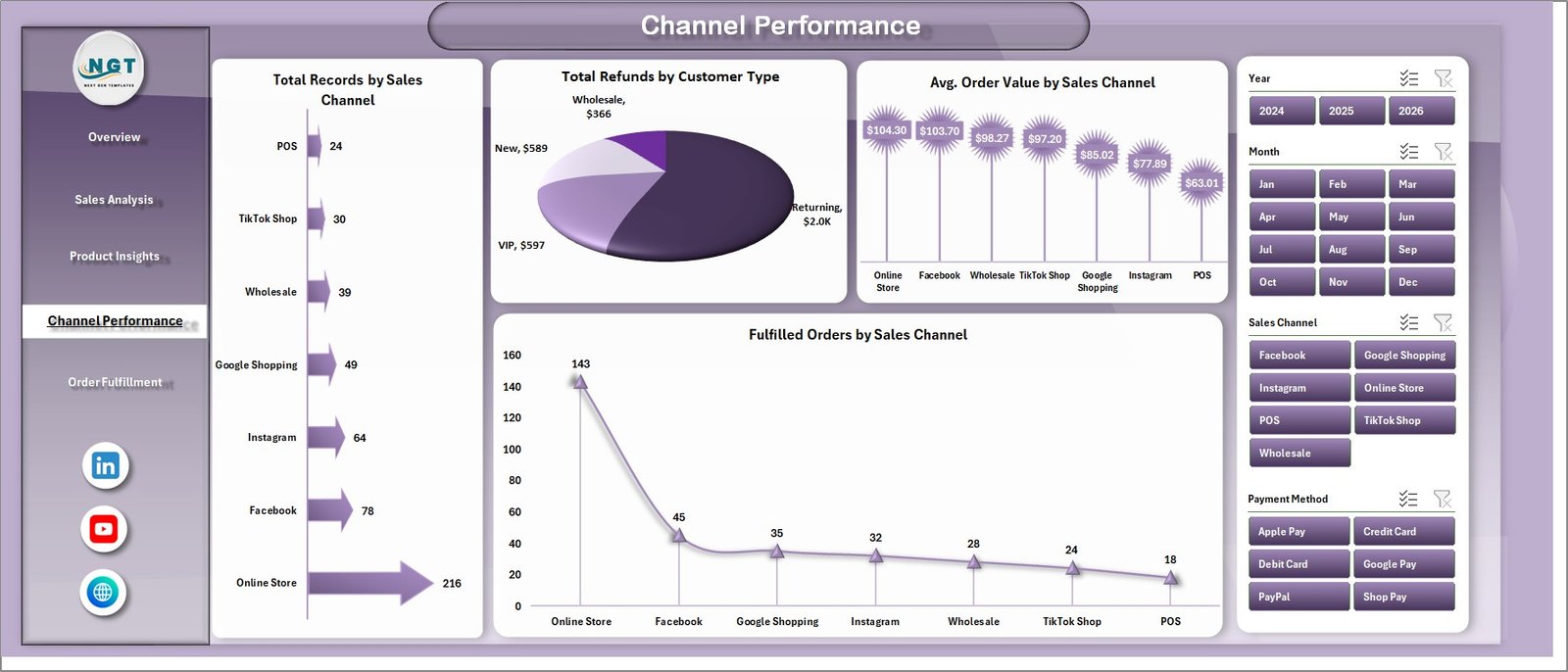 Channel Performance
5️⃣ Order Fulfillment Page
Monitor your fulfillment operations with dedicated tracking charts. This page displays Total Records by Order Status, Total Records by Fulfillment Status, and Fulfilled Orders by Month — giving you clear visibility into delivery performance and bottlenecks.
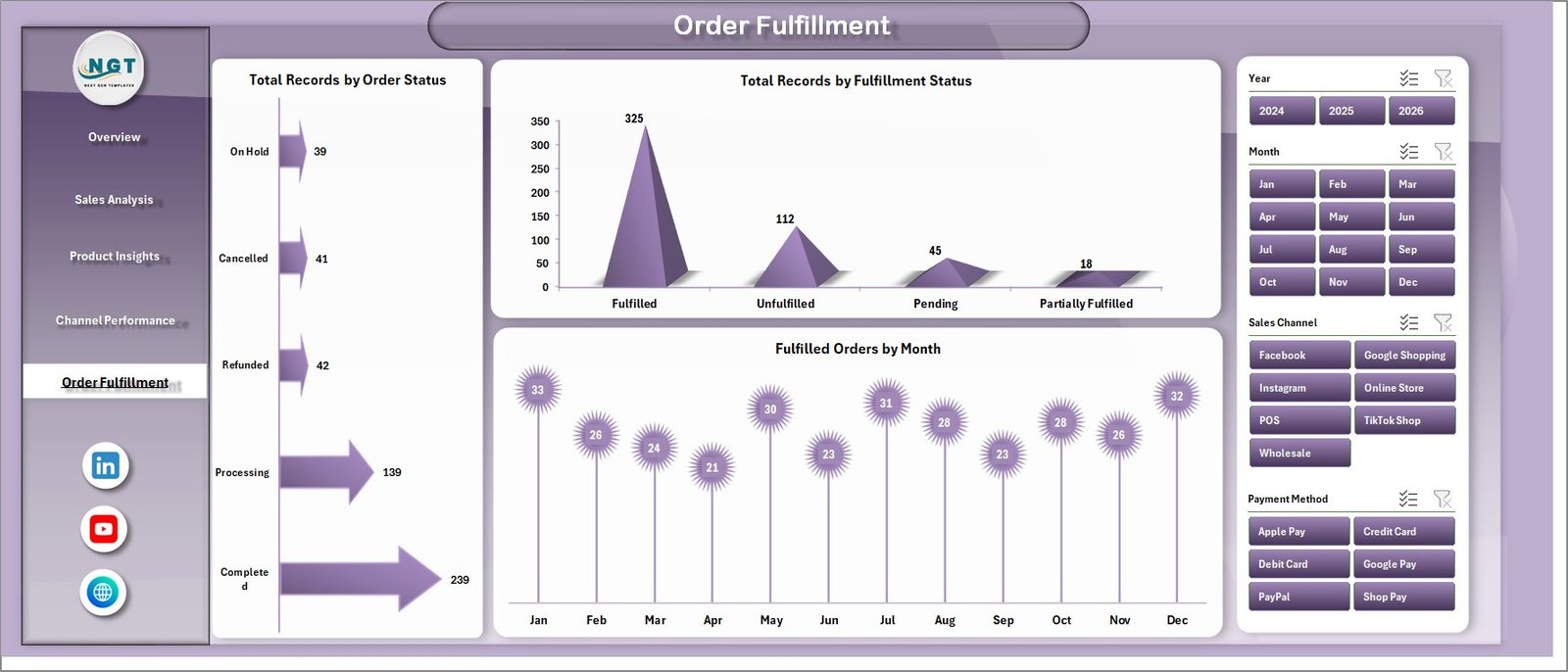 Order Fulfillment
6️⃣ Data Sheet
This is where you add your Shopify store data in the structured format. Simply export your orders from Shopify, paste them into this sheet following the column layout, and the entire dashboard refreshes automatically.
 Data Sheet Tab
7️⃣ Support Sheet
This sheet contains multiple pivot tables that power the entire dashboard dynamically. After updating your data in the Data Sheet, go to the Data tab in the Excel Ribbon and click Refresh All — every pivot table and chart updates instantly. You can keep this sheet hidden during daily use.
 Support Sheet Tab
⚙️ How to Use the Shopify Store Dashboard in Excel
1️⃣ Open the file in Microsoft Excel on your desktop.
2️⃣ Go to the Data Sheet and replace the sample data with your Shopify store export data.
3️⃣ Click on the Data tab in the Excel Ribbon → Click “Refresh All” to update all pivot tables.
4️⃣ Navigate through the 5 dashboard pages to view your analytics.
5️⃣ Use slicers on each page to filter by category, region, channel, status, or month.
The entire process takes less than 5 minutes — no formulas to write, no macros to enable.
👥 Who Can Benefit from This Shopify Store Dashboard
🛒 Shopify Store Owners tracking sales, costs, and profitability across their product catalog
📊 E-Commerce Managers monitoring fulfillment rates, channel performance, and order trends
💰 Finance Teams analyzing revenue vs cost by region and customer type
🚀 Marketing Teams evaluating sales channel effectiveness and discount impact
📦 Operations Teams tracking order fulfillment status and delivery performance
📈 Business Analysts building data-driven strategies using Shopify store data
If your business runs on Shopify, this dashboard helps you move from scattered data to actionable insights. Explore more Excel Dashboard Templates or check out the Online Marketplaces Dashboard in Excel for multi-platform selling analytics.
❓ Frequently Asked Questions
What KPIs does the Shopify Store Dashboard in Excel track?
The Shopify Store Dashboard in Excel tracks 5 key performance indicators including Total Records, Total Revenue, Total Cost, Average Order Value, and Profit Margin %. It also provides detailed chart-based analysis across fulfillment rates, sales channels, product categories, payment methods, and regional performance.
Do I need advanced Excel skills to use this dashboard?
No. This dashboard requires zero VBA or macro skills. Simply paste your Shopify export data into the Data Sheet and click Refresh All. All 5 dashboard pages update automatically through pivot tables and charts.
Can I use this dashboard for multiple Shopify stores?
Yes. You can combine order data from multiple Shopify stores into the Data Sheet. The dashboard will analyze all data together. Alternatively, you can maintain separate copies of the file for each store.
How do I export data from Shopify to use with this dashboard?
Go to your Shopify Admin → Orders → Export. Download the CSV file, then copy the relevant columns into the Data Sheet of this template. Match the column headers to ensure accurate chart generation.
Is this dashboard compatible with Google Sheets?
This dashboard is designed for Microsoft Excel desktop and uses pivot tables and slicers that may not work fully in Google Sheets. For a Google Sheets alternative, check out the E-Commerce Sales Performance Dashboard in Google Sheets.
Can I customize the charts and add new analysis pages?
Yes. The dashboard is fully customizable. You can modify existing charts, add new pivot tables, create additional dashboard pages, or extend the data columns to include more fields from your Shopify export.
🔗 Explore Related Templates
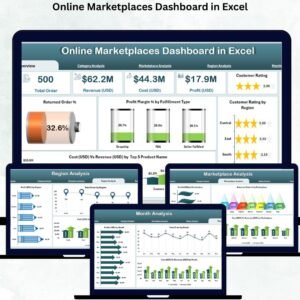
📊 Online Marketplaces Dashboard in Excel — Track performance across Amazon, eBay, Walmart, Etsy, and Shopify in one dashboard.
📋 Online Marketplaces KPI Scorecard in Excel — Monitor marketplace KPIs with actual vs target comparisons and trend analysis.
📈 E-Commerce Sales Performance Dashboard in Google Sheets — Cloud-based e-commerce analytics with real-time collaboration.
📖 Click here to read the Detailed Blog Post
🎥 Visit our YouTube channel to learn step-by-step video tutorials
👉 YouTube.com/@NextGenTemplates
Watch the step-by-step video tutorial:
YouTube



















Reviews
There are no reviews yet.