
Real estate development is a capital-intensive business where even small mistakes can lead to massive cost overruns and profit leakage. Developers must track land cost, construction expenses, marketing spend, revenues, project phases, cities, risk levels, and profit margins continuously. Real Estate Development Dashboard in Excel However, many real estate teams still rely on scattered Excel sheets, manual calculations, and delayed reports. As a result, critical insights often arrive too late.
That is exactly why the Real Estate Development Dashboard in Excel becomes a powerful and practical solution 🚀.
This ready-to-use Excel dashboard brings all critical real estate KPIs into one interactive and visual reporting system. Instead of managing multiple files, stakeholders can monitor project costs, revenues, risks, and profitability from a single dashboard. Moreover, the dashboard uses slicers, KPI cards, and trend charts to deliver instant clarity for developers, project managers, and investors.
Built entirely in Microsoft Excel, this dashboard remains flexible, affordable, and easy to customize—without the need for expensive BI tools or technical expertise.
⭐ Key Features of Real Estate Development Dashboard in Excel
🏗️ Centralized Project Performance Tracking
Monitor all real estate projects, phases, cities, and property types in one dashboard.
💰 Cost & Revenue Visibility
Track total project cost, construction cost, land cost, marketing cost, and total revenue clearly.
📊 Profit Margin & Risk Analysis
Identify profit drivers and high-risk projects before issues escalate.
🌍 City-Wise & Phase-Wise Analysis
Compare performance across locations and development phases.
📈 Monthly Trend Monitoring
Analyze cost, revenue, and profit trends over time.
🎛️ Interactive Excel Slicers
Filter insights instantly by city, phase, property type, risk level, and project status.
📦 What’s Inside the Real Estate Development Dashboard in Excel
This professionally designed Excel file includes five interactive dashboard pages, supported by structured data sheets.
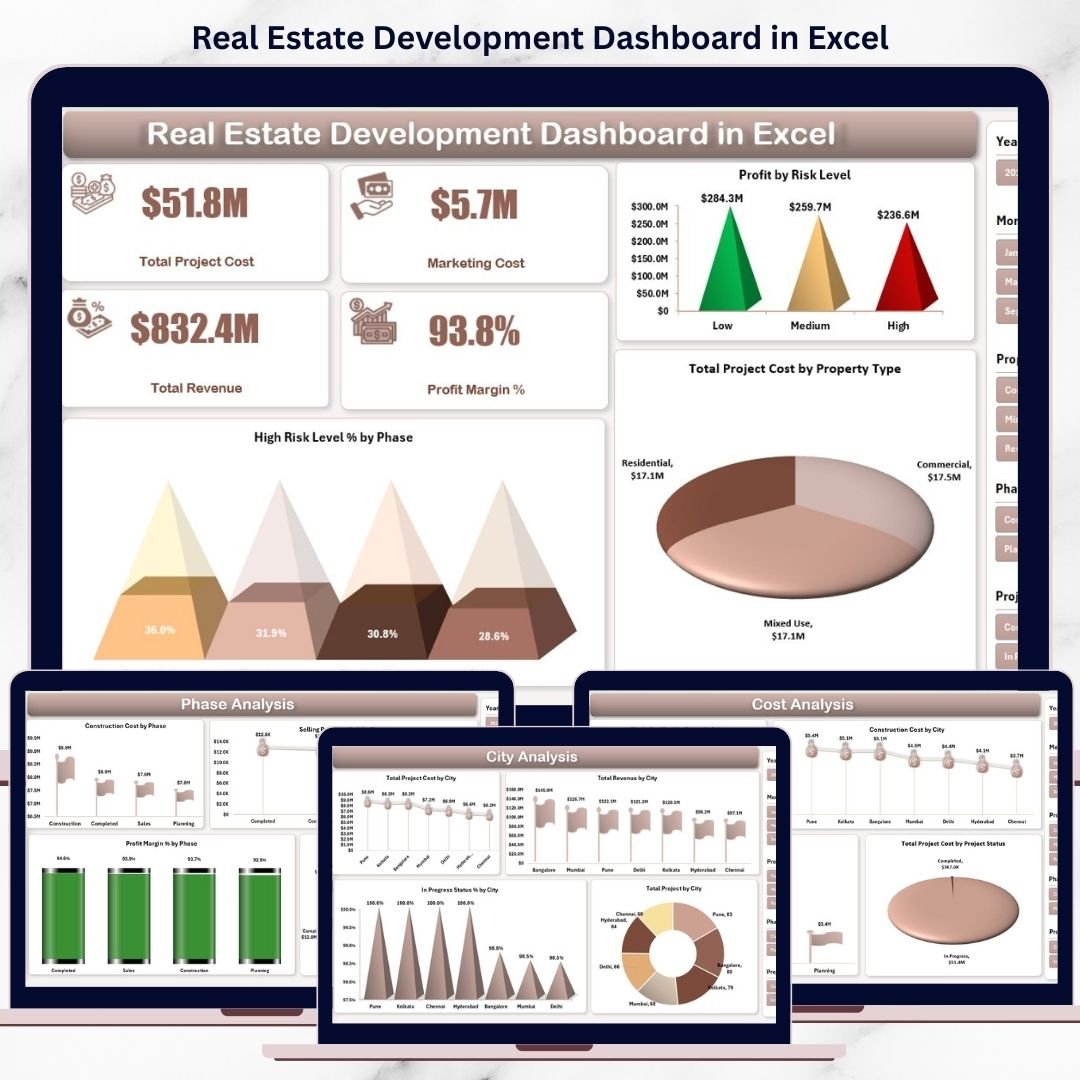
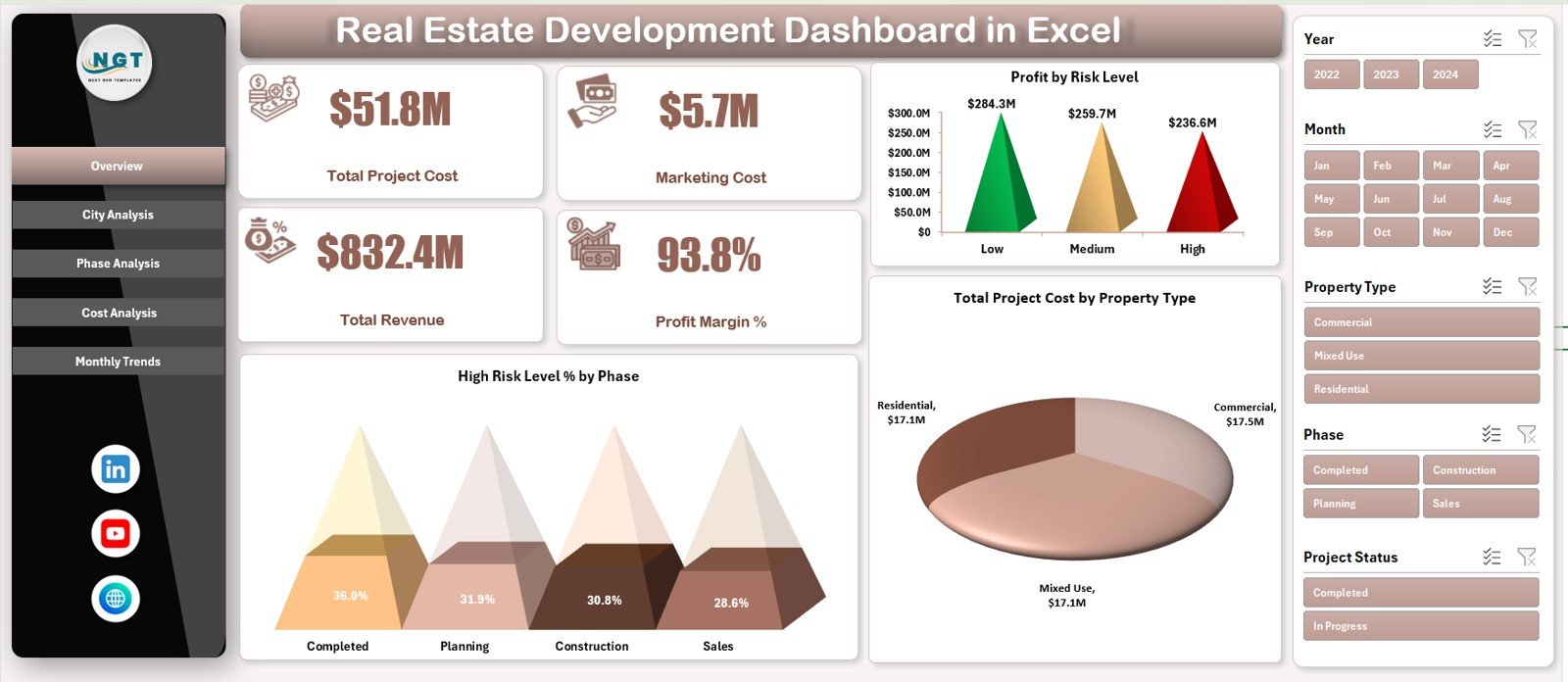
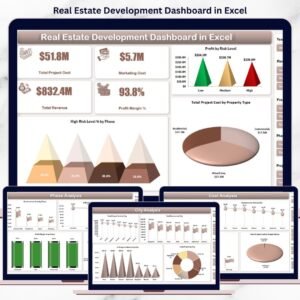
📊 Overview Page
Provides an executive-level snapshot with KPI cards:
-
Total Project Cost
-
Marketing Cost
-
Total Revenue
-
Profit Margin %
Includes charts:
-
Profit by Risk Level
-
High Risk Level % by Phase
-
Total Project Cost by Property Type
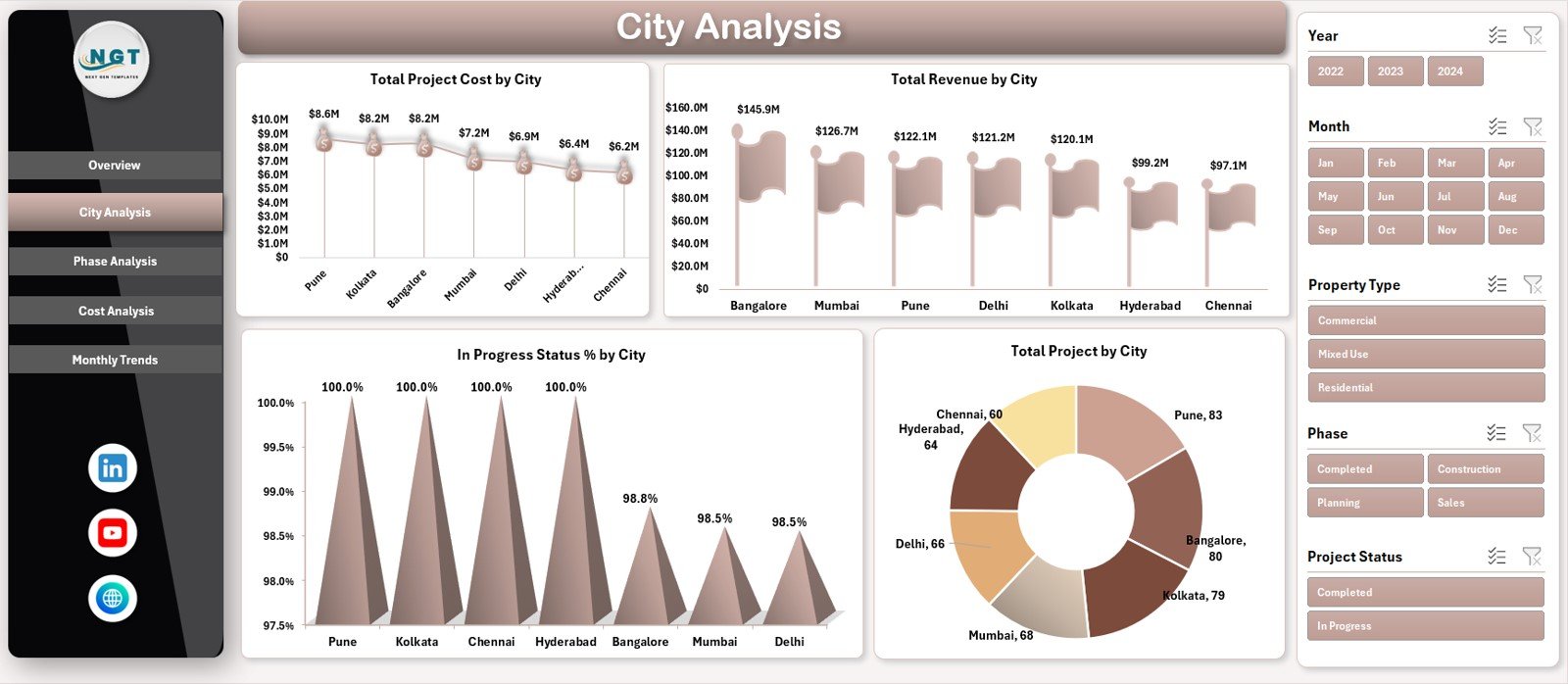
🌆 City Analysis Page
Helps evaluate location-based performance with charts for:
-
Total Project Cost by City
-
Total Revenue by City
-
In-Progress Status % by City
-
Total Projects by City
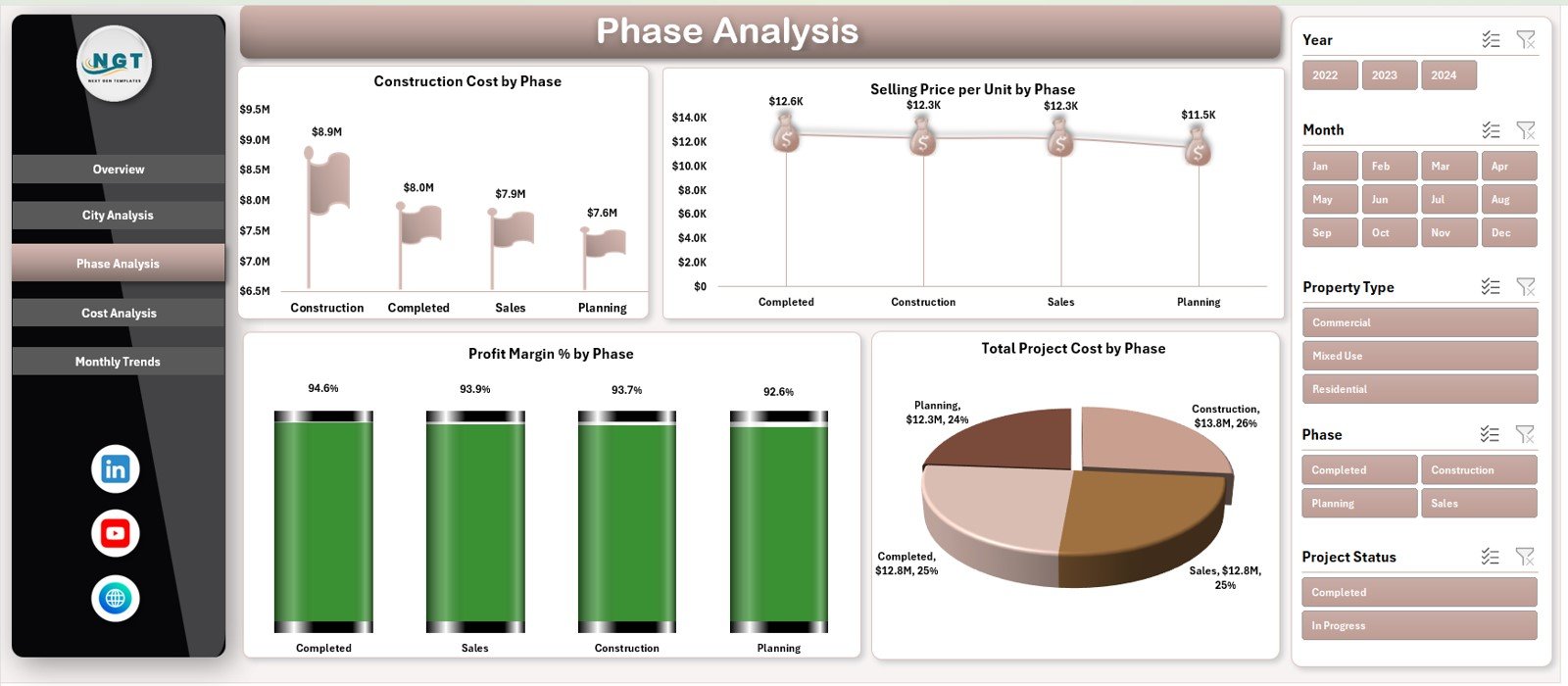
🧱 Phase Analysis Page
Tracks performance across development stages:
-
Construction Cost by Phase
-
Selling Price per Unit by Phase
-
Profit Margin % by Phase
-
Total Project Cost by Phase
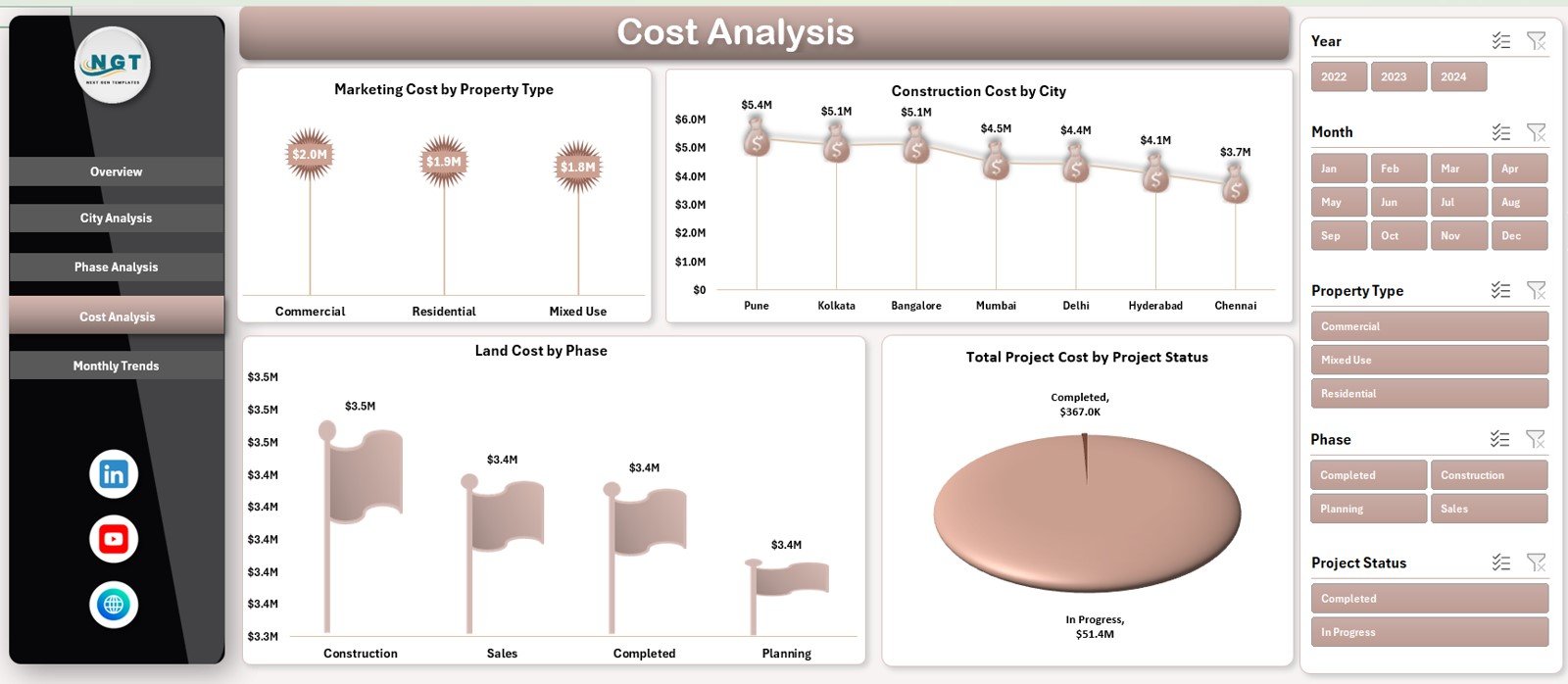
💸 Cost Analysis Page
Delivers deep cost insights through:
-
Marketing Cost by Property Type
-
Construction Cost by City
-
Land Cost by Phase
-
Total Project Cost by Project Status
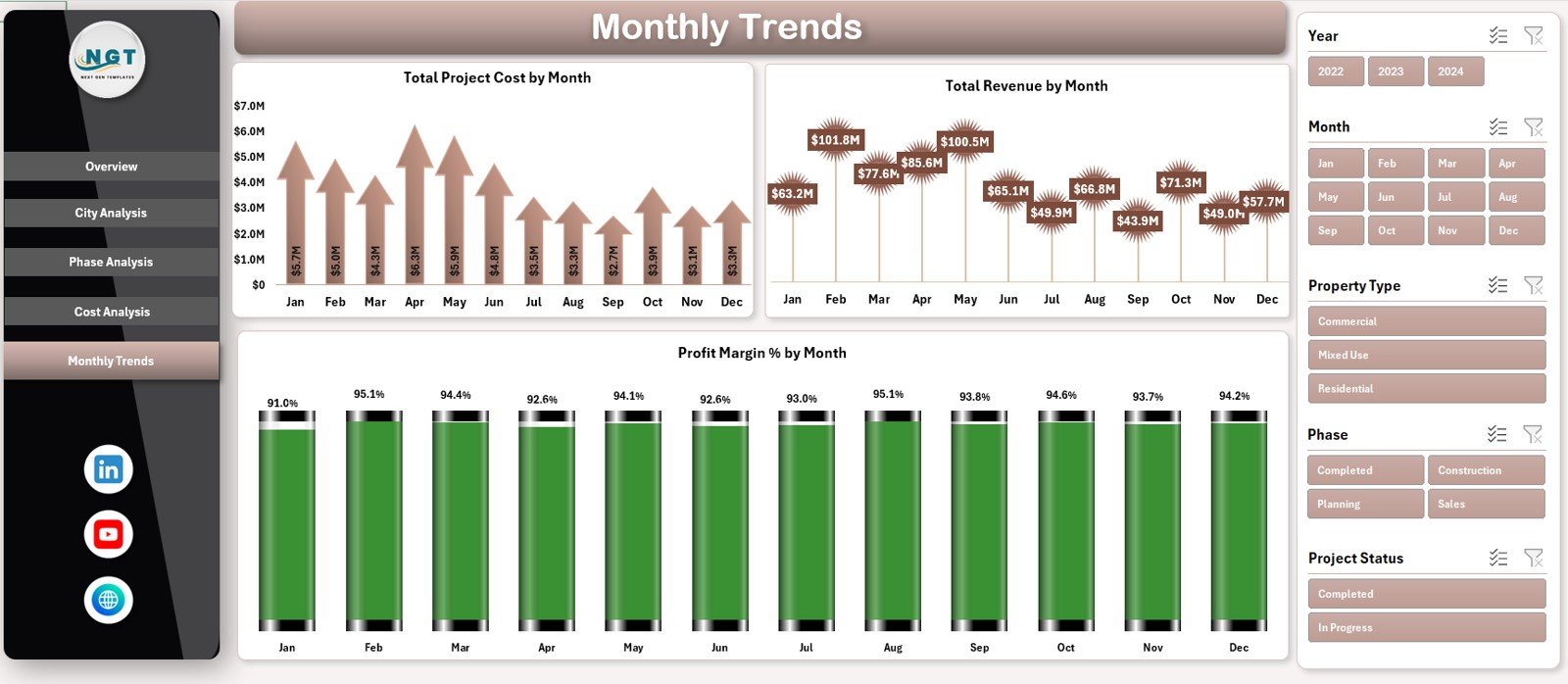
📆 Monthly Trends Page
Shows long-term financial patterns with:
-
Total Project Cost by Month
-
Total Revenue by Month
-
Profit Margin % by Month
A Page Navigator on the left allows smooth navigation across all pages.
🛠️ How to Use the Real Estate Development Dashboard in Excel
Using this dashboard is simple and intuitive:
1️⃣ Enter project data into the structured Data Sheet
2️⃣ Refresh pivot tables (if required)
3️⃣ Use slicers to filter by city, phase, property type, or risk level
4️⃣ Review KPI cards and charts
5️⃣ Analyze trends to support planning and investment decisions
Because calculations are automated, reporting becomes faster and error-free.
👥 Who Can Benefit from This Real Estate Development Dashboard
This dashboard is ideal for:
🏢 Real Estate Developers
📐 Project Managers
💼 Finance & Accounts Teams
📊 Investment Analysts
🏦 Investors & Business Owners
👔 Senior Management
Any organization managing real estate projects will benefit from this tool.


























Reviews
There are no reviews yet.