
Podcasting has grown into one of the most powerful content channels today. Whether you host interviews, storytelling shows, educational episodes, or branded series, your success depends on understanding your audience and monitoring your performance consistently. Without the right metrics, creators often struggle to improve engagement, optimize episodes, and track long-term growth. That’s where the Podcast Performance KPI Dashboard in Google Sheets becomes the perfect solution.Podcast Performance KPI Dashboard in Google Sheets
This ready-to-use dashboard helps podcasters, content creators, agencies, and marketing teams track every important KPI — including listens, subscribers, completion rate, ratings, downloads, revenue, and more. Built entirely in Google Sheets, the dashboard provides a simple interface, automated calculations, dynamic visuals, and cloud-based collaboration so your entire team stays aligned.
✨ Key Features of the Podcast Performance KPI Dashboard in Google Sheets
📊 1. All-in-One Performance Dashboard
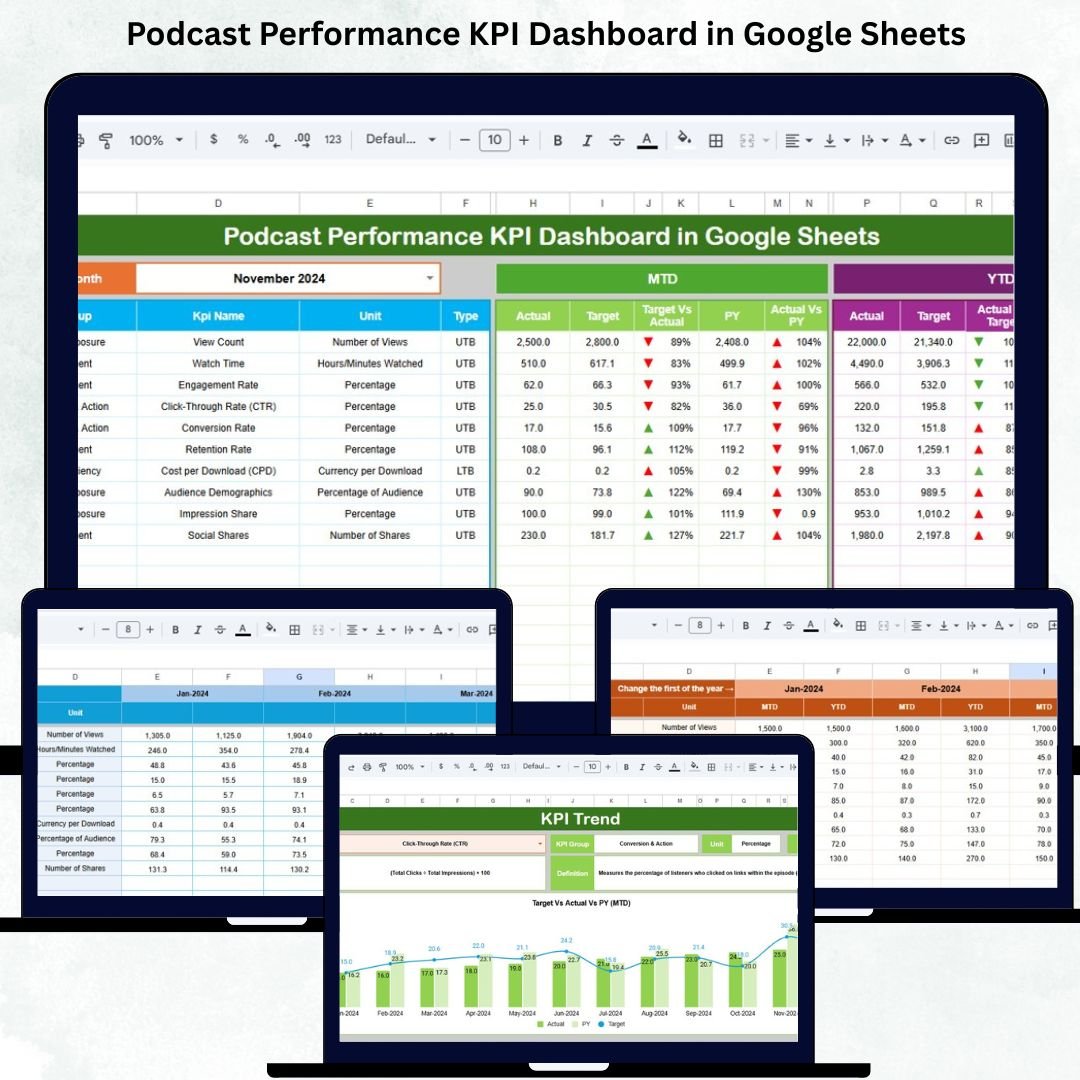
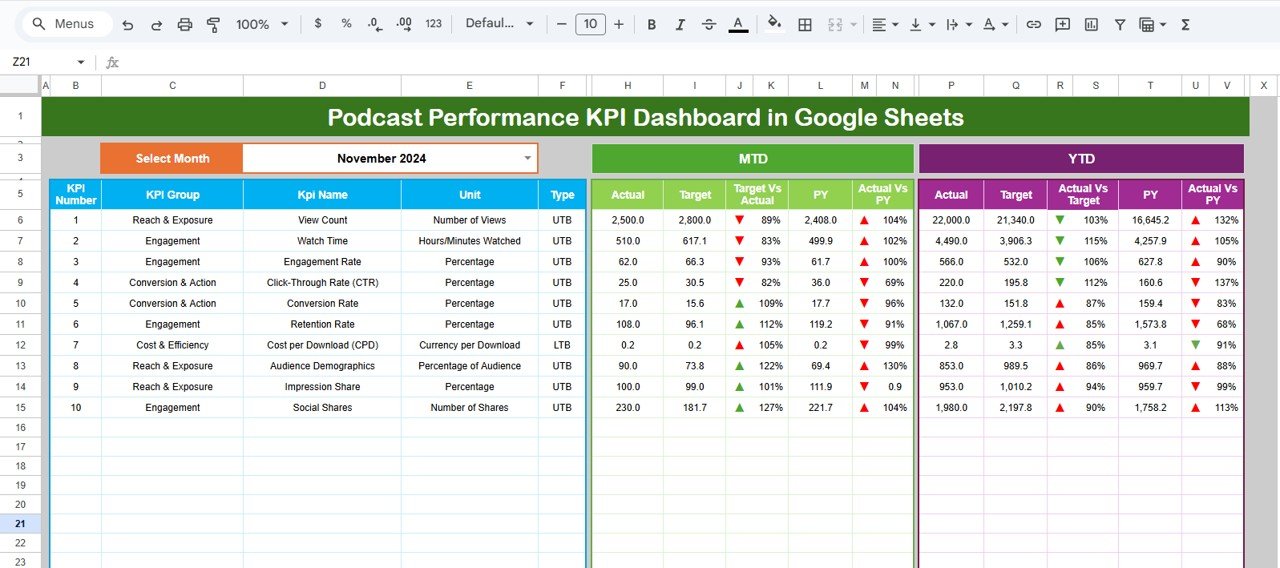
The Dashboard Sheet displays everything you need in one place. Select the month from the dropdown at Range D3 and instantly see all your KPIs refresh. It shows:
-
MTD Actual, Target, Previous Year
-
MTD Target vs Actual
-
MTD PY vs Actual
-
YTD Actual, Target, Previous Year
-
YTD comparisons with arrows
Conditional formatting with green ↑ arrows and red ↓ arrows makes it easy to identify improvement areas immediately.
📈 2. Detailed KPI Trend Analysis
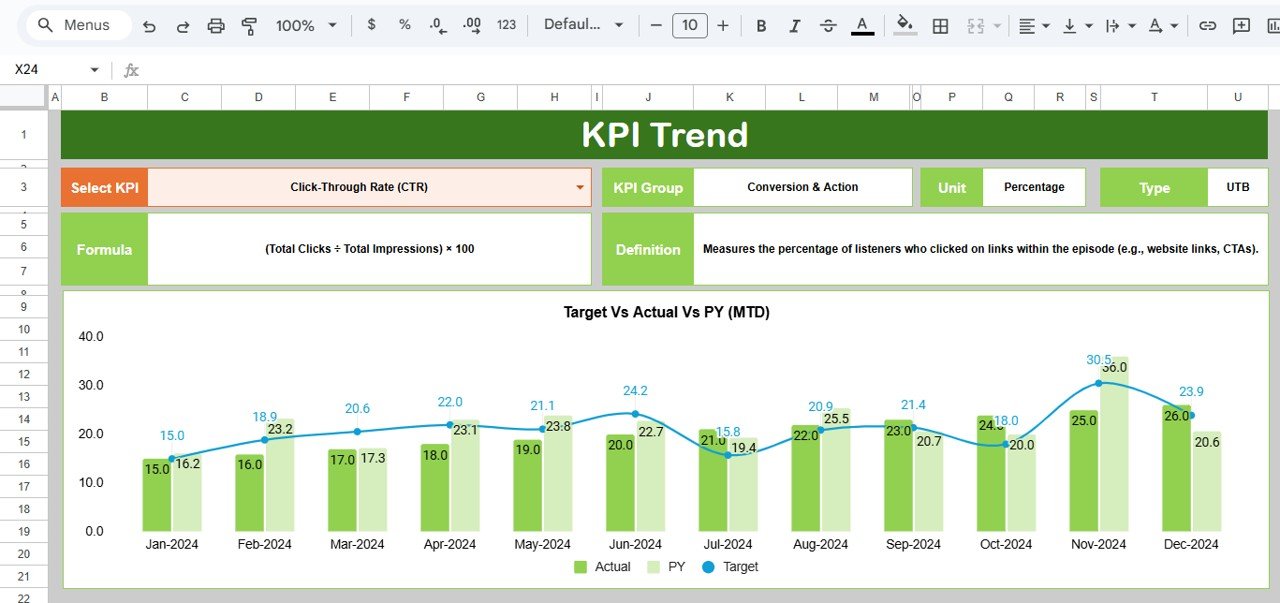
The KPI Trend sheet helps you analyze how each KPI moves across months. Select the KPI from the dropdown and instantly view:
-
KPI Group
-
Unit of Measurement
-
Type (UTB / LTB)
-
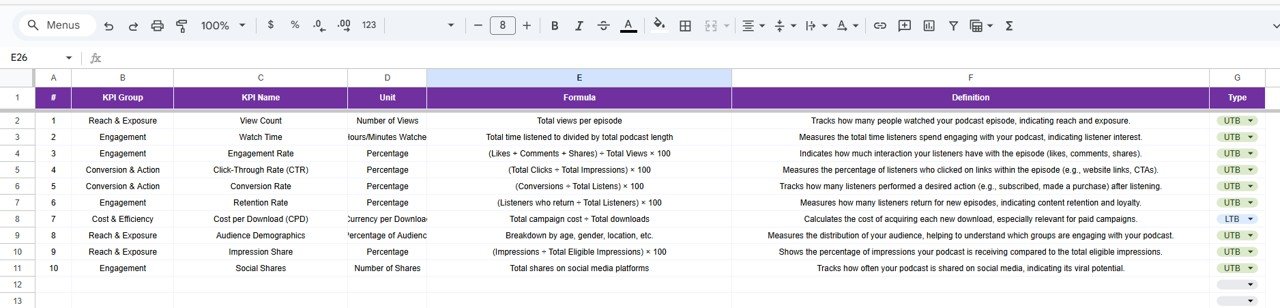
Formula
-
KPI Definition
-
Monthly trend chart
This reveals what’s working, where performance dips, and how your content strategy impacts growth.
📝 3. Actual Number Tracking Sheet
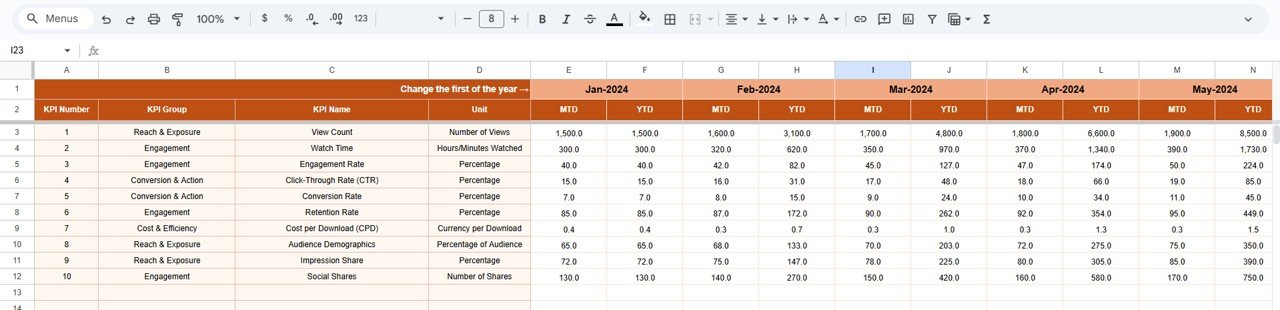
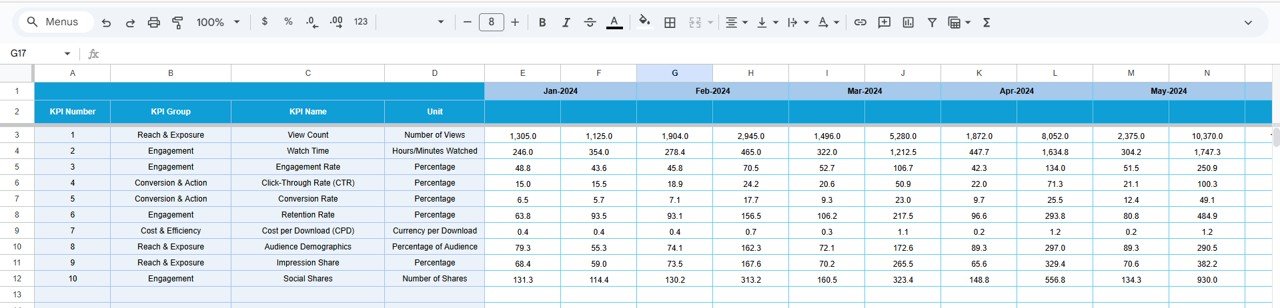
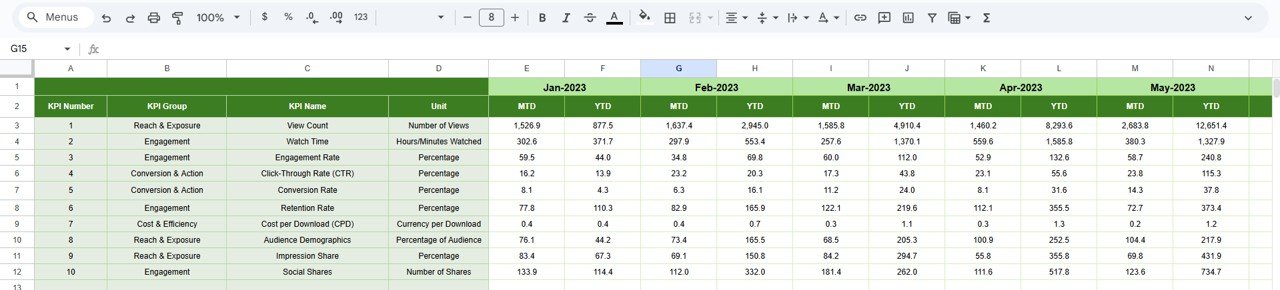
Enter MTD and YTD actual numbers for each KPI. Selecting the year’s first month (Range E1) ensures all calculations flow smoothly. This sheet powers the entire dashboard, helping you maintain data accuracy.
🎯 4. Target Sheet for Goal Tracking
Set your monthly and yearly targets for every KPI. Compare expectations vs reality to understand whether your content, promotions, or marketing efforts are on track.
📅 5. Previous Year Tracking Sheet
Store last year’s numbers to instantly analyze year-over-year growth. This sheet helps you measure long-term performance, spot improvements, and set better realistic goals for the future.
📘 6. Complete KPI Definition Sheet
This sheet explains each KPI in detail, including formulas and definitions. It ensures clarity for creators, analysts, and marketing teams who rely on consistent metrics.
📦 What’s Inside the Podcast Performance KPI Dashboard in Google Sheets
📊 Dashboard Sheet
The main dashboard provides a full performance summary with KPI indicators and visual clarity.
📈 KPI Trend Sheet
Ideal for deep-dive analysis and spotting monthly patterns.
🧮 Actual Numbers Sheet
The place where you update real performance data each month.
🎯 Target Sheet
Compare KPI goals vs actual outcomes instantly.
📅 Previous Year Sheet
Essential for tracking long-term growth.
📘 KPI Definition Sheet
Acts as your complete KPI dictionary.
🛠️ How to Use the Podcast Performance KPI Dashboard in Google Sheets
1️⃣ Step 1 — Enter Your Actual Values
Update MTD and YTD actual numbers every month.
2️⃣ Step 2 — Set Your Targets
Enter goals for all KPIs based on your strategy.
3️⃣ Step 3 — Select the Month
Choose the month in the Dashboard sheet to view updated calculations.
4️⃣ Step 4 — Analyze KPI Trends
Check the KPI Trend sheet to understand which metrics need improvement.
5️⃣ Step 5 — Compare with Last Year
Use previous year data for long-term performance insights.
6️⃣ Step 6 — Improve Content Strategy
Use performance dips and trend insights to optimize episode planning, marketing, and promotions.
🎯 Who Can Benefit from This Podcast Performance KPI Dashboard in Google Sheets
🎙️ Podcasters & Creators
Track listens, engagement, and episode performance easily.
📈 Marketing Teams
Monitor growth, revenue, promotions, and audience impact.
📊 Content Managers
Review data, fix weak-performing KPIs, and plan content calendars.
🏢 Agencies
Manage multiple podcast clients using one unified system.
🧑💼 Production Teams
Understand listener behavior and completion rates for quality improvements.
Click here to read the Detailed blog post
Watch the step-by-step video Demo:






























Reviews
There are no reviews yet.